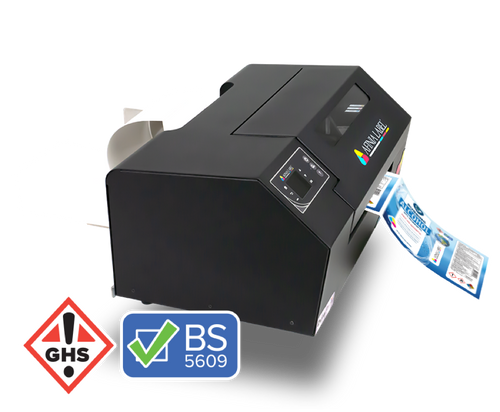
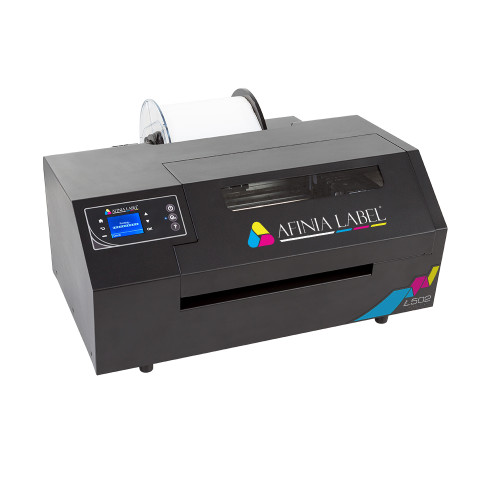
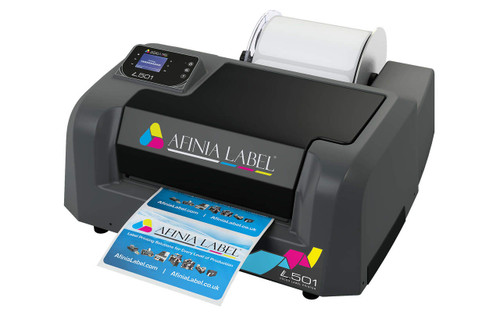
Afinia F502 Printer with Dye Inks: Compact Fanfold Colour Power
The F502 fanfold colour label printer dye configuration, featuring separate CMYK ink cartridges, is designed for businesses that want vibrant, high-resolution colour labels without relying on roll-fed media. Built with an industrial all-steel chassis and powered by HP dye inkjet technology, the F502 delivers professional-quality labels in a compact footprint ideal for fanfold media setups.
If your workflow benefits from stacked fanfold labels instead of rolls, this printer offers flexibility, efficiency, and dependable in-house production.
Why Choose the F502 Fanfold Colour Label Printer Dye for In-House Production?
The F502 fanfold colour label printer is ideal when space efficiency and clean, stack-ready output matter.
• Compact footprint without roll unwinder
• Powered cutter for precise fanfold label finishing
• High-resolution 4800 dpi print clarity
• Industrial steel housing for durability
• Flexible switching between dye and pigment configurations
• Reduced label waste with on-demand printing
• Ideal for short- to mid-sized print runs
What Makes the F502 Fanfold Printer Different from Roll Printers?
The F502 fanfold printer eliminates the need for a roll unwinder. Instead, labels feed directly from a carton, making it suitable for businesses printing consistent label sizes for the retail shelf in bulk.
Key advantages include:
• Prints fanfold labels with gap, black mark, or continuous media
• Clean cutting via integrated powered cutter
• Smaller table footprint than roll-fed systems
• Easier integration into tight production spaces
• Improved media sensing for specialty materials
What Are the Technical Specifications?
Understanding technical performance ensures your label workflow runs smoothly.
|
Specification |
Details |
|---|---|
|
Printer Model |
Afinia F502 |
|
Ink Type |
Dye Inkjet (CMYK) |
|
Maximum Print Resolution |
4800 dpi |
|
Maximum Print Speed |
Up to 1 ips |
|
Maximum Print Width |
8.5 inches |
|
Label Width Range |
1" – 8.5" |
|
Label Length |
0.75" – 48" |
|
Media Format |
Fanfold |
|
Media Types |
Paper, Polyester, Polypropylene, Vinyl |
|
Connectivity |
USB 2.0, Ethernet |
|
Cutter |
Integrated powered cutter |
|
Construction |
All steel industrial design |
|
Warranty |
1 Year Depot Warranty |
|
Availability |
Ships within 7 days |
Ready to Bring Fanfold Colour Labels In-House with the Afinia F502?Get expert guidance, transparent Canadian pricing, and fast nationwide shipping from DuraFast Label Company. If you want clean, stack-ready fanfold labels with vibrant dye output, our specialists will help you choose the right media, inks, and setup for your workflow. Call Now: +1-866-299-0066 |
|---|
Who Is the F502 Fanfold Colour Label Printer Best For?
This fanfold label printer is particularly effective for:
• Food and beverage producers running batch labels
• Coffee roasters printing stacked packaging labels
• Cosmetic and health brands producing retail-ready labels
• Warehouses printing SKU and barcode labels
• Manufacturers producing compliance or variable data labels
Why Choose Dye Inks for the F502 Fanfold Printer?
Dye inks are optimized for colour vibrancy and high-definition image detail.
Benefits include:
• Rich colour saturation
• Smooth gradients and photographic quality
• Strong shelf appeal for retail packaging
• Lower cost compared to pigment configurations
What Types of Labels Can I Print with the F502 Dye Configuration?
The F502 fanfold colour label printer dye supports:
• Prime product labels
• Coffee and tea packaging
• Candle labels
• Jar labels
• Promotional packaging
• Barcode and SKU labels
• Boutique retail packaging
Compatible Label Materials for the F502 Fanfold Printer
|
Label Type |
Common Use |
|---|---|
|
Matte Paper |
Prime product labels |
|
Gloss Paper |
Retail packaging |
|
Matte Polypropylene |
Durable indoor labels |
|
Gloss Polypropylene |
Beverage packaging |
|
Polyester |
Long-lasting synthetic labels |
|
Vinyl |
Flexible product labels |
Dye vs Pigment: Which F502 Configuration Should You Use?
Ink Type
Best For
Key Advantage
Not Recommended For
Dye
Retail packaging
Vibrant colour
Outdoor or chemical exposure
Pigment
Industrial labels
Water & chemical resistance
High-gloss retail focus
If producing GHS BS5609 compliant labels, pigment ink is required.
F502 Ink Cartridges & Supplies
|
SKU |
Product |
Type |
|---|---|---|
|
30636 |
Cyan |
Ink Cartridge |
|
30643 |
Magenta |
Ink Cartridge |
|
30650 |
Yellow |
Ink Cartridge |
|
30657 |
Black |
Ink Cartridge |
Each cartridge is optimized for vibrant colour output and consistent fanfold production.
Optional Warranty Coverage
|
SKU |
Coverage |
|---|---|
|
Extended Year Two |
1 Additional Year |
|
Extended Years Two & Three |
2 Additional Years |
What’s Included in the Box?
-
Afinia F502 printer unit
-
Starter CMYK dye ink cartridges
-
Power cable
-
Driver software
-
Setup documentation
Where to Buy the F502 Fanfold Colour Label Printer Dye in Canada?
DuraFast Label Company provides:
-
Canadian-based support
-
Nationwide shipping
-
Competitive CAD pricing
-
Free shipping on qualifying orders
-
Technical consultation before and after purchase
-
Reliable ink and label supply inventory
Not Sure If the F502 Is Right for Your Workflow?
Choosing between roll and fanfold formats depends on:
• Application method
• Space constraints
• Label size consistency
• Volume requirements
• Durability needs
Our Canadian specialists can guide you toward the right configuration and basic feature set for your business.
Real Feedback from Our Valued Customers
Had a great experience. After searching around for a label printer, I stumbled across Durafast, and I'm glad I did. They had great service and provided the perfect printer for my business, which is also resistant to abrasion. They also have the best prices compared to any other companies I contacted. And since they also provide labels and ink, I'll be back the next time I need a refill.
"My Labels print nicely and are of high quality. I would tell my family and friends to buy one."
- Tony B
"Impressed with the level of service provided by Durafast.
- Excellent customer service
- Provided label samples on different label printers
- Had a showroom in which I could see the label printers in person
Thanks for making my decision on label printers easier."
- John L.
Frequently Asked Questions
Why choose a fanfold label printer instead of roll-fed?
A fanfold colour label printer improves print bed visibility and workflow control without a roll unwinder. Its steel industrial cover and industrial build quality support prime labelling applications, offering greater compatibility and long-term labelling cost efficiency.
Is the F502 better for dye or pigment applications?
The F502 supports vibrancy of dye inks for retail environments, while durable pigment inks are recommended for high GHS compliance exposure, salt water, extreme temperature, and challenges of moisture, where permanence of the print and durability of pigment output matter.
Can I switch from dye to pigment inks later?
Yes. The F502 supports ink interchangeability through the color label printer toolbox. This level of versatility allows businesses to shift between retail packaging and durable applications such as chemical drum label applications, without replacing the printer.
Does the F502 support Ethernet connectivity?
Yes. The colour label printer includes USB and Ethernet connectivity for integration into the label printing world. Firmware updates and diagnostics are managed through the colour label printer toolbox for greater compatibility and control.
What print resolution does the F502 offer?
The F502 prints up to 4800 dpi, supporting reflective metallic material and detailed graphics. As one of the most versatile desktop fanfold label printers, it delivers great value with a medium initial cost and controlled ink cost performance.
Are there recommended maintenance steps for the F502?
Regular printhead cleaning, sensor checks, and toolbox diagnostics are recommended. Proper thermal media selection is essential for durable labels used in submersion, transportation requirements, and chemical environments to help keep chemical manufacturers within budget and manage long-term labeling costs.