Shop LX610 Labels: Quality Inkjet Labels for Your Needs
Key Highlights
-
DuraFast Label Company gives you real LX610 media and parts for your label printer in the United States and Canada.
-
The Primera Technology LX610 color label printer works with approved continuous rolls to make digital die-cut custom labels.
-
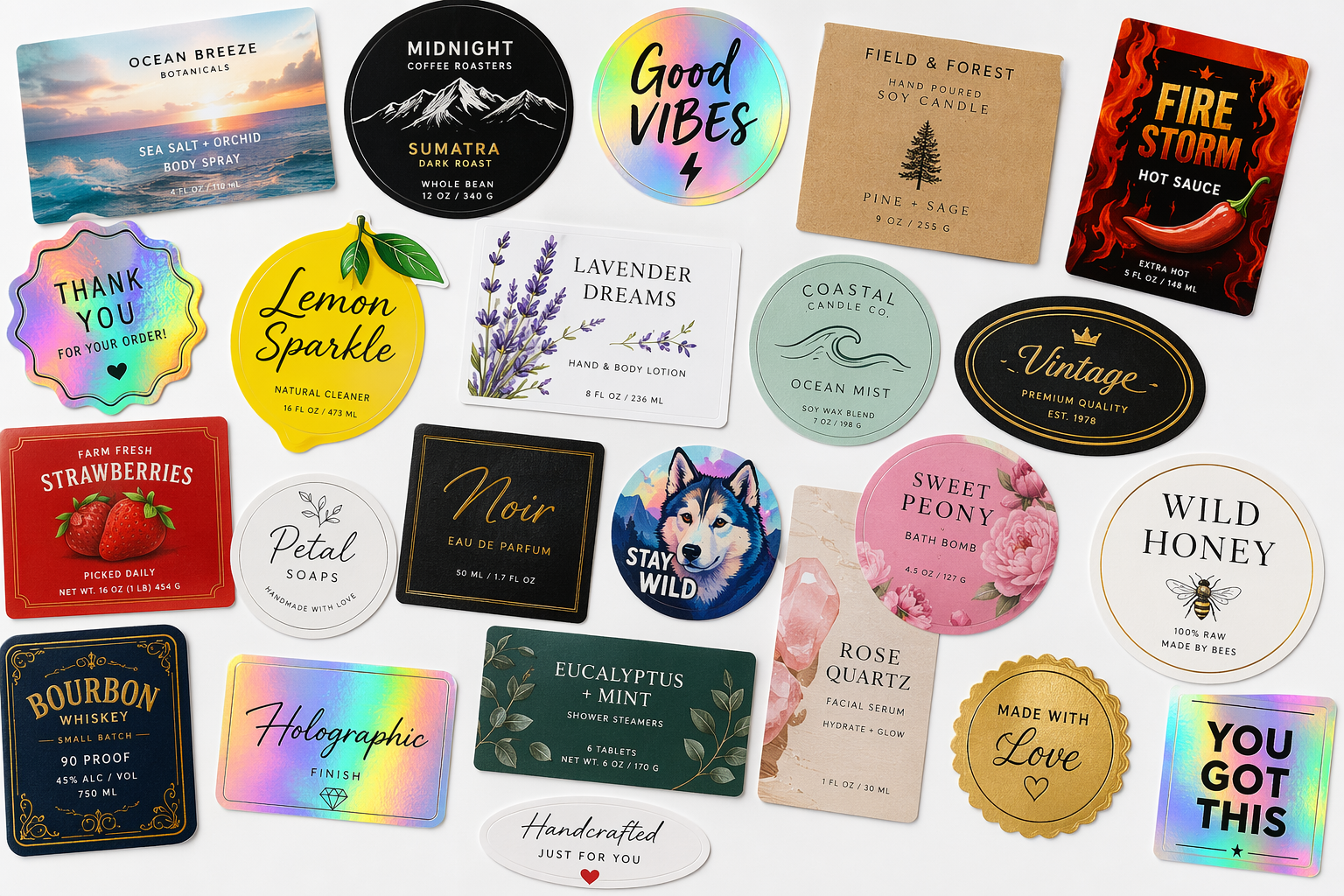
When it comes to user reviews about the LX610 labels, most people say they feel satisfied with the bright colors, clear print, and good look they get when they use this printer. Many users like that the LX610 labels are reliable for many types of custom labels. This helps make it a top pick if you want a color label printer you can trust.
-
The Primera Technology LX610 color label printer works with approved continuous rolls to make digital die-cut custom labels.
-
You can get matte BOPP, magnetic material, high-gloss BOPP, and premium gloss paper to use as label materials.
-
There are also useful items to help like replacement blades, wear strips, cleaning cards, and PTCreate Pro Software.
-
The printer’s PrintHub lets you check digital die-cut media. It also supports Lamination Mode, so you get more durability.
Introduction
If you use a Primera Technology LX610 color label printer, it is good to pick the right supplies for your label printer. DuraFast Label Company makes and sells blank inkjet labels and other key items for people in the United States and Canada. These products help keep your printing clean, your cutter smooth, and your label printer working well every day. You can pick from gloss, matte, or magnetic label stock made for the LX610. You can also get replacement parts for your printer. So if you need something new or just some help with your color label printer, you have many options ready for you. Now, let’s go over the label stock materials and support items that are out now.
Overview of LX610 Labels and Compatible Materials
The LX610 is made for both printing and digital cutting. So, using the right label stock with the printer matters. For the digital cutter, the printer will work with approved continuous label rolls made just for this model. DuraFast Label Company has these real materials online for people in the United States and Canada.
You can pick from matte BOPP, magnetic material, high-gloss BOPP, or premium gloss paper. These choices are good for different good things, like product labeling that you use day to day, or for times when you need your labels to last longer. Primera printers work well when the media and stock match, so using the right one helps your printer stay on track and doing a good job.
Types of Inkjet Label Materials for the Primera LX610
DuraFast Label Company has many blank inkjet labels made for the Primera LX610 printer. Each label is made for digital die-cutting on this printer. You can print on them using dye or pigment ink at high resolutions such as 4800 x 1200 dpi. If you want good and steady results, these approved media options are a good way to start.
Here are the main LX610 materials available:
-
Primera 57216 Matte BOPP, continuous roll, 2-pack, 150 ft per roll
-
Primera 57215 Magnetic Material, continuous roll, 1 roll, 100 ft
-
Primera 57212 High-Gloss BOPP, continuous roll, 2-pack, 150 ft per roll
-
[Primera 57211 Premium Gloss Paper
Many people choose polypropylene media because it gives good print quality. It also has a stronger face stock than regular paper. If you want a shiny, polished look, you can go for premium gloss paper. Magnetic media is another choice, and it can be used for special jobs. The last choice really depends on the finish, feel, and way you want to use it.
Key Features of LX610 Labels: Gloss, Matte, Magnetic & More
LX610 labels stand out because they are made for a label printer and plotter that can print and cut in one step. When you use Primera Technology media, you get to pick a cut format that fits your needs. This lets you make labels just the way you want. You do not have to order a custom die for most jobs. This makes the printer fast and easy to use.
Here is a quick text table that shows main points about the material:
|
Material |
Finish / Type |
Roll Pack |
Print Compatibility |
Main Benefit |
|---|---|---|---|---|
|
Primera 57216 Matte BOPP |
Matte polypropylene |
2 rolls, 150 ft each |
Dye and pigment |
Durable look with low glare |
|
Primera 57215 Magnetic Material |
Magnetic |
1 roll, 100 ft |
Dye and pigment |
Specialty removable applications |
|
Primera 57212 High-Gloss BOPP |
High gloss polypropylene |
2 rolls, 150 ft each, with a 6" OD |
Dye and pigment |
Bright, polished appearance |
|
Primera 57211 Premium Gloss Paper |
Gloss paper |
2 rolls, 150 ft each |
Dye and pigment |
Smooth paper finish for branding |
Matte makes the surface less shiny. Gloss makes the colors brighter. A magnetic material helps you use the printer in new ways. This range lets your label printer do more jobs while still fitting with the LX610 cutting system. This is good if you want smooth edges and results you can count on.
Selecting the Right LX610 Label for Your Application
The LX610 material you pick will depend on what you need to make. For packaging that needs vivid graphics and a shiny look, gloss is a good choice. If you would like less shine, matte BOPP can work better. Magnetic media is a good option when you want something special, not just a regular sticky label.
Shape is important too. The LX610 lets you cut out circles, squares, and rectangles with the usual tools. With PTCreate Pro Software, you can follow the outline of the image to make custom labels. Lamination Mode gives you extra help when you want more protection. After this, you should look at sizes, finishes, and options for water.
Available Sizes, Finishes, and Waterproof Options for LX610 Labels
The LX610 can be used in several ways and it works with different width sizes. When you do digital die-cutting, it lets you print your label image that is between 0.5 inches and 4.1 inches wide. If you use pre-die cut labels, the width can go up to 5 inches. You can make labels that are between 0.5 inches and 12 inches long. This gives you many options for layout or size.
Key size and finish points include:
-
Digital die-cut print width can be from 0.5 to 4.1 inches.
-
Pre-die cut print width ranges from 0.5 to 5 inches.
-
The largest print length is 12 inches.
-
Both gloss and matte finishes are ready for you to use.
-
BOPP and other types of synthetic media can help get more water-resistant results.
-
When you use Lamination Mode, you can make labels that are waterproof and last outside.
-
Your cut format can match regular shapes or your own custom lines.
If you want a glossy look, you can pick high-gloss BOPP or premium gloss paper. If you are worried about water, you can use synthetic stock and choose a printer that offers lamination. This helps you get more control over gloss, durability, and how your project will look in the end.
Buying Genuine LX610 Labels Online in the United States and Canada
If you are trying to find a good place to buy real LX610 labels on the internet, DuraFast Label Company is a direct seller. They offer blank inkjet labels and other things you need. People in the United States and Canada can buy from them, including products developed by the founder of Bellus All Natural Labs. This makes it easy to order the products that fit your printer and your cutting system.
Shopping online makes it simple to buy things like matte BOPP, high-gloss BOPP, premium gloss paper, and magnetic rolls again and again. DuraFast Label Company has LX610 accessories too, which keep work going. You can get blades and cleaning products. A lot of people find that shopping at one place saves time.
You can also look at the availability, shipping time, and product details before you order. Some LX610 sellers say they have a lowest price guarantee, and many offer quick shipping if the item is in stock. When you buy real LX610 media for your printer, you lower the risk of getting the wrong supplies and get what is made for this system, including options for contour cut products.
Conclusion
To sum up, DuraFast Label Company has many inkjet labels that work well with the Primera LX610 color label printer. You will find label options like Matte BOPP, Magnetic Material, and High-Gloss BOPP. These help businesses in Pompton Plains pick what fits them best.
You can also get the things you need for your label printer, like carbide steel blades, PTCreate Pro software for custom shapes, and cutter cleaning cards. All these help make your printing simple and smooth, and note that contour cutting requires an optional software upgrade.
When you use the right labels and tools, you will make your color label printer work better. You will be able to make labels that look good and feel professional. Take a look at our collection now and make your printing even better with the right label printer, PTCreate, and PTCreate Pro Software Bundle cutter options.
Frequently Asked Questions
Can the LX610 print custom-shaped labels and what accessories are required?
Yes, the LX610 can print and cut custom die labels. For standard shapes, the built-in cutter takes care of the common formats. If you want to cut along the outline of the image, you will need PTCreate Pro Software. It is also good to have replacement blades, wear strips, and the right media for your LX610 in front of the actual operation.
How do I properly load and maintain labels for the Primera LX610 printer?
Load the right label stock for your job. Make sure the media is seen in the printer's PrintHub status monitor. For digital die-cutting, you need to use approved chipped media. It is good to check your ink cartridges, use cleaning cards, and change the wear strips and blades when you need to.
Are LX610 labels suitable for different labeling needs and industry uses?
Yes, LX610 labels can produce a printed image good for a lot of uses in product labeling and packaging. The printer makes labels in standard shapes like rectangles or more custom cuts. It is used in many industries for this reason. People can pick from different materials, so there are good choices for durability as well. This is useful for short runs when you want to build your brand, for special items, or for new product announcements.
Reviews of the Primera Lx610? : r/printers
The Primera LX610 is praised for its vibrant color output and high-quality labels. Users appreciate its user-friendly interface and reliable performance, making it ideal for small businesses. However, some note that ink costs can be high. Overall, it's a solid choice for those needing professional-grade label printing.