Zebra ZD220T Thermal Transfer Desktop Label Printer
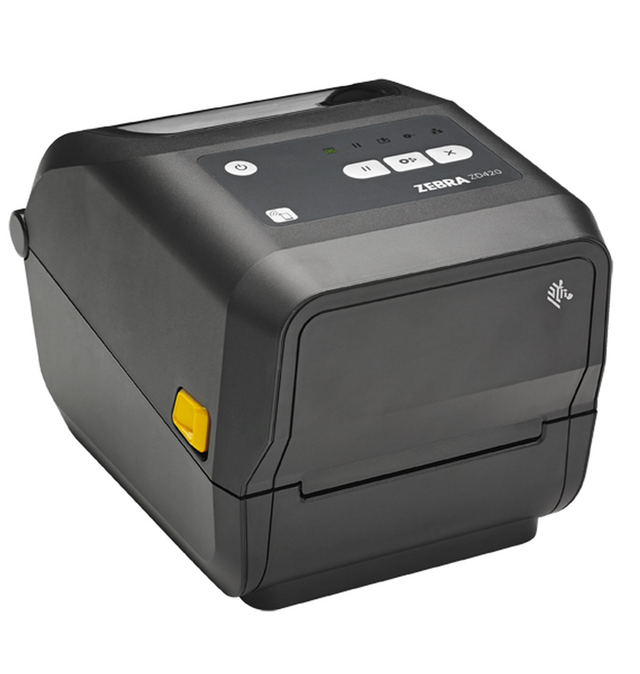
Keep your labeling operations running smoothly with the Zebra ZD220T thermal-transfer desktop printer, built for a dependable print experience and reliable, cost-effective performance. The ZD220T label printer features a single button for easy operation and delivers consistent results for barcode labels, product labels, and asset tracking.
Ready to Upgrade Your Zebra ZD421 Label Printing?
If your business depends on fast, accurate labeling, you need a printer that keeps up with your workflow. The Zebra ZD220T printer delivers reliable thermal transfer printing with a consistent performance status indicator across retail, warehouse, and inventory environments.
Call +1-866-299-0066 to speak with our experts and find the right ZD421 label printer for your business needs.
What Makes the Zebra ZD220T Label Printer a Reliable Desktop Printing Solution?
The Zebra ZD220T label printer uses thermal transfer technology and a durable printhead with solid construction, making it well-suited for businesses that need long-lasting labels for shipping, inventory tracking, and product identification.
Designed for ease of use and consistent output, the Zebra ZD220T USB label printer supports a wide range of label materials, offering a cost-effective solution for small businesses, warehouses, and distribution operations.
Businesses commonly use the ZD220T printer to produce:
-
shipping labels
-
barcode labels
-
inventory labels
-
retail product labels
-
pallet labels
Meet the Reliable Zebra ZD220T Thermal Transfer Label Printer
Many businesses still use desktop printers that struggle with inconsistent output, slower speeds, and frequent interruptions, which can impact productivity and labeling accuracy.
To keep operations running efficiently, businesses need a printer that delivers consistent barcode quality and durable labels without complex setup or ongoing maintenance.
The Zebra ZD220T printer is built to meet these needs, offering reliable thermal transfer printing in a compact and easy-to-use desktop design, ultimately reducing operational costs.
The ZD220T printer offers:
-
Consistent performance for daily labeling
-
Simple ribbon and label loading
-
Dependable barcode printing
-
USB connectivity for easy setup
-
Durable printing for long-lasting labels
With its compact design and user-friendly operation, the Zebra ZD220T label printer provides a practical solution for businesses that need reliable labeling without the complexity of industrial systems.
What Makes the Zebra ZD220T Label Printer a Popular Desktop Printer?
The Zebra ZD220T barcode printer is widely used across industries for its reliable performance and essential features, including ZebraDesigner Essentials, offering an easy label design tool and cost-effective solution for everyday labeling operations.
Key features include:
• Thermal transfer printing for durable, long-lasting labels
• 203 dpi resolution for clear barcode and text output
• Compact desktop design for counters and workstations
• USB connectivity for straightforward setup
• Durable construction for daily use
• Easy ribbon and media loading to minimize downtime
• Consistent barcode printing for inventory and logistics
Whether printing shipping labels, asset tags, or barcode labels, the Zebra ZD220T printer delivers dependable results for small to mid-sized business environments.
Browse Our Zebra ZD220T Printers
DuraFast Label Company carries the Zebra ZD220T thermal transfer printer, providing businesses across Canada with reliable barcode printing solutions.
Below you can explore the available ZD220T printer models available through DuraFast.
1. Zebra ZD220T - Thermal Transfer Desktop Barcode Label Printer
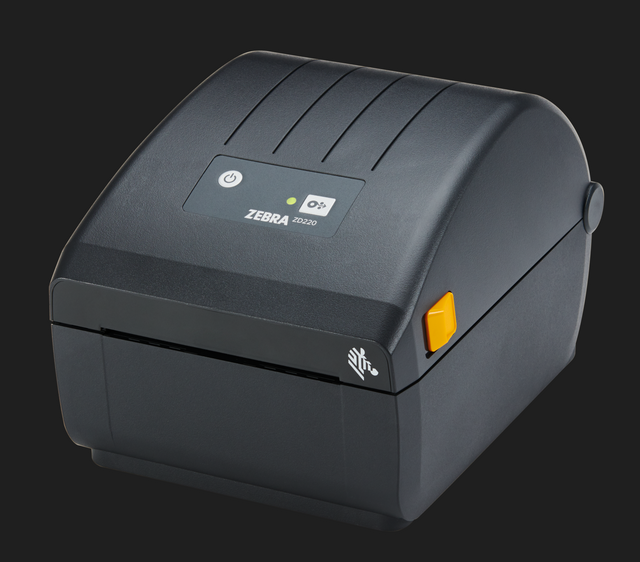
Model: ZD220T
SKU: ZEB-ZD22042-T01G00EZ
MPN: ZD22042-T01G00EZ
Price: $547.00
Availability: In Stock
The Zebra ZD220T thermal transfer printer is designed for businesses that require a range of Zebra thermal transfer ribbons to produce durable barcode labels that can withstand handling, storage, and shipping environments.
Available models include:
Compare Zebra ZD220T Printers: Features, Specifications, and Variants
|
Feature |
ZD220T (USB Only) |
ZD220T (USB + Dispenser/Peeler) |
|---|---|---|
|
Best For |
basic barcode and shipping labels |
efficient label application with peeling |
|
Print Method |
thermal transfer |
thermal transfer |
|
Print Resolution |
203 dpi |
203 dpi |
|
Print Speed |
4 inch with essential software applications and basic features |
up to 5 ips |
|
Print Width |
4 inch |
4 inch |
|
Connectivity Options |
USB |
USB |
|
Peeler/Dispenser |
not included |
factory-installed dispenser/peeler |
|
Media Type |
roll-fed labels, tags |
roll-fed labels, tags |
|
Ideal Use Case |
small business labeling |
faster labeling workflows |
|
Typical Label Durability |
durable |
durable |
Why Choose the Zebra ZD220T Printer?
Businesses choose the Zebra ZD220T barcode printer for its consistent performance and reliable operation, straightforward operation, making it well-suited for everyday labeling tasks without added complexity.
Key advantages include:
• dependable desktop barcode printing
• cost-effective entry-level Zebra solution
• durable thermal transfer label output
• compact design for limited workspace
• easy setup and operation
• compatible with a wide range of labeling applications
The Zebra ZD220T printer is a practical option for businesses that need reliable barcode printing without investing in advanced industrial systems.
Which Zebra Printers Are Designed for High-Volume Printing?
Compatible Labels for Zebra ZD220T Printers
The Zebra ZD220T label printer supports easy operation of a wide range of label types used in everyday business operations, including product tags and barcode labels.
Common compatible labels include:
• Shipping Labels – for logistics and order fulfillment
• Barcode Labels – for retail and inventory tracking
• Product Labels – for packaging and identification
• Asset Labels – for equipment and inventory management
Using quality label materials helps ensure the ZD220T printer delivers clear, scannable barcodes across warehouse and retail environments.
Compatible Thermal Transfer Ribbons
The Zebra ZD220T printer uses thermal transfer printing, which requires ribbon supplies to produce durable and long-lasting labels for different applications, providing an excellent out-of-the-box experience.
Common ribbon options include:
• Wax Ribbon – suitable for paper labels and standard shipping labels
• Wax/Resin Ribbon – offers improved durability and resistance to smudging and scratching
• Resin Ribbon – ideal for synthetic labels requiring high resistance to heat, chemicals, and abrasion
Selecting the right ribbon type helps ensure consistent print quality, strong label durability, and reliable barcode scanning.
Manufacturer Warranty
Businesses can extend protection for their Zebra ZD220T barcode printer with additional warranty options, ensuring compatibility with labels that may include different outer diameters.
Available warranty options may include:
• Standard Manufacturer Warranty
• Extended Warranty Coverage
• On-Site Technical Support
Warranty plans help protect your investment and minimize downtime in business-critical labelling environments.
In the Box
Each Zebra ZD220T printer includes the essential components required for installation and initial setup in your facility.
Standard box contents include:
-
Zebra ZD220T printer unit
-
Power cord
-
USB interface cable
-
Quick start guide
-
Basic setup documentation
Ready to Upgrade Your Desktop Label Printing?The Zebra ZD220T printer offers reliable thermal transfer printing for businesses that need durable barcode labels and consistent desktop printing performance, and it is ENERGY STAR® qualified to reduce operational expenses. Whether you operate a retail store, warehouse, or manufacturing facility, the Zebra ZD220T label printer provides a dependable solution for everyday labelling. Call +1-866-299-0066 to speak with a label printing specialist.
|
Why Buy Zebra ZD220T Printers from DuraFast Label Company?
DuraFast Label Company provides businesses across Canada with reliable barcode printing equipment and supplies, making it an excellent choice for your labeling needs.
Benefits of buying from DuraFast include:
• competitive Canadian pricing
• nationwide shipping across Canada
• expert label printer consultation
• genuine Zebra supplies and accessories
• after-sales technical support
Frequently Asked Questions
How do I set up and install the Zebra ZD220t thermal transfer printer?
Connect the power and USB cable, load labels and ribbon, then turn on the printer with a standard tear bar. Install the Zebra driver and use Zebra Setup Utilities to configure settings, calibrate media, and run a test print.
How do I troubleshoot common issues with the Zebra ZD220t printer?
Check the label and ribbon installation, clean the printhead, and ensure the media is loaded correctly. Verify driver settings, check connections, and ensure the ac power supply is connected. Recalibrate the printer, and use Zebra Setup Utilities to identify and resolve errors.
What is the difference between the Zebra ZD220t and ZD230 printers?
The Zebra ZD220t is an entry-level printer with basic USB connectivity and standard features, while the ZD230 offers swift setup, faster print speeds, additional connectivity options, and enhanced performance, including Print DNA Basic, all at an affordable price for higher-volume labeling needs.
Where can I find drivers and software updates for the Zebra ZD220t?
You can find drivers and software updates for the Zebra ZD220t on the official Zebra Technologies support website, which provides driver downloads, firmware updates, configuration options, setup tools, and troubleshooting resources for installation and maintenance, ensuring protection against normal wear and tear.
What are the available accessories and add-ons for the Zebra ZD220t?
Common accessories for the Zebra ZD220t include a dispenser/peeler for label application, cutter options (model-dependent), external label holders, compatible thermal transfer ribbons, and Zebra Special Value extended warranty or service plans to support different labeling workflows, as media changes are simplified with these additions.
How does the print quality of the Zebra ZD220t compare to other entry-level printers?
The Zebra ZD220t delivers consistent 203 dpi print quality suitable for standard barcodes and labels. Compared to various systems entry-level printers, it is a direct replacement for other models and offers reliable clarity and durability, though higher-end models provide finer resolution and sharper detail for small text or complex labels.
There are no products listed under this category.