Zebra ZD411 Printers: Efficient Label Printing for Retail, Healthcare & Logistics
source
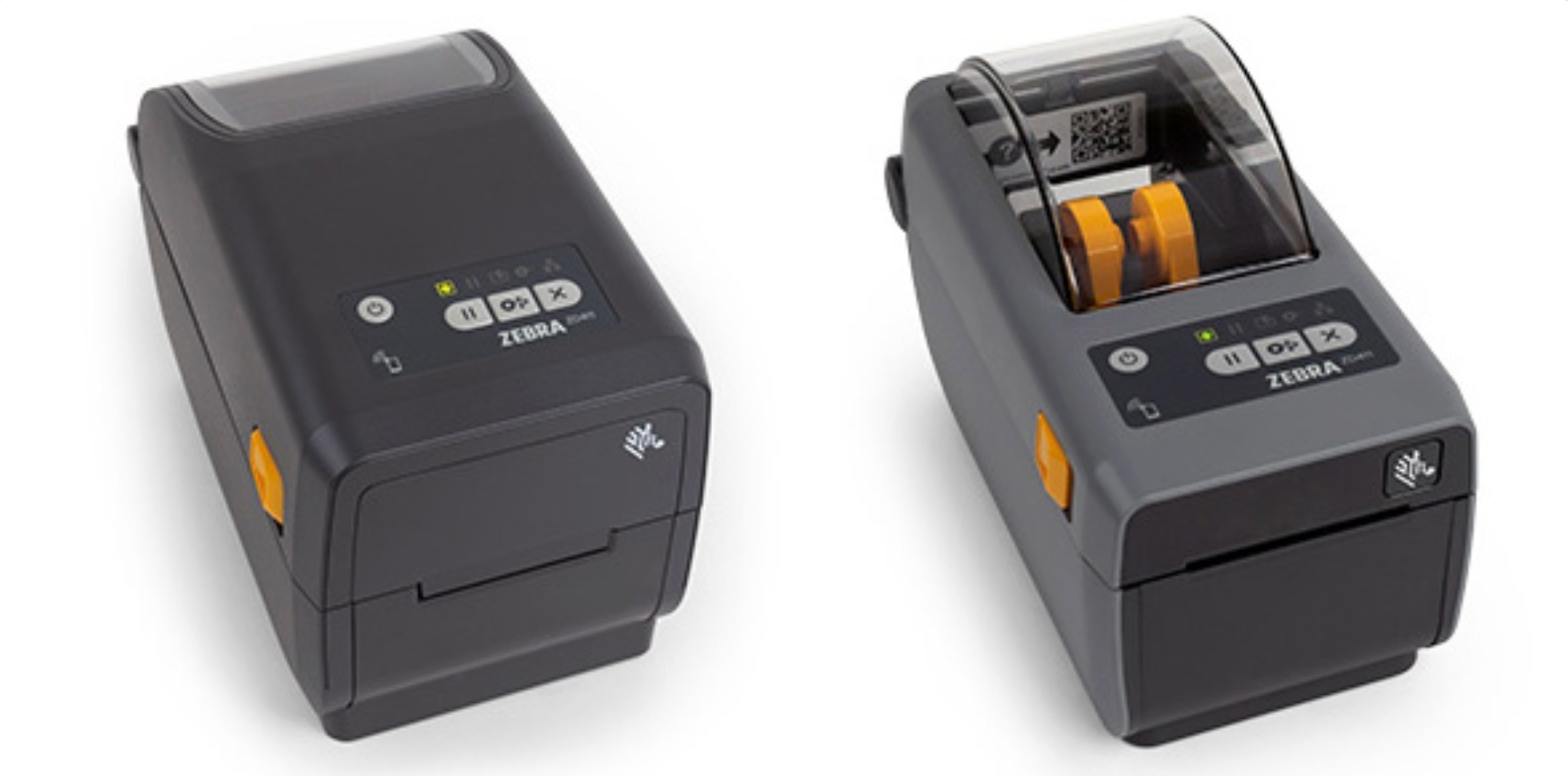
Print fast, reliable, high-quality labels in compact spaces with the Zebra ZD411 Series Desktop Printers, part of the trusted ZD400 family, designed to deliver professional labeling performance for retail, healthcare, logistics, office environments, and more.
Introducing the Zebra ZD411 Desktop Printer Range
The Zebra ZD411 Printer Series delivers advanced performance in a small footprint. Built to replace legacy desktop printers, these models offer improved processing power, modern connectivity, and long-term reliability in a compact design ideal for tight workspaces.
Whether printing shipping labels, barcode labels, shelf tags, asset labels, or healthcare identification labels, the ZD411 lineup provides dependable daily performance.
What Makes Zebra ZD411 Series Desktop Printers Stand Out?
Built by Zebra Technologies, the ZD411 Series is engineered for businesses that need dependable performance, intelligent features, and space-saving design, without sacrificing print quality.
-
Compact, modern design: Ultra-small footprint fits easily on crowded desks, counters, and workstations.
-
Multiple print technologies: Available in direct thermal and thermal transfer models for flexible label applications.
-
Fast, reliable performance: Delivers consistent print speeds ideal for retail, healthcare, and logistics environments.
-
Advanced connectivity options: USB, Ethernet, Wi-Fi, and Bluetooth models available for seamless integration.
-
User-friendly media handling: Easy ribbon loading and intuitive media replacement reduce downtime.
-
Enterprise-ready durability: Built to handle daily operational demands with long-lasting reliability.
-
Backward compatibility: Supports existing Zebra label formats and applications for smooth upgrades.
Explore the Available Models in the Zebra ZD411 Series
At DuraFast Label Company, we offer a complete selection of Zebra ZD411 desktop printers designed to deliver compact performance, dependable reliability, and flexible labeling solutions for retail, healthcare, logistics, and office environments.
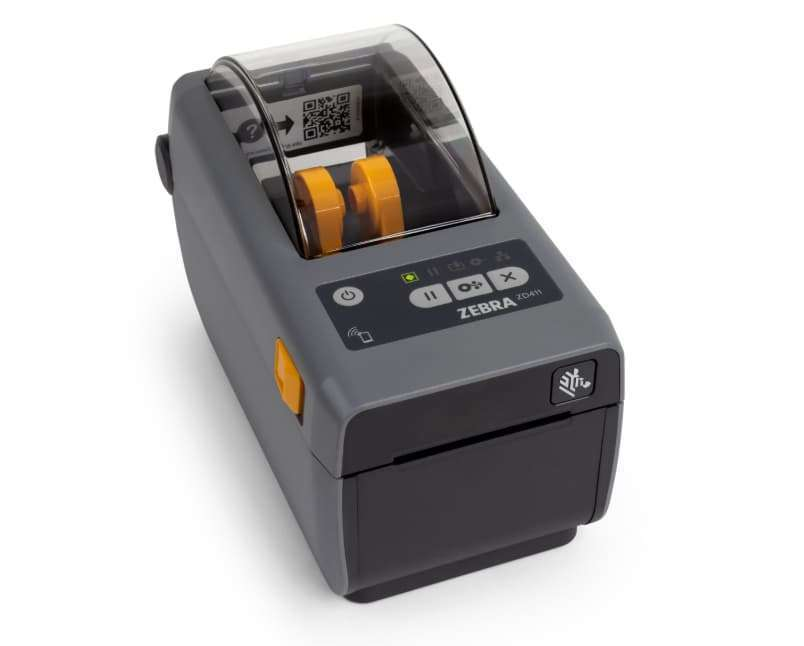
1. Zebra ZD411
Price: $759.62
The Zebra ZD411 is a compact, high-performance direct thermal desktop printer built for everyday labeling needs, allowing businesses to produce clear, professional labels on demand with fast output, reduced media handling, and improved operational efficiency across multiple workflows.
What Are The Key Specifications Of Zebra ZD411?
|
Specification |
Details |
|---|---|
|
Print Method |
Direct Thermal (ZD411D) / Thermal Transfer (ZD411T) |
|
Print Resolution |
203 dpi (standard), 300 dpi (optional models) |
|
Maximum Print Width |
Up to 2.2 inches (56 mm) |
|
Maximum Print Speed |
Up to 6 inches per second |
|
Connectivity |
USB 2.0, USB Host, optional Ethernet, Wi-Fi, Bluetooth |
|
Media Types |
Roll-fed, die-cut, continuous, black mark, fan-fold |
|
Maximum Roll Diameter |
5 inches (127 mm) |
|
Memory |
512 MB Flash, 256 MB SDRAM |
|
Dimensions |
Compact desktop footprint |
|
Applications |
Retail labels, healthcare wristbands, asset tags, shipping labels |
Who Should Use the Zebra ZD411 Desktop Printer?
-
Small and medium retail shops: Perfect for printing price tags, product labels, and shelf labels right at the point of use.
-
E-commerce sellers and fulfillment centers: Great for printing shipping labels, return labels, and packing slips with dependable speed.
-
Warehouses and logistics operations: Effective for barcode, inventory, and tracking labels in fast-moving environments.
-
Healthcare facilities: Suitable for specimen labels, pharmacy tags, wristbands, and other patient barcoding needs, especially with healthcare-ready variants like the ZD411-HC.
-
Office and administrative teams: Useful for office organization, asset tagging, visitor badges, and file management.
-
Manufacturers and compliance teams: Helps generate part IDs, compliance labels, and safety instructions in production areas.
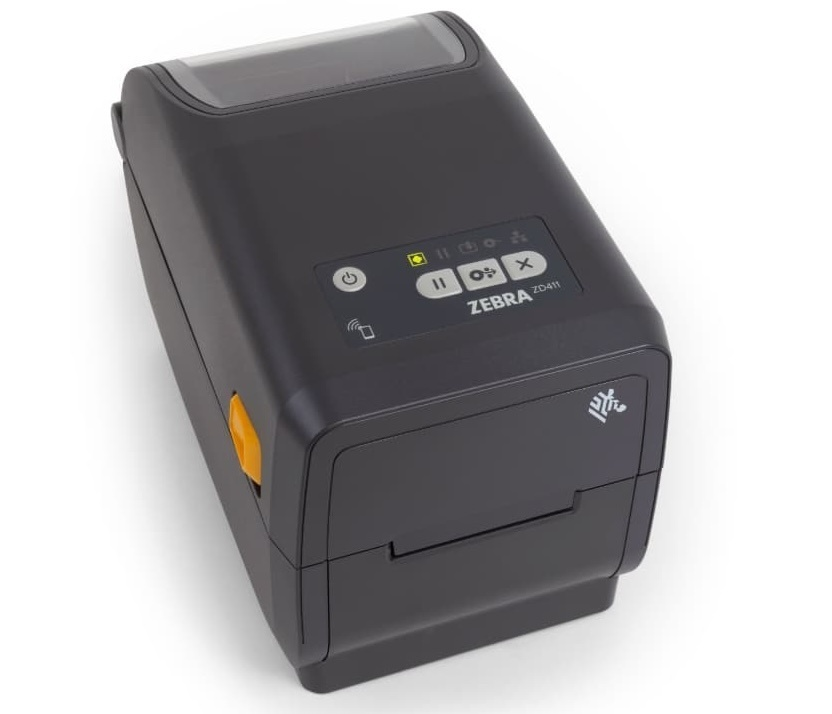
2. Zebra ZD411D
Price: $503.36-$1,100.53
The ZD411D is a compact, purpose-built direct thermal desktop printer engineered for efficient, ribbon-free label production, enabling businesses to print crisp, high-contrast labels on demand with simplified media loading, minimal maintenance requirements, and consistent performance across retail, healthcare, and logistics workflows.
What Are The Key Specifications Of Zebra ZD411D?
|
Specification |
Details |
|---|---|
|
Print Method |
Direct Thermal only |
|
Resolution Options |
203 dpi (8 dots/mm) and optional 300 dpi (12 dots/mm) |
|
Maximum Print Width |
Up to ~2.2″ (56 mm) |
|
Maximum Print Speed |
Up to ~6 in/s (152 mm/s) at 203 dpi; ~4 in/s (102 mm/s) at 300 dpi |
|
Memory |
512 MB Flash; 256 MB SDRAM |
|
Ribbon Support |
Not applicable (direct thermal does not use ribbon) |
|
Media Types |
Roll-fed and fan-fold labels, tags, receipts |
|
Maximum Media Width |
Up to ~2.36″ (60 mm) |
|
Maximum Media Roll Diameter |
Up to ~5″ (127 mm) |
|
Media Sensors |
Gap & black mark sensor |
|
Connectivity (Standard) |
USB 2.0, USB Host |
|
Connectivity (Optional) |
Ethernet; Wi-Fi 6 / Wi-Fi 5; Bluetooth (varies by configuration) |
|
Print Languages / Emulations |
ZPL II, EPL2, XML, PDF Direct, ZBI |
|
Dimensions (Approx.) |
~8.6″ × 4.5″ × 6″ (L × W × H) |
|
Weight (Approx.) |
~2.2 lbs (1 kg) |
|
Ideal For |
Shipping labels, short-term labels, retail price tags, and other everyday desktop label needs |
Who Should Use the Zebra ZD411D Desktop Printer?
-
E-commerce businesses: Printing 2-inch shipping and return labels on demand.
-
Retail stores: Producing price tags and barcode labels at the point of sale.
-
Healthcare clinics and labs: Printing patient ID and specimen labels.
-
Warehouses: Generating bin location and inventory tracking labels.
-
Offices: Creating asset tags, file labels, and visitor badges.
-
Low-to-mid volume environments: Needing compact, direct thermal label printing without ribbons.
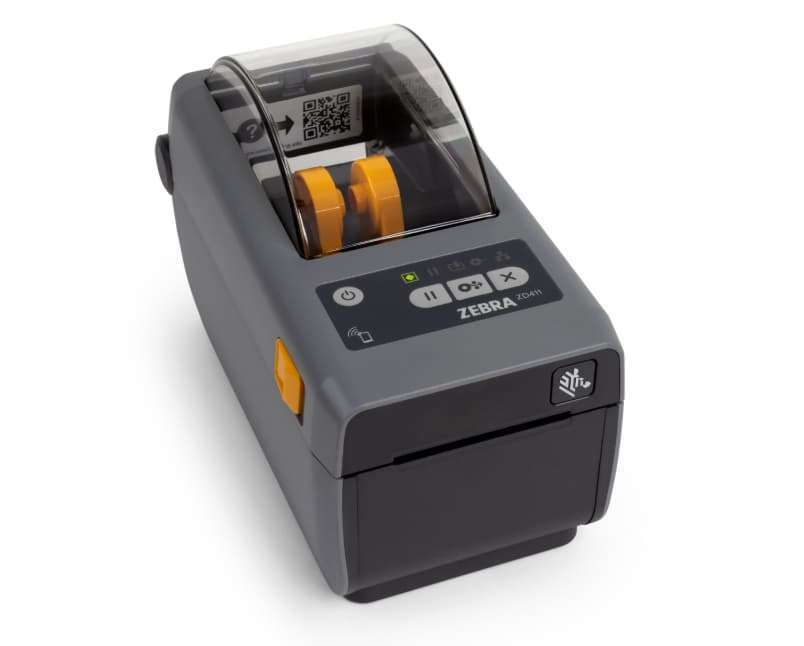
3. Zebra ZD411T
Price: $643.86- $1,050.76
The ZD411T is a versatile, high-performance desktop printer that adds thermal transfer capability, enabling businesses to use ribbon for producing durable, long-lasting labels with enhanced resistance to heat, moisture, and abrasion, while maintaining fast print speeds and reliable performance across demanding labeling environments.
What Are The Key Specifications Of Zebra ZD411T?
|
Specification |
Details |
|---|---|
|
Print Method |
Thermal Transfer & Direct Thermal |
|
Resolution |
203 dpi (8 dot/mm) or 300 dpi (12 dot/mm) |
|
Maximum Print Width |
Up to 2.2″ (56 mm) |
|
Maximum Print Speed |
Up to 6 ips (152 mm/s) at 203 dpi; up to 4 ips (102 mm/s) at 300 dpi |
|
Memory |
512 MB Flash; 256 MB SDRAM |
|
Ribbon Support |
Yes – supports thermal transfer ribbons (74 m length) |
|
Media Types |
Roll-fed or fanfold labels and tags; paper and synthetic media |
|
Maximum Media Width |
2.36″ (60 mm) |
|
Maximum Roll Diameter |
5″ (127 mm) |
|
Media Sensors |
Movable reflective/black mark sensor; multi-position transmissive/gap sensor |
|
Connectivity (Standard) |
USB 2.0, USB Host |
|
Connectivity (Optional) |
Ethernet, Wi-Fi, Bluetooth Low Energy |
|
Print Languages |
ZPL II, EPL2, XML, PDF Direct, ZBI |
|
Dimensions (Approx.) |
9.56″ (L) × 5.46″ (W) × 6.66″ (H) |
|
Weight (Approx.) |
3.6 lbs (1.6 kg) |
|
Ideal For |
Durable product labels, asset tags, compliance labels, and long-lasting barcode applications |
Who Should Use the Zebra ZD411T Desktop Printer?
-
Product labeling: Printing long-lasting product ID labels using thermal transfer ribbons for improved durability.
-
Asset labels: Creating durable asset tags that resist fading, smudging, and handling.
-
Compliance labels: Producing regulatory and safety labels that require clear, permanent print.
-
Laboratory labeling: Generating reliable lab and specimen labels suited for longer-term identification.
-
Durable barcode applications: Printing high-quality barcodes on synthetic or specialty media for extended use environments.
4. Zebra ZD411-HC
Price: $631.49-$1,100.53
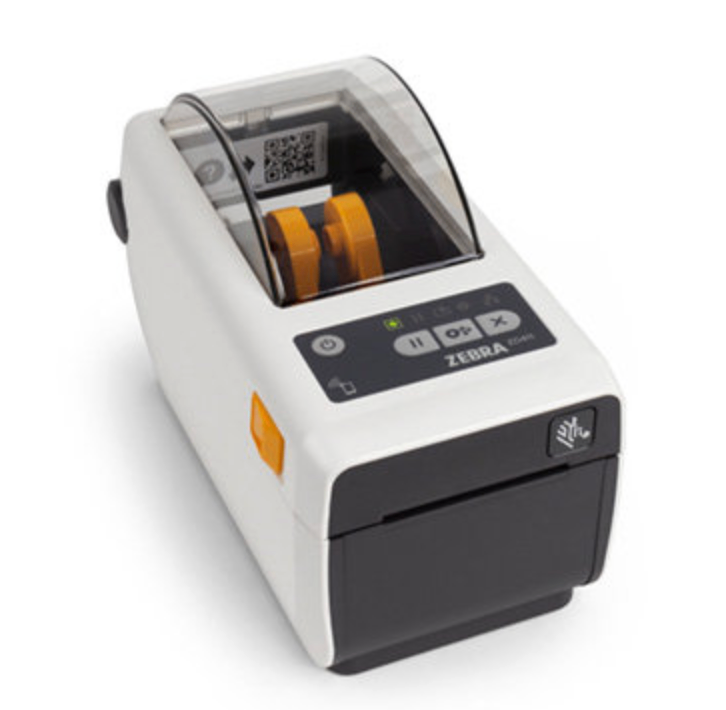
The Zebra ZD411-HC is a compact healthcare-grade desktop printer designed for environments that require frequent cleaning and high hygiene standards. Built with disinfectant-ready plastics and medical-compliant power supply, it delivers reliable direct thermal printing for patient identification, lab labels, and healthcare workflows.
What Are The Key Specifications Of Zebra ZD411-HC?
|
Specification |
Details |
|---|---|
|
Print Method |
Direct Thermal |
|
Resolution |
203 dpi (8 dot/mm) or 300 dpi (12 dot/mm) |
|
Maximum Print Width |
Up to 2.2″ (56 mm) |
|
Maximum Print Speed |
Up to 6 ips (152 mm/s) |
|
Memory |
512 MB Flash; 256 MB RAM |
|
Ribbon Support |
No (Direct Thermal only) |
|
Media Types |
Roll-fed or fanfold labels and tags |
|
Maximum Media Width |
~2.25″ (57 mm) |
|
Maximum Roll Diameter |
5″ (127 mm) |
|
Media Sensors |
Reflective/black mark sensor; transmissive/gap sensor |
|
Connectivity (Standard) |
USB 2.0, USB Host |
|
Connectivity (Optional) |
Ethernet, Wi-Fi, Bluetooth, BLE |
|
Print Languages |
ZPL II, EPL2, XML, PDF Direct, ZBI |
|
Dimensions (Approx.) |
~8.6″ × 4.5″ × 6″ |
|
Weight (Approx.) |
~1–1.5 kg |
|
Ideal For |
Healthcare labeling, patient ID, lab samples |
Who Should Use the Zebra ZD411-HC Desktop Printer?
-
Hospitals & clinics: Print patient ID wristbands and medical labels safely
-
Laboratories: Generate accurate specimen and sample labels
-
Pharmacies: Label prescriptions with clear, scannable barcodes
-
Healthcare facilities: Use in environments requiring frequent disinfecting
-
Compliance labeling: Ensure readable, hygienic labels for medical standards
Compare Zebra ZD411 Models: Features, Specifications, and Pricing
|
Model |
Print Technology |
Max Print Width |
Max Resolution |
Print Speed |
Media Support |
Production Level |
Price (USD) |
|---|---|---|---|---|---|---|---|
|
ZD411 |
Direct Thermal |
2.2″ (56 mm) |
203 dpi / 300 dpi |
Up to 6 ips (203 dpi) / 4 ips (300 dpi) |
Roll-fed & fan-fold labels |
Everyday desktop labeling |
~$400–$550 |
|
ZD411D |
Direct Thermal |
2.2″ (56 mm) |
203 dpi / 300 dpi |
Up to 6 ips (203 dpi) / 4 ips (300 dpi) |
Roll-fed & fan-fold labels |
Shipping & short-term labels |
~$400–$550 |
|
ZD411T |
Thermal Transfer + Direct Thermal |
2.2″ (56 mm) |
203 dpi / 300 dpi |
Up to 6 ips (203 dpi) / 4 ips (300 dpi) |
Ribbon + roll-fed/synthetic labels |
Durable, long-lasting labels |
~$500–$650 |
|
ZD411-HC |
Direct Thermal (Healthcare-grade) |
2.2″ (56 mm) |
203 dpi / 300 dpi |
Up to 6 ips |
Roll-fed & fan-fold labels (disinfectant-ready) |
Healthcare, lab & patient labeling |
~$450–$700 |
Ready to Find the Right Zebra ZD411 Printer for Your Business?Get expert guidance and transparent pricing from DuraFast Label Company. Whether you're upgrading your current desktop printer or choosing the right ZD411 model for shipping, retail, healthcare, or compliance labeling, our team is here to help you make the right decision with confidence. Call Now: +1-866-299-0066 |
|---|
Why Is Thermal Printing a Cost-Effective Solution with Ribbon and Media Flexibility?
Zebra ZD411 desktop printers are built for efficient, low-maintenance label production. Direct thermal models eliminate ribbon costs entirely, while the ZD411T thermal transfer model provides flexibility for durable applications. This allows you to control operating expenses while maintaining consistent print quality.
Key advantages:
-
No ribbon required (Direct Thermal models): Reduce consumable costs for short-term labels such as shipping and receipts.
-
Flexible ribbon support (ZD411T): Use thermal transfer ribbons for durable, smudge-resistant labels when longevity matters.
-
Lower ongoing supply costs: Choose the print method that fits your label lifespan and budget.
-
Support for daily printing: Designed for reliable low-to-mid volume production with minimal maintenance.
-
Minimal downtime: Simple media loading and easy ribbon replacement keep workflows running smoothly.
-
Consistent barcode clarity: Produces sharp text and scannable barcodes for retail, healthcare, logistics, and compliance labeling.
Who Are Zebra ZD411 Desktop Printers Best For?
Zebra ZD411 printers are built to support a wide range of professional labeling workflows. Whether you need compact desktop printing for daily operations or durable labels for long-term use, this series is ideal for:
-
E-commerce sellers: Print shipping labels, return labels, and barcode stickers quickly to keep orders moving.
-
Retail stores and brands: Produce price tags, shelf labels, and product barcodes directly at the point of sale.
-
Manufacturers: Handle product identification, asset tags, and compliance labeling with reliable output.
-
Warehouses and logistics teams: Generate inventory, bin location, and tracking labels on demand.
-
Healthcare facilities: Print patient identification, specimen, and pharmacy labels with consistent clarity.
-
Compliance and barcode teams: Create sharp, scannable barcodes and durable labels using thermal transfer when long-term performance is required.
Which Zebra Desktop Printers Are Best for Daily Label Printing Needs?
Zebra’s desktop printer range is built for consistent, high-quality label and barcode printing across retail, healthcare, office, and light industrial settings. Despite their compact size, they support both simple and more demanding labeling applications.
Manufacturer Warranty and Support Coverage
Zebra ZD400 Series printers come with a minimum 2-year limited manufacturer’s warranty from the date of shipment, covering defects in materials and workmanship under normal operating conditions. This ensures reliable performance for everyday desktop labeling needs.
Warranty terms may vary by region, so coverage details can differ depending on your location and printer configuration.
For full warranty information or to explore extended support options, it’s recommended to consult a product specialist before purchase.
What’s in the Box?
Each Zebra ZD400 Series printer includes the essential components required for quick installation and setup.
Standard box contents include:
-
Zebra ZD411 Desktop Printer
-
AC Power Supply Unit
-
Power Cord(s) (region-specific)
-
USB Cable
-
Quick Start Guide
-
Regulatory Guide
-
Empty Ribbon Take-Up Core (included with thermal transfer models only)
Optional / May Vary by Configuration
-
Pre-installed connectivity modules (Wi-Fi / Bluetooth / Ethernet)
-
Starter labels or media roll
-
Additional accessories (cutter, peeler, mounting kits)
Where to Buy Zebra ZD411 Printers in the United States?
When you choose DuraFast Label Company, you’re partnering with an experienced team that understands real-world labeling operations across retail, healthcare, logistics, and manufacturing environments.
Why Buy Your Zebra ZD411 Printers From DuraFast Label Company?
-
U.S.-based supplier: Reliable nationwide shipping and responsive service.
-
Fast order processing: Quick fulfillment on in-stock Zebra printers and accessories.
-
Pre- and post-sale support: Real experts who help you choose the right ZD411 model and configuration.
-
Supplies always available: Easy access to labels, ribbons for ZD411T models, and replacement parts.
-
Competitive pricing: Transparent quotes tailored to your workflow and volume needs.
-
Scalable solutions: From single desktop setups to multi-location rollouts, we help you grow with confidence.
Hear What Our Customers Say About Working With Us
"Impressed with the level of service provided by Durafast.
- Excellent customer service
- Provided label samples on different label printers
- Had a showroom in which I could see the label printers in person
Thanks for making my decision on label printers easier."
- John L.
"EXCEPTIONAL customer care! I mean... the labels are great, but when you're designing something that you're purchasing hundreds or thousands of, you want a customer care team that's going to make sure your order is what you want. HIGHLY recommend!!!"
Need Help Choosing the Right Zebra ZD411 Setup?Every labeling workflow is different, from label size and durability requirements to daily print volume and connectivity needs. The team at DuraFast Label Company can help you select the right ZD411 model, media, ribbons for thermal transfer, and accessories for your operation. Talk to our specialists today! |
|---|
Frequently Asked Questions
How do I download and install drivers for the Zebra ZD411 printer?
To install drivers for the Zebra ZD411 label printer, visit Zebra’s official support website, search for your model, and download the correct driver for your operating system. Run the installer, connect via USB, and follow the on-screen steps to complete setup successfully.
Where can I find the technical specifications for the Zebra ZD411 printer?
You can access complete Zebra ZD411 printer specifications on Zebra’s official product page under documentation or datasheets. These resources detail print resolution, speed, connectivity options, dimensions, memory, media handling capabilities, and environmental operating requirements for accurate planning and deployment.
What are the key features of the Zebra ZD411 printer?
The ZD411 offers compact design, fast direct thermal printing, reliable connectivity, and easy media loading. It includes a USB host port for accessories, strong security features, and intuitive controls, making it ideal for retail, healthcare, and light industrial labeling applications.
What is the difference between the Zebra ZD411 and ZD411-HC printers?
The standard ZD411 suits retail and office environments, while the ZD411-HC is built for healthcare. It features disinfectant-ready plastics, a medical-grade power supply with us cord, and enhanced cleaning tolerance, ensuring safe use in clinics, labs, and hospitals.
Can the Zebra ZD411 printer print barcodes?
Yes, the Zebra ZD411 barcode label printer supports a wide range of 1D and 2D barcode symbologies, including QR codes and Code 128. Its high-resolution direct thermal technology ensures crisp, scannable barcodes suitable for retail, healthcare, and logistics operations.
Is the Zebra ZD411 printer compatible with healthcare environments?
Yes, the ZD411-HC version is purpose-built for medical settings. As a specialized zd411 direct thermal printer, it uses disinfectant-ready housing and a sealed button interface, helping maintain hygiene standards in patient-care areas, laboratories, pharmacies, and clinical workspaces.
Where can I find the technical specifications for the Zebra ZD411 printer?
For detailed hardware, connectivity, and media information, visit Zebra’s official ZD411 desktop printer support page. There, you’ll find downloadable datasheets, user manuals, firmware updates, and compatibility guides to help evaluate system requirements and integration options.
What do users say about their experience with the Zebra ZD411 printer?
According to various Zebra ZD411 label printer reviews, users appreciate its compact footprint, quick setup, dependable print clarity, and smooth integration with POS systems. Many highlight its durability and consistent barcode output for small businesses and healthcare environments.
What is the maximum label size for ZD411?
The zebra zd411 label printer supports a maximum print width of approximately 2 inches (around 56 mm), making it suitable for small product labels, wristbands, and barcode applications commonly used in retail counters and healthcare identification workflows.
Does the Zebra ZD411 have Wi-Fi?
Yes, the ZD411 offers optional wireless connectivity, including Wi-Fi and Bluetooth, depending on configuration. Users can select models with factory-installed wireless modules or add connectivity upgrades later, enabling flexible deployment across retail floors, clinics, and warehouse stations.
There are no products listed under this category.