Zebra ZD421 Printers: Reliable Label Printing for Businesses
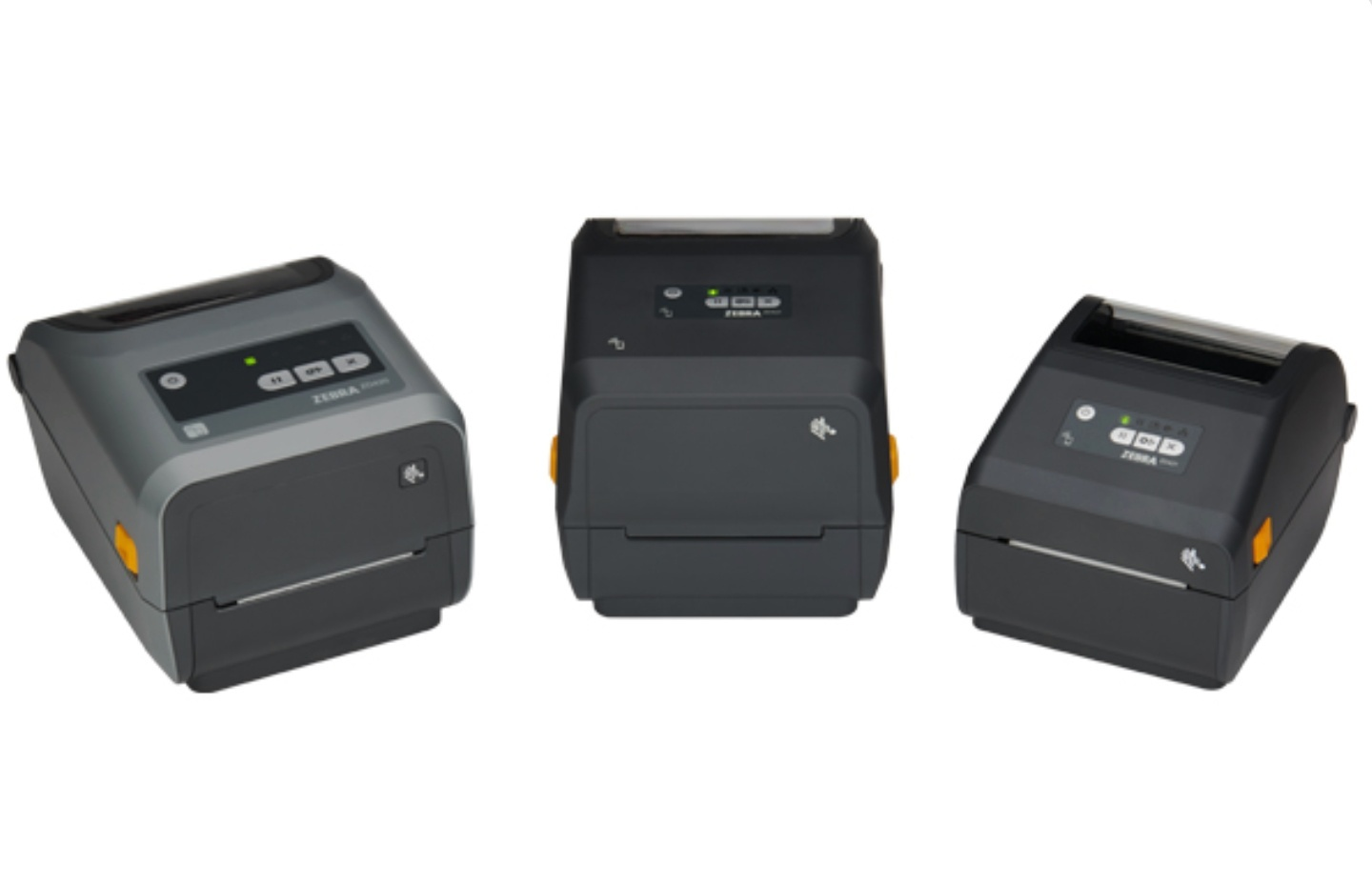
Experience powerful, industrial-level label printing in a compact desktop design with Zebra’s advanced ZD600 Series, available from DuraFast Label Company to support retail, healthcare, logistics, manufacturing, compliance, and high-demand labeling environments.
Meet the Zebra ZD421 Series
The Zebra ZD421 Printer Series builds on the success of the ZD400 platform with faster performance, modern connectivity options, and simplified operation. These compact desktop printers deliver crisp labels and barcodes for shipping, product ID, asset tags, and more, all with easy setup and reliable results.
Whether you need short-run on-demand printing or high-volume desktop output, the ZD421 lineup adapts to your workflow.
What Makes Zebra ZD421 Series Desktop Printers Stand Out?
Built by Zebra Technologies, the ZD421 Series delivers reliable performance, flexible media handling, and easy operation for a wide range of business labeling needs, from retail and shipping to healthcare, manufacturing, and warehouse workflows.
-
Reliable print quality: Produces clear text, crisp barcodes, and sharp graphics at 203 dpi or optional 300 dpi resolution.
-
Cartridge ribbon system (ZD421C & ZD421T): Simple, no-mess ribbon loading makes thermal transfer printing faster and more user-friendly.
-
Direct thermal option (ZD421D): No ribbon needed for on-demand, cost-efficient direct thermal printing.
-
Fast print speeds: Up to 6 inches per second to keep up with daily label volume needs.
-
Flexible connectivity: Standard USB with optional Ethernet, Wi-Fi, and Bluetooth for easy network integration.
-
Wide media compatibility: Works with roll-fed and fan-fold labels, tags, receipts, and specialty media.
-
Compact, space-saving design: Small footprint fits easily on desks, counters, and workstations.
-
Durable and easy to use: Designed for dependable daily operation with intuitive setup and low maintenance.
Explore the Available Models in the Zebra ZD421 Series
At DuraFast Label Company, we offer a complete range of Zebra ZD421 desktop printers designed to deliver reliable 4-inch label printing, flexible media handling, and dependable performance for retail, healthcare, logistics, manufacturing, and everyday business environments.
1. Zebra ZD421C
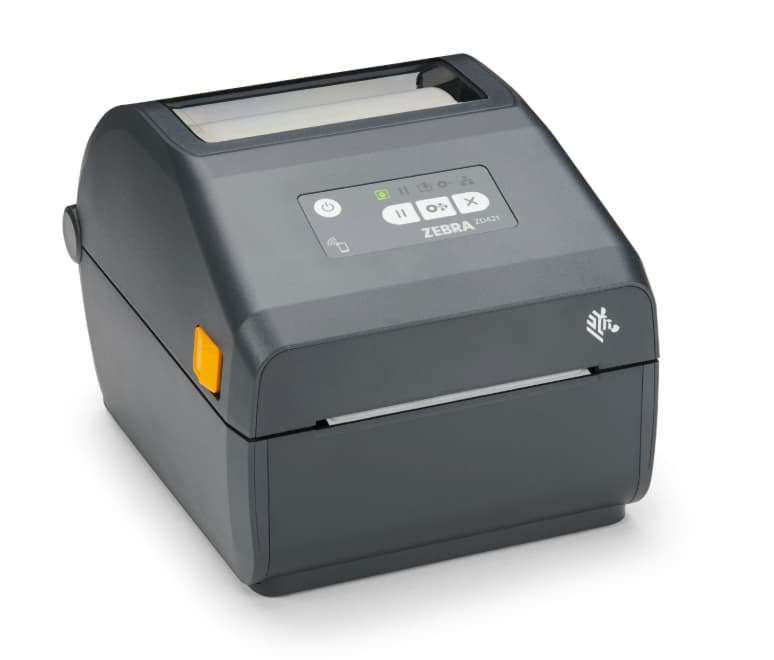
The ZD421C features an easy-to-load ribbon cartridge system that simplifies thermal transfer printing, making it ideal for businesses that need durable labels, sharp barcodes, and consistent performance in retail, manufacturing, healthcare, and compliance workflows.
What Are the Key Specifications of the Zebra ZD421C Desktop Printer?
|
Specification |
Details |
|---|---|
|
Print Technology |
Thermal Transfer (Cartridge) & Direct Thermal |
|
Print Method (ZD421C) |
Cartridge-based Thermal Transfer + Direct Thermal |
|
Print Resolution |
203 dpi (8 dots/mm); 300 dpi optional |
|
Maximum Print Width |
4.09″ (104 mm) |
|
Maximum Print Speed |
Up to 6 ips (152 mm/s) at 203 dpi; 4 ips (102 mm/s) at 300 dpi |
|
Memory |
512 MB Flash; 256 MB SDRAM |
|
Connectivity (Standard) |
USB 2.0, USB Host |
|
Connectivity (Optional) |
Ethernet, Wi-Fi (802.11ac), Bluetooth 4.1 (BLE) |
|
Media Support |
Roll-fed, fan-fold, tags, continuous stock |
|
Media Sensors |
Movable reflective (black mark) and transmissive (gap) sensors |
|
Maximum Media Width |
Up to 4.65″ (118 mm) (cartridge models) |
|
Maximum Media Roll Diameter |
5″ (127 mm) |
|
Print Languages / Emulations |
ZPL II, EPL2, XML, PDF Direct, ZBI |
|
Dimensions |
8.69″ L × 6.98″ W × 5.93″ H |
|
Weight |
5.0 lbs (2.3 kg) |
|
Ideal For |
Durable labels, compliance, retail, healthcare, and manufacturing |
Who Should Use the Zebra ZD421C Desktop Printer?
-
Manufacturers and product teams: Creating durable product labels with sharp text and long-lasting print quality.
-
Warehouses and inventory managers: Printing colour-coded or clearly defined inventory and location tags using ribbon-based durability.
-
Retail businesses: Producing professional price tags, shelf labels, and promotional labels with consistent barcode clarity.
-
Healthcare facilities: Printing specimen and identification labels that require reliability and easy ribbon loading.
-
Compliance teams: Generating long-lasting regulatory and product ID labels with thermal transfer performance.
2. Zebra ZD421D
The ZD421D is engineered for fast, dependable direct thermal printing, making it an excellent choice for shipping labels, retail price tags, inventory barcodes, and everyday operational labeling, all without the added cost, maintenance, or complexity of ribbon supplies.
What Are the Key Specifications of the Zebra ZD421D Desktop Printer?
|
Specification |
Details |
|---|---|
|
Print Method |
Direct Thermal |
|
Maximum Print Width |
4.09″ (104 mm) |
|
Resolution Options |
203 dpi standard; 300 dpi optional |
|
Maximum Print Speed |
Up to 6 ips (152 mm/s) |
|
Memory |
512 MB Flash; 256 MB SDRAM |
|
Connectivity (Standard) |
USB 2.0, USB Host |
|
Connectivity (Optional) |
Ethernet, Wi-Fi (802.11ac), Bluetooth 4.1 (BLE) |
|
Print Languages |
ZPL II, EPL2, XML, PDF Direct, ZBI |
|
Media Types Supported |
Labels, tags, receipts, fan-fold |
|
Maximum Media Width |
4.25″ (108 mm) |
|
Maximum Media Roll Diameter |
5″ (127 mm) |
|
Media Sensors |
Movable reflective and transmissive sensors |
|
Dimensions |
8.69″ × 6.98″ × 5.93″ |
|
Weight |
2.98 lbs (1.35 kg) |
|
Ideal For |
Shipping, retail, inventory, and healthcare |
Who Should Use the Zebra ZD421D Desktop Printer?
-
Shipping and receiving teams: Printing high-volume shipping labels quickly without managing ribbon supplies.
-
Warehouses and inventory managers: Creating barcode labels and inventory tags for tracking products and stock levels.
-
Retail stores: Producing price tags and product barcodes directly at the point of sale.
-
Healthcare facilities: Printing patient ID labels, specimen tags, and pharmacy labels with reliable clarity.
-
Asset management teams: Generating durable asset labels for equipment and internal tracking.
3. Zebra ZD421T
The ZD421T adds thermal transfer capability, using ribbon-based printing to produce more durable, smudge-resistant labels that are ideal for compliance requirements, product identification, asset tracking, and applications where longer-lasting performance is essential across demanding environments.
What Are the Key Specifications of the Zebra ZD421T Desktop Printer?
|
Specification |
Details |
|---|---|
|
Print Method |
Thermal Transfer & Direct Thermal |
|
Maximum Print Width |
4.09″ (104 mm) |
|
Resolution Options |
203 dpi (standard); 300 dpi optional |
|
Maximum Print Speed |
Up to 6 ips (203 dpi); 4 ips (300 dpi) |
|
Memory |
512 MB Flash; 256 MB SDRAM |
|
Ribbon Support |
Yes (standard thermal transfer ribbon) |
|
Connectivity (Standard) |
USB 2.0, USB Host |
|
Connectivity (Optional) |
Ethernet, Wi-Fi (802.11ac), Bluetooth 4.1 (BLE) |
|
Print Languages / Emulations |
ZPL II, EPL2, XML, PDF Direct, ZBI |
|
Media Types Supported |
Roll-fed, fan-fold, synthetic & specialty labels |
|
Maximum Media Width |
4.25″ (108 mm) |
|
Maximum Media Roll Diameter |
5″ (127 mm) |
|
Media Sensors |
Movable reflective and transmissive sensors |
|
Dimensions |
8.69″ × 6.98″ × 5.93″ |
|
Weight |
4.52 lbs (2.05 kg) |
|
Ideal For |
Durable, compliance, industrial labeling |
Who Should Use the Zebra ZD421T Desktop Printer?
-
Compliance and safety teams: Printing regulatory, warning, and safety labels that require durable, long-lasting print quality.
-
Manufacturers and product teams: Creating long-lasting product ID tags and serial number labels.
-
Outdoor operations: Producing barcode labels designed to withstand exposure and extended use.
-
Asset management departments: Tracking equipment and inventory in demanding or high-handling environments.
Compare Zebra ZD421 Series: Features, Specifications, and Pricing
|
Model |
Print Technology |
Max Print Width |
Max Resolution |
Print Speed |
Ribbon Support |
Media Support |
Production Level |
Weight |
Price (USD) |
|---|---|---|---|---|---|---|---|---|---|
|
ZD421C |
Thermal Transfer (Cartridge) + Direct Thermal |
4.09″ (104 mm) |
203 dpi / 300 dpi |
Up to 6 ips (203 dpi) / 4 ips (300 dpi) |
Yes (Cartridge) |
Roll-fed, fan-fold labels & tags |
Durable desktop labeling |
5.0 lbs (2.3 kg) |
~$550–$750 |
|
ZD421D |
Direct Thermal |
4.09″ (104 mm) |
203 dpi / 300 dpi |
Up to 6 ips (152 mm/s) |
No |
Roll-fed, fan-fold labels, tags, receipts |
Everyday desktop labeling |
2.98 lbs (1.35 kg) |
~$450–$650 |
|
ZD421T |
Thermal Transfer + Direct Thermal |
4.09″ (104 mm) |
203 dpi / 300 dpi |
Up to 6 ips (203 dpi) / 4 ips (300 dpi) |
Yes (Ribbon Roll) |
Roll-fed, fan-fold, synthetic & specialty labels |
Durable & compliance labeling |
4.52 lbs (2.05 kg) |
~$550–$800 |
Looking for the Ideal Zebra ZD421 Printer for Your Operations?Connect with the specialists at DuraFast Label Company for clear pricing and personalized recommendations. Whether you’re replacing an existing desktop unit or selecting the best ZD421 model for shipping, retail, healthcare, or compliance labeling, we’ll help you choose with clarity and confidence. Call Now: +1-866-299-0066 |
|---|
Looking for Cost-Efficient 4-Inch Thermal Printing with Flexible Media Options?
Zebra ZD421 desktop printers are designed for dependable, low-maintenance 4-inch label production. Direct thermal models remove the need for ribbons to simplify supplies, while thermal transfer models provide added durability for long-lasting applications. This flexibility helps businesses manage operating costs without sacrificing print performance.
Key advantages:
-
No ribbon required (ZD421D): Lower consumable costs for shipping labels, retail tags, and everyday barcode printing.
-
Cartridge ribbon system (ZD421C): Quick, mess-free ribbon loading for durable thermal transfer applications.
-
Flexible thermal transfer support (ZD421T): Print long-lasting, smudge-resistant labels for compliance and product identification.
-
Optimized for daily use: Reliable 4-inch desktop performance for consistent low-to-mid volume workflows.
-
Reduced downtime: Simple media handling and intuitive design keep operations running smoothly.
-
Sharp barcode performance: Delivers crisp text and scannable barcodes for retail, warehouse, healthcare, and manufacturing environments.
Who Are Zebra ZD421 Desktop Printers Best For?
Zebra ZD421 printers are designed for businesses that need reliable 4-inch label printing with flexible print methods and easy operation. Whether for daily shipping tasks or durable product labeling, this series supports a wide range of professional workflows:
-
E-commerce sellers: Print 4-inch shipping labels, return labels, and barcodes quickly to streamline order fulfillment.
-
Retail stores and brands: Produce price tags, shelf labels, and promotional labels directly at the point of sale.
-
Manufacturers: Create product ID labels, asset tags, and compliance labels with dependable print clarity.
-
Warehouses and logistics teams: Generate inventory labels, bin location tags, and tracking barcodes on demand.
-
Healthcare facilities: Print patient ID labels, wristbands, and specimen tags with consistent reliability.
-
Compliance and operations teams: Produce durable, smudge-resistant labels using thermal transfer models when long-term performance is required.
Which Zebra Desktop Printers Are Available for Everyday Label Printing?
Zebra desktop printers are designed to deliver reliable, high-quality label and barcode printing for environments such as retail, healthcare, offices, and light industrial use. These compact yet powerful models support a range of printing needs, from basic labeling to more advanced applications.
Manufacturer Warranty and Support Coverage
Zebra ZD421 Series printers are backed by a minimum 2-year limited manufacturer’s warranty from the date of shipment, covering defects in materials and workmanship under normal operating conditions. This ensures dependable performance for everyday desktop label printing.
Warranty terms may vary by region, so coverage specifics can differ based on your location and configuration.
For complete warranty details or to explore additional support options, please consult a product specialist before purchase.
In the Box
Each Zebra ZD421 Series printer includes the essential components required for quick installation and setup.
Standard box contents include:
-
Zebra ZD421 Series printer unit
-
AC power supply and power cord(s)
-
USB interface cable
-
Empty ribbon take-up core (0.5 in., thermal transfer models only)
-
Quick Start Guide
-
Regulatory Guide
Additional items (ZD421 Thermal Transfer models):
-
(2) 300 m ribbon core adapters for non-Zebra ribbon
-
Additional empty ribbon take-up core (1 in.)
Where to Buy Zebra ZD421 Printers in the United States?
When you choose DuraFast Label Company, you’re partnering with an experienced team that understands real-world labeling operations across retail, healthcare, logistics, manufacturing, and warehouse environments.
Why Buy Your Zebra ZD421 Printers From DuraFast Label Company?
-
U.S.-based supplier: Reliable nationwide shipping and responsive customer service.
-
Fast order processing: Quick fulfillment on in-stock Zebra ZD421 printers and accessories.
-
Pre- and post-sale support: Knowledgeable specialists help you select the right ZD421D, ZD421C, or ZD421T configuration.
-
Supplies always available: Easy access to labels, thermal transfer ribbons, and replacement parts.
-
Competitive pricing: Transparent quotes tailored to your labeling volume and workflow needs.
-
Scalable solutions: From single desktop setups to multi-location deployments, we support your growth with confidence.
See What Our Customers Say About Their Experience With Us
"Had a great experience. After searching around for a label printer, I stumbled across Durafast, and I'm glad I did. They had great service and provided the perfect printer for my business. They also have the best prices compared to any other companies I contacted. And since they also provide labels and ink, I'll be back the next time I need a refill."
"Impressed with the level of service provided by Durafast.
- Excellent customer service
- Provided label samples on different label printers
- Had a showroom in which I could see the label printers in person
Thanks for making my decision on label printers easier."
- John L.
Need Help Selecting the Right Zebra ZD421 Printer?Every labeling operation has unique requirements, from 4-inch label sizes and durability needs to daily print volume and network connectivity. The team at DuraFast Label Company can guide you in choosing the right ZD421 model, compatible media, ribbons for thermal transfer, and essential accessories for your workflow. Speak with Our Specialists Today! |
|---|
Everything You Need to Optimize Your Zebra Label Printing Setup
Frequently Asked Questions
How do I set up a Zebra ZD421 printer for the first time?
To set up the Zebra Printer ZD421, unbox and connect power, then install the Windows printer driver on your computer. Use the zebra setup utilities to detect the printer, run smartcal media calibration, and print a configuration report to verify printer settings.
What are the main features of the Zebra ZD421 printer?
The Zebra ZD421 label printer offers fast, reliable performance with flexible Ethernet options, USB, and wireless connectivity. It supports both direct thermal and ribbon printing, includes intuitive controls, upgraded security, and expandable memory for versatile labeling across industries.
Where can I download the latest drivers or firmware for the Zebra ZD421 printer?
Visit Zebra’s official support page to download drivers and firmware for the Zebra ZD421 desktop label printer. Use the zebra setup utilities software or the printer configuration utility to install updates, ensuring optimal performance and compatibility with your operating system.
How do I reset my Zebra ZD421 printer to factory defaults?
If you’re searching for how to reset the Zebra printer ZD421, power off the device, hold the feed button, then power it on. Release after the indicator flashes. Print a configuration report afterwards to confirm restored printer settings and default parameters.
What types of labels and media are compatible with the Zebra ZD421 printer?
The ZD421 supports various label formats, including thermal transfer media, fanfold labels, tags, and receipt paper. Choose the correct type of media and adjust media settings based on the actual media used to ensure optimal print clarity and durability.
How do I troubleshoot common issues with the Zebra ZD421 printer?
For printing issues, confirm you load media correctly and verify actual supplies match configured media settings. Run smartcal media calibration, inspect for vertical image misalignment, and perform a media scratch test to confirm proper heat and ribbon performance.
Is the Zebra ZD421 available with both thermal transfer and direct thermal printing options?
Yes, the ZD421 series includes both the ZD421 thermal transfer printer for ribbon-based durability and the ZD421 direct thermal printer for simpler operation. Each option supports flexible workflows depending on label longevity and application requirements.
How does the Zebra ZD421 compare to previous Zebra desktop printer models?
Compared to earlier models, the Zebra ZD421 thermal printer delivers enhanced security, faster processing, and expandable connectivity. Many zebra zd421 barcode label printer reviews highlight improved usability, modern interface design, and better long-term reliability for business environments.
What should I do if my Zebra ZD421 printer is not connecting to my network?
If your printer fails to establish a wireless connection, verify network credentials and confirm Ethernet options are properly configured. Restart devices, update firmware, and print a configuration report to check IP details before resending the print job.
How to make Zebra ZD421 discoverable?
To make the printer discoverable, enable wireless or Bluetooth mode through the Zebra setup utilities. Confirm visibility settings, ensure correct network parameters, and test with a sample print job from your computer to validate successful pairing and communication.
Where can I buy a Zebra ZD421 printer with fast shipping?
You can buy a Zebra ZD421 printer from authorized resellers like DuraFast Label Company, which offers expert support, competitive pricing, and fast shipping across North America. Purchasing from trusted suppliers ensures genuine products, warranty coverage, and reliable after-sales assistance.