Zebra ZT610 Printer for Industrial Labeling
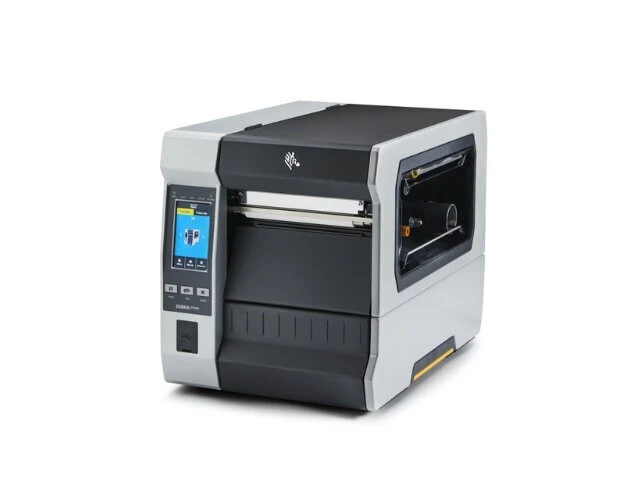
Print precise, durable barcodes with the Zebra ZT610 industrial printer, supplied by DuraFast Label Canada with fast nationwide shipping and expert guidance to help you select the right configuration for your workflow.
Meet Your New High-Precision Industrial Printing Solution
When your operation prints thousands of labels daily, small print inconsistencies turn into big operational problems. Misaligned barcodes, smudging, unreadable labels, and downtime all affect productivity.
The Zebra ZT610 printer is built for high-performance industrial environments where uptime, registration accuracy, and durability are non-negotiable. Whether you need 4-inch or 6-inch width, 203 dpi, 300 dpi, or 600 dpi resolution, or specific handling like cutter, rewind, WiFi, or network connect, the ZT610 platform gives you controlled flexibility without changing printer families.
Instead of adapting your workflow around printer limitations, you configure the ZT610 to match your production environment exactly.
What Makes Zebra ZT610 Printers Stand Out?
Built by Zebra, the ZT610 label printer delivers industrial strength durability with advanced precision.
-
Multiple DPI options: Zebra ZT610 203 dpi, Zebra ZT610 300 dpi, Zebra ZT610 600 dpi
-
Print width flexibility: 4-inch and 6-inch industrial models
-
High performance throughput: up to 14 ips, depending on configuration
-
Ultra-precise registration: For small labels and dense barcodes
-
Workflow options: Tear, Cutter, Rewind, WiFi, and Network Connect
-
Industrial durability: Designed for harsh environments with minimal downtime
-
Media and accessory compatibility: Compatible with Zebra ZT610 labels, thermal ribbons, and accessories
Browse Our Zebra ZT610 Printer Range in Canada
At DuraFast Label Canada, we carry Zebra ZT610 printers in multiple DPI families and workflow configurations. Below are the key ZT610 groups and the exact configurations you listed, so buyers can match DPI, print width, and handling features to how labels are produced and applied on the floor.
1. Zebra ZT610 6 Inch Wide 203 dpi Industrial Label Printers
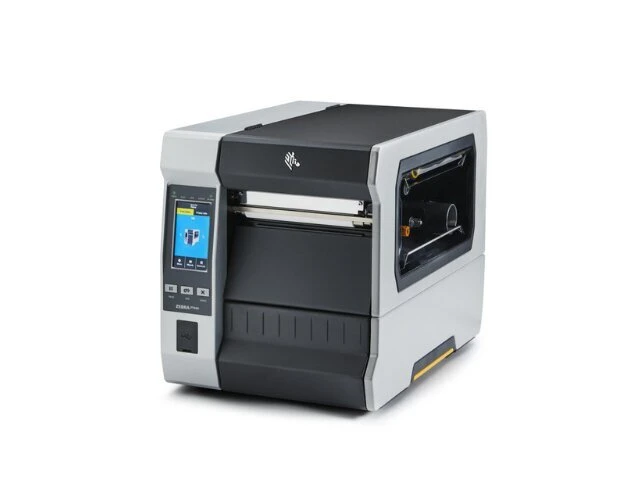
These 6-inch models are built for wider carton labels, larger logistics labels, and applications where you need more horizontal space without sacrificing industrial durability. All three configurations below are 203 dpi and 12 ips, with USB, Serial, LAN, and Bluetooth 4.
Price Range: CAD $5,863.52 to $6,278.48
Configurations Available
-
Zebra ZT610 6" Wide 203 dpi, 12 ips, USB/Serial/LAN/BT4 | ZT62062-T210200Z | $5,863.52
-
Zebra ZT610 6" Wide 203 dpi, 12 ips, USB/Serial/LAN/BT4 | ZT62062-T110200Z | $6,278.48
-
Zebra ZT610 6" Wide 203 dpi, 12 ips, USB/Serial/LAN/BT4 | ZT62062-T010200Z | $5,999.14
What Are the Technical Specifications of this Printer?
|
Specification |
Details |
|---|---|
|
Print Method |
Thermal Transfer |
|
Print Speed |
12 ips |
|
Print Width |
6 inch |
|
Resolution |
203 dpi |
|
Type |
Industrial |
|
Connectivity |
USB, Serial, LAN, Bluetooth 4 |
Who Should Use This Label Printer?
-
Distribution and fulfilment teams are printing wider carton and pallet labels
-
Manufacturers using wide compliance or product identification labels
-
Workstations that standardise on wide label formats to reduce template changes
Buy Zebra ZT610 6 Inch 203 dpi
2. Zebra ZT610 4 Inch Wide 600 dpi Thermal Transfer Label Printers
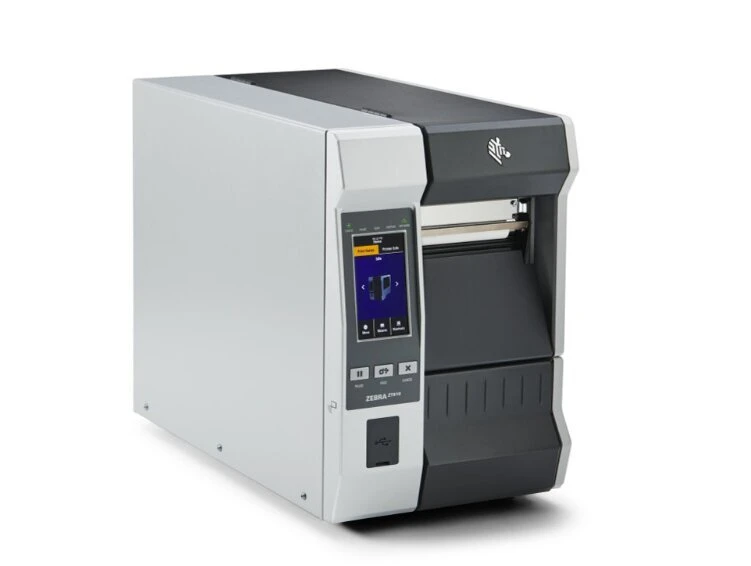
These 600 dpi ZT610 configurations are designed for precision printing where tiny text and dense barcodes must scan cleanly. Both options run 6 ips, with differences in media handling, tear versus rewind.
Price Range: CAD $4,407.00 to $4,995.00
Configurations Available
-
Zebra ZT610 4" Wide 600 dpi, 6 ips, USB/LAN/BT4, Rewind | ZT61046-T210100Z | Now $4,407.00
-
Zebra ZT610 4" Wide 600 dpi, 6 ips, USB/LAN/BT4, Tear | ZT61046-T010100Z | Now $4,995.00
What Are the Technical Specifications of this Printer?
|
Specification |
Details |
|---|---|
|
Print Method |
Thermal Transfer |
|
Print Speed |
6 ips |
|
Print Width |
4 inch |
|
Resolution |
600 dpi |
|
Type |
Industrial |
|
Connectivity |
USB, LAN, Bluetooth 4 |
|
Media Handling |
Tear or Rewind |
Who Should Use This Label Printer?
-
Electronics and micro component labelling
-
Very small labels, dense barcodes, and tight layout requirements
-
Teams that need to rewind for batch roll handling or tear for simple takeoff
3. Zebra ZT610 4 Inch Wide 300 dpi Thermal Transfer Label Printers
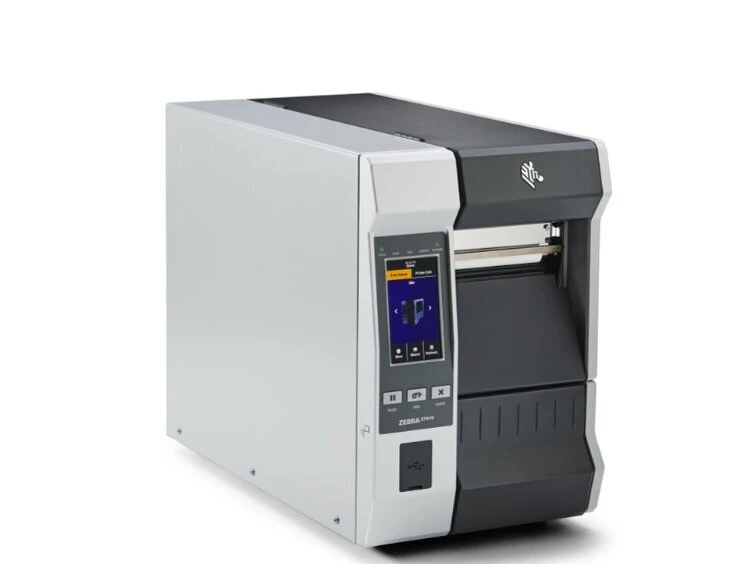
These 300 dpi configurations balance clarity and throughput for product labels, inventory labels, and compliance labels. Your list includes rewind, cutter, WiFi tear, and standard tear options.
Price Range: CAD $2,925.00 to $3,253.00
Configurations Available
-
Zebra ZT610 4" Wide 300 dpi, 12 ips, USB/LAN/BT4, Rewind | ZT61043-T210100Z | Now $2,925.00
-
Zebra ZT610 4" Wide 300 dpi, 12 ips, USB/LAN/BT4, Cutter | ZT61043-T110100Z | Now $3,253.00
-
Zebra ZT610 4" Wide 300 dpi, 12 ips, USB/LAN/BT4, WiFi/Tear | ZT61043-T01A100Z | Now $3,093.00
-
Zebra ZT610 4" Wide 300 dpi, 12 ips, USB/LAN/BT4, Tear | ZT61043-T010100Z | Now $2,995.00
What Are the Technical Specifications of this Printer?
|
Specification |
Details |
|---|---|
|
Print Method |
Thermal Transfer |
|
Print Speed |
12 ips |
|
Print Width |
4 inch |
|
Resolution |
300 dpi |
|
Type |
Industrial |
|
Connectivity |
USB, LAN, Bluetooth 4 (WiFi on select SKU) |
|
Media Handling |
Tear, Rewind, Cutter |
Who Should Use This Label Printer?
-
Operations needing sharper text and barcodes than 203 dpi
-
Teams that want a cutter for clean separation at print time
-
Sites that prefer WiFi deployment without changing printer families
-
Batch printing workflows that benefit from rewind
4. Zebra ZT610 4 Inch Wide 203 dpi Thermal Transfer Label Printers
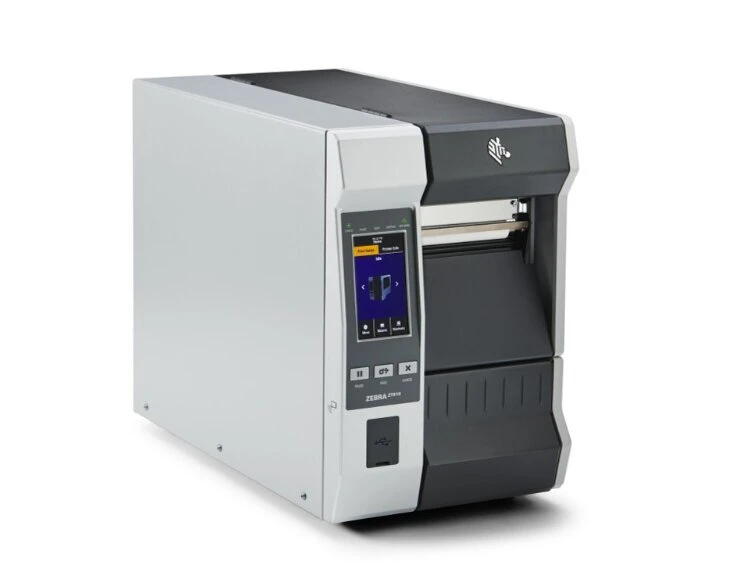
This is the high-volume workhorse group. These configurations are ideal for standard barcode labels, shipping labels, and warehouse identification, where speed and reliability matter most.
Price Range: CAD $2,757.00 to $3,145.00
Configurations Available
-
Zebra ZT610 4" Wide 203 dpi, 14 ips, USB/LAN/BT4, WiFi/Rewind | ZT61042-T21A100Z | Now $3,145.00
-
Zebra ZT610 4" Wide 203 dpi, 14 ips, USB/LAN/BT4, Rewind | ZT61042-T210100Z | Now $2,757.00
-
Zebra ZT610 4" Wide 203 dpi, 14 ips, USB/LAN/BT4, Cutter | ZT61042-T110100Z | Now $3,085.00
-
Zebra ZT610 4" Wide 203 dpi, 14 ips, USB/LAN/BT4, WiFi/Tear | ZT61042-T01A100Z | Now $2,925.00
-
Zebra ZT610 4" Wide 203 dpi, 14 ips, USB/LAN/BT4, Tear | ZT61042-T010100Z | Now $2,934.70
What Are the Technical Specifications of this Printer?
|
Specification |
Details |
|---|---|
|
Print Method |
Thermal Transfer |
|
Print Speed |
14 ips |
|
Print Width |
4 inch |
|
Resolution |
203 dpi |
|
Type |
Industrial |
|
Connectivity |
USB, LAN, Bluetooth 4 (WiFi on select SKU) |
|
Media Handling |
Tear, Rewind, Cutter, Network Connect options |
Who Should Use This Label Printer?
-
Warehouses printing high volumes of standard barcodes
-
Shipping stations that need fast throughput and consistent scan results
-
Teams that want WiFi configurations for easier placement and fewer cables
-
Batch operations that need a rewind or Network Connect rewind setups
-
Stations that prefer cutter output for immediate label separation
Compare Zebra ZT610 Printers: Configurations and Pricing
|
Configuration |
Print Width |
Resolution |
Speed |
Connectivity |
Media Handling |
Price (CAD) |
|---|---|---|---|---|---|---|
|
ZT62062-T210200Z |
6 inch |
203 dpi |
12 ips |
USB, Serial, LAN, BT4 |
Industrial Config |
$5,863.52 |
|
ZT62062-T110200Z |
6 inch |
203 dpi |
12 ips |
USB, Serial, LAN, BT4 |
Industrial Config |
$6,278.48 |
|
ZT62062-T010200Z |
6 inch |
203 dpi |
12 ips |
USB, Serial, LAN, BT4 |
Industrial Config |
$5,999.14 |
|
ZT61046-T210100Z |
4 inch |
600 dpi |
6 ips |
USB, LAN, BT4 |
Rewind |
$4,407.00 |
|
ZT61046-T010100Z |
4 inch |
600 dpi |
6 ips |
USB, LAN, BT4 |
Tear |
$4,995.00 |
|
ZT61043-T210100Z |
4 inch |
300 dpi |
12 ips |
USB, LAN, BT4 |
Rewind |
$2,925.00 |
|
ZT61043-T110100Z |
4 inch |
300 dpi |
12 ips |
USB, LAN, BT4 |
Cutter |
$3,253.00 |
|
ZT61043-T01A100Z |
4 inch |
300 dpi |
12 ips |
USB, LAN, BT4, WiFi |
WiFi, Tear |
$3,093.00 |
|
ZT61043-T010100Z |
4 inch |
300 dpi |
12 ips |
USB, LAN, BT4 |
Tear |
$2,995.00 |
|
ZT61042-T21A100Z |
4 inch |
203 dpi |
14 ips |
USB, LAN, BT4, WiFi |
WiFi, Rewind |
$3,145.00 |
|
ZT61042-T210100Z |
4 inch |
203 dpi |
14 ips |
USB, LAN, BT4 |
Rewind |
$2,757.00 |
|
ZT61042-T110100Z |
4 inch |
203 dpi |
14 ips |
USB, LAN, BT4 |
Cutter |
$3,085.00 |
|
ZT61042-T01A100Z |
4 inch |
203 dpi |
14 ips |
USB, LAN, BT4, WiFi |
WiFi, Tear |
$2,925.00 |
|
ZT61042-T010100Z |
4 inch |
203 dpi |
14 ips |
USB, LAN, BT4 |
Tear |
$2,934.70 |
|
DS-ZT6PGP1107754 |
4 inch |
203 dpi |
14 ips |
USB, LAN, BT4 |
Network Connect, Rewind |
$2,937.00 |
Need Help Choosing the Right Zebra ZT610 Printer Configuration?From standard warehouse barcodes to ultra-precise micro labels, the right Zebra ZT610 model depends on your print resolution, label size, workflow, and handling requirements. Our team can help you choose the best fit for your operation. Talk to Our Specialists Today |
|---|
Zebra ZT610 Configurations: How To Choose Fast
-
Choose 203 dpi when you print standard barcodes at high volume and want maximum speed.
-
Choose 300 dpi when your labels include smaller text, tighter barcodes, or more detailed layouts.
-
Choose 600 dpi when you print dense barcodes, tiny labels, or micro text where precision is the top priority.
-
Choose Tear if labels are taken off manually as they print.
-
Choose Cutter if you want labels separated automatically for pick and pack or batch handoffs.
-
Choose Rewind if you batch print and want printed labels collected neatly on a roll.
-
Choose WiFi configurations when you want easier placement and fewer cables.
-
Choose Network Connect/Rewind when your environment needs that specific connectivity setup while keeping rewind workflows.
Complete Your Zebra ZT610 Setup
Since the ZT610 is a thermal transfer printer, you will need:
|
Category |
Recommended |
|---|---|
|
Labels |
Labels Thermal Transfer, Labels RFID |
|
Ribbons |
Thermal Ribbons |
|
Spare Parts |
Spare Parts – Printheads |
|
Protection |
Overlaminates |
|
Warranty |
Zebra Extended Warranty |
|
Services |
Zebra Professional Services |
Who Is the Zebra ZT610 Industrial Printer Best For?
-
Warehousing and distribution
-
Manufacturing and work-in-progress tracking
-
Electronics and precision labelling
-
High-volume logistics operations
Which Zebra Industrial Label Printers Are Built for Heavy-Duty Printing Environments?
The following Zebra industrial thermal printers are commonly used for high-volume barcode, product identification, and compliance label printing in demanding environments such as manufacturing plants, warehouses, logistics hubs, and distribution facilities:
-
Zebra ZT220 Value Industrial 4-Inch Wide Printer
Manufacturer Warranty and Support Coverage
The Zebra ZT610 industrial printer includes a standard limited manufacturer’s warranty that covers defects in materials and workmanship under normal operating conditions. This helps protect your investment while supporting reliable performance in demanding industrial environments.
For businesses operating high-volume printing workflows, extended warranty options and service plans may also be available. These plans can help minimise unexpected downtime and support long-term operational reliability.
Where to Buy a Zebra ZT610 Printer in Canada?
Businesses purchasing industrial label printers often look for reliable suppliers that provide technical guidance, compatible supplies, and dependable shipping. Choosing the right distributor helps ensure proper configuration, smooth installation, and long-term printer performance.
When you buy from DuraFast Label Canada, you get:
-
Fast Canadian shipping
-
Configuration guidance
-
Compatible Zebra ZT610 labels and ribbons
-
Accessories and repair parts
-
Transparent Zebra ZT610 printer price support
Call +1 866 299 0066 to speak with a label printing specialist or explore Zebra ZT610 printers and supplies from DuraFast Label Canada.
Real Feedback from Our Valued Customers
“My labels print nicely and are of high quality. I would tell my family and friends to buy one.”
“EXCEPTIONAL customer care! I mean... the labels are great, but when you're designing something that you're purchasing hundreds or thousands of, you want a customer care team that's going to make sure your order is what you want. HIGHLY recommend!!!”
“Impressed with the level of service provided by Durafast.
- Excellent customer service
- Provided label samples on different label printers
- Had a showroom in which I could see the label printers in person
Thanks for making my decision on label printers easier.”
Need Help Choosing the Right Zebra ZT610 Printer Configuration?Every labelling environment has different requirements. From print width and barcode density to DPI, media handling, and connectivity, choosing the right Zebra ZT610 setup can improve accuracy, efficiency, and long-term performance. Talk to Our Specialists Today |
|---|
Frequently Asked Questions
How Do I Download Software or Drivers for the Zebra ZT610 Printer?
To download drivers for your Zebra ZT610 industrial barcode printer, visit Zebra’s official support page and search for the ZT600 series. Use the Zebra DNA software suite for firmware, setup tools, and configuration utilities. Select your operating system and install via USB host or Ethernet connection.
What Is the Difference Between the Zebra ZT610 and ZT620 Printers?
The Zebra ZT610 offers a 4-inch maximum print width with higher resolution options like 600 dpi for miniature components and circuit boards. The ZT620 supports wider 6-inch labels. Both combine rugged durability and advanced connectivity, continuing the legacy of the Xi Series printers.
How Can I Set Up and Install a Zebra ZT610 Printer?
Begin by connecting the printer using USB, Gigabit Ethernet, or other open communication slots. Install drivers from Zebra’s website, configure printer settings through the Zebra DNA software suite, and calibrate media. The setup is designed to minimize operational complexities and support production line demands.
How Do I Configure RFID Printing on the Zebra ZT610 RFID Model?
Use the Zebra DNA software suite to enable RFID settings and calibrate encoding positions. Connect through Ethernet or USB host for configuration access. The ZT600 RFID model delivers superior print quality and exceptional performance while managing advanced connectivity across disparate systems.
What Type of Maintenance Does the Zebra ZT610 Printer Require?
Regular maintenance includes cleaning the printhead, inspecting media paths, and using Zebra-certified supplies to protect thermal printing components. Preventative care helps combine rugged durability with consistent superior print quality, reducing downtime and protecting your long term investment costs.
What Are the Common Troubleshooting Steps for Zebra ZT610 Printer Errors?
Check printer settings, confirm media alignment, and verify Ethernet or Gigabit Ethernet connections. Review error messages in the Zebra DNA interface. Many issues stem from misloaded labels or incompatible supplies. Proper configuration ensures exceptional performance in a rapidly evolving business landscape.