1D Laser Barcode Scanner Pricing for Business Use
3rd Nov 2026
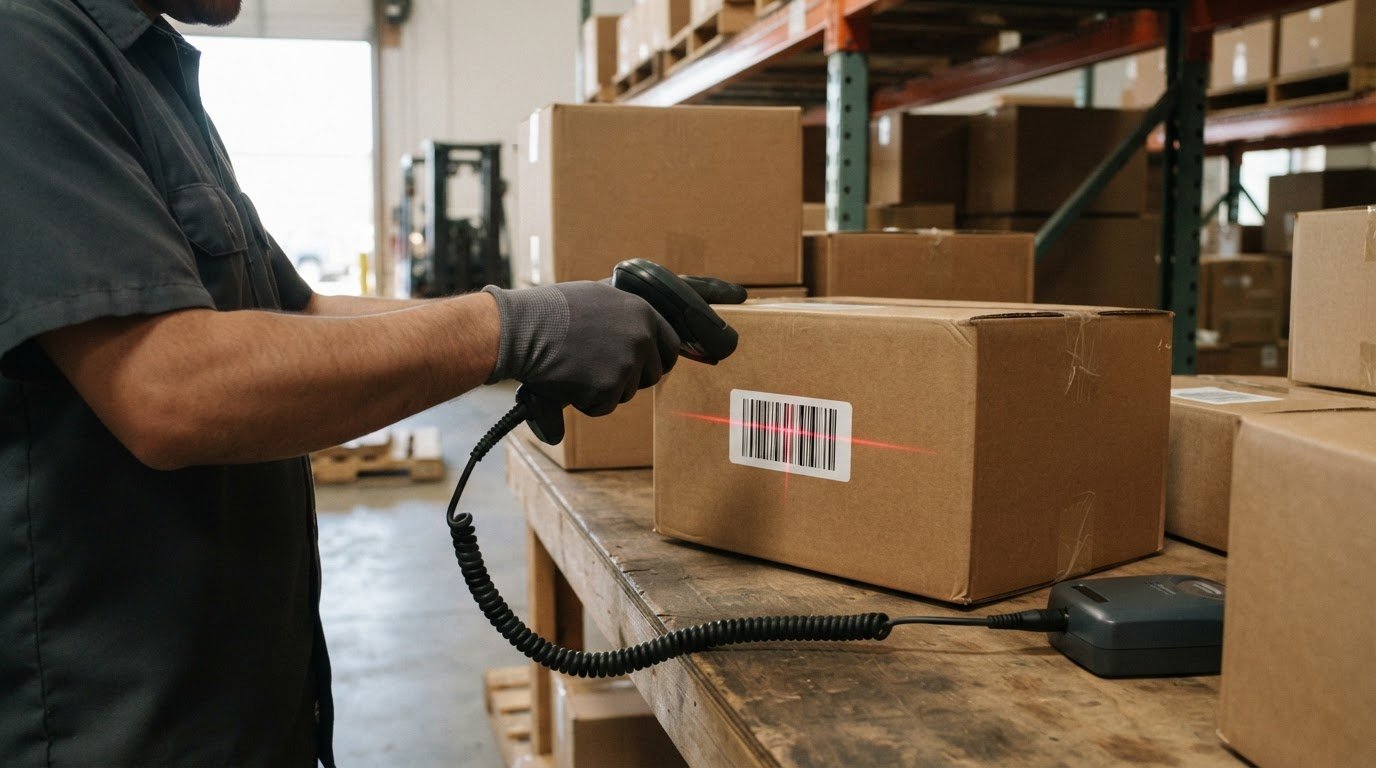
A 1D laser barcode scanner doesn’t have one price that suits every business. The right option depends on its capabilities and how it fits your products, labels, and workstation. Compare each 1D laser barcode scanner against the task, not just the purchase price.
It’s reasonable to focus on budget, especially when equipping a checkout, warehouse, or inventory station. But the lowest-cost option may not suit your workflow. Consider what your 1D laser barcode scanner needs to handle before comparing options, so you can focus on equipment that fits the job.
This guide explains what affects scanner pricing, which features matter for different business tasks, and how to compare options. You’ll also learn what to consider when connecting and configuring a scanner. By the end, you’ll have a practical way to assess your needs and choose a suitable option for your operation.
Key Takeaways
- Choose a scanner based on the barcodes and workflow it needs to handle, not price alone.
- Compare pricing by considering the scanner’s capabilities and how it will fit your workstation setup.
- Check whether your labels use linear barcodes or 2D symbols, since scanner types differ in what they can read.
- Scanning distance depends on the scanner and barcode conditions, so match the equipment to how items are presented.
- Plan to connect and configure the scanner for your workstation and the labels you’ll scan.
1D laser barcode scanners
A 1D laser barcode scanner reads linear patterns of bars and spaces. Match its supported barcode formats and working distance to the labels in your workflow.
Barcode Type Compatibility
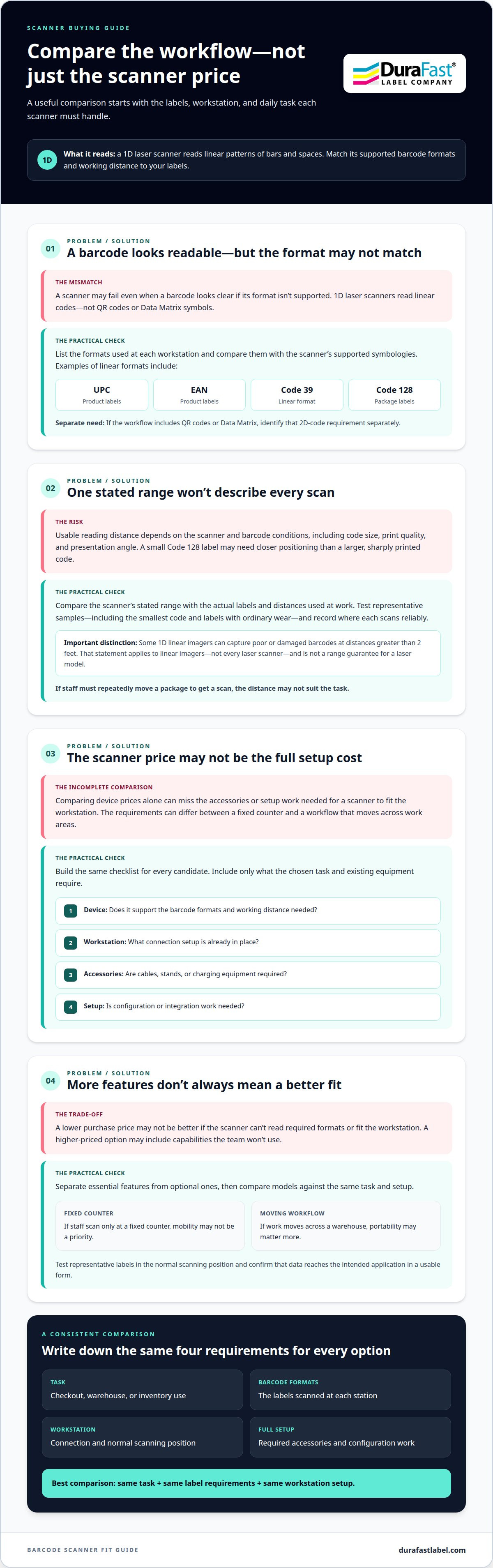
These scanners read one-dimensional, or linear, barcodes. Common examples include UPC, EAN, Code 39, and Code 128. Check the format printed on your product or shipping label, then compare it with the scanner’s supported symbologies. A mismatch can prevent a scan even when the barcode looks clear.
For example, a checkout station may scan UPC or EAN product labels, while a packing station handles Code 128 package labels. List the formats used at each workstation. If your workflow includes QR codes or Data Matrix symbols, identify that need separately because those are two-dimensional codes.
Consider the label’s placement, too. A barcode on a curved container may scan differently from one printed on a flat carton. Test representative labels at the station where employees will scan them, and confirm the resulting data fits the workflow.
Barcode Reading Distance
There isn’t one reading distance for every scanner and barcode. The usable range depends on the device and factors such as barcode size, print quality, and presentation angle. A small Code 128 label may need closer positioning than a larger, sharply printed code. Compare the scanner’s stated range with the actual labels and distances used at work.
Some 1D linear imagers can capture poor or damaged barcodes at distances greater than 2 feet. This applies to linear imagers, not every laser scanner. Don’t treat it as a range guarantee for a laser model. Test labels with ordinary wear and the smallest code in your workflow.
Record the position where each sample scans reliably. If staff need to move a package repeatedly, the scanning distance may not suit the task.
Scanner Connection and Configuration
Connect the scanner to the workstation, then configure it for the labels being scanned. The Centers for Disease Control and Prevention says a barcode scanner should be connected to the workstation and configured for the labels being scanned. Follow the scanner’s setup instructions, select the necessary barcode formats, and test scans in the application employees will use.
Check that scanned data appears in the expected field. For example, scan a product label into the checkout system and confirm the data is usable. If it appears incorrectly, review the scanner’s format settings and workstation setup before regular use.
Can a 1D laser barcode scanner read damaged or low-quality barcodes? Performance depends on the scanner and the label’s condition, so test representative samples before choosing. Are these scanners safe for eyes? Use the scanner as directed by its manufacturer, and don’t look into or deliberately aim the beam toward anyone’s eyes.
Scanner pricing
Scanner pricing depends on the equipment and the work it must handle. Before choosing a setup for checkout, warehouse, or inventory tasks, compare the full setup, not just the scanner.
What shapes the purchase cost?
Start with the scanning task. A basic counter setup may need different capabilities from a station scanning labels on cartons. Range, barcode compatibility, connection method, and operating environment all affect which scanner fits. More capabilities can affect the price, so focus on features your workflow actually uses.
For example, a workstation that reads one familiar barcode format may need fewer capabilities than one handling varied labels. A scanner used at a fixed desk also has different requirements from one moved between work areas. Match the planned use to the equipment before comparing model prices.
Compare like with like. Check whether each option supports your barcode formats and connects to your workstation. Then review any required cables, stands, charging equipment, or setup work. Depending on the scanner and your existing equipment, these items may affect the total purchase.
Build a realistic budget
Use a short checklist for each candidate scanner. Include the device, required accessories, and any configuration or integration work. A wired counter setup, for instance, may need different accessories from a mobile workflow. The checklist reveals costs beyond the device without assuming every business needs the same additions.
- List the barcode formats and labels used at each station.
- Note the workstation and connection setup already in place.
- Identify accessories needed for the chosen working arrangement.
- Compare each scanner against the same task and setup.
Separate essential features from optional ones. If staff scan only at a fixed counter, mobility may not be a priority. If the workflow moves across a warehouse, portability may matter more. This keeps the comparison focused on actual use rather than a longer feature list.
Compare value, not just the quoted amount
Consider how well the scanner fits daily work. A lower purchase price may not be the better choice if the device cannot read required formats or fit the workstation. A higher-priced option may include capabilities your team won’t use. Compare the same requirements across models to make the trade-offs clear.
Next, consider setup and the day-to-day workflow. Check whether employees can scan labels in their normal position and send data to the intended application. A scanner that needs frequent repositioning can disrupt checkout or packing. Test representative labels before settling on a model.
For a focused comparison, write down the task, barcode formats, workstation, and required accessories. Use those details to narrow your shortlist, then discuss scanner options for your workflow if you need help matching requirements to equipment.
Which barcode types can 1D laser scanners read?
A 1D laser barcode scanner reads linear codes, including UPC, EAN, Code 39, and Code 128 when its supported formats include them. Start with the barcode formats printed on your actual product labels, cartons, or inventory tags. Then compare those formats with the scanner’s specifications. This helps distinguish a compatible model from one that only looks suitable for the task.
Match the format to the label
UPC and EAN codes commonly appear on retail product packaging. Code 39 and Code 128 are examples used on inventory and shipping labels. These names describe barcode formats, not scanner models. Check label files, packaging samples, or existing scanning records to identify which formats your operation uses.
A checkout station might handle UPC labels, while a packing station scans Code 128 shipping labels. If both tasks use the same device, confirm that the scanner supports both formats. Don’t assume that a scanner reads every linear barcode simply because it reads one familiar label.
Also note how each label is presented. A code on a flat carton may be easier to position than one on a curved package. Test samples from each label group at the relevant workstation. A 1D laser barcode scanner should match the formats employees need to capture, not just the most common label in the building.
Recognize what falls outside 1D
Linear barcodes arrange bars and spaces in a single row. QR codes and Data Matrix symbols use patterns in two dimensions. A 1D-only reader won’t handle those symbols. For a package displaying both a UPC and a QR code, identify which code the business application needs before selecting equipment.
This distinction matters for documents, product packaging, and returns workflows. A returns desk might scan a linear product code and a QR-coded record. If employees need to read both, compare scanner specifications against the required formats instead of relying on a broad “barcode scanner” label.
Use a label-based compatibility check
Gather a sample from every label group, such as a retail item, shipping carton, and inventory tag. Identify each sample’s format, then compare the list with scanner specifications. Test the samples using the workstation software that will receive the scanned data.
If a sample fails, distinguish format compatibility from label condition or positioning. First confirm that the scanner supports the code format. Then check the sample’s print and placement. This helps identify the cause without replacing equipment based on one unsuccessful scan.
Before selecting a 1D laser barcode scanner, create a short compatibility list for each station. Include the barcode format, label location, and application receiving the data. For example, note UPC at checkout and Code 128 at packing if those match your labels. Use that list to compare models against daily tasks.
What is the difference between 1D laser and 2D barcode scanners?
A 1D laser scanner reads linear barcodes, such as GS1 DataBar. Some scanners can capture two-dimensional symbols, while others are designed for linear barcodes; check which symbols the reader supports. Choose between them by checking the codes your workflow must scan.
How each scanner captures a code
A laser scanner sweeps a beam across the bars and spaces in a linear code. Reflected light forms a pattern that the scanner decodes. Staff must present a linear barcode so the beam crosses its bars. A tilted or poorly positioned label may need repositioning before the scanner can read it.
A 2D imager captures an image of the symbol, then decodes its pattern. This approach supports two-dimensional formats, including QR codes and Data Matrix, when the scanner model supports them. Some imagers also read linear codes. Check each model’s specifications rather than assuming all 2D scanners support identical formats.
Match the scanner to the information
Use a 1D laser scanner if your labels contain only linear codes. A retail item with a GS1 DataBar barcode is one example. Choose an image-based 2D scanner if employees also need to scan QR codes or Data Matrix symbols. A label containing both formats may require the scanner to read whichever code the software workflow uses.
Consider where codes appear, too. A printed linear barcode on a carton presents a different task from a QR code on a screen. Include both the code type and scanning surface in your comparison. Test representative labels or screens with the intended scanner before standardizing equipment across workstations.
Compare workflow needs
A 1D scanner can be a practical fit for a station that handles linear product labels. A 2D scanner can suit a process that includes two-dimensional symbols, such as QR-coded documents. Don’t pay for broader reading capability unless your tasks need it. Instead, list each code format and where employees encounter it.
- Identify whether each label uses a linear code or a 2D symbol.
- Note whether staff scan printed labels, screens, or both.
- Compare the scanner’s supported formats with those examples.
- Test the selected codes in the workstation’s actual software.
For example, a packing station that scans only linear shipping labels may not need 2D reading. A returns station that processes QR-coded records may need an imager. That distinction helps teams choose equipment around real tasks, not a broad label such as “barcode scanner.”
How far away can a 1D laser barcode scanner read a barcode?
There isn’t one reading distance for every 1D laser scanner. The usable range depends on the scanner and barcode together. A small Code 128 label, for example, may need closer positioning than a larger printed code. Use the scanner’s stated range as a starting point, then test labels in their normal work position.
Why reading range changes
Barcode size affects how clearly a scanner can detect its bars and spaces. Print quality and contrast also matter. A faded Code 39 label may be harder to read than a sharp, dark print. Angle and movement can change the result, too, so test with the same handling employees use during regular work.
Some 1D linear imagers can capture poor or damaged barcodes at distances greater than 2 feet. That fact applies to linear imagers, not every 1D laser scanner. Don’t treat it as a range promise for a laser model. Compare the technology and the specific scanner before applying distance expectations to your setup.
Test the working distance in your setting
Place a representative label where staff normally scan it. Move the item through its usual position and note where the scanner reads reliably. Repeat with the smallest barcode in the workflow and a label with ordinary wear. This practical test shows whether the range fits your counter, packing bench, or storage area.
Check the scanner’s specifications for its working range and barcode conditions. The effective range may vary with barcode size, so don’t assume the maximum applies to every label. For example, a large carton code and a small inventory tag may behave differently at the same station.
Use a simple test record for each candidate. Include the barcode type, label size, print condition, scan position, and result. If staff must move a carton closer each time, the setup may not suit the task. Compare scanners using the same labels and positions.
Choose for the real scan point
Think about how employees present items. At checkout, a product passes near a fixed scanner. On a packing bench, staff may scan cartons from different positions. The useful range is the distance that supports the actual task, not simply the longest distance listed in a product description.
Before selecting a model, test the labels and working positions your team uses. If you need help matching scanner options to those requirements, contact us to discuss scanner selection.
DuraFast Label Company: Epson ColorWorks C6000A
DuraFast Label Company can help businesses build out the label side of their barcode workflow. If you’re preparing to print product labels for scanning, the Epson ColorWorks C6000A is one option to consider. BarTender Professional Software supports label design and barcoding, while DuraFast Matte Chemical Labels may suit businesses whose label needs call for that material.
Printers, software, and scanners have different roles: printers produce labels, software helps design them, and scanners read the printed barcode. Match each part to your workflow, including the barcode format your scanner must read. DuraFast Label Company offers label printing equipment, supplies, and barcode scanners. Contact DuraFast to discuss label and printing options for your business.
Make Your Scanner Choice Part of a Stronger Workflow
Turn your requirements into a practical plan for each scanning station. Consider who will scan, where items will be positioned, and how scanned data should move into your business software. A clear workflow helps you select equipment that fits daily operations instead of choosing from a feature list alone.
Before making a decision, write down the task each station handles and the labels employees encounter. Use that plan to evaluate whether a 1D laser barcode scanner fits your intended setup. If your label workflow also needs attention, DuraFast Label Company offers label printers, labels, and barcode scanning products to support business operations.
For a next step tailored to your needs, contact DuraFast Label Company to discuss your business requirements. A considered setup can make everyday scanning easier to plan and manage.
Frequently Asked Questions
What is a 1D laser barcode scanner and how does it work?
A 1D laser barcode scanner reads linear barcodes by detecting the pattern of bars and spaces. It shines a laser across the code and interprets reflected light as data. For example, a checkout worker can scan the linear barcode on a packaged product, then send its encoded information to the connected system. The scanner’s supported formats and workstation setup determine whether that data fits the task.
What are the best 1D laser barcode scanners for retail and warehouse use?
The right scanner is the one that fits the station, labels, and workflow. Retail teams can prioritize the barcodes used on products and how items pass the scanner. Warehouse teams should consider how employees handle cartons and inventory labels across their work areas. Compare specifications against these tasks, then shortlist suitable models. Datalogic barcode scanners are one option to include in your comparison.
How much do 1D laser barcode scanners cost in the United States?
There isn’t one price that applies to every 1D laser scanner in the United States. The total depends on the selected device and what the setup requires, such as accessories or configuration. To compare options, use the same checklist for each: scanner capabilities, required add-ons, and workstation needs. This approach makes it easier to compare complete setups without relying on a device-only price.
What factors should you consider when choosing a 1D laser barcode scanner?
Start with the labels employees scan and the workstations they use. List each barcode format, the application receiving scanned data, and how staff present items. Then compare compatible scanner options, connection needs, and required accessories. At checkout, test a product label in the register workflow. For inventory work, test a representative stock label in the system employees use.