Afinia L801 Color Label Printer: Is It the Right Fit for Your Workflow?
27th Sep 2026
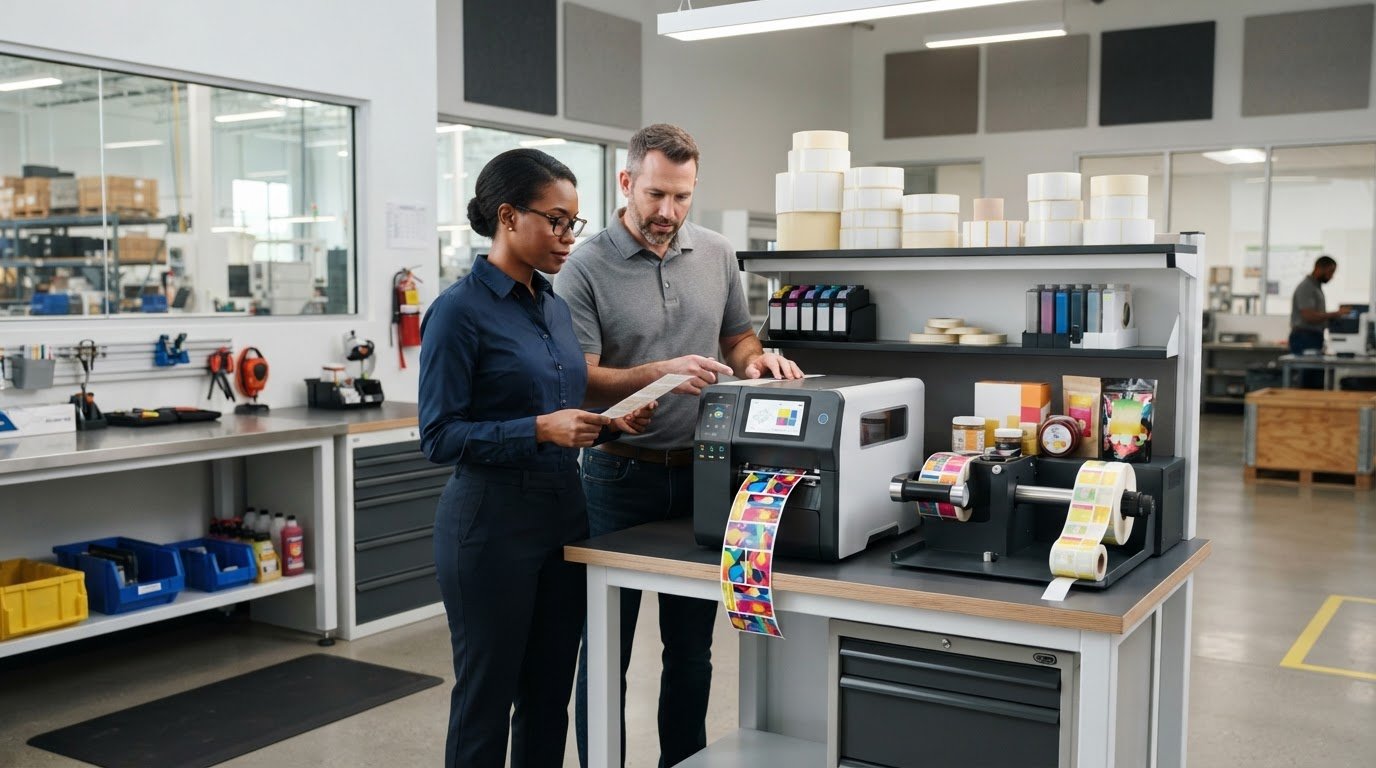
What if a printer that looks fast on paper still slows your label workflow? The Afinia L801 color label printer needs to be judged by more than speed claims. Your label volume, media, ink needs, and production setup all affect whether it’s a practical fit.
It’s reasonable to want clear answers before investing in equipment. Published specifications don’t always show how a printer will perform with your labels or what supplies and finishing steps your process may require. Confirming those details upfront can help you avoid surprises.
This article will help you assess the L801’s print capabilities and operating requirements against your production needs. We’ll look at the details to verify, including print speed, supported media widths, compatible substrates, ink, and any finishing equipment that may apply to the model you’re considering. You’ll also learn what to ask a supplier about the printer, Afinia ink cartridges, and compatible label media before requesting a quote, so you can make a decision based on workflow fit rather than promotional claims alone.
Key Takeaways
- Assess the Afinia L801 color label printer against your actual label volume and production pattern, not speed claims alone.
- Check current manufacturer documentation to confirm specifications and compatible media for the exact model.
- Compare your label formats, substrates, finishing needs, and operator workflow before deciding whether the printer fits.
- Prepare label samples, artwork, expected volume, and output format to make a supplier discussion more useful.
- Confirm ink configuration, cartridge details, roll handling, and any rewinder requirements before planning your setup.
What the Afinia L801 Color Label Printer Is Designed to Do
The Afinia L801 color label printer is an in-house color label production option for businesses that want to print product labels as needed. It’s not a general office printer: its role is to produce labels using compatible label media, with the right setup for the job. DuraFast lists the L801 alongside related inkjet labels and Afinia ink cartridges, so buyers can evaluate the printer and key supplies together.
It may be worth assessing if you produce product labels in short or medium runs and want more control over when batches are made. But the best fit depends on your actual work, not a broad volume label. A printer’s stated speed won’t tell you how quickly a complete order moves through your facility. Artwork complexity, print coverage, media handling, and any finishing steps can all affect practical output.
Which label production workflows may suit the L801?
On-demand printing can help businesses respond to changing product details, create batches for different items, or replenish labels without ordering a large quantity in advance. Intermittent batches and sustained production put different demands on a workflow. Consider how often you print, how much label stock each job uses, and whether demand arrives steadily or in occasional peaks.
Label size and design matter, too. A small label with limited color coverage is a different job from a larger design with full-color artwork. Before deciding, compare typical label dimensions and designs with daily demand. Then account for the time needed to load media, prepare files, and manage printed rolls or sheets through any downstream steps.
What should buyers verify about the L801 model?
Start with the exact model and variant name. Product information can change, so check current manufacturer documentation rather than relying on an older listing or a general description. Confirm supported label dimensions and media types against your applications, and ask whether the materials you plan to use are compatible. A format that nearly matches your requirement may still create problems in production.
Verify the L801’s print technology and current performance specifications before treating them as confirmed features. For background on the term, Memjet Waterfall Technology explains the technology, but manufacturer documentation should establish what applies to the exact model you’re considering. Compare any listed speed with your real job conditions, including artwork, media, and finishing. For a broader view of available color label printer options, compare requirements by workflow rather than headline speed.
Afinia L801 Print Speed, Quality, and Media: What the Specifications Mean
Published specifications are useful only when they match the exact L801 model and your label job. The information provided for this guide doesn’t include current manufacturer documentation to verify a speed figure, media-width range, or supported substrates, so those values shouldn’t be presented as confirmed. Check the current product documentation or confirm the details with a supplier before using them to plan capacity.
A maximum print speed is a ceiling, not a production promise; actual output depends on the job and the steps around printing. That distinction matters when estimating whether the Afinia L801 color label printer can keep pace with your daily demand.
How should buyers interpret the L801’s speed and print quality?
First, check how the stated speed was measured, including the print mode and conditions. Dense, full-color artwork can take a different amount of time to produce than a simpler design, and print settings and label dimensions can affect throughput. Loading media and handling or finishing the printed output also add time beyond the printer’s stated speed.
Assess quality with your own representative artwork. Include the smallest text and barcodes you expect to print, then check that the text is readable and that the barcodes scan reliably in your intended workflow. A specification alone can’t confirm how a particular design will look or perform on your chosen stock.
Which label materials and formats should you check?
Don’t assume that a material is compatible because it’s described broadly as paper, film, or synthetic. Confirm each specific label stock with current manufacturer guidance or a supplier, including any surface or adhesive requirements relevant to your application. Also establish whether your process uses continuous rolls, die-cut labels, or both, and verify that the exact model supports the format and dimensions you need.
Media choice is part of a wider production decision. Clemson University’s overview of digital printing for packaging places printing within the broader packaging field, where material and application requirements matter alongside the equipment. For stock options, review Afinia L701, L801, and L901 labels, then confirm compatibility for the precise L801 version you’re considering.
Before settling on a media choice, compare a sample label with the actual artwork, dimensions, and intended use. If questions remain about the L801 or related supplies, contact DuraFast about your label requirements and confirm the model-specific details before planning production.
Is the Afinia L801 a Good Fit? Compare It Against Your Production Needs
The right choice depends on how labels move through your operation, not on a printer ranking or a single speed figure. Use the framework below to identify what fits and what still needs verification for the exact L801 model. Confirm media and production requirements before comparing equipment.
| Workflow factor | What to assess | Fit signal or question |
|---|---|---|
| Volume pattern | Intermittent batches, regular replenishment, or sustained production | Can the printer’s verified capacity and your staffing support the demand pattern? |
| Label format | Required label dimensions and roll format | Do the supported sizes and formats match the labels you use? |
| Media | Exact paper, film, or synthetic stocks | Has each material been confirmed as compatible? |
| Finishing | How printed labels are handled, rewound, or applied | Will your current process handle the output, or does it need additional equipment? |
| Operator workflow | Who prepares artwork, loads stock, and monitors jobs | Can your team manage these steps alongside its other work? |
When might the L801 fit better than outsourcing labels?
In-house production may be worth assessing if artwork changes often, batch sizes vary, or holding finished-label inventory creates challenges. Compare it with outside purchasing using your own figures: equipment and supplies, operator time, media and ink use, storage, and the cost and timing of purchased labels. Don’t assume printing internally will save money. Calculate total cost of ownership for your actual jobs and demand.
When should you compare other printer options?
Consider alternatives if your application needs media, dimensions, or sustained output that the exact L801 model can’t support, or if your finishing process doesn’t suit its output. If labels mainly carry text and barcodes, and color graphics aren’t needed, assess thermal printing as a different technology. For color requirements, explore DuraFast’s color label printer options. Treat a 2026 Epson ColorWorks guide as a separate assessment of that alternative, not as evidence of L801 performance.
The Afinia L801 color label printer may suit a workflow when its confirmed capabilities align with the job and your team can manage the full process. Compare requirements first, then use your own production and purchasing data to weigh in-house printing against other approaches.
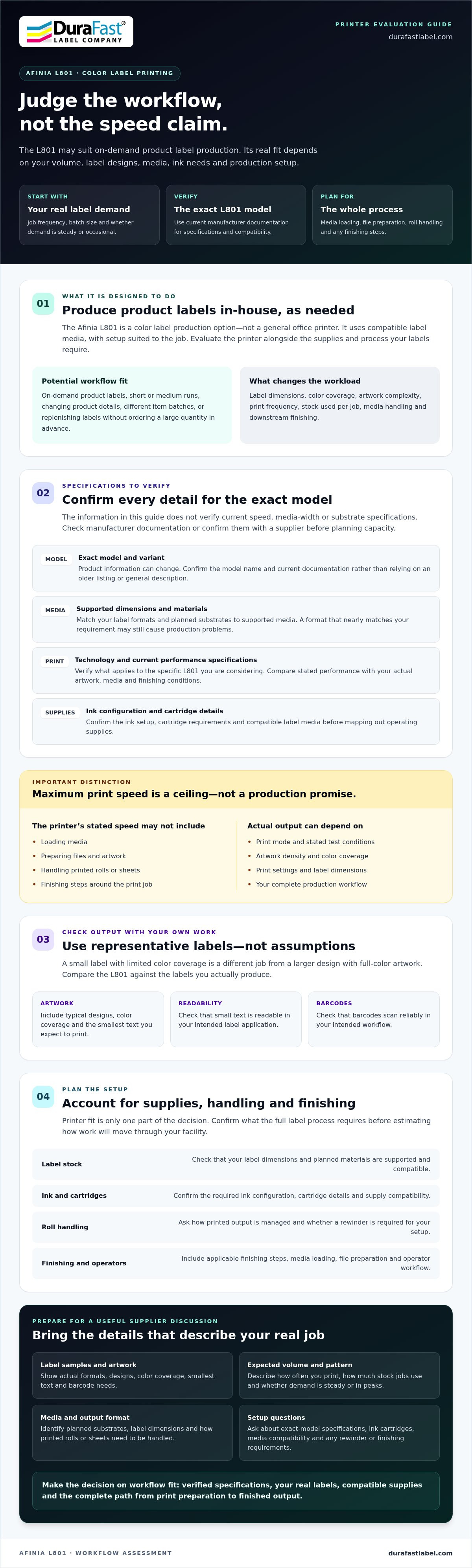
Plan an Afinia L801 Setup: Labels, Ink, and Roll Handling
Plan the complete production path before purchasing the Afinia L801 color label printer. A label that feeds and prints correctly is only one part of the setup. Your artwork, ink, roll handling, and finished-label format all need to work together. Use this checklist to identify what to confirm.
- Gather representative label samples. Include the sizes, materials, finishes, and adhesives you expect to use. Confirm each stock’s compatibility with current manufacturer guidance for the exact printer model.
- Prepare typical artwork. Include examples with your usual color coverage, smallest text, and any barcodes. Test print quality and scan performance on the intended media before making it a routine workflow.
- Estimate your demand. Record how often you print, the size of a typical batch, and any peaks in label demand. This helps you assess supply needs and whether your planned output matches the printer’s verified capabilities.
- Define the output format. Specify label dimensions, roll requirements, and how printed labels will be stored, finished, or applied.
- Confirm model-specific supplies and accessories. Verify ink configuration, cartridge details, supported roll dimensions, and compatibility of any unwinder, rewinder, or finishing equipment.
How do you confirm label and ink compatibility?
Check the manufacturer’s approved media specifications for the exact L801 model and match them against each label stock. Consider dimensions, adhesive, surface finish, and the label’s intended application. Then test representative samples with actual artwork. DuraFast lists Afinia ink cartridges; confirm the correct configuration and cartridge details for the model you’re considering rather than assuming supplies are interchangeable.
What should you know about roll handling and finishing?
Map what happens after printing. Check how the printer accepts the media you plan to use, how printed rolls are collected, and whether your process needs a separate rewinder or other finishing equipment. Verify any accessory’s compatibility, availability, and supported roll dimensions for the exact model. Printing labels and producing rolls ready for storage or application are different steps, so include both in your workflow plan.
Run a sample job from artwork preparation through finished-label handling before setting production expectations. If you have questions about compatible Afinia ink cartridges, label media, or roll-handling requirements, contact DuraFast to discuss your L801 setup.
Evaluate the Afinia L801 with DuraFast Before You Decide
The Afinia L801 color label printer may suit businesses looking to produce color product labels in-house, provided its confirmed specifications match their applications and production requirements. The decision involves more than the printer itself. Media compatibility, ink, output volume, and roll handling all affect whether the equipment fits your workflow.
DuraFast lists the Afinia L801, along with related Afinia labels and ink cartridges. Before requesting product information, collect a clear description of the labels you make and the steps involved in producing and using them. Specific details help you ask focused questions and confirm what still needs checking against current manufacturer documentation.
What information should you gather before requesting guidance?
Prepare a short inquiry checklist. Include the details below, and bring a representative label or artwork file if you can. A sample can help clarify design coverage, text size, and barcode requirements.
- Application: Describe the product or process the label supports and where it will be used.
- Dimensions and materials: Note label size, stock type, finish, and adhesive requirements.
- Artwork: Identify typical color coverage, small text, and any barcodes that need to remain legible and scannable.
- Output volume: Share typical batch patterns and expected demand, including any noticeable peaks.
- Format and finishing: Specify roll or label format, how labels are handled after printing, and any equipment or workflow constraints.
- Model and supplies: Ask about the exact L801 version, compatible media, ink configuration, cartridge details, and any accessories you may need.
This information doesn’t replace a sample test or manufacturer specification check. It gives you a practical basis for discussing fit and identifying open questions before making a purchasing decision.
How can DuraFast help with the next step?
DuraFast supplies the Afinia L801 and related Afinia ink cartridges and label media for in-house printing. You can ask product and supply questions, including what details to verify for your chosen model and application. Confirm product specifications, accessories, and availability before planning around them. DuraFast does not provide custom label printing or on-site technical repairs.
Have your label requirements ready? Contact DuraFast to discuss the Afinia L801 and the relevant media and ink for your workflow.
Make Your L801 Decision With Confidence
The Afinia L801 color label printer is worth considering when its verified capabilities match your label applications, production pattern, and in-house workflow. Don’t base the decision on speed alone. Confirm media compatibility, ink requirements, label dimensions, and how printed rolls will be handled. Testing representative labels can help reveal practical fit before you commit to a routine.
DuraFast lists the Afinia L801 Color Label Printer, along with Afinia ink cartridges and compatible labels. Bring your label samples or artwork, expected output, and questions about supplies when you reach out. Contact DuraFast to discuss the Afinia L801 and the details to confirm for your application. With your requirements clearly outlined, you’ll be better prepared to choose a setup that supports your production needs.
Frequently Asked Questions
What is the Afinia L801 color label printer designed to print?
The Afinia L801 color label printer is an in-house option for producing color product labels. It may suit businesses that want to print labels as needed, including for changing artwork or varied batch needs. Whether it fits depends on your applications, production pattern, label dimensions, and compatible media. Review current manufacturer specifications for the exact model before deciding if it matches your requirements.
How fast does the Afinia L801 print labels?
Confirm the current rated speed and its measurement conditions in manufacturer documentation for the exact model. A published maximum shouldn’t be treated as a guaranteed job rate. Artwork coverage, print settings, label dimensions, media handling, and finishing can all affect completed output. To estimate practical throughput, test a representative job and include the time needed to load stock and manage printed labels.
What label materials work with the Afinia L801?
Use only media confirmed as compatible with the specific L801 model. Don’t assume that all paper, film, or synthetic stocks will work based on a broad material description. Check the manufacturer’s guidance, then match it against the label’s dimensions, finish, adhesive, and intended application. Test a representative sample with your artwork before making that stock part of a regular production process.
Can the Afinia L801 print both continuous and die-cut labels?
Confirm the supported label formats for the exact L801 model before planning around continuous rolls or die-cut labels. Format support may depend on model details and media specifications, so don’t rely on a general product description alone. Check dimensions, roll requirements, and media compatibility against current manufacturer documentation. A sample run can help verify that your planned label format feeds and prints as expected.
Does the Afinia L801 need a rewinder?
Not every workflow will need the same roll-handling setup. Decide how printed labels will be collected, stored, finished, or applied, then check whether your process requires a rewinder or other equipment. Verify that any accessory is compatible with the exact printer version, and confirm supported roll dimensions. Printing labels and preparing finished rolls for use are separate parts of the workflow.
How do I choose labels and ink for the Afinia L801?
Match label stock to the exact model’s approved media specifications, including dimensions, finish, adhesive, and application needs. Confirm the printer’s ink configuration and cartridge details for that version rather than assuming supplies are interchangeable. DuraFast lists Afinia ink cartridges and L801-compatible labels. Test representative stock with your artwork, including small text or barcodes, before choosing supplies for routine production.
Where can I ask about the Afinia L801 and compatible supplies?
DuraFast Label Company lists the Afinia L801 Color Label Printer, Afinia ink cartridges, and compatible labels. Prepare your label dimensions, materials, artwork needs, output pattern, and roll-handling requirements so you can ask focused product and supply questions. Confirm current model specifications, accessory compatibility, and availability before planning your setup. Contact DuraFast about the Afinia L801 and compatible supplies.