Afinia LT5C Color Laser Label Printer: Features, Fit, and Buying Guide
6th Oct 2026
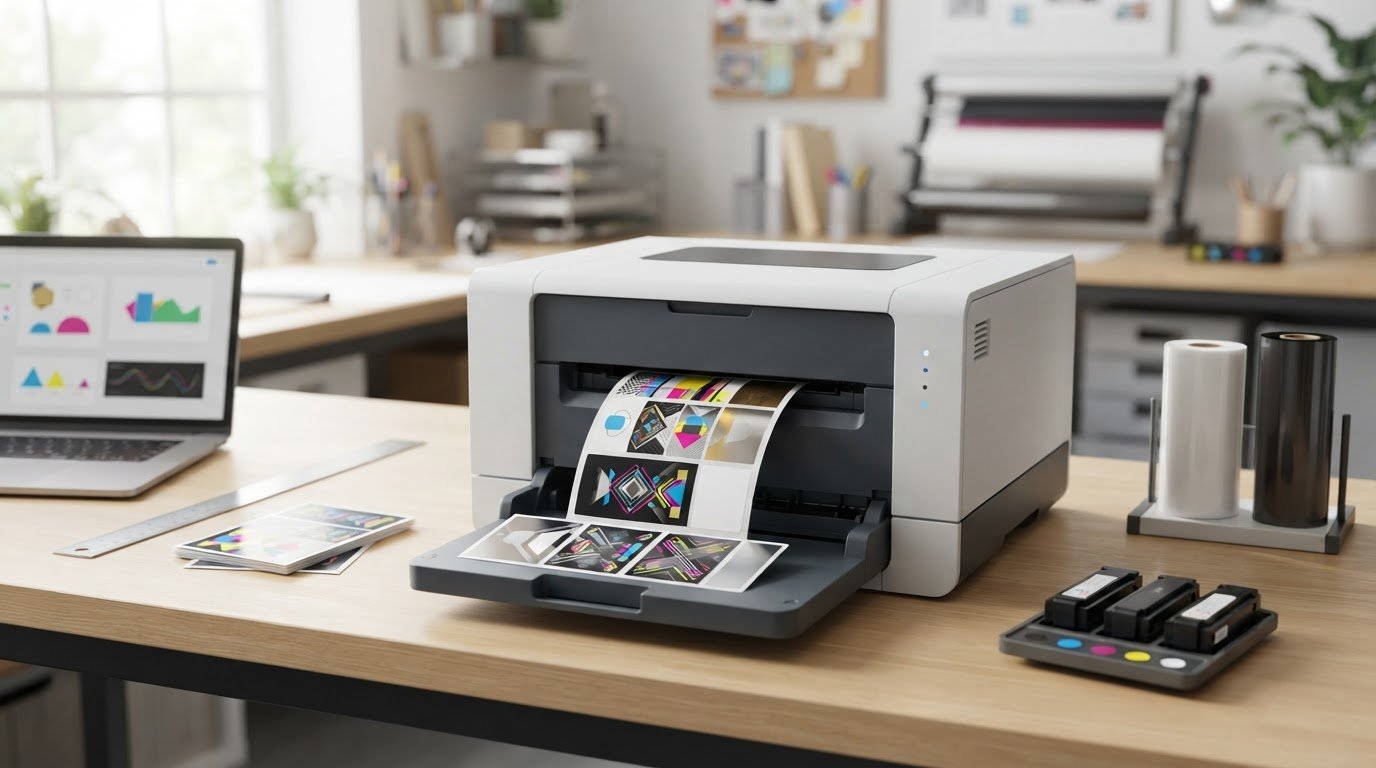
What if the most important feature in your next label printer isn’t another color, but white? The Afinia LT5C color laser label printer combines CMYK printing with white toner, a setup that may suit designs on clear, dark, or metallic label materials. White printing is most useful when it serves a specific design need, so start by considering your artwork and intended label appearance. Explore label and printer options, including labels and printers.
Choosing a printer also means weighing media compatibility, the labels you need to produce, and the supplies required for your workflow. Laser, inkjet, and thermal printers use different print methods and media. The right fit depends on your output requirements, rather than the printer category alone. Compare printer options such as label printers and industrial barcode printers against the jobs you run.
This guide explains where the LT5C’s CMYK+White capability may fit and what to assess before choosing it. Use the practical checks below to review white underprinting, media, production needs, and ongoing consumables, then compare the printer with your label workflow. If you are comparing printer types, consider options such as Seiko printers, linerless printers, and smart label printers as distinct products with different workflows.
Key Takeaways
- Use your label design and intended appearance to decide whether white toner is important to the finished label.
- Evaluate the Afinia LT5C color laser label printer against the actual jobs you run, not just its printing method.
- Compare laser, inkjet, and thermal workflows by color needs, media, and day-to-day production requirements.
- Before choosing, document label application, artwork, material, output, and workflow requirements.
- Review printer specifications, compatible media, supplies, and maintenance details as part of the buying decision.
Afinia LT5C color laser label printer: what it is and who should consider it
The Afinia LT5C color laser label printer is a digital label printer identified as CMYK+White, combining four process colors with white toner for color label designs. Its white toner makes it worth considering when artwork calls for white alongside color. Whether it suits your operation depends on your label design, media, production workflow, and the printer’s documented specifications.
The LT5C uses electrophotographic printing with dry toner. In this type of laser printing process, toner is transferred to the media and fused. The LT5C is also described as a 5-LED printer. Before comparing models, review current product documentation for supported media, print speed, resolution, label widths, connectivity, and dimensions. DuraFast offers it in its color label printer range.
What does CMYK plus white mean for label printing?
CMYK refers to cyan, magenta, yellow, and black, the standard process colors used to create a broad range of printed colors. White adds another print color. On clear stock, for example, a white area beneath a colored logo may help the artwork stand out against the product or packaging behind the label. White can also be part of the visible design on dark material. The LT5C is identified as a white-toner printer, so check its documented white-layer options and workflow against your artwork and intended media.
Which businesses may benefit from evaluating the LT5C?
Consider the LT5C if you produce labels in-house and your product names, designs, or other label details change over time. First ask whether CMYK plus white solves a real design need. White may be useful for artwork on clear, dark, or metallic stock, but the result depends on the printer settings, label material, and appearance you want.
If your labels use standard colors on an opaque white background and do not need white toner, that feature may not be a deciding factor. Compare a sample of your artwork with the printer’s documented capabilities and the media you plan to use. Also account for compatible media formats and ongoing supplies. This keeps the decision focused on the labels you need to produce, rather than on a feature that may not add value to your jobs.
How the Afinia LT5C CMYK+White printing approach affects label design
The LT5C’s stated CMYK+White configuration combines cyan, magenta, yellow, and black process colors with a separate white printing component. That describes its color setup, not the exact way white is applied to every job. The Afinia LT5C color laser label printer is identified as a digital 5-LED electrophotographic printer using dry toner. Use current product documentation to verify details such as color handling, resolution, speed, and production requirements.
Start with the intended label appearance. Artwork that includes white text or a white graphic may need a dedicated white print element. On colored or transparent material, a white layer may also help colored artwork appear more opaque or distinct. These are design possibilities, not confirmation that every material or effect is supported. Substrate, print settings, and white-layer behavior all affect the result.
When can white printing change the look of a label?
White matters when the material itself cannot provide the white detail in the design, or when colored artwork needs a white layer behind it. For example, a white ingredient icon on colored stock could be printed as part of the design. Before preparing production files, verify which white-print modes the LT5C supports, the required layer order, and how the printer handles overlaps between white and CMYK.
What should designers confirm before preparing artwork?
Check the printer documentation for supported file formats, color workflow, compatible design software, and driver requirements. Find out how white is specified in the applicable workflow and whether the design software provides a useful preview. Do not assume white is created the same way across printers or automatically generated from blank areas in artwork.
- Review the artwork: Identify which elements need white and whether it sits beneath, beside, or within CMYK colors.
- Check the media: Match the intended material and format against current compatibility guidance.
- Test a representative label: Print a sample with typical text, fine details, and color overlaps before standardizing files or production settings.
These checks help separate design intent from verified printer behavior. USPS Label Broker describes a way to access and print shipping labels, illustrating the broader role of printing in online commerce. Shipping-label workflows differ from producing branded product labels, so use the USPS label printing information as context, not as evidence of LT5C capabilities. To discuss the product for a particular application, contact DuraFast.
Afinia LT5C vs. inkjet and thermal label printers: compare the job, not just the technology
Choose a printer by starting with the label, then compare how each technology can produce it. The LT5C is positioned as a CMYK+White laser label printer. Inkjet and thermal printers use different print methods and may suit other combinations of artwork, media, and production workflow. DuraFast’s color label printers category is a starting point for exploring color options. The Tag and Label Manufacturers Institute (TLMI) provides broader industry context, while specifications and compatibility should be checked for each printer model.
| Factor | LT5C laser | Inkjet | Thermal |
|---|---|---|---|
| Print method | Electrophotographic dry toner, with CMYK plus white positioning. | Applies ink to the label media. Confirm the specific printer’s ink system and capabilities. | Direct thermal uses heat-sensitive media; thermal transfer uses heat to transfer ribbon onto media. |
| Color needs | Evaluate if the job calls for CMYK and potentially white output. | Check supported colors and whether the design needs white. | Assess whether the application needs color or primarily variable text, symbols, and barcodes. Capabilities depend on the model. |
| Media | Verify compatible materials, formats, thicknesses, and feed specifications. | Check approved media and any finish or coating requirements. | Match direct thermal or transfer media to the application and printer specifications. |
| Workflow and requirements | Confirm software, file handling, speed, resolution, width, connectivity, and supplies from current documentation. | Review the same details for the specific inkjet model, including cartridge and maintenance needs. | Check printer settings, label and ribbon requirements where applicable, software, and operating specifications. |
When might the LT5C be a stronger fit than inkjet?
Begin with the artwork. If your label design requires CMYK plus white, the LT5C’s stated configuration may be relevant. If it does not, compare specific printer models by supported media, file workflow, output requirements, and documented operating details. Do not assume the LT5C prints faster, costs less to run, or produces more durable labels than an inkjet printer without comparable documentation for the models and materials involved.
When is a thermal printer a better match?
A thermal workflow may fit identification or barcode jobs where the main requirement is clear variable information rather than CMYK artwork. Direct thermal and thermal transfer use different media approaches, so let the label application guide the comparison. Review DuraFast’s thermal label printer selection guide for more on thermal options. For any technology, compare the actual job with documented requirements before selecting a printer.
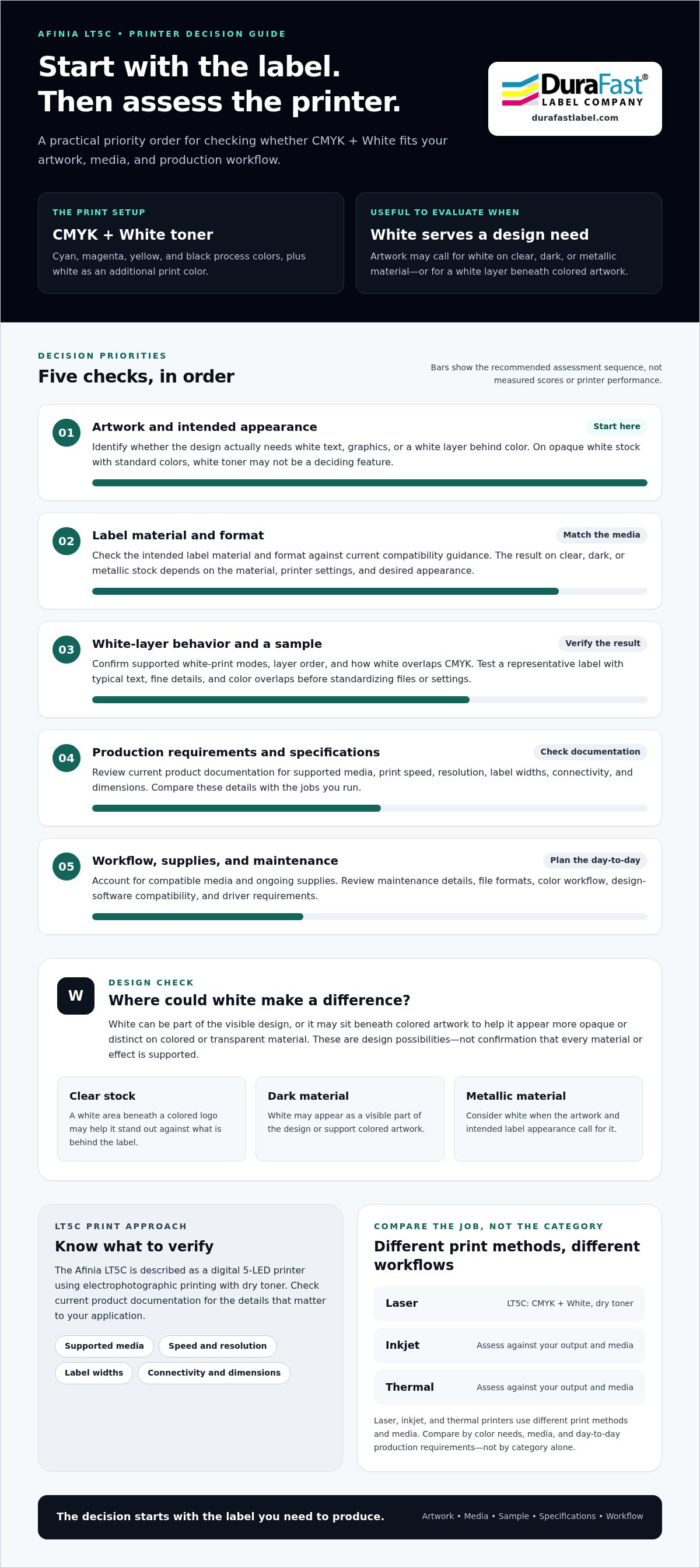
Afinia LT5C media and workflow checklist: confirm these details before choosing
The right printer has to fit the labels you make, the materials you use, and the way jobs move through your operation. Before choosing the Afinia LT5C color laser label printer, write down what you know about your label jobs and identify the technical details to verify in current product documentation.
- Define the application. Note what the label identifies, where it will be applied, and the conditions it will face.
- Describe the artwork. Record color needs, variable information, barcode requirements, and whether the design uses white.
- Specify the material and format. Document label dimensions, material, finish, sheet or roll format, and any liner or feed requirements.
- Estimate production needs. Use your own records to capture typical and peak job sizes, change frequency, and required finishing steps.
- Map the workflow. Identify who prepares files, which software and connection methods are needed, and how labels move from printing to application.
How do you check whether label media fits the LT5C?
Compare your media notes with current Afinia documentation and compatible-media specifications. Check supported widths, formats, thicknesses, roll specifications, and sensor requirements, along with restrictions tied to material or finish. Do not assume stock made for inkjet or thermal printers is suitable for a laser printer. Label dimensions alone do not establish compatibility.
What production details should you plan for?
Confirm supported artwork formats, design software, driver and connectivity requirements, and how operators will prepare and send jobs. Review documented maintenance tasks and consumables, including toner and other replacement components, so ongoing operation is part of the decision. Compare current print speed and resolution with your production requirements rather than relying on estimates or specifications from a different model.
Before making the workflow standard, test representative labels on the intended media. Include a typical design and a more demanding one, such as artwork with small text, variable content, or a barcode. Evaluate the printed result and the full path through feeding, handling, and finishing. Record any settings or file-preparation steps operators will need to repeat.
Use this checklist to turn assumptions into product requirements. Contact DuraFast about the LT5C with your media, artwork, and workflow requirements.
Choose the Afinia LT5C with DuraFast: turn label requirements into a product decision
The Afinia LT5C is an option to evaluate when your labels call for CMYK plus white. That feature alone does not determine whether it is the right printer. Match your planned artwork and compatible media to your production pattern, then compare your requirements with current manufacturer specifications for output, operation, and supplies. The right fit is the printer that handles your real label jobs, not simply the one with the longest feature list.
DuraFast offers the Afinia LT5C CMYK+White Color Laser Label Printer. A clear description of your application, media, and workflow helps focus your product decision on practical requirements.
What information should you prepare for a product discussion?
Bring a representative label design, the material and format you plan to use, label dimensions, and examples of typical and peak job patterns. Note whether white elements are essential, such as white text or artwork that needs a white base, or simply a preferred option. Include the software used to prepare labels and any workflow or operational requirements that could affect setup and daily use.
- Artwork: Share a sample and identify color, variable-content, and white-print requirements.
- Media: Record material, finish, dimensions, and format so compatibility can be compared with current specifications.
- Production: Describe job frequency, approximate run patterns, and any finishing or handling steps.
- Operations: List software, connectivity, operator needs, and supply or maintenance questions.
How can DuraFast help with the next step?
Use these details to frame a product discussion about the LT5C and your label application. Compare model specifications and media compatibility with current product documentation. You do not need to have every answer in hand. A sample label and a practical outline of your workflow are a useful place to start.
Ready to connect your requirements to the product? Contact DuraFast about the Afinia LT5C.
Make your next label-printer decision with confidence
The Afinia LT5C color laser label printer is worth evaluating if your label designs call for CMYK plus white. The decision also depends on compatible materials and formats, your production workflow, and whether current specifications meet your output requirements. Compare the actual label job, rather than choosing by print technology alone, to keep the decision focused on what matters.
DuraFast offers the Afinia LT5C CMYK+White Color Laser Label Printer to customers across the United States. Bring your artwork, media details, and production questions to a product discussion. Discuss your Afinia LT5C label printing needs with DuraFast and take the next step toward a printer that fits your workflow.
Frequently Asked Questions
What is the Afinia LT5C color laser label printer?
The Afinia LT5C color laser label printer is a digital label printer identified as a CMYK+White model. It uses dry toner and is described as an electrophotographic 5-LED printer. Its color-and-white configuration may suit designs that need white elements as well as process color. Whether it fits an operation depends on artwork, media compatibility, production requirements, and current product specifications.
What does CMYK plus white mean on the Afinia LT5C?
CMYK stands for cyan, magenta, yellow, and black, the process colors used to create a range of printed colors. White is an additional print color. In a label design, white could appear as text or artwork, or potentially provide a base beneath colored graphics. The exact white-printing workflow, including layer order and setup, depends on the printer’s documented modes and applicable design software.
Can the Afinia LT5C print on transparent or colored labels?
The LT5C’s CMYK+White configuration may suit artwork intended for transparent or colored stock, such as a design that uses white beneath color. This does not establish that every transparent or colored label material is compatible. Check current Afinia media specifications for material type, format, and feed requirements. Confirm white-layer behavior and test representative artwork on the intended stock before planning routine production.
What label materials and sizes are compatible with the Afinia LT5C?
Compatibility depends on the LT5C’s current product specifications, so do not assume a label will work based only on its material name or dimensions. Compare proposed stock with documented media types, supported widths, formats, thicknesses, roll specifications, and sensor requirements. Also consider the label finish and how it will feed through the printer. Verify the exact media before ordering or standardizing a production workflow.
How does the Afinia LT5C compare with an inkjet color label printer?
The LT5C is positioned as a dry-toner laser label printer with CMYK plus white. Inkjet printers apply ink to media, with capabilities that vary by model. Start by asking whether your artwork needs white, then compare specific printers for compatible labels, software, output requirements, consumables, and maintenance. Avoid assuming one technology is faster, less expensive, or more durable without comparable documentation for the models and media involved.
Is the Afinia LT5C suitable for short-run, on-demand label production?
It may be worth evaluating for changing or variable label jobs, but suitability depends on your actual run patterns and requirements. Consider typical and peak job sizes, artwork changes, media compatibility, setup steps, and finishing needs. Then compare those needs with current specifications for speed, output, software, and consumables. Testing representative jobs can help determine whether the LT5C fits a repeatable on-demand workflow.
How much does the Afinia LT5C color laser label printer cost?
For current pricing, review DuraFast’s Afinia LT5C product information or contact DuraFast Label Company. DuraFast offers the Afinia LT5C CMYK+White Color Laser Label Printer to customers across the United States. Before purchasing, consider the full equipment requirements too, including compatible media, toner, maintenance items, software, and any workflow accessories needed for your label production.