Benefits of White Resin Ribbon for High-Durability Labels
11th Jul 2026
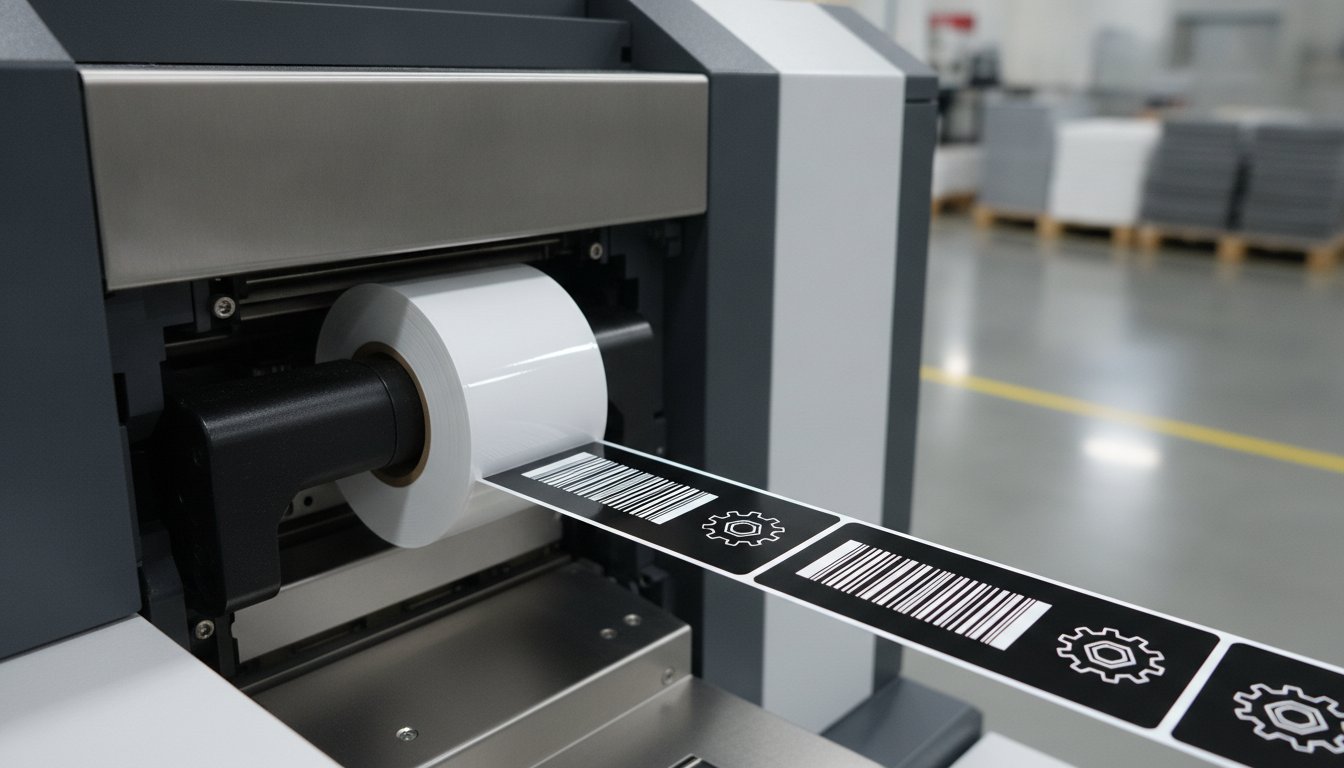
Why does your premium black label look like a faded photocopy after only a few days in the field? If you're tired of seeing white ink flake off or disappear against dark synthetic backgrounds, you aren't alone. Achieving a professional finish on dark substrates requires more than just standard ink. It demands a specialized white resin ribbon designed to create a permanent, high-contrast bond.
We understand that choosing the right supplies can feel complicated, especially with recent market challenges like the 22% price increase and 18-week lead times for high-performance ribbons. You need a solution that works the first time without the guesswork. This article explains how to secure maximum opacity and chemical resistance for your most demanding applications.
We'll help you navigate technical requirements like core sizes and ink-direction for Zebra or Godex industrial printers. You'll discover how to pair the right resin formulation with your synthetic labels to ensure your barcodes remain scannable and your branding stays sharp, even in the harshest environments.
Key Takeaways
- Understand how titanium dioxide pigment in white resin ribbon delivers the maximum opacity needed for dark synthetic labels.
- Learn which non-porous materials, including black polypropylene and silver matte, provide the best surface for a permanent plastic-like bond.
- See how resin formulations provide the highest industry standard for resistance against alcohols, oils, and industrial solvents.
- Find the ideal balance between printhead heat and speed to prevent ink flaking and ensure high-contrast barcodes.
- Ensure a perfect hardware match by choosing the correct core sizes and ink directions for Zebra, Godex, or SATO printers.
What is White Resin Ribbon and Why is it Different?
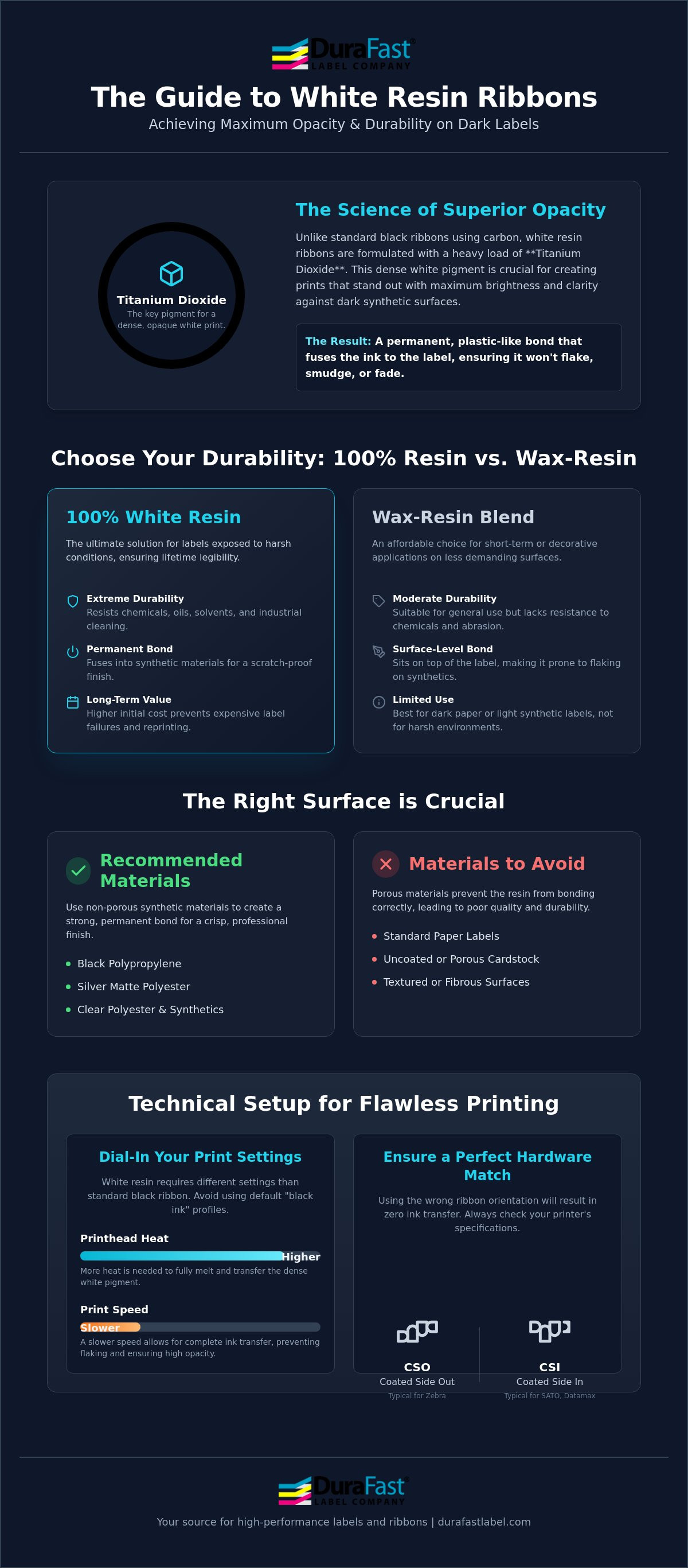
Most thermal ribbons use carbon black to create an image, but a white resin ribbon relies on a heavy load of titanium dioxide. This dense pigment is what allows the print to stand out with maximum opacity against dark surfaces. It isn't just a different color; it's an entirely different chemical formulation. While standard wax ribbons are designed to sit on top of paper, resin is engineered to create a permanent, plastic-like bond with synthetic materials like polyester and polypropylene.
This bond is essential for any application where labels face friction, moisture, or handling. If you've ever seen ink flake off a black label, it's likely because the ribbon wasn't a true resin. High-durability resin ribbons are the industry standard for environments where smudge and scratch resistance aren't just preferred, they're mandatory. This technology relies on Thermal-transfer printing to fuse the ink directly into the substrate, ensuring the information remains legible for the life of the product.
Resin vs. Wax-Resin: Making the Right Choice
Choosing between 100% resin and a wax-resin blend depends on your durability needs. A 100% white resin ribbon is mandatory if your labels will be exposed to chemicals, extreme outdoor weather, or heavy industrial cleaning. Wax-resin blends are more affordable and work well for short-term decorative labeling on dark paper or light synthetics, but they lack the "hard" finish of pure resin. While the initial investment for resin is higher, the cost-to-durability ratio is superior because it prevents label failure and the need for costly reprinting. You can find a wide selection of these high-performance thermal ribbons to match your specific durability requirements.
The Mechanics of Thermal Transfer for White Ink
The printing process involves a thermal printhead that applies targeted heat to the ribbon, melting the resin layer onto the label material. White resin generally requires a higher melting point and more printhead heat than standard black resin to achieve full transfer of the heavy pigment load. This is a common point of confusion for many users who try to use their standard "black ink" settings for white printing.
Hardware compatibility is another critical factor. You must identify if your thermal transfer label printer requires "Ink Coated Side Out" (CSO) or "Ink Coated Side In" (CSI) ribbons. Zebra printers typically use CSO, while brands like SATO or Datamax often require CSI. Using the wrong orientation will result in no ink transfer and potential buildup on your printhead, so always check your printer specifications before ordering.
Substrate Compatibility: Best Materials for White Resin
A white resin ribbon isn't a universal solution for every label in your warehouse. It's a specialized tool with very specific needs. Unlike wax ribbons that soak into the fibers of paper, resin is designed to fuse with synthetic surfaces. If you try to print white resin on standard paper labels, the result will be dull, patchy, and prone to flaking. Paper is simply too porous. To achieve the professional, high-contrast finish your products deserve, you must use non-porous, synthetic materials.
Synthetic substrates provide the smooth, consistent surface resin needs to anchor properly. This chemical bond is what creates the durability that industrial and retail applications require. Whether you're labeling engine components or luxury skincare bottles, the material choice is just as important as the ribbon itself.
Printing on Black and Dark Synthetic Labels
Black polypropylene is the most popular choice for brands seeking a "no-label" look. When you use a high-quality white resin ribbon on a dark background, the text looks like it was printed directly onto the container. This setup is a staple in high-end cosmetics and specialty food packaging. Beyond aesthetics, contrast is a major factor. You need a ribbon that produces a thick, opaque layer so that barcodes remain scannable. Pairing your ribbon with the correct thermal transfer labels ensures that your tracking data stays legible from the factory floor to the customer's door.
Clear and Silver Polyester Applications
Clear polyester labels are essential for "window" applications where you need to see the product through the packaging. White ink on a clear background provides a clean, modern aesthetic while maintaining durability. Silver matte polyester is another powerhouse material, specifically for industrial nameplates and asset tracking. These labels often need to meet the UL 969 6th Edition standards for marking and labeling systems. White ink on silver provides excellent legibility and resists the extreme heat and abrasion common in automotive and electronics manufacturing.
Common applications for these high-durability pairings include:
- Automotive Parts: Labels that must resist oil, grease, and engine heat.
- Electronics: Small, high-resolution labels for circuit boards and components.
- High-End Cosmetics: Moisture-resistant labels that don't smudge when handled with oily hands.
If you're unsure if your current label stock will work with a specific ribbon formulation, you can request a compatibility consultation with our team to avoid wasted supplies.
Durability Standards: Chemical, Heat, and Smudge Resistance
When your labels face daily exposure to harsh solvents, a standard wax-resin blend won't cut it. A professional-grade white resin ribbon is engineered for extreme chemical resistance. This is the benchmark for labels that must survive contact with alcohols, oils, and common industrial solvents like Isopropyl Alcohol (IPA). While other inks might smear or dissolve, resin creates a hardened layer that stays put.
Heat is another common label killer in manufacturing. High-durability resin formulations maintain perfect legibility in temperatures reaching up to 300°F. This thermal stability is vital for labels applied to engines, circuit boards, or industrial machinery that generates significant heat during operation. It's about peace of mind; you need to know your barcodes and safety warnings won't fade when the environment gets tough.
Meeting GHS and UL Compliance with White Resin
Compliance is a moving target, and 2026 brings new challenges. For example, the FDA has set a uniform compliance date of January 1, 2026, for several new food labeling regulations. If you're handling chemicals, you also need to stay current with the GHS Label Printer Essentials to ensure your hazard warnings are compliant. White resin is often the preferred choice for secondary chemical hazard labels on dark drums or containers.
For industrial nameplates, UL recognition is key. The latest 6th Edition of the UL 969 standard, published on July 28, 2025, emphasizes the need for specific ribbon and label pairings. Using a certified white resin ribbon with a compatible synthetic substrate ensures your labels meet these rigorous safety standards. This also includes BS5609 compliance for maritime environments, where labels must survive months of saltwater immersion and UV exposure without failing.
Smudge and Scratch Testing for Industrial Use
How do we actually measure this durability? In 2026, the "Crockmeter" test remains the industry standard for determining rub fastness. A weighted arm moves back and forth over the printed label to simulate years of friction and handling. Resin ribbons consistently outperform all other types, making them the best choice for high-friction logistics environments where boxes are constantly sliding against one another.
Contrast this with direct thermal printing. While direct thermal is convenient, it's highly sensitive to heat and friction, often turning black or fading entirely over time. White resin provides a permanent alternative that won't react to environmental changes. Whether your labels are moving through a global supply chain or sitting in a hot warehouse, the resin bond ensures they remain as crisp as the day they were printed.
Optimizing Print Quality and Troubleshooting Opacity
Printing with a white resin ribbon presents a unique challenge: opacity. Unlike black ink, which is naturally dark and covers easily, white pigment is made of heavy titanium dioxide. This material doesn't melt and flow as readily as carbon-based inks. If your printer settings aren't dialed in, you'll end up with "ghosting" or translucent text that looks grey against a black background. Achieving that crisp, "pop-off-the-label" white requires a specific balance of thermal energy and mechanical timing.
One of the most common issues in high-durability printing is "pinholing." These are tiny, unprinted spots that appear in solid blocks of white. Pinholing is usually caused by dust particles or static electricity on the surface of the synthetic label. Because white resin is so thick, even a microscopic speck of dust can prevent the ink from anchoring. Keeping your environment clean and using an anti-static brush on your printer can solve this overnight.
Step-by-Step: Calibrating Your Printer for White Resin
Your standard settings won't work here. You need to tell your printer to work harder to melt that heavy pigment layer. Follow these steps to improve your results:
- Increase Darkness: Start by bumping up the darkness or "heat" setting in your Zebra or Godex driver. White resin typically requires a 20 to 30 percent higher heat setting than black resin.
- Slow Down: Reduce your print speed. High-speed printing doesn't give the resin enough dwell time to fully transfer from the ribbon to the substrate.
- Check Tension: Ensure your ribbon supply and take-up spindles have enough tension. If the ribbon is too loose, it can wrinkle, leading to diagonal lines across your print.
Common Issues: Faint Print and Flaking
Is your print looking faint or "dusty"? This is a classic sign of insufficient heat. The resin is softening but not fully liquefying. On the other hand, if the ink looks good but flakes off clear substrates when touched, the bond hasn't fully cured. This often happens on clear polyester where the surface energy is low. For detailed hardware calibration tips, consult The 2026 Professional Guide to Thermal Label Printers.
Don't forget about printhead health. White ink leaves more residue than black ink. If you allow this buildup to bake onto the printhead, it acts as an insulator. This requires even more heat to print and eventually causes premature printhead failure. Clean your printhead with every ribbon change to keep your opacity consistent. If you're still struggling with print quality, contact our technical support team for a personalized settings review.
Selecting the Right Ribbon for Your Printer Brand
Selecting the right hardware configuration is just as important as the ink itself. A white resin ribbon must be perfectly matched to your printer's mechanical specifications to avoid feeding issues or poor print quality. Don't guess on compatibility; a ribbon that doesn't fit your spindles will lead to downtime and wasted material. Whether you use Zebra, SATO, Datamax, or Godex, each brand has specific requirements for how the ribbon sits and feeds through the system.
Check your core size first. Desktop printers generally use a 0.5-inch core to maintain a small footprint. In contrast, industrial barcode printers require a 1-inch core to accommodate the larger, heavier rolls used in high-volume production. You also need to confirm if your printer requires "ink out" or "ink in" orientation. Most Zebra models use "ink out" ribbons, and you can find a complete list of compatible options in our dedicated section for Zebra ribbons.
One technical detail that often gets overlooked is ribbon width. Your ribbon should always be slightly wider than the label liner you're using. If the ribbon is too narrow, the edges of the label can rub directly against the printhead. This causes abrasive wear that can permanently damage your hardware. It's a simple rule that saves you money on replacement parts over the long term.
Industrial vs. Desktop Ribbon Configurations
High-volume operations rely on industrial printers like the Zebra ZT series because they can handle ribbon lengths of 300m or 450m. This means fewer roll changes and more uptime for your team. Desktop printers like the Zebra ZD series are great for smaller batches, but they require specialized white resin ribbon rolls that fit their tighter internal dimensions. Given the current 12 to 18-week lead times for high-performance ribbons, it's smarter to stock the correct industrial lengths now to avoid supply chain disruptions later in 2026.
Custom Sizes and Special Formulations
Sometimes a standard off-the-shelf width isn't the best fit for your specific label size. We can provide custom-width ribbons to ensure your printhead is fully protected without wasting excess material. For the most demanding black substrates, we also offer high-opacity formulations that deliver a brighter, more vivid white than standard resins. If you aren't sure which combination of ribbon and synthetic substrate will meet your durability needs, we recommend a material validation. Our team can help you pair the right ribbon with your labels to ensure your branding and barcodes stay crisp and compliant.
Upgrade Your Industrial Labeling Strategy
Achieving maximum opacity and industrial-grade durability on dark labels doesn't have to be a struggle. By pairing high-performance synthetic substrates with a professional white resin ribbon, you ensure your barcodes remain scannable and your branding stays sharp under the toughest conditions. We've explored how proper printer calibration and choosing the correct core size for your Zebra, Godex, or SATO hardware can eliminate flaking and poor contrast issues for good.
Whether you need to meet the latest UL 969 standards or simply want a "no-label" look for luxury packaging, the right ribbon makes all the difference. Our team provides expert technical support to help you find the perfect ribbon and label match for your specific environment. With wide compatibility across major printer brands and fast North American shipping, we help you keep your production lines moving without any technical delays.
Browse our full selection of High-Opacity White Resin Ribbons and find the perfect fit for your industrial or desktop printer. Your labels represent your brand's commitment to quality. Let's make sure they stay crisp, legible, and professional for the long haul.
Frequently Asked Questions
Can I use white resin ribbon on standard paper labels?
No, white resin is not compatible with standard paper labels. The ink is formulated to create a chemical bond with non-porous synthetic materials like polyester or polypropylene. If you try to use it on paper, the ink won't anchor properly. This leads to a dull finish that easily flakes or rubs off because the porous paper fibers don't allow the resin to fuse.
Why does my white resin print look gray or translucent on black labels?
This translucent appearance usually signals that your printhead heat is too low or your print speed is too high. Because white pigment is denser than black ink, it requires more thermal energy to fully liquefy and transfer. Try increasing your darkness settings and slowing the printer down to achieve the maximum opacity needed for a crisp, bright white finish.
Do I need a special printhead to use white resin ribbons?
You don't need a specialized printhead, but you must ensure the ribbon matches your printer's specific printhead technology. Standard thermal transfer printers use either flat-head or near-edge printheads. Each requires a specific ribbon formulation to ensure proper ink release. Using a flat-head ribbon in a near-edge printer will result in poor quality and potential hardware damage over time.
What is the difference between CSO and CSI white ribbons?
These terms describe which side of the ribbon holds the ink layer. CSO (Coated Side Out) means the ink faces away from the core, which is the standard for Zebra printers. CSI (Coated Side In) means the ink faces the core, commonly required by SATO or Datamax models. Loading the wrong type will prevent ink transfer and cause sticky residue buildup on your printhead.
How do I know if my printer requires a 0.5-inch or 1-inch core?
Core size is determined by your printer's physical spindle capacity and overall size. Desktop printers typically use 0.5-inch cores to fit their compact internal compartments. Industrial printers use 1-inch cores to support larger, heavier rolls for high-volume runs. Check your printer's user manual or look at the spindles inside the ribbon compartment to confirm which size you need before ordering.
Is white resin ribbon resistant to isopropyl alcohol (IPA)?
Yes, high-quality white resin ribbon is specifically engineered to resist isopropyl alcohol and other harsh industrial solvents. This makes it the ideal choice for medical, laboratory, and automotive applications where labels are frequently cleaned or exposed to chemicals. Standard wax or wax-resin ribbons would dissolve or smear immediately under the same conditions, making resin the only viable option for chemical resistance.
Can I print barcodes with white resin on dark backgrounds?
You can print barcodes with white ink, provided you achieve high enough opacity for a scanner to detect the contrast. Thermal transfer scanners look for the difference between light and dark areas. If your white ink is too thin, the black background will show through, causing the barcode to fail. Always test your scannability after adjusting your heat and speed settings to ensure a reliable read.
What is the shelf life of a thermal transfer white resin ribbon?
Most white resin ribbon products have a shelf life of approximately one to two years when stored in a cool, dry environment. You should keep them away from direct sunlight and extreme temperatures to prevent the resin from degrading. Using an expired ribbon can lead to poor ink transfer, flaking, or inconsistent opacity across your label runs, so it's best to rotate your stock regularly.