Best Color Label Printers for Business: 2026 Top Picks
12th Jun 2026
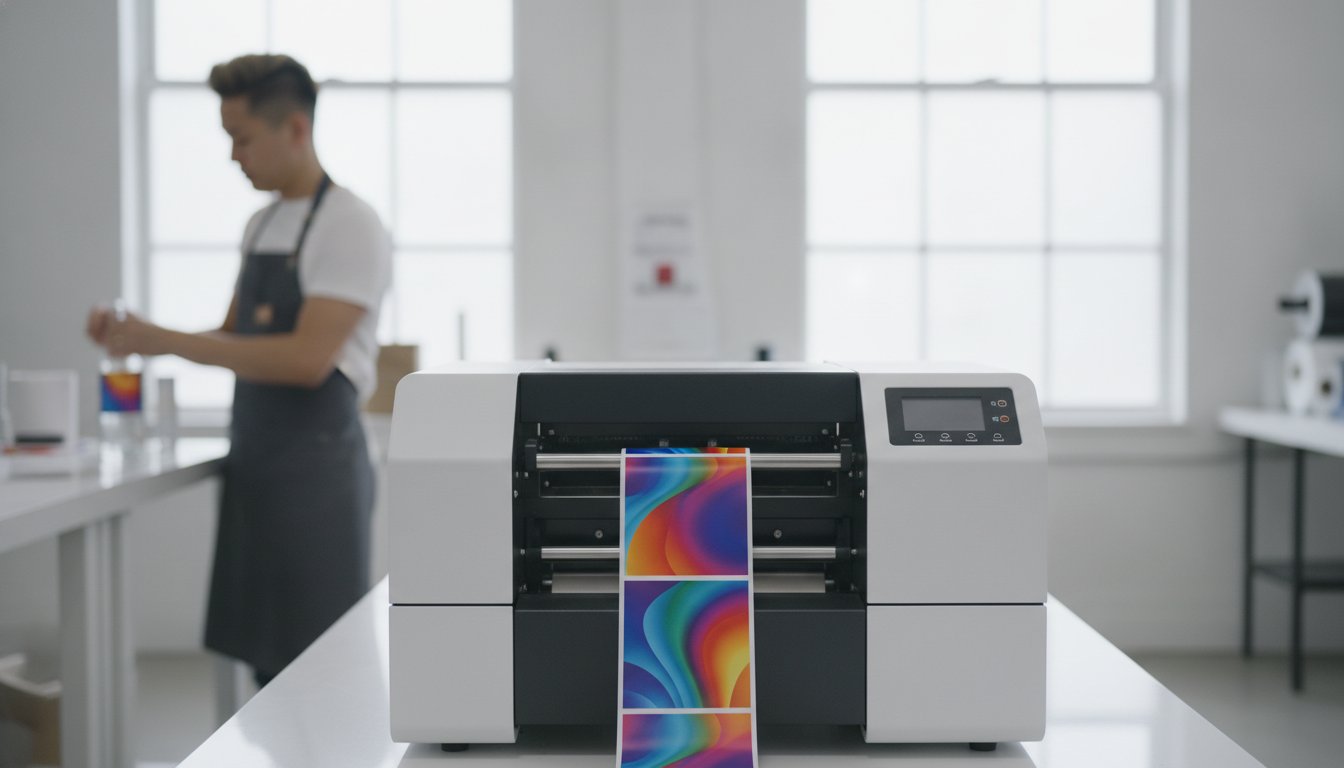
How much of your monthly budget is disappearing into the pockets of external print houses for small label runs? It's a common frustration for growing companies. You're likely tired of waiting weeks for shipments only to find inconsistent colors or poor print quality. Finding the best color label printer for business is the most effective way to reclaim your time and budget. You deserve professional results without the headache of high minimum orders or wasted inventory.
We've done the heavy lifting to find the most reliable, high-performance in-house solutions for 2026. This guide will show you how to reduce costs and improve your workflow with hardware that actually fits your needs. Whether you're meeting the May 19, 2026, GHS re-classification deadlines or launching a new product line, we'll help you take complete control of your branding. We'll preview top-tier models from industry leaders like Afinia and Primera, comparing speed, quality, and long-term ink costs. You'll gain the confidence to print professional-grade labels on demand and eliminate the stress of outsourcing forever.
Key Takeaways
- Learn how switching to in-house production eliminates minimum order quantities and slashes lead times from external print houses.
- Compare top-tier hardware to identify the best color label printer for business based on your specific volume and ink technology requirements.
- Discover why industry leaders like the Epson ColorWorks C6000A and Afinia L801 are the preferred choices for high-speed industrial operations.
- Understand the critical requirements for GHS compliance and why choosing specialized media is essential for durability in harsh environments.
- Explore how professional design software and premium consumables streamline your workflow to ensure professional-grade branding on every product.
Why In-House Color Label Printing is a Competitive Advantage in 2026
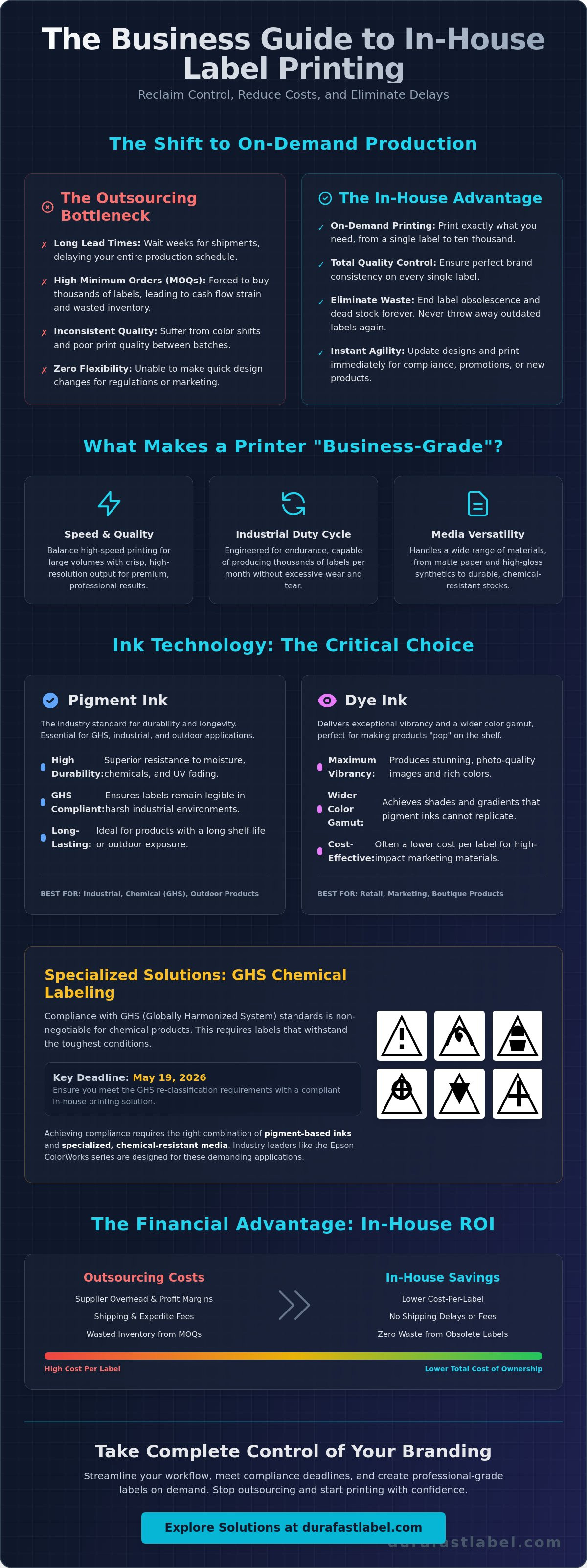
Outsourcing labels used to be the standard way to do business. In 2026, it's often a bottleneck that slows down your growth. When you rely on external print houses, you're at the mercy of their production schedules and shipping delays. You also face high minimum order quantities (MOQs) that force you to buy thousands of labels you might not need yet. Bringing this process in-house changes the math. It gives you the freedom to print one label or ten thousand with the same level of ease.
Choosing the best color label printer for business allows you to maintain total quality control. You no longer have to worry about color shifts between different batches from a third party. If a design needs a tweak or a regulatory requirement changes, you can update your files and start printing immediately. This flexibility is essential for maintaining professional branding across every product line without the risk of running out of stock during a busy season.
The Shift Toward On-Demand Production
Modern manufacturing now moves at a just-in-time pace. Your labeling solutions need to be just as flexible. On-demand printing represents the definitive end of label obsolescence, ensuring every sticker you print is current and accurate. This approach eliminates the "dead stock" that usually ends up in a landfill when product details or branding styles change. Personalized packaging has also become a major driver for customer retention. Businesses are now using color label printers to add seasonal graphics or localized information that makes a product feel premium and unique.
Calculating the ROI of In-House Hardware
Evaluating a Label printer requires looking past the initial purchase price. The real savings come from a lower cost-per-label over time. When you outsource, you pay for the print house's overhead and profit margins. When you print in-house, you only pay for the ink and media you actually use. Factors like high-capacity ink cartridges significantly reduce the total cost of ownership by allowing for longer print runs with fewer interruptions. You'll also save money by reducing waste. Instead of throwing away outdated pre-printed rolls, you simply print exactly what your current orders require. This efficiency makes finding the best color label printer for business one of the smartest investments a growing company can make this year.
Critical Evaluation Metrics: What Makes a Label Printer Business-Grade?
Identifying the best color label printer for business requires looking beyond the sticker price. Consumer-grade printers might look capable, but they often lack the stamina for daily industrial use. You need hardware that balances print speed with professional output quality. If you're printing thousands of labels daily, speed is your priority. For high-end boutique products, resolution and color accuracy take center stage. You should also evaluate the duty cycle. This spec tells you how many labels the printer can produce per month without excessive wear and tear.
The best color label printer for business must also offer media versatility. Your hardware should handle various materials, from standard matte paper to specialized gloss synthetics. If your labels will face harsh conditions, the printer must be compatible with chemical-resistant stocks. Choosing a machine that limits your media choices will eventually limit your business growth. Reliability is the goal here.
Pigment Ink vs. Dye Ink for Business Use
Understanding ink chemistry is vital for label longevity. Pigment-based inks are the industry standard for durability. They offer superior resistance to moisture, chemicals, and UV fading. Compliance with the Hazard Communication Standard requires labels that remain legible even under extreme stress. The Epson ColorWorks line is a leader in pigment technology, making it ideal for industrial and GHS applications. Conversely, dye-based inks provide higher vibrancy and a wider color gamut. These are perfect for marketing labels where visual "pop" is more important than outdoor durability.
Connectivity and Industrial Integration
A business printer doesn't sit in isolation. It needs to talk to your existing systems. Ethernet connectivity and ZPL emulation are non-negotiable for warehouse environments. These features allow the printer to integrate seamlessly with your ERP or shipping software. You should also look for hardware with a durable chassis designed for industrial footprints. Accessories like auto-cutters and peel-and-present sensors can significantly speed up your application workflow. If you aren't sure which technical specs fit your specific environment, you can always reach out to our team for expert guidance.
The Top Professional Color Label Printers for Professional Business Operations
Choosing the right hardware is the most critical step in your transition to in-house production. The market offers a wide range of capabilities, but the best color label printer for business is one that aligns perfectly with your specific production volume. You don't want to overpay for speed you won't use, nor do you want a desktop unit struggling to keep up with industrial demands. We've vetted the top performers to help you make an informed decision based on reliability and output.
Matching your printer to your production tier ensures you get the best return on your investment. Startups and boutique brands often find success with entry-level desktop models. Growing enterprises typically require mid-range industrial units that offer a balance of speed and durability. For massive operations, high-speed digital presses are the only way to maintain efficiency. Always prioritize printers that offer strong North American support. Having local access to technical experts and replacement parts is the best way to prevent costly downtime.
Epson ColorWorks C6000A: The Industrial Standard
The Epson ColorWorks C6000A has redefined what's possible for industrial labeling. It features an impressive 8-inch print width and a sharp 1200 dpi resolution, making it perfect for everything from large chemical drums to detailed retail packaging. Many businesses use this model to replace traditional black-and-white thermal printers. It allows you to add color-coded safety warnings and high-resolution branding to the same label used for barcodes and shipping data. To keep your operations running smoothly, you should always have a steady supply of Epson inks on hand. Its rugged design ensures it can handle the dust and vibration of a busy warehouse floor.
Afinia L801: Speed and Memjet Technology
If your business handles large batches of prime product labels, the Afinia L801 is a game-changer. It utilizes Memjet technology to reach incredible speeds of up to 60 feet per minute. This makes it one of the fastest options for businesses that need to process tens of thousands of labels in a single shift. The L801 excels at full-bleed designs, allowing your graphics to reach the very edge of the label for a professional, high-end look. It's fully compatible with Afinia L801 memjet labels, ensuring the ink dries instantly and stays crisp. Finding the best color label printer for business often comes down to this specific need for rapid, high-quality batch processing.
Specialised Solutions: GHS Compliance and Chemical-Resistant Labelling
Standard retail labels often fail when exposed to moisture, harsh chemicals, or intense UV light. For businesses in the chemical, maritime, or automotive sectors, this failure is more than a branding issue; it's a legal liability. Regulatory requirements like the OSHA Hazard Communication Standard demand that labels remain legible throughout a product's entire lifecycle. With the May 19, 2026, deadline for re-classifying single-chemical substances approaching, your labeling workflow must be resilient. Finding the best color label printer for business in these sectors requires a focus on pigment ink technology and specialized media compatibility.
Standard dye-based inks typically bleed or fade when they encounter water or solvents. This is why pairing a pigment-based printer with DuraFast Matte Chemical Labels is the professional choice for industrial environments. These labels are engineered to create a permanent bond with pigment inks, ensuring that safety warnings and barcodes stay crisp. This combination allows you to meet international safety standards without relying on expensive, slow-turnaround print houses. You gain the ability to update safety data sheets and hazard symbols instantly as regulations evolve.
What is a BS5609 Compliant Label?
BS5609 is an international standard for labels used in maritime environments. It involves a rigorous two-part certification process. Section 2 tests the adhesive's ability to stay attached to a drum submerged in seawater for three months. Section 3 tests the durability of the printed image itself against heavy abrasion and sunlight. BS5609 compliance requires pigment ink on certified synthetic media. You can verify your own label durability by exposing samples to common industrial solvents or extreme temperatures. If the best color label printer for business for your needs must handle chemical drums, BS5609 certification is a non-negotiable metric.
Durable Labels for Logistics and Outdoor Use
Logistics and outdoor applications like horticulture, automotive parts, and heavy machinery labeling face constant environmental stress. Choosing the right inkjet labels is critical for maintaining legibility over several years. Matte finishes are particularly effective for these applications. They reduce glare from direct sunlight or harsh overhead warehouse lighting, which significantly improves the accuracy of handheld barcode scanners. This reliability prevents shipping errors and inventory "ghosts" caused by unreadable tags. If you need help navigating these complex technical requirements, contact our compliance experts today for a personalized media recommendation.
Optimising Your Workflow with Software and Premium Consumables
Hardware is only half of the equation for a successful in-house printing operation. Even the most advanced hardware can't reach its full potential without a robust support system. To truly scale your production, you must look at how your data flows from your office to the factory floor. This requires a combination of professional-grade software, high-quality consumables, and smart inventory management. When you invest in the best color label printer for business, you're setting the foundation for a much larger, more efficient ecosystem.
Managing your ink inventory is one of the most overlooked aspects of a smooth workflow. There's nothing worse than halting a major production run because you've run out of a specific color cartridge. We recommend keeping a "buffer" stock of cartridges based on your average monthly consumption. Integrating Datalogic barcode scanners into your facility can also create a closed-loop inventory system. This allows you to track usage in real-time and automate reordering before you hit a critical shortage. This level of organization prevents downtime and keeps your shipments moving on schedule.
BarTender Professional: More Than Just Design
Many entry-level printers come with basic, "free" design tools. While these are fine for simple stickers, they lack the database connectivity that a real business requires. BarTender Professional is a non-negotiable tool for companies that value accuracy and speed. It allows you to automate your labeling by pulling data directly from Excel, CSV files, or your existing ERP system. This eliminates the need for manual data entry, which is where most labeling errors occur. It also ensures your barcodes are compliant with global GS1 standards. By using locked templates, you can ensure that warehouse staff only change the necessary data fields, keeping your branding consistent and professional every time.
The Role of High-Quality Ribbons and Media
While your primary branding relies on inkjet technology, your secondary labeling for shipping often requires thermal printing. It's vital to know when to use thermal transfer versus direct thermal for tracking. Direct thermal is ideal for short-term shipping labels, but thermal transfer is necessary for labels that must survive long-term storage or rough handling. Choosing the right thermal transfer ribbons is about more than just a dark print. High-quality ribbons actually protect your hardware by reducing friction and preventing premature printhead wear. Once you've aligned your software and supplies, you can browse our full selection of business-grade color label printers to find the best color label printer for business and complete your professional setup.
Future-Proof Your Business with In-House Printing
Transitioning to an in-house labeling solution is one of the most effective ways to streamline your operations and reduce overhead. You've learned that the best color label printer for business isn't just a piece of hardware; it's a workflow solution that provides total control over your branding and compliance needs. Whether you're meeting the latest GHS safety standards or launching a seasonal marketing campaign, the ability to print on demand ensures you never have to deal with lead times or minimum order quantities again.
We're here to help you navigate this transition with confidence. As an authorized dealer for Epson, Afinia, and Zebra, we specialize in BS5609 and GHS compliance to ensure your labels survive the toughest environments. Our team provides the North American support and expertise you need to select the perfect model for your unique production tier. Ready to optimize your workflow? Find the Right Color Label Printer for Your Business Today and start saving on every label you print. Your path to professional, cost-effective branding starts here.
Frequently Asked Questions
How much does it cost to print labels in-house compared to outsourcing?
In-house printing typically costs significantly less per label because you eliminate the markup, setup fees, and shipping costs charged by external print houses. Digital label printing becomes a cost-effective solution for businesses that print over 500 labels per month. By printing on demand, you also save money by reducing inventory waste and avoiding the need to throw away obsolete pre-printed labels.
What is the best color label printer for a small business starting up in 2026?
The best color label printer for business startups is usually a desktop model like the Primera LX600 or the Afinia L502. These units offer professional-grade 1200 dpi resolution with a smaller footprint and lower initial investment. They're perfect for short-run prime labels, allowing new brands to maintain high-quality packaging without the burden of high minimum order quantities.
Can I print GHS-compliant labels with a standard inkjet printer?
You cannot print GHS-compliant labels with a standard dye-based inkjet printer because the ink will bleed or fade when exposed to chemicals or moisture. Compliance requires a pigment-based printer, such as the Epson ColorWorks series, paired with BS5609-certified synthetic media. This specific combination ensures that hazard warnings and barcodes remain legible even after three months of submersion in seawater.
What is the difference between pigment ink and dye-based ink for labels?
Pigment ink uses solid color particles that sit on top of the label surface, providing superior resistance to UV light, moisture, and chemicals. Dye-based ink uses liquid colorants that soak into the media to produce a wider color gamut and higher vibrancy. You should choose pigment for industrial and outdoor applications, while dye-based ink is better for high-impact retail marketing labels.
Do I need special software to run an industrial label printer?
While basic drivers allow for simple printing, professional software like BarTender is necessary for businesses that require database integration and barcode accuracy. This software allows you to automate data entry from Excel or ERP systems, reducing human error. It also ensures your barcodes meet global GS1 standards, which is a requirement for many major retail and logistics partners.
How do I calculate the ink cost-per-label before buying a printer?
You can calculate the estimated cost-per-label by using manufacturer-provided cost estimator software or by running your specific artwork through a digital proofing tool. These tools analyze the ink coverage of your design and compare it to the capacity of the ink cartridges. This helps you understand the long-term total cost of ownership beyond the initial purchase price of the hardware.
Are color label printers fast enough for high-volume manufacturing?
Modern industrial color label printers are more than fast enough for high-volume manufacturing, with models like the Afinia L801 reaching speeds of 60 feet per minute. These units use advanced printhead technology to maintain high-resolution output without slowing down production lines. This speed allows businesses to process tens of thousands of labels in a single shift, rivaling the efficiency of traditional print houses.
What maintenance is required for a professional-grade label printer?
Professional-grade printers require regular printhead cleanings and the occasional replacement of maintenance boxes or auto-cutter blades. Most modern units feature automated cleaning cycles that keep the nozzles clear and ensure consistent color output. Using high-quality media and keeping the internal sensors free of dust will significantly extend the life of your hardware and prevent unexpected production downtime.