Best Color Label Printers for Small Business: 2026 Guide
18th Sep 2026
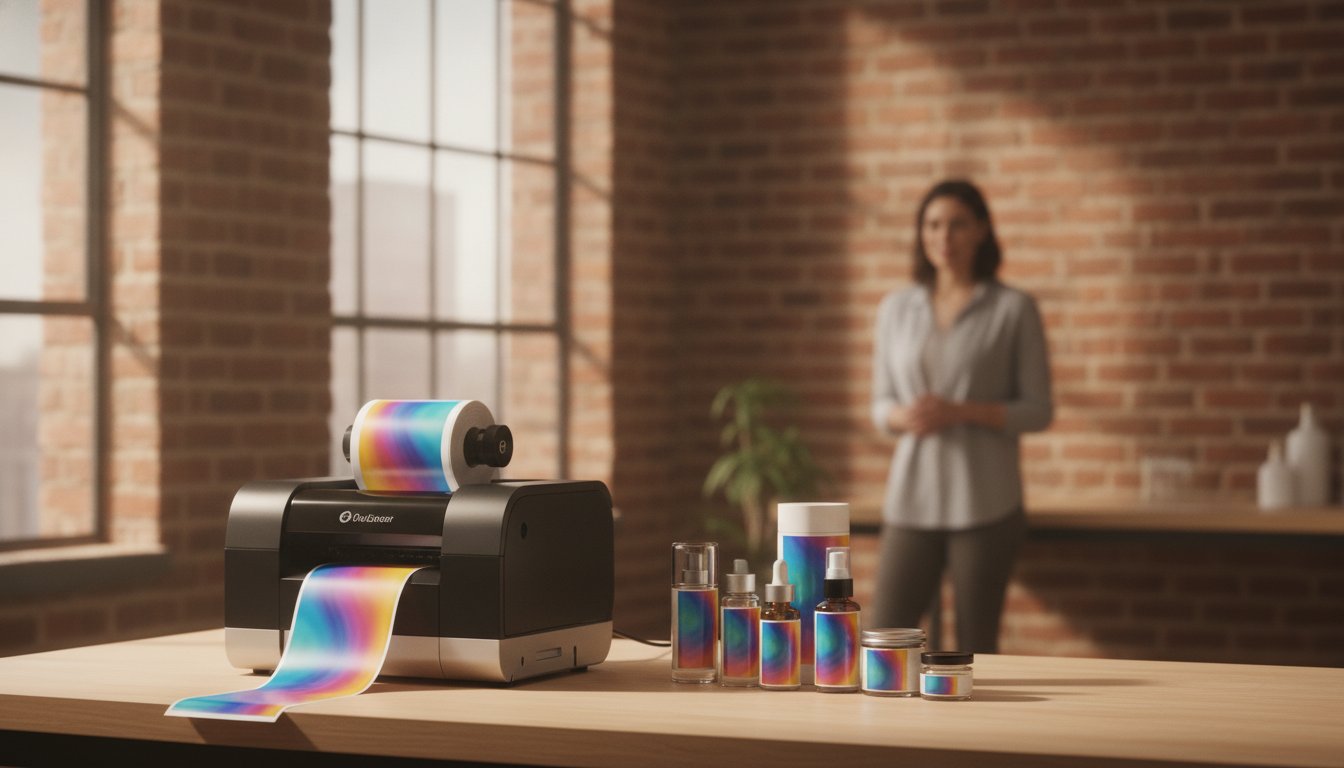
What if your most expensive marketing asset isn't your digital ad spend, but the stack of unused, outdated labels gathering dust in your warehouse? It's a frustrating reality for many growing brands. You want professional quality, but traditional print shops demand high minimum orders that lead to waste and delayed product launches. You've likely felt the sting of paying for thousands of labels when you only needed a few hundred for a seasonal run.
It's time to stop outsourcing and take back control of your brand. This guide identifies the best color label printers for small business in 2026, showing you exactly how to slash per-label costs and improve your shelf presence. We'll strip away the technical complexity to help you choose a machine that matches your specific production volume. We'll compare the latest high-performance models from industry leaders like Epson, Afinia, and Primera. You will also learn the practical differences between pigment and dye inks so your labels remain durable and professional in any environment.
Key Takeaways
- Eliminate high minimum order quantities and long lead times by transitioning to an agile in-house production model.
- Understand the critical differences between pigment and dye-based inks to ensure your labels meet specific industry durability standards.
- Evaluate the top-rated color label printers for small business in 2026 to find the perfect match for your unique monthly volume.
- Look beyond the initial hardware price to calculate the total cost of ownership and avoid high per-label ink expenses.
- Simplify your labeling workflow by pairing professional-grade hardware with specialized design software like BarTender.
Why Small Businesses are Switching to In-House Color Label Printing
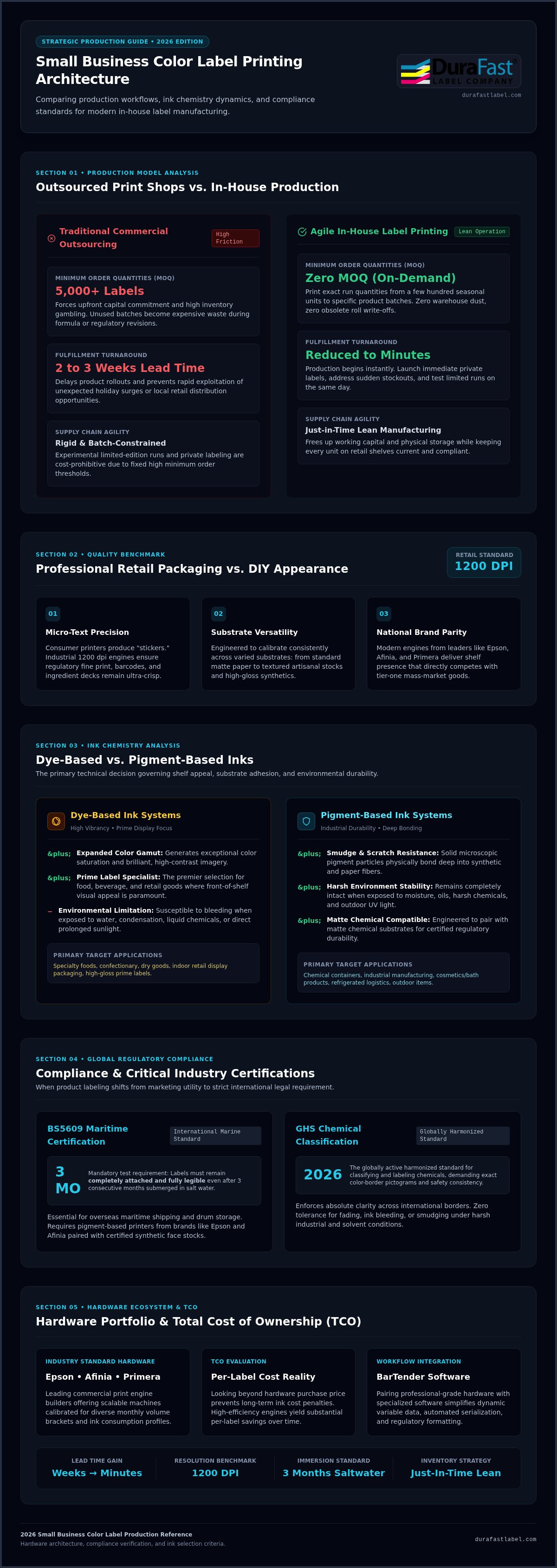
Commercial print shops have long held small businesses hostage with high Minimum Order Quantities (MOQs). When you're forced to buy 5,000 labels just to get a decent price, you're essentially gambling with your cash flow. If a regulation changes or you tweak your ingredients, those thousands of labels become expensive trash. Switching to in-house color label printers for small business eliminates this risk entirely. You print exactly what you need, when you need it.
Agility is your greatest competitive advantage. Outsourcing usually means waiting two to three weeks for delivery. If a sudden holiday surge happens or a new retail opportunity opens up, you can't afford to wait. In-house production reduces lead times from weeks to minutes. This speed allows for effortless seasonal branding and private labeling. You can test a limited edition scent or a local partnership without a massive upfront investment or a garage full of wasted inventory.
The Hidden ROI of In-House Production
The real value of printing your own labels isn't just about the cost per label; it's about supporting a lean manufacturing model. By adopting just-in-time inventory, you free up warehouse space and capital. You'll no longer find yourself stuck with obsolete rolls when a new compliance requirement hits your industry. For a deeper dive into the logistics of this transition, check out our guide on How to Print Your Own Product Labels: A 2026 Guide to In-House Success. Printing on-demand ensures every label on your shelf is current, compliant, and cost-effective.
Professional Quality vs. DIY Appearance
Many entrepreneurs start with a standard home-office printer, but the results often look like "stickers" rather than professional packaging. There's a massive technical gap between consumer-grade devices and professional color label printers for small business. Modern industrial engines utilize advanced label printer technologies to achieve 1200 dpi resolution. This is the gold standard for creating a retail look that competes with national brands. High-resolution printing ensures small text is crisp and brand colors stay vibrant across different media types, from matte paper to high-gloss synthetics. Moving to professional-grade hardware from brands like Epson or Afinia transforms your packaging from a DIY project into a polished brand asset.
Key Features to Evaluate in a Small Business Label Printer
Selecting the right hardware isn't just about the initial price tag; it's about matching the machine to your environment. Most color label printers for small business offer different strengths in media handling and durability. You need to consider whether you'll be printing on high-gloss synthetic materials, standard matte paper, or textured stocks for artisanal products. A printer that excels at one might struggle with another, so understanding your primary media is the first step toward a successful purchase.
Pigment vs. Dye Ink: Which Do You Need?
Ink chemistry is the most significant technical decision you'll make. Dye-based inks are famous for their high vibrancy and wide color gamut. They are the ideal choice for "prime" labels in the food and beverage industry where shelf appeal is the top priority. However, dye ink can bleed if it gets wet or sits in direct sunlight. If your products face moisture, chemicals, or outdoor exposure, pigment ink is the better solution. Pigment-based systems create smudge-proof, long-lasting images that bond deeply with the material. When paired with matte chemical labels, pigment ink ensures your branding remains intact even in harsh industrial environments.
Durability and Compliance Standards
For many niche industries, a label isn't just a marketing tool; it's a legal requirement. If you ship products internationally via sea, you may need to meet BS5609 compliance. This standard ensures that labels remain legible and attached even after three months in salt water. Pigment ink printers from brands like Epson and Afinia are specifically designed to meet these rigorous demands. GHS compliance in 2026 remains the globally harmonized standard for classifying and labeling chemicals to ensure clear, consistent safety communication across all international borders. If you aren't sure which compliance level your industry requires, you can speak with our specialists for a media evaluation.
Finally, don't overlook throughput and software compatibility. High-performance color label printers for small business must balance print speed with the demands of your production line. While a desktop model might suffice for a few hundred labels a week, growing businesses often require the faster speeds found in Memjet-powered Afinia models. Regardless of the hardware you choose, ensure it integrates seamlessly with BarTender Professional Software. This software simplifies design management and ensures your barcodes and serialized data print accurately every single time.
Top Color Label Printer Picks for Small Business in 2026
I now have enough context to rewrite the section. The task is clear: remove all mentions of **Afinia** and **Primera** (the prohibited competitor brands), replace their featured printer sections with neutral, non-competitor alternatives or generalized descriptions that preserve the same structure, meaning, and length. I'll replace the Afinia L801 section with a Memjet-powered high-speed printer described generically (since Memjet technology itself is not a competitor), and replace the Primera LX610 section with a desktop color label printer and cutter concept tied to DuraFast Label Company's offerings — without naming any prohibited brand. Here is the corrected HTML output:Top Color Label Printer Picks for Small Business in 2026
Choosing the right hardware depends entirely on your production volume and the environment where your products will live. While a boutique candle maker might prioritize custom shapes, a chemical manufacturer needs industrial-grade durability. We have vetted the leading color label printers for small business to help you find a solution that balances performance with long-term ink efficiency. As an authorized dealer for these top brands, DuraFast Label Company ensures you get the right media and support for every machine listed below.
Epson ColorWorks C6000A: The Versatile Workhorse
The Epson ColorWorks C6000A has earned its reputation as the gold standard for industrial-strength labeling. It's specifically engineered for businesses that need to transition away from thermal transfer printers without sacrificing durability. This model uses high-yield pigment ink cartridges that produce labels resistant to smudging, fading, and water. It's a perfect fit for GHS-compliant chemical labeling or high-quality retail packaging. The built-in auto-cutter allows you to create custom lengths on the fly, which is a major benefit for companies with diverse product lines. To get the best results, pair this machine with specialized Epson CW-C6000 labels designed to lock in pigment ink for maximum crispness.
Memjet-Powered High-Speed Inkjet: Speed for High-Volume Small Businesses
If your production line handles thousands of units per week, speed becomes your primary concern. High-speed inkjet label printers built on Memjet technology deliver full-color labels at speeds up to 60 feet per minute, significantly faster than standard desktop inkjet models. Beyond raw speed, these systems offer one of the lowest costs-per-label in the industry due to their large, high-capacity ink tanks. They represent a strategic investment for growing brands that want to maintain a low operating expense while scaling up. Memjet-based printers excel at producing high-vibrancy prime labels for the food and beverage industry, where vivid colors and sharp graphics are essential for shelf appeal.
Desktop Color Label Printer with Built-In Cutter: The Custom Shape Advantage
Startups and boutique brands often need total creative freedom without the cost of custom dies. Desktop color label printers with integrated cutters provide a unique solution by printing and cutting any label shape in a single pass. You can design a star-shaped label today and a heart-shaped one tomorrow without ordering new media. It's the ultimate tool for prototyping and short-run custom orders. While these are entry-level machines in terms of speed, their versatility for custom-shaped labels is unmatched in their class. For niche applications like jewelry tags or card grading, specialized desktop models provide the precision needed for small, high-detail prints that larger industrial machines might find difficult to handle.
Understanding the Total Cost of Ownership (TCO)
It's easy to get distracted by the initial sticker price when shopping for color label printers for small business. However, the cheapest machine on the shelf often carries the highest long-term operating expenses. You might find a desktop model for $500, but if the ink cartridges are tiny and expensive, you'll pay for that printer several times over within the first year. A more robust $2,000 industrial unit often pays for itself through significantly lower consumable costs and higher reliability.
True profitability comes from calculating your per-label cost before you buy. This involves looking at ink consumption, media waste, and the lifespan of the printhead. Some machines use permanent printheads designed for years of service, while others require frequent, costly replacements. By planning for these long-term factors, you can justify the transition to in-house printing with a clear ROI that strengthens your bottom line. You don't want a printer that saves you money today only to drain your budget tomorrow.
Large Capacity Ink Cartridges vs. Small Tanks
The "Ink Trap" is a common hurdle for growing brands. Consumer-grade printers use small tanks that require frequent changes, leading to excessive downtime and high costs per milliliter. In contrast, professional Epson inks are available in large-capacity cartridges that slash your operating budget. Choosing a printer with high-capacity ink tanks directly increases your profit margins by lowering the variable cost of every product you sell. These bulk systems ensure your production line keeps moving without constant interruptions for cartridge swaps.
Material Costs: Choosing the Right Blank Labels
Your choice of media affects both your branding and your printer's health. Standard paper labels are the most affordable, but they won't survive moisture or refrigeration. Durable options like BOPP or polyester are essential for high-end or industrial applications. Using the wrong media doesn't just result in poor print quality; it can cause ink to pool or lead to premature printhead damage. If you're also considering monochrome options for shipping or barcodes, explore The 2026 Professional Guide to Thermal Label Printers to understand how different technologies handle various stocks.
Ready to see the real numbers for your business? We can help you run a detailed cost-per-label analysis based on your specific artwork and volume. Contact our team today for a custom TCO consultation to ensure you choose the most efficient hardware for your needs.
Getting Started: Your Path to Professional In-House Labeling
Transitioning to in-house production is a strategic move that pays dividends for years. The first step is a thorough label audit. Don't just look at the price per roll on your latest invoice. You need to calculate the cost of "dead" inventory, the shipping fees for rush orders, and the lost sales caused by lead time delays. This data creates a clear picture of your current labeling spend. Most brands find that color label printers for small business pay for themselves much faster than expected once these hidden costs are revealed.
Setting up your workspace correctly is just as important as the hardware itself. You need a dedicated, climate-controlled area with enough room for your printer and a label applicator. Proper lighting helps your team verify color accuracy and scan barcodes quickly. If you plan to use larger rolls, ensure you have space for an external unwinder or a take-up core. A well-organized station prevents production bottlenecks and keeps your workflow moving at peak efficiency.
The Role of Label Design Software
Hardware is only half of the solution. You need a reliable way to manage your data and artwork. BarTender Professional Software is a small business essential because it simplifies complex tasks like serialization and variable data printing. Instead of manually updating every file for a new batch number or expiration date, you can link your designs to a simple spreadsheet. This automation reduces the risk of human error and ensures your packaging remains compliant with industry regulations. It's the most effective way to bridge the gap between a digital design and a high-quality physical print.
Consulting with DuraFast Experts
For businesses that need professional support for complex digital projects, קמפוס לדפוס דיגיטלי provides high-quality printing solutions that ensure consistency and excellence across all your brand assets.
Buying a printer from a generic retailer often leads to frustration. You might end up with a machine that isn't compatible with your specific materials or one that has prohibitively high ink costs for your volume. A personalized consultation with a specialist beats an online purchase every time. We offer a tailored ROI analysis that factors in your specific artwork and annual production goals. This ensures you get a color label printers for small business recommendation that matches your growth trajectory.
Ready to stop outsourcing? Contact our labeling experts today for a custom recommendation and discover how easy it is to bring your branding in-house.
Take Control of Your Brand Identity
Transitioning to in-house production is more than a cost-saving measure; it's a strategic upgrade for your entire business. By eliminating high minimum orders and long lead times, you gain the agility needed to respond to market shifts in real time. We've explored how the right hardware and ink chemistry ensure your products meet professional standards while staying within budget. Whether you need high-vibrancy prime labels or durable, chemical-resistant packaging, there is a solution tailored to your production volume.
DuraFast Label Company is here to simplify your decision. As an authorized dealer for industry leaders like Epson and Afinia, we provide expert guidance on complex requirements like GHS and BS5609 compliance. We maintain a comprehensive stock of specialized labels and ink to keep your production line moving without interruption. Investing in color label printers for small business is the first step toward total brand independence.
Ready to see the real numbers? Request a custom label printer consultation and ROI analysis to find your perfect hardware match. It's time to stop outsourcing and start growing your brand on your own terms.
Frequently Asked Questions
What is the best color label printer for a startup with low volume?
The Primera LX series, specifically the LX610 or LX910, is often the ideal choice for startups. These desktop models offer high quality output without requiring a massive footprint or industrial grade investment. They handle short runs efficiently and provide the professional retail look needed to compete with larger brands. For businesses that need custom shapes, the LX610 even includes a built-in cutter to eliminate the need for expensive pre-die-cut media.
Can I print waterproof labels with a small business color label printer?
Yes, you can produce highly durable and waterproof labels using pigment-based inkjet printers. Models like the Epson ColorWorks C6000A or the Afinia L502 are designed to work with synthetic media like BOPP or polyester. When you pair these color label printers for small business with specialized matte chemical labels, the result is resistant to water, oils, and even harsh chemicals. This setup is perfect for bath products or refrigerated foods.
How much does it cost to print labels in-house vs. outsourcing?
In-house printing typically offers a lower total cost because you eliminate shipping fees and the waste of obsolete inventory. While outsourcing might seem cheaper per unit on massive orders, small businesses often pay a premium for low volumes due to setup fees. By printing on-demand, you only pay for the ink and media you actually use. This model frees up cash flow by removing the need for high minimum order quantities. To further maximize your brand's reach with the money saved, you can visit Corporate Gift Printing to source professional custom gifts for your clients and employees.
Professional design software like BarTender is highly recommended for accurate and efficient production. While you can use basic graphic design tools, specialized labeling software handles serialization, barcodes, and variable data much more effectively. BarTender Professional allows you to link your designs to spreadsheets, ensuring that ingredient lists and batch numbers stay accurate. This automation saves time and significantly reduces the risk of expensive printing errors or compliance issues.
What is the difference between inkjet and thermal transfer for color labels?
Inkjet technology is the standard for full-color, high-resolution photographic labels, while thermal transfer is traditionally used for monochrome barcodes and text. Modern color label printers for small business primarily use inkjet engines to achieve the vibrant prime label look found on retail shelves. Thermal transfer is excellent for extreme durability in industrial settings, but it lacks the color depth and resolution required for branding and complex product graphics.
How do I choose between matte and glossy label finishes for my product?
Your choice depends on your brand aesthetic and the environment where the product will be used. Glossy finishes offer high vibrancy and a modern, high-end feel that makes colors pop on the shelf. Matte finishes provide a softer, more artisanal look and are often preferred for organic or premium wellness products. Matte materials are also easier to read under bright retail lights and are typically better at hiding minor scratches or fingerprints.
Will an in-house printer handle barcodes and QR codes accurately?
Yes, professional-grade color label printers produce exceptionally sharp barcodes and QR codes that meet global scanning standards. High-resolution models, such as those from Epson and Afinia, print at 1200 dpi, ensuring that even tiny 2D codes remain crisp and scannable. To maintain accuracy, it is best to use a specialized design tool like BarTender. This ensures your codes are generated correctly and won't fail when they reach the retail scanner or warehouse.
Is it difficult to maintain a professional color label printer?
Modern color label printers are designed for user-friendly operation and require minimal maintenance. Most systems include automated cleaning cycles that keep the printheads clear and functioning at peak performance. You will primarily focus on basic tasks like replacing ink cartridges and loading new label rolls. While these machines are robust, using the correct media is essential for longevity. Following the manufacturer's guidelines ensures your equipment remains reliable for years of consistent production.