Best Color Label Printers for Small Business: 2026 Guide to In-House Printing
15th Jun 2026
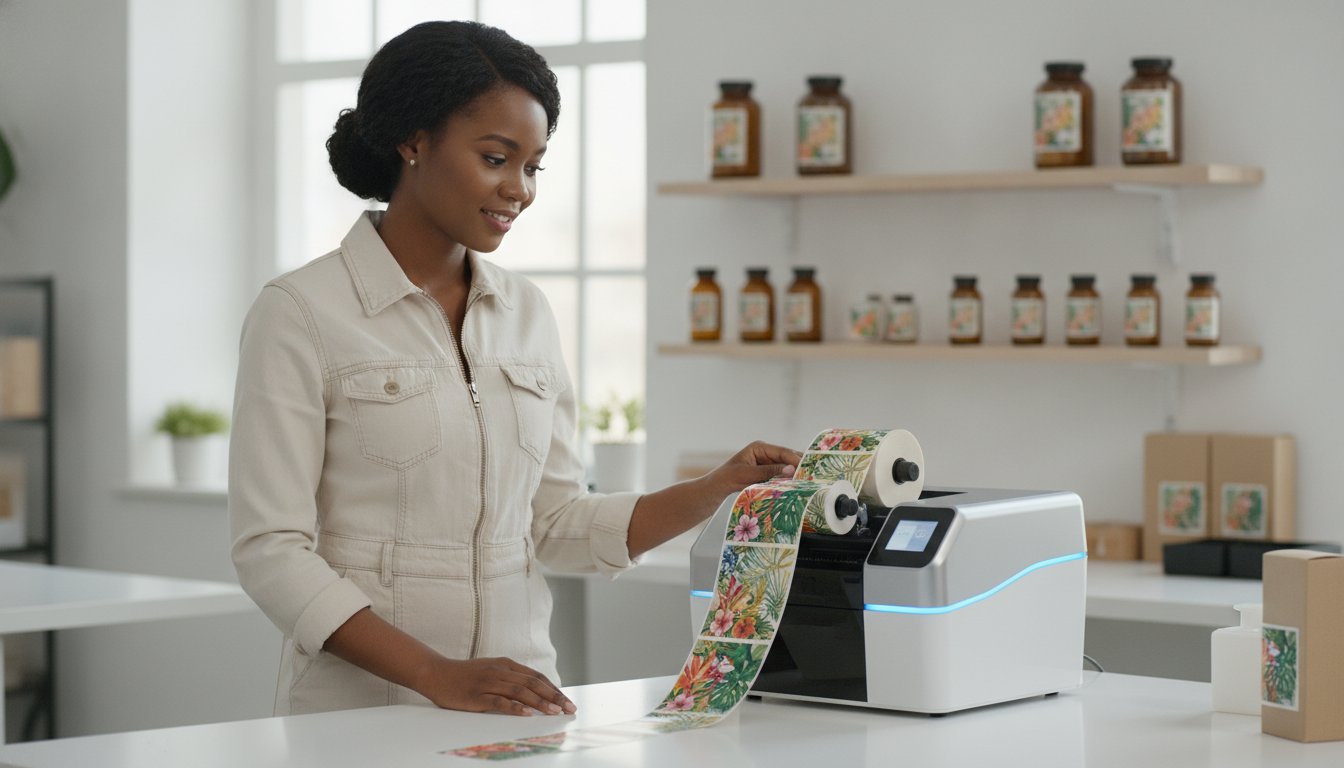
Did you know that the food and beverage sector accounts for nearly 39% of the global label market in 2026? Despite this massive demand, many growing brands still lose money on obsolete inventory and high outsourcing fees while searching for reliable color label printers for small business. You probably know the frustration of waiting weeks for a label shipment only to realize a minor regulation change, like the May 2026 OSHA GHS updates, made your entire stock useless. It feels like you're paying a premium just to have less control over your own products.
We're here to help you change that. This guide shows you how to choose the perfect printer to slash costs, eliminate lead times, and take total control of your brand packaging. We'll break down the top-rated models for 2026, from high-speed inkjet systems for vibrant branding to durable solutions for chemical compliance. You'll learn exactly which technology fits your volume and how to turn a functional business purchase into a long-term competitive advantage. Let's simplify your printing process and get your products to market faster.
Key Takeaways
- Stop overpaying for large label runs and learn how in-house printing eliminates costly minimum order requirements.
- Compare the leading color label printers for small business to decide if inkjet or thermal transfer technology fits your specific product needs.
- Find out which technical features, like high-resolution DPI and media flexibility, are critical for maintaining your brand's professional image.
- Use our step-by-step roadmap to set up an efficient labeling station and take full control of your packaging timeline.
Why Small Businesses are Moving Label Printing In-House in 2026
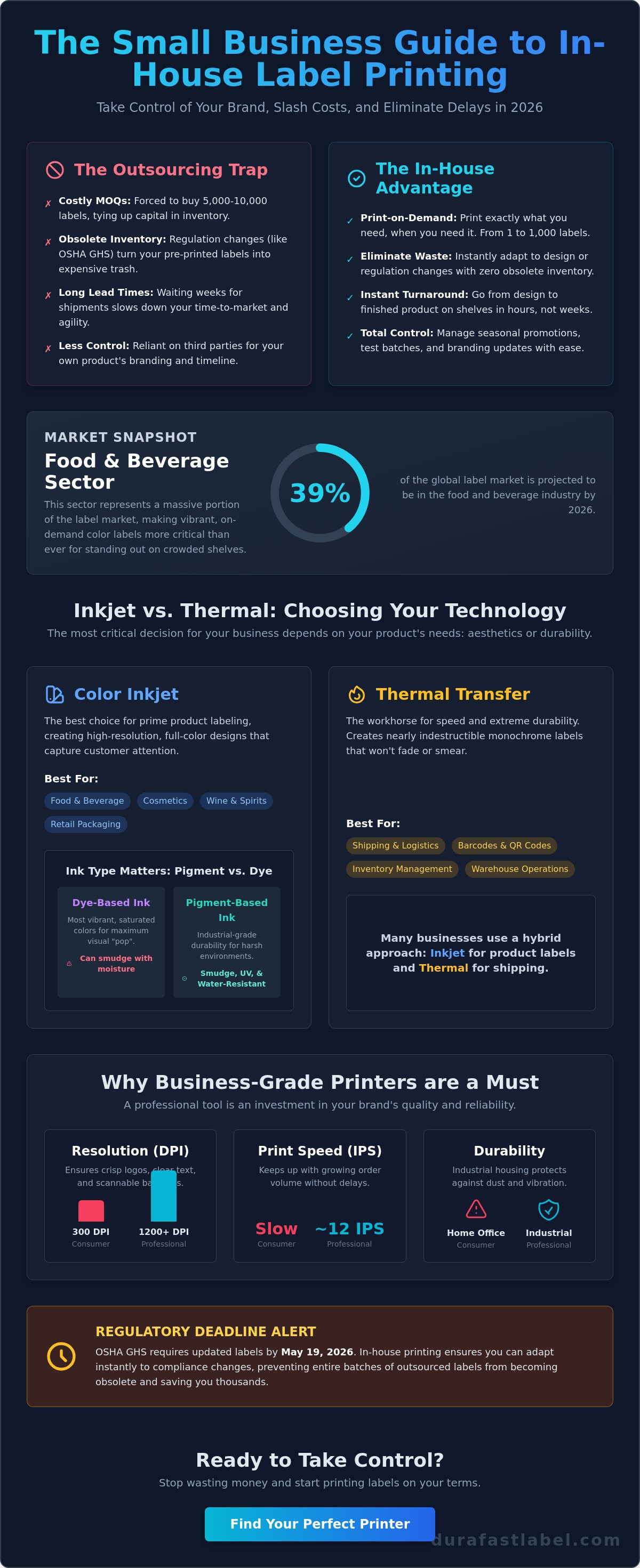
On-demand printing means you print only what you need, exactly when you need it. For years, small brands were trapped by Minimum Order Quantities (MOQs). Outsourcing companies often require you to buy 5,000 or 10,000 labels to get a decent price. This ties up your capital in stacks of paper that might never be used. If you change an ingredient or a regulation updates, those labels become expensive trash. It's a rigid system that doesn't fit the fast pace of modern retail.
In 2026, the risk of obsolescence is higher than ever. With the OSHA GHS deadlines requiring updated Safety Data Sheets and labels by May 19, 2026, pre-printing large batches is a gamble. Using modern color label printers for small business allows you to pivot instantly. You can launch a seasonal holiday design on Monday and have it on shelves by Tuesday. You aren't waiting weeks for a delivery; you're taking control of your own production line.
The Real ROI of Professional Labeling
The math behind in-house printing goes beyond the price of ink. While a professional label printer represents an initial investment, it eliminates the hidden costs of inventory waste and rush shipping fees. You move to a "Just-in-Time" model. This means you print 50 labels for a small test batch today and 500 for a local fair tomorrow. You'll find there is a significant hidden ROI of stopping outsourcing because you no longer pay for labels that sit in a warehouse gathering dust.
Business-Grade vs. Consumer Printers
Don't confuse a professional tool with a home office gadget. Many consumer-grade printers offer 300 DPI, which often looks grainy or blurry on small text. Professional product branding requires higher resolution to ensure your logos and barcodes are crisp. Speed is another factor. Business-grade hardware measures performance in Inches Per Second (IPS). If your order volume grows, you need a machine that keeps up without constant paper jams. Industrial housings also protect internal components from the dust and vibrations of a busy workspace. This ensures your color label printers for small business remain reliable for years of heavy use.
Inkjet vs. Thermal: Choosing the Right Technology
Choosing between inkjet and thermal technology is the most important decision you'll make when evaluating color label printers for small business. Color inkjet printers have completely changed the landscape for short-run product labeling. They allow you to print high-resolution, full-color designs that were previously only possible through expensive commercial print houses. This technology is ideal for brands in the food and beverage sector, which currently represents nearly 39% of the label market. If your goal is to make a product stand out on a crowded retail shelf, inkjet is your primary tool.
Thermal transfer printing serves a different but equally vital purpose. It is the workhorse of the warehouse. While inkjet focuses on aesthetics, thermal transfer focuses on speed and extreme durability for monochrome data like barcodes and shipping addresses. Understanding your industry requirements is the first step toward the right purchase. For example, chemical manufacturers must meet GHS compliance by July 2026, which requires specific ink and media combinations that won't degrade when exposed to harsh environments.
Pigment Ink vs. Dye Ink: The Durability Debate
Not all inkjet inks are created equal. Dye-based inks offer the most vibrant, saturated colors. They are the best choice for high-end boutique aesthetics where visual "pop" is the priority. However, dye ink can smudge if it gets wet. Pigment-based ink is the industrial alternative. It is smudge-resistant, UV-resistant, and vital for matte chemical labels. Small businesses should choose pigment ink for any product that might face moisture, sunlight, or heavy handling. While dye ink looks beautiful on a wine bottle, pigment ink ensures your safety warnings remain legible for years.
When to Use Thermal Transfer Technology
Logistics and inventory management rely on thermal transfer printers. These machines use a heated ribbon to melt an image onto the label material, creating a bond that is nearly indestructible. This is the staple for warehouse efficiency because the labels don't fade or smear during transit. Many successful small businesses use a hybrid approach. They use a color inkjet printer for the primary product label and a thermal unit for the shipping and tracking labels. If you are researching the current market, you can see how these technologies compare in reviews like The Best Label Makers We've Tested. If you need help determining which technology fits your specific workspace, reach out to our team for a personalized recommendation.
Top Color Label Printers for Small Business: 2026 Roundup
Finding the right hardware means looking past the initial price tag. You need a machine that balances long-term reliability with low ongoing ink costs and a user-friendly interface. In 2026, supply chain stability remains a top priority for North American businesses. Choosing a brand with locally available supplies ensures your production never grinds to a halt because of a backordered cartridge. To understand the underlying technology before you buy, you can explore How Inkjet Printers Work. This foundation helps you see why different brands excel at specific tasks.
The current market offers a curated selection of professional tools designed to fit on a desktop while delivering industrial results. These color label printers for small business allow you to compete with much larger corporations by providing the same high-quality packaging at a fraction of the traditional cost. Let's look at the three leaders currently defining the industry.
The Industry Standard: Epson ColorWorks Series
The Epson ColorWorks C6000A is widely considered the gold standard for versatility. It's built for businesses that need a dependable workhorse. The standout feature is the integrated auto-cutter. This allows you to print and cut individual labels of varying lengths from a single roll of continuous media. It's a massive time-saver for businesses with diverse product lines that change frequently. For the best performance, always use genuine Epson inks to maintain color consistency and ensure the longevity of your printhead.
High-Speed Performance: Afinia L801
If your primary concern is throughput, the Afinia L801 is the speed king. It utilizes Memjet technology, which uses a stationary printhead to deliver ink at incredible speeds. It's the perfect choice for high-volume food, beverage, or nutraceutical operations where you need to print thousands of labels in a single shift. To get the most out of this machine, pair it with specialized Afinia L801 labels. These materials are engineered for the rapid ink absorption required by high-velocity printing, preventing smudges and ensuring crisp barcodes.
Boutique Brilliance: Primera LX-Series
For brands that require ultra-high-resolution photo quality, the Primera LX600 and LX910 are the top contenders. These models are favorites for cosmetic and specialty gift brands where the label's visual impact is the priority. They produce stunning, vibrant images that rival commercial offset printing. By carefully managing your Primera inks, you can achieve a surprisingly low cost-per-print even in the highest resolution modes. This makes them a smart investment for boutique brands that want a premium look without the premium price of outsourcing.
Key Features to Evaluate Before Your Purchase
Selecting the right hardware requires looking beyond the brochure. While many color label printers for small business offer high resolutions, you need to know when 1200 DPI actually matters. If your labels feature tiny 4-point fonts, intricate photographic details, or complex ingredient lists, that extra resolution is essential for legibility. For standard shipping labels or simple logos, 600 DPI is often sufficient. You also need to consider media flexibility. A versatile printer should handle fan-fold labels, large rolls, and various widths. This ensures you aren't locked into one specific label size as your product line expands or changes.
Connectivity and maintenance are often overlooked during the initial search. In a shared office environment, an Ethernet port is usually more stable than a USB connection for multi-user access. Wireless options provide the most placement flexibility but can be prone to interference in industrial settings. Look for machines with user-replaceable printheads and maintenance boxes. Being able to swap these parts yourself without waiting for a technician keeps your production line moving and reduces long-term service costs.
Calculating the Total Cost of Ownership (TCO)
Don't fall into the trap of only looking at the hardware's sticker price. The true cost of printing is found in the consumables over the life of the machine. You should evaluate ink consumption based on your specific designs rather than generic estimates. Industry experts often use a 15% coverage rule to estimate ink costs. You'll also need to factor in the price of high-quality inkjet labels compared to the pre-printed stock you currently buy. Often, the savings from eliminating minimum order quantities and warehouse waste far outweigh the cost of ink and blank media. A printer with a higher initial price tag might actually be cheaper to run if it uses larger, more efficient ink cartridges.
Software and Integration
Professional results require professional software. Using basic image editors usually leads to alignment issues and wasted labels. Professional label design software like BarTender is non-negotiable for most growing brands. It allows for database connectivity, meaning you can link your printer directly to an Excel sheet or your ERP system. This automates the data entry process and significantly reduces human error on barcodes, batch numbers, and expiration dates. Always ensure your chosen printer has drivers compatible with the latest OS versions in 2026 to avoid technical headaches during your next computer upgrade. If you're ready to see a detailed cost analysis for your specific label designs, contact our experts today for a consultation.
Getting Started with Your In-House Label Production
Transitioning from outsourcing to in-house printing is a strategic move that requires a clear roadmap. You shouldn't shut down your existing supply chain until your new system is fully tested and verified. Start by designating a dedicated labeling station in a clean, climate-controlled environment. Inkjet technology is sensitive to extreme temperatures and humidity, which can affect ink drying times and label adhesion. A sturdy, level table is essential to prevent vibrations that might cause alignment issues during high-speed runs.
The most important step in your journey is the testing phase. Always request sample prints on your specific label materials before committing to a hardware purchase. This allows you to see the actual color output and test the durability of the ink on your packaging. It's also the perfect time to evaluate the support capabilities of your supplier. Working with a partner who understands the unique requirements of color label printers for small business ensures you have a reliable resource for technical questions and supply replenishment as you grow.
Stocking Your Supplies
Your production line is only as reliable as your inventory. Never let an empty tank or a finished roll halt your shipping schedule. It's best practice to keep a full set of backup ink cartridges and at least two rolls of each media type on the shelf. Your choice of finish—matte or high-gloss—should align with your brand's aesthetic and the environment where the product will be used. Store your media rolls vertically in a dust-free cabinet to prevent edge damage. This simple organization step keeps your color label printers for small business running smoothly without unnecessary jams.
Training and Workflow
Training your staff on a new printer doesn't have to be complicated. Focus on the basics: loading media rolls, replacing ink, and performing routine nozzle checks. Creating a standardized "print and inspect" workflow is the best way to maintain quality control. We recommend checking the first few labels of every batch for clarity and alignment before letting a long run finish. This habit catches minor issues before they become expensive mistakes. Ready to see the difference in your own production? Contact DuraFast Label Company for a custom ROI analysis and discover how much your brand can save.
Take Control of Your Brand Packaging Today
Transitioning to in-house production is a strategic move to eliminate the waste of obsolete inventory and the high costs of minimum order quantities. By selecting high-performance hardware, you gain the agility to meet 2026 regulatory changes and seasonal demands without waiting on a third-party vendor. You now have the roadmap to choose the right technology and set up a labeling station that grows with your brand.
DuraFast Label Company is here to support you at every stage. As an authorized dealer for Epson, Afinia, and Primera, we provide the expertise you need to make a confident choice. We specialize in in-house ROI consulting to ensure your investment pays off quickly. Our warehouse maintains a comprehensive stock of labels and inks for all major brands, so you're never left waiting for supplies. Ready to transform your workflow? Browse our curated selection of Color Label Printers for Small Business and let our experts help you find the perfect fit. You're just one step away from a more efficient and profitable future.
Frequently Asked Questions
Is it cheaper to print labels in-house or outsource them?
It is generally more cost-effective to print in-house for small to medium batches because you avoid high minimum order quantities and setup fees. While outsourcing might offer a lower price per label for massive orders in the hundreds of thousands, in-house printing saves you from inventory waste. You only pay for what you use, which keeps your capital fluid for other business needs.
Can a small business printer handle waterproof labels?
Professional color label printers for small business produce highly durable, waterproof labels when paired with pigment-based inks and synthetic media like polypropylene or polyester. These combinations are designed to withstand moisture, chemicals, and abrasion. This makes them perfect for bath and body products or chilled beverages that face heavy condensation during storage and transport.
How long do the ink cartridges last in a professional color label printer?
Ink longevity depends entirely on your specific label design and the ink coverage percentage. A label with a full-color background uses significantly more ink than a white label with a small logo and text. Most manufacturers provide software tools that estimate your exact cost per print based on your artwork. This helps you plan your supply orders and calculate your margins with precision.
What is the best color label printer for a startup with a low budget?
Startups often find the best value in entry-level desktop models like the Primera LX500 or the Epson ColorWorks C4000. These units offer a lower initial investment while maintaining the professional print quality required for retail. They're compact enough for a small office but robust enough to handle increasing order volumes as your brand gains traction in the market.
Do I need special software to design my own labels?
You'll get the most consistent results using dedicated design software like BarTender or NiceLabel. These programs are built to handle precise alignment, barcode generation, and database connectivity. While you can use basic graphic design tools, specialized labeling software ensures your printer's drivers communicate correctly with the hardware. This prevents wasted media and ensures your barcodes always scan perfectly at checkout.
Can these printers handle different label shapes and sizes?
These printers are incredibly flexible and can handle circles, ovals, and custom die-cut shapes on a roll. If you use a model with an integrated auto-cutter, you can even use continuous rolls to create labels of any length on the fly. This versatility is a major advantage for color label printers for small business, allowing you to use one machine for everything from tiny lip balm tubes to large shipping boxes.
What happens if the printer needs repair?
Most professional printers are designed with user-replaceable parts like printheads and maintenance boxes to minimize downtime. If a more complex issue arises, you should check your manufacturer's warranty for repair options. Many brands offer extended service plans that include depot repair or replacement programs. This keeps your production line moving without the need for an on-site technician.
How do I choose between a matte or gloss finish for my labels?
Your choice depends on your brand aesthetic and the environment where your product is used. High-gloss finishes offer vibrant colors and a premium, shiny appearance that stands out on retail shelves. Matte finishes provide a sophisticated, non-reflective look that is often easier to read under bright warehouse lights. Matte materials are also frequently more resistant to smudging, making them a practical choice for industrial products.