Best Color Label Printers for Small Business: 2026 Guide
8th Aug 2026
Why Small Businesses Switch to In-House Label Printing
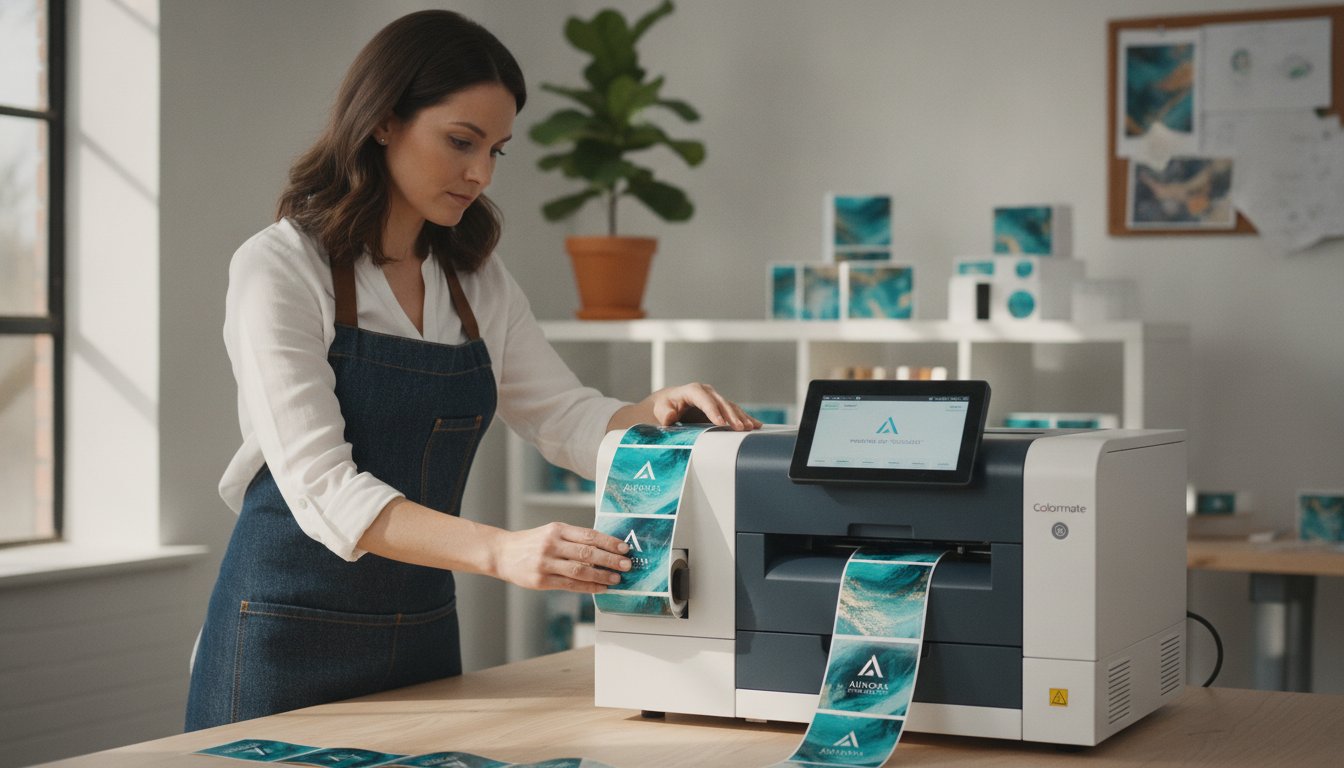
For years, the standard process for getting product labels was simple: you found a print shop, sent them your design, and hoped for the best. But for a small business in 2026, that model is broken. The landscape has shifted, and agility is now the most critical competitive advantage. Bringing your label production in-house isn't just a cost-saving measure; it's a strategic move that gives you control over your brand, inventory, and supply chain.
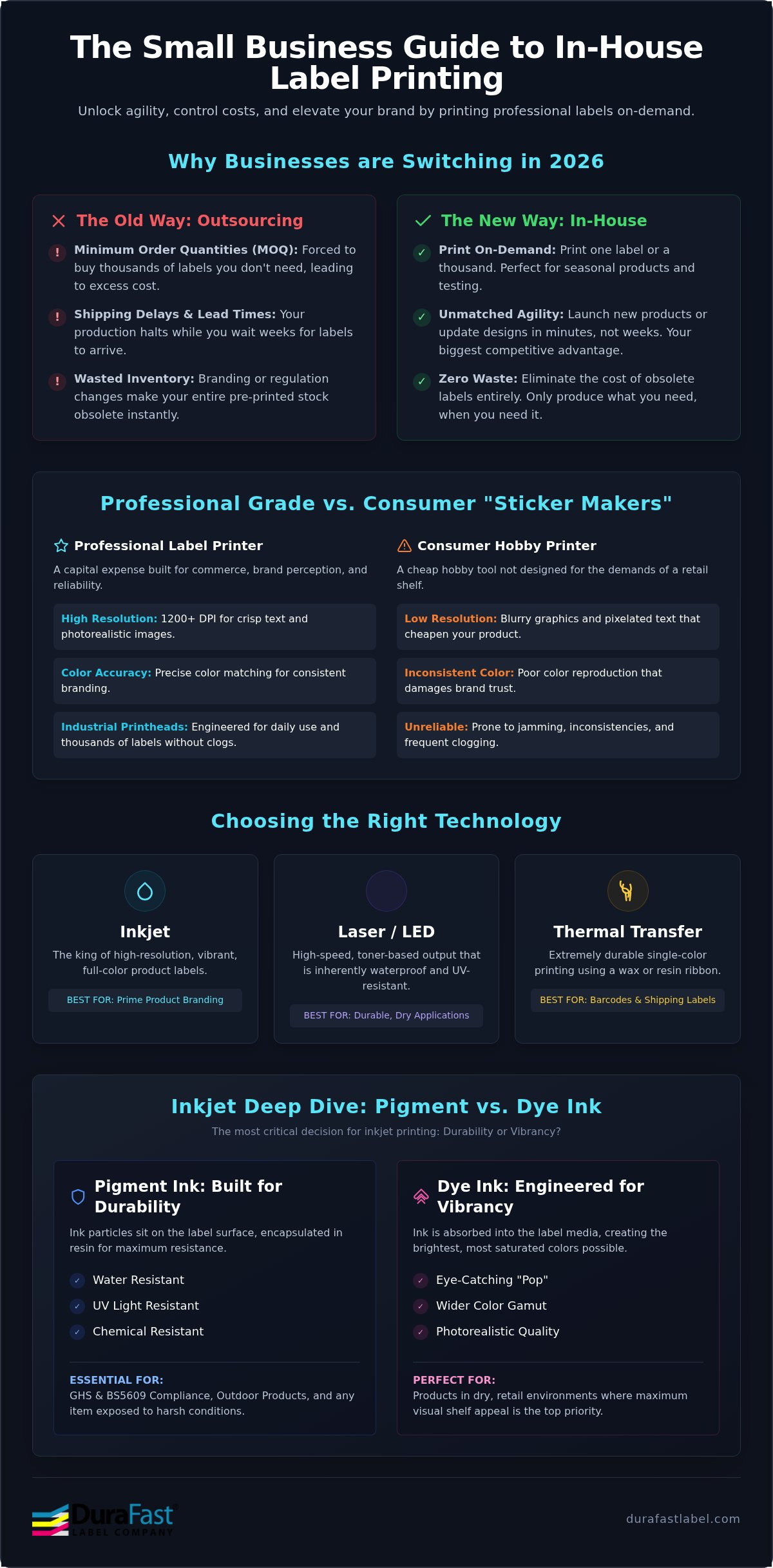
- The death of the 'minimum order quantity' (MOQ). External print shops thrive on large orders. Need just 200 labels for a seasonal product? You'll likely face steep setup fees or be forced to buy thousands you don't need. In-house printing lets you print one label or one thousand, on your schedule.
- How on-demand printing eliminates wasted inventory. When branding, ingredients, or regulations change, your entire stock of pre-printed labels becomes obsolete. Printing on-demand means you only produce what you need, when you need it, cutting waste to zero.
- The 2026 shift: Why agility is the biggest competitive advantage. The ability to launch a new product, test a new design, or update a compliance warning in minutes—not weeks—is a superpower for small brands. In-house printing gives you that power.
- Defining the professional standard. A $300 "sticker maker" from an office supply store is a hobby tool, not a business machine. Professional color label printers are built for the demands of commerce, offering the durability, print quality, and cost-efficiency required to make your products look their best on a retail shelf.
The Hidden Costs of Outsourcing Labels
The price per label from a print shop is only the beginning of the story. The true cost of outsourcing is often buried in logistical headaches and operational friction that can stall your growth.
- Shipping delays and the impact on your supply chain. Waiting a week or more for your labels to be printed and shipped can bring your entire production line to a halt. This dependency on an external vendor introduces a significant point of failure in your operations.
- The cost of 'obsolete inventory.' Every time a regulation is updated or you refresh your branding, any pre-printed labels you have in stock are instantly worthless. This wasted capital can add up to thousands of dollars over a year.
- Why printing your own product labels is the best ROI move this year. Investing in an in-house printer pays for itself by eliminating waste, cutting lead times, and giving you the freedom to adapt your business at a moment's notice.
Professional Quality vs. Consumer Printers
You wouldn't run a commercial kitchen with a microwave from a dorm room. The same logic applies to your product labels. The difference between a consumer-grade printer and a professional one lies in the details that make or break your brand's perception.
- DPI and color accuracy. Professional printers deliver high-resolution output (1200 DPI and above) with precise color matching, ensuring your product looks as good in person as it does online. This is how you achieve a 'big brand' look on a small business budget.
- The importance of industrial-grade printheads. These printers are engineered for consistent, daily use. Their robust printheads are designed for reliability over thousands of labels, avoiding the clogs and inconsistencies common in cheaper models.
- How in-house solutions bridge the gap. A professional color label printer is a one-time capital expense that empowers your business with the capabilities of a commercial print house, right on your desktop.
Inkjet vs. Thermal vs. Laser: Choosing the Right Technology
Not all label printers are created equal. The technology under the hood determines the quality, durability, and cost of your labels. For small businesses focused on product branding, understanding the core differences is key to making the right investment.
- Inkjet technology: The undisputed king of high-resolution, vibrant product labels. Using either dye or pigment-based inks, inkjet printers produce photorealistic images and crisp text, making them the standard for prime product labeling where shelf appeal is paramount.
- Thermal transfer: Best for high-durability, single-color applications like barcodes, shipping labels, and serial numbers. This technology uses a heated printhead to melt a wax or resin ribbon onto the label, creating an extremely durable image. While excellent for logistics, it's not suitable for full-color product branding.
- Laser/LED: An excellent choice for high-speed applications that require dry, durable toner-based output. Printers like the Afinia LT5C use this technology to produce labels that are inherently waterproof and UV-resistant right out of the printer.
- The durability factor: Your choice of technology directly impacts how well your labels hold up to smudge-resistance, UV-fading, and moisture exposure.
Pigment Ink vs. Dye Ink: Which Do You Need?
Within the world of inkjet, the type of ink you use is the most critical decision. It’s a choice between vibrancy and durability, and the right answer depends entirely on your product and its end-use environment.
- Pigment ink: Essential for durability. Pigment ink particles sit on top of the label media and are encapsulated in a resin, making them highly resistant to water, UV light, and chemicals. This is the go-to ink for GHS compliance, outdoor products, and anything that needs to withstand harsh conditions. Industrial workhorses like the Epson ColorWorks C6000 series are built around pigment inks for this very reason.
- Dye ink: Best for eye-catching vibrancy. Dye-based inks are absorbed into the label media, creating incredibly bright, saturated colors. What they gain in "pop," they trade in durability, as they are typically not water or UV-resistant. This makes them perfect for products in a dry, retail environment where visual appeal is the top priority.
- For chemical manufacturers, pigment ink is the only choice for achieving BS5609 compliance for maritime shipping labels.
When to Choose Thermal Label Printers
Many businesses mistakenly believe they need to choose between color and thermal printing. The reality is that most professional setups use both. While an inkjet printer handles your branding, a dedicated thermal label printer handles the logistical work.
- The role of thermal printers in logistics. From printing 4x6 shipping labels for UPS and FedEx to generating internal barcodes for inventory management, thermal printers are built for speed and efficiency in single-color tasks.
- Direct thermal vs. Thermal transfer. Direct thermal uses chemically treated paper that darkens when heated—no ribbon required. It's great for short-term use like shipping labels but fades over time. Thermal transfer uses a ribbon for permanent, highly durable labels suitable for asset tracking and compliance.
- Why most small businesses need a hybrid setup. The ideal workflow uses a color inkjet printer for creating beautiful product labels and a separate, cost-effective thermal printer for all shipping and barcode needs. Trying to make one printer do both jobs is inefficient and compromises quality.
Top 5 Color Label Printers for Small Businesses in 2026
After analyzing the market for print quality, speed, cost-per-label, and overall value, we've identified the top five color label printers that deliver professional results for small businesses. This list is based on real-world applications, from startups to scaling operations.
#1: Afinia L502 - Best Overall Value and Versatility
The Afinia L502 takes the top spot for its unique combination of affordability and flexibility. At a competitive price point, it's the only printer in its class that features Duo Ink technology, allowing you to swap between vibrant dye inks and durable pigment inks by simply changing the printhead. This makes it an incredible value for businesses that have diverse product lines with different durability requirements. With a stunning 4800 dpi print resolution, the L502 produces sharp, professional labels that can elevate any product.
- Best for: Startups and businesses needing both vibrant retail labels and durable, water-resistant labels without buying two separate machines.
- Key Feature: Switchable dye and pigment ink capability.
- Price Point: ~$2,995
#2: VIPColor VP500 - Best for Speed at an Entry-Level Price
For businesses where production volume is a key concern, the VIPColor VP500 delivers exceptional speed without the high price tag. It's one of the fastest printers you can buy in this price range, printing full-color labels up to 8 inches wide at a brisk 8 inches per second. Powered by vibrant dye inks, the VP500 is perfect for producing large batches of eye-catching product labels quickly and efficiently. Its 1600 dpi resolution ensures your branding remains crisp and professional, even at high speeds.
- Best for: Businesses needing to print thousands of labels per day for food, beverage, or retail products.
- Key Feature: High-speed printing (8 ips) on wide-format labels.
- Price Point: ~$3,995
#3: Afinia L801 - Best for High-Volume Production
When your business is ready to scale, the Afinia L801 is the industrial-grade solution built for serious volume. Featuring Memjet "waterfall" technology, this printer can produce brilliant, full-color labels at an incredible 12 inches per second (60 feet per minute). This raw speed, combined with its large ink tanks, results in an ultra-low cost-per-label that is unmatched for high-volume runs. The L801 is the workhorse you need when you're producing tens of thousands of labels and need to minimize both time and cost.
- Best for: Established businesses with high production demands looking for the lowest possible cost-per-label.
- Key Feature: Memjet technology for market-leading print speeds (12 ips).
- Price Point: ~$8,495
- Find compatible Afinia L801 Memjet labels to maximize performance.
#4: Primera LX610 - Best for Custom Shapes and Sizes
The Primera LX610 is a game-changer for brands that want to break free from the standard rectangle or circle. Its standout feature is a built-in digital die-cutter, which means you can print and then custom-cut your labels into any shape imaginable—all in one process. This eliminates the need for expensive custom-ordered dies and long lead times. For businesses producing craft goods, unique packaging, or promotional items, the LX610 offers unparalleled creative freedom to make your products truly stand out on the shelf.
- Best for: Wineries, craft breweries, cosmetic companies, and any brand that uses unique label shapes as part of its identity.
- Key Feature: Integrated plotter/die-cutter for custom label shapes.
#5: NeuraLabel Callisto - Best for GHS & Chemical Labels
For businesses in the chemical, industrial, or manufacturing sectors, compliance isn't optional. The NeuraLabel Callisto is a purpose-built solution for printing large-format chemical drum labels that meet stringent GHS and BS5609 requirements. As the fastest pigment inkjet label printer in its class, it delivers maximum durability against water, abrasion, and harsh chemicals. When you need labels that are guaranteed to remain legible in the toughest environments, the Callisto is the professional's choice for compliance and peace of mind.
- Best for: Chemical manufacturers, industrial facilities, and any business requiring large, durable, GHS-compliant labels.
- Key Feature: High-speed pigment ink printing for BS5609 compliance.
- Learn more about GHS label printer essentials and chemical compliance.
Calculating Total Cost of Ownership (TCO) and ROI
The sticker price of a printer is just one part of the equation. A savvy business owner looks at the Total Cost of Ownership (TCO), which includes ink, labels, and maintenance over the life of the machine. Understanding TCO is how you avoid the trap of a cheap printer that ends up costing you more in the long run.
- The 'Razor and Blade' model. Some companies sell printers at a low price, knowing they will make their profit on expensive, proprietary ink cartridges. A printer with a higher upfront cost but larger, more efficient ink tanks often has a much lower TCO.
- Ink consumption metrics. Professional printer manufacturers provide data on ink cost per label based on size and color coverage. Use these estimates to project your actual operating costs before you buy.
- Hardware depreciation vs. outsourcing fees. Calculate your monthly spending on outsourced labels. Compare that recurring expense to the one-time cost of a printer. You can quickly find the break-even point where the printer starts saving you money every month.
- How to use print cost estimators. Many manufacturers offer online tools to calculate the cost-per-label for a specific design. Use these to get a realistic picture of your ongoing expenses.
The Hidden Costs: Media and Maintenance
Beyond the printer and the ink, the labels you choose and the routine maintenance you perform are critical components of your overall cost and print quality.
- Choosing the right inkjet labels for your printer's ink type. Using a label designed for dye ink with a pigment-based printer (or vice-versa) will result in poor quality and lack of durability. The label's top-coating must be matched to the ink chemistry.
- Maintenance boxes and printhead replacement cycles. All inkjet printers have a maintenance box that collects waste ink during cleaning cycles. This is a consumable item that needs to be replaced periodically. Printheads are also a long-term consumable, and understanding their expected lifespan is part of calculating TCO.
- Why premium media saves money. Using a cheap, poorly made label can lead to adhesive failures, smudged prints, and jams in the printer. Investing in quality media prevents costly label failures that can damage your brand's reputation.
For businesses looking to optimize their TCO, sourcing high-quality IT equipment and reliable printer consumables from specialists like eurotoner.hr can provide significant long-term savings and ensure your hardware remains in peak condition.
ROI Case Study: In-House vs. Print Shop
Let's look at a common scenario: you need 500 labels for a new coffee blend. Outsourcing involves setup fees, shipping costs, and a one-week lead time. The total cost might be $250, or $0.50 per label. In-house, your ink and label cost might be just $0.15 per label. The printer pays for itself by capturing that $0.35 difference on every single label you print.
- Comparison of a 500-label run. An in-house printer eliminates setup fees and shipping costs, and the per-label cost is often a fraction of what a print shop charges for small batches.
- The value of 'just-in-time' printing. The ability to print 50 labels for a farmer's market on Saturday and 200 for a retail order on Monday is a level of flexibility that outsourcing can never match.
- On average, a small business using a mid-range color label printer can expect to see a full return on their investment within 9 to 18 months, depending on their label volume.
Setting Up Your Professional Labeling Station with DuraFast
Buying a printer is the first step. Building an efficient workflow around it is what unlocks its true potential. At DuraFast, we provide the complete ecosystem—hardware, software, consumables, and expert guidance—to ensure your in-house labeling operation is a success from day one.
- Selecting the right software. While basic design apps can create an image, professional label printing requires specialized software. BarTender Professional is the industry standard for its ability to manage dynamic data, generate barcodes, and ensure color consistency.
- Workflow integration. A professional setup can connect directly to your database, ERP, or even a simple spreadsheet to automatically populate label templates, eliminating manual entry and reducing errors.
- Finishing touches. As your volume grows, you may need accessories like a label rewinder to prepare your printed rolls for a machine applicator, or a barcode scanner for quality control.
- DuraFast's role. We're not just a box-shifter. We are your partner in production, providing the technical guidance to match you with the right hardware and the reliable supply of consumables to keep you running.
While professional labeling is key to organization, sourcing the right industry-specific supplies is equally important. For dental professionals in Colombia looking for reliable equipment and materials, you can visit Latinden SAS to explore their comprehensive catalog.
Designing for Success with BarTender
Professional label design software like BarTender is the brain of your labeling operation. It's designed specifically for the complexities of product identification and tracking.
- Automating barcodes and serialized data. Easily generate sequential serial numbers, batch codes, and all major barcode types without manual data entry.
- Ensuring color consistency. Use built-in color management tools to ensure your brand colors print accurately and consistently across every label run.
- User-friendly templates. Start with pre-built templates for common compliance standards or create your own branded templates for a fast and repeatable workflow.
The Essential Accessory Checklist
To create a truly seamless production line, consider these essential add-ons that work with your color label printer.
- Label rewinders. These devices automatically wind your printed labels onto a tight, clean roll, preparing them for storage or use with an automatic label applicator.
- Datalogic barcode scanners. Use a handheld scanner to verify the print quality of your barcodes and integrate with your inventory management system for accurate tracking.
- Ready to take control of your branding? Browse our full collection of Color Label Printers and find the perfect solution for your small business.
Frequently Asked Questions (FAQs)
- What is the best color label printer for a small business starting out?
- The Afinia L502 is our top recommendation for businesses starting out. Its unique ability to switch between dye and pigment inks offers incredible versatility, allowing you to handle different product needs with a single machine at an affordable price.
- How much does it cost to print one color label in-house?
- The cost-per-label varies based on the printer, ink usage (coverage), and label size, but it typically ranges from $0.05 to $0.25. High-volume printers like the Afinia L801 can achieve even lower costs on large runs, often significantly cheaper than outsourcing small batches.
- Can I print waterproof labels with an inkjet printer?
- Yes, absolutely. To print waterproof labels, you must use a printer with pigment-based ink combined with a compatible synthetic label material, such as polypropylene (BOPP) or polyester. This combination is highly resistant to water, oils, and chemicals.
- What is the difference between dye and pigment ink for labels?
- Dye ink soaks into the label and produces extremely vibrant, brilliant colors, but it is not typically water-resistant. Pigment ink consists of solid particles that sit on top of the label and are water, UV, and chemical resistant, making it the choice for durable applications.
- Do I need special software to design my own labels?
- While you can print from a PDF or graphics program, we highly recommend professional label design software like BarTender. It simplifies the process of creating barcodes, managing serialized data, and ensuring your labels meet compliance standards.
- Is it cheaper to print my own labels or buy them online?
- For small-to-medium-sized runs, it is almost always cheaper to print your own labels. Outsourcing involves setup fees, shipping costs, and high markups on small quantities. In-house printing eliminates these costs and gives you the flexibility to print exactly how many labels you need, which prevents expensive waste.
- What is the best printer for GHS and chemical-resistant labels?
- The NeuraLabel Callisto is a top choice specifically designed for GHS and chemical compliance. It uses pigment ink to produce highly durable, large-format labels that meet the strict BS5609 standard for maritime and chemical transport.
- Can I print on different shapes and sizes of labels with one machine?
- Yes. Most label printers can handle a range of label widths and lengths. For custom shapes, the Primera LX610 is the ideal solution, as its integrated digital die-cutter allows you to print and cut any shape on demand without needing to order custom label stock.