Best Dye Inkjet Color Label Printers for Vibrant Brands
11th Jun 2026
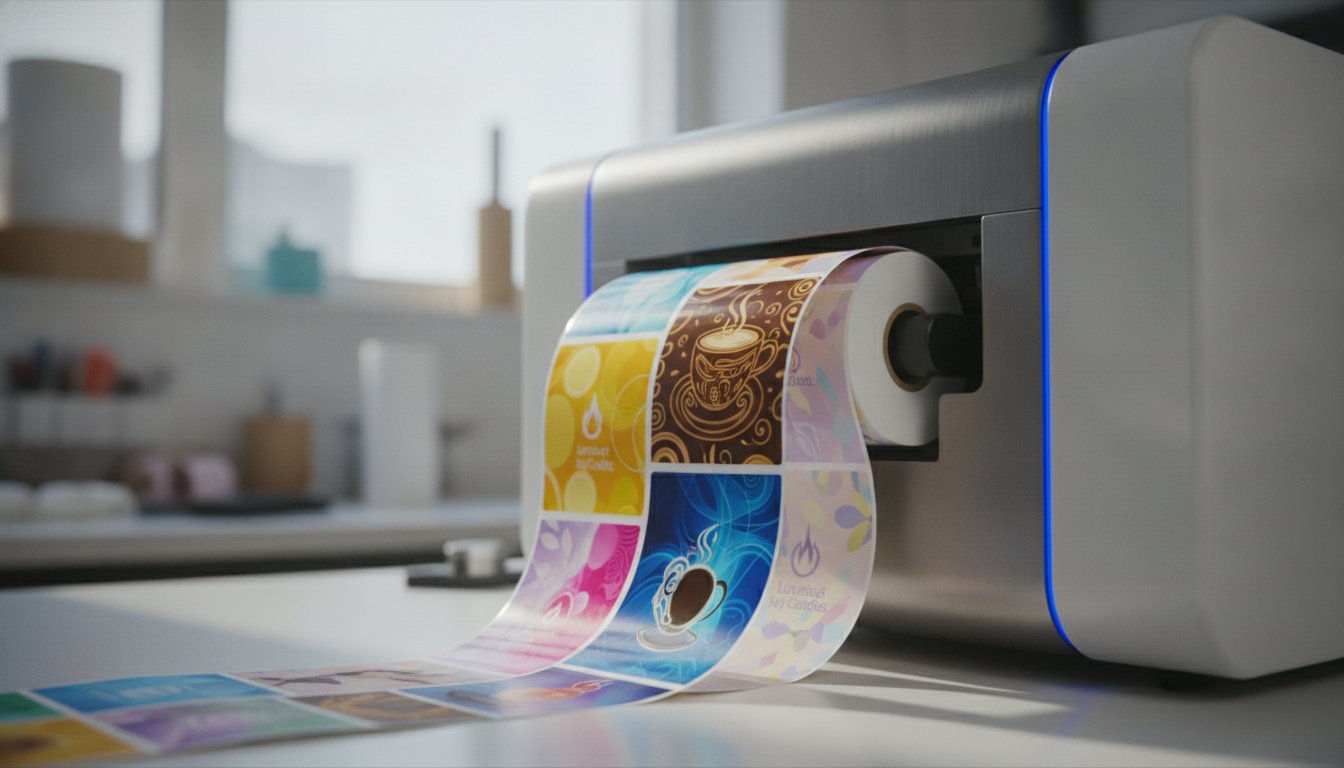
Why do your high-resolution product designs look so dull once they finally hit the retail shelf? You've likely spent weeks perfecting your brand's visual identity, only to have a standard printer turn your vibrant vision into something flat and uninspiring. It's a common frustration for growing businesses that need professional results without the high costs and long lead times of outsourcing. Investing in a quality dye inkjet color label printer is the secret to capturing the photographic depth and vivid saturation that stops customers in their tracks.
We agree that your labels should be a direct reflection of your hard work, not a compromise. This article explains how dye ink technology achieves superior results on glossy materials and helps you choose a machine that fits your workflow. We'll preview the best models for 2026, from compact desktop units like the Primera LX500 to high-volume production presses. You will learn how to lower your cost-per-label and take full control of your brand's image with easy, in-house production.
Key Takeaways
- Discover how dye inkjet technology delivers the deep color saturation and photographic detail essential for high-end retail packaging.
- Compare leading 2026 models like the Afinia L801 and Primera LX500 to identify the best balance of speed and price for your business.
- Learn why a dye inkjet color label printer requires specific inkjet-receptive coatings to achieve a smudge-free, professional finish on glossy materials.
- Master the role of label design software and ICC profiles in ensuring your printed colors accurately match your digital brand assets.
- Explore how shifting to in-house production can lower your cost-per-label while giving you total control over your short-run printing schedule.
What is a Dye Inkjet Color Label Printer?
A dye inkjet color label printer is a specialized digital machine designed to produce high-impact visuals for retail packaging. These printers utilize liquid-based inks that fully permeate the fibers of the label media. Unlike other technologies where the ink sits on the surface, dye-based systems allow the color to soak in, creating a smooth, professional finish. This process is the key to achieving the photographic-level detail and deep color saturation that modern brands require to stand out. Understanding What is Dye Ink helps explain why these systems are the go-to choice for businesses focused on aesthetics.
These printers are engineered for maximum visual "pop." They excel at reproducing complex designs, vibrant gradients, and high-resolution images. To get the best results, you'll want to use specific inkjet labels. These systems are optimized for glossy paper and synthetic materials like polypropylene. When the ink hits these treated surfaces, it creates a crisp, vivid image that won't blur or lose its luster. For products where the label is the primary salesperson, this technology is indispensable.
Dye Ink vs. Pigment Ink: Which Do You Need?
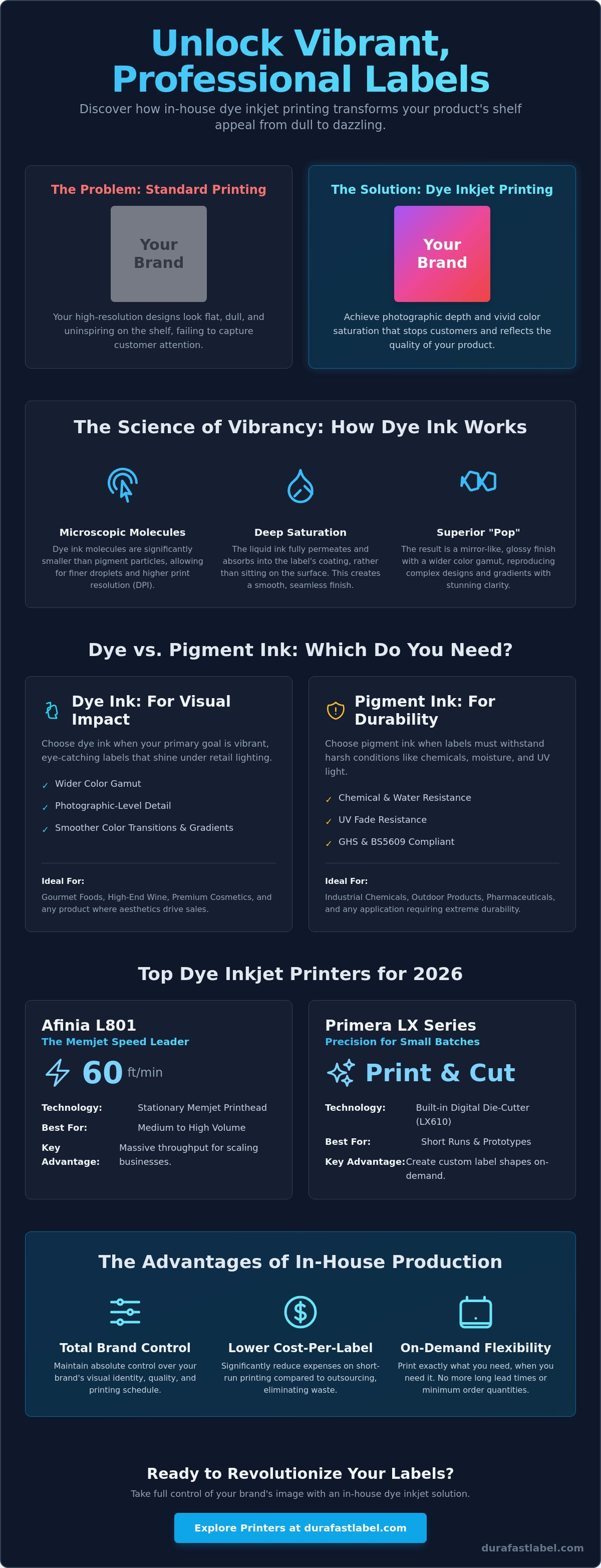
Choosing between ink types depends entirely on your product's environment. Dye ink offers a wider color gamut and smoother transitions between shades. This makes it the perfect fit for gourmet food, high-end wine, and premium cosmetics. Pigment ink, on the other hand, is built for durability. It's the better choice for harsh environments where chemical resistance is mandatory. If you need GHS compliance for industrial chemicals, go with pigment. If you want your retail packaging to glow under store lights, choose a dye inkjet color label printer.
The Science of Vibrancy and Resolution
The stunning clarity of dye-based printing comes down to molecular size. Dye molecules are significantly smaller than pigment particles. This microscopic size allows the printhead to fire smaller droplets, which results in a much higher dots-per-inch (DPI) capability. Because the molecules are so small, they spread out evenly on glossy surfaces. This creates a mirror-like finish that appears much brighter and more "alive" than pigment-based prints. In the context of retail shelf appeal, color gamut refers to the total range of colors a printer can accurately reproduce to ensure your brand's unique shades look exactly as intended. This technical precision ensures that your labels look just as good on the shelf as they did on your designer's screen.
Top Dye Inkjet Printers for 2026
Selecting the right dye inkjet color label printer depends entirely on your daily output and growth goals. Startups typically need the flexibility of compact desktop units, while established brands require industrial speed to keep up with retail demand. We've vetted the market to bring you the top performers that balance professional print quality with operational efficiency. Bringing your production in-house is about more than just convenience; it's about maintaining total control over your brand's visual identity.
Afinia L801: The Memjet Speed Leader
The Afinia L801 is the primary choice for businesses that need to print fast without losing photographic detail. It utilizes Memjet technology, which features a stationary print head that spans the entire width of the label. Because the head doesn't move back and forth, it hits speeds of up to 60 feet per minute. This stationary design allows for massive throughput, making it ideal for companies moving from short-run batches into medium-volume production. You can find specialized Afinia L801 labels to ensure your high-speed runs stay crisp and smudge-free. For even higher volumes, the Afinia L901 is designed to handle production levels between 10,000 and 100,000 labels per month.
Primera LX Series: Precision for Small Batches
How do you handle short runs without wasting money on external print houses? The Primera LX-series is often the best answer for small-to-midsize production runs. Models like the Primera LX610 and LX910 offer incredible precision for specialized retail needs. The LX610 is particularly unique because it includes a built-in digital die-cutter. This feature lets you print and cut any shape you want in a single step. You won't need to order expensive pre-die-cut labels for every new product size or prototype. These machines serve as a reliable entry point for professional in-house labeling. To keep your colors vibrant and accurate, always use genuine Primera ink cartridges designed specifically for these systems.
The VIPColor VP-series provides another robust option for commercial environments. Printers like the VP700 are designed for durability and utilize high-capacity ink tanks to help lower your ongoing cost-per-label. Whether you choose a desktop Primera or an industrial Afinia, your goal is a seamless, reliable production process. If you're unsure which model fits your specific retail environment, our team can help you compare specifications to find the perfect match for your workflow.
Selecting the Best Labels for Dye Ink Systems
Your dye inkjet color label printer is a high-performance machine, but it's only as good as the media you feed it. Because dye ink is liquid-based, it requires a specialized "inkjet-receptive" coating to dry properly. Without this coating, the ink will simply pool on the surface. This leads to smudging, "bleeding" between colors, and a generally unprofessional look. Choosing the right material ensures your labels look sharp and stay that way. We've seen many businesses struggle with image quality simply because they tried to use standard thermal or non-coated paper in a high-end inkjet system.
Glossy paper labels are the gold standard for premium branding. They maximize the reflective properties of dye ink, providing the highest possible contrast and saturation. If your product needs to scream "luxury" or "high quality" from the shelf, glossy is your best bet. For products that face moisture, such as refrigerated foods or beverages, BOPP (Polypropylene) labels are a better choice. These synthetic labels offer the same vibrancy as paper but add critical water resistance. You can find a wide variety of compatible stock by browsing our inkjet labels collection. Using the correct media prevents the ink from spreading too far into the fibers, which preserves the high-resolution detail your printer is capable of delivering.
Glossy vs. Matte Inkjet Labels
While glossy labels offer the most "pop," matte labels have their place too. Matte materials provide a natural, organic look that works well for artisanal or eco-friendly brands. However, you should be aware that matte surfaces can slightly dull the appearance of dye colors. The ink soaks deeper into the fibers, which reduces the light reflection that makes dye ink look so bright. If you want a "soft touch" feel but still need vibrant colors, look for premium matte inkjet stocks designed specifically for dye systems. Always test a small batch before committing to a large run if color accuracy is your top priority.
Ink Cartridge Management and Costs
Managing a dye inkjet color label printer involves more than just swapping out paper rolls. Most printers in this category use a CMYK (Cyan, Magenta, Yellow, and Black) system. Managing these supplies is a key part of keeping your in-house production cost-effective. You can reduce ink waste by optimizing your label layouts to minimize white space between designs. Additionally, using high-capacity cartridges for your specific model, such as Primera inks, helps lower the overall cost-per-label. Efficient design software also plays a role here. By controlling the ink saturation levels in your artwork, you can achieve a vibrant look without over-saturating the media and wasting expensive supplies. Planning your supply orders in advance ensures you never face downtime during a critical production window.
Maximizing Quality with Label Design Software
Buying a top-tier dye inkjet color label printer is a great first step. However, the hardware is only half the equation. Your printer needs high-quality instructions to produce those vivid colors you expect. Professional label design software acts as the bridge between your creative vision and the final physical product. It gives you precise control over color accuracy. This is vital for maintaining brand consistency across different product lines.
How do you ensure the red on your monitor matches the red on your label? This is where ICC profiles come in. These data files tell your software exactly how to translate digital colors into ink droplets for a specific dye inkjet color label printer and label material combination. Without proper profiles, your vibrant designs might come out looking muddy or off-brand. Professional software also handles serialized barcodes and complex data that basic design tools simply can't manage.
BarTender Professional Integration
We recommend BarTender Professional for businesses that need to automate their labeling process. This software allows you to create a single template that pulls dynamic data from a spreadsheet or database. If you're printing labels for ten different candle scents, you don't need ten different files. The software swaps the text and images automatically during the print run. BarTender minimizes human error by pulling data directly from your authorized records rather than requiring manual typing for every batch.
Workflow Efficiency for In-House Printing
Setting up a dedicated "print-on-demand" station can significantly reduce label inventory waste. Instead of ordering 5,000 labels and hoping you sell the product, you print exactly what you need for today's orders. This agility is perfect for seasonal launches or limited-edition runs. It's also important to train your staff on basic printer maintenance and cartridge swaps to keep production moving. Integrating Datalogic or Zebra barcode scanners into your workflow allows for instant inventory verification after the printing is complete.
In-house design significantly reduces lead times for new product launches. You no longer have to wait weeks for a third-party printer to fit you into their schedule. If you're feeling overwhelmed by the technical side of color management, don't worry. Our experts can guide you through the software setup to ensure your brand looks its best from day one.
Why DuraFast is the Choice for Dye Inkjet Solutions
Choosing a dye inkjet color label printer is a significant investment for your brand's future. We understand that you aren't just looking for a piece of hardware; you're looking for a way to make your products shine on a crowded retail shelf. DuraFast Label Company positions itself as a specialized partner that has already done the heavy lifting of vetting the best equipment in the industry. We curate a high-quality selection of top-tier brands like Afinia, Primera, and VIPColor to ensure you only choose from reliable options that fit your specific business needs.
Our North American support team focuses on your in-house printing ROI. We don't just ship a box and leave you to figure it out. We help you manage a comprehensive supply chain for labels and ink to prevent costly production downtime. If you run out of supplies during a peak season, your business stalls. We ensure that doesn't happen by maintaining a steady inventory of the specific materials your printer needs to perform its best. This supportive approach strips away the complexity of industrial supplies and replaces it with a solution-oriented partnership.
A Partner in In-House Production
We don't just sell printers; we provide complete labeling workflows that simplify your daily operations. You have access to a wide range of color label printers designed for every stage of business growth. Why does local expertise matter for hardware selection in 2026? It matters because retail requirements and regulatory standards are changing faster than ever. You need a partner who understands these shifts and can recommend the right tool for the job. Our team values your time and peace of mind, ensuring that your transition to in-house printing is smooth and efficient.
Getting Started with Your Dye Inkjet System
How can you be sure your artwork will look right on a specific material? We offer custom media testing to ensure your specific product labels look perfect before you commit to a purchase. You can request a sample kit to see your own designs printed on different dye-based media, from high-gloss paper to water-resistant BOPP. Consulting with our team also allows you to calculate your total cost of ownership, including ink consumption and media costs. This transparency helps you make a confident, stress-free decision without any high-pressure sales tactics.
It's time to take control of your branding and stop relying on the rigid schedules of external print houses. Find your perfect dye inkjet color label printer today. Our goal is to transform a functional business purchase into a pleasant experience that helps your brand reach its full potential.
Elevate Your Brand with Professional In-House Labeling
Transitioning to an in-house labeling system is a strategic move that pays dividends in both quality and flexibility. You've seen how dye ink technology captures the rich, saturated colors that give your products a premium edge on the retail shelf. By pairing a high-performance dye inkjet color label printer with specialized media, you eliminate the delays and high costs of outsourcing while maintaining total creative control over every run.
DuraFast Label Company is here to simplify this transition for you. As an authorized dealer for leading brands like Epson, Afinia, and Primera, we offer more than just hardware. We provide a complete support system including an extensive inventory of inkjet-receptive labels and specialized expertise developed since 2012. If you're ready to see the difference photographic vibrancy makes for your brand, shop our full collection of Dye Inkjet Color Label Printers and find the perfect match for your production needs. We're excited to help your business reach its full potential with professional, vivid results.
Frequently Asked Questions
What is the difference between dye and pigment inkjet printers?
Dye ink uses dissolved colorants that soak into the label fibers to create a wider color gamut and smoother retail look. Pigment ink uses solid particles that sit on the surface for superior resistance to chemicals and sunlight. You should choose a dye inkjet color label printer if your primary goal is maximum shelf appeal and photographic vibrancy.
Do dye inkjet labels fade when exposed to sunlight?
Dye-based inks are more susceptible to UV fading than pigment inks when exposed to direct sunlight for long periods. These labels are specifically designed for indoor retail environments where lighting is controlled and consistent. If your products are stored outdoors or in high-UV areas, a pigment-based system might be a better fit for your needs.
Can I use regular paper labels in a dye inkjet printer?
No, you can't use standard paper labels because they lack the necessary inkjet-receptive coating. Without this coating, the liquid ink won't dry properly; it will simply pool on the surface and smudge. Always pair your dye inkjet color label printer with compatible inkjet-ready stock to ensure your designs stay crisp and professional.
Is dye ink waterproof for products like beer or wine?
Dye ink provides excellent water resistance when you use it with synthetic materials like BOPP. While it isn't as rugged as pigment ink in chemical environments, it handles the moisture and condensation on chilled beer or wine bottles perfectly. It's the industry standard for refrigerated gourmet products that need to maintain a high-end look.
How fast can a dye inkjet color label printer print?
Print speed varies significantly depending on the model you choose. Industrial units like the Afinia L801 can reach speeds of 60 feet per minute, making them ideal for high-volume production. Smaller desktop units like the Primera LX500 or LX610 are designed for precision and are better suited for smaller, specialized batches.
What is Memjet technology in dye printers?
Memjet is a high-speed printing technology that uses a stationary "waterfall" printhead spanning the entire width of the label. Because the printhead doesn't move back and forth, it can fire millions of ink droplets simultaneously. This stationary design allows for much faster production times compared to traditional moving-head inkjet systems.
How do I calculate the cost per label for a dye printer?
You calculate this by dividing the cost of your ink and label media by the total number of labels produced. Most modern printer drivers and design software provide an estimate of ink consumption for your specific artwork. Our team can help you run these calculations to ensure your in-house printing stays within your budget.
Does DuraFast offer technical support for Afinia and Primera printers?
Yes, DuraFast provides specialized support as an authorized dealer for major brands including Afinia, Primera, and Epson. We assist with everything from initial hardware selection to ongoing media compatibility and workflow optimization. We're committed to ensuring your in-house production remains reliable and helps you achieve a fast return on your investment.