Best Label Software for VIPColor Printers: A Buying Guide
23rd Jul 2026
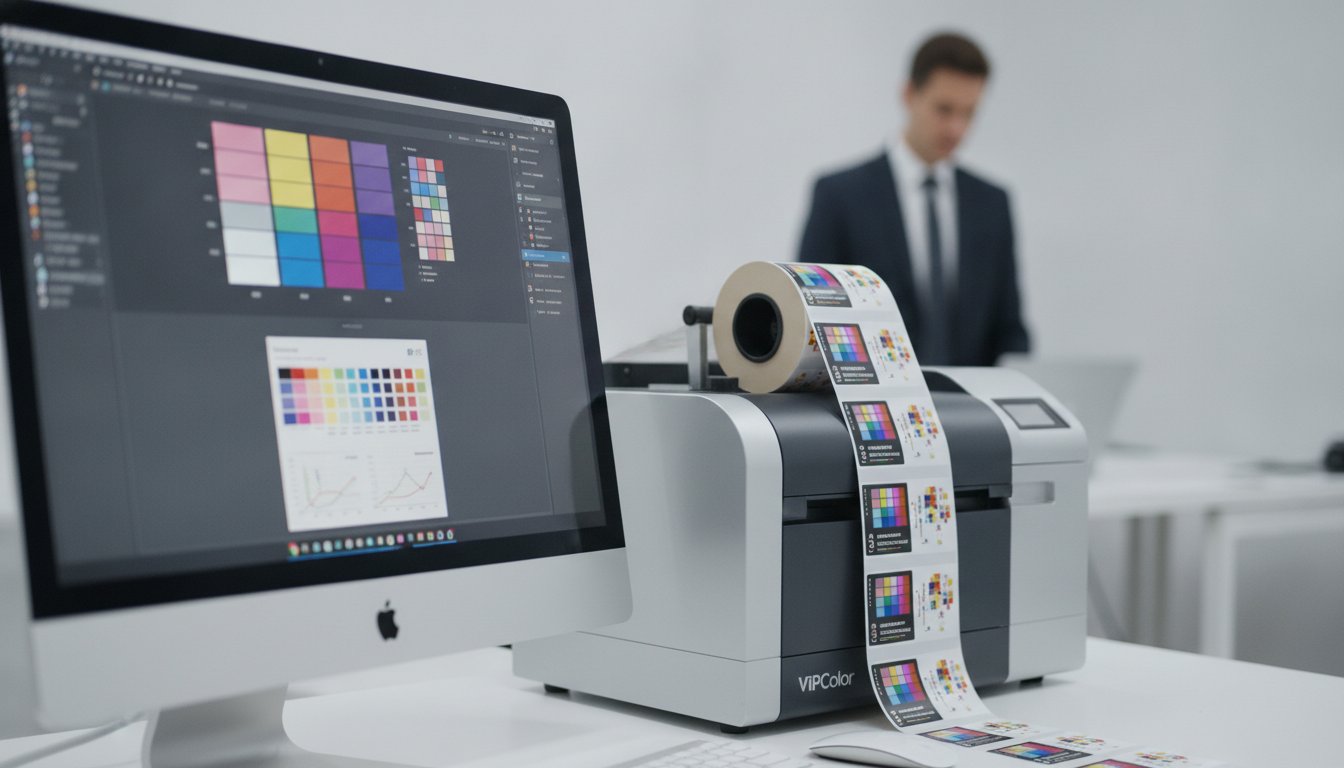
Why does the vibrant 1600 dpi design on your monitor look dull and washed out once it hits the printer? It's a common frustration for many business owners who realize that their hardware is only as good as the digital instructions it receives. If you're struggling with color mismatch or software lag during high-volume runs, you aren't alone. Finding the right label software for vipcolor printers is the only way to bridge the gap between a digital file and a professional, shelf-ready product.
We agree that you shouldn't have to fight your software to get accurate CMYK results or set up complex variable data for barcodes. You invested in a VIPColor VP series printer for its speed and precision, so your design tools should keep up, not slow you down. This guide will show you exactly how to unlock the full potential of your 1600 dpi hardware. We'll preview the latest 2026 updates for industry leaders like BarTender 12.3 and NiceLabel 10.5, helping you choose the best solution for seamless integration and efficient production.
Key Takeaways
- Learn how professional software acts as the "brain" of your printer to ensure high-speed performance without system lag.
- Compare top-rated options like BarTender and NiceLabel to find the best label software for vipcolor printers based on your specific workflow.
- Discover how to use ICC profiles and advanced color management to eliminate frustrating mismatches between your screen and your printed labels.
- Master variable data printing techniques to automate complex tasks like serialized barcodes and expiration dates with total accuracy.
- Understand the critical link between your software settings, genuine VIPColor ink, and specialized inkjet labels for the highest quality results.
What is Label Software for VIPColor Printers and Why Do You Need It?
Professional label software for vipcolor printers is a specialized suite of tools built to communicate directly with Memjet and inkjet engines. While it's tempting to use standard graphic design programs like Photoshop or Illustrator, these tools aren't built for industrial production. They often create massive raster files that overwhelm a printer's memory, leading to "stuttering" during high-speed runs. Dedicated software ensures that the data flows smoothly, allowing your printer to maintain its rated speed without pausing to buffer complex graphics.
To understand the hardware foundations of these machines, it's helpful to look at What is a Label Printer? and how different technologies handle media. For VIPColor users, the software acts as the "brain" that manages everything from barcode serialization to regulatory compliance. If you're printing thousands of labels with unique serial numbers or expiration dates, you need a system that can generate that data on the fly. Professional software handles these tasks effortlessly, ensuring your barcodes meet the latest GS1 General Specifications updated in early 2026.
Native Drivers vs. Generic Windows Drivers
Using a native driver is essential for getting the best performance out of models like the VIPColor VP700 or VP750. A native driver is the direct translator between design software and Memjet printheads. Generic Windows drivers often strip away advanced features or limit data throughput, which can significantly drop your print speed. When you use a native driver provided by professional software, you ensure that the printer receives instructions in its own "language." This allows for faster processing of high-resolution images and more reliable communication between your computer and the hardware.
Unlocking VIPColor's High-Resolution Potential
The standout feature of the VIPColor VP series is its incredible 1600 x 1600 dpi resolution. However, managing that level of detail requires software that won't crash under the weight of high-density files. Professional label software for vipcolor printers uses advanced processing to handle these files efficiently. This precision is vital for edge-to-edge printing on die-cut labels, where even a tiny misalignment can ruin a batch.
Consistency is another major factor. By using professional software, you can manage CMYK color profiles to ensure your brand colors remain identical across every print run. When you pair this software with high-quality inkjet labels and genuine VIPColor ink cartridges, you eliminate the guesswork. The result is a crisp, vibrant label that looks exactly like the design on your screen, every single time.
Key Features to Look for in VIPColor Label Software
Selecting the right label software for vipcolor printers isn't just about aesthetics; it's about operational efficiency. Your printer is capable of incredible speeds, but the wrong software can act as a bottleneck. You need a solution that offers a balance between professional-grade power and a user-friendly, drag-and-drop interface. This ensures your team can design and print without needing a degree in graphic arts. The best tools minimize "time to first label," ensuring your VP series printer starts spitting out high-quality work the moment you hit print.
Many buyers overlook how software influences ink costs. High-quality label software for vipcolor printers provides precise color control and spot color replacement. This prevents your printer from over-saturating labels with unnecessary ink layers. By managing ink density through the software, you can significantly lower your cost per label. It's a simple way to improve your return on investment while maintaining the premium look your customers expect.
Color Accuracy and ICC Profiles
Color consistency is the hallmark of a professional brand. To achieve this, your software must support ICC profiles. These profiles act as a map, telling the printer exactly how to reproduce colors on specific inkjet labels. Without this, your vibrant red might look orange on one roll and maroon on the next. Precise color mapping also reduces waste by getting the print right on the first try. Using genuine VIPColor ink cartridges alongside these profiles ensures your digital designs translate perfectly to physical labels every time.
Automation and Batch Printing
Automation is where modern software truly shines. Instead of manually typing in product details, look for dynamic data integration. This allows you to connect your designs directly to Excel spreadsheets or SQL databases. It's particularly useful for staying compliant with GS1 barcode standards, which are essential for global retail and logistics. Batch printing features allow you to handle multiple SKUs in a single run, reducing downtime between jobs. This print-on-demand approach eliminates the need to store thousands of pre-printed labels that might become obsolete if regulations change. If you're unsure which feature set fits your current production volume, you can reach out to our support team for a personalized recommendation.
Comparing Top Software Options: BarTender, NiceLabel, and Teklynx
Most ranking pages only push a single software brand. We take a different approach. Choosing the right label software for vipcolor printers requires matching the digital "brain" to your specific production workflow. Whether you're running a single VP500 or a fleet of VP750 machines, the software you choose determines how easily your team can handle daily tasks. As of July 2026, the market has shifted toward subscription models, making it easier to stay updated with the latest security and driver features.
BarTender for VIPColor Users
BarTender 12.3, released in May 2026, remains the most popular choice for Windows-based environments. It's built for speed and reliability, especially when designing complex barcodes or RFID tags. We frequently recommend BarTender Professional Software for VP700 users because of its legendary ease of use. Small to medium-sized teams love the intuitive interface. It allows them to move from a blank template to a finished 1600 dpi label in minutes. For businesses planning for the long term, a three-year subscription for BarTender Professional currently costs $758.97, providing a stable budget for multi-printer setups.
Loftware NiceLabel: The Modern Alternative
If your staff is already comfortable with Microsoft Office, Loftware NiceLabel 10.5 is a natural fit. It features a modern interface that reduces the learning curve for new employees. The software uses an "all-in-one" print mask, which combines the design template and print preview into a single screen. This layout is a lifesaver for high-speed variable data printing on the VP750, as it helps operators spot errors before they waste expensive media. It's important to note that Loftware has transitioned to a subscription-only model. A yearly subscription for NiceLabel Designer Pro, supporting up to three printers, is approximately $516.00.
Teklynx: Industrial Strength and Flexibility
Teklynx continues to serve industrial environments with its 2025 editions of CODESOFT and LABELVIEW. These tools are highly specialized for manufacturers who need deep driver integration and robust data management. Unlike some competitors, Teklynx still offers a choice in licensing. You can opt for a one-year subscription of LABELVIEW Pro at $246.27 or choose a perpetual license for $603.84. This flexibility is ideal for companies that prefer to own their software outright rather than managing monthly payments. Regardless of which brand you choose, using professional software ensures you can maximize the ROI of your VIPColor hardware through better ink management and faster production cycles.

Optimizing Variable Data Printing (VDP) for High-Speed Production
Variable Data Printing (VDP) is the engine that drives modern industrial labeling. It's the "killer app" for your hardware because VDP allows businesses to change label content without stopping the printer. If you're using high-speed Memjet technology, like the VIPColor VP550, VDP is what keeps your production line moving. Without it, your printer would spend more time waiting for data than actually applying ink to the media.
Poorly optimized software often causes a "stuttering" effect. This happens when the computer tries to send a completely new, heavy graphic file for every single label. High-quality label software for vipcolor printers solves this by sending a static background template to the printer's memory just once. The software then only updates the specific variable fields, like lot numbers or expiration dates, as the labels pass through. This keeps the data stream light and ensures your printer maintains its top rated speed without pauses or buffering delays.
VDP and Regulatory Compliance
Compliance is non-negotiable in sectors like food, beverage, and chemicals. Whether you're managing FDA requirements or nutritional labeling, you need total precision. For those in the chemical industry, check out our GHS Label Printer Essentials for more context on meeting 2026 safety standards. Using professional software ensures that every label in a 1,000-unit run contains unique, accurate data. This level of automation eliminates the risk of human error that comes with manual data entry.
Database Connectivity Simplified
Manual data entry is a recipe for disaster. Most businesses can reduce their data entry time by up to 90% through automated field mapping. By connecting your label software for vipcolor printers directly to Excel, CSV files, or your existing ERP system, you ensure that the information on the label matches your records exactly. This seamless link is vital for inventory tracking and global retail logistics. It allows you to pull live data for serialized barcodes and batch numbers without any manual typing. If you need help setting up these connections for your specific production environment, you can talk to our technical experts today for a personalized walkthrough.
Implementation: Getting Started with VIPColor Software and Supplies
Implementing new label software for vipcolor printers is the final step in perfecting your in-house production line. It's not just about the code on your computer screen. It's about how that software interacts with your physical materials. You need to ensure your software settings are perfectly synced with high-quality inkjet labels to avoid ink bleeding or dull, washed-out finishes. When the digital instructions and the physical media are in harmony, you get the professional results your brand deserves.
We always recommend starting with trial versions of any software you're considering. Most major developers offer a limited window to test their tools. This allows you to verify that the drivers work perfectly with your specific VIPColor model before you commit to a long-term subscription. Testing also helps you confirm that your database connections are stable and that your barcodes scan correctly on the first try, saving you from wasting expensive media on a botched run.
Color accuracy depends heavily on your choice of supplies. Using genuine VIPColor ink cartridges is the only way to guarantee that the ICC profiles in your label software for vipcolor printers produce the intended results. Third-party inks often lack the specific chemical composition required by Memjet printheads. This can lead to clogged nozzles, inconsistent branding, and a higher cost of ownership over time due to hardware maintenance.
Matching Software to Your Label Media
Your software's print driver includes specific media settings that change how the printer behaves. For example, selecting a 'Gloss' setting tells the printer to adjust ink saturation for non-porous surfaces. If you use a 'Matte' setting on gloss media, the ink may not dry properly, leading to smudges across your entire batch. Always double-check that your software template dimensions match your physical VIPColor VP700 labels. Even a tiny 1/16th inch difference can cause your design to drift off the edge of the die-cut over a long print run, leading to significant alignment issues.
The DuraFast Advantage for VIPColor Owners
DuraFast Label Company supports North American businesses by acting as a specialized partner for both hardware and software. We don't just sell boxes; we help you find the "brain" that fits your "body." By bundling your software with the correct media and ink, we provide a turnkey solution that works right out of the box. This holistic approach saves you time and reduces the frustration of troubleshooting mismatched components from different vendors. Contact DuraFast Label Company today for a VIPColor software consultation!
Elevate Your Label Production Today
Your VIPColor printer is a powerhouse of speed and resolution, but it needs the right digital partner to shine. By choosing the best label software for vipcolor printers, you eliminate technical bottlenecks and unlock the full 1600 dpi potential of your hardware. We've explored how professional tools like BarTender and NiceLabel manage complex variable data to keep your production lines moving without stuttering. The right choice ensures your barcodes remain compliant and your brand colors stay vibrant across every single roll.
As an authorized dealer for BarTender and Loftware, DuraFast Label Company specializes in high-speed inkjet production. We offer expert North American support and fast shipping to ensure you have the software and supplies needed for a turnkey solution. Don't let software limitations slow down your business growth or compromise your print quality. Our team is ready to help you match the perfect "brain" to your printer's "body."
Shop Professional Label Design Software for VIPColor Printers and start optimizing your production today. We're here to help you achieve professional results with ease and confidence.
Frequently Asked Questions
Does VIPColor software work with Windows 11?
Yes, the latest versions of professional labeling suites are fully compatible with Windows 11. Software developers like Seagull Scientific and Loftware release regular updates to ensure their drivers communicate perfectly with the modern Windows architecture. This ensures your VP series printer remains stable and responsive. Using an updated operating system alongside current software allows you to take advantage of the latest security features and faster data processing speeds.
Can I use standard office software or basic design apps with a VIPColor VP700?
While basic office applications can technically send a print job to the VP700, they aren't built for industrial production. These programs lack the native driver communication required to handle high-resolution files without causing the printer to pause or buffer. Professional label software for vipcolor printers ensures that your hardware runs at its intended speed while maintaining perfect alignment on die-cut media. This prevents wasted ink and ruined labels that often occur with non-specialized software.
What is the difference between BarTender Free and BarTender Professional for VIPColor?
The main difference is that BarTender Professional allows for live database connectivity and automated serialization. The Free version is limited to static designs where you must manually type in every piece of information. Professional users can link their labels to Excel or SQL databases, which is essential for printing unique serial numbers or lot codes at high speeds. This automation is the key to maximizing the return on your VIPColor hardware investment.
Does VIPColor software support Mac OS?
Native support for Mac OS is currently very limited in the industrial labeling space. Most specialized design and print management tools are built exclusively for Windows to ensure deep integration with printer hardware. While some designers use Mac-based creative apps to build the initial artwork, the actual print management should happen on a Windows workstation. This setup provides the most stable connection and ensures all variable data features work as intended.
How do I connect my VIPColor printer to an Excel database for label printing?
You connect your printer to Excel by using the database integration tool within your design software. This process involves selecting your spreadsheet as a data source and then dragging specific columns onto your label template. Once the link is established, the software pulls the data automatically during the print run. This eliminates the need for manual data entry and ensures that every product label matches your internal records exactly.
Do I need a separate RIP software for color matching on my VIPColor printer?
Most users don't need a separate RIP software if they use a professional labeling suite with built-in ICC support. Modern drivers for the VP series handle color mapping very effectively on their own. By using the ICC profiles provided with your software, you can achieve vibrant and accurate brand colors without the high cost of a dedicated Raster Image Processor. This keeps your workflow simple while still delivering professional, shelf-ready results.
Can I print GHS-compliant labels using BarTender on a VIPColor VP750?
Yes, the combination of BarTender and the VP750 is a standard for GHS compliance. The software provides the necessary design tools for red-bordered pictograms and specific warning statements required by international regulations. Since the VP750 uses pigment-based inks, the labels remain legible even when exposed to moisture or harsh chemicals. This allows you to produce durable, compliant labels in-house without the long lead times of a commercial print shop.
How often should I update my VIPColor printer drivers and software?
We recommend checking for software and driver updates twice a year to maintain peak efficiency. These updates often resolve minor communication glitches and optimize ink consumption for newer media types. Staying current with your label software for vipcolor printers also ensures you have the latest security patches for your production network. It's a simple maintenance step that keeps your hardware running smoothly and prevents unexpected downtime during busy production cycles.