Best Portable Barcode Printers for 2026: A Professional Roundup and Selection Guide
16th Jun 2026
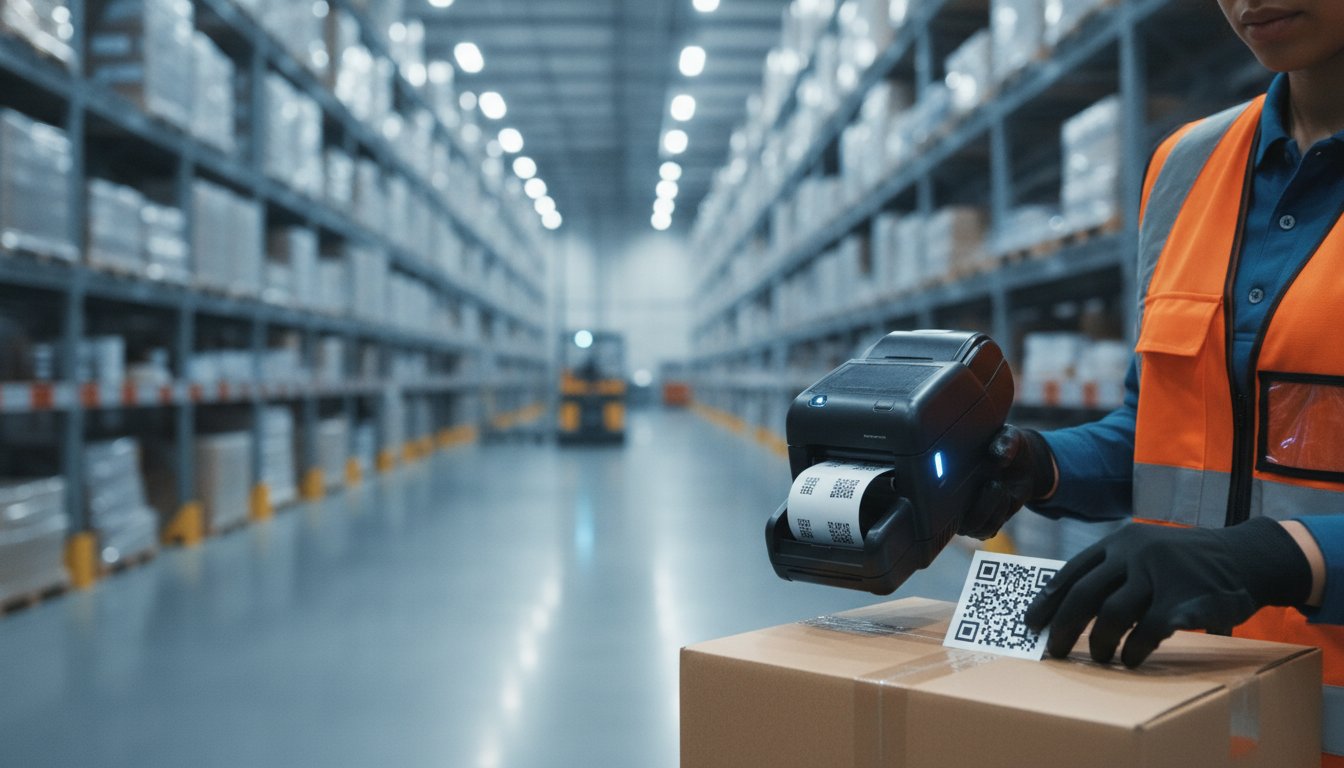
How many miles do your warehouse workers walk every day just to fetch a single label from a stationary desk? It's frustrating to watch productivity slip away because of "travel waste," especially when mislabeled items start piling up at the shipping dock. You need a reliable portable barcode printer that keeps up with the pace of your business without breaking the first time it hits the concrete floor. We understand the challenge of finding a unit that's actually rugged enough for the field while still playing nice with your existing mobile devices.
You're right to be cautious about your next hardware investment. With GS1 pushing for a full transition to 2D barcodes by 2027, the hardware you choose today needs to be ready for the standards of tomorrow. This guide simplifies your decision by highlighting the top-rated mobile printing solutions for 2026. We'll show you how to choose hardware that reduces labeling errors by printing at the point of application. You'll learn how to find a durable solution that integrates seamlessly with your current WMS software, ensuring your team stays fast, accurate, and efficient.
Key Takeaways
- Match your label technology to your environment by understanding the trade-offs between Direct Thermal and Thermal Transfer printing.
- Select a portable barcode printer with the right IP rating and battery management to withstand a full shift in demanding conditions.
- Compare top-tier mobile models from Zebra and Brother to identify which hardware fits your specific workflow requirements.
- Reduce labeling errors and improve worker productivity by implementing industry-specific printing strategies at the point of application.
- Protect your hardware investment by choosing the right consumables and professional design software like BarTender.
Table of Contents
-
Understanding Portable Barcode Printer Technology: Direct Thermal vs. Thermal Transfer
-
Key Features to Evaluate Before Purchasing a Mobile Label Printer
-
Top Portable Barcode Printers for 2026: Brands and Series Roundup
-
Selecting the Right Mobile Printer for Your Specific Industry
Understanding Portable Barcode Printer Technology: Direct Thermal vs. Thermal Transfer
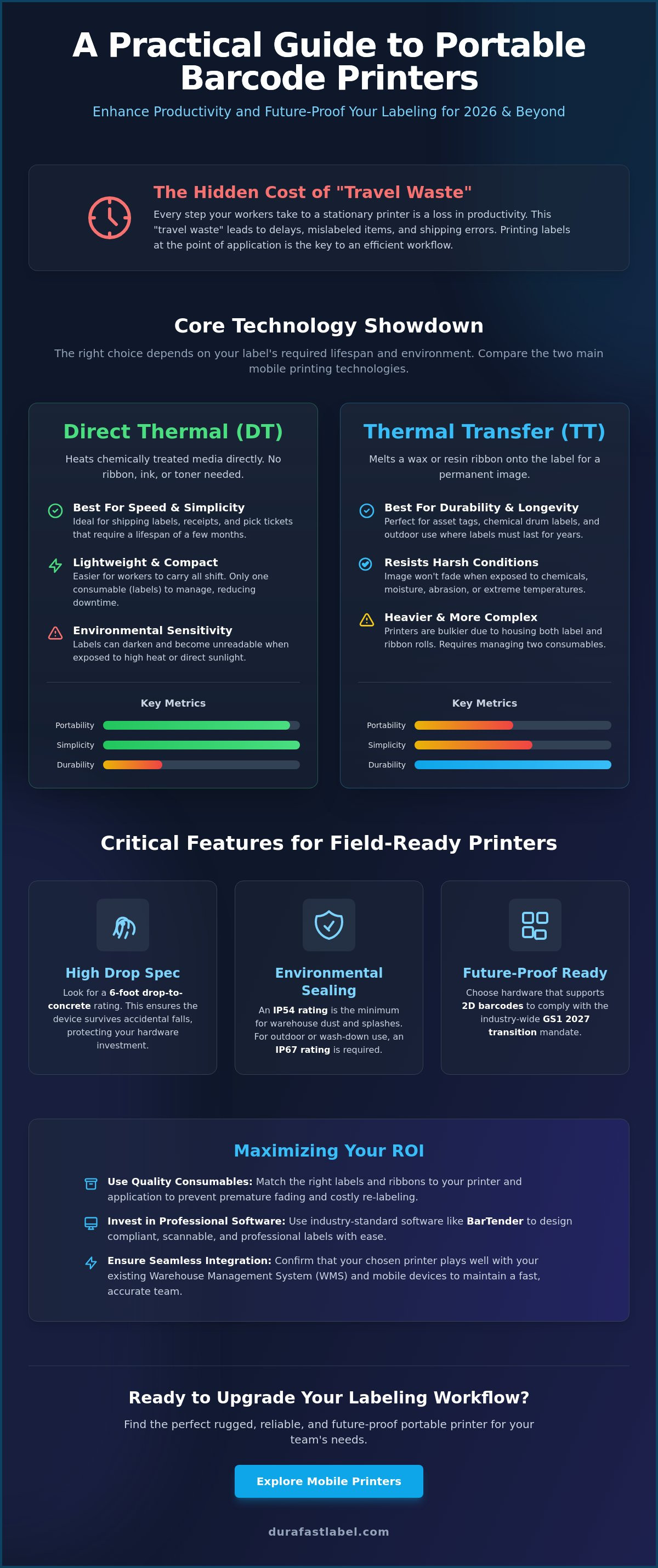
Choosing a portable barcode printer starts with a simple question: How long does your label need to last? Most mobile units on the market today rely on one of two primary technologies. A Barcode printer creates images by either applying heat directly to specialized paper or by melting a ribbon onto the label surface. Understanding the difference between these methods is the first step toward building an efficient mobile ecosystem.
Direct Thermal: The Standard for Logistics and Retail
Direct thermal (DT) printing is the most popular choice for mobile workflows. It uses a chemically treated, heat-sensitive media that turns black when it passes under the heated printhead. Since these units don't require ink, toner, or ribbons, they're significantly lighter and more compact. This makes them the ideal direct thermal label printers for workers who wear their devices on a belt for an entire shift.
The primary advantage here is simplicity. Your team only needs to carry one type of consumable: direct thermal labels. This reduces downtime because there are no ribbons to jam or replace in the field. However, DT labels are sensitive to environmental factors. Exposure to high heat or direct sunlight will cause the label to darken, which can make the barcode unreadable. They're perfect for shipping labels, receipts, and pick tickets that only need to last for a few months.
Thermal Transfer: When Durability is Non-Negotiable
Thermal transfer (TT) mobile units are less common but indispensable for specific industrial tasks. These printers use a heated printhead to melt a wax or resin coating from a thermal ribbon onto the label. This creates a permanent, crisp image that won't fade when exposed to chemicals, moisture, or extreme temperatures. If you're labeling assets in an outdoor yard or marking containers in a chemical warehouse, you'll need the resilience of thermal transfer label printers.
While TT ribbons ensure your barcodes stay scannable for years, the hardware is naturally bulkier. The printer must house both the label roll and the ribbon spindles, which adds weight. You'll also need to manage the inventory of two different consumables to keep the printer running. Despite the extra bulk, the trade-off is a label that remains scannable in the harshest conditions.
Weight and Cost Trade-offs
When you evaluate a **portable barcode printer **, consider the physical burden on your staff. DT printers are almost always sleeker and easier to carry. A TT unit adds noticeable weight, which can lead to fatigue over an eight-hour shift. From a cost perspective, DT media carries a higher price per roll than standard paper, but you save money by not purchasing ribbons. Thermal transfer requires more complex inventory management, but it prevents the high cost of re-labeling items that have faded in the sun.
Key Features to Evaluate Before Purchasing a Mobile Label Printer
Success with a portable barcode printer depends on more than just the print head. It requires a device that can survive the physical demands of your specific workspace. Research into mobile printing in the warehouse shows that portability significantly boosts productivity, but only if the hardware remains operational. You must look past the spec sheet to find a tool that balances weight with industrial-grade protection.
The Importance of Drop Specs and IP Ratings
Fumbles happen. A 6-foot drop spec indicates that the printer has been tested to survive multiple falls onto concrete. Investing in a unit with high drop resistance protects your replacement budget from the costs of frequent hardware failures. Beyond falls, you must consider environmental sealing. Ingress Protection (IP) ratings define how well the device keeps out dust and moisture. An IP54 rating serves as the essential enterprise minimum for standard warehouse environments. If your team works outdoors in the rain or in heavy wash-down areas, look for an IP67 rating to ensure the internals stay dry and functional.
Connectivity: Beyond Simple Bluetooth
Reliable data transmission is the backbone of mobile labeling. Older wireless standards can lead to dropped connections and worker frustration. Look for these modern connectivity features:
-
Bluetooth 5.0: This version provides superior battery efficiency and significantly better range than previous iterations.
-
802.11ac Wi-Fi: High-speed Wi-Fi is critical for seamless roaming in large facilities. It ensures the printer stays connected as workers move between access points.
-
NFC Tap-to-Pair: Near Field Communication allows workers to pair their mobile devices with the printer instantly. This simple feature drastically reduces IT support tickets related to connectivity issues.
Battery life is the final piece of the puzzle. A portable barcode printer should comfortably last an entire eight-hour shift on a single charge. Many modern units feature smart batteries that report their own health status. This allows your team to swap out aging batteries before they fail in the middle of a busy workday. Finally, consider your media width. While 2-inch and 3-inch models are lighter, 4-inch printers provide the flexibility needed for standard shipping labels and detailed compliance tags. If you need help determining which width is right for your software, reach out to our team for a professional recommendation.
Top Portable Barcode Printers for 2026: Brands and Series Roundup
Finding the right portable barcode printer requires looking past the brand name to see how the hardware handles your specific daily tasks. Some series focus on surviving 6-foot drops, while others prioritize how easily they connect to your tablet or handheld scanner. We've narrowed down the field to the most reliable series for 2026. Each brand offers distinct advantages in battery management, ruggedness, and software integration.
Enterprise Leaders: Zebra and Honeywell
Zebra continues to lead the pack with its ZQ600 Plus Series. The Zebra ZQ630 Plus is the go-to choice for 4-inch shipping and pallet labels. It's known for its bright color display and intuitive menus that reduce worker frustration during setup. This series integrates seamlessly with most warehouse management systems, making it a safe bet for large-scale operations. It uses high-quality direct thermal labels to produce crisp barcodes that scanning hardware can read on the first try.
Honeywell offers a powerful alternative with the RP4f. This unit is specifically designed for extreme temperatures. It stays operational in freezing cold or sweltering heat, making it a favorite for direct-store-delivery drivers who move between a climate-controlled cab and the outdoor elements. When you're managing dozens of units, software matters. Zebra's management tools allow for remote configuration across your entire facility. Honeywell focuses on device health analytics. This helps you spot a failing battery or a worn-out printhead before it actually stops a worker's shift.
Versatility and Value: Brother and TSC
Brother provides excellent versatility with the RuggedJet 4250WB. It's fast, durable, and comes with strong connectivity options like Wi-Fi and Bluetooth. Brother is also well-regarded for its industry-leading warranties, which provide peace of mind for businesses with high hardware turnover. If you need full-page documents in the field, the Brother PocketJET is a specialized thermal solution. It prints A4-sized sheets without ink, which is perfect for field service technicians who need to hand over professional invoices on the spot.
For smaller operations, the TSC Alpha Series offers a budget-friendly way to get started with mobile labeling. These units are light enough for all-day use in retail environments. They don't have the heavy-duty armor of the industrial models, but they provide reliable performance for light-duty tasks. Specialized needs often lead to brands like Seiko. The Seiko MP-A40 is a rugged receipt and label printer with Bluetooth that fits easily into tight retail spaces. These options are perfect for healthcare or markdown labeling where a smaller footprint is essential. Whether you choose an enterprise leader or a value-driven model, ensure your hardware matches your software and media requirements.
Selecting the Right Mobile Printer for Your Specific Industry
One size rarely fits all in the world of mobile labeling. The best **portable barcode printer ** for a retail store might fail within hours in a heavy industrial yard. To maximize your return on investment, you must align the hardware specs with the specific environmental and regulatory demands of your sector. Understanding where and how your team will use the device is just as important as the print speed itself.
Optimizing Warehouse Workflows
In logistics, time is the most expensive resource. Every step a worker takes back to a central desk to fetch a label is wasted money. By equipping your team with mobile units, you can print receiving or cross-docking labels exactly where the pallet sits. This eliminates "travel waste" and significantly reduces the chance of applying the wrong label to a shipment. While you can explore our industrial barcode printers for your high-volume stationary needs, mobile units are the key to improving throughput on the warehouse floor.
Healthcare and Retail Precision
Healthcare environments present a unique challenge: hygiene. Standard plastic housings can crack when exposed to the harsh cleaning chemicals used in hospitals. Healthcare-grade printers are built with disinfectant-ready plastics that withstand frequent wipedowns. These devices are vital for printing patient wristbands and specimen labels at the bedside. This ensures patient safety by keeping the "point of application" as close to the patient as possible.
Retailers use mobility to win at the shelf edge. Markdown accuracy depends on being able to scan an item and print a new price label instantly. For premium shelf displays or color-coded promotions, you can view our selection of inkjet labels to complement your black-and-white mobile output. Printing directly at the point of sale ensures that the price the customer sees matches the system price, reducing friction at the checkout counter.
Field Service and Utilities
Field service technicians often work in unpredictable weather. Rain, dust, and mud are constant threats to sensitive electronics. For utilities and outdoor maintenance, choosing a unit with a high IP rating is the only way to prevent constant hardware replacements. These rugged devices ensure that even in a storm, your team can generate professional service tags or compliance labels without skipping a beat. If you're unsure which hardware fits your specific environmental requirements, contact our experts for a tailored hardware assessment today.
Maximizing ROI: Consumables, Software, and Maintenance
Buying a portable barcode printer is a significant investment, but the hardware is only one part of the equation. To get the best return on your money, you must look at the total cost of ownership. This includes the labels you load, the software that drives the print jobs, and the care you provide to the device. A well-maintained mobile ecosystem doesn't just last longer. It also runs more efficiently, preventing the hidden costs of downtime and misprints.
High-Quality Consumables: The Lifeblood of Your Printer
It's tempting to save a few dollars by buying generic labels. However, mobile printers are far more sensitive than their desktop counterparts. They operate in dusty environments where debris can easily enter the small media bay. Cheap labels often suffer from "adhesive bleed," where glue oozes from the edges and gums up the internal rollers; this causes jams and forces the motor to work harder, eventually leading to premature failure. High-quality media is designed with cleaner edges and better thermal coatings that protect your equipment.
Using premium media protects the delicate printhead from abrasion. You should shop direct thermal labels that are specifically designed for the high-heat, high-speed requirements of mobile units. If you've opted for a thermal transfer model for long-term durability, you also need high-grade ribbons that won't flake or snap in the field. You can browse Zebra-compatible ribbons to ensure your barcodes remain crisp and scannable for the life of the product.
Software Integration with BarTender
Even the best hardware is useless without a reliable way to design and trigger labels. BarTender Professional has become the industry standard for mobile teams because it bridges the gap between your database and the printer. Workers can use mobile apps to trigger complex print jobs directly from their smartphones or tablets. This eliminates the need to carry a laptop or return to a stationary workstation to update a record.
BarTender Professional software reduces labeling errors through automation.
Routine Maintenance and Scalability
Don't ignore routine cleaning. In a warehouse or retail backroom, dust is the primary enemy of the printhead. A quick maintenance routine can prevent 90% of common printing issues. Consider these simple steps:
-
Clean the Printhead: Use an isopropyl alcohol swab to remove residue every time you change a roll of labels.
-
Inspect the Rollers: Check for adhesive buildup or debris that could cause uneven feeding.
-
Update Firmware: Regularly check for manufacturer updates to improve battery management and wireless security.
Finally, think about how you'll manage your fleet as you grow. Modern portable barcode printer series allow for remote management. This means your IT team can push configuration changes or security patches to every unit in the building at once. This type of scalability ensures your mobile strategy remains secure and efficient as your business expands. By combining rugged hardware with professional software and high-quality media, you create a system that delivers reliable results for years. To complement your digital fleet management with secure, automated physical distribution of your devices and consumables, check out Logimatiq Système for their custom automated dispensing solutions.
Secure Your Mobile Printing Strategy for 2026
Choosing the perfect portable barcode printer is about matching high-performance hardware with your team's specific daily reality. You've seen how the right IP rating protects your budget from accidental drops and how point-of-application printing eliminates unnecessary walking. Whether you need the simplicity of direct thermal or the rugged durability of thermal transfer, your choice today will dictate your efficiency for years to come. It's a functional business purchase that, when done right, transforms your entire workflow into a stress-free operation.
We're here to help you navigate these technical choices with ease. As an authorized dealer for Zebra, Brother, and Honeywell, we specialize in high-performance thermal consumables and provide expert North American technical support. Our goal is to strip away the complexity so you can focus on growing your business. Don't let technical confusion or fragile equipment slow your team down. Browse our full selection of portable barcode printers and accessories today to find the ideal fit for your specific workflow. We're ready to help you build a more productive and error-free future.
Frequently Asked Questions
What is the average battery life of a portable barcode printer?
Most professional mobile printers are designed to last between 8 and 12 hours on a single charge. This ensures your team can complete a full shift without searching for a charger or swapping batteries. Total battery life depends on the volume of labels printed and your wireless settings. Using power-saving modes and Bluetooth 5.0 can help stretch the runtime even further during busy workdays.
Can portable barcode printers print in color?
No, standard mobile units utilize thermal technology which is strictly monochrome. While we offer industrial color label printers for high-resolution product branding, portable models prioritize speed and durability for black-and-white barcodes. If you need color in the field, consider using pre-printed color labels with a mobile unit for variable data. This approach allows you to maintain professional branding while benefiting from mobile flexibility.
Do I need special labels for a mobile barcode printer?
Yes, you must use labels specifically designed for thermal printing and the physical dimensions of your device. Every portable barcode printer has a maximum roll diameter and specific core size requirement that differs from desktop models. You also need to choose between direct thermal and thermal transfer media based on your printer's internal mechanism to ensure the barcodes remain scannable and durable.
How do mobile printers connect to my warehouse management system (WMS)?
Mobile printers typically connect to your WMS through Bluetooth or Wi-Fi. Most enterprise systems use a mobile device or tablet as a bridge to send print jobs to the hardware. Modern units support Bluetooth 5.0 and 802.11ac Wi-Fi to ensure the connection stays stable as workers roam through large facilities. This seamless roaming is essential for maintaining productivity in warehouses with complex layouts.
What is the difference between a mobile receipt printer and a mobile label printer?
The primary difference lies in the internal sensors and the media they handle. Label printers include specialized sensors to detect the gaps or black marks between individual die-cut stickers. Receipt printers are designed for continuous rolls of paper and often lack the precision needed for accurate barcode alignment. If you try to use labels in a receipt printer, the text will likely drift off the edges.
Are portable barcode printers durable enough for outdoor use?
Yes, many models are built specifically for field service and outdoor utility work. You should look for a device with an IP54 or IP67 rating to ensure it can withstand rain, dust, and mud. These ruggedized units also feature reinforced housings and internal dampeners to survive multiple drops onto asphalt or concrete surfaces. They stay operational even when the weather conditions become unpredictable.
How much does a professional portable barcode printer cost?
The cost of a portable barcode printer depends on its ruggedness, print width, and wireless features. Enterprise-grade models represent a higher initial investment than basic receipt printers but offer significantly lower long-term costs. This is because they are built to survive industrial environments and require fewer hardware replacements. Investing in a durable unit helps you avoid the recurring expense of repairing fragile consumer-grade devices.
Can I print RFID labels with a mobile printer?
Yes, certain advanced mobile models are equipped with RFID encoders. These specialized devices allow you to print a barcode and encode an RFID chip simultaneously while moving through a warehouse or retail floor. This is particularly useful for real-time inventory management and tracking high-value assets in the field. It allows your staff to update your system without returning to a stationary encoding station.