Color Label Printer Comparison: Choosing the Best In-House Solution for 2026
14th Jul 2026
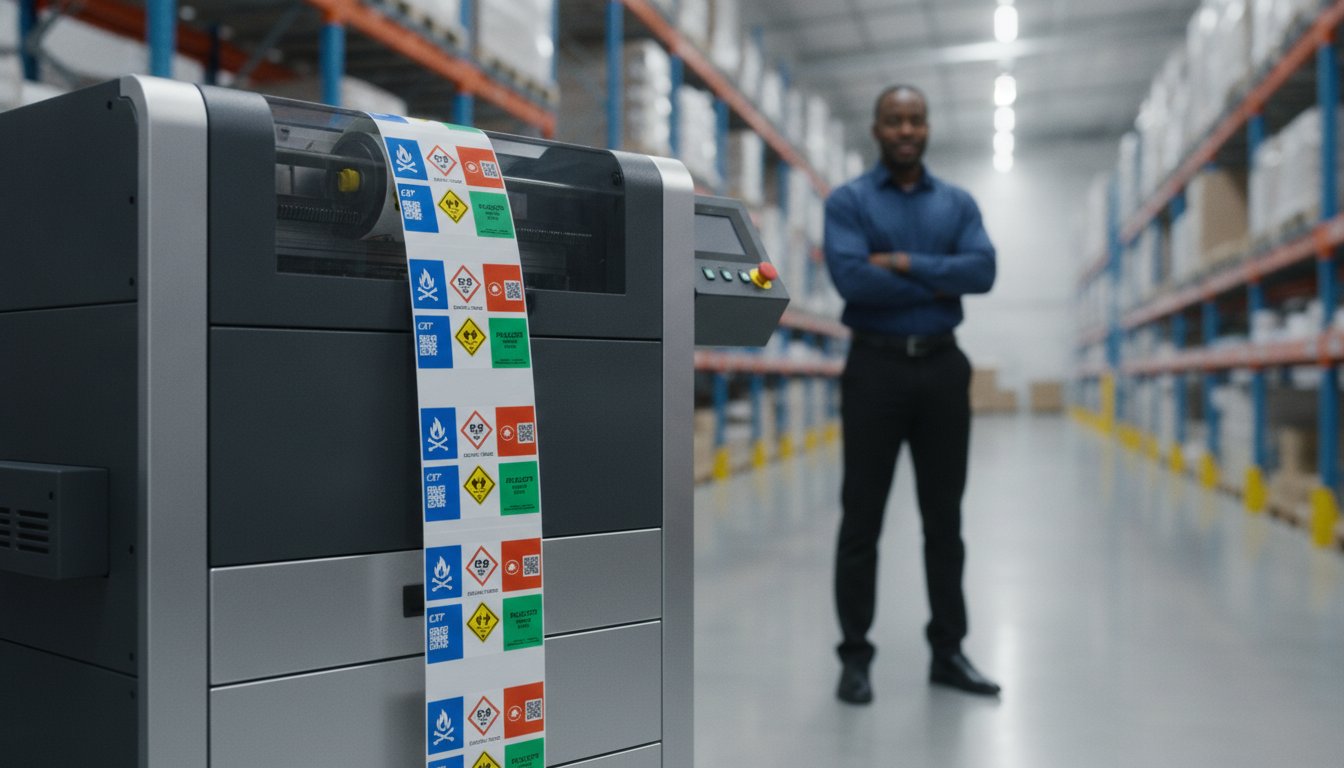
The cheapest color label printer on the shelf might be the most expensive mistake your shipping department makes this year. It's a common struggle; high ink costs eat into your margins while smudged labels cause delays in harsh environments. You're likely looking for a way to stop relying on outside print shops and start taking control of your own production. With the 2026 GHS compliance deadlines approaching for substances, having a reliable system in-house is a necessity for staying compliant and efficient.
This guide will help you master the technical differences between inkjet, memjet, and toner technologies to find the perfect color label printer for your business volume. You'll learn how to produce professional-grade, smudge-proof labels that significantly reduce your cost-per-label compared to outsourcing. We'll compare industry-leading solutions like the Epson ColorWorks C6000A and Afinia L801 to ensure you choose a machine that handles your specific durability needs without slowing down your shipping workflow.
Key Takeaways
- Master the technical differences between inkjet and memjet to ensure your hardware matches your production speed and volume requirements.
- Understand why ink chemistry is your most important decision when choosing a color label printer for durable, smudge-proof results.
- Learn how to calculate the Total Cost of Ownership by factoring in ink consumption and media costs over the next three years.
- Compare high-performance models like the Epson ColorWorks C6000 series and Afinia L801 to find the best fit for your specific environment.
- Discover how shifting to in-house production eliminates minimum order quantities and gives you full control over your label inventory.
Understanding Color Label Printer Technologies in 2026
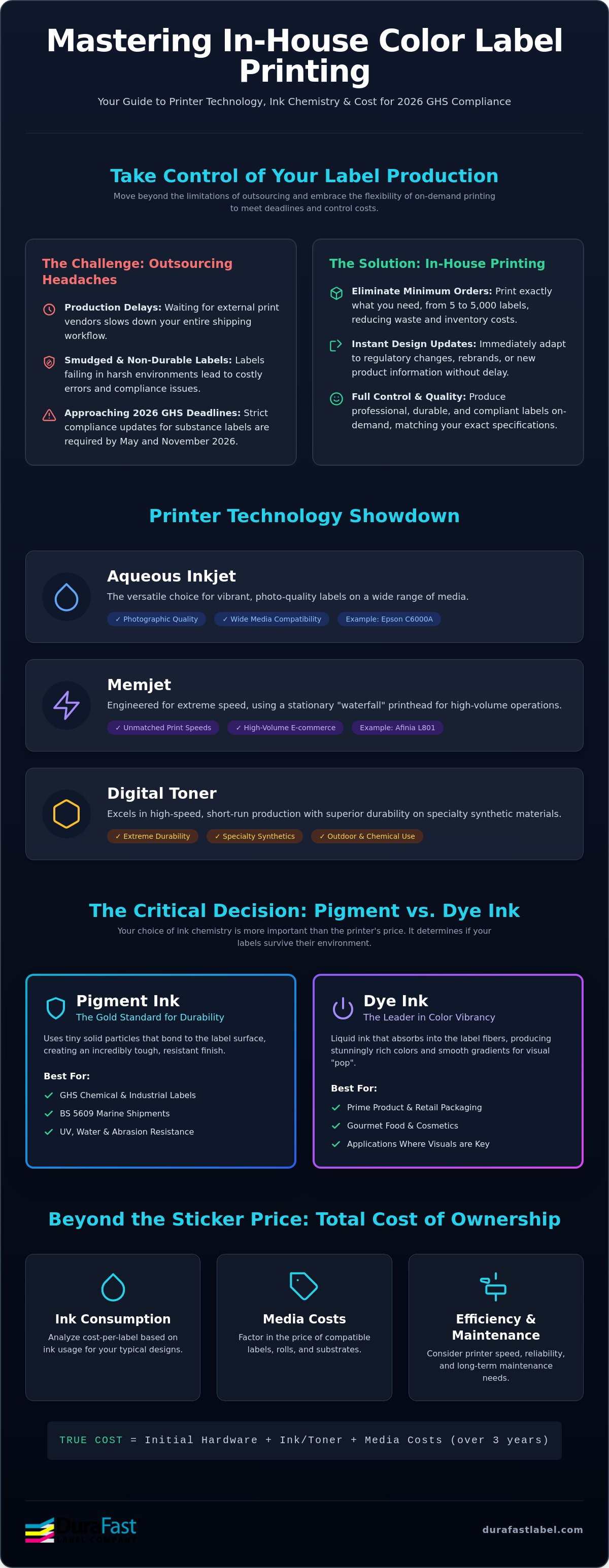
On-demand color label printing is the ability to produce high-quality, professional labels directly at your facility. This approach eliminates the traditional headache of minimum order quantities. You no longer have to buy 10,000 labels when you only need 500 for a seasonal product. 2026 is a critical year of flexibility for many businesses; manufacturers and distributors are facing strict GHS deadlines to update safety labels by May and November. Investing in a color label printer allows you to adapt to these regulatory changes instantly without wasting expensive old inventory.
Different Label printer technologies serve specific business needs. The three primary options you'll find today are aqueous inkjet, digital toner, and memjet. Each technology offers unique advantages for supply chain speed and inventory management. By moving this process in-house, you gain immediate control over design changes. If a barcode needs updating or a logo changes, you simply hit print. This speed keeps your shipping workflow moving and prevents delays caused by waiting for external print vendors.
Aqueous Inkjet vs. Digital Toner: Which Wins?
Aqueous inkjet systems, like the Epson ColorWorks C6000A, are often the best choice for businesses that need photographic quality and vibrant colors. These printers work exceptionally well on a wide range of inkjet labels. Digital toner systems are different; they excel at high-speed, short-run production on specialty synthetics. Toner is typically more durable for outdoor use or heavy chemical exposure. While inkjet setup is usually simpler for new users, toner models offer incredible versatility for those working with unique, non-paper materials.
The Rise of Memjet Technology for High-Volume Needs
Memjet technology uses a stationary printhead that spans the entire width of the label. This design creates a waterfall of ink that allows for incredible speeds without losing resolution. It's the ideal solution for high-volume e-commerce or food and beverage logistics where every second counts. A color label printer like the Afinia L801 uses this technology to keep high-demand shipping workflows moving. You'll need to consider maintenance, as stationary heads require regular cleaning to stay in top shape. However, the trade-off is a massive boost in daily output for busy warehouses that can't afford to wait on slow equipment.
Pigment vs. Dye-Based Inkjet: Matching Technology to Durability
Choosing the right ink chemistry is actually more important than the sticker price of your hardware. While many shoppers focus on the initial cost of a color label printer, the ink type determines if your labels survive their environment or turn into an unreadable mess. Pigment ink acts as the gold standard for physical durability and environmental resistance. In contrast, dye ink leads the market in color vibrancy and photographic depth. Your choice depends entirely on where your product will spend its life.
Specific industry requirements often make this decision for you. If your business handles hazardous materials, you must meet strict GHS criteria. The deadline for updating substance labels to meet new criteria is May 19, 2026. This requires pictograms that won't smudge or fade. Similarly, the BS 5609:2024 standard for marine shipments requires labels to withstand salt water and heavy abrasion. For these high-stakes applications, a pigment-based system is usually the only compliant path forward. While PCMag's top label makers for 2026 highlight many beautiful dye-based models, they are rarely built for the warehouse floor.
Pigment Ink for Industrial and Chemical Applications
Pigment ink uses tiny solid particles that sit on top of the label material. This creates a bond that's incredibly tough. It's the primary reason businesses choose to print Epson ColorWorks C6000A labels for industrial use. These labels resist UV fading, water exposure, and even chemical spills. When you pair this ink with DuraFast Matte Chemical Labels, you get a solution that handles the harshest environments without losing legibility. If you aren't sure which technology fits your specific chemical storage needs, you can speak with a labeling expert to get a customized recommendation.
Dye Ink for Retail and Prime Product Labeling
Dye ink is the best choice when visual "pop" is your top priority. Since it's a liquid that gets absorbed into the label fibers, it creates smooth gradients and deep, rich blacks. This is the technology that gives gourmet food and cosmetics their premium look. You'll see these stunning results when using Afinia L801 memjet labels. Just remember that dye ink has physical limits. It can smudge if it gets wet and may fade if your product sits in a sunny storefront window for months. It's perfect for short-lived retail items but less ideal for long-term outdoor storage.
Desktop vs. Industrial Color Label Printers: Scaling for Volume
How many labels do you actually print each day? This is the first question you should ask before investing in a color label printer. It isn't just about how fast the labels come out. It's about the duty cycle and how much the machine can handle before it needs a rest or a new roll of media. Desktop models are perfect for small batches of 500 labels. Industrial units are built for 24/7 reliability and can easily exceed 50,000 labels daily in a high-demand warehouse.
There's a hidden factor that often surprises new buyers. Larger industrial printers use much bigger ink cartridges. While the machine costs more upfront, the cost-per-label drops significantly because you aren't paying a premium for small, plastic cartridge housings. Over three years, the savings on ink often pay for the more expensive printer several times over. If you're printing thousands of labels a month, an industrial model is usually the most cost-effective choice for your bottom line.
The Desktop Tier: Flexibility for Small Batches
The Epson C4000 represents the perfect entry point for professional color. It's compact enough to fit on a desk but delivers the same pigment ink durability we discussed earlier. These models are ideal for testing new products or running limited editions. However, keep in mind the trade-offs. You'll deal with smaller ink tanks and more frequent media changes. Manual media handling works fine for 100 labels, but it quickly becomes a bottleneck if your shipping volume grows. It's a great starter tool for boutique retail and small business environments.
The Industrial Tier: Maximum Throughput and Efficiency
When you need to scale, you need a machine like the Epson ColorWorks C6000A. This series is designed to integrate directly into automated workflows. Features like auto-cutters and peel-and-present sensors are critical here. A peel-and-present sensor stops the printer after each label, waiting for the operator to take it before printing the next one. This prevents labels from piling up on the floor. For ultra-high-speed logistics, the Afinia L801 offers incredible throughput using memjet technology. These industrial color label printer solutions handle massive roll capacities, meaning your team spends less time reloading and more time shipping orders.
Total Cost of Ownership: Analyzing Ink, Media, and Efficiency
Evaluating a color label printer requires looking far beyond the initial purchase price. Most businesses focus on the sticker price, but the real expense reveals itself over the first three years of operation. You have to account for ink consumption, which varies wildly based on your design's color coverage. A label with a full-bleed background uses significantly more ink than one with a simple logo and black text. Choosing the right media also impacts your budget, as high-quality inkjet labels are engineered to hold ink efficiently and prevent bleeding.
Labor and waste are the final pieces of the financial puzzle. When you print on-demand, you spend less time managing inventory and more time shipping products. You don't have to wait for a vendor to deliver a rush order or pay premium shipping fees for last-minute changes. This immediate availability improves your supply chain speed and keeps your warehouse staff productive. Every minute saved on the production floor contributes directly to your bottom line.
Calculating Cost-Per-Label in 2026
The cost-per-label is the total sum of your ink, media, and operational overhead. Industrial models often feature high-capacity cartridges that significantly reduce this number, frequently paying for the hardware's price difference within the first 12 months. Don't fall into the 'cheap printer' trap. Many entry-level machines have a low purchase price but hide exorbitant ink costs that punish you with every print. If you're printing more than a few hundred labels a week, the color label printer with the higher upfront cost is almost always the smarter investment.
Reducing Waste with On-Demand Printing
Printing only what you need saves thousands by eliminating the cost of obsolete labels. When you outsource, you're often forced to buy thousands of units to get a decent price, only to throw them away when a regulation or design changes. In-house printing removes setup fees and plate charges entirely. For smaller operations, check out our guide on the Best Color Label Printers for Small Business to see which models offer the best efficiency. If you need help running the numbers for your specific volume, request a custom cost-per-label analysis today to see your potential savings.
Top Color Label Printer Recommendations for Every Business
Finding the right color label printer involves balancing your specific environment with your daily output goals. While we've discussed the math behind ink and media, the hardware itself must be reliable enough to handle your peak shipping seasons. For 2026, the market has consolidated around a few high-performance leaders that deliver consistent results for industrial, retail, and e-commerce applications. Choosing the wrong model can lead to maintenance bottlenecks, while the right one streamlines your entire production line.
The Epson ColorWorks Advantage
The Epson ColorWorks C6000A remains the top choice for industrial manufacturing. It's built to withstand warehouse conditions while producing GHS-compliant labels that won't fail during chemical exposure. To maintain this reliability, you should always use genuine Epson inks. These formulations are specifically designed for the PrecisionCore printhead to prevent clogs and ensure long-term head longevity. Most industrial users pair these printers with BarTender Professional Software. This allows you to automate your labeling workflows and pull data directly from your ERP system for error-free printing.
Afinia and VIPColor: High-Speed Alternatives
If your primary goal is speed, Memjet-powered solutions are the clear winners. The Afinia L801 and L901 are designed for massive e-commerce fulfillment where thousands of labels are needed in a single shift. These machines use a stationary printhead to achieve 'waterfall' speeds that standard inkjet models can't match. For those who need a balance of speed and ruggedness for retail environments, the VIPColor VP550 is an excellent choice. It handles high-quality prime labels with a durability that suits boutique food and beverage products. Memjet technology often provides the lowest cost-per-print in high-volume scenarios because of its efficient ink delivery system.
Final Decision Matrix
Which model fits your business? Use this quick guide to narrow your search:
- High-durability and GHS compliance: Epson ColorWorks C6000 series.
- Ultra-high-speed logistics and e-commerce: Afinia L801 or L901.
- Premium retail labels with water resistance: VIPColor VP550.
- Small batches and seasonal testing: Epson C4000.
Choosing the right color label printer doesn't have to be a complex process. By matching your ink chemistry to your environment and your hardware to your volume, you can build a reliable in-house solution that lasts for years. If you're ready to see these machines in action, test the durability on your own products by requesting a sample pack for your specific industry.
Take Control of Your Label Production in 2026
Mastering your in-house labeling starts with choosing technology that matches your specific environmental and volume needs. Whether you require the ruggedness of pigment ink for GHS compliance or the waterfall speed of memjet for e-commerce, the right color label printer will transform your workflow. You'll stop overpaying for outsourced minimums and start enjoying the flexibility of immediate design updates and reduced inventory waste. This shift gives your business the agility needed to handle regulatory changes and seasonal demands without the usual delays.
We're here to make this transition simple and stress-free. As an authorized Epson and Afinia Platinum Partner, we provide specialized in-house testing for label durability to ensure your solution meets your toughest requirements. We also offer national shipping across North America to keep your operations running smoothly. If you're ready to find the perfect fit for your business volume, contact our labeling experts today for a personalized recommendation. Taking charge of your own labels is a smart investment that pays dividends in efficiency and peace of mind.
Frequently Asked Questions
Is it worth buying a color label printer for a small business?
Yes, a color label printer is worth it for small businesses that need flexibility and low minimum orders. Instead of buying thousands of labels from a print shop, you can print exactly what you need on demand. This saves money on wasted inventory and allows you to update branding or regulatory information instantly. It's a smart way to maintain professional quality while keeping your overhead low.
What is the difference between inkjet and thermal label printers?
Inkjet printers use liquid ink to produce high-resolution, full-color images, while thermal printers use heat to create mostly monochrome text and barcodes. Thermal technology is best for shipping labels and simple logistics. Inkjet is the superior choice for prime product packaging where brand colors and photographic quality are essential for retail appeal. Each serves a specific purpose in your production line.
Which color label printer has the lowest ink cost?
Industrial models with high-capacity ink tanks typically offer the lowest cost-per-label. While the initial hardware investment is higher, machines like the Afinia L801 or Epson C6000 series use large cartridges that reduce the price of ink per milliliter. This makes them much more economical for businesses printing more than 2,000 labels per month compared to entry-level desktop units. Investing in a color label printer with larger tanks pays off quickly.
Can I print GHS-compliant labels with a standard color label printer?
You can print GHS-compliant labels only if your printer uses pigment-based ink and is paired with certified media. Standard dye-based printers won't pass the rigorous BS5609 durability tests required for chemical safety. To meet the May 2026 GHS deadlines, ensure your system is specifically rated for chemical resistance and environmental exposure. Using the wrong ink type can lead to non-compliance and safety risks.
Do I need special labels for an inkjet color label printer?
Yes, you must use labels specifically coated for inkjet technology to prevent the ink from smearing or bleeding. Standard paper or thermal labels won't absorb liquid ink correctly, resulting in poor image quality. Using high-quality inkjet labels ensures that colors remain vibrant and text stays sharp. This is especially true in environments with high moisture or frequent handling where durability is a top priority.
What is the fastest color label printer available in 2026?
The fastest printers available in 2026 utilize Memjet technology, such as the Afinia L901. These machines can reach speeds of up to 12 inches per second while maintaining high resolution. This technology uses a stationary printhead that covers the entire width of the label. It allows for rapid throughput that keeps high-volume e-commerce and logistics operations moving efficiently without the typical bottlenecks of slower hardware.
Can a color label printer also print barcodes and QR codes?
Yes, any professional color label printer can print high-resolution barcodes and QR codes. When you use integration software like BarTender, you can easily generate variable data codes for tracking and inventory management. The high resolution of these printers ensures that scanners can read the codes accurately. This remains true even when codes are printed in small sizes or as part of a complex color design.
How long do in-house printed color labels last before fading?
The lifespan of your labels depends on the ink and media combination you choose. Pigment-based labels can last for several years without significant fading, even when exposed to UV light or moisture. Dye-based labels are more prone to fading over time. They are better suited for short-term retail products that will be stored indoors and sold quickly. Always match your ink type to your product's expected shelf life.