Dye Inkjet Color Label Printer: The 2026 Guide to Vibrant Product Labels
16th Aug 2026
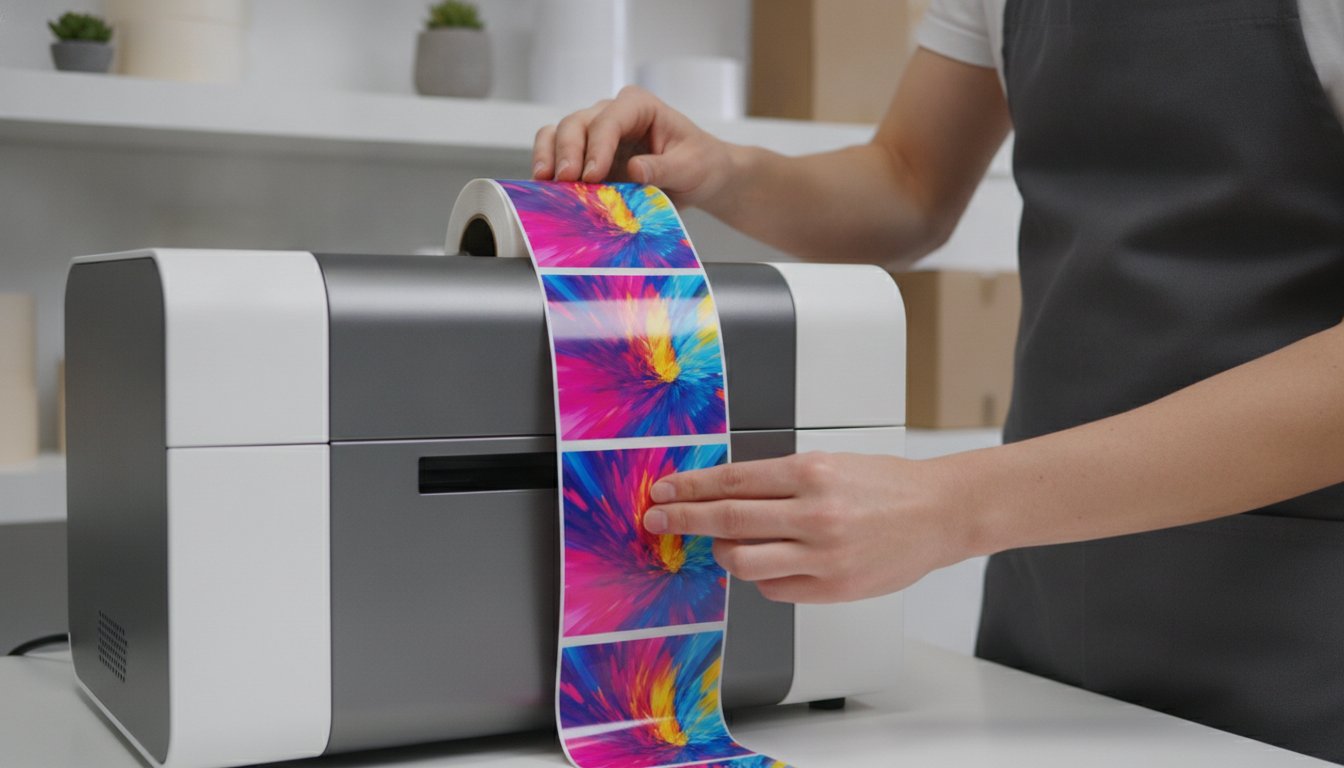
What if the only thing standing between your product and a premium shelf position is a few microns of ink? You already know that first impressions are everything on a crowded retail shelf. It's frustrating when outsourced labels arrive looking dull or grainy; it's even worse when those small batches cost more than the product inside the bottle. You need a solution that makes your branding pop without the high lead times or expensive professional printing fees.
A high-quality dye inkjet color label printer is the secret to achieving that elusive "prime" look in-house. This technology delivers the saturated colors and photo-quality detail that pigment inks simply cannot match. In this 2026 guide, you'll discover how to harness dye inkjet technology for the highest vibrancy and sharpest detail possible. We'll compare the latest hardware from trusted brands like Epson and Afinia, clarify the confusion around ink and media compatibility, and show you how to slash your cost-per-label while maintaining professional standards. It's time to take control of your brand's visual identity and print labels that truly stand out in the marketplace.
Key Takeaways
- Learn why dye-based inks provide a wider color gamut and smoother gradients for high-end retail packaging.
- Find the best dye inkjet color label printer for your specific production volume, from industrial Epson models to high-speed Afinia Memjet systems.
- Understand the critical role of specialized inkjet media coatings in achieving deep saturation and preventing ink bleed.
- Discover how moving label production in-house eliminates expensive minimum order quantities and reduces inventory waste.
- Get the facts on modern dye ink durability and how to choose the right finish to protect your vibrant designs.
What is a Dye Inkjet Color Label Printer?
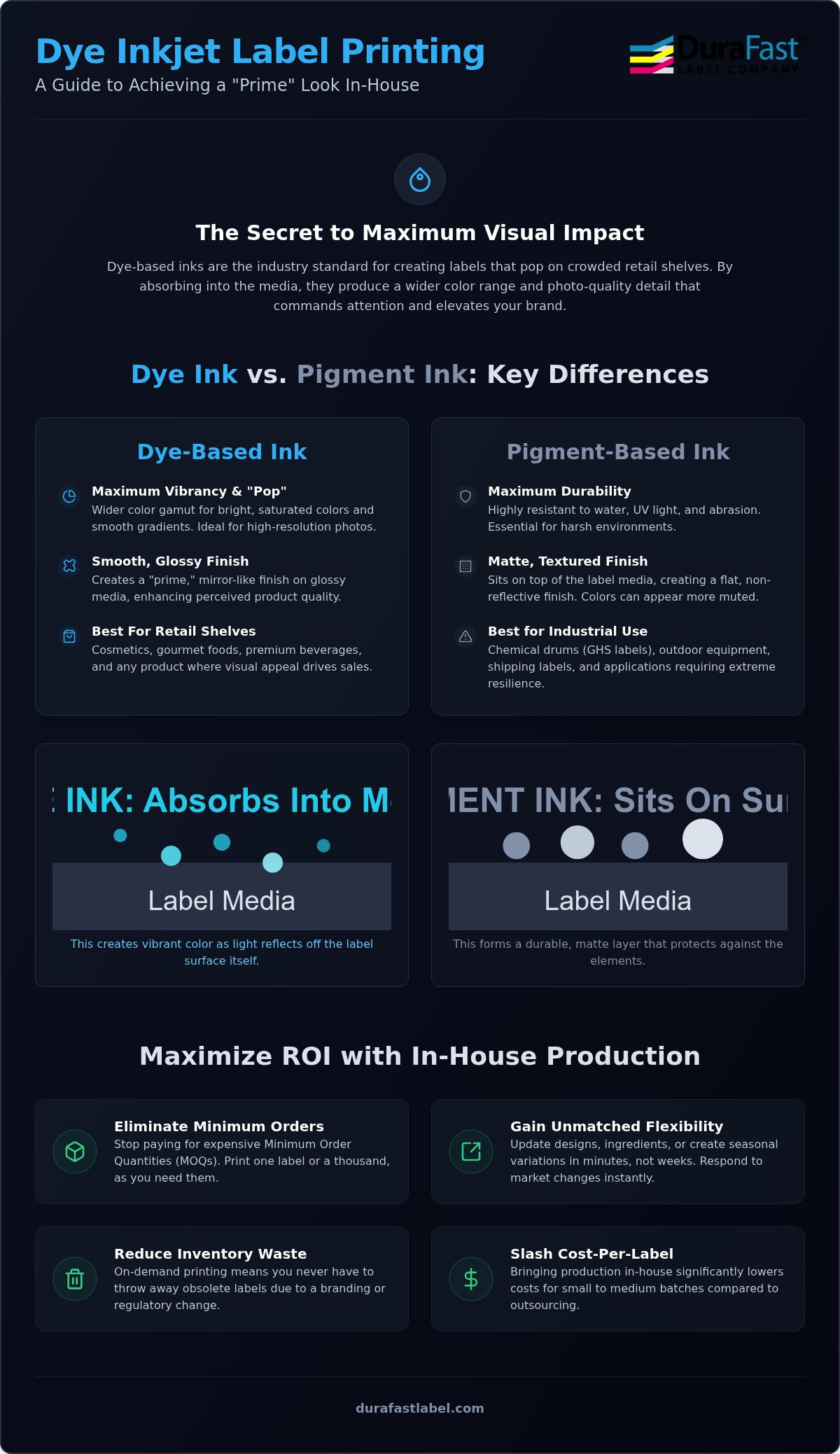
A dye inkjet color label printer is a digital tool designed for one specific goal: maximum visual impact. It uses liquid-based colorants where the dye molecules are fully dissolved in a liquid carrier. When the ink hits the page, it doesn't just sit on the surface. It soaks into the media. This process creates a vibrant, saturated look that is essential for high-end retail packaging. Unlike other technologies that can look dull or matte, dye-based systems produce a smooth, flat finish that shines on glossy materials.
Visual impact is the primary reason brands choose this technology. Dye inks offer the widest possible color gamut, allowing you to reproduce bright, saturated colors and subtle skin tones that other printers often struggle to capture. Modern Inkjet printing technology has made it possible for small businesses to achieve results that once required a massive commercial press. This is particularly important for industries like cosmetics, gourmet foods, and premium beverages where the label acts as the primary salesperson on the shelf.
Traditionally, getting this level of quality meant dealing with external print shops. You had to manage minimum order quantities (MOQs) and long wait times. Today, on-demand printing changes the game. You print what you need, when you need it. This shift to in-house production offers a massive return on investment. You stop paying for printing plates and stop throwing away obsolete labels when a design changes. It's a faster, leaner way to manage your brand's physical presence.
The Science of Dye-Based Inks
The magic of dye ink lies in its molecular structure. Because the dye is fully dissolved, the liquid remains transparent. This transparency allows light to pass through the ink layer and reflect off the label surface, resulting in a "pop" that pigment inks can't replicate. Modern printheads use microscopic nozzles to fire precise droplets. This technology, often seen in the Epson ColorWorks series, allows for incredibly smooth gradients and sharp text. You get professional results even on the smallest cosmetic bottles where every millimeter of detail counts.
Primary Benefits for Small Businesses
Switching to a dye inkjet color label printer offers immediate financial and creative advantages. First, the initial hardware cost for dye-based systems is usually lower than laser or pigment alternatives. This lower barrier to entry helps small businesses start professional labeling without a huge upfront investment. Second, you gain unmatched flexibility. You can update a seasonal flavor or change a regulatory ingredient list in seconds. By using specialized inkjet labels, you ensure that every print is crisp, vibrant, and dry to the touch the moment it leaves the machine.
Dye vs. Pigment Ink: Which is Right for Your Brand?
Choosing between dye and pigment ink is one of the most critical decisions for your branding. While both technologies have their place, they serve very different masters. A dye inkjet color label printer is designed for visual impact. It’s the gold standard for products that need to look their best under retail lights. If your goal is to stop a customer in their tracks, you need the vibrancy that only dye-based systems can provide.
The primary advantage of dye ink is the "visual pop." Because the colorants are fully dissolved in liquid, they don't scatter light. This results in deep blacks, vivid reds, and smooth transitions that pigment inks often struggle to replicate. If your brand relies on high-resolution photography or intricate color matching, dye is the clear winner. It delivers a "prime" label look that suggests a premium product inside the container.
What about durability? A common myth is that dye ink runs the moment it sees a drop of water. In 2026, modern dye formulations paired with the right media are remarkably resilient. While they aren't meant for a year in the rain, they easily handle the condensation on a chilled beverage or the humidity of a bathroom shelf. For most indoor retail environments, the durability of a dye inkjet color label printer is more than sufficient.
From a cost perspective, dye ink is often more economical for high-coverage designs. You can achieve deep saturation with less ink volume than pigment systems require. This efficiency directly impacts your bottom line, especially during long production runs. If you're unsure which technology fits your specific environment, our team can help you test your designs on different media; just reach out for a consultation.
When to Choose Dye Inkjet Technology
Dye ink is the undisputed king of the retail shelf. It's the best choice for high-gloss labels where you want a mirror-like finish. Use this technology for cosmetics and skincare products where color accuracy is vital for matching makeup shades. It is also the preferred option for promotional stickers and short-run seasonal packaging that needs to grab immediate attention with bright, saturated hues.
When to Consider Pigment Ink Instead
While dye ink wins on beauty, pigment ink wins on brawn. You should look toward pigment systems if your labels face extreme conditions. This includes meeting strict chemical safety requirements as outlined in our GHS Label Printer Essentials guide. Pigment is also necessary for products stored outdoors or those exposed to heavy UV sunlight and harsh weather for extended periods.
Top Dye-Based Color Label Printers for 2026
Selecting the right hardware for your business depends on your daily production volume and your specific branding goals. We've vetted the most reliable options on the market to ensure you get professional results without the guesswork. Whether you're a boutique startup or a high-volume manufacturer, there's a dye inkjet color label printer designed to fit your workflow perfectly. These machines offer the precision needed to turn digital designs into shelf-ready reality.
Epson ColorWorks C6000A and C4000
The Epson ColorWorks series remains the industrial standard for reliability and ease of use. Models like the C6000A and C4000 utilize PrecisionCore technology to ensure that dye ink hits the media with microscopic accuracy. This results in incredibly sharp text and vibrant imagery that won't bleed or blur. These printers are also famous for their ease of integration. They work seamlessly with existing ERP systems and shipping software, making them a favorite for mid-sized businesses. To see how these machines fit into a larger production strategy, you can explore our Epson ColorWorks Guide. You'll also want to keep high-quality Epson inks on hand to maintain that signature vibrancy.
Afinia L801 and L502 Options
For businesses that prioritize speed, Afinia Memjet printers are the undisputed champions. The L801 model can print up to 60 feet per minute in full color, which is essential for high-volume production runs where time is money. If you need more versatility, the Afinia L502 is a unique solution. It offers dual-ink capabilities, allowing you to swap between dye and pigment ink sets depending on the job. This flexibility makes it a smart investment for brands with diverse product lines. Afinia systems are also known for their ink cost efficiency, helping you lower your total cost-per-label over time. We carry a full stock of Afinia inks to support your high-speed printing needs.
Primera LX910 and LX4000
Boutique brands and small offices often prefer the Primera LX-series for its compact footprint and user-friendly features. The LX910 and LX4000 models include built-in pizza-style cutters that finish individual labels automatically, saving you time on manual trimming. These printers use interchangeable ink tanks, which ensures you get maximum utilization from every drop of ink. They are perfect for short-run seasonal packaging or promotional stickers. Despite their smaller size, they don't compromise on quality, delivering the same photo-quality results as their larger competitors. Using genuine Primera inks ensures your labels stay vibrant and professional from the first print to the last.
Finally, VIPColor solutions like the VP700 provide a balanced approach for those who need high speed without the industrial price tag. These machines are efficient problem-solvers that help you maintain a consistent look across all your product variations.
Selecting the Perfect Media for Dye Inkjet Printing
Why does the same digital file look stunning on one label but dull and smudged on another? The answer lies in the media top-coating. A dye inkjet color label printer requires specialized "ink-receptive" surfaces to perform at its peak. Because dye ink is a liquid that fully dissolves, it needs a porous layer to sink into. Without this specific coating, the ink will pool on the surface, leading to long dry times and messy smudges. Choosing the right media is just as important as choosing the printer itself.
Your choice of substrate should depend on your product's lifecycle and your brand's aesthetic. Paper labels are cost-effective and perfect for dry environments, while synthetic materials like BOPP (polypropylene) provide better resistance to moisture and tearing. If you want to push your branding even further, specialty media like silver, gold, or clear films can create a high-end look that mimics expensive commercial printing. These materials are specifically engineered to hold dye molecules in place, ensuring your gradients remain smooth and your text stays sharp.
Glossy Inkjet Labels for Maximum Impact
High-gloss finishes are the natural partner for dye-based systems. The smooth, reflective surface allows light to pass through the transparent ink and bounce back, creating the deep saturation and "visual pop" mentioned earlier in this guide. This combination is ideal for high-resolution product photography and vibrant logos. To prevent smudging, always ensure your printer settings match the media type you've loaded. You can explore our full range of inkjet labels to find the perfect match for your specific hardware.
Matte and Paper Options for Artisanal Brands
Not every product needs a high-shine finish. Many gourmet food and craft beverage brands prefer a matte or textured paper label to convey a "hand-crafted" or organic feel. Matte inkjet paper still provides excellent color reproduction but without the glare of glossy films. If you're printing for chilled products, look for water-resistant paper options that won't degrade in a refrigerator. For the most consistent results, we recommend matching your media to genuine Epson inks or other manufacturer-approved cartridges. This ensures the chemical bond between the ink and the paper is optimized for color accuracy.
Finding the right combination of ink and media can feel overwhelming, but you don't have to guess. If you need help selecting a substrate that won't smudge or fade, contact our media experts for a recommendation.
Maximizing ROI with In-House Dye Inkjet Printing
Investing in a dye inkjet color label printer is a strategic move that goes far beyond aesthetics. While the visual "pop" is undeniable, the true value lies in the financial freedom of in-house production. When you rely on external print shops, you're often forced into high minimum order quantities (MOQs) just to get a decent price. This ties up your capital in stacks of labels that might sit on a shelf for months. By printing your own, you eliminate these arbitrary hurdles and only pay for exactly what you need.
Inventory waste is a silent profit killer for growing brands. A single ingredient change or a minor regulatory update can instantly turn thousands of pre-printed labels into expensive scrap paper. Printing on-demand allows you to be lean. You can update your designs in minutes and print a fresh batch immediately. This agility provides a "hidden ROI" that is hard to quantify until you need it. If a new market trend emerges or a seasonal opportunity pops up, you can have new products shelf-ready in hours, not weeks.
DuraFast Label Company is here to ensure your transition to in-house printing is seamless. We don't just sell hardware; we provide the expertise to keep your production running efficiently. From specialized media testing to technical support, we help you avoid the common pitfalls of industrial labeling. Our goal is to be your long-term partner in success, providing the tools you need to stay competitive in an ever-changing retail market.
Calculating Your Cost-Per-Label
To understand your true return on investment, you must look at the total cost-per-label. This includes your ink consumption, media costs, and a small factor for labor. Many businesses find that their in-house costs are significantly lower than the per-unit price from a commercial printer, especially for short and medium runs. Using professional software like BarTender can help you optimize your layouts and minimize ink usage. For a deeper look at the logistics of this transition, read our guide on How to Print Your Own Product Labels.
DuraFast: Beyond the Printer
Maintaining high standards requires a steady supply of quality consumables. We provide quick access to genuine Primera inks and other manufacturer-approved supplies to ensure your dye inkjet color label printer remains in peak condition. If your product has a unique shape, we offer custom media sizes to fit your packaging perfectly. Our team vets every product we sell, so you don't have to worry about compatibility issues or poor print quality. We handle the technical heavy lifting so you can focus on growing your business.
Elevate Your Brand with Professional In-House Labeling
Your product deserves to look its best on the retail shelf. Choosing a dye inkjet color label printer is the most effective way to capture the vibrant colors and photo-quality detail that stop customers in their tracks. By moving your production in-house, you don't just improve your branding; you also eliminate the burden of high minimum order quantities and reduce inventory waste. It's a smart, strategic shift that puts you in full control of your visual identity and your bottom line.
As an authorized dealer for Epson, Afinia, and VIPColor, DuraFast Label Company is here to simplify your decision-making process. We provide the expert advice you need regarding ink and media compatibility to ensure your labels look professional every time. Plus, we offer free shipping on orders over $250 to help you manage costs even further. If you're ready to transform your labeling workflow and boost your shelf appeal, contact our team today for a personalized recommendation. We look forward to helping your brand shine.
Frequently Asked Questions
Is dye ink waterproof on inkjet labels?
Modern dye ink is highly water-resistant when paired with the correct media top-coating, though it isn't technically waterproof. These labels easily withstand condensation on cold bottles or humidity in a bathroom. However, they aren't designed for prolonged submersion or heavy chemical exposure. If your product faces extreme wet conditions, you might need a pigment system or a protective laminate to ensure the design remains intact over time.
What is the difference between dye and pigment inkjet printers?
The main difference lies in how the color is delivered to the surface. Dye ink uses fully dissolved colorants that soak into the media for maximum vibrancy and smooth gradients. Pigment ink uses solid particles that sit on top of the material to provide superior UV and chemical resistance. Choose a dye inkjet color label printer for retail shelf appeal and a pigment printer for industrial or outdoor durability requirements.
Can I use standard office paper in a dye inkjet label printer?
You shouldn't use standard office paper in these specialized machines. Inkjet printers require media with a specific ink-receptive coating to hold the liquid dye in place. Without this coating, the ink will feather, bleed, and look dull because it soaks too deeply into the paper fibers. Using high-quality inkjet labels ensures your text stays sharp and your colors remain as vibrant as your digital design intended.
Which dye inkjet printer is best for high-speed production?
For high-volume environments that require maximum throughput, the Afinia L801 is the top choice. It utilizes Memjet technology to reach speeds of up to 60 feet per minute in full color. This makes it ideal for businesses that need to print thousands of labels in a single shift. While other desktop models are great for smaller batches, the L801 is built to handle heavy production demands without sacrificing quality.
Do dye-based labels fade in sunlight?
Dye-based labels are more susceptible to UV fading than their pigment counterparts. While they look stunning indoors under retail lighting, they will eventually lose their vibrancy if exposed to direct sunlight for extended periods. This is why we recommend dye technology for prime retail products that are stored on indoor shelves. If your labels will face constant sun exposure, consider using pigment-based inks or a UV-resistant laminate.
How much does a dye inkjet color label printer cost to run?
Running costs for a dye inkjet color label printer vary based on your specific design and ink coverage. Generally, dye ink is more economical for high-vibrancy designs because it requires less volume to achieve deep saturation. You'll also need to factor in the cost of specialized media and periodic maintenance parts like printheads. Most small businesses find that these costs are significantly lower than paying the markup on short-run outsourced printing.
Can I print clear labels with a dye inkjet printer?
Yes, you can print beautiful clear labels using dye inkjet technology. The transparency of the ink allows it to blend seamlessly with the clear substrate, creating a professional no-label look that is popular in the cosmetics industry. However, you must ensure the clear film has the necessary inkjet-receptive coating. Without it, the ink won't dry or bond properly to the plastic surface, resulting in smudging and poor image quality.
What software do I need to design labels for my dye printer?
BarTender is the industry standard for professional label design. It allows you to manage complex layouts, barcodes, and serial numbers with ease. While you can use standard graphic design programs like Adobe Illustrator for the artwork, BarTender is specifically optimized for thermal and inkjet printer drivers. This ensures that your colors are mapped correctly and your printer settings are handled automatically for every batch you run.