Epson C6000 vs Primera LX910: 2026 Comparison for In-House Labeling
13th Aug 2026
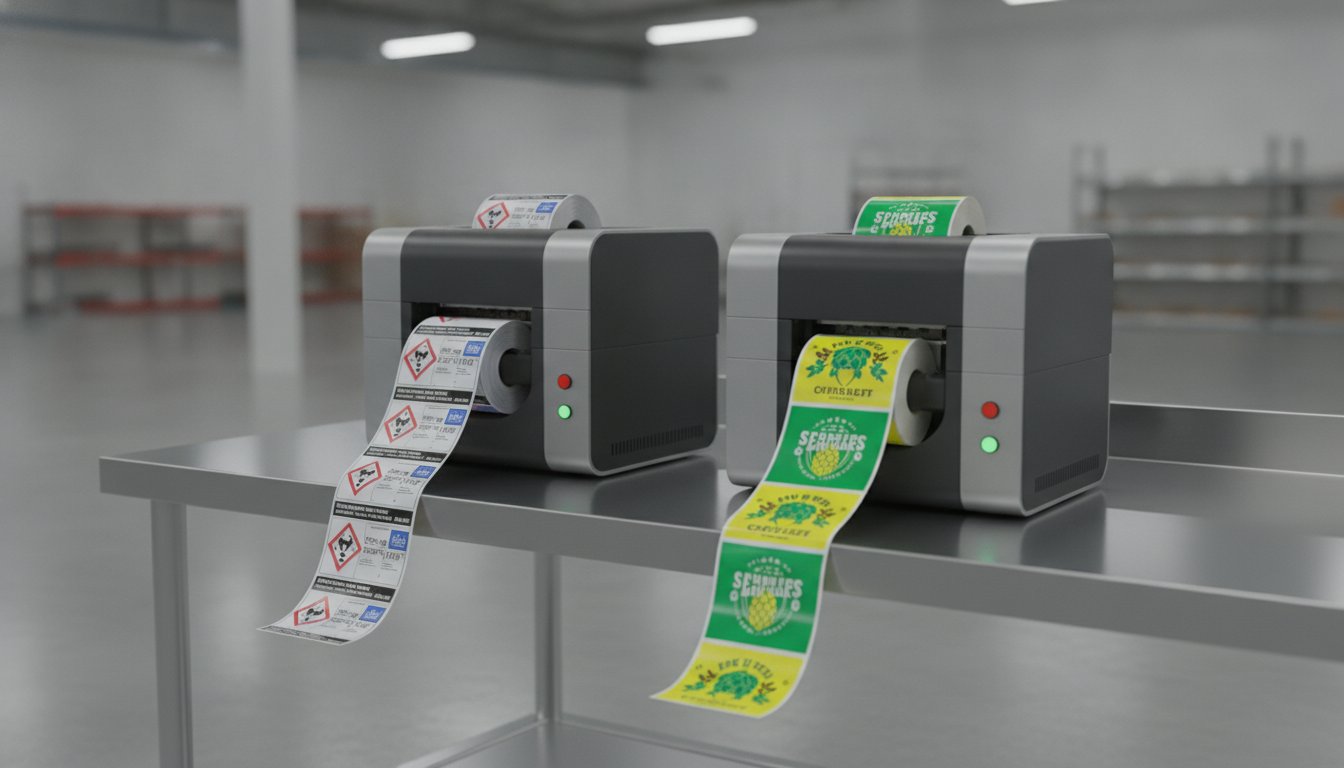
What if the printer that costs less upfront actually drains your budget every time you hit "print"? It's a common trap when evaluating the Epson C6000 against comparable mid-range options for your facility. You want professional results without the industrial price tag, but high ink costs and frequent cartridge changes can quickly stall your momentum. If you're struggling with labels that smudge in harsh environments or hardware that requires constant hand-holding, you're not alone.
We understand that choosing a printer is about more than just specs; it's about finding a reliable partner for your production line. In this guide, you'll discover which mid-range color label printer delivers the best long-term ROI, print quality, and industrial durability for your specific 2026 production needs. We'll compare their ink efficiency, look at BS5609 compliance for chemical labeling, and evaluate which unit offers the most seamless integration into your current workflow. By the end, you'll know exactly which machine will lower your cost per label and keep your operations running smoothly.
Key Takeaways
- Identify whether your facility needs the rugged, 24/7 reliability of an industrial workhorse or the space-saving convenience of a boutique desktop unit.
- Compare the long-term savings of individual ink tanks against the simplicity of single-cartridge systems to find your true cost per label.
- Learn how to achieve professional-grade durability and BS5609 compliance for chemical and GHS labeling requirements.
- Evaluate the Epson C6000 vs Primera LX910 based on your expected monthly print volume to avoid overspending on hardware or ink.
- Discover which machine offers the best 12-month ROI and seamless integration into your existing BarTender Professional workflow.
Understanding the Core Differences: Industrial Workhorse vs. Desktop Versatility
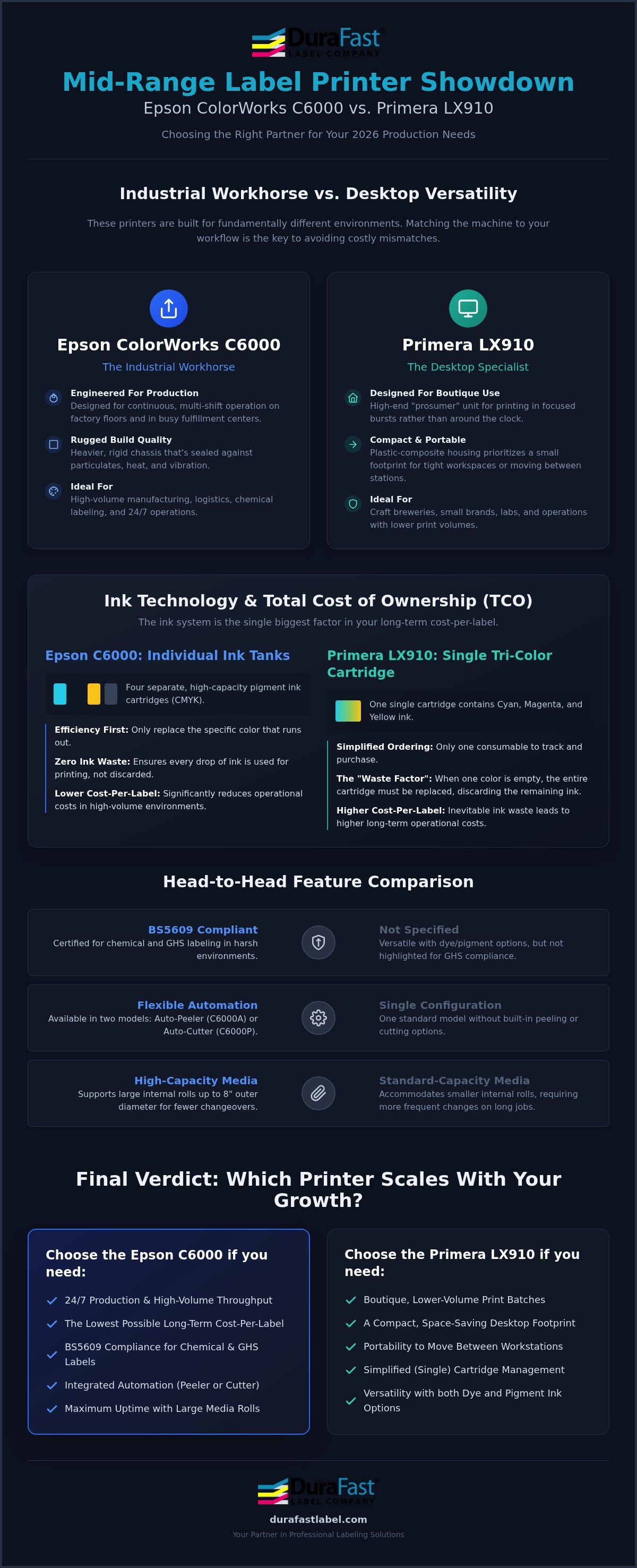
These two printers aren't really competing for the same customer. That's the honest truth. When you compare the Epson C6000 vs Primera LX910, you're looking at two machines built for fundamentally different environments, different volumes, and different definitions of "reliable." Getting that distinction right from the start saves you from a costly mismatch.
The Epson ColorWorks C6000A is engineered for continuous production. Its internal components are designed to handle the heat, vibration, and dust that come with a real factory floor or busy fulfillment center. It runs shifts, not sessions. The Primera LX910, by contrast, is a high-end prosumer unit. It delivers excellent print quality in a compact form, but it's built for a boutique operation, a craft brewery, a small supplement brand, or a lab that prints in focused bursts rather than around the clock.
Build Quality and Form Factor
The C6000's chassis reflects its industrial intent. It's heavier, more rigid, and better sealed against particulates than a typical desktop unit. The Primera LX910 uses a plastic-composite housing that prioritizes portability and a small footprint. That's genuinely useful if your workspace is tight or if the printer needs to move between stations. But plastic-composite construction has a ceiling. Under sustained daily use, the LX910 will show wear faster than a machine built for the factory floor. If your 2026 workflow involves multi-shift printing or a demanding production environment, build durability isn't a minor detail; it's the whole decision.
The C6000A vs. C6000P: Choosing Your Automation Model
Epson offers two C6000 variants, and the difference matters for your workflow:
- C6000A (Auto-Peeler): Automatically separates each label from its liner as it prints. This is ideal for apply-and-print stations where labels need to be immediately ready for hand application or automated applicators.
- C6000P (Auto-Cutter): Cuts the label strip at defined intervals. Better suited for batch printing jobs where you're producing rolls or strips for later application.
The LX910 doesn't offer this level of built-in automation flexibility. It's a capable single-configuration unit, which is fine for lower-volume runs but limits your options as production scales.
Media Handling and Internal Roll Support
The C6000A supports internal media rolls up to 8 inches in outer diameter. Larger rolls mean fewer changeovers, which directly protects your uptime during long runs. The Primera LX910 accommodates smaller internal rolls, so media changes happen more frequently on high-volume jobs. Both units can connect to external unwinder and rewinder systems to extend their capacity, but the Epson's larger native roll support gives it a meaningful head start for facilities printing thousands of labels per shift. You can explore compatible inkjet label media options to match your roll size requirements for either platform.
Ink Technology: Epson PrecisionCore vs. Primera Single-Cartridge Hybrid
Ink delivery is where the Epson C6000 vs Primera LX910 comparison gets practical for your daily operations. The Epson C6000A uses four separate, high-capacity pigment ink cartridges. This design is built for efficiency. You only replace the specific color you use. If your brand colors are heavy on cyan or yellow, you aren't forced to toss out perfectly good magenta ink just because one chamber is empty.
The Primera LX910 takes a different approach with a single tri-color cartridge. While this simplifies the ordering process, it introduces a "waste factor" that many businesses overlook. When one color hits zero, the entire cartridge is finished. In high-volume production, this leads to significant ink waste and higher operational costs over time. Epson's system is designed to respect your budget by ensuring every drop of epson inks goes onto the label, not into the trash.
PrecisionCore technology is the engine behind Epson's performance. It allows the C6000A to achieve a stunning 1200 dpi resolution without the typical speed trade-offs found in desktop units. It uses high-density print chips that fire millions of precise droplets per second. This results in professional-grade text and vibrant graphics that remain consistent from the first label to the thousandth.
Dye vs. Pigment: Which Ink Does Your Product Need?
The Primera LX910 offers unique versatility because it supports both dye and pigment inks. Dye inks are famous for their "pop" and vibrancy, making them a favorite for boutique retail products where shelf appeal is everything. If you're printing labels for gourmet snacks or high-end cosmetics, the LX910's ability to swap in dye-based primera inks is a major plus. However, switching between the two isn't instant; it requires a cartridge swap and a brief adjustment period for the printer to recognize the new chemistry.
Printhead Longevity and Replacement
Maintenance is where these two machines diverge most sharply. Epson uses a permanent PrecisionCore printhead designed to last the life of the printer. It includes sophisticated self-cleaning cycles to prevent clogs and manage waste ink efficiently. The LX910 uses a "head-on-cartridge" system. This means you get a brand-new printhead with every ink change. It's a "disposable" approach that simplifies maintenance for beginners, but it's one of the primary reasons the cost per label is higher on the Primera. If you're unsure which technology fits your specific application, you can speak with our experts for a custom ink cost analysis.
Total Cost of Ownership (TCO): Calculating the Real ROI
Don't get distracted by the initial price tag. While the Primera LX910 costs less at the point of purchase, the real story unfolds over the first year of production. When comparing the Epson C6000 vs Primera LX910, the "tipping point" arrives faster than most buyers expect. Many industrial users find that the Epson C6000A pays for itself within the first 50,000 labels simply through ink savings. It's a classic case of spending a bit more now to save a lot more later.
Every milliliter of ink counts when you're running a business. The Epson uses high-capacity individual cartridges that fire precisely. The Primera relies on a tri-color system that can be inefficient for certain designs. If your label uses a lot of one specific color, you'll find yourself throwing away a cartridge that still has plenty of the other two colors left. That's money in the trash.
Ink Cost Comparison: Individual vs. Tri-Color
The financial impact of "color imbalance" is the biggest hidden cost in boutique printing. If your logo is primarily blue, you'll deplete the cyan chamber of a tri-color cartridge while the yellow and magenta remain nearly full. You're forced to replace the whole unit. With individual tanks, you simply replace the cyan. This efficiency allows for better budgeting, especially when you pair the machine with bulk inkjet labels to drive down the cost per unit. You also gain access to volume discounts on Epson's high-capacity cartridges, which isn't an option for single-cartridge systems.
Software Integration and Workflow Efficiency
ROI isn't just about ink; it's about time. The Epson C6000 series features native ZPL II emulation. This is a massive advantage if you're replacing old black-and-white thermal printers. It allows the C6000 to drop into existing workflows without a total software overhaul. Both machines integrate with BarTender Professional, but the Epson offers more robust control for IT managers who need to manage multiple units across a network.
Hidden costs often lurk in the maintenance routine. The Primera's "head-on-cartridge" design means you're paying for a new printhead with every ink purchase. Epson uses a permanent head and a separate maintenance box to collect waste ink. This reduces the amount of media wasted during calibration and cleaning cycles. Less downtime means more labels out the door and a healthier bottom line for your 2026 production goals.
Durability and Compliance: BS5609 and Chemical Resistance
Compliance isn't just a checkbox; it's a legal safeguard for your business. When you evaluate the Epson C6000 vs Primera LX910 for industrial use, durability becomes the deciding factor. The Epson C6000A stands as the gold standard for GHS and chemical compliance labeling. It achieves this by combining advanced pigment ink with specialized media to survive environments that would destroy standard retail labels.
Meeting BS5609 standards is a two-part process. Section 2 tests the base material and adhesive for saltwater immersion. Section 3 tests the actual printed label for abrasion and colorfastness. The Epson C6000A, when used with DuraFast Matte Chemical Labels, is specifically designed to pass these rigorous maritime shipping requirements. While the Primera LX910 offers moisture resistance when using its pigment ink cartridge, it's rarely the first choice for full GHS compliance in high-stakes industrial settings.
Harsh Environment Performance
Labels in the field face more than just water. UV resistance is critical if your products sit outdoors; otherwise, your branding and safety warnings will fade into illegibility within months. Epson's pigment inks offer superior UV stability compared to the hybrid dye-pigment options often used in boutique units. Abrasion resistance also varies significantly. In testing, Epson's output shows better resilience against scratches and scuffs during shipping. Chemical exposure is another hurdle. Industrial labels must remain legible even after contact with oils, solvents, or harsh cleaning agents.
Specialized Applications
Durability needs extend beyond the factory floor. In high-end retail, jewellery ring labels must withstand ultrasonic cleaning and constant handling without losing their crisp barcodes. For horticulture, tags need to endure soil, fertilizer, and irrigation. Even card grading services require labels that won't yellow or degrade inside a slab over time. Medical and pharmaceutical applications have perhaps the highest stakes, where scanability is a matter of patient safety. Whether you're labeling a chemical drum or a diamond ring, the ink and media must match the environment.
Choosing the wrong combination can lead to failed audits or lost inventory. If you need to verify your labels meet specific regulatory standards, request a durability test kit from our specialists today.
Final Verdict: Which Printer Scales with Your 2026 Growth?
Choosing between the Epson C6000 vs Primera LX910 isn't about finding the "better" printer; it's about identifying where your business sits on the production curve. The Primera LX910 is a fantastic entry point for those who prioritize shelf appeal and compact design. The Epson C6000A is the logical choice for those who view labeling as a critical, high-volume industrial process. Your decision should rest on your monthly volume and your durability requirements.
DuraFast Label Company is here to help you bridge the gap between a desktop setup and a full-scale industrial workflow. Whether you're just starting out or ready to modernize a legacy production line, we provide the hardware, specialized media, and expertise to ensure your ROI remains positive. Let's look at the final breakdown to help you make the right call.
When to Choose the Primera LX910
The Primera LX910 excels in environments where flexibility and aesthetics outweigh raw speed. It's the ideal choice for:
- Startups and Boutique Brands: If you're printing under 500 labels per month, the lower upfront cost makes sense.
- Maximum Color Pop: When your product relies on the high vibrancy of dye inks for "prime" retail labeling.
- Home-Office Workspaces: Its small footprint fits easily on a standard desk without requiring dedicated industrial racking.
When to Upgrade to the Epson C6000A
If your business is scaling, the Epson C6000A is built to grow with you. You should choose the Epson for:
- High-Volume Production: Once your volume exceeds 2,000 labels per month, the ink savings alone justify the investment.
- Compliance and Safety: It's mandatory for GHS, chemical, or maritime shipping labels that must meet BS5609 standards.
- Industrial Automation: The native ZPL II support and auto-peeler options allow it to drop directly into automated production lines.
Next Steps for Your Labeling Strategy
Don't guess when it comes to your bottom line. The best way to compare the Epson C6000 vs Primera LX910 is to see the results for yourself. Request a print sample using your actual artwork to compare the color accuracy and durability firsthand. We can also help you run a custom TCO calculation based on your specific label sizes and ink coverage. Ready to modernize your facility? Contact DuraFast Label Company for a specialized quote and let our experts guide you to the perfect in-house solution.
Future-Proof Your Labeling Operations Today
Deciding between the Epson C6000 vs Primera LX910 comes down to the scale of your ambition. If you're managing a boutique startup with low monthly volumes, the Primera LX910 offers the vibrant color and small footprint you need to launch. However, for those running industrial lines or requiring BS5609 compliance, the Epson C6000A is the definitive choice for long-term ROI.
As an authorized Epson and Primera partner, DuraFast Label Company understands that the right hardware is only half the battle. You also need the right media, like our specialized DuraFast Matte Chemical Labels, to ensure your labels survive the harshest conditions. As BS5609 compliance experts, we'll ensure your production meets every regulatory standard. Don't let high ink costs or smudged barcodes slow your growth. Our team is ready to help you calculate your exact savings and streamline your workflow.
Get a Custom ROI Quote for Your In-House Labeling Solution
It's time to stop overpaying for outsourced labels and start producing professional results in-house. We're here to help you every step of the way.
Frequently Asked Questions
Does the Epson C6000 use more ink than the Primera LX910?
The Epson C6000 is typically more efficient because it uses four separate ink cartridges rather than a tri-color system. In the Epson C6000 vs Primera LX910 comparison, you only replace the specific color you empty. This eliminates the waste associated with throwing away a tri-color cartridge when only one color is depleted, leading to a lower cost per label over time.
Can I use the Primera LX910 for GHS compliant labels?
You can use the Primera LX910 for GHS labels if you use the pigment ink cartridge and compatible media. However, it isn't designed for the heavy chemical exposure common in industrial settings. For full BS5609 compliance and maritime shipping, the Epson C6000A remains the preferred choice due to its superior pigment ink chemistry and long-term durability in harsh environments.
What is the difference between the Epson C6000A and C6000P?
The main difference lies in the finishing mechanism. The C6000A features an integrated auto-peeler that separates labels from the liner for immediate application. The C6000P includes an auto-cutter that slices individual labels or batches. Choose the "A" model for apply-on-the-fly workflows and the "P" model for batch printing or roll-to-roll operations where you need to cut strips of labels.
Is it cheaper to print labels in-house or outsource them?
Printing in-house is almost always cheaper for short to medium production runs because you avoid minimum order fees and plate charges. It also eliminates the cost of holding excess inventory that might become obsolete or damaged. Most businesses see a return on investment within the first year by reducing waste and gaining the ability to print exactly what they need on demand.
Do these printers work with Mac and Windows?
Both printers offer full compatibility with modern Windows and macOS operating systems. They include standard drivers that work with common design software, including Adobe Creative Cloud and Microsoft Office. For industrial users, the Epson C6000 in the Epson C6000 vs Primera LX910 matchup also features native ZPL II support, making it easier to integrate into existing Windows-based enterprise resource planning systems.
What happens if a printhead clogs on the Epson C6000?
The Epson C6000 uses a permanent PrecisionCore printhead designed to last the life of the machine. If a clog occurs, the printer runs an automated self-cleaning cycle to clear the nozzles. Unlike the Primera LX910, which requires you to replace the entire ink cartridge to get a new printhead, the Epson manages maintenance internally through a replaceable waste ink maintenance box that you can swap easily.
Can I use third-party inks in these printers?
Using third-party inks isn't recommended for either machine because it can void your warranty and damage the printheads. Genuine inks are chemically formulated to match the specific thermal or piezo firing properties of the hardware. Using non-genuine ink often leads to clogged nozzles, inaccurate color reproduction, and poor label durability, which can cause barcodes to fail in the field.
Which printer is faster for high-volume jobs?
The Epson C6000 is the clear winner for high-volume jobs because it's built for continuous industrial output. While the Primera LX910 is capable of respectable speeds for a desktop unit, it can't match the sustained throughput of the Epson. The C6000 also supports larger 8-inch media rolls, which reduces the downtime caused by frequent roll changes during long production shifts.