Epson C6000A vs Afinia L801: 2026 Comparison for In-House Labeling
28th Jul 2026
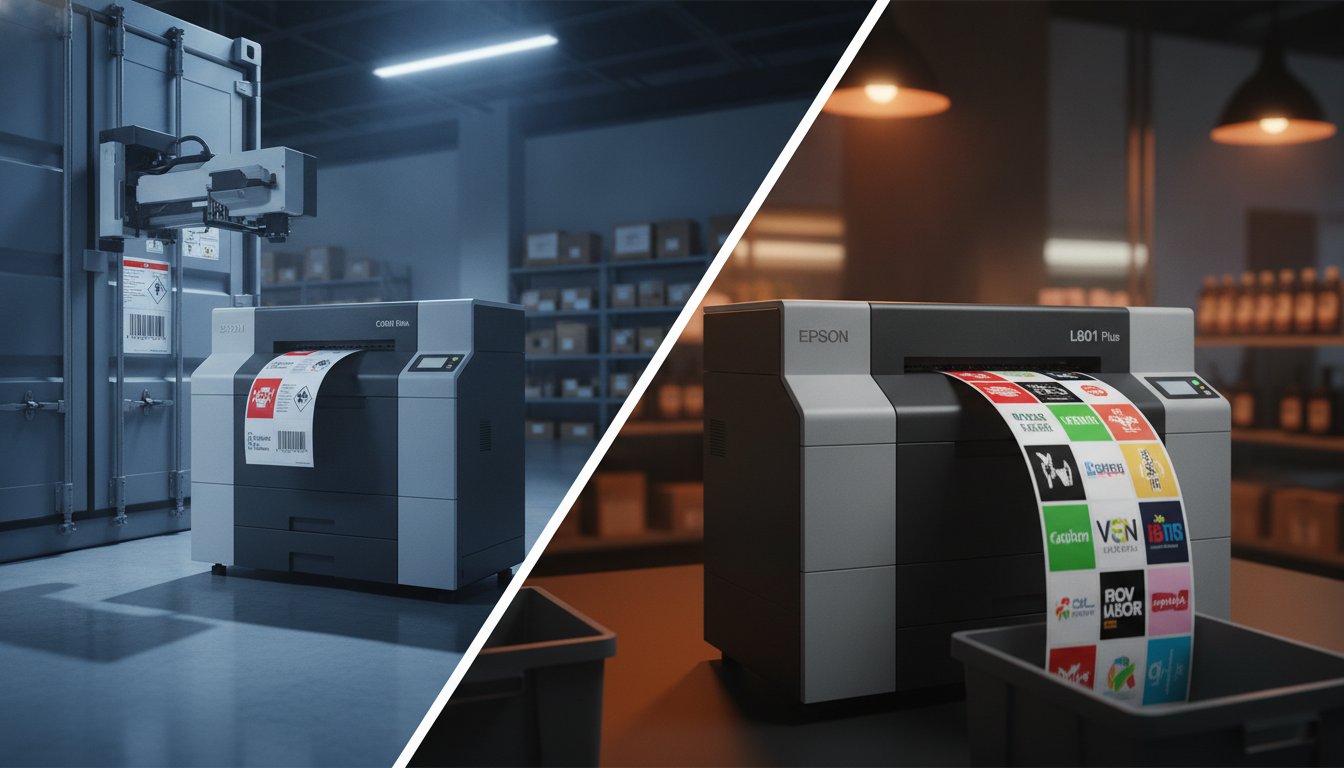
What if the fastest printer on your production floor is actually the one costing you the most in downtime? It is a frustrating reality for many businesses that jump into in-house labeling without weighing the long-term impact of ink types and printhead maintenance. When comparing the Epson C6000A vs Afinia L801, the right choice depends entirely on whether you prioritize blistering speed or industrial-grade durability.
Are you tired of high outsourcing costs and smudged barcodes? You aren't alone. Most production managers want a printer that hits deadlines and meets every industry compliance standard without the constant headache of maintenance. This article promises to help you determine which machine fits your 2026 production needs by breaking down the critical differences in speed, durability, and total cost of ownership. We'll compare the vibrant output of the Afinia against the automated precision of the Epson to find your perfect match.
Key Takeaways
- Understand why Epson’s pigment ink is essential for harsh environments while Afinia’s Memjet dye ink delivers unmatched speed and color for retail displays.
- Compare the Epson C6000A vs Afinia L801 throughput rates to see if you need the L801’s high-velocity output or the C6000A’s automated peel-and-present workflow.
- Learn how to calculate your total cost of ownership by factoring in ink cartridge prices and the frequency of Memjet printhead replacements.
- Discover which machine meets strict GHS and BS5609 compliance standards to ensure your labels remain legible in chemical or maritime settings.
- Identify the best workflow for your production floor, whether you require high-speed roll-to-roll production or integrated peeler automation.
The Core Technology: Pigment vs. Memjet Dye Ink
Choosing between the Epson C6000A vs Afinia L801 starts with a single question: What will your labels endure? Before you look at print speeds or hardware footprints, you have to look at the ink. The fundamental difference lies in pigment vs. dye ink technology. This chemistry determines if your label survives a chemical spill or simply looks stunning on a retail shelf. It's the most critical decision in your production workflow because the wrong ink can lead to compliance failures or costly product returns.
Ink chemistry isn't just about color. It's about the molecular bond between the liquid and the label surface. Pigment inks use solid particles suspended in a carrier liquid, while dye inks are fully dissolved solutions. This distinction creates two very different performance profiles for your 2026 production needs. You have to match the ink to your environment before you can worry about the hardware specs.
Epson C6000A: The Pigment Advantage for Durability
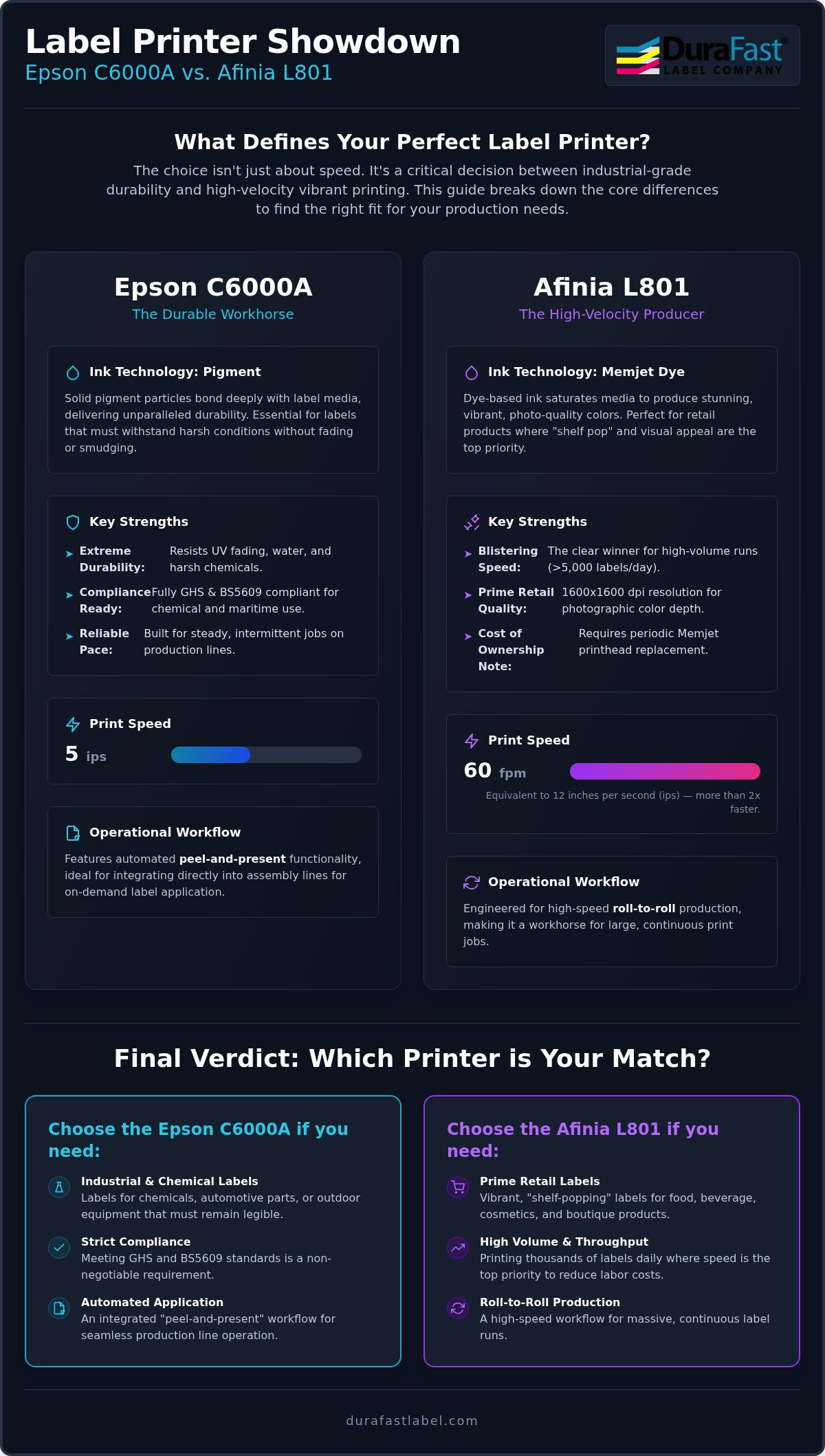
Epson uses PrecisionCore technology to fire solid pigment particles. These particles don't just sit on the surface; they bond deeply with synthetic materials. This is vital for GHS compliance and BS5609 standards. If you're printing for the chemical industry, automotive parts, or outdoor equipment, pigment is non-negotiable. It resists UV fading, water submersion, and harsh chemical exposure. You won't have to worry about labels becoming unreadable in the rain or after a solvent spill. For the best results, we recommend using DuraFast Matte Chemical Labels. These are specifically engineered to lock in pigment ink for maximum longevity and smudge resistance.
Afinia L801: Memjet's Dye Ink Vibrancy
The Afinia L801 takes a different path with its Memjet dye-based system. Dye ink is a liquid solution that saturates the media, resulting in incredibly vibrant, "prime" retail quality. With a resolution of 1600 x 1600 dpi, the color depth is photographic. It's the perfect choice for food, beverage, or cosmetic products where "shelf pop" is the primary goal. It captures fine details and smooth gradients that are often difficult for other technologies to replicate. However, there's a trade-off. Dye ink is generally water-soluble. While it looks beautiful on glossy media, it can smudge or bleed if it gets wet or faces high friction during shipping. It simply isn't built for the same level of environmental abuse as pigment ink.
Which industries should choose which? If you're in the chemical, pharmaceutical, or heavy manufacturing sectors, the Epson C6000A is likely your best bet. These sectors require labels that remain legible under the most stressful conditions. On the other hand, the Afinia L801 shines in the gourmet food, nutraceutical, and boutique retail spaces. These businesses need labels that entice customers with rich, saturated colors and crisp imagery. Matching your industry's specific environmental risks to the right ink chemistry is the first step toward a successful in-house labeling setup.
Speed and Volume: Calculating Throughput for 2026
Speed defines your production floor's heartbeat. In the battle of Epson C6000A vs Afinia L801, the numbers tell a stark story. The Afinia L801 screams at 60 feet per minute (fpm). Compare that to the Epson C6000A, which clocks in at 5 inches per second (ips). To put that in perspective, the L801 prints more than twice as fast as the Epson. For a warehouse manager, this isn't just a technical spec. It is a labor cost calculation. Faster output means your team spends less time waiting and more time shipping.
High-volume environments demand efficiency. If you print 10,000 labels daily, the L801 saves hours of operator time. Calculating the Total Cost of Ownership (TCO) requires looking at these hidden labor expenses. A slower printer keeps a staff member tethered to the machine for longer shifts. However, speed often comes with a resolution tradeoff. While both machines offer impressive clarity, pushing the L801 to its 60 fpm limit requires a sharp eye on printhead health. You'll want to balance that velocity with the 1600 dpi resolution to ensure your prime labels don't lose their photographic edge.
Daily duty cycles also separate these two contenders. The L801 is engineered for heavy, continuous use. It thrives when it's running thousands of labels in a single session. The C6000A is more of a tactical tool. It is built for reliability over long periods but at a steadier pace. It won't struggle with intermittent jobs, making it the reliable choice for assembly lines that pause and restart throughout the day.
Afinia L801: The High-Volume Workhorse
The L801 is the clear winner for runs exceeding 5,000 labels per day. It handles massive throughput without breaking a sweat. To maximize this velocity, you'll want an optional rewinder. This allows for continuous, roll-to-roll production that fits into automatic applicators. Operators should watch for "banding" at maximum speeds. This usually happens when the printhead needs a quick cleaning cycle. If you're unsure which speed matches your staff capacity, reach out to our team for a workflow assessment.
Epson C6000A: Precision Over Velocity
The Epson C6000A doesn't try to win a drag race. It focuses on the "just-in-time" labeling model. At 5 ips, it is perfectly suited for on-demand applications where you need one label or a small batch at a time. The integrated auto-cutter is a game-changer here. It allows you to manage varied label lengths in a single print job without manual intervention. You also get incredible color consistency across the entire run. The Epson maintains the same hue from the first label to the thousandth, which is vital for maintaining brand integrity in industrial settings.
Operational Workflow: Peeler vs. Roll-to-Roll
How does the label actually get from the printer to your package? This is where the Epson C6000A vs Afinia L801 comparison moves from ink chemistry to physical labor. Hardware features dictate the layout of your labeling station and the number of people required to keep production moving. While the Afinia excels at high-velocity bulk production, the Epson is designed to simplify the manual application process through clever automation. Choosing the right workflow can save your team hours of tedious work every week.
Integrating your printer with BarTender Professional Software ensures that your data population is as automated as your hardware. This integration is vital for businesses that must meet strict FDA food labeling requirements, where data accuracy is just as important as print quality. Your software should talk to your hardware seamlessly to prevent bottlenecks. If your printer can't keep up with your data stream, or if your staff is struggling to peel labels manually, your ROI will suffer.
Peel-and-Present: The Epson C6000A Efficiency
The 'A' in C6000A stands for its integrated peeler. This feature is a game-changer for on-demand labeling environments. The printer automatically separates the label from its backing liner and presents it to the operator. It won't print the next label until the current one is taken. This eliminates the need for manual label stripping, which is a major source of frustration on shipping docks and assembly lines. By presenting one label at a time, it also reduces repetitive strain for workers in high-intensity environments. It's the perfect solution for individual product labeling where a human operator is part of the process.
Roll-to-Roll: The Afinia L801 Advantage
If you use an automatic label applicator, the Afinia L801 is likely your best choice. It doesn't peel labels; instead, it's built for high-speed roll-to-roll production. You print a massive roll of labels, rewind it, and then move that roll to a separate applicator machine. This is the gold standard for 'offline' labeling workflows in large manufacturing facilities. Because the L801 is so fast, it can finish a 500-foot roll in minutes. You'll need to maintain a clean paper path to avoid jams at these high speeds, but the efficiency for large batches is unmatched. It allows your printing station to stay ahead of your packaging lines without breaking a sweat.
Total Cost of Ownership (TCO) and Maintenance
The sticker price of your printer is only the beginning of your investment. In the Epson C6000A vs Afinia L801 debate, the real costs emerge over a three-year window. You have to look at ink, printheads, and media to find the true cost-per-label. While both machines are efficient, they handle maintenance and consumables in very different ways. Understanding these patterns now prevents "sticker shock" later when your production volume scales up.
You'll need to budget for Epson Ink Cartridges or Afinia Ink Cartridges based on your daily volume and design coverage. Afinia’s Memjet technology uses a "consumable printhead" approach. This means you’ll replace the head periodically, especially under high-volume use. In contrast, Epson’s PrecisionCore head is a permanent fixture. It requires specialized maintenance cycles to keep it healthy, but it doesn't carry the same recurring replacement price tag as the Memjet system.
Consumables and Ink Efficiency
Ink efficiency varies by design. Pigment ink often requires less volume for solid coverage on matte surfaces, while dye ink can be more "thirsty" on high-gloss media. If you're switching from a hybrid system, remember you won't need Thermal Transfer Ribbons anymore. However, your ink-per-label cost will likely be higher than ribbon costs. The tradeoff is the massive reduction in waste. On-demand printing lets you eliminate obsolete label stock, saving you money on inventory that would otherwise go to the trash.
Maintenance and Downtime Projections
Self-cleaning cycles are a necessary part of inkjet life. Some ink is used to keep the nozzles clear, but this isn't waste; it's insurance. Using high-quality Inkjet Labels is the single best way to prevent head clogs and premature failure. Low-grade media often sheds dust that acts like sandpaper on delicate printhead components. Most Afinia maintenance parts are user-replaceable, allowing you to fix issues in-house. Epson units are built for long-term industrial durability, though deep internal repairs might require specialized support.
Calculating your total ROI involves several factors:
- Ink volume per cartridge and cost per milliliter
- Printhead replacement frequency for Memjet units
- Maintenance tank capacity and replacement costs
- Hardware depreciation over a 36-month period
Every business has a different "break-even" point between these two machines. If you want a custom cost-per-label breakdown for your specific designs, contact our experts today for a detailed analysis of your expected ROI.
Final Verdict: Which Printer Wins for Your Industry?
Choosing between the Epson C6000A vs Afinia L801 isn't about finding a universal winner. It's about matching a specialized tool to your specific production environment. One machine thrives in the high-speed world of retail packaging. The other is an industrial tank built for the rigors of chemical compliance and on-demand automation. Your decision should rest on three pillars: your environment, your weekly volume, and your industry’s regulatory requirements.
Before you commit, run through a quick mental checklist. Does your label need to survive a chemical spill or years of UV exposure? If so, the Epson's pigment technology is your best friend. Do you need to churn out 20,000 retail-ready jars by Friday? The Afinia’s speed will save your schedule. Both machines offer a clear path to reducing cost-per-label, but they serve different masters on the production floor.
Choose the Epson C6000A If...
- You need GHS or BS5609 compliance: If you're in the chemical, pharmaceutical, or healthcare sectors, the pigment ink durability is non-negotiable.
- You want integrated automation: The built-in peeler is a massive win for assembly lines where workers apply labels immediately.
- Your labels face the elements: Choose this if your products encounter moisture, oils, or heavy sunlight during their lifecycle.
In addition to durable product labeling, maintaining facility compliance is essential for industrial and healthcare environments. To ensure your physical premises meet accessibility standards, you can explore ADA Signs from Signarama as part of your overall safety strategy.
Choose the Afinia L801 If...
- You print 10,000 or more labels weekly: The 60 feet per minute speed is essential for high-volume batches that would bottle-neck slower machines.
- Visual "pop" is your top priority: If you’re competing on a retail shelf in the food, beverage, or cosmetic space, the photographic quality of Memjet dye ink is unmatched.
- You use automatic applicators: The roll-to-roll workflow is perfectly designed for offline labeling systems.
DuraFast Label Company supports both of these powerful ecosystems for businesses across North America. We don't just provide the hardware; we supply the specialized media and expertise to ensure your in-house labeling setup is a long-term success. We've done the heavy lifting of vetting these units so you can buy with confidence. The best way to be absolutely certain of your choice is to see the output in person. Request a printed sample kit today to test durability and color vibrancy in your own facility. It’s the smartest way to ensure your 2026 production goals are met without a hitch.
Optimize Your Labeling Strategy for 2026
Deciding on the Epson C6000A vs Afinia L801 is about more than just comparing specs; it's about matching technology to your daily workflow. The Epson provides the industrial durability and automation needed for harsh environments, while the Afinia delivers the blistering speed and color depth required for high-volume retail. Both printers are powerful tools that can transform your production efficiency and lower your long-term costs. You don't have to navigate these technical choices alone.
DuraFast Label Company is proud to be an authorized dealer for both Epson ColorWorks and Afinia Label. We support our North American customers with expert technical support to ensure your equipment runs smoothly from day one. If you want to see the results for yourself, we provide free custom label samples for durability testing in your specific facility. We're ready to help you find the perfect fit for your business and give you the confidence to bring your labeling in-house.
Compare Epson and Afinia solutions at DuraFast Label Company
Frequently Asked Questions
Is the Epson C6000A waterproof?
Yes, the Epson C6000A produces water-resistant labels when paired with compatible pigment-receptive media. Its pigment ink technology is engineered to bond with synthetic materials, ensuring the print doesn't smudge or run when exposed to moisture. This makes it a reliable choice for products in damp environments or those requiring GHS compliance for outdoor use.
How often do I need to replace the printhead on the Afinia L801?
Printhead replacement frequency depends on your specific print volume and maintenance habits. The L801 uses a Memjet printhead designed as a user-replaceable consumable. While high-volume users might replace it after several million inches of throughput, using high-quality media and keeping the paper path clean can significantly extend its operational life.
Can both printers handle GHS chemical label requirements?
Only the Epson C6000A is specifically built to meet strict GHS and BS5609 chemical labeling standards. Its pigment ink is required for the extreme durability needed to survive chemical spills and maritime conditions. While the Afinia L801 produces vibrant color, its dye-based ink typically lacks the chemical resistance necessary for these regulated safety environments.
What is the maximum label width for the Epson C6000A vs Afinia L801?
The maximum media width for the Epson C6000A is 4.25 inches, while the Afinia L801 supports much wider rolls up to 8.5 inches. This makes the L801 more versatile for large-scale prime labels or chemical drum labeling. When comparing the Epson C6000A vs Afinia L801, the Epson is best for standard product labels, but the Afinia wins for wide-format needs.
Do I need special software like BarTender to run these printers?
You don't strictly need BarTender, but professional software is highly recommended for industrial workflows. BarTender Professional allows you to automate your data population and manage complex barcodes without manual entry errors. It integrates perfectly with both machines to ensure your production line stays efficient and compliant with industry standards.
What is the difference between the C6000A and C6000P models?
The primary difference lies in the label handling mechanism. The C6000A includes an integrated peeler for "peel-and-present" manual application, while the C6000P features an auto-cutter. If your staff applies labels by hand as they print, the 'A' model is the better choice. If you print in batches or use a rewinder, the 'P' model fits your workflow better.
Which printer has a lower cost-per-label for high-ink-coverage designs?
The Afinia L801 often provides a lower cost-per-label for full-bleed, high-coverage designs due to its high-capacity ink tanks. In the Epson C6000A vs Afinia L801 comparison, the dye ink in the L801 is generally more economical for photographic labels. However, you must also factor in the recurring cost of Memjet printhead replacements to calculate your true long-term ROI.
Are there financing options for industrial label printers in 2026?
Leasing and financing are common ways for businesses to acquire industrial equipment without a large upfront capital expenditure. While DuraFast provides the hardware and specialized supplies, you should consult with industrial equipment lenders for current 2026 rates and terms. Financing can help you scale your production by moving to a higher-volume unit like the L801 sooner.