Epson C6500 vs NeuraLabel Callisto: Best for Chemical Labels
9th Aug 2026
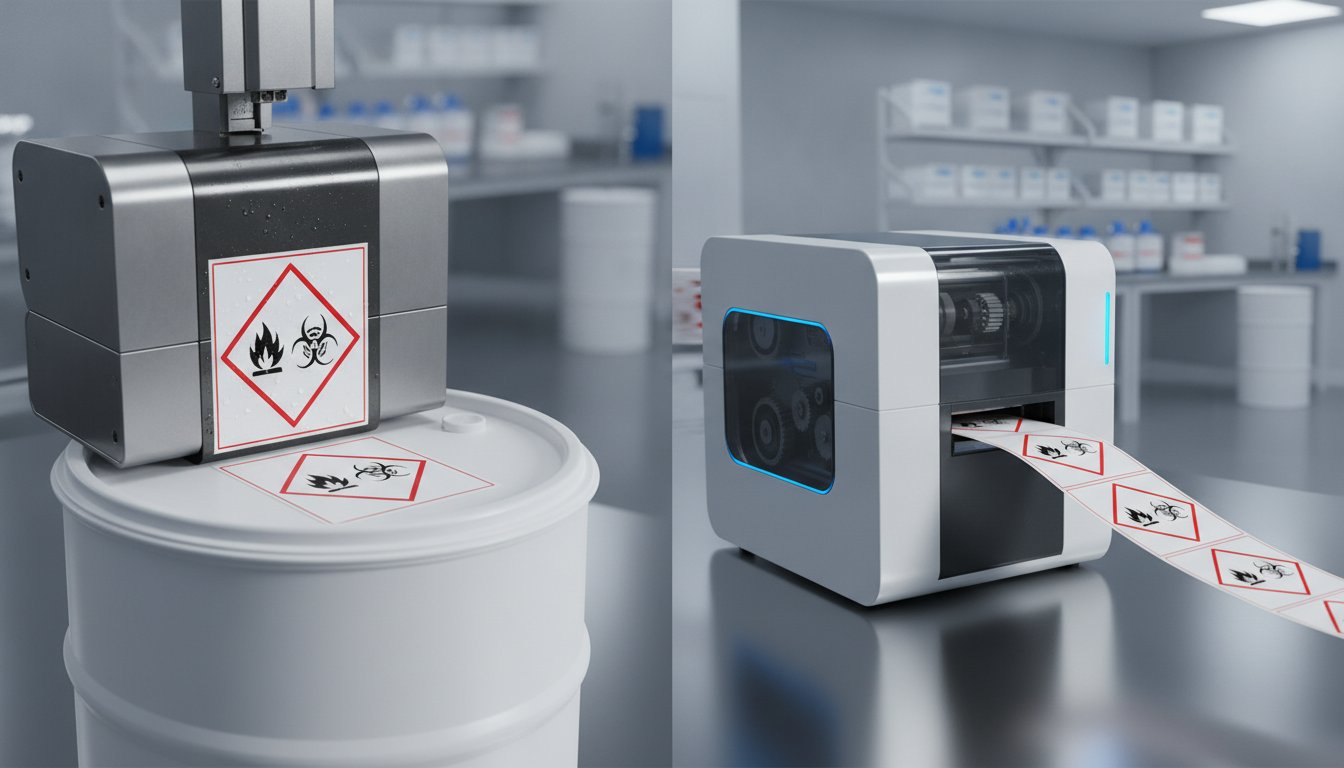
You might think the fastest printer on the market is the obvious choice for your production line, but in the world of chemical manufacturing, speed without extreme durability is a liability. When you compare Epson C6500 and NeuraLabel Callisto - Which is best for chemical labels depends entirely on whether you prioritize raw throughput or the "set-it-and-forget-it" reliability required for heavy industrial use. One machine reaches speeds of 18 inches per second, while the other offers the precision and media flexibility essential for strict GHS Revision 7 requirements.
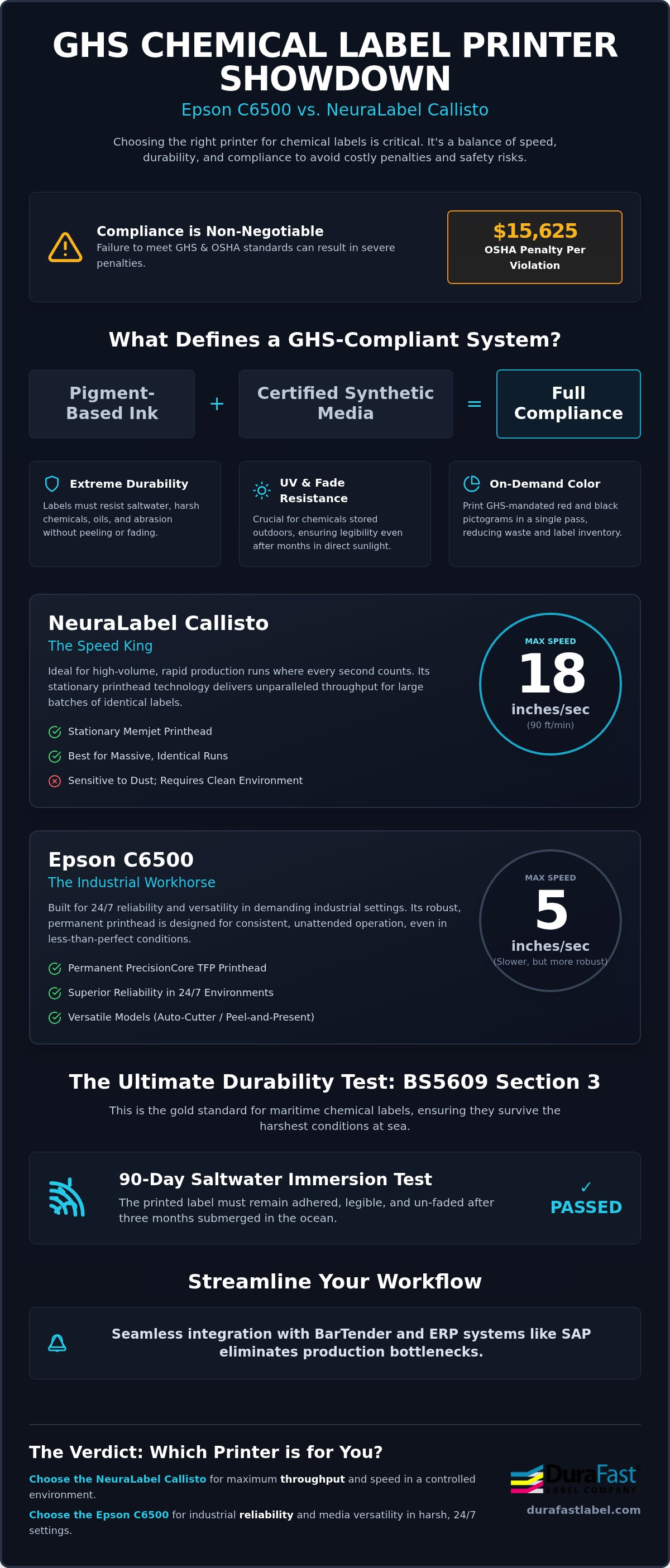
We understand the stress of managing harsh environments where labels must survive salt water and chemical contact. Fading text or peeling edges aren't just minor errors; they're compliance risks that can lead to OSHA penalties of up to $15,625 per violation. You need a system that ensures BS5609 Section 3 compliance while keeping your cost-per-label low. This guide explores which printer delivers the best durability, speed, and ease of use for your facility. We'll examine printhead technology, ink costs, and software integration to help you streamline your labeling workflow and protect your bottom line.
Key Takeaways
- Understand why GHS compliance requires a specific pairing of pigment inks and certified media to withstand harsh industrial environments.
- Compare Epson C6500 and NeuraLabel Callisto - Which is best for chemical labels based on your specific needs for either high-speed throughput or industrial reliability.
- Learn how to achieve BS5609 Section 3 compliance to ensure your chemical drum labels remain legible even after months of saltwater immersion.
- Evaluate the total cost of ownership by analyzing ink efficiency and printhead longevity to secure long-term production savings.
- Discover how seamless integration with BarTender and ERP systems like SAP can eliminate production bottlenecks in your labeling workflow.
What defines a GHS Chemical Label Printer?
A GHS-compliant printer isn't just a piece of hardware; it's a certified system for safety. To meet the rigorous standards of the Globally Harmonized System (GHS), your labels must remain legible under extreme stress. This requires a specific synergy between pigment-based inks and specialized inkjet labels. If the ink smears or the media peels, your facility is no longer compliant, which can lead to significant safety risks and heavy fines.
Historically, many manufacturers relied on thermal transfer label printers for durability. While effective for black-and-white barcodes, GHS mandates red and black pictograms. Managing multiple ribbon colors is a production bottleneck. Aqueous pigment inkjet technology replaced these older systems because it delivers full-color, high-resolution labels in a single pass. This technology is now the standard for achieving BS5609 certification, a requirement for any chemical container traveling by sea.
When you Compare Epson C6500 and NeuraLabel Callisto - Which is best for chemical labels, you're looking at the two heavyweights of the industry. Both machines are designed to produce labels that survive harsh environments, but they use different mechanical approaches to get the job done.
The Core Requirements for Chemical Compliance
Fading is a major liability for chemicals stored outdoors. GHS labels need high UV resistance to stay readable in direct sunlight for months. They must also resist solvents, oils, and acids without the text dissolving. On-demand color is another "must-have" feature. Printing your own GHS pictograms reduces the need to stock pre-printed labels for every hazard combination, which significantly cuts waste and inventory costs.
Pigment Ink vs. Dye Ink for Hazardous Materials
Dye-based inks are great for vibrant photos, but they fail miserably in a chemical warehouse. They smudge when touched and wash away in the rain. Pigment inks use solid particles that bond to the surface of treated synthetic media. This creates a waterproof, scratch-resistant barrier. Only pigment ink meets Section 3 of BS5609, which tests the durability of the printed image after ninety days of saltwater immersion. Using genuine Epson inks or Callisto pigment cartridges ensures your hazard warnings don't disappear when they're needed most.
Performance Comparison: Speed vs. Industrial Reliability
Choosing between these two machines often comes down to a choice between raw throughput and rugged reliability. When you Compare Epson C6500 and NeuraLabel Callisto - Which is best for chemical labels often depends on your daily production volume. The Callisto is a commercial powerhouse designed for rapid output, while the Epson C6500 is an industrial workhorse built for consistent, unattended operation. One prioritizes the clock; the other prioritizes the calendar.
NeuraLabel Callisto: The Speed King
The NeuraLabel Callisto utilizes a stationary Memjet printhead. Unlike traditional heads that move back and forth, this fixed head spans the entire width of the media. This allows the printer to reach speeds of up to 18 inches per second, or 90 feet per minute. It's the ideal choice for massive runs of identical drum labels where every second counts. However, this technology is sensitive. In chemical plants where dust or airborne particles are common, the microscopic nozzles on a Memjet head can clog more easily than industrial alternatives. This makes a clean environment essential for maintaining high-speed performance.
Epson C6500: Built for Versatility
Epson takes a different approach with its PrecisionCore TFP printhead. This is a permanent component designed to last the life of the printer. While its top speed of 5 inches per second is slower than the Callisto, it offers superior reliability in 24/7 environments. To get the most out of your system, using high-quality Epson CW-C6500 labels is essential for maintaining printhead health. The C6500 is available in two distinct models: an auto-cutter for batch printing and a peel-and-present version for immediate application. This flexibility helps you meet the OSHA Hazard Communication Standard by ensuring every container is labeled accurately and immediately.
Maintenance cycles differ significantly between the two. The Callisto requires periodic printhead replacements, which are user-changeable but add to the long-term cost. Epson’s permanent head requires less frequent intervention, making it better for "set-it-and-forget-it" workflows. If your production line can't afford frequent stops for head cleaning or calibration, the Epson’s stability is a major advantage. If you aren't sure which duty cycle fits your facility, you can speak with our compliance experts for a personalized recommendation.
Durability Standards: Achieving BS5609 Section 3 Compliance
BS5609 is the international benchmark for maritime chemical labeling. If you're shipping chemicals by sea, your labels must survive a grueling three-month saltwater immersion test. This ensures hazard warnings stay legible even if a container's lost at sea. To Compare Epson C6500 and NeuraLabel Callisto - Which is best for chemical labels, you've got to look past the hardware and examine the ink-media bond. Both machines are capable of high-durability output, but their success depends on the chemistry between the ink and the substrate.
Many buyers confuse Section 2 with Section 3. Section 2 only certifies the raw label material and its adhesive for marine use. BS5609 Section 3 compliance is much more specific. It certifies the entire system: the printer, the specific pigment ink formulation, and the label material working together as one unit. If you change any of these three components, your certification is no longer valid. Both the Epson C6500 and NeuraLabel Callisto use pigment inks that are designed to pass this test, provided they're paired with the right certified media.
While label adhesives are formulated for substrate bonding, other facility maintenance tasks in wet environments require specialized solutions; for instance, you can learn more about AquaBond Adhesives for industrial-strength pool and spa repairs.
Chemical Resistance and Smudge Proofing
Chemical drums face more than just water. They encounter oils, acids, and aggressive solvents during filling and transport. Matte synthetic media, such as polypropylene or polyester, is the industry standard because it provides the porous surface needed for pigment particles to anchor deep into the material. When you use specialized Epson C6500 labels, the ink dries instantly and becomes smudge-proof. This durability is critical for maintaining safety standards. You can find more details on these requirements in our GHS Label Printer Essentials guide.
Environmental Resilience in the Supply Chain
Your labels need to survive extreme conditions before they even reach a customer. This includes high heat in warehouse storage and intense UV exposure on outdoor loading docks. Both printers handle these stressors well, but the ink-media bond is what prevents the image from scratching off during rough handling. BS5609 Section 3 is the certification of the ink-media bond. Without this specific rating, your labels might peel or fade, leaving you vulnerable to compliance audits and safety failures. Reliability in the supply chain means knowing your hazard warnings won't disappear when they're needed most.
Media Versatility and Software Integration
A printer's value isn't just about its physical output; it's about how well it communicates with your existing tech stack. When you Compare Epson C6500 and NeuraLabel Callisto - Which is best for chemical labels, you have to look at the "brain" of the operation. Both machines handle standard 8-inch wide drum labels, but their software ecosystems offer different advantages for a busy production floor. It's not enough to print a high-resolution label. You need that label to sync with your database in real time to prevent costly data mismatches.
Choosing the right material is just as important as the hardware itself. We offer a full range of inkjet labels designed specifically for these pigment-based systems. Whether you're using rolls or fanfold stacks, the way your printer handles the material affects your daily uptime and waste levels. Precision in media handling ensures your hazard pictograms are perfectly aligned every time.
Workflow Automation for Chemical Manufacturers
Human error is the biggest threat to GHS compliance. Manually selecting pictograms is a recipe for disaster. Both the Epson and NeuraLabel systems work seamlessly with BarTender Professional to automate data-driven designs. This software pulls information directly from your Safety Data Sheets (SDS) to ensure every pictogram is accurate. The Epson C6500 takes this a step further with native ZPL II emulation. This allows it to replace older thermal printers without requiring a complete rewrite of your existing label code. For larger enterprises, verified support for SAP and Oracle ensures that your labeling process is integrated directly into your global supply chain. This level of automation reduces production bottlenecks and keeps your facility running smoothly.
Media Handling: Rolls, Fanfold, and Waste Reduction
Long production runs demand high-capacity media handling to minimize changeovers. The NeuraLabel Callisto is built for high-volume roll-to-roll production, making it a favorite for large-scale chemical distributors who need to move thousands of labels per shift. In contrast, the Epson C6500 offers more versatility in media thickness and type. It easily handles everything from thin synthetic films to heavy-duty matte stocks. If your facility uses fanfold labels, the Epson’s rear-feed path is incredibly reliable and less prone to jams. Reducing waste is also a priority; the Epson’s precision enables printing right to the edge of the first label on a roll. For a deeper look at how these machines fit into factory environments, check out our guide on industrial label printer solutions.
Integrating a new printer into a complex ERP system shouldn't be a headache. Our team can help you map out the perfect software and media combination for your specific chemical products. Contact our integration specialists today to ensure your setup is fully optimized for compliance and speed.
The Verdict: Which Printer Should You Buy in 2026?
Deciding which machine to place on your production floor is a high-stakes choice. When you Compare Epson C6500 and NeuraLabel Callisto - Which is best for chemical labels, the answer usually reveals itself once you calculate the Total Cost of Ownership (TCO) over a five-year period. While raw speed is impressive, industrial uptime and the cost of consumables often dictate the true value of your investment. We've found that for the vast majority of chemical manufacturers, the Epson C6500 offers the most balanced and stress-free experience.
The TCO involves more than just the initial purchase. You must account for ink efficiency, printhead longevity, and the cost of downtime. The Epson C6500 features a permanent PrecisionCore printhead designed to last the life of the machine. In contrast, the NeuraLabel Callisto uses a replaceable Memjet head. While user-changeable, these heads are a recurring expense that can fluctuate based on your environment and maintenance habits. For businesses that value a "set-it-and-forget-it" workflow, Epson’s reliability is hard to beat.
Choose the Epson ColorWorks C6500 if...
- You need maximum reliability and easy integration into existing thermal workflows using ZPL II emulation.
- You print a high variety of label sizes and materials, from small vials to large chemical drums.
- You want a lower entry price and a system that requires minimal maintenance intervention from your staff.
- Your production environment is typical of a chemical plant, where some dust or temperature fluctuations may occur.
Choose the NeuraLabel Callisto if...
- Your primary bottleneck is raw printing speed and you need to produce thousands of labels per shift.
- You have consistent, high-volume runs of the same label size that justify a stationary printhead system.
- You have a controlled, clean environment to protect the sensitive Memjet printhead from airborne contaminants.
- You have the budget for a higher initial investment to secure the fastest throughput available in this category.
Next Steps for Your Compliance Journey
Selecting the right printer is only half the battle. Achieving true GHS and BS5609 certification requires a certified pairing of ink and media. We recommend testing samples on your specific containers to ensure the adhesive and print quality meet your expectations. At DuraFast, we specialize in helping you navigate these complex requirements with ease. We can provide the specialized media and software support needed to keep your facility safe and compliant. Contact our chemical labeling experts today for a custom quote and let us help you find the perfect fit for your production line.
Secure Your Chemical Labeling Compliance Today
Selecting the right industrial printer is the foundation of a safe, compliant facility. The NeuraLabel Callisto offers unmatched speed for high-volume leaders who need to move thousands of labels per shift. However, the Epson ColorWorks C6500 provides the rugged reliability and versatile integration needed for most industrial workflows. Both machines excel at producing GHS-compliant labels that withstand harsh environments, provided they're paired with the right certified media.
When you Compare Epson C6500 and NeuraLabel Callisto - Which is best for chemical labels, remember that long-term value comes from reducing downtime and ensuring BS5609 Section 3 compliance. As an authorized partner for both Epson and NeuraLabel, DuraFast Label Company is uniquely positioned to guide your selection. We're specialists in GHS regulations and provide the North American support and supplies you need to stay productive.
Get a Professional Quote on GHS Label Printers and take the first step toward a more streamlined labeling process today. Our team is ready to help you find the perfect balance of speed and durability for your specific chemical products.
Frequently Asked Questions
Is the Epson C6500 BS5609 Section 3 certified?
The Epson C6500 is BS5609 Section 3 certified when paired with specific pigment inks and certified media like DuraFast Matte Chemical Labels. This certification ensures the ink-media bond survives ninety days of saltwater immersion. It is a critical requirement for international maritime shipping, ensuring hazard warnings stay intact even in extreme conditions. Without the right media pairing, the printer alone cannot guarantee this specific level of industrial compliance.
Can the NeuraLabel Callisto print directly from my SAP system?
Yes, the NeuraLabel Callisto supports direct printing from SAP and Oracle through specialized drivers and labeling software like BarTender. This integration allows for real-time data pulling, which is essential for maintaining accuracy across global chemical supply chains. It helps manufacturers Compare Epson C6500 and NeuraLabel Callisto - Which is best for chemical labels by evaluating how each fits their existing enterprise resource planning environment.
How often do I need to replace the printhead on a NeuraLabel Callisto?
Replacement frequency for the NeuraLabel Callisto Memjet printhead depends on your production volume and environmental cleanliness. Unlike the permanent head in the Epson C6500, the Callisto head is a consumable component. In high-volume settings, you might replace it every few months. Keeping the printer in a dust-free environment extends the life of the microscopic nozzles and maintains high-speed performance throughout its operational lifecycle.
What is the maximum label width for chemical drum labeling on these printers?
The Epson C6500 supports a maximum print width of 8.34 inches, while the NeuraLabel Callisto can handle media up to 12 inches wide. For standard 55-gallon chemical drums, an 8-inch width is typically sufficient for most safety requirements. If you require oversized labels for larger containers or secondary containment units, the Callisto provides the extra width necessary for those specific and demanding industrial labeling applications.
Do I need special ink for GHS compliance on the Epson ColorWorks series?
You must use genuine Epson UltraChrome DL pigment ink to achieve GHS compliance. Dye-based inks will smudge and fade when exposed to moisture or chemicals, which fails strict safety standards. Pigment ink contains solid particles that anchor into the media, providing the UV and chemical resistance required by OSHA’s Hazard Communication Standard. This durability is why pigment technology is the standard for labeling hazardous materials in warehouses.
Which printer has a lower cost-per-label for chemical applications?
The Epson C6500 generally offers a lower total cost-per-label due to its permanent printhead and ink efficiency. While the Callisto has larger ink cartridges that reduce the frequency of changeovers, the recurring cost of replacing Memjet printheads adds to its long-term expenses. When you Compare Epson C6500 and NeuraLabel Callisto - Which is best for chemical labels, the Epson's lower maintenance requirements often result in better overall value for most facilities.
Can I use gloss labels for chemical containers?
Gloss labels are generally not recommended for GHS or BS5609 applications because they don't provide the necessary ink absorption for maximum durability. Matte synthetic media is the gold standard for chemical drums. The matte surface allows pigment ink to bond more effectively, ensuring the label remains legible after exposure to aggressive solvents, oils, and the harsh abrasion typical of maritime shipping and rough industrial handling.
What is the difference between the Epson C6500A and C6500P models?
The Epson C6500A features a built-in auto-cutter, making it ideal for batch printing high volumes of labels quickly. The C6500P includes a peel-and-present sensor that automatically removes the label from its backing. This is perfect for manual application lines where an operator needs to apply one label at a time to a container. Both models share the same internal technology, pigment ink systems, and GHS compliance capabilities.