Godex Industrial Barcode Printers: How to Choose the Right Setup in 2026
29th Sep 2026
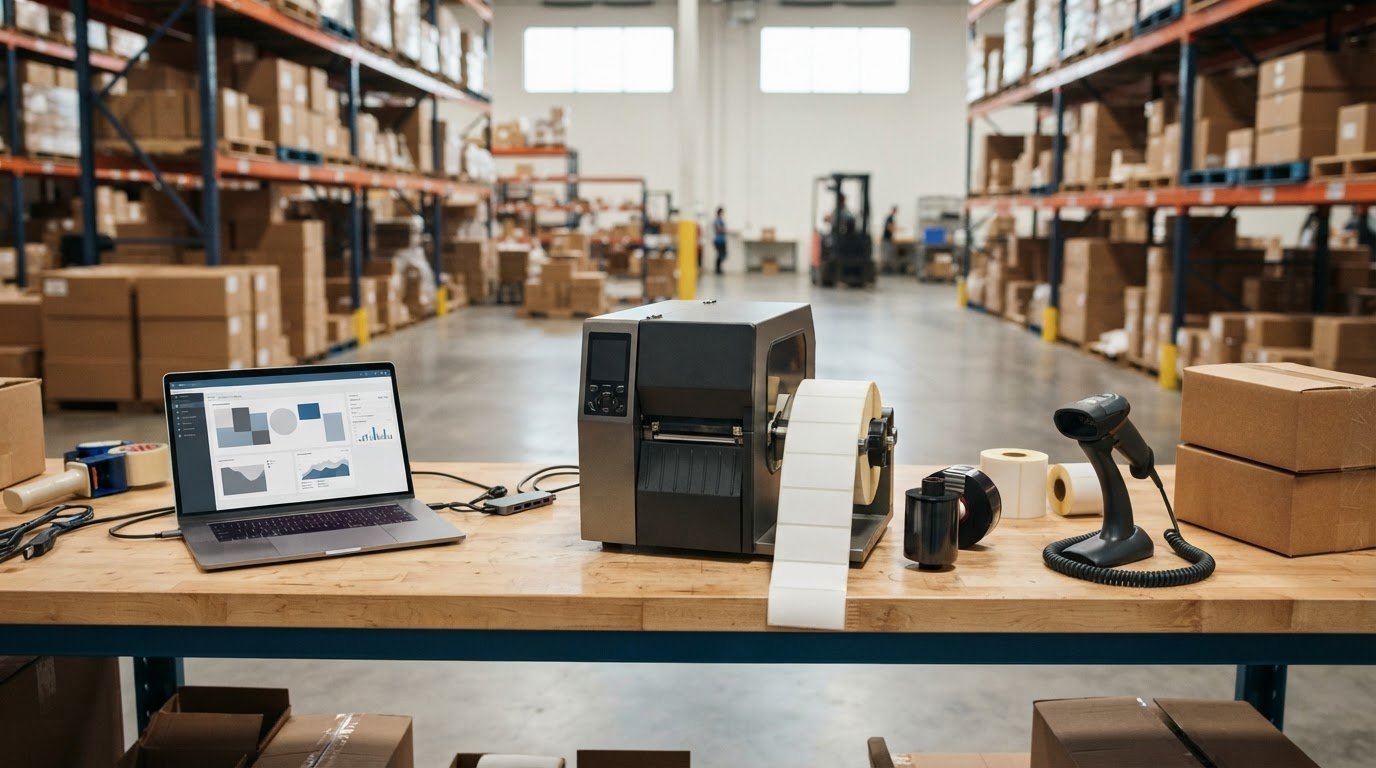
The best Godex printer for your operation may not be the fastest one. Godex industrial barcode printers should be matched to the labels you print, the conditions they face, and the workload they need to handle. A mismatch can cause avoidable delays or produce labels that don’t suit the application.
Choosing between direct thermal and thermal transfer is one important decision, but it’s not the only one. You’ll also need to check media compatibility, print resolution, connectivity, and how the printer fits your daily volume. Comparing manufacturer specifications with distributor listings can make those decisions less straightforward, especially when details vary by model.
This guide explains which specifications matter for your workflow and how to compare printer options without relying on brand name alone. You’ll see how the printer, label stock, ribbon, and software work together, and what to verify before choosing a configuration. DuraFast Label Company offers Godex printers and ribbons as product categories. You can share your application details when asking about a setup.
Key Takeaways
- Match Godex industrial barcode printers to your application, label needs, and daily workload rather than choosing by brand name alone.
- Prioritize the specifications that affect your workflow, including print method, media width, resolution, connectivity, and operating environment.
- Use the label’s expected life and conditions of use to help decide between direct thermal and thermal transfer printing.
- Check label stock, ribbon, and software compatibility for the specific printer configuration before ordering.
- Confirm current model specifications and availability, then verify that the complete setup can produce the labels your operation needs.
What Are Godex Industrial Barcode Printers, and When Does Your Operation Need One?
An industrial barcode printer is selected for repeatable business workflows where print volume, media requirements, operating conditions, and workflow fit matter more than occasional desktop use. Godex industrial barcode printers may be worth considering when labels are part of a regular process, such as identifying warehouse stock, marking products on a manufacturing line, preparing shipments, or tracking business assets.
A barcode encodes information in a form that compatible systems can read. For a foundational overview of what a barcode is, including common formats and uses, see the linked reference. In practice, the printer is only one part of the job. The label must suit its purpose, and the printed information needs to work for the people and systems that use it.
What makes an industrial barcode printer different?
There isn’t one speed or volume threshold that defines the right printer. Evaluate the job: how often labels are printed, where printing takes place, what media the application needs, and how the printer will connect with existing software or equipment. A warehouse station may need reliable access to shipping labels, while a production process may depend on consistent identification labels and an established print workflow.
Compare your application with the specifications verified for each printer rather than assuming every industrial model supports the same media or operating conditions. DuraFast’s industrial barcode printer category is a place to begin reviewing equipment. You can also compare thermal label printer options as part of your research.
When is an industrial printer the right fit?
An industrial setup may make sense when label printing is a recurring part of daily operations, a delay could slow a connected workflow, or the application calls for media that must be checked against printer specifications. Consider where printing happens, who relies on the labels, and what happens if printing is delayed. These details help you determine whether a printer’s intended application matches your needs.
A desktop printer may be sufficient when printing is occasional, lighter-duty, or limited to a smaller work area. The right choice depends on the actual job, not the printer category alone. Before comparing models, document the label’s purpose, approximate workload, media type and size, operating environment, and required system connections. Then verify current specifications and consumable compatibility for each configuration you’re considering.
Which Godex Printer Specifications Matter for Your Barcode Workflow?
Start with the job, then compare printer specifications against it. A label for a small part, a shipping carton, and a pallet may require different media dimensions, barcode layouts, and print settings. The right priorities depend on what the label must communicate and how it moves through your operation.
Before ordering, confirm the printer’s print method, supported media width, resolution, workload suitability, connection options, and fit for its operating environment. Check each detail against current manufacturer documentation for the exact Godex model. Don’t assume specifications are the same across a product family.
- Print method: Determine whether the application calls for direct thermal or thermal transfer, then check that the printer and supplies support the selected method.
- Media width: Compare the full label dimensions with the model’s verified supported media range.
- Resolution: Consider barcode size, label layout, and any requirements for clear, readable output.
- Workload: Estimate typical label volume and note when demand peaks, such as during a shift change or shipping rush.
- Connectivity: Verify that the printer’s available connections suit the computer or production system that will send print jobs.
- Environment: Consider where the printer will sit, who will use it, and the conditions in the work area.
How should you assess print volume, width, and resolution?
Estimate labels across a typical day and identify busy periods. A daily average can hide short production peaks that affect printer selection. Next, measure the label and check the printer’s documented media-width specifications. Consider the entire label layout, not only the barcode.
Resolution should suit the barcode size and the detail printed alongside it. Smaller symbols or compact layouts may call for a closer review of resolution and sample output. For case labels, compare your layout needs with GS1 case labeling guidance, then verify that the specific printer configuration can produce the required result.
Which connectivity and operating conditions should you confirm?
Check the exact model’s documented connection options against the system that creates print jobs. Consider the physical setup too: where operators load media, access controls, and retrieve finished labels. Dust, temperature, and other conditions around the printer may affect which specifications deserve closer attention. Confirm suitability with current product documentation rather than relying on a general “industrial” label.
For a starting point, review the industrial barcode printer category. If you’re comparing requirements for a particular application, you can ask DuraFast about the printer and configuration you’re considering.
Direct Thermal vs. Thermal Transfer: Which Godex Setup Fits Your Labels?
Choose the print method based on the label’s job, not a blanket assumption about which type lasts longer. Direct thermal printing uses heat-sensitive label material. Thermal transfer uses a ribbon to transfer an image onto compatible label stock. Either method requires media that suits the specific printer and application.
The print method determines whether your setup relies on heat-sensitive label stock alone or needs both compatible labels and a ribbon. For Godex industrial barcode printers, confirm the selected model’s supported method and consumable compatibility before ordering.
| Consideration | Direct thermal | Thermal transfer |
|---|---|---|
| How the image is made | The printer applies heat to heat-sensitive media. | The printer uses a ribbon to transfer the image onto label stock. |
| Consumables to check | Compatible heat-sensitive labels. | Compatible label stock and ribbon. |
| Questions to ask | Will the label remain readable through its intended use and exposure? | Do the label material and ribbon suit the application and printer? |
When does direct thermal printing make sense?
Direct thermal may suit applications that use heat-sensitive media and don’t require a ribbon, such as some short-term shipping or process labels. Suitability depends on the label’s exposure to heat, light, handling, and other conditions, as well as how long it needs to remain readable. Consider the full label lifecycle, from printing to its final scan or removal. Explore direct thermal label printers for related options, and verify that the selected printer and media are compatible.
When should you consider thermal transfer printing?
Consider thermal transfer when your workflow calls for a ribbon and compatible label stock. Check ribbon choice alongside the label material and the conditions the label will face. Don’t assume a ribbon suitable for one stock or application will suit another, or that a printer supports every combination. Confirm compatibility for the exact configuration and test sample output for readability in your application. See thermal transfer label and printer options as you compare setups.
Before deciding, write down the label material, expected exposure, handling, and required readability period. Then check printer, label, and ribbon details against current manufacturer information. If you’re narrowing down a configuration, contact DuraFast about your application and the supplies you’re considering.
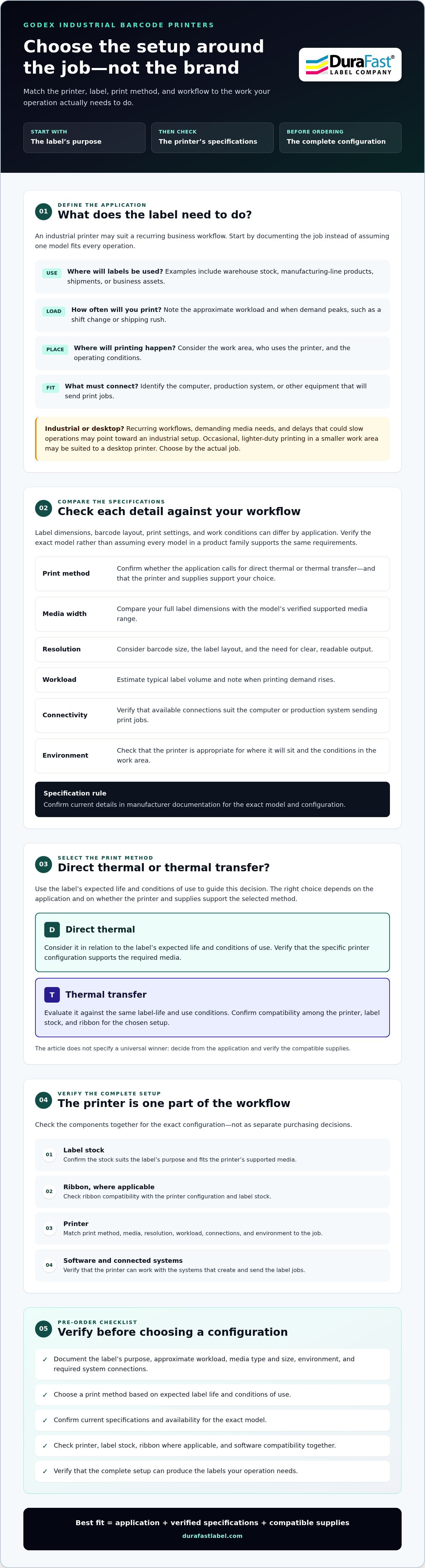
Matching Godex Industrial Printers to Labels and Software
The printer, label, ribbon, and software need to work together as one setup. Before comparing configurations, gather the job details and verify compatibility against documentation for the exact printer model. Use this process to narrow the options:
- 1. Define label use. Record what the label identifies, where it will be applied, how it will be handled, and how long it needs to remain readable.
- 2. Confirm the media. Note label material, width and length, roll core, roll direction, and any special handling or environmental conditions. Check each requirement against the model’s documented media specifications.
- 3. Check the ribbon. For thermal transfer printing, verify the ribbon type and dimensions for the printer and label stock. DuraFast offers thermal transfer ribbon options, but compatibility should be confirmed for the specific setup.
- 4. Verify the software. Identify how labels are designed and where print data comes from. Confirm that the printer’s supported driver and software options work with your operating system and business system.
- 5. Test the output. Print a sample using the intended label layout and supplies. Check barcode readability, text, alignment, and whether the result suits the label’s use.
How do you confirm label and ribbon compatibility?
Be precise about the roll, not just the label face. Material, dimensions, core, and unwind direction can all affect whether media fits the printer’s documented requirements. Include application conditions, such as exposure and handling, so the supplies can be evaluated for their intended use. Match those details to the exact model’s manufacturer specifications. Don’t assume a ribbon fits every printer or performs the same way on every label material.
What should you check about barcode software and workflow?
List the barcode formats and label templates you use, along with the source of the data, such as a production or inventory system. Then verify driver support, software compatibility, and the connection between that system and the selected printer. DuraFast offers BarTender Professional software, but a software name alone doesn’t confirm that a particular setup will work. Check the version and model details before purchase.
When asking for product guidance, share your label dimensions and material, roll details, print method, ribbon requirements, barcode layout, software, data source, and expected workload. This gives a product supplier useful context for checking the configuration without assuming compatibility. For help reviewing a Godex printer, label, and ribbon combination, send DuraFast your application details.
Buying Godex Industrial Printers: Pre-Order Checklist
Before placing an order, check the complete printing setup rather than the printer alone. Godex industrial barcode printers need to match your application, media, consumables, and existing workflow. Use this checklist to confirm details that can affect fit, and avoid relying on specifications from a different model or an outdated listing.
- Application: Identify what the labels mark, where they’ll be used, and how long they need to remain readable.
- Volume: Estimate typical label output and note peak periods or times when printing is essential to keep work moving.
- Media: Record label material, dimensions, roll core, and roll direction. Verify these against the selected model’s current specifications.
- Ribbon: If using thermal transfer, confirm ribbon type and dimensions, and check compatibility with both the printer and label stock.
- Connectivity: List the computers or production systems that will send print jobs, then check the model’s documented connection options.
- Software: Identify your label design software, drivers, barcode formats, and data sources. Confirm support for the exact printer and system.
- Model details: Verify current media support, print method, resolution, availability, and other specifications using manufacturer documentation.
What details should you have ready before contacting a supplier?
Have the label dimensions and material, estimated print volume, barcode requirements, and conditions where labels will be applied or stored ready. Note any existing printer, software, operating system, or system connection requirements. If you’re unsure about a media or ribbon detail, include the product information you have and ask what needs to be checked against the chosen model.
How can DuraFast help you evaluate a Godex setup?
DuraFast Label Company supplies Godex industrial printers and related supplies, including Godex ribbons, to customers nationally across the United States. Share your application and configuration details to help identify which product specifications and consumables need confirmation. Check current product specifications, availability, and printer, label, and ribbon compatibility before ordering.
DuraFast sells printing equipment and supplies. It doesn’t offer custom label printing or on-site technical repairs. Have your requirements ready? Contact DuraFast to discuss your printer requirements.
Choose a Setup That Fits Your Workflow
The right setup starts with your labels and how they’ll be used. Match the print method to the label’s expected life and conditions, then verify media, ribbon, printer specifications, and software compatibility for the exact model. These checks help you compare Godex industrial barcode printers based on your workflow, not just a product listing.
DuraFast sells Godex industrial barcode printers and Godex ribbons, along with a broader catalog of professional label printers and related supplies. It serves customers nationally across the United States. Before ordering, confirm current model specifications, availability, and consumable compatibility for your intended configuration.
Have your label details, workload, and software requirements ready? Contact DuraFast to discuss your Godex printer requirements. A clear picture of your application is a practical first step toward choosing a setup with confidence.
Frequently Asked Questions
What are Godex industrial barcode printers used for?
Godex industrial barcode printers are used to produce labels for recurring business workflows, including warehouse inventory, manufacturing identification, shipping, and asset tracking. The right setup depends on the label’s purpose, required media, print method, workload, and connection to the operation’s systems. Before choosing a printer, document where labels will be used and what information they must carry, then check the exact model’s verified specifications.
Are Godex industrial printers thermal transfer or direct thermal?
Godex offers thermal printers that may use direct thermal or thermal transfer printing, but the supported method depends on the specific model. Direct thermal printing uses heat-sensitive label stock and doesn’t require a ribbon. Thermal transfer uses a ribbon with compatible label material. Check manufacturer documentation for the model you’re considering, then confirm that the required labels and, if applicable, ribbon are compatible.
How do I choose the right Godex industrial barcode printer?
Choose by matching the printer to your workflow, rather than selecting by brand alone. Define your application and label life, estimate typical and peak volume, and record media dimensions and material. Then compare the model’s verified print method, media support, resolution, connectivity, and software compatibility. Godex industrial barcode printers can differ by model, so confirm current specifications and consumable compatibility before making a selection.
Can a Godex industrial printer print shipping and warehouse labels?
A Godex industrial printer may suit shipping or warehouse labels if its specifications support the label size, media type, print method, and workflow you need. For example, compare the required shipping label dimensions and barcode layout with the printer’s verified media range and resolution. Also check that the printer connects to the system sending print jobs. Test sample output and confirm barcode readability for your application.
Do Godex industrial barcode printers require ribbons?
Not all of them. A direct thermal setup uses compatible heat-sensitive media and doesn’t need a ribbon. A thermal transfer setup does require a ribbon that works with both the printer and label stock. Don’t assume a ribbon fits every printer or material. Check the exact model’s documentation and verify the media and ribbon combination before ordering. The print method determines which consumables your setup needs.
What should I confirm before ordering a Godex industrial printer?
Confirm the application, expected print volume, label material and dimensions, print method, and any ribbon requirements. Check that the printer supports the media and label layout, and verify resolution, connectivity, software, and driver compatibility against current documentation for the exact model. Also confirm current product availability and test a sample if possible. Treat printer, supplies, and software as one configuration, not separate purchase decisions.
Can DuraFast print custom labels or repair Godex printers on-site?
No. DuraFast Label Company sells label-printing equipment and supplies, including Godex industrial barcode printers and Godex ribbons, but doesn’t offer custom label printing or on-site technical repairs. The company serves customers nationally across the United States. If you’re evaluating a printer and supply setup, gather your application details and confirm the model’s specifications and consumable compatibility before ordering.