Inkjet vs. Thermal Label Printers: Which is Better?
10th Jul 2026
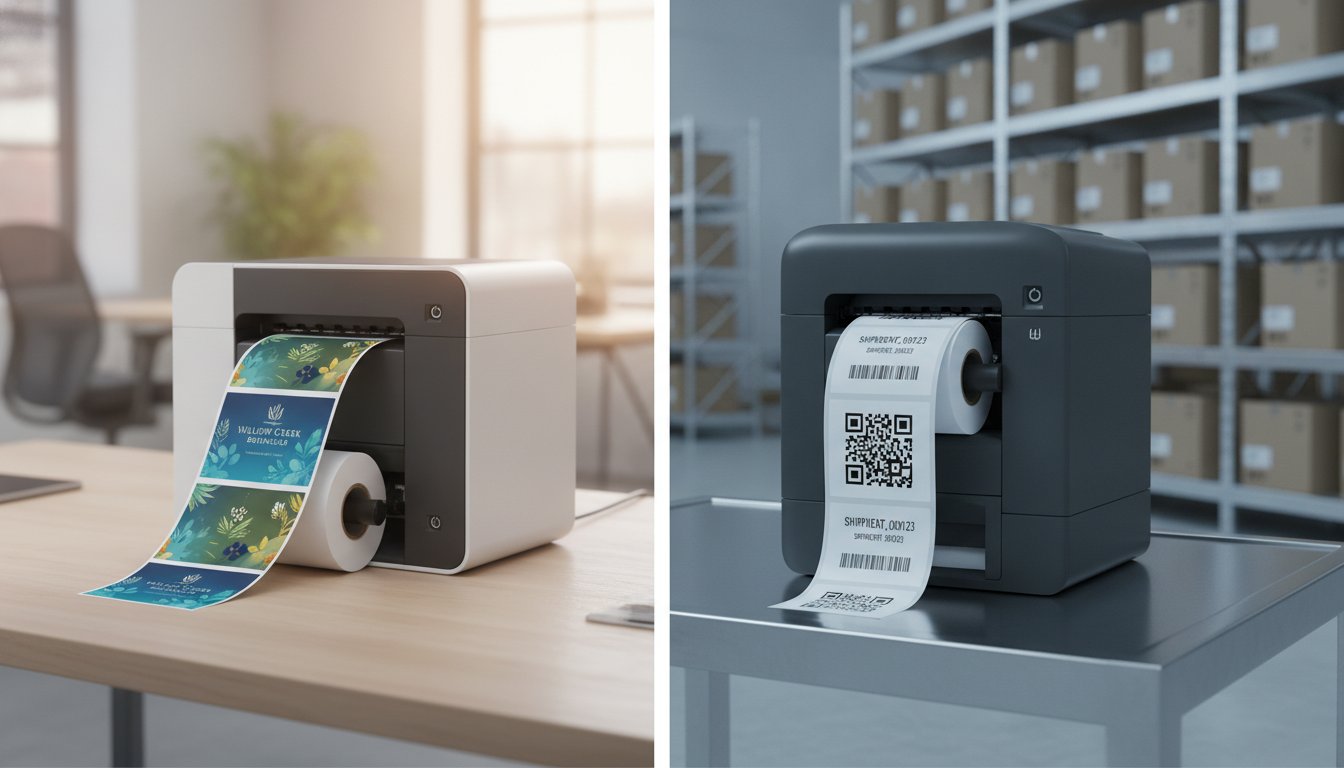
What if the most expensive printer on the market is actually the wrong choice for your specific business? When you are staring at rows of technical specs for the Epson ColorWorks C6000A or the Zebra ZT411, it's easy to get stuck in analysis paralysis. You want to know which is better, but the truth is that "better" depends entirely on your specific durability needs and production volume.
We understand that choosing the wrong technology feels like a high-stakes gamble. Nobody wants to invest in hardware that becomes obsolete or drives up operating costs with expensive ink and ribbons. This guide provides a clear decision-making framework to help you stop outsourcing and bring your labeling in-house. We will compare inkjet and thermal technologies across three critical pillars: color requirements, environmental durability, and total cost of ownership. By the end, you'll have the confidence to choose a printer that lowers your long-term costs and fits your workflow perfectly.
Key Takeaways
- Learn how to frame your hardware comparison by moving past industry jargon toward a logic-based business decision.
- Discover the specific application winners when comparing the vibrant branding of inkjet against the rugged efficiency of thermal technology.
- Compare high-performance models like the Epson C6000A and Afinia L801 to determine which is better for your unique ink coverage and speed needs.
- Use our 5-point checklist to evaluate your monthly print volume and storage environment for a smarter hardware investment.
- Stop outsourcing and lower your long-term operating costs by implementing a vetted, in-house labeling solution tailored to your workflow.
Defining 'Which Is Better' in a Professional Context
When you ask which is better, you've already done the heavy lifting of narrowing your search. You aren't just looking for any generic printing device; you're choosing between two distinct paths for your business growth. This shift from "what" to "which" marks the moment a business moves from exploration to investment. It shows a commitment to finding a specific solution that fits a defined set of operational needs. We don't believe in a one-size-fits-all answer because your production environment is unique.
Which vs. What: The Decision-Maker's Perspective
Using the word "what" suggests you're still mapping out the territory. You might ask, "What printer do I need for shipping labels?" However, asking which is better between an Epson C6000A and an Afinia L801 means you've identified your core requirements. It indicates you understand that different Label printer technologies serve different long-term goals. Phrasing your question this way helps our experts provide tailored advice rather than generic brochures. It's the difference between browsing a broad catalog and finalizing a strategic purchase order.
The 2026 'Better' Benchmark
In 2026, the definition of "better" has evolved alongside industry standards. With global digital label output expected to reach 11.2 billion square meters by 2030, the stakes for choosing the right hardware are higher than ever. We look at three critical benchmarks to determine the winner for your facility:
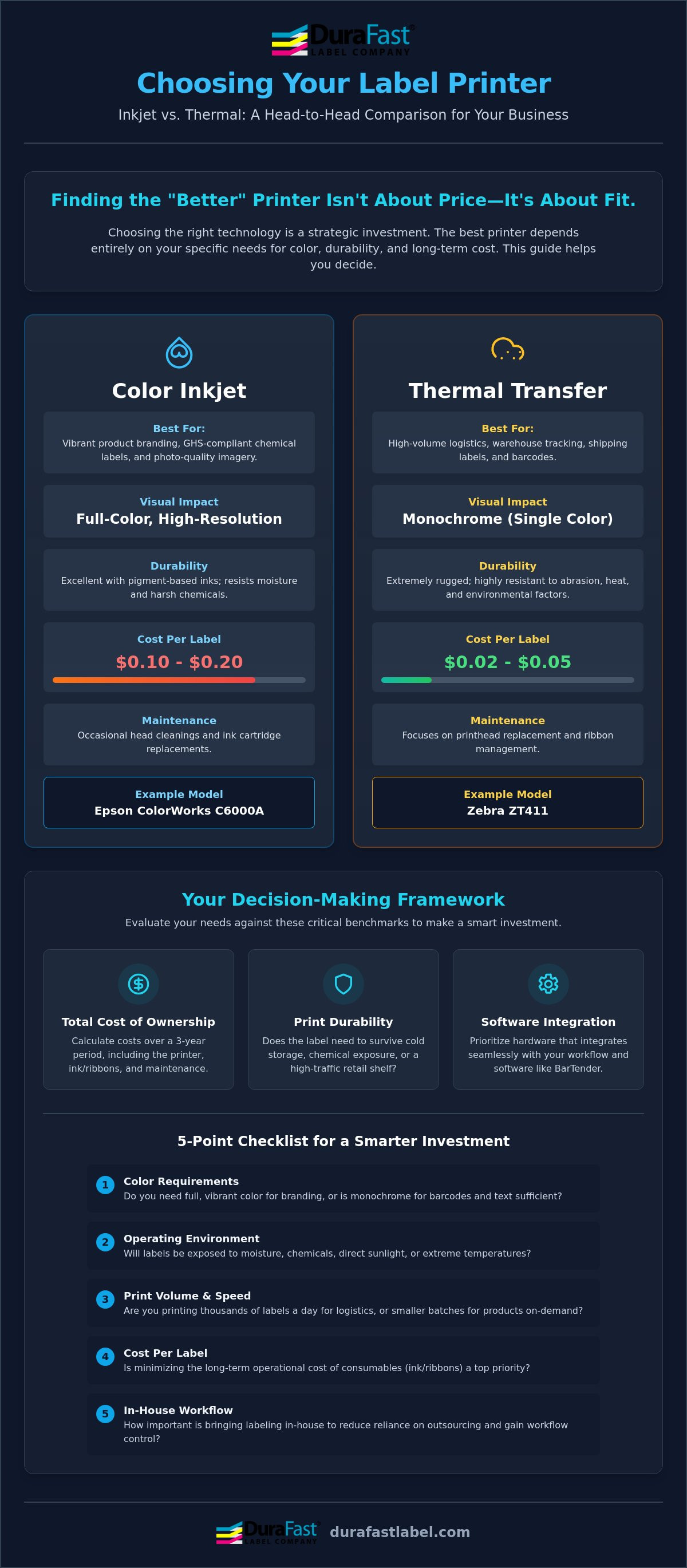
- Total Cost of Ownership (TCO): We calculate the cost over a three-year period. This includes ink, ribbons, and maintenance rather than just the initial price tag.
- Print Durability: We assess whether your labels will survive a cold-storage warehouse, a chemical facility, or a high-traffic retail shelf.
- Software Integration: We prioritize hardware that offers seamless integration with BarTender Professional software to ensure your workflow remains uninterrupted.
Choosing a technology isn't about finding the "best" machine in a vacuum. It's about finding the best machine for your specific labels. If you need vibrant, photo-quality branding for consumer goods, an inkjet color label printer is often the superior choice. If you're focused on high-volume logistics and shipping, a thermal label printer will likely serve you more efficiently. We vet these options so you don't have to, stripping away the jargon to give you confidence in your investment.
Inkjet vs. Thermal: Which Technology Is Better for You?
Choosing between inkjet and thermal technology isn't just about the initial purchase. It's about how the printer interacts with your environment. Inkjet printers use liquid ink to create high-resolution, full-color images. Thermal printers use heat to transfer a solid ribbon onto a label or activate a heat-sensitive coating. When you ask which is better, you're really asking which mechanical process will survive your specific supply chain.
Inkjet technology excels in visual impact. Thermal technology wins on speed and raw cost per label. For a business printing 100 labels per day, the estimated annual cost for a thermal printer is approximately $980. Inkjet costs are significantly higher due to ink expenses. Per-label costs for inkjet range from $0.10 to $0.20, while thermal labels cost between $0.02 and $0.05. Maintenance also varies. Inkjet printers require occasional head cleanings and cartridge swaps. Thermal printers focus on printhead replacement and ribbon management.
The Case for Color Inkjet Printers
Color is no longer a luxury for many industries. If you need GHS-compliant chemical labels or eye-catching product branding, the Epson ColorWorks series is a versatile choice. These machines use pigment-based ink. It's the "better" option for labels exposed to moisture or harsh chemicals. Pigment ink binds more securely to the label surface than dye-based alternatives. This ensures your branding stays sharp even if the bottle gets wet or sits in direct sunlight. If you aren't sure about your specific ink requirements, talk to our team for a personalized assessment.
The Case for Thermal Transfer Printers
Thermal transfer printing is the industrial standard for logistics and warehouse tracking. Machines like the Zebra ZT411 are built for high-volume output. These printers use thermal transfer ribbons to melt wax or resin onto the label material. This process creates a bond that is incredibly resistant to smudging and heat. When you need 100,000 shipping labels that must remain scannable after weeks in a trailer, thermal transfer technology is the clear winner. It's built for durability and uptime in environments where legibility is mandatory but color is not. Deciding which is better for your facility depends on whether your priority is branding or logistics.
Epson C6000A vs. Afinia L801: Comparing the Giants
Moving from general technology to specific hardware brings us to the industry's top contenders. When you evaluate the Epson C6000A against the Afinia L801, the question of which is better shifts from basic mechanics to your specific production workflow. One machine prioritizes surgical precision and industrial versatility; the other is a high-speed powerhouse built for massive throughput. Both represent the pinnacle of 2026 color labeling, but they serve very different masters.
Epson utilizes PrecisionCore technology, which uses a moving printhead to deliver incredibly sharp, durable images. Afinia relies on Memjet technology. This system features a stationary printhead that spans the entire width of the media, allowing labels to pass underneath at high speeds. Your choice depends on whether you value the flexibility of different label sizes or the raw speed of a digital press.
Epson ColorWorks C6000A: The Versatility King
The Epson ColorWorks C6000A is the better choice for businesses that manage a wide variety of SKU sizes and shapes. It excels in environments where you might print 500 labels for one product and then immediately switch to a different size for another. Its most significant advantage is the built-in peeler. This feature allows the printer to integrate directly into automated packaging lines, presenting one label at a time for immediate application. To maintain the high durability Epson is known for, you'll want to pair the machine with certified Epson C6000 labels. This combination ensures your branding survives moisture and handling without smudging.
Afinia L801: The Speed Demon
Speed is the primary reason the Afinia L801 dominates high-volume retail branding. It can reach speeds up to 60 feet per minute, making it much better for massive print jobs where time directly impacts your ROI. Memjet technology remains the gold standard for high-coverage designs. If your labels feature edge-to-edge color or complex gradients, the L801 delivers professional results with a lower cost per milliliter of ink compared to many competitors. Because it prints so rapidly, using specialized Afinia L801 labels is essential. These materials are engineered to absorb ink instantly, preventing tracking or blurred images at top speeds.
Analyzing long-term operating costs reveals that the Afinia often wins on high-ink designs due to its larger tank capacities. However, the Epson C6000A offers superior environmental resistance for industrial or outdoor use. Deciding which is better for your facility requires a look at your daily label count. If you print 100,000 labels of the same design every month, the Afinia's speed is unbeatable. If you need a rugged machine for a variety of smaller, high-durability runs, the Epson is your reliable partner.
A 5-Point Checklist to Determine Your 'Better' Option
Technical specifications tell only half the story. To find the right hardware, you must evaluate how a printer survives your daily operations. Determining which is better for your facility requires a structured approach that weighs immediate needs against long-term growth. Use this five-point framework to narrow your search and invest with confidence.
- Monthly Print Volume: Are you printing 1,000 labels for a boutique shop or 100,000 for a national distributor?
- Storage Environment: Will your labels face freezer moisture, warehouse heat, or retail UV light?
- Variable Data: Do you need unique serial numbers and barcodes on every label or static branding?
- Physical Footprint: Is your workspace a crowded desk or a dedicated industrial floor?
- Design Proficiency: Does your team have experience with professional tools like BarTender software?
Step 1: The Volume Threshold
Your monthly output is the most significant factor in your return on investment. If you print under 5,000 labels per month, desktop thermal printers often win because of their low entry price and minimal maintenance. Once you cross the 20,000-label threshold, the logic shifts toward industrial color machines. Total Cost of Ownership represents the complete financial commitment of owning a printer, including the purchase price and the cumulative cost of all consumables like ink and labels over its operational lifespan. High-volume users find that the higher initial cost of an industrial printer is quickly offset by the significantly lower cost of bulk ink and media.
Step 2: The Durability Requirement
Durability needs dictate your technology choice. If you are shipping packages that arrive in 48 hours, direct thermal labels are efficient. However, if your products face harsh conditions, you need a more rugged solution. For GHS or BS5609 compliance in chemical environments, you absolutely need DuraFast Matte Chemical Labels paired with pigment inkjet technology. This combination resists saltwater, abrasion, and chemicals. If you choose thermal transfer, your ribbon choice is vital. Wax ribbons are fine for standard shipping, but resin ribbons are the "better" choice for maximum scratch and chemical resistance on synthetic labels.
Every business has a unique "sweet spot" where hardware performance meets budget reality. We have already vetted the top models to ensure they meet the rigorous standards of modern supply chains. If you want to see how these numbers apply to your specific label designs, contact us for a free media consultation. Our experts can help you calculate your exact costs before you make a hardware commitment.
Why DuraFast Is the Better Partner for In-House Printing
Choosing the right hardware is only the first step toward operational independence. To ensure a successful transition to in-house production, you need a partner that understands the nuances of media, ink, and software integration. We've spent years vetting the industry's top models so you don't have to. When you're deciding which is better for your facility, our team provides the field-tested data you need to make an informed choice.
We've been a specialized North American provider since 2012. Our status as an authorized dealer for Epson, Afinia, and Zebra means we don't just sell boxes; we provide complete ecosystems. Whether you need a high-speed Afinia L801 for retail branding or a rugged Zebra ZT411 for warehouse logistics, we ensure every component works together perfectly. Our support extends beyond the printer to include BarTender Professional software and Datalogic barcode scanners for a seamless workflow.
- Authorized Expertise: Direct access to the latest technology from Epson, Afinia, and Zebra.
- Custom Media: Tailored label solutions for unique industrial or chemical applications.
- Software Integration: Expert guidance on BarTender Professional setup and template design.
- National Reach: Reliable support and supply chains across North America.
More Than Just a Hardware Provider
We help you stop the cycle of expensive outsourcing. By bringing your printing in-house, you gain total control over your inventory and lead times. Our deep thermal transfer ribbon expertise ensures your industrial labels remain scannable in the harshest conditions. If you're ready to take the next step, check out our sibling guide on How to Print Your Own Product Labels: A 2026 Guide for a deeper look at the setup process.
Ready to Decide?
Our 2026 consultation process is designed to strip away the confusion of technical specs. We believe the best way to determine which is better for your business is to see the results firsthand. We invite you to request sample labels printed on our vetted hardware to test durability and color accuracy in your actual work environment. This hands-on approach removes the guesswork and ensures your hardware investment delivers a high ROI from day one. Contact DuraFast today to find your perfect label solution and start your journey toward in-house efficiency.
Ready to Take Control of Your Labeling?
Deciding which is better for your facility doesn't have to be a guessing game. Whether you need the high-impact color of an inkjet system for retail branding or the rugged reliability of a thermal transfer printer for warehouse logistics, your success depends on matching the hardware to your specific environment. We've shown that volume and durability requirements are the true compass for this hardware investment. As an authorized Epson, Zebra, and Afinia partner, we've already done the heavy lifting of vetting these technologies to ensure they deliver long-term reliability for your business.
Our team provides expert technical support for BarTender Professional integration and specializes in high-performance media like DuraFast Chemical labels for maximum durability in harsh conditions. You don't have to navigate these technical specs or industry jargon alone. We're here to help you stop outsourcing and start saving on every roll you print. Your perfect labeling setup is just one conversation away.
Find the 'Better' Solution for Your Business at DuraFast
Frequently Asked Questions
Is inkjet or thermal better for GHS chemical labels?
Inkjet is almost always the superior choice for GHS compliance because it allows you to print the required red pictograms and branding in a single pass. Printers like the Epson C6000A use pigment ink that binds to DuraFast Matte Chemical Labels to meet BS5609 standards. This ensures your labels remain legible even after immersion in saltwater or exposure to harsh chemicals.
Which is better for shipping labels: direct thermal or thermal transfer?
Direct thermal is better for standard shipping labels that only need to remain scannable for a few weeks. It eliminates the need for ribbons, which simplifies your inventory and speeds up the printing process. Thermal transfer is the right choice if your packages face extreme heat or long transit times where friction might smudge a direct thermal image.
Can I use BarTender Professional with any label printer?
Yes, BarTender Professional works with any printer that has a standard Windows driver. It's the industry standard for designing complex labels and managing variable data for both inkjet and thermal systems. We provide expert support for BarTender to help you automate your printing and reduce manual entry errors across your entire fleet.
Which printer has a lower cost per label, Epson or Afinia?
Afinia printers like the L801 typically offer a lower cost per label for high-coverage designs because of their large ink tanks and Memjet technology. Epson units are often more cost-effective for smaller, diverse runs where durability is more important than raw speed. Deciding which is better for your specific ROI requires an analysis of your ink coverage and monthly volume.
Is it better to buy an industrial printer or multiple desktop units?
An industrial printer is which is better for environments that require constant uptime and high-volume output. Machines like the Zebra ZT411 are built with metal frames and hold larger media rolls to minimize downtime. While multiple desktop units offer redundancy, they usually carry higher long-term operating costs due to smaller ink cartridges and more frequent media changes.
Which ribbon type is better for outdoor label durability?
Full resin ribbons are the best option for outdoor applications because they provide the highest resistance to UV light, moisture, and extreme temperatures. Wax-resin ribbons work well for general warehouse use, but they won't survive prolonged sun exposure. Standard wax ribbons should be avoided for outdoor use as they can smudge or fade quickly when exposed to the elements.
How do I know which inkjet label material is better for my product?
The right material depends on your container type and the environment your product will inhabit. Matte materials are better for industrial products that require high legibility and chemical resistance. Glossy materials are ideal for high-end retail branding where vibrant colors are essential. We recommend testing samples on your actual product to ensure the adhesive and finish meet your expectations.
Is the Epson C6000A better than the C7500 for small businesses?
The Epson C6000A is generally better for small businesses because it offers a lower initial investment and features like a built-in peeler or auto-cutter. The C7500 is a high-speed powerhouse designed for massive, continuous print jobs. For most growing companies, the C6000A provides the versatility needed to handle various label sizes without the industrial price tag of a high-speed press.