Mastering BarTender Label Software: A 2026 Guide to In-House Printing Efficiency
3rd Jul 2026
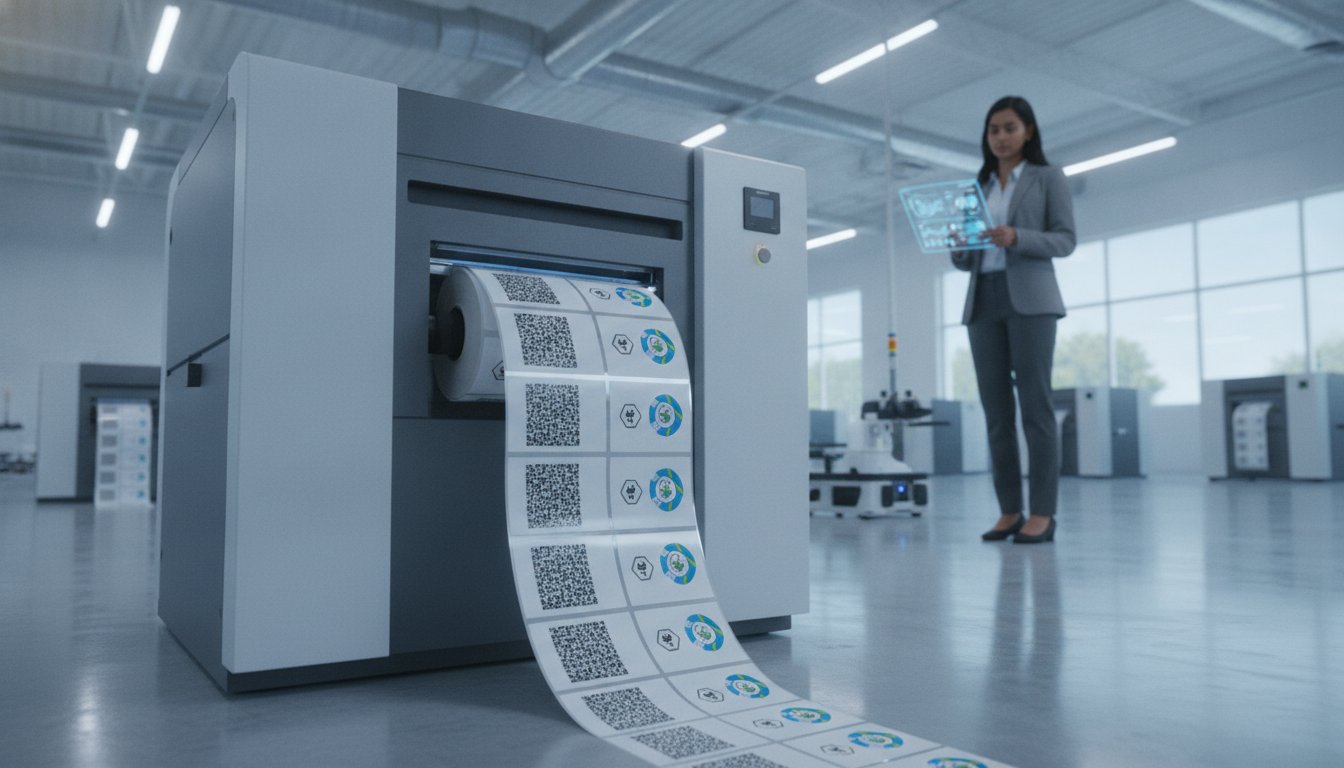
How much time does your team lose each week reprinting batches because of a single manual entry error? It’s a frustrating reality for many businesses struggling to balance high-speed production with strict GHS or industry compliance. You want your hardware and software to work in perfect harmony, not fight each other. Mastering BarTender label software is the key to transforming your print station from a source of stress into a streamlined, automated powerhouse.
We understand that managing complex label designs while ensuring database accuracy often feels like an uphill battle. This guide shows you how to leverage the latest features in BarTender 12.3 to eliminate manual mistakes and maximize the output of your Zebra or Epson industrial printers. You'll learn how to set up seamless database integrations and use Seagull drivers for flawless performance. We will walk through the essential steps to automate your design tasks, ensuring your labels are professional, compliant, and ready for the 2026 landscape.
Key Takeaways
- Learn how to move from manual entry to automated workflows that eliminate labeling errors.
- Find the right BarTender label software license to match your specific printer count and production volume.
- Unlock the full potential of your Epson or Zebra hardware using specialized Drivers by Seagull for better color and speed.
- Adopt a "design once, print many" strategy to save hours of repetitive design work every week.
- See how integrating your database with your printer creates a more efficient, professional-grade production line.
What is BarTender Label Software and Why Does it Matter in 2026?
Think of BarTender label software as the central nervous system of your labeling operation. It's the industry standard for designing and automating barcodes, RFID tags, and GHS labels. In 2026, the North American market has reached a tipping point where manual data entry is no longer just a slow process; it's a significant business liability. With increased demands for traceability and transparency, your labels must be perfect every time they leave the warehouse.
Moving from a "messy" to a "managed" workflow means you stop treating label design as a series of individual art projects. Instead, you treat it as a data-driven process. The software acts as a robust bridge between your existing databases, like Excel or SQL, and your high-performance printers. By linking your live data directly to your templates, you ensure that the information on the label matches the information in your system without any human intervention.
Key Features That Define the BarTender Experience
The efficiency of your print shop depends on specialized tools that generic design software lacks. BarTender provides a suite of features built specifically for industrial environments. These tools help you scale your operations without adding technical complexity for your staff.
- Intelligent Templates™: You don't need hundreds of separate files for different products. These templates use conditional logic to adapt one design to thousands of different data points.
- Drivers by Seagull™: These drivers are engineered to communicate directly with your printer's native language. They offer much faster print speeds and better color control than standard Windows drivers.
- Advanced Barcoding: The software supports over 400 barcode components and 60 barcode symbologies. Whether you're printing standard UPCs or complex 2D barcodes, the software ensures they are scannable and compliant.
Why In-House Printing Requires Professional Software
If you're using high-end hardware like the Epson ColorWorks C6000A or Zebra industrial printers, you need software that can keep up. Professional software helps you reduce label waste by allowing you to preview data-driven designs before you hit print. This simple step prevents thousands of dollars in wasted media and ink from simple typos or formatting errors.
Using a professional platform also ensures absolute consistency. If you use different brands of color label printers across different departments, BarTender maintains a uniform look and feel. It also automates compliance. For industries requiring GHS or specific retail standards, the software updates its internal logic to meet new regulations, so you don't have to worry about falling behind on legal requirements.
Choosing the Right Edition: BarTender Starter vs. Professional
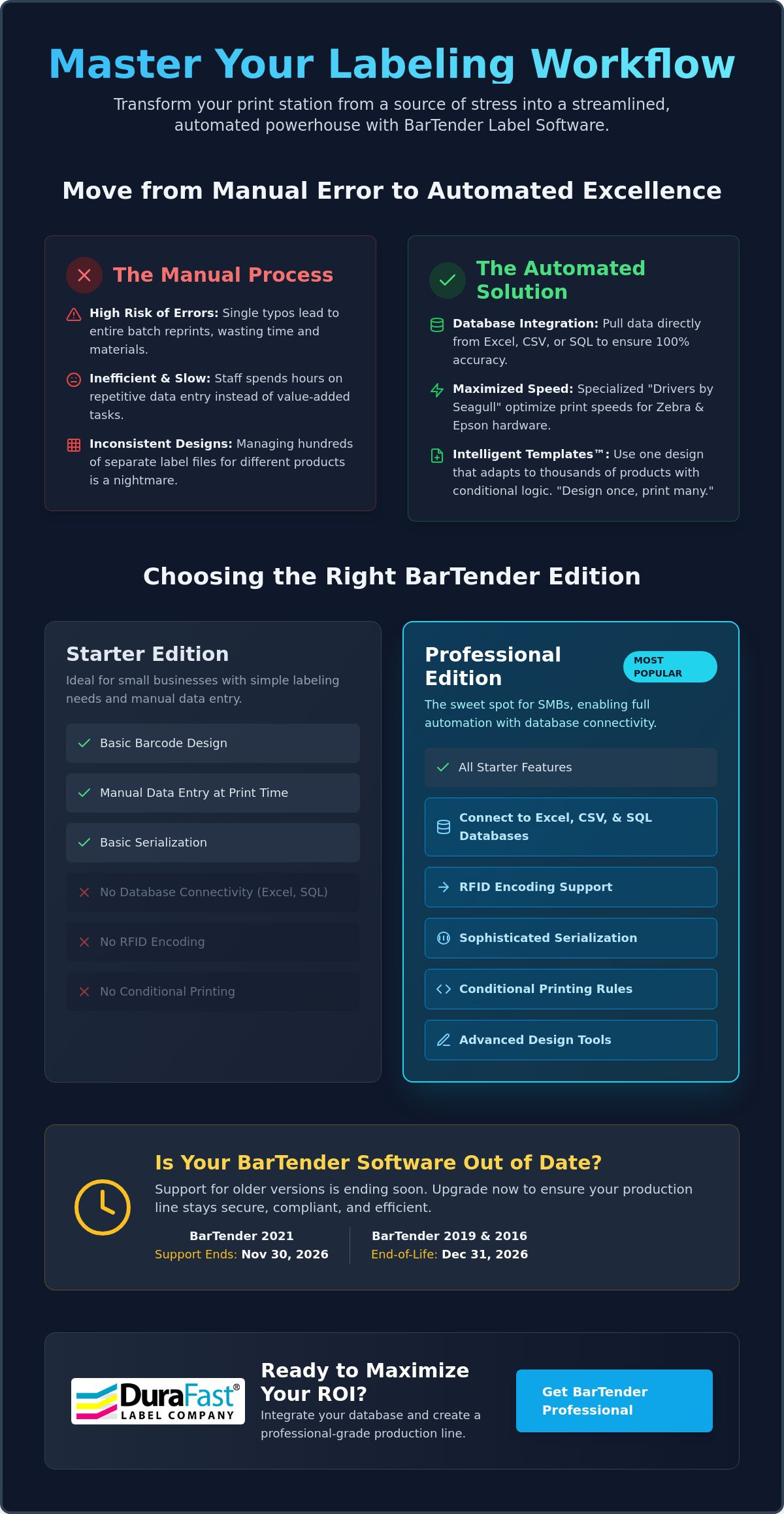
Selecting the right edition of BarTender label software depends primarily on your data complexity and the number of printers you use. The software follows a licensing model based on the number of printers connected to the network. With the release of version 12.3 in June 2026, the licensing has become even more flexible. It now accommodates hybrid cloud environments where you might manage local printers alongside remote stations. If you're still running BarTender 2021, keep in mind that support ends on November 30, 2026. Older versions like 2019 and 2016 reach their full end-of-life on December 31, 2026. Upgrading now ensures your production line stays secure and compliant.
BarTender Starter: For Simple Labeling Needs
The Starter edition is built for small businesses that don't need complex data automation. It is ideal for basic barcode design and manual data entry. You can create standard barcode formats and perform basic serialization. However, it only supports simple data sources like basic CSV files or manual input. It's a solid choice for startups or low-volume operations that print the same few designs every day. Data is entered at the time of print, which works well if your inventory is small and manageable.
BarTender Professional: The Power of Database Connectivity
This edition is the "sweet spot" for most small to medium businesses and remains the most popular choice for DuraFast customers. The real power lies in its ability to connect directly to Excel, CSV, and SQL databases. Instead of typing in data for every label, the software pulls the information automatically. This version also supports RFID encoding and sophisticated serialization. You can use advanced design tools like conditional printing. This allows you to set rules, such as only printing a specific warning icon if a "hazardous" column in your spreadsheet is checked. It's a huge time-saver that virtually eliminates manual entry errors.
Automation and Enterprise Editions: Scaling Up
For businesses running 24/7 manufacturing environments, the Automation and Enterprise editions provide high-level control. These versions allow for seamless integration with major ERP systems like SAP or Oracle. They are designed for heavy-duty industrial barcode printers that require centralized management across multiple locations. If you need to monitor printer status globally or require automated print-triggering from other software, these tiers are essential. They turn your labeling into a hands-off, background process. If you aren't sure which tier fits your current printer fleet, reach out to our team for a quick assessment.
BarTender Synergy: Optimizing Your Epson and Zebra Printers
Software isn't just about design; it's about total hardware control. BarTender label software acts as the essential translator between your digital data and your physical equipment. While generic drivers often treat every printer the same, this software uses specialized protocols to ensure your hardware runs at peak efficiency. This synergy is vital when you're using high-performance color label printers like the Epson CW-C6000A or heavy-duty thermal units. It allows you to push your equipment to its technical limits without sacrificing reliability.
Managing Color with Epson ColorWorks
Getting brand colors right on the Epson C6000A requires more than just a high-resolution image file. You need precise control over ICC profiles. BarTender handles these profiles seamlessly through Drivers by Seagull, ensuring that the "corporate blue" you see on your screen matches the actual ink on your inkjet labels. These specific drivers allow the software to communicate directly with the printer's hardware, providing much better color accuracy than standard generic Windows drivers.
You can even use data-driven color rules to simplify your inventory. For instance, you can set the software to automatically change a label's background color to red if a product is marked as "hazardous" in your spreadsheet. This level of automation reduces the need to stock multiple types of pre-printed label media. It also gives you granular control over ink saturation levels directly from the design interface, helping you manage your ink costs more effectively.
Thermal Performance and Zebra Integration
When you're pushing high volumes through industrial barcode printers like the Zebra ZT411, speed and clarity are the top priorities. BarTender label software utilizes native printer languages like ZPL to bypass the slow processing of standard print queues. This results in nearly instantaneous "first label out" times. It keeps your production line moving without the stuttering or lag often seen with less sophisticated software packages.
Precision also extends to your consumables. The software allows you to adjust heat settings and darkness levels for specific thermal transfer labels and thermal ribbons. If you notice barcodes becoming fuzzy or faint, you can recalibrate the alignment and print head temperature within the software rather than fiddling with physical dials on the printer. This ensures every scan is successful, reducing the risk of retailer chargebacks for unreadable codes. By managing these hardware settings at the software level, you prolong the life of your print head and ensure consistent quality across every batch.
Step-by-Step: Designing and Printing Your First Data-Driven Label
Getting started with BarTender label software doesn't have to be a technical headache. The most efficient operations adopt a "design once, print many" philosophy. This approach means you create a single, intelligent template that pulls variable data from a spreadsheet, rather than designing a new file for every SKU. By automating the data flow, you reduce the time spent on manual edits and virtually eliminate the risk of typos on your production line.
Phase 1: Designing the Template
Start by setting your page size to match your physical label roll. If you are using a desktop thermal printer, ensure the dimensions in the software exactly match your media width and height. Place your static elements first, such as your company logo or branding. Then, add dynamic placeholders for barcodes and prices. Use formatting rules like "Auto-fit" to ensure long product names stay within the designated print area without overlapping other elements.
Phase 2: Connecting the Data Source
This is where the automation happens. BarTender Professional allows you to link an Excel spreadsheet directly to your BarTender label software template. Use the Database Setup Wizard to browse for your file and select the correct worksheet. Once connected, map your data columns to the specific fields on your label. For example, tell the software that "Column A" in your sheet should generate the barcode. You can also use the filter tool to select only specific rows. This allows you to print labels for today's shipments without touching the rest of your inventory list.
Phase 3: Execution and Testing
Before you commit to a large run, select the correct printer driver for your hardware. Whether you're using an Epson or Zebra unit, always use the "Print Preview" feature. It shows you exactly how the data will look on the final label, preventing you from wasting expensive ink and media. Run a test print on a single label to verify that the alignment is perfect. If everything looks sharp, execute the full batch. If you run into any issues during setup, our technical team can help you troubleshoot your configuration and get your production line moving.
Maximizing ROI with BarTender Professional from DuraFast
Investing in BarTender label software is a strategic move that pays dividends through long-term operational savings. While the initial setup requires a small commitment of time, the reduction in manual errors often covers the software's cost within the first few months of high-volume production. You aren't just buying a design tool; you're purchasing a system that eliminates the hidden costs of labeling, like wasted media, shipping delays, and retailer fines for unreadable barcodes. As your business expands, this software scales with you. You can start with a single station and grow into a fleet of printers across multiple warehouses without needing to learn a new interface or redesign your existing templates.
Protecting your equipment is just as vital as optimizing your data. We always suggest using high-quality consumables like Zebra ribbons to ensure the longevity of your print heads. When you pair professional-grade software with premium ribbons and labels, you reduce the physical wear on your machines. This leads to fewer maintenance calls and less downtime, keeping your production line running at peak speed. It's about creating a reliable ecosystem where the hardware and software work in total harmony.
The DuraFast Advantage: Curated Solutions
We recommend BarTender Professional to roughly 90% of our in-house printing clients because it offers the most balanced feature set for modern business needs. Our team doesn't just sell software; we specialize in pairing it with the right thermal transfer label printers to ensure your specific media and volume requirements are met. We focus on supporting North American businesses that need reliable, high-speed solutions that don't require a full-time IT department to maintain. We've done the heavy lifting of vetting these products so you can focus on your core operations.
Future-Proofing Your Labeling for 2026 and Beyond
The labeling landscape moves fast, and staying current is essential for security and speed. By using the latest BarTender label software releases, such as version 12.3 launched in June 2026, you gain access to improved location management and enhanced print-time usability. This version also prepares you for the increasing industry shift toward RFID adoption. BarTender’s built-in encoding tools allow you to transition to RFID tracking whenever your retail partners demand it, without needing to overhaul your entire software stack. This proactive approach ensures your business remains competitive and compliant as industry standards evolve. Upgrade your labeling workflow with BarTender Professional today.
Your Next Step Toward a Smarter Print Operation
Getting your labeling workflow under control doesn't have to be complicated. BarTender label software gives you the tools to eliminate manual errors, connect your live data directly to your templates, and push your Epson or Zebra hardware to its full potential. The result is a faster, more reliable print operation that scales with your business.
Three things to carry forward from this guide: choose the edition that matches your current printer count and data complexity, always use Drivers by Seagull for your hardware, and commit to the "design once, print many" approach. These three steps alone will save your team significant time every week.
DuraFast Label Company is an authorized partner for Epson, Afinia, and Zebra, specializing in North American in-house printing solutions. We build vetted software and hardware bundles so you get maximum compatibility right out of the box, without the guesswork. Ready to find the right setup for your operation? Contact our team today and let's build your ideal labeling solution.
Frequently Asked Questions
Is there a free version of BarTender label software available?
No, there isn't a permanent free version of the software. However, you can download a 30 day Free Trial that gives you access to all the features found in the Professional and Automation editions. This is a great way to test your database connections and design templates before making a purchase. Once the trial expires, you must buy a subscription or a perpetual license to continue printing.
Does BarTender Professional work with Mac computers?
The standard desktop version of BarTender label software is a Windows native application and does not run natively on macOS. If your facility uses Mac hardware, you'll need to use a Windows emulator like Parallels or a tool like Boot Camp to run the software. For those who want to avoid emulators, BarTender Cloud offers a web based platform that works on any operating system through a standard browser.
How do I connect an Excel spreadsheet to my BarTender label design?
You can link your data quickly using the Database Setup Wizard located in the File menu. Select Excel as your source, browse for your spreadsheet, and choose the correct worksheet. After the connection is established, you simply drag the column headers from the record browser directly onto your label elements. This creates a live link where your labels update automatically as you change your spreadsheet data.
What is the difference between BarTender and NiceLabel?
Both are industry leaders, but they handle hardware communication differently. BarTender is famous for its Drivers by Seagull, which offer specialized control for over 9,000 printer models. Many users find that BarTender label software provides a more straightforward experience when integrating with high performance hardware like Zebra or Epson units. While both offer automation, BarTender is often preferred for its robust on premises licensing and Intelligent Templates.
Can I use BarTender to print GHS-compliant chemical labels?
Yes, the software is an industry favorite for GHS compliance because it handles complex conditional logic. It includes built in libraries for the required red diamond pictograms and signal words. You can set up your template to pull specific hazard data from your database, ensuring that every chemical label printed meets current North American safety standards without manual design changes for every product.
Do I need a separate license for every printer I use with BarTender?
Yes, the licensing model is based on the number of printers that will be active on your network. You can install the software on as many computers as you like, but the license restricts how many unique printers can receive print jobs. If you have a fleet of three Zebra ZT411 printers, you'll need a three printer license. This allows for centralized management of your print seats across the entire warehouse.
What happens if my BarTender Support and Maintenance Agreement (SMA) expires?
If your SMA expires, your software will still work, but you'll lose access to live technical support and all future software updates. This is particularly risky in 2026 because support for BarTender 2021 ends on November 30. Keeping your SMA active is the only way to upgrade to version 12.3 and beyond, ensuring your system stays compatible with new Windows updates and the latest printer hardware.
Does BarTender support RFID tag encoding for Walmart compliance?
Yes, the Professional and higher editions fully support RFID encoding for retail compliance. The software can encode the EPC Gen2 chips used in Walmart RFID labels while simultaneously printing the human readable text and barcodes on the surface. This ensures your tags are formatted correctly to meet strict retail mandates. It also supports TID logging to help you track every unique tag for better inventory accuracy.