On-Demand Label Printing Benefits for Flexible Production
30th Oct 2026
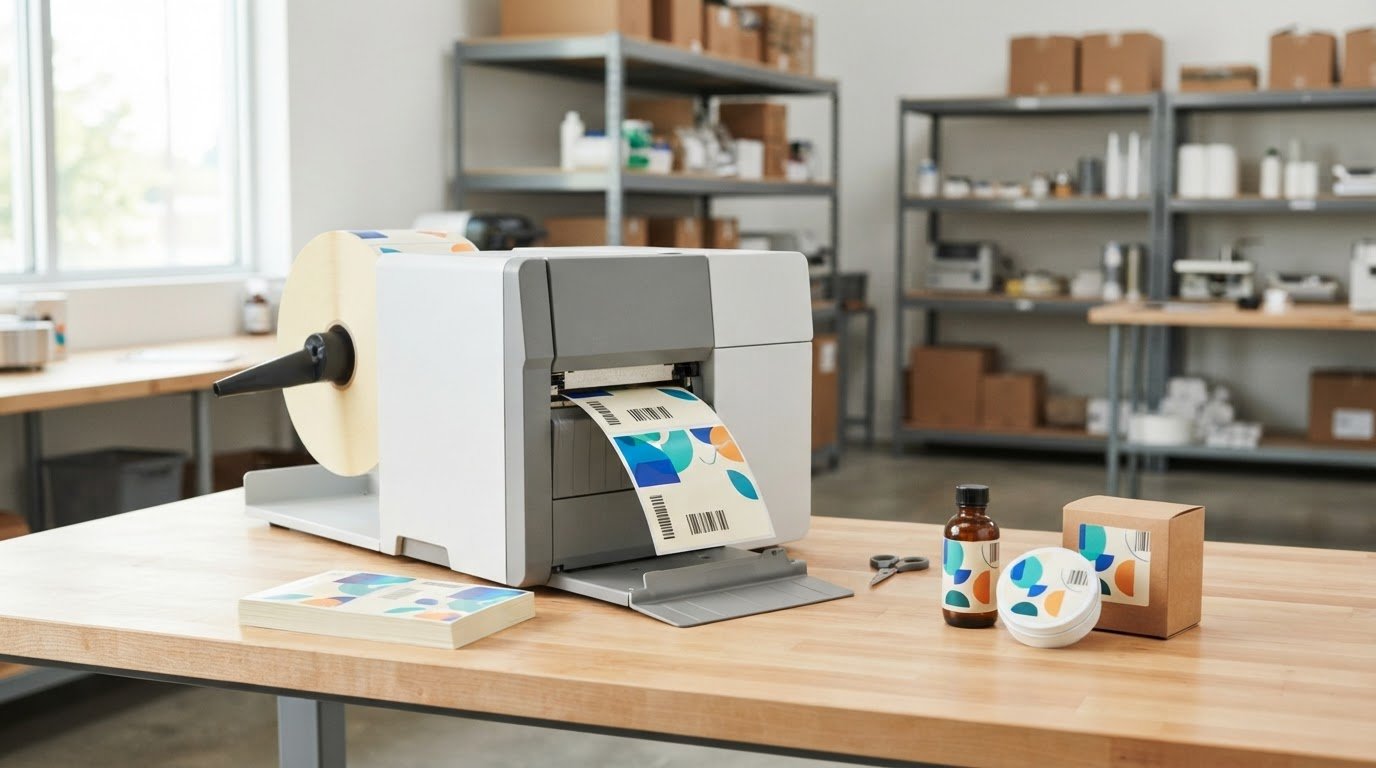
A flexible label run doesn’t have to start with a large batch. On-demand printing produces one label at a time, with each label presented separately from its backing paper. You can print what production needs when it needs it, rather than relying on stacks of preprinted labels. The on-demand label printing benefits include less dependence on stored label inventory and more room to adapt content as products or batches change.
Keeping labels aligned with changing production needs can be challenging, especially when products require different designs, information, or codes. On-demand label printing benefits businesses by making updates easier to manage and supporting short runs and variable data. This article explains how the process works across manufacturing, distribution, and e-commerce, and how printing text, graphics, barcodes, and product-specific details can support flexible production and consistent branding.
Key Takeaways
- Print labels as production needs them to reduce reliance on preprinted inventory and limit waste from outdated or damaged stock.
- Adapt short runs for seasonal products, changing label content, and evolving requirements without ordering more labels than needed.
- Combine artwork, text, barcodes, and changing details such as lot codes or expiration dates in a streamlined print workflow.
- Choose label materials, printer type, and design tools to suit the product, its environment, and the information each label must carry.
- Explore color label printers and related supplies from DuraFast Label Company when bringing flexible label production in-house.
What is On-demand Label Printing?
On-demand label printing produces one label at a time, with each label separated from its backing paper. Instead of ordering large batches in advance, a business prints labels as production requires them.
This approach suits changing product lines, short runs, and label updates. For example, a producer can print a revised product label without using up an older batch first.
Reducing Inventory Costs and Waste
On-demand printing reduces the need to store preprinted label rolls by producing only the quantity needed for a run. This matters when designs, product details, or packaging change, because unused labels can become obsolete before they are applied.
Stored rolls can also become dirty, damaged, or yellowed, and their adhesive may lose effectiveness. Waste from preprinted labels can add up to thousands of dollars over time. Printing closer to the point of use helps businesses manage inventory and avoid holding excess stock.
Print Quality and Label Durability
On-demand label quality depends on the printer, label material, ink or ribbon, and print settings. The method can produce clear, professional labels, but it is not automatically better or more durable than professionally preprinted labels.
Match the label stock and printing method to the product’s environment. For example, a label exposed to chemicals needs suitable material and ink. The combination affects whether text and graphics remain legible during use.
What equipment and materials are needed? An in-house workflow needs a compatible label printer, design software, and stock suited to the product and printer. Color label production may use inkjet printing, while thermal transfer printing uses a ribbon. The right combination depends on the label’s content and intended conditions.
What are the limitations and risks? In-house printing requires staff to manage printer supplies, label files, and print quality. A mismatched material or incorrect file can result in unreadable codes, wasted labels, or labels unsuited to their application.
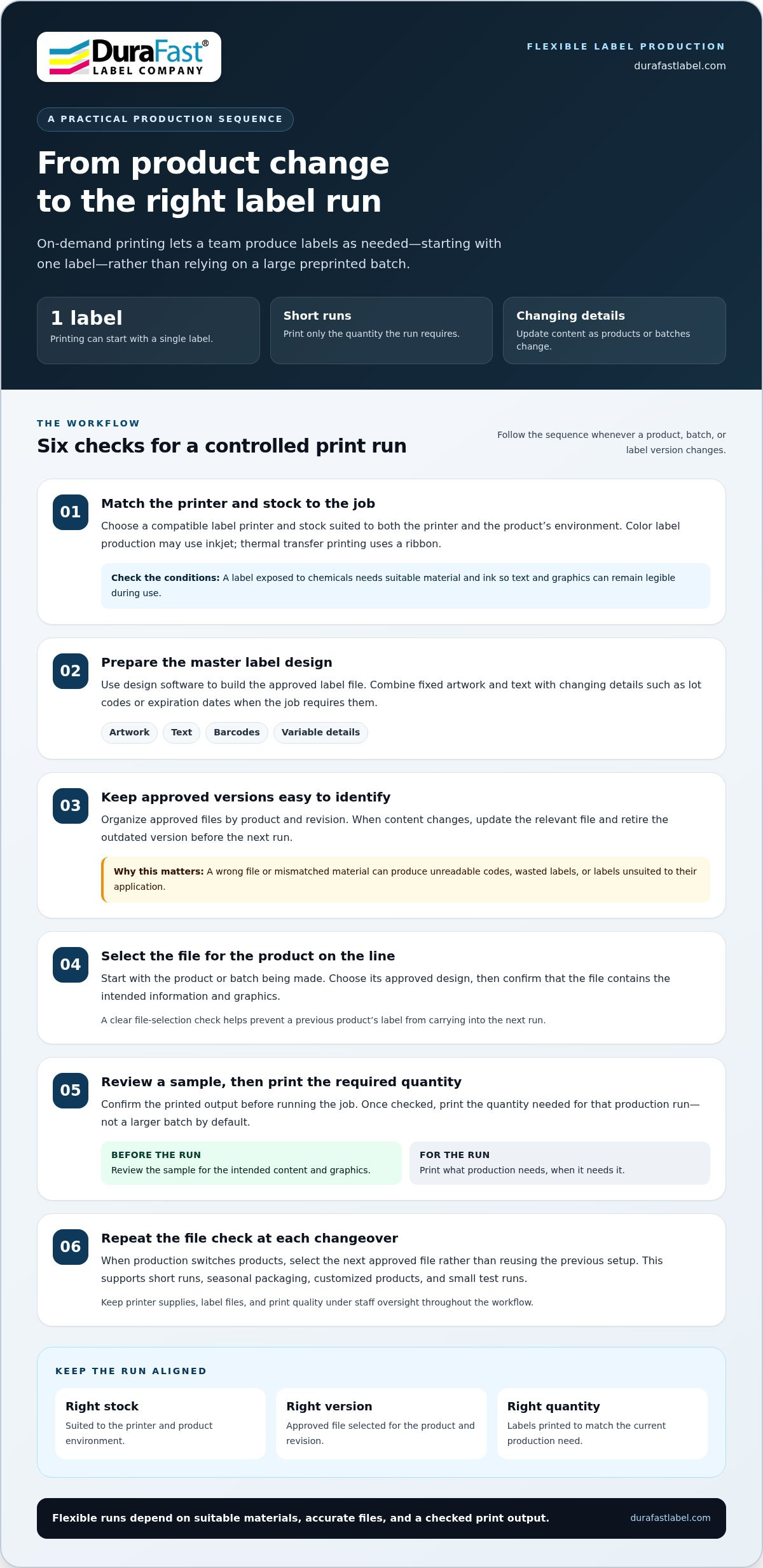
How can a business set up a workflow? Choose a printer and stock for the label’s use, prepare a master design, and confirm the printed output. Keep approved files organized, and select the current version before each run to reduce mix-ups.
Examples help clarify the range of label applications. A business producing collectible cards could print the quantity needed for a specific release using card-grading labels. Printing the required run instead of storing a large supply can help control inventory and reduce leftovers.
For color work, on-demand label files can combine static information with variable data, reducing the need for separate production steps. Operators simply select the approved file for the next production run. Keeping both types of data in one label file can simplify the workflow, particularly when labels need changing information from one run to the next.
Flexible label production and changing regulatory requirements
On-demand printing lets production teams revise label content and quantities as product runs change. That flexibility matters when a seasonal item, updated formula, or revised requirement calls for a different label.
What is the minimum order quantity? With an in-house workflow, printing can start with one label, so a business can produce only what a run requires.
How does on-demand printing improve flexibility and reduce waste? Teams can adjust designs and quantities for each run instead of committing to a large batch. For example, a limited-time product can receive its own label without printing more than the production run requires.
Short runs can also make changeovers easier to manage. When production changes, a team can switch to another product’s label file instead of sorting through preprinted rolls for the right version. This suits seasonal packaging, customized products, and small test runs. A clear file-selection step is still essential, so operators print the design that matches the product on the line.
Regulatory requirements can affect the information and visual cues a label needs. The Global Harmonized System of Classification and Labeling of Chemicals (GHS) mandates colored pictograms for hazardous materials. These pictograms help communicate hazards, so a chemical product label may need color elements that a plain-text design cannot provide. The U.S. Food Allergen Labeling and Consumer Protection Act (FALCPA) is another example cited in connection with manufacturers’ use of color labeling. Requirements vary by product and application, so teams need to keep label content aligned with the rules relevant to each item.
Version control helps prevent a revised label from being confused with an older design. Identify approved artwork by product and revision, then replace the active file when a change is approved. If a product’s ingredients change, for example, update the relevant content and retire the outdated file before printing the next run. This simple control supports accuracy across production shifts and reduces the risk of applying the wrong version.
A practical workflow connects label files to production decisions. Start with the product or batch being made, select its approved design, and confirm that the file contains the intended information and graphics. Print a sample for visual review, then run the quantity needed for that job. At the next changeover, select the next approved file rather than reusing the previous setup. These steps make custom runs manageable while keeping responsibility for accurate content within the production process.
For help aligning label production needs with an in-house workflow, connect with the team.
t the approved file for the next production run. Short runs serve limited-time seasonal and customized offerings without excess labels; in-house printing allows updates without an additional printing charge.
Printing text, images, barcodes, and variable data in one step
A single label may need product artwork, instructions, a barcode, and details that change between units. On-demand color printing can combine these elements in one pass, helping teams produce a complete label without separate printing stages.
Start with the information that stays the same across a product line. A template can hold a logo, background graphics, fixed product wording, and the barcode layout. Variable fields then supply details that differ, such as a lot code, batch code, serial number, or expiration date. The label file brings both data types together.
For example, a packaged food product could use the same front-panel design across a product range. Its back panel could include product-specific text and a barcode, while batch and expiration details change with each run. Printing the full-color front and product-specific back in one pass can simplify the workflow.
Variable data printing is useful when labels need unique or changing information. A serialized barcode can distinguish individual items, while lot and batch codes connect products to a production run. Expiration dates may also vary between batches. These fields can be included in the label file instead of added manually after the main design is printed.
Combining content in one pass can reduce handoffs in a multi-step process. In a separate-stage workflow, a team might print graphics first and add a barcode or batch details later. Each transfer creates another opportunity to pair the wrong file, product, or information. An integrated file keeps the static design and changing fields together for printing.
Useful controls start with clear field names and a defined source for changing data. For example, label software can map a “Lot” field to the lot code used for a production run. Before printing the run, the team can review a sample label to confirm that the barcode and readable text match the intended product details. This helps catch mismatched fields before labels reach products.
Color label printers can print artwork, graphics, text, barcodes, and variable data as needed. Inkjet printing supports full-color label content, while the design file determines how fixed and changing elements appear together. Keep critical information easy to find, with enough space for longer product names or changing codes.
One-pass printing is especially useful for product lines with shared branding but different ingredients, sizes, or batch details. A consistent template preserves the brand’s visual structure, while variable fields make each label specific to its product or run. This balance supports accurate identification without requiring a separate static design for every variation.
Applications across manufacturing, distribution, and e-commerce
On-demand labels serve different needs across a supply chain. A manufacturer may need product identification, a warehouse may need location labels, and an online seller may need shipping labels. Printing near the point of use helps teams match labels to the products and orders moving through each operation.
In manufacturing, teams can print the quantity needed whenever production requires it. A food producer, for example, may run separate labels for several product varieties. Printing near the products that receive the labels can reduce the risk of applying the wrong one. Operators can select the file for the product on the line, print the required run, and apply those labels before the next changeover.
Distribution teams use labels to identify cartons, pallets, and inventory locations. A warehouse handling different destinations can print labels as orders are prepared, keeping the printed information tied to the shipment being packed. For example, staff can produce a destination label at the packing station instead of retrieving a preprinted batch. This places label creation near the task and can help prevent mix-ups between similar cartons.
E-commerce brings frequent order variation. One order may contain a single item, while another combines several products or has a different destination. Printing a shipping label as each parcel is packed lets the team produce the quantity each order needs. The label can accompany the package through dispatch, while product labels stay matched to the items inside.
Short production runs also suit businesses testing a product or preparing a seasonal release. A maker can print labels for a limited batch, review the packaging, and adjust the next run if the design changes. This helps avoid producing more labels than a small launch requires and supports customized products without holding separate stock for every variation—an approach embraced by boutique brands like Chlosha Creations when creating personalized labels and decals for small batches.
Some businesses with in-house color label printers may provide contract labeling services to other companies. In that arrangement, a production team can print labels for a partner’s product run and apply them as part of its work. The label quantity and timing can follow the partner’s production needs. This is one possible use of in-house capacity, not a requirement for every operation.
Across these settings, the key question is where labels meet the workflow. A manufacturer may print beside a production line, a distributor near packing, and an online seller at order fulfillment. Placing printing close to the products or parcels that receive each label helps connect the right label with the right item.
Branding and visual appeal
A product label makes a brand visible at the point of purchase. A jar of small-batch jam, for example, can use its label for a logo, product name, flavor, and distinctive color palette. These elements help shoppers recognize the product and understand what makes it different.
In-house color printing gives teams room to refine packaging for different products. A maker can keep its logo and typography consistent while changing the product name, imagery, or accent color. A berry jam might use a deep red accent, while a peach variety uses warm orange. The shared layout connects both products to the same brand.
Consistency matters across a product range. Set a template with fixed positions for the logo, brand colors, and required product details, then use that structure for each variation. For example, a skincare company can keep its logo in the same place on cleanser and moisturizer labels, even when product names and artwork differ.
On-demand production also supports timely design updates. A seasonal coffee label could feature autumn artwork for a limited release, then return to the regular design afterward. Printing labels just for that run lets the business try a specific look without committing to a large supply of seasonal labels.
Visual appeal must go hand in hand with readability. Keep the product name easy to find, contrast text with the background, and leave enough space for details such as ingredients or instructions. On a crowded label, decorative graphics should not compete with information customers need to identify the product.
Color can help distinguish related products, but the system needs to stay clear. A tea brand might assign green accents to mint and amber accents to chai. Pair each color with a readable product name, so customers do not need to rely on color alone to tell varieties apart. This supports quick recognition while maintaining a consistent brand style.
Private labeling has expanded over the last decade, particularly across food, beverage, cosmetic, chemical, medical, CBD, and dietary supplement industries. In these varied categories, a clear visual identity helps each product communicate its purpose. Most consumers prefer private-label or store-brand goods, which they may view as offering higher quality or value. Distinctive, well-organized packaging can support that impression without making claims the product cannot substantiate. For food and takeaway businesses pairing custom labels with eco-friendly containers, wholesale packaging specialists like Goodies Distribution supply sustainable options that align with on-demand, branded production.
Before a print run, review the design at its actual label size. Check logo placement, color balance, and text legibility on the chosen label shape. A small test print can reveal whether fine lettering remains readable on a bottle or box. For help selecting an in-house label printing setup for branded products, discuss your label printing needs.
DuraFast Label Company: Epson ColorWorks C6000A
DuraFast Label Company offers label printers and materials for businesses bringing production in-house. The Epson ColorWorks C6000A is an option to consider for teams printing color labels as product needs change. For other workflows, industrial thermal transfer printers provide additional device choices, while DuraFast Matte Chemical Labels suit chemical labeling applications.
Match the printer and label material to your artwork, variable information, and product environment. This helps narrow the choice between color label printing, thermal transfer, and the stock your workflow requires. Explore the available options, then contact DuraFast Label Company to discuss your label printing needs.
Plan Your Next Label Workflow
Make the next step a practical review of your production workflow. Identify where label changes happen, who approves artwork, and how each print run is matched to the product receiving the label. This gives your team a clear starting point for deciding what to print in-house and which details need tighter version control.
The value of on-demand label printing benefits comes from matching the setup to real production needs, not adding complexity for its own sake. Consider the label materials, variable information, and print volume your operation handles. Then decide which part of the process would benefit most from producing labels closer to the point of use.
If you’re ready to explore an in-house label printing setup for your operation, contact DuraFast Label Company. A clear workflow plan can help you take the next step with confidence.
Frequently Asked Questions
What are the main benefits of on-demand label printing?
The main on-demand label printing benefits are production flexibility, fewer obsolete labels, and easier updates to product information. A small producer launching a limited product variation, for example, can prepare labels for that run without committing to a large batch. Teams can also coordinate label quantities with production plans. The approach is especially useful when designs or product details change often, though it requires managing printer supplies and approved label files.
How does on-demand label printing reduce inventory and storage costs?
It reduces the need to store large quantities of finished labels for every product variation. A warehouse carrying labels for several package sizes can instead keep the required printing supplies and produce each design as needed. This can free storage space and reduce time spent locating, sorting, and rotating preprinted rolls. Tracking print runs also helps managers identify regularly used stocks and plan replenishment more accurately.
How much does on-demand label printing cost compared with preprinted labels?
There is no single cost comparison that fits every business. In-house printing involves equipment, design software, label stock, ink or ribbon, and staff time; preprinted labels involve ordering finished batches and storing them. Compare the full cost of each approach against run sizes, number of designs, and frequency of updates. Short, changing runs may favor in-house production, while stable, consistent demand can change the calculation.
Which industries benefit most from on-demand label printing?
On-demand printing can be useful in food, beverage, cosmetics, chemical, medical, CBD, and dietary supplement production, especially where product versions or batch details vary. A beverage maker, for example, may need separate labels for seasonal flavors, while a supplement producer may update product information between runs. Manufacturers, distributors, and e-commerce operations can also use in-house printing to match labels with products, cartons, or orders during fulfillment.