Premium Sealed Air Autobag Ribbons for Reliable Packaging
1st Nov 2026
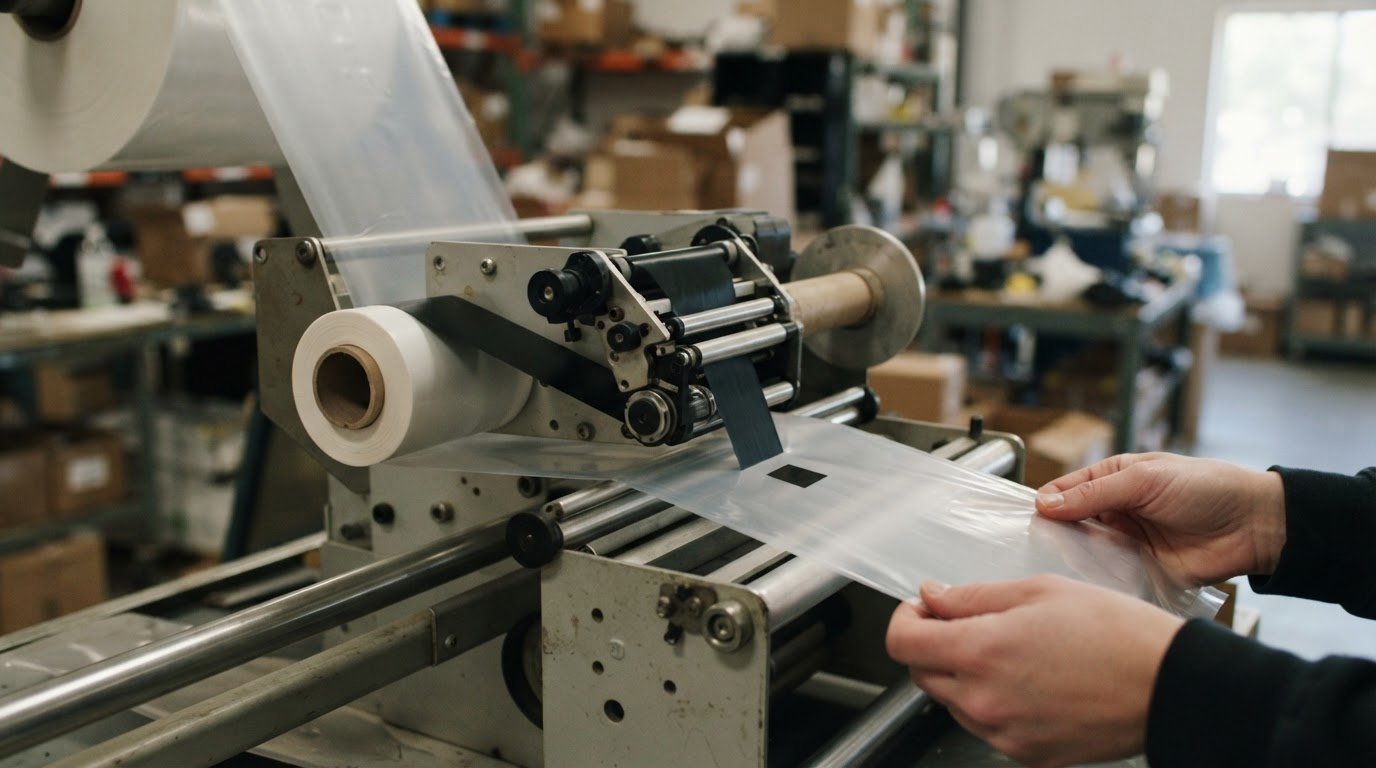
The ribbon’s length and fit matter as much as its width. For Sealed Air Autobag ribbons, the listed premium wax option measures 4.5 inches wide by 984 feet long, and the recommended ribbon width is at least 0.5 inches wider than the label. Match those dimensions, along with the core specification, to your Autobag or SidePouch setup.
Choosing a ribbon can seem simple until you compare printer compatibility, coverage, and roll specifications. A mismatch can disrupt setup, so check the details before ordering.
This guide explains how to check Autobag and SidePouch compatibility and compare ribbon length, width, and core specifications. You’ll also learn how printing directly onto a bag can eliminate the need for an adhesive label and make the bag easier to recycle, helping you choose for your packaging workflow.
Key Takeaways
- Compare ribbon width with your label size; the recommended width provides extra coverage.
- Use the listed roll dimensions as a reference when evaluating ribbon length and fit for your setup.
- Match the ribbon type and part number to your Autobag or SidePouch system before choosing a roll.
- Consider printing directly on the bag to avoid an adhesive label and make the bag easier to recycle.
Compatibility with Autobag and SidePouch systems
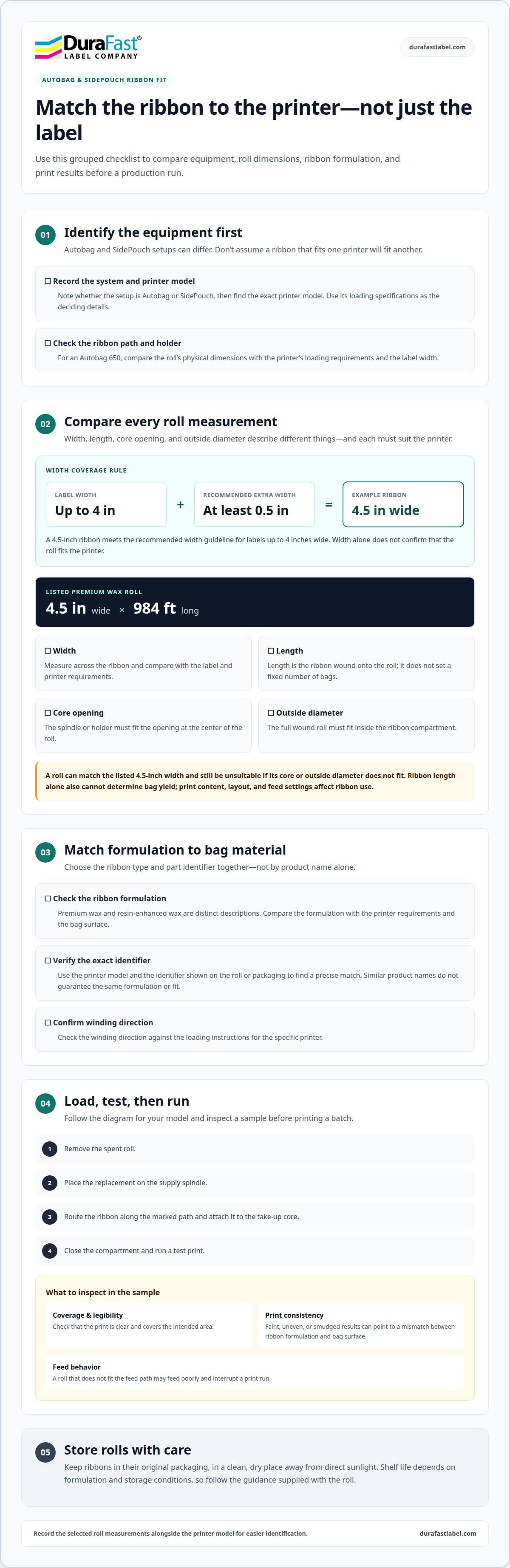
Check the printer model, ribbon path, roll width, and core before loading a ribbon. Autobag and SidePouch setups can differ, so a ribbon that fits one printer shouldn’t be assumed to fit another. For an Autobag 650, compare the roll’s physical dimensions with the printer’s loading requirements and the label width.
How do you install or replace a ribbon in an Autobag printer? Follow the loading diagram for your specific model. Remove the spent roll, place the replacement on the supply spindle, route it along the marked path, attach it to the take-up core, then close the compartment and run a test print.
How should Autobag ribbons be stored, and what is their shelf life? Keep rolls in their original packaging in a clean, dry place away from direct sunlight. Shelf life depends on the ribbon formulation and storage conditions, so follow the guidance supplied with the roll instead of assuming one timeframe applies to every type.
For width, use the label as your starting point. The recommended ribbon is at least 0.5 inches wider than the label for coverage. A 4.5-inch ribbon, for example, meets that guideline for labels up to 4 inches wide. This calculation helps compare widths, but it doesn’t establish whether a roll fits an Autobag 650’s holder or print path.
- Identify the equipment: Record whether the setup uses an Autobag or SidePouch system, then find the printer model.
- Compare roll dimensions: Match width and core requirements to the printer’s loading specifications.
- Check the print material: Match the ribbon formulation to the bag surface and intended print.
- Test the result: Print a sample and inspect its coverage and legibility before a production run.
What printing problems can result from using the wrong Autobag ribbon? A mismatch between the ribbon formulation and bag surface can cause faint, uneven, or smudged printing. A roll that doesn’t fit the printer’s feed path may also feed poorly and interrupt a print run. Test a sample to identify these issues before printing a batch.
For compatible packaging equipment, use the model number and loading specifications as the deciding details, not just the Autobag or SidePouch name. The thermal ribbons category provides a useful point of comparison when reviewing ribbon types for packaging applications.
Ribbon length and core specifications
A listed premium wax ribbon measures 4.5 inches wide and 984 feet long. Those dimensions describe the ribbon itself, not the number of bags it will print. Before choosing a roll, compare its width, length, core opening, and outside diameter with the printer’s requirements. For Sealed Air Autobag ribbons, each measurement affects fit or the supply available for a production run.
How many bags can an Autobag ribbon print, and what affects ribbon yield? A bag count can’t be calculated from the 984-foot length alone. It depends on how much ribbon each print uses, including printed content, layout, and the printer’s feed settings.
Core size refers to the opening at the center of the roll. The printer’s spindle or holder must fit that opening, while the roll’s outside diameter must fit inside the ribbon compartment. Compare both measurements with the printer’s loading specifications. The correct width won’t compensate for a core that won’t mount or a roll that won’t clear the compartment. Keep these measurements in mind when comparing Sealed Air Autobag ribbons with similar-looking rolls.
Use this sequence to compare a replacement roll with the printer setup:
- Record the printer model and its stated ribbon requirements.
- Compare the roll width and 984-foot length with the current supply.
- Match the core opening and outside diameter to the holder and compartment.
- Confirm the ribbon type and winding direction against the printer’s loading instructions.
Keep dimensions distinct. Width measures across the ribbon; length measures how much ribbon is wound onto the roll. Core diameter measures the center opening, while roll diameter measures the full wound roll. For example, a roll can match the listed 4.5-inch width yet still be unsuitable if its core or outside diameter doesn’t fit the machine.
Length helps you estimate supply use, but it doesn’t determine a fixed number of bags. Printing more content can use more ribbon per bag than printing a short mark. Changes to the layout or feed settings can also affect consumption. To estimate yield for a specific job, track ribbon use during a representative run and compare it with the number of bags printed. Use that observed rate for planning, allowing for changes to artwork or setup.
Record the selected roll’s measurements alongside the printer model. This makes reordering easier and helps distinguish similar rolls. If the core specification is listed separately from width and length, compare each value with the equipment requirements rather than treating the dimensions as interchangeable.
Which ribbon types and part numbers fit Sealed Air Autobag printers?
Choose a ribbon type and part number together, not by name alone. A product described as “wax” still needs to match the printer, roll dimensions, and bag material. Product details identify premium wax and resin-enhanced wax options, but don’t provide printer-specific part numbers. Use the exact model and the identifier on the roll or packaging to find a precise match.
Wax and resin-enhanced wax are distinct ribbon descriptions. The name identifies the formulation category, while the printer’s requirements and bag surface help determine suitability. Start by noting the exact Autobag printer model. Then compare the ribbon type with the equipment specifications and material being printed. A similar product name doesn’t necessarily mean the formulation or fit is the same.
A listed premium wax ribbon measures 4.5 inches wide and 984 feet long. Those dimensions help identify that particular roll, but they don’t establish a universal fit across Autobag printers. Its package quantity is 24 rolls. Compare the width, length, core, and roll diameter with the selected printer’s requirements before treating the product as a match.
Use these details to narrow down a ribbon choice:
- Printer model: Record the full Autobag model name from the machine label or documentation.
- Ribbon formulation: Distinguish premium wax from resin-enhanced wax in the product description.
- Roll dimensions: Compare width and length, then check core and outside diameter against printer requirements.
- Part number: Match the complete identifier on the ribbon packaging to the product record and machine specifications.
- Bag material: Consider the surface receiving the print, since formulation and substrate both matter.
Part numbers distinguish specific rolls more reliably than broad descriptions such as “wax ribbon.” Copy the identifier exactly, including letters, numbers, and separators. For example, if a reorder record says “premium wax” but omits the part number, compare the old roll’s label and measurements before ordering. Matching the width alone isn’t enough.
For purchasing records, keep the printer model, ribbon type, full part number, and roll dimensions together. This gives the next buyer a repeatable reference and reduces confusion between similarly named products. If the equipment changes, check the specifications again rather than automatically reusing the old identifier. Don’t assume a ribbon selected for one Autobag printer suits another model without comparing its requirements.
Which Autobag systems and printer models are compatible with each ribbon?
Compatibility depends on the printer installed on an Autobag or SidePouch system, not only the bagger’s name. Identify the printer model first, then match the ribbon type and roll specifications to that printer. An Autobag 650 setup, for example, needs a ribbon that fits its printer’s required width, core, and roll diameter. Don’t infer a match from the system name alone.
Distinguish the packaging machine from the printing unit. An Autobag or SidePouch system handles bagging, while its printer applies information to the bag. Different systems may therefore require different ribbons if their printer models differ. Find the printer’s model identifier on its nameplate or in the equipment documentation. Use that exact identifier when comparing Sealed Air Autobag ribbons and part numbers.
Compare ribbons against each printer model rather than assuming one ribbon suits an entire production area. Keep the details clear with a simple compatibility record:
- Packaging system: Enter Autobag or SidePouch.
- Printer: Copy the full model designation from the equipment.
- Ribbon: Record formulation, part number, width, and core.
- Application: Note the bag material and the information printed.
- Result: Document whether a sample print feeds and reads as intended.
Compare the printer requirements with the ribbon details as separate checks. A matching width does not establish that the core fits. A compatible core does not establish that the formulation suits the bag surface. For example, a premium wax roll measuring 4.5 inches wide and 984 feet long is identifiable by those dimensions, but dimensions alone don’t establish compatibility with every Autobag printer.
Check each printer individually when an Autobag line includes multiple models. Record the matching ribbon part number beside each model in your purchasing records. If equipment is replaced or moved to a SidePouch setup, compare the record with the new printer instead of carrying over the old match. The machine’s name doesn’t replace the printer’s actual requirements.
Finish the comparison with a controlled sample. Load the selected ribbon according to the printer’s instructions, then print representative bag information. Inspect legibility, coverage, and ribbon tracking. A clean feed and readable sample help you assess how Sealed Air Autobag ribbons perform in that setup before a production run. Keep the sample with the model-to-ribbon record so operators can repeat the setup later.
Compatibility depends on the installed printer, so an Autobag or SidePouch system name alone won’t identify the right ribbon. Match the printer model’s requirements for ribbon formulation, width, core, and roll diameter, and check that the formulation suits the bag material.
Where can I buy genuine Autobag ribbons, and are compatible alternatives available?
Start with a product listing that identifies the Autobag ribbon by name, type, and part number. Product labeling and traceable details should identify the ribbon more clearly than a broad description such as “wax ribbon.” Match the listing to the printer model and specifications on your current roll. This gives you a practical basis for comparing genuine options and alternatives.
Before ordering, gather the information on the ribbon packaging and in the printer documentation. Record the full part number, formulation, roll width, core, and printer model. A reorder record that only says “wax” leaves out details needed to distinguish rolls. Precise records help buyers compare listings and give operators a consistent reference when replacing a roll.
Compatible alternatives may work when they meet the same equipment and print requirements. Compare each alternative with the printer’s permitted ribbon type, physical dimensions, and winding direction. Then consider the bag material and the information to be printed. A listing that simply says “fits Autobag” doesn’t establish compatibility with every printer model or bag application.
Use this comparison before selecting a genuine ribbon or an alternative:
- Identify the machine: Copy the full printer model from the equipment label.
- Read the ribbon label: Capture the product name, formulation, and complete part number.
- Compare specifications: Match roll width, core, and winding direction to printer requirements.
- Assess the application: Consider bag material and the print content, such as a short code or larger text block.
- Test the match: Print a sample bag and inspect feed, coverage, and legibility.
For example, two listings may both describe wax ribbon but show different part numbers or roll dimensions. Treat them as separate products until their specifications match your printer. Keep the selected product details with the machine’s model information. This makes repeat purchases clearer and helps prevent substitutions based only on similar product names.
Packaging quantity also affects ordering decisions. The listed premium wax option comes in a package of 24 rolls, so compare the pack quantity with your storage and usage needs. Don’t assume another listing uses the same package format. Review its stated quantity alongside the product identity and compatibility details before placing an order.
For help with the information needed to compare ribbon specifications, contact the team about ribbon requirements.
DuraFast Label Company: Epson ColorWorks C6000A
DuraFast Label Company offers the Epson ColorWorks C6000A for businesses exploring color label printing alongside bag marking. Direct-to-bag printing and label printing are different workflows, so choose based on where product information needs to appear. If your packaging requires a separate label, the Epson ColorWorks C6000A may be a relevant option. DuraFast Matte Chemical Labels are another option for businesses considering labels for chemical products.
For thermal transfer label printing, DuraFast Label Company also offers the Zebra ZT411 Thermal Transfer Printer. Compare the printing method and label requirements with your packaging process before selecting equipment. If you’re weighing label printing against direct bag printing, contact DuraFast Label Company or visit durafastlabel.com to explore the available options.
Make your next packaging decision with confidence
A dependable packaging workflow relies on decisions your team can repeat. Treat ribbon selection as one part of a broader process—complemented by reliable materials from packaging providers like Phoenix Supplies UK—keeping purchasing, printer setup, and production expectations aligned as packaging needs change. This gives operators and buyers a shared reference instead of leaving each reorder to guesswork.
As you plan your next run, consider whether your current approach still suits the information your packages need to carry. Sealed Air Autobag ribbons support direct printing on bags, while a separate label workflow may suit other packaging needs. DuraFast Label Company offers label printers and labels for businesses evaluating these workflows.
For help considering the next step in your packaging setup, contact DuraFast Label Company. A clear plan can help you move forward with confidence.