Professional Inkjet Card Grading Tags: A Complete Guide
22nd Aug 2026
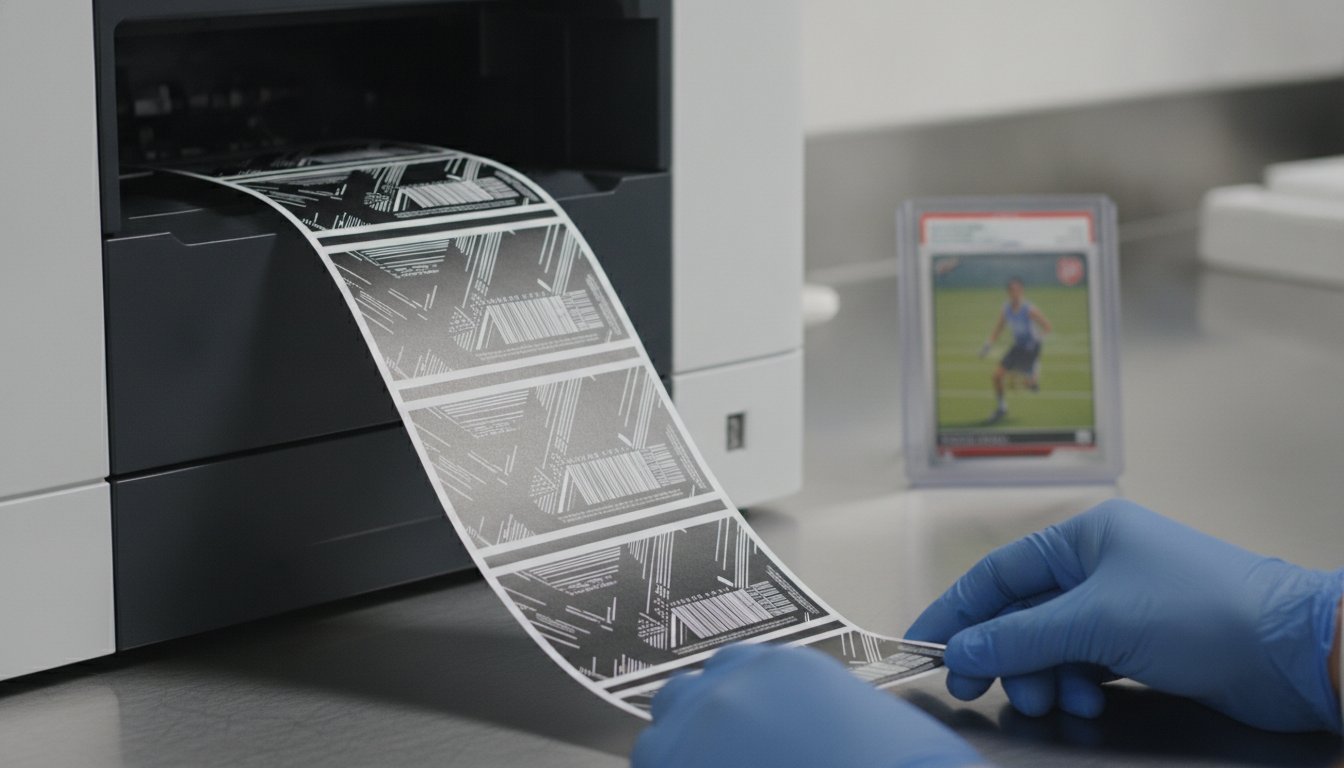
Can a single smudged letter or a faded barcode actually devalue a professional grade? In the high-stakes world of collectibles, the answer is a resounding yes. You know that every detail matters when you're slabbing a card. It's incredibly frustrating to see low-resolution text or tags that peel and fade over time. These small flaws make even the rarest cards look amateur and can hurt your brand's reputation. You need a solution that looks as good as the card inside the case.
This guide shows you how to produce professional-grade, smudge-proof labels in-house using the right Inkjet Card Grading Tag materials and equipment. We'll walk you through selecting the best pigment-based printers, archival-quality media, and software tools for your workflow. You'll learn how to gain total control over your serial numbers and barcodes while achieving a high-resolution aesthetic that matches industry leaders. By the end of this article, you'll understand how to create durable, beautiful tags that protect the integrity of your cards. Let's look at how you can elevate your slab presentation and take control of your production process today.
Key Takeaways
- Discover why high-resolution tags are critical for building brand trust and ensuring professional authentication in the competitive collectibles market.
- Learn how to select the right Inkjet Card Grading Tag media with specialized topcoats to ensure archival longevity and smudge-proof results.
- Understand the resolution gap between printing technologies and why 1200 DPI inkjet output is the gold standard for high-end card slabs.
- Master the process of setting up variable data and serial numbers using professional software to streamline your in-house grading operations.
- Identify the best hardware for your specific business needs, from the industry-standard Epson C6000A to high-speed Afinia solutions for large-scale production.
Understanding the Role of High-Resolution Tags in Card Grading
A card grading tag is more than just a piece of paper. It's the primary interface between the collector and the card's value. Think of it as a permanent certificate of authenticity that lives inside the slab. If the tag looks unprofessional, the grade itself loses credibility. This is why a high-quality Inkjet Card Grading Tag is essential for anyone entering the grading space. It builds immediate brand trust and protects the secondary market value of TCG and sports cards.
We're currently seeing a surge in independent grading companies and custom slab creators. This in-house movement allows businesses to skip the long wait times of major firms while maintaining a premium look. By controlling the printing process, you ensure that every card leaving your shop looks like a masterpiece. It's about taking ownership of the final presentation and ensuring the tag matches the quality of the collectible inside.
The Anatomy of a Professional Grading Slab
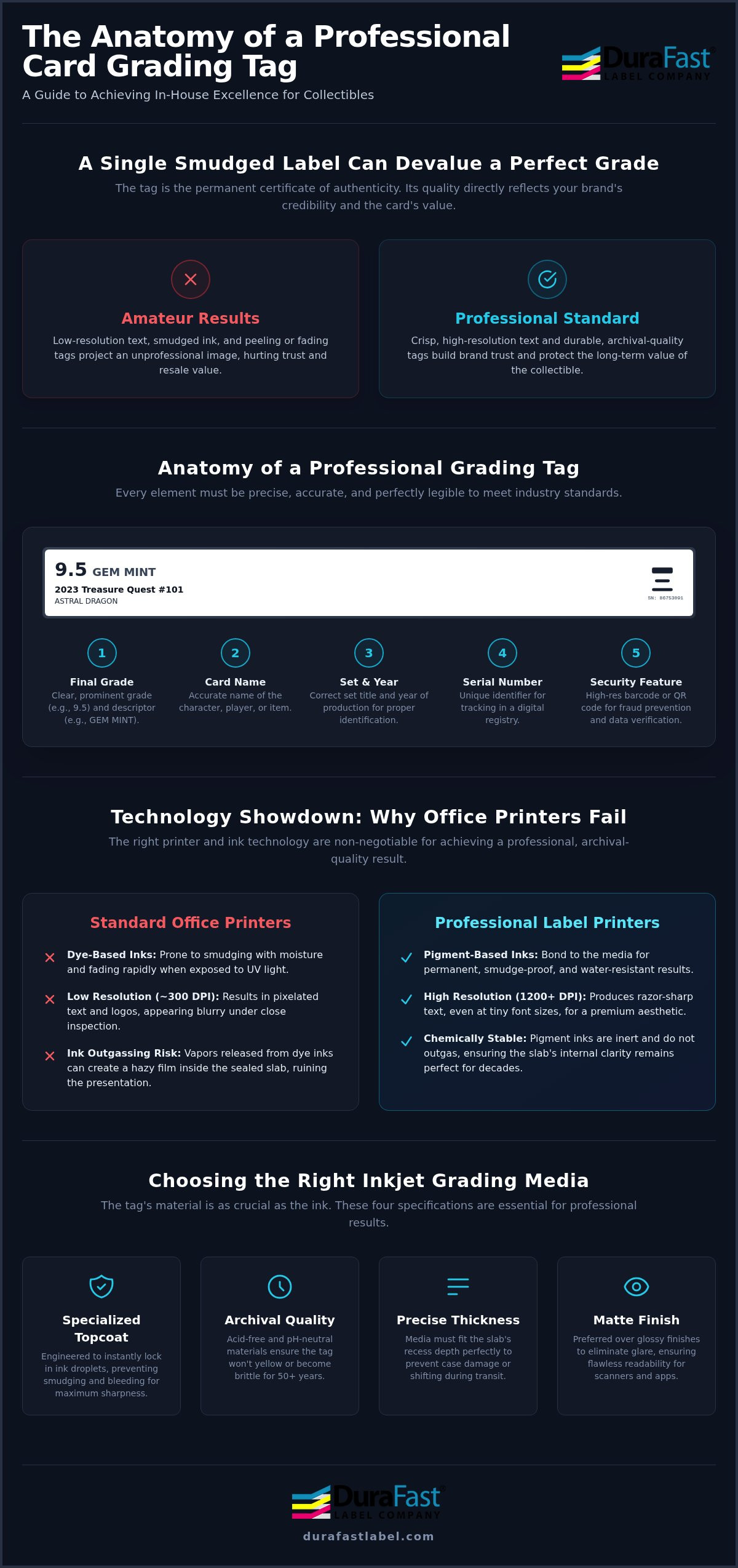
Precision is the hallmark of a professional slab. The tag must fit perfectly into the header area without any jagged edges or misalignment. Every professional Inkjet Card Grading Tag should include specific data fields: the final grade, the card name, the set title, and the year of production. Accuracy in these fields is non-negotiable. Beyond the text, security features like high-resolution barcodes or QR codes are now industry standards. These elements allow collectors to verify the card's data against a digital registry. This is a key step in preventing fraud in the high-end market.
Why Standard Office Printers Fail the Grading Test
You might be tempted to use a standard desktop printer, but this often leads to disaster. Most home printers use dye-based inks. These inks are prone to smudging and will fade significantly over time when exposed to UV light. Even more dangerous is the risk of ink outgassing. In a sealed plastic environment, certain inks release gases that can create a hazy film on the inside of the slab. This ruins the presentation; it's also nearly impossible to fix without cracking the case. Professional inkjet printing technology uses pigment-based inks that bond to the media, eliminating these risks. Standard printers also lack the resolution needed for tiny text. While 300 DPI might work for a shipping label, it looks pixelated on a small grading tag. You need the crisp, 1200 DPI output of a dedicated label printer to ensure your logos and grades look sharp under a magnifying glass.
Essential Technical Specifications for Inkjet Grading Media
The material science behind a professional Inkjet Card Grading Tag involves more than just selecting a white strip of paper. To achieve a professional look, you must understand the role of the inkjet-receptive topcoat. This specialized coating is engineered to lock in ink droplets instantly. Without it, the ink would sit on the surface, leading to the smudging and "bleeding" that ruins so many DIY projects. A high-quality topcoat ensures that even the smallest 4-point font remains sharp and legible under a jeweler's loupe.
Because collectibles have evolved into a legitimate alternative asset class, the physical tag must withstand the test of time. Archival quality is a requirement, not a luxury. You need media that is acid-free and pH-neutral to ensure the tag won't yellow or become brittle over 50 years. This longevity is what separates a respected grading brand from a temporary solution.
Thickness is another critical factor. Most standard grading slabs have a specific recess depth. If your Inkjet Card Grading Tag is too thick, the case won't seal properly, potentially damaging the card. Conversely, a tag that is too thin might shift inside the slab during shipping. We typically recommend media that provides a rigid, premium feel without exceeding the clearance of the plastic housing. Finally, consider the finish. While glossy tags can look vibrant, matte finishes are generally preferred. Matte surfaces eliminate glare, making it easier for high-speed scanners and smartphone apps to read barcodes and QR codes instantly.
Pigment-Based Inks vs. Dye-Based Inks
When printing tags for high-end collectibles, pigment-based ink is non-negotiable. Unlike dye-based inks, which are liquid colors that soak into fibers, pigment inks consist of tiny solid particles. These particles sit on top of the media and bond with the topcoat. This creates a tag that is naturally water-resistant and smudge-proof. Most importantly, pigment inks offer superior lightfastness. This means your tags won't fade even if a collector displays their slab in a room with heavy UV exposure or bright LED lighting.
Choosing the Right Adhesive and Backing
If you aren't using a "pop-in" style tag, you'll need a permanent adhesive that won't fail inside the slab. The adhesive must be stable; you don't want it "creeping" out from the edges of the tag over time. We offer specialized inkjet card grading labels designed specifically for this purpose. These labels feature industrial-grade liners that ensure smooth feeding through printers like the Epson C6000A or Afinia L801 without jamming. If you're unsure which media thickness or adhesive type fits your specific slab brand, reach out to our specialists for a media sample or consultation.
Comparing Printing Technologies: Why Inkjet Wins for High-End Collectibles
Choosing the right printing technology is a critical decision for your grading operation. While direct thermal, thermal transfer, and inkjet are all common in the label industry, they aren't created equal for high-value collectibles. Direct thermal is essentially a non-starter for this application. It relies on heat-sensitive paper that fades in sunlight and turns black when exposed to heat. This makes it useless for long-term archival protection. Thermal transfer is more durable, but it still falls short when compared to the precision of a professional Inkjet Card Grading Tag.
The most significant difference lies in the resolution gap. Most industrial thermal printers cap out at 300 or 600 DPI. While this is fine for a large shipping label, it struggles with the micro-text and intricate logos found on a grading tag. Modern inkjet printers like the Epson C6000A offer 1200 x 1200 DPI. This creates a level of visual depth and crispness that thermal technology simply can't match. High-resolution output ensures your brand stays consistent across thousands of cards, maintaining the professional look your customers expect.
Thermal Transfer Limitations in Grading
Thermal transfer printing requires a ribbon to transfer ink onto the label. This introduces a specific risk: ribbon flaking. Over time, tiny particles of wax or resin can flake off the tag. Inside a sealed slab, these particles are trapped and can settle on the card's surface. This potentially lowers the card's visual appeal or even its value. Additionally, thermal transfer is usually limited to one or two colors at a time. If you want a full-color logo or a complex background, you'd need to buy pre-printed labels. You can compare these options by looking at thermal card grading labels, but for high-end aesthetics, inkjet remains the superior choice.
The Inkjet Advantage for Variable Data
One of the biggest benefits of inkjet technology is its ability to handle variable data in full color. This means you can print unique, high-resolution QR codes and serial numbers for every card without slowing down production. Inkjet printers handle complex, holographic-style backgrounds in a single pass. This allows you to create premium tags that stand out in a crowded market. The superior text crispness ensures that even legal disclaimers and set data in tiny fonts are perfectly legible. Factoring in the efficiency of high-volume inkjet printing, the cost-per-tag becomes very competitive for growing grading businesses that need both speed and quality. Using a dedicated Inkjet Card Grading Tag setup gives you the flexibility to update your designs instantly without wasting expensive pre-printed stock.
How to Design and Print Professional-Grade Grading Tags
Designing a professional Inkjet Card Grading Tag requires a systematic approach to ensure every slab looks identical. First, you must select the correct template size. Most standard slabs require a 1.25"x2.125" or 1"x2.5" tag. Precision is vital here. Even a millimeter of overhang will prevent the case from sealing properly. Once the template is set, define your variable data fields. These fields automatically pull information like the card name and grade, ensuring you don't have to type each tag manually.
Integrating QR codes is the next step. These codes should link directly to your digital Pop Report or authentication database. This adds a layer of security and transparency that collectors value in the modern market. Finally, calibrate your printer for color reproduction. Use a color profile that matches your brand's specific hues to ensure your logo and grade borders look the same on every run, regardless of the batch size.
Using BarTender Professional for Tag Design
BarTender Professional is the industry standard for managing complex label data. By connecting your card database—whether it's a simple Excel sheet or a robust SQL server—directly to your template, you eliminate human error. This software allows you to automate serialization, ensuring no two cards ever receive the same serial number accidentally. BarTender Professional streamlines the grading workflow for high-volume shops by consolidating design, database integration, and automated serialization into a single, user-friendly interface.
Media Handling and Printer Settings
When printing small tags, you must adjust your printer's sensors to handle the specific dimensions. Most card grading media uses a "Black Mark" on the back of the liner to tell the printer where one tag ends and the next begins. Ensure your sensor is set to "Reflective" mode to detect these marks accurately. For the best visual results, adjust your print speed settings. While it's tempting to run at maximum speed, a slightly slower setting allows for maximum ink saturation and more vibrant colors. To maintain this quality over thousands of prints, always use genuine Epson inks for your ColorWorks machines. If you need help configuring your design software or printer settings for a specific slab type, contact our technical support team for expert guidance.
The DuraFast Solution: Epson and Afinia for the Grading Industry
Success in the collectibles market requires more than just a good eye for condition. It requires the right infrastructure to produce a professional Inkjet Card Grading Tag that collectors can trust. At DuraFast Label Company, we specialize in providing the hardware and media bundles that allow startups and established firms to bring their production in-house. This shift eliminates the need to ship cards overseas or wait weeks for third-party printers. By controlling your own equipment, you ensure that every slab meets your exact brand standards before it reaches a customer's hands.
Consistency is the biggest challenge when scaling a grading business. If the color of your header logo shifts between batches, it can raise red flags regarding authenticity. This is why we emphasize the importance of using genuine ink cartridges. Genuine pigment inks are formulated to work specifically with the printer's firmware, ensuring that the "Gem Mint 10" red on your first tag matches the thousandth. We support our clients with curated bundles that include both the printer and the specialized media needed to get started immediately.
Spotlight on the Epson ColorWorks C6000A
The Epson ColorWorks C6000A is widely considered the industry gold standard for a reason. It features a built-in peeler and cutter, which are essential for high-volume tag production. The peeler automatically separates the Inkjet Card Grading Tag from the liner, presenting it ready for immediate placement in the slab. This saves hours of manual labor during large grading runs. Powered by PrecisionCore technology, the C6000A ensures that every micro-digit in a serial number is perfectly legible. For a deeper look at how this technology fits into your workflow, check out our Epson ColorWorks Guide.
High-Speed Production with the Afinia L801
If your operation handles massive volumes of TCG or sports cards, the Afinia L801 offers unmatched efficiency. This machine uses Memjet technology to print tags at speeds up to 60 feet per minute. It's designed for established companies that need to process thousands of cards daily without sacrificing resolution. The L801 also offers one of the lowest costs-per-tag in the industry, making it a smart financial choice for high-capacity labs. To maintain these speeds and ensure archival longevity, it's vital to use genuine Afinia inks. Whether you're a small startup or a high-volume leader, we provide the technical expertise to help you select the right hardware and media for your specific slab brand.
Elevate Your Collectibles Brand with Professional In-House Grading
Building a reputable grading service starts with the physical details. You've learned how high-resolution pigment ink protects your slabs from fading and outgassing. By moving your production in-house, you gain complete control over your brand's aesthetic and operational timeline. Using the right Inkjet Card Grading Tag is the final step in ensuring your cards achieve their maximum secondary market value.
As an authorized Epson and Afinia partner, DuraFast Label Company is here to help you navigate the technical side of label production. We're specialized collectibles media experts ready to provide the hardware and specialized stock your business needs. With fast North American shipping, you can start upgrading your slab presentation immediately. Don't let subpar tags hold your business back.
Shop Inkjet Card Grading Labels and Printers Today to see the difference that professional-grade equipment makes. We're excited to help you build a brand that collectors can rely on for decades to come.
Frequently Asked Questions
Can I use a regular inkjet printer for card grading tags?
No, standard home printers are not suitable for professional grading. They typically use dye-based inks that smudge and fade when exposed to light. You need a dedicated industrial printer like the Epson ColorWorks C6000A to achieve the 1200 DPI resolution required for tiny text. Home printers also lack the precision sensors needed to handle small, die-cut tag media without constant jamming or misalignment.
What is the best material for card grading tags inside a slab?
The best material is an acid-free, pH-neutral paper or polyester with a specialized inkjet-receptive topcoat. This coating ensures the ink bonds instantly to the surface, preventing any bleeding or smearing. For a professional Inkjet Card Grading Tag, matte finishes are usually preferred. Matte surfaces eliminate glare, which allows smartphone apps and high-speed scanners to read barcodes and QR codes much more reliably.
How do I ensure my grading tags don't fade over time?
You must use pigment-based inks combined with archival-quality media to prevent fading. Pigment particles are naturally resistant to UV light and moisture, ensuring the tag remains crisp for decades. This is vital for high-value collectibles stored in display cases. Unlike dye inks, pigment inks won't "outgas" inside a sealed slab. This protects the card and the plastic case from developing a permanent hazy film over time.
Do I need specific software to print barcodes on grading tags?
Yes, using professional software like BarTender Professional is the most efficient way to manage barcodes. This software allows you to connect your card database directly to the tag template. It automates the serialization process, so you don't have to type unique serial numbers manually. This prevents duplicate errors and ensures every QR code is generated at the highest possible resolution for instant digital authentication and registry syncing.
What is the standard size for a card grading tag?
Most standard card slabs utilize tags that are 1.25" x 2.125" or 1" x 2.5". It is critical to select an Inkjet Card Grading Tag that matches your specific slab's header recess exactly. If the tag is even slightly too large, the case won't seal properly, which can compromise the card's protection. Using precision-cut media ensures a professional look that mirrors the quality of industry leaders like PSA or BGS.
Can I print holographic or security features on my tags in-house?
You can print complex, high-resolution security patterns and holographic-style backgrounds in a single pass using full-color inkjet technology. While some businesses choose pre-printed holographic media, printers like the Afinia L801 allow you to add unique digital security elements to every tag. This makes your slabs much harder to counterfeit. It also gives you the flexibility to update your security designs instantly without wasting any pre-printed inventory.
Is pigment ink better than dye ink for card grading labels?
Pigment ink is the only choice for archival card grading. It offers superior lightfastness and water resistance compared to dye-based inks. Dye inks are liquid-based and will eventually bleed or fade, especially in bright environments. Pigment ink consists of solid particles that sit on top of the media. This creates a more durable bond that is essential for preserving the integrity of a graded card's certificate for the long term.
How much does it cost to print grading tags in-house versus outsourcing?
In-house printing is generally more cost-effective if you process more than 500 cards per month. While there is an upfront cost for hardware like an Epson or Afinia printer, your cost-per-tag drops significantly compared to buying custom-printed labels. You also eliminate the shipping costs and long lead times associated with third-party vendors. This allows grading startups to scale quickly while maintaining total control over their production schedule and quality.