Professional Thermal Card Grading Label Solutions
22nd Aug 2026
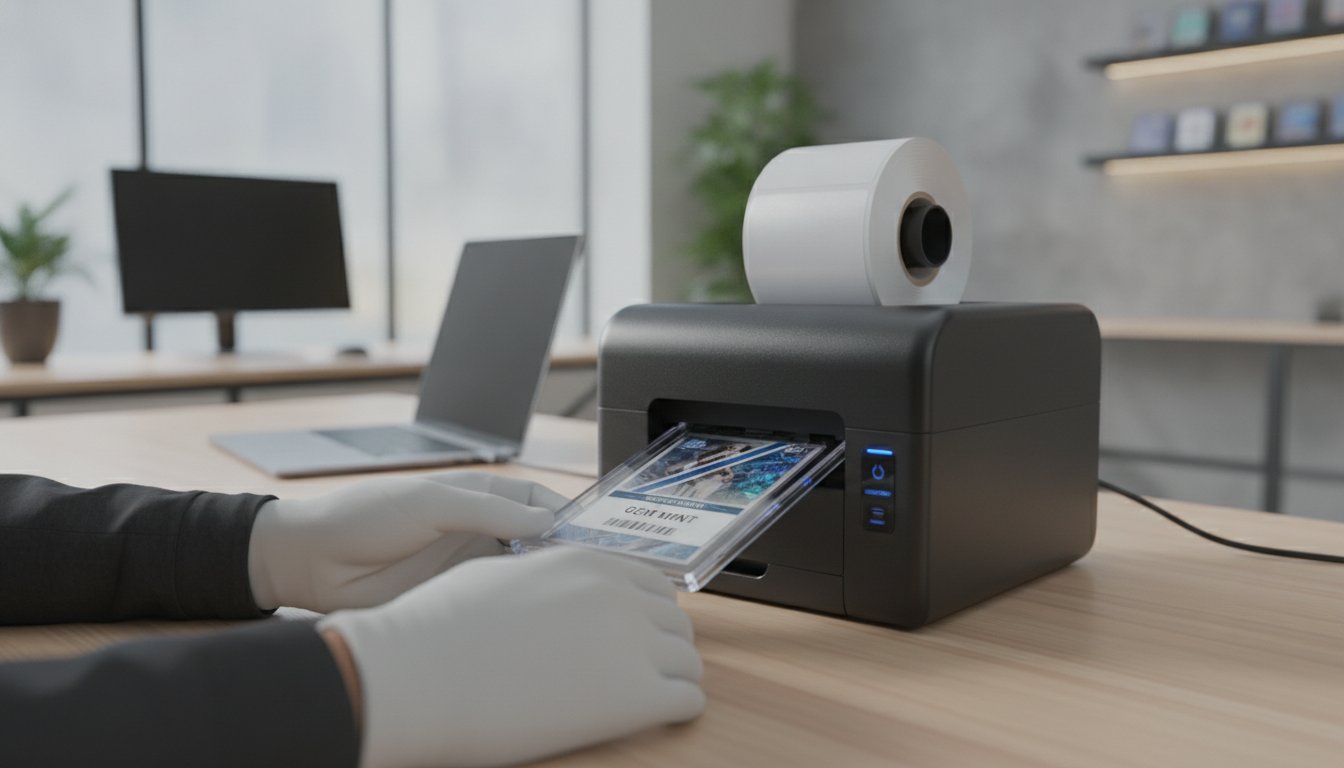
Would you trust a high-value card to a label that might turn yellow or smudge inside its case? It's a common frustration for many in the industry. You spend hours perfecting the grading process only to have an inferior thermal Card Grading Label ruin the final presentation. Collectors demand professional results that stand the test of time. Unfortunately, many standard labels fade, peel, or smudge during the encapsulation process.
We know you need a solution that's both reliable and easy to implement. This guide shows you how to select the right thermal printers and archival-quality labels to produce professional-grade trading card labels in-house. We'll explore the benefits of using specialized hardware like the Seiko SLP850 alongside the latest BarTender 12.1.0 software. You'll learn how to achieve crisp, high-resolution text and barcodes that stay perfect for decades. We've simplified the technical details so you can focus on delivering quality slabs to your customers with total confidence.
Key Takeaways
- Discover why thermal transfer technology is the industry standard for creating a long-lasting thermal Card Grading Label that won't fade or smudge over time.
- Learn how to achieve professional 300 DPI resolution using specialized hardware like the Seiko SLP850 or high-volume Zebra printers.
- Master precise label layouts and barcode generation by integrating BarTender Professional software into your grading workflow.
- Identify the best archival-quality synthetic materials and adhesives to prevent label yellowing or damage to your protective slabs.
- Compare the cost-efficiency and durability of different printing methods to find the ideal setup for your hobbyist or commercial grading needs.
What is a Thermal Card Grading Label?
A thermal Card Grading Label is much more than a simple sticker. It's the definitive record of a card's condition, set, and authenticity. These labels are designed specifically to sit within the header area of a protective plastic slab. Because these labels are permanent fixtures of the collectible, they must meet strict technical standards. Unlike standard office labels, these require specialized construction to survive decades of storage without yellowing or losing legibility. They use heat instead of ink to create images, ensuring the data remains crisp and smudge-free.
The Anatomy of a Professional Grading Label
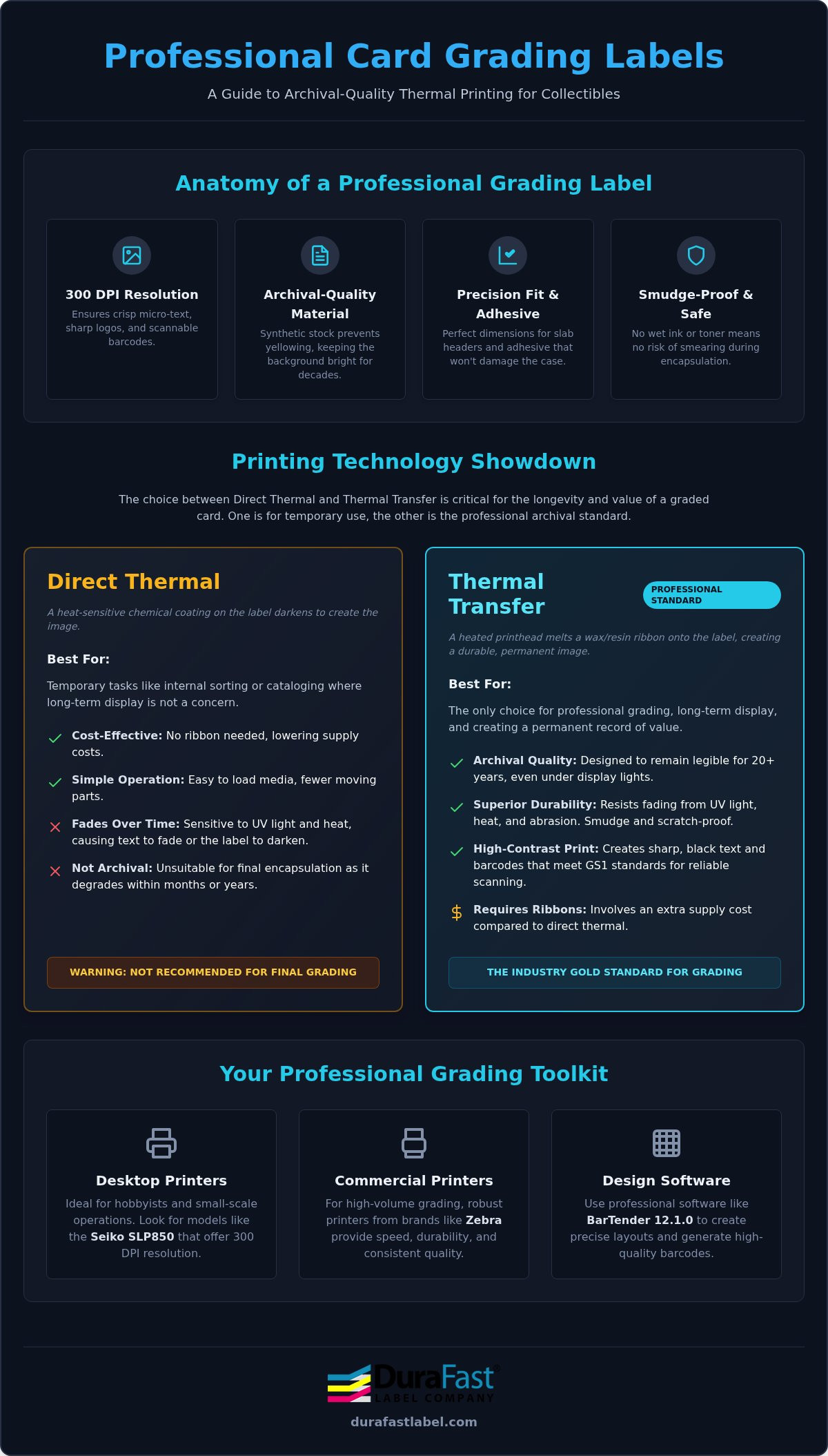
Precision is the most critical factor for slab aesthetics. A professional label must fit the slab's internal dimensions perfectly. Even a tiny misalignment can ruin the look of a premium card. Beyond size, resolution is essential. To capture micro-text and crisp barcodes, you need a printer capable of at least 300 DPI. This ensures that every detail, from the card name to the grade sub-scores, is sharp and readable. High-resolution printing makes your slabs look official and trustworthy.
The header serves as the first point of contact for a collector. It must provide all essential data, such as the year, set name, and final grade, at a single glance. Using high-quality materials ensures the white background stays bright. This provides the necessary contrast for the text to pop. It also requires archival-quality adhesives. These adhesives are specifically formulated not to "ooze" or damage the plastic slab over time, which is a common failure point for cheaper alternatives.
Why Thermal Technology is the Industry Standard
Why do professionals choose thermal over inkjet or laser? The answer lies in safety and efficiency. Using Thermal Printing Technologies eliminates the need for wet ink or messy toner. This is vital when dealing with valuable trading cards. It removes the risk of ink smearing during the encapsulation process, which could permanently damage a card. Since there's no drying time, you can move cards directly from the printer to the slab.
Thermal printers also offer incredible on-demand flexibility. You can print one unique thermal Card Grading Label at a time without wasting an entire sheet. This makes the process highly efficient for both high-volume grading companies and individual hobbyists. Additionally, the compact footprint of desktop thermal printers means they fit easily on any workstation. They're quiet, fast, and require very little maintenance. This allows you to focus on the cards rather than troubleshooting your equipment.
Direct Thermal vs. Thermal Transfer for Card Grading
Choosing the right technology for your thermal Card Grading Label is the first step in protecting a card's long-term value. While both methods use heat to create an image, they serve very different purposes in the grading world. Your choice impacts how well the label survives sunlight, heat, and the passage of time inside a plastic slab. Most professionals prioritize durability over initial cost, but understanding the trade-offs helps you build the most efficient workflow for your specific needs.
When to Choose Direct Thermal Labels
Direct thermal printing is the simpler of the two options. It doesn't require a ribbon because the label material itself is heat-sensitive. This makes it a cost-effective choice for hobbyists or for internal cataloging where a card won't be displayed for decades. It's fast and easy to load, which is great for high-volume sorting tasks. However, this simplicity comes with a significant risk. Direct thermal labels are sensitive to UV light and high temperatures. If a slabbed card is left near a window or in a hot room, the label can darken or the text can fade away completely. For professional-grade results, this technology is usually reserved for temporary identification rather than final encapsulation.
The Case for Thermal Transfer and Ribbons
Thermal transfer is the gold standard for professional grading services. This process uses a thermal ribbon to melt ink onto the label surface, creating a permanent bond that resists environmental damage. These thermal transfer labels offer superior archival properties. They are designed to stay crisp and legible for 20 years or more, even when exposed to display lights. This ensures the grade remains a permanent part of the card's history.
Durability isn't the only benefit. Thermal transfer provides the high contrast required to meet GS1 barcode standards. High-contrast printing ensures that barcodes scan reliably every time, which is essential for registry tracking and authentication. When you use a high-quality thermal Card Grading Label with the right ribbon, you eliminate the risk of smudging or chemical reactions with the plastic slab. It’s a small investment that guarantees the integrity of your product for the next generation of collectors. If you aren't sure which ribbon and label combination fits your specific slab type, our team can help you choose the right archival materials for your project.
Best Printers for Thermal Card Grading Labels in 2026
Selecting a printer for your thermal Card Grading Label requires looking beyond basic shipping label features. You need a machine that handles small-format media with extreme precision. Most grading slabs require labels approximately 1" x 2.625", meaning there's no room for "drift" during the print job. High resolution is the most critical spec. You should always aim for 300 DPI to ensure that the small font sizes used for sub-grades and set details remain perfectly legible to the naked eye and under a loupe. Connectivity also plays a role in your efficiency. While USB is standard for stationary setups, Bluetooth is increasingly popular for modern, clutter-free workstations.
Seiko SLP850: The Hobbyist and Small Business Favorite
For those managing a boutique grading service or a personal collection, the Seiko SLP850 is widely considered the top choice. It strikes a perfect balance between professional output and a compact footprint. Its 300 DPI print head is specifically designed to capture the fine details of small labels without the "fuzzy" edges seen on lower-resolution machines. This ensures that even the smallest font sizes are sharp enough for high-end collectors.
Modern grading workflows often move between devices. The SLP850 supports Bluetooth connectivity, allowing you to print directly from a tablet or mobile device as you verify card conditions. This flexibility keeps your desk clear of tangled cables and lets you integrate the printer into a mobile grading station. It’s a reliable, entry-to-mid level solution that doesn't compromise on the final look of your slabs. Because it handles various small-format media, it’s easy to switch between different slab sizes as your inventory changes.
Zebra Industrial and Desktop Solutions for High Volume
If you're processing hundreds of cards daily, industrial-grade hardware is a necessity. The Zebra ZT411 is a powerhouse for large-scale operations. It offers the speed and ruggedness required for continuous duty cycles while maintaining the pinpoint accuracy needed for small grading labels. This model is built to handle the mechanical stress of thousands of labels without losing alignment. For mid-volume boutique graders who need industrial reliability in a smaller package, Zebra's desktop thermal transfer models provide a sturdy middle ground that fits on a standard office desk.
Consistency is the hallmark of a professional brand. Using Zebra ribbons ensures that every batch of labels has the same deep black density and crisp edges. This is vital when your cards are being sold on secondary markets where collectors look for visual consistency across different slabs. Whether you choose a desktop or industrial model, pairing the right hardware with high-quality ribbons ensures your thermal Card Grading Label looks as premium as the card it identifies. It’s about building trust with your buyers through every visual detail.
Designing Professional Labels with BarTender Software
Even with the best hardware, your thermal Card Grading Label will only look as professional as the software used to create it. Many users try to adapt generic design apps or photo editors for this task. Unfortunately, these tools often lack the specialized drivers needed to communicate effectively with thermal print heads. BarTender Professional is the industry standard because it provides the precise control required for small-format media. It allows you to manage margins and resolution settings with pinpoint accuracy, ensuring your text is never cut off by the edges of the slab.
Setting Up Your Grading Template
The first step in a professional workflow is defining a template that matches your label roll dimensions. Since grading labels are typically small, even a half-millimeter error in page setup can cause alignment issues across a hundred-label run. You can build a master template with specific placeholders for the card name, set year, and final grade. This structure ensures every slab you produce has a consistent, uniform look that collectors recognize and trust.
Automation is where BarTender truly shines for growing businesses. Instead of manually entering data for every card, you can link your template to an external spreadsheet or database. This allows you to pull card information and grades directly into the design, virtually eliminating typos. You should also include barcodes for authentication and inventory management. These elements must be generated using high-contrast settings to ensure they scan reliably every time. BarTender acts as the bridge between your database and the printer.
Advanced Design for Brand Authority
Establishing brand authority requires a focus on visual hierarchy and clarity. High-contrast black text on a bright white background is the preferred choice for maximum readability. When choosing fonts, stick to clean, sans-serif options that remain legible even at small point sizes. This is vital because collectors often inspect slabs under high-intensity light or magnification. You can also incorporate your company logo or unique borders to give your slabs a distinct identity in a crowded market.
While thermal printing is primarily monochrome, you can still achieve a premium feel through clever layout. Strategic use of bold text for the final grade helps it stand out as the most important piece of information. If your workflow involves complex tracking, reach out to our team for help setting up a BarTender template that perfectly matches your grading slabs.
Selecting Archival-Quality Labels for Long-Term Value
The materials you choose for your thermal Card Grading Label are just as important as the printer itself. While standard paper labels are fine for temporary shipping, they aren't suitable for high-value trading cards. Paper absorbs moisture, yellows over time, and can even become brittle. Collectors expect the labels inside their slabs to remain pristine for decades. To meet this standard, you must look at the chemistry of the label material and the adhesive used to secure it. Investing in archival-quality media ensures the card's provenance is protected for the next generation of owners.
Synthetic Polypropylene Benefits
Polypropylene is the industry standard for professional grading. It's a synthetic plastic material that offers several advantages over paper. First, it's naturally tear-resistant and waterproof. This provides an extra layer of security for the card's data if the slab is ever exposed to humidity. The surface of a polypropylene label is also incredibly smooth. This allows the thermal transfer ribbon to create a high-definition bond that looks sharp and official. Unlike paper, synthetic materials don't yellow when exposed to the UV lights often found in display cases. Your labels will stay bright white, maintaining the high contrast needed for easy reading.
Adhesive Integrity in the Slab
Choosing the right adhesive is a technical challenge. You need a high-tack adhesive that bonds permanently to the smooth, non-porous surface of a plastic slab. However, you must avoid "adhesive ooze." This occurs when an inferior adhesive leaks from the edges of the label over time. It creates a sticky residue that can attract dust and ruin the internal aesthetics of the slab. Using a specialized thermal Card Grading Label prevents this issue because the adhesive is formulated to stay in place under the pressure of the encapsulation process.
Safety is another major concern. Always verify that your labels use non-acidic adhesives. If a slab is ever dropped or cracked, you don't want harmful chemicals potentially interacting with the card inside. Archival-quality labels are designed to be chemically inert. This ensures they won't outgas or degrade the card's surface over time. For more information on how different media types interact with modern hardware, see our 2026 Professional Guide to Thermal Label Printers.
Finally, consider the assembly process. Professional labels often feature smudge-proof coatings. These coatings protect the printed text from the natural oils on your skin while you're handling the label during the grading process. This ensures that the final product is flawless. You can source specialized thermal card grading labels that are pre-sized to fit the industry's most popular slab dimensions, saving you time and reducing waste.
Elevate Your Professional Grading Standards
Success in the competitive trading card market often comes down to the smallest details. You've seen how the right combination of high-resolution hardware and archival-grade media creates a professional presentation that collectors trust. By choosing 300 DPI printers and synthetic polypropylene materials, you ensure that every thermal Card Grading Label remains a permanent, smudge-proof record of a card's value. These technical choices prevent the fading and adhesive issues that often plague lower-quality alternatives.
DuraFast Label Company is your partner in achieving these results. As an authorized Seiko and Zebra dealer, we provide the specialized hardware and BarTender software support required for a seamless in-house workflow. Whether you're managing a high-volume operation or a boutique service, we have the high-resolution solutions to help your business grow. We've done the heavy lifting of vetting these products so you can focus on what you do best: grading cards.
Don't let inferior labels hold back your brand's potential. Contact our team of experts today to discuss your specific slab dimensions and printing needs. We're ready to help you produce professional-grade slabs that stand the test of time.
Frequently Asked Questions
Do thermal labels fade inside a plastic card slab?
Direct thermal labels will fade if exposed to UV light or heat, but thermal transfer labels are archival-quality. Professional grading services use thermal transfer because the ribbon-based ink bonds permanently to the material. This ensures the grade and card details stay crisp for decades. If you want your slabs to maintain their value on the secondary market, avoiding direct thermal for final encapsulation is a smart move.
Can I use a regular inkjet printer for card grading labels?
While inkjet printers are common, they aren't the best choice for card slabs. Inkjet ink takes time to dry and can smudge during the sealing process. There is also a small risk of ink outgassing inside the slab, which could harm the card's surface. Thermal printing is a dry, ink-free technology that provides a safer and more efficient alternative for high-value collectibles.
What is the best resolution for printing card grading labels?
You should always aim for at least 300 DPI for professional grading results. Small labels require high density to keep sub-grades and set names sharp. A 300 DPI printer like the Seiko SLP850 ensures that even the smallest fonts are legible under magnification. Lower resolution printers can produce "stair-stepping" on text edges, which looks unprofessional and can make barcodes difficult for scanners to read.
Are there specific labels that fit PSA or Beckett style slabs?
Yes, you can find a thermal Card Grading Label specifically designed to match the header area of standard slabs. Most professional slabs use labels approximately 1 inch by 2.625 inches. Using these pre-cut sizes ensures your labels sit perfectly centered every time. This precision is vital for the "slabbed" look that collectors expect. It also eliminates the waste and inconsistency of trying to cut labels by hand.
How do I prevent smudging on my thermal grading labels?
The best way to prevent smudging is to use thermal transfer technology with a resin-based ribbon. This creates a permanent, scratch-resistant image that won't rub off during handling. You should also look for synthetic labels with a specialized top coating. These coatings are designed to resist smudges from fingerprints and oils, ensuring your labels look flawless once they are sealed inside the protective plastic case.
What software is easiest for designing card grading labels?
BarTender Professional is the most reliable software for this task. Unlike generic design tools, BarTender is built to work with thermal printer drivers. This gives you exact control over margins and allows you to pull card data directly from spreadsheets. It simplifies the design process and ensures that every label you print is perfectly aligned. It’s the easiest way to maintain brand consistency across your entire collection.
Do I need a ribbon for my thermal card grading printer?
It depends on your printer technology. If you are using a thermal transfer printer to achieve archival durability, then yes, you need a ribbon. The ribbon provides the ink that the print head melts onto the label. If you have a direct thermal printer, you don't need a ribbon, but your labels will be sensitive to heat and light. Most professionals choose the ribbon-based method for its superior longevity.
What is the difference between direct thermal and thermal transfer labels for cards?
Direct thermal printing uses heat-sensitive paper that darkens when exposed to the print head, which makes it prone to fading. Thermal transfer uses a ribbon to melt ink onto a synthetic thermal Card Grading Label. This second method is much more durable and resistant to environmental damage. For cards that will be displayed in cases or stored for years, thermal transfer is the only way to ensure the grade remains legible.