Seiko SLP850 Bluetooth Label Printer: Versatile & Efficient
19th Aug 2026
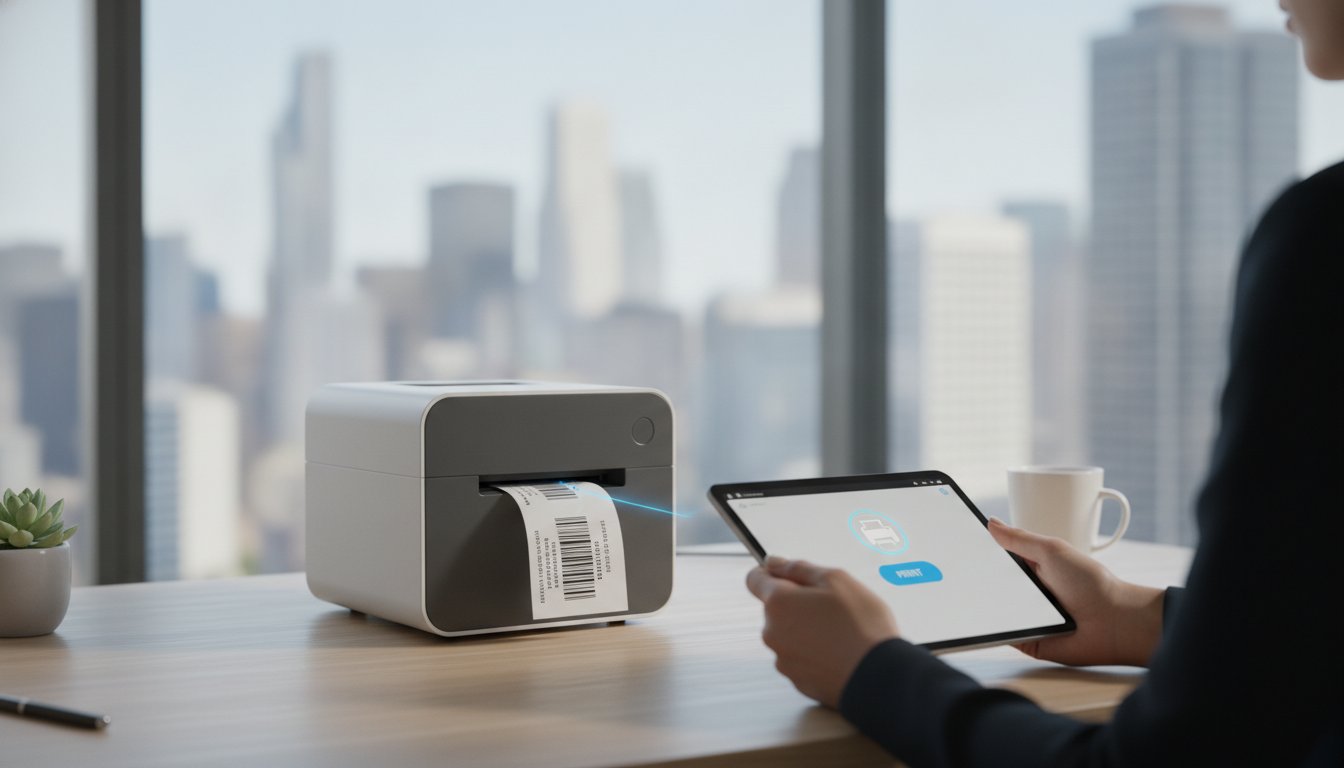
What if your label printer did more than just print, and actually helped you reclaim your desk space while eliminating every inch of trash? Most busy professionals are tired of peeling away sticky backing paper and tripping over tangled cables just to get a single shipping label out. You likely feel the frustration of a cluttered workspace and the slow pace of legacy hardware that doesn't talk to your mobile devices. If you've been looking for a solution, the Seiko SLP850 printer with bluetooth is designed to solve these exact pains. It's time for a smarter way to work that prioritizes both your time and your environment.
In this guide, you'll discover how this versatile machine transforms desktop labeling through its innovative linerless technology and wireless efficiency. This compact powerhouse replaces the discontinued SLP650 series with modern features built for today's high-traffic environments. We'll preview the benefits of its high-resolution 300 DPI output and explain how it achieves speeds up to 120mm/sec without the mess of traditional label backing. Whether you're printing from a tablet or a desktop, you'll learn how to create a seamless, waste-free labeling workstation that fits perfectly into your business workflow.
Key Takeaways
- Learn how the Seiko SLP850 printer with bluetooth enables seamless wireless printing from iOS and Android devices to streamline your mobile workflow.
- Discover how linerless technology eliminates backing paper waste, making your labeling process cleaner and more efficient.
- Compare the SLP850 to the discontinued SLP650 and see how its compact design saves valuable space on crowded workstations.
- Explore high-speed, 300 DPI printing capabilities that deliver professional receipts and badges for retail and hospitality environments.
- Understand how to choose the right media and software to bring high-quality label production entirely in-house.
What is the Seiko SLP850 Bluetooth Printer?
The Seiko SLP850 printer with bluetooth represents a new standard for desktop thermal printing. It's a 2-inch wide printer designed specifically for businesses that need high-resolution output without sacrificing valuable desk space. As the most space-efficient model in the current Seiko Smart Label Printer lineup, it fits comfortably in cramped retail kiosks, busy healthcare stations, or home offices. It isn't just about size, though. This machine delivers professional-grade 300 DPI resolution, ensuring every barcode is scannable and every line of text is sharp.
What truly sets this model apart is the combination of integrated Bluetooth connectivity and support for linerless labels. While many desktop printers struggle with connectivity or produce excessive waste, the SLP850 streamlines the entire process. You can print directly from mobile devices while using media that doesn't require a sticky backing paper to be peeled and discarded. This makes it an essential tool for any modern in-house labeling strategy.
The Evolution of Smart Label Printers
Seiko has a long history of reliable thermal technology, tracing back through the popular SLP600 and SLP650 series. The SLP850 is the next logical step in that lineage, replacing discontinued models with hardware optimized for 2026 performance standards. Engineers have refined the internal mechanics to handle higher print volumes while reducing the overall physical footprint. This shift reflects a broader trend toward mobile-integrated thermal printing. Instead of being tethered to a single PC, your team can now manage labeling tasks from tablets or smartphones, making the workflow much more flexible.
Key Technical Specifications at a Glance
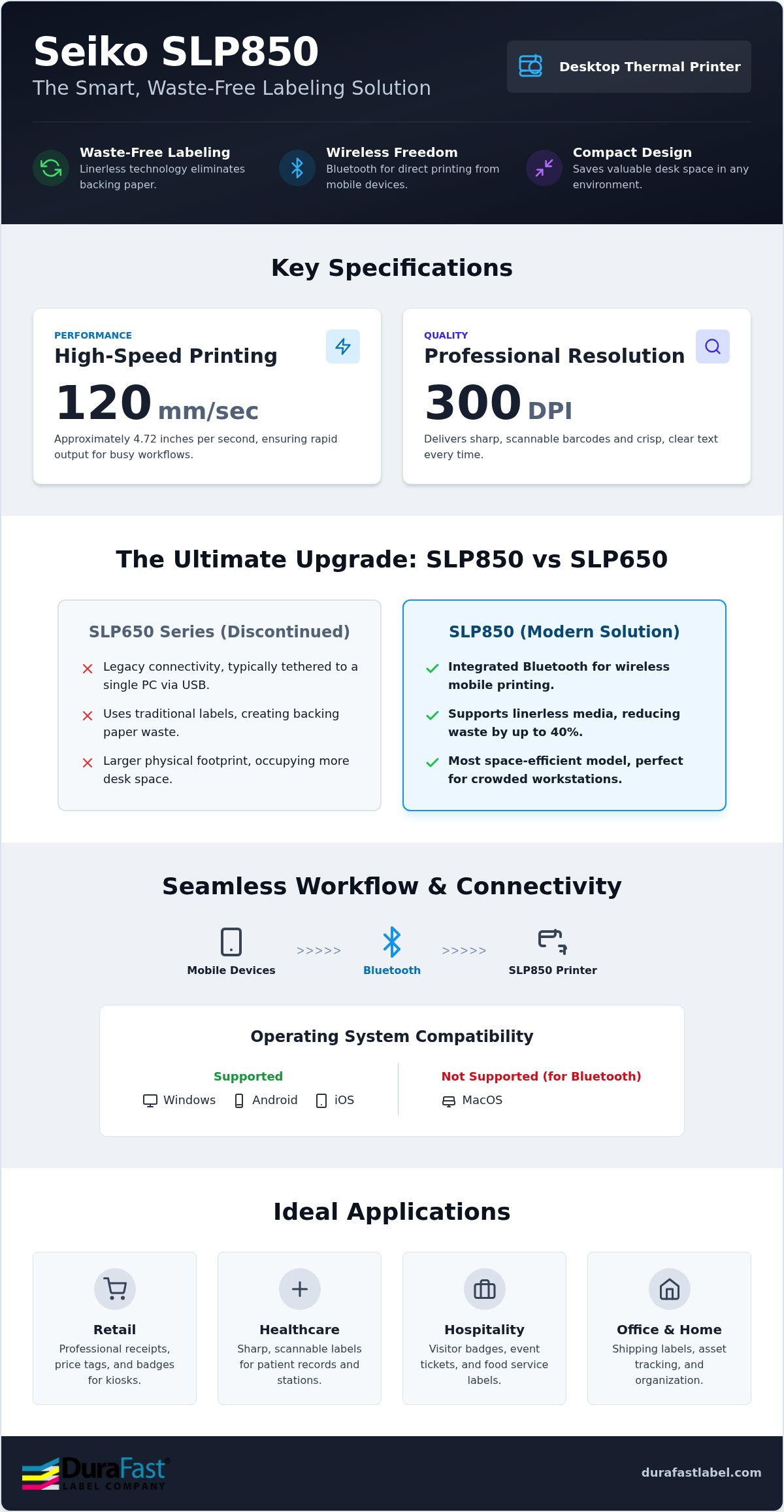
Efficiency is built into the core specs of this device. It handles rapid output with ease, reaching a maximum print speed of 120 mm/sec, which is approximately 4.72 inches per second. You won't be waiting around for labels to finish during a rush. It's also highly adaptable to different media types, supporting both 40mm and 58mm widths. To make operation even smoother, it features:
- Integrated Cutters: Choose between partial and full-cut options depending on your specific needs.
- Ticket-Taken Sensor: This smart feature pauses the next print job until the current label is removed, preventing jams and overlaps.
- High Resolution: The 300 DPI print head ensures professional quality for even the smallest fonts.
By bringing these capabilities to your workstation, you can significantly reduce costs and improve turnaround times for your daily labeling tasks. Whether you are upgrading from an older model or setting up a new station, the Seiko SLP850 printers provide the reliability your business needs.
Understanding Bluetooth Connectivity and Linerless Printing
Cables shouldn't dictate where you place your equipment. The Seiko SLP850 printer with bluetooth provides true wireless freedom, allowing your team to print directly from tablets and smartphones. This setup is particularly effective in retail or warehouse environments where desk space is a luxury. By removing the physical tether to a PC, you can position the printer exactly where the work happens. It's important to verify your operating system before setup. While the SLP850 integrates seamlessly with Windows, Android, and iOS devices, Bluetooth connectivity is not supported for MacOS users.
Beyond wireless convenience, the SLP850 introduces the massive advantage of linerless labels. Standard labels come with a silicon-coated backing paper that usually ends up in the trash. Linerless media eliminates this backing entirely. This change can reduce your labeling waste by up to 40 percent. Because there is no backing paper taking up space, each roll actually contains more labels. This means your staff spends less time swapping out empty rolls and more time processing orders. If you aren't sure which media type fits your specific environment, you can reach out to our experts for a recommendation.
Setting Up Bluetooth for Mobile Workflows
Pairing the SLP850 is a straightforward process. You'll use the SLP800 Series Utility app, available on the Google Play Store or Apple App Store, to configure the wireless settings and update firmware. For businesses with unique needs, Seiko provides a developer portal with SDKs. These tools allow you to integrate label printing directly into your own custom inventory or POS apps. If you work in an environment with heavy wireless interference, such as a kitchen with multiple appliances, we recommend placing the printer within a clear line of sight of your mobile device to ensure a stable connection.
The Mechanics of Linerless Cutting
Printing on adhesive-exposed media requires specialized hardware to prevent jams. The SLP850 uses a unique internal path and a specialized cutter designed to slice through the label without sticking. A key feature here is the back-feed mechanism. After a label is cut, the printer pulls the media back slightly. This ensures the next print job starts exactly at the edge of the label, which minimizes paper usage and prevents adhesive buildup on the platen. To keep the cutter sharp and the path clean, we suggest a quick wipe with a cleaning card every time you replace a roll of linerless media.
Seiko SLP850 vs SLP650: Why It Is the Ultimate Upgrade
If you've been using the SLP650, you know it was a reliable tool for many years. However, as business needs evolve toward mobile connectivity and sustainable practices, the SLP850 steps in as the definitive flagship replacement. The Seiko SLP850 printer with bluetooth doesn't just replace its predecessor; it completely redesigns the workstation experience by addressing the common complaints of the previous generation. It transitions from a simple desktop accessory to a versatile, wireless hub for all your labeling needs.
The move to native linerless support is perhaps the most significant functional change. In the past, you often had to choose between specific models if you wanted to reduce waste. Now, that capability is baked into the flagship design. This new flexibility allows you to handle several tasks with one device:
- Standard address and shipping labels
- Eco-friendly linerless receipts and order slips
- High-resolution barcodes for asset tracking
- Temporary visitor badges and name tags
Physical Improvements and Ergonomics
Space is at a premium in most modern offices. Seiko engineers focused on a significant reduction in both height and depth for this model. You'll notice a much smaller footprint that leaves more room for your keyboard, samples, or medical equipment. By reducing the depth of the unit, Seiko has made it possible to place the printer on narrow shelving or at the edge of a workstation without it hanging over. The new top-loading design is another major ergonomic win. Instead of fiddling with side panels, you can swap Seiko SLP850 labels in seconds. The SLP850 stands as the superior successor to the SLP650 in the 2026 market, offering a more compact and user-friendly profile.
Performance Benchmarks
Speed is where the difference becomes most apparent. While older generations often hovered around lower speeds, the SLP850 hits a rapid 120mm/sec. This translates to roughly 4.72 inches per second, allowing you to breeze through high-traffic periods without a bottleneck. Even at these speeds, the printer maintains a consistent 300 DPI resolution across various media types. This ensure your text remains crisp and your barcodes remain scannable. If you are still on the fence about retiring your older hardware, you can read more about why now is the time to Upgrade to Seiko SLP850: The Improved SLP650 Successor.
The addition of Bluetooth as a standard option is the final piece of the puzzle. Older SLP600 models lacked this flexibility, which often tethered you to a desktop computer. Now, you can manage your labeling tasks from across the room using a smartphone or tablet. Investing in the Seiko SLP850 printer with bluetooth ensures your office is ready for the mobile-first demands of 2026. This combination of speed, size, and wireless freedom makes the upgrade a logical choice for any growing business.
Best Applications for the Seiko SLP850 in 2026
The versatility of the Seiko SLP850 printer with bluetooth makes it a valuable asset across various professional sectors. Its ability to switch between standard die-cut and linerless media allows businesses to adapt to changing workflows without purchasing multiple devices. In retail environments, employees use it for quick price tag updates and mobile point-of-sale receipts. This mobility is essential for "line-busting" during peak hours, as staff can print from anywhere on the sales floor using a tablet or smartphone.
Healthcare facilities also benefit from the precision of this model. When labeling specimens or tracking patient records, there is no room for error. The 300 DPI resolution ensures that small barcodes remain perfectly scannable, which is critical for patient safety and data integrity. In a standard office setting, it handles the daily grind of address labels, file folder organization, and shipping tasks. Its small footprint means it won't take over your desk, even if you're managing a high volume of outgoing mail.
Linerless Labels in Food Service and Retail
In the fast-paced world of food service, order accuracy is everything. The SLP850 integrates seamlessly with linerless technologies like StickyPOS and Maxstick. These specialized labels allow cafes and restaurants to stick order details directly onto cups or bags without the mess of backing paper. A standout feature for these environments is the "ticket taken" sensor. The printer detects when a label has been removed before it feeds the next one, which prevents a pile-up of sticky labels during a frantic lunch rush. To ensure you're getting the most out of these features, check out our guide on High-Quality Seiko SLP850 Labels: A Complete Buying Guide.
Visitor Management and Security
First impressions matter in a corporate lobby. The SLP850 is a perfect fit for sleek, modern visitor kiosks. Security teams can print temporary name badges wirelessly from a front-desk tablet, which eliminates the need for bulky PC setups. Because the printer offers 300 DPI quality, you can include clear photo IDs or complex QR codes for secure building access. The compact design ensures that the hardware stays out of sight, maintaining the professional aesthetic of your lobby while providing high-speed security solutions.
Whether you're streamlining a commercial kitchen or securing a corporate office, we can help you find the perfect configuration for your team. If you have questions about specific software integrations or media compatibility, speak with one of our labeling experts today to get started with an in-house strategy that works.
Getting Started with Your Seiko SLP850 and Professional Labels
Setting up your new Seiko SLP850 printer with bluetooth shouldn't be a complex chore. We've designed this process to be as direct and efficient as the printing technology itself. Your first step is selecting the media that matches your specific workflow. If your daily tasks involve standard shipping or filing, die-cut labels offer a familiar and reliable solution. However, if you want to reduce waste and gain the flexibility to print custom lengths, linerless media is the better choice. Making this decision early ensures your hardware is ready to perform from day one.
After you've picked your media, download and install the Smart Label Creator software. This tool is intuitive and makes designing professional labels effortless. For those using the Bluetooth model, pairing your tablet or smartphone is the next priority. Just remember that while the connection is seamless for Windows, Android, and iOS, it doesn't support MacOS via Bluetooth. Test your signal strength in your typical workspace to ensure you won't have interruptions during a busy shift. Finally, ensure you load the roll correctly. Since the SLP850 is a direct thermal printer, the heat-sensitive side of the label must face the print head to produce an image.
Choosing the Right Seiko Labels
Understanding the difference between thermal technologies is vital for your success. The SLP850 is a direct thermal printer, which means it doesn't require ribbons or ink cartridges to function. This simplicity reduces your ongoing maintenance and inventory costs. You just need to select an adhesive that fits your environment. Permanent adhesives are ideal for long-term shipping, while removable options work best for temporary visitor badges or file folders. For the best results and to protect your equipment, always use high-quality Seiko SLP850 labels designed specifically for this model.
Maximizing ROI with In-House Printing
Bringing your labeling production in-house with the SLP850 significantly boosts your return on investment. You'll no longer have to worry about label inventory waste or waiting for external print jobs to arrive. Printing on-demand means you only create exactly what you need when you need it. For businesses with more advanced requirements, you can integrate BarTender Professional software. This allows for database-driven labeling, making it easy to pull product information or patient data automatically from your existing systems. Ready to transform your workspace? You can shop the Seiko SLP850 at DuraFast Label Company today and start saving on every label you print.
Future-Proof Your Desktop Labeling
The transition to a wireless, waste-free workstation is no longer a luxury for modern businesses. By choosing the Seiko SLP850 printer with bluetooth, you're investing in a compact solution that eliminates messy backing waste and speeds up high-traffic workflows. This flagship model successfully bridges the gap between traditional desktop reliability and the mobile-first demands of 2026. Whether you're upgrading from the older SLP650 series or setting up a new retail kiosk, the combination of 300 DPI resolution and linerless technology ensures your labels are as professional as your service.
DuraFast Label Company is proud to be an Authorized Seiko Distributor. We maintain a full stock of Seiko-compatible linerless and die-cut labels to keep your operations running without interruption. Plus, you can enjoy free US shipping on qualifying orders. It's time to reclaim your desk space and simplify your labeling process once and for all. We've done the heavy lifting of vetting the best hardware so you can focus on growing your business with confidence.
Order the Seiko SLP850 Bluetooth Printer Today and take the first step toward a more efficient workspace. We look forward to helping you find the perfect labeling strategy for your unique business needs.
Frequently Asked Questions
Does the Seiko SLP850 support Bluetooth printing from Mac computers?
No, the Bluetooth connectivity on this model is specifically designed for iOS, Android, and Windows devices. While you can connect the printer to a Mac using a USB cable, the wireless feature won't function for MacOS users. If your workflow relies heavily on Apple desktop computers, we suggest using the USB interface to maintain high-resolution output and reliable performance for your business. It's a stable connection that ensures your daily tasks aren't interrupted.
Can I use my existing SLP650 labels with the new SLP850 printer?
Yes, you can continue using your current stock of 2-inch labels. Since the Seiko SLP850 printer with bluetooth is the official successor to the discontinued SLP650 series, it maintains compatibility with the same media sizes. This makes the transition to the newer hardware seamless and cost-effective. You won't need to discard your existing inventory of die-cut thermal labels when you upgrade to this more efficient model for your workstation.
What is the advantage of linerless labels over traditional labels?
Linerless labels eliminate the silicon-coated backing paper that usually ends up as waste. This technology can reduce your total labeling waste by up to 40 percent. Because there's no liner taking up space on the roll, you also get significantly more labels per roll. This means your team spends less time changing media and your business reduces its environmental footprint while lowering overall material costs. It's a smarter way to handle high-volume labeling tasks.
How fast does the Seiko SLP850 print barcodes?
This printer delivers rapid results with a maximum print speed of 120 mm/sec. That's approximately 4.72 inches of high-resolution labels every second. Even at these high speeds, the 300 DPI print head ensures that every barcode remains sharp and scannable. This speed is essential for high-traffic environments like retail registers or busy hospitality stations where waiting for a printer can create a bottleneck. It helps keep your customer lines moving efficiently during peak hours.
Do I need to buy ink or toner for the Seiko SLP850?
No, the SLP850 uses direct thermal printing technology. This means the printer applies heat directly to a chemically treated label to create an image. You'll never have to purchase expensive ink cartridges, toners, or thermal transfer ribbons. This design simplifies your supply chain and reduces the total cost of ownership. Your only ongoing expense will be the thermal labels themselves, which are available in various sizes and adhesives to suit your specific business needs.
Is the Seiko SLP850 compatible with third-party label design software?
Yes, it works beautifully with industry-standard software like BarTender Professional. While Seiko provides the intuitive Smart Label Creator software for free, many businesses prefer third-party tools for advanced database integration. This compatibility allows you to pull data directly from your inventory or patient management systems. It's a great way to leverage the Seiko SLP850 printer with bluetooth within your existing enterprise software environment without having to redesign all of your current label templates.
What is the maximum label width supported by the SLP850?
The SLP850 is a 2-inch thermal printer that supports media widths of 40mm and 58mm. This range is perfect for most retail receipts, price tags, and office organization labels. While it's a compact device, it's designed to handle a variety of roll sizes up to a maximum diameter of 6.2 cm. This makes it an ideal choice for workstations where space is limited but professional output is required for your daily labeling tasks.
What does the 'ticket taken' sensor do on the SLP850?
The 'ticket taken' sensor is a smart feature that detects when a printed label is still in the exit slot. It automatically pauses the next print job until the current label is removed. This prevents labels from sticking together or jamming the cutter, which is especially helpful when using linerless media. It's a critical safety net for fast-paced environments where multiple orders might be sent to the printer at once during a busy lunch rush.