The Ultimate Label Printer for E-commerce Checklist: 2026 Scale-Up Guide
17th Jun 2026
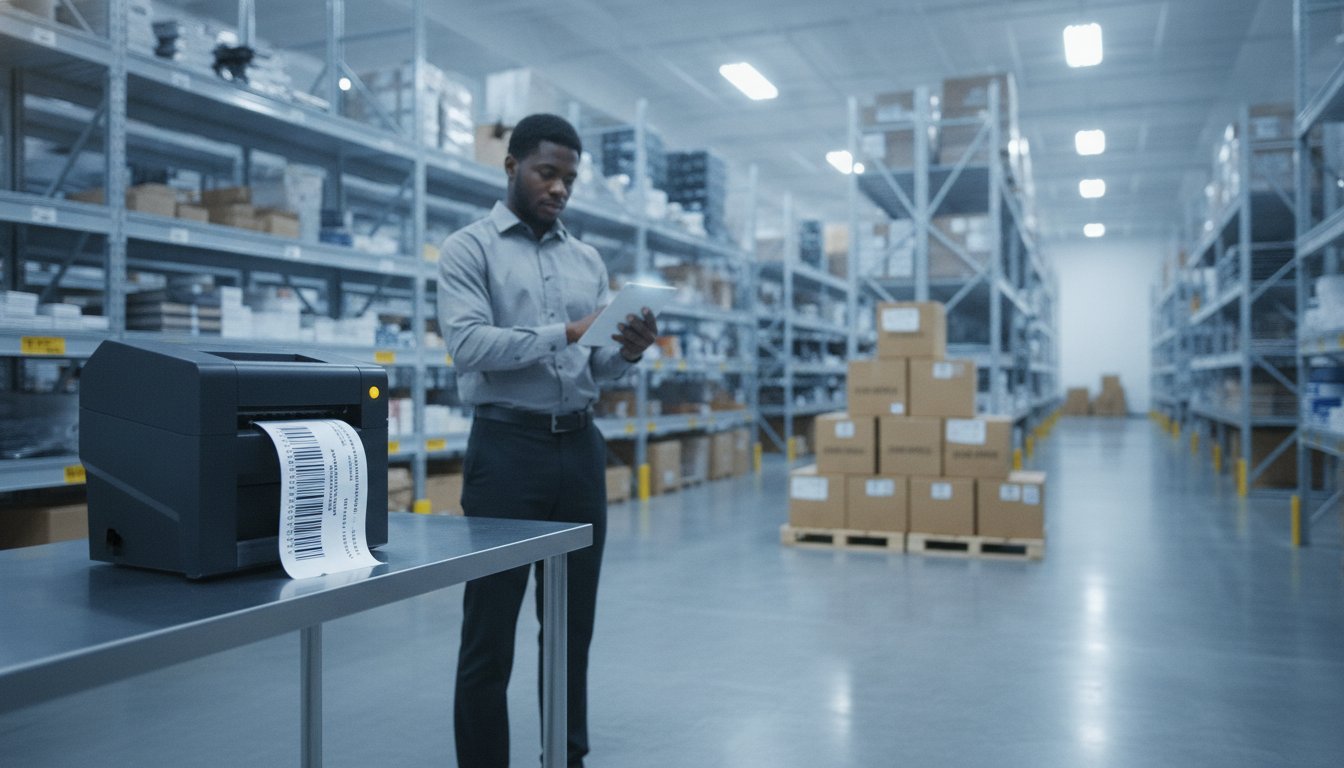
Did you know that accessorial charges from carriers like UPS and FedEx can now account for up to 40% of your total annual shipping costs? With major carriers implementing base rate hikes of nearly 6% in 2026, every second spent on a slow printer or every cent wasted on a blurry label directly hurts your bottom line. You likely feel the pressure to keep packages moving while maintaining a premium brand image. Finding the right label printer for e-commerce is no longer just a hardware choice; it's a vital strategy for scaling your business in a high-cost environment.
We know you're tired of shipping delays and high costs for pre-printed labels that don't even look professional. You'll learn exactly how to master your fulfillment and branding with our comprehensive checklist for selecting the perfect in-house printing system. We'll walk through the dual-track strategy of using high-speed thermal for logistics and high-resolution color inkjet for unboxing, ensuring your operation is both efficient and impressive.
Key Takeaways
- Map your daily volume against a 12-month growth forecast to ensure your equipment scales with your business success.
- Balance high-speed thermal technology for logistics with high-resolution color inkjet for premium product branding.
- Learn how to select the right label printer for e-commerce by evaluating critical hardware specs like DPI and print speed.
- Match label materials with the correct ribbons to create durable, professional-looking packages that withstand the shipping process.
- Explore how industrial-grade solutions like the Zebra ZT411 and Epson C6000A can streamline your fulfillment and lower costs.
Assessing Your E-commerce Labeling Requirements
Before you invest in new hardware, you must audit your specific workflow needs. It's not just about what you print today. You need to look at what you'll be printing twelve months from now. Choosing the right label printer for e-commerce requires a deep dive into your daily operations and growth trajectory. This initial assessment prevents you from outgrowing your equipment too quickly or overspending on features you don't actually need.
Your label types generally fall into three categories. Standard shipping labels are the most common, typically 4x6 inches. Product labels require higher resolution for branding and regulatory information. Finally, warehouse tracking labels help manage internal inventory. Understanding Label printer technology is the first step in matching these requirements to the right hardware. Each category has different demands for speed, resolution, and durability.
Volume and Throughput Benchmarks
Growth forecasting is critical. If your order volume is increasing, your printer needs to keep up. A printer that jams or overheats during a flash sale can stall your entire fulfillment line. Use these benchmarks to categorize your current and future needs:
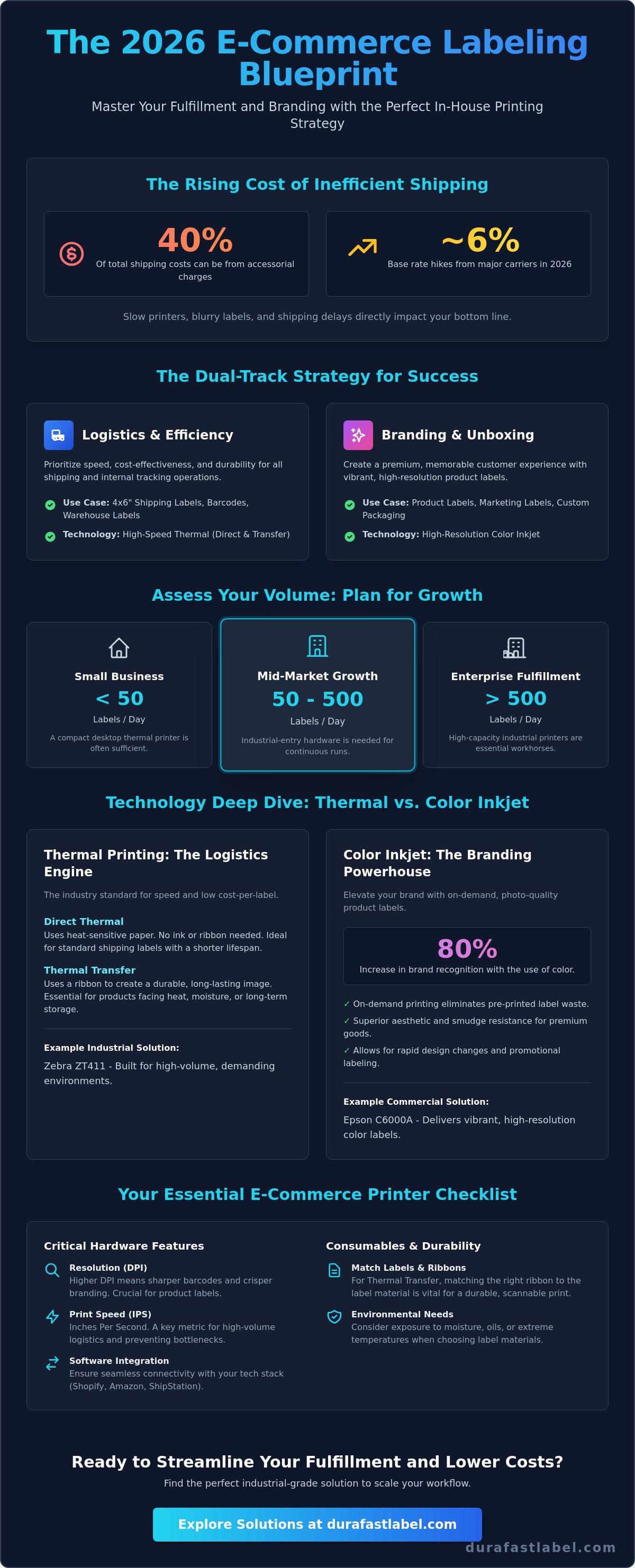
- Small Business: Under 50 labels per day. A desktop thermal printer is usually sufficient for this volume. It's compact and handles light duty cycles well.
- Mid-Market Growth: 50 to 500 labels per day. You've reached the point where you need industrial-entry hardware. These machines are built for longer continuous run times.
- Enterprise Fulfillment: Over 500 labels per day. You need high-capacity industrial barcode printers. These workhorses manage high volumes without breaking a sweat.
Environmental and Durability Needs
Consider where your labels are going. Standard shipping labels usually use direct thermal technology because transit times are relatively short. However, if your products face moisture, oils, or extreme temperatures, you need more robust solutions. In the 2026 shipping environment, label durability is defined by a label's ability to remain scannable through multiple carrier handoffs and extreme weather conditions without fading or peeling. If you sell premium goods, inkjet labels offer superior aesthetic quality and smudge resistance that protects your brand image.
Finally, map out your tech stack. Your printer must integrate seamlessly with platforms like Shopify and Amazon, or shipping software like ShipStation. When your hardware and software talk to each other, you reduce manual errors and speed up your entire label printer for e-commerce workflow. This connectivity is what allows a business to scale without adding unnecessary labor costs.
Choosing the Right Technology: Thermal vs. Color Inkjet
How do you decide between a high-speed workhorse and a high-resolution branding tool? Many businesses assume they have to choose one or the other. In reality, the best label printer for e-commerce strategy often involves using both technologies to handle different parts of the fulfillment chain. You need to balance the low cost of logistics with the high impact of your customer's unboxing experience. Choosing the wrong technology can lead to smudged barcodes or a brand image that feels cheap and unprofessional.
Thermal Printing for Logistics
Thermal technology is the backbone of the shipping world. Direct thermal printing is your best bet for standard 4x6 shipping labels. It's fast, cost-effective, and doesn't require ink or toner. However, it's sensitive to heat and light. If your inventory sits in a hot warehouse for months, you should consider thermal transfer. This method uses a ribbon to create a permanent, durable bond. You should check your specific E-commerce labeling regulations to ensure your tracking codes remain legible through the entire supply chain. For these industrial applications, ensure your hardware is compatible with labels-thermal-transfer to prevent smudging during rough transit.
Color Inkjet for Brand Experience
Why settle for a plain black-and-white label on your premium products? Color matters more than you might think. Industry research indicates that color can increase brand recognition by up to 80 percent. Printing your own color labels on-demand allows you to pivot quickly. You don't have to manage thousands of pre-printed labels that might become obsolete if you change a single ingredient or logo. Using a color label printer for e-commerce lets you add seasonal graphics or promotional inserts on the fly. To keep your branding sharp and professional, always use high-quality Epson inks for consistent results across every batch.
The trade-off is simple. Thermal is about speed and low cost-per-label. Inkjet is about visual impact and customer retention. A hybrid setup, using one thermal for shipping and one inkjet for product labels, usually offers the highest ROI. It allows you to move fast without sacrificing the professional look your customers expect. This approach eliminates the high cost of pre-printed labels and reduces inventory waste. If you aren't sure which technology fits your current volume, you can speak with a labeling expert to find your ideal configuration. This ensures your scaling efforts are backed by the right technical foundation.
The Hardware Checklist: Critical Features for 2026
Once you've settled on the right technology, you need to look at the technical benchmarks that define a high-performing label printer for e-commerce. It's easy to get lost in spec sheets, but focusing on a few critical features will ensure your hardware doesn't become a bottleneck as you scale. You should prioritize resolution and speed to maintain a professional look while keeping up with order volume. Choosing hardware with the wrong specs often leads to unreadable barcodes or frustratingly slow fulfillment lines.
Print resolution is your first major decision point. For standard 4x6 shipping labels, 203 DPI (dots per inch) is the industry standard and perfectly legible for carrier scanners. However, if your labels include small fonts, intricate logos, or detailed graphics, you'll need 300 or even 600 DPI. Higher resolution ensures that your branding remains crisp and professional. Alongside resolution, consider print speed. You should target a speed between 4 and 12 inches per second (IPS). This range allows you to print hundreds of labels in minutes, which is essential during peak seasons or flash sales.
Connectivity and media capacity also play huge roles in warehouse efficiency. While USB is fine for a single station, Ethernet and Wi-Fi allow for flexible placement across your facility. Wireless options let your team print from tablets or mobile scanners anywhere on the floor. To minimize downtime, look for printers that support large media rolls. Changing labels every thirty minutes kills productivity; a high-capacity system keeps your team focused on packing rather than reloading supplies.
Industrial vs. Desktop Form Factors
Your physical environment dictates the best form factor for your needs. Desktop printers offer a compact footprint that's perfect for small offices or retail counters where space is at a premium. They're great for light to medium duty. If your operation runs 24/7 in a dusty warehouse, you need the all-metal construction of an industrial printer. You should evaluate the Zebra ZT411 for high-volume durability. These machines are built to withstand harsh conditions while maintaining consistent print quality over thousands of labels.
Integration and Compatibility
Your new hardware must play nice with your existing systems. Support for ZPL or EPL languages is vital if you're replacing legacy shipping equipment, as it ensures a seamless transition without rewriting code. For modern, mobile-first fulfillment, look for AirPrint or cloud-printing capabilities. This allows your team to trigger prints directly from their mobile devices. Driver compatibility is the #1 cause of e-commerce downtime because mismatched software often breaks the communication link between your store and your printer. Investing in a proven label printer for e-commerce with robust driver support will save you hours of troubleshooting during your busiest hours.
The Consumables and Software Checklist
You've selected your hardware. Now you need to feed it. The consumables you choose for your label printer for e-commerce are just as important as the machine itself. If you match the wrong ribbon to the wrong material, your barcodes will smudge before they even leave the warehouse. This leads to carrier rejections and unhappy customers. Getting this combination right ensures your fulfillment line stays moving and your brand stays sharp.
Label materials generally fall into two categories: paper and synthetic. Paper labels are the most common choice for standard shipping because they're cost-effective. However, they're susceptible to tearing and moisture. If your products face rough handling or damp environments, you need synthetic materials like BOPP or Polyester. These offer the durability required to survive long transit times. For thermal transfer users, the ribbon choice is a science. Wax ribbons are the go-to for paper labels. Resin ribbons are mandatory for synthetics to create a permanent bond. If you need a mix of both, wax-resin ribbons provide excellent versatility for various substrates.
Managing your ink is equally vital if you've invested in color. High-resolution branding looks fantastic, but you must monitor your cost-per-print. High-coverage designs use more ink, so optimizing your artwork can save you significant money over thousands of prints. Using automated software helps track these levels so you never run out of supplies during a peak shipping window.
Selecting High-Performance Media
Your media must match your carrier requirements. The universal shipping standard is the 4x6 direct thermal label. It's supported by every major carrier and requires no ink. For your product branding, you should use premium inkjet labels. These come in matte or gloss finishes to help your packaging stand out on the shelf or in the mailbox. Always verify thermal transfer ribbon compatibility with your specific printer model. Using the wrong size or type can cause unnecessary wear on your printhead.
Software for Error-Free Fulfillment
Stop printing from basic PDFs. It's a slow, manual process that invites errors. Professional software like BarTender Professional allows you to automate data-driven fields directly from your ERP or e-commerce platform. This means your labels update automatically with the correct weights, addresses, and SKU information. Serialization is another critical tool. It ensures every package has a unique, traceable identifier, which is essential for managing returns and inventory. Centralizing your template management ensures your brand assets remain consistent across every workstation in your facility.
Choosing the right combination of media and software removes the guesswork from your daily operations. If you're ready to optimize your supply chain and reduce waste, you can contact our media experts for a personalized recommendation. We'll help you find the exact materials and software configuration to support your growth.
Scaling Your Workflow with DuraFast Solutions
You've completed your audit and reviewed the technical benchmarks. Now you need a partner to pull the entire system together. Choosing a label printer for e-commerce isn't just about buying a piece of hardware; it's about building a reliable ecosystem that won't fail when order volume spikes. At DuraFast, we specialize in high-performance configurations that solve the specific pains of growing brands. We focus on reliability and ease of use so you can spend less time troubleshooting and more time shipping.
The Epson ColorWorks C6000A is the gold standard for businesses wanting to bring color logistics in-house. It allows you to print color-coded shipping labels or branded packing slips in a single pass, which significantly boosts brand perception. If your focus is pure volume and logistics, the Zebra ZT411 remains the industrial workhorse for high-capacity thermal shipping. For those producing thousands of product labels daily, the Afinia L801 offers unmatched speed and low cost-per-print. Our team provides expert guidance to ensure your hardware matches your specialized media requirements perfectly.
The DuraFast Advantage for E-commerce
Why choose DuraFast as your scaling partner? We've already done the heavy lifting of vetting every machine we sell. You don't have to guess which ribbon works with which synthetic material or whether a specific driver will crash your system. We offer several key benefits for scaling businesses:
- In-house expertise: We vet the hardware so you don't have to. Our recommendations are based on real-world performance benchmarks.
- National coverage: We provide a reliable supply of labels and ribbons across North America. You'll never run dry during a peak shipping window.
- Comprehensive bundles: We offer hardware, software, and media in one cohesive system. This ensures everything works together right out of the box.
Next Steps for Your Business
Ready to scale your operation? Your first step should be to audit your current labeling costs using our ROI frameworks. Many businesses find that moving from pre-printed labels to a professional label printer for e-commerce pays for itself in just a few months. We also encourage you to request a sample kit. This allows you to test material durability in your specific warehouse environment before you make a commitment. Testing the adhesive and print quality on your actual packaging is the best way to ensure satisfaction.
The 2026 e-commerce landscape is competitive and fast-paced. Don't let an outdated labeling process hold your brand back. When you're ready to upgrade your fulfillment strategy, you can Browse our E-commerce Label Printer Collection to find the perfect fit for your growth goals. We're here to help you simplify the complex and make your scaling journey a stress-free experience.
Future-Proof Your Fulfillment Strategy
Scaling your business in 2026 requires more than just faster shipping. It demands a sophisticated approach to how you present your brand and manage your costs. By assessing your volume, choosing the right mix of high-speed thermal and vibrant inkjet, and automating your workflow with professional software, you turn a logistical hurdle into a competitive edge. The right label printer for e-commerce is the foundation of this transformation. It eliminates the delays caused by manual errors and the high costs of pre-printed inventories.
As an authorized Epson and Zebra partner, DuraFast helps you navigate these technical choices with confidence. We specialize in complex requirements like BS5609 and GHS compliance, ensuring your labels meet every regulatory standard. With North American wide shipping and support, we're here to keep your operations running smoothly as you grow. Ready to optimize your labeling process? Scale your e-commerce fulfillment with DuraFast's expert-vetted label printers and start seeing the ROI of a professional in-house system.
Your brand deserves to look as professional as the products you sell. We're excited to help you take this next step in your business journey.
Frequently Asked Questions
What is the best label printer for a small e-commerce business?
A desktop thermal printer is the best choice for small e-commerce businesses printing under 50 labels per day. These compact machines are affordable and don't require ink or toner; making them perfect for a home office. If you want to include color branding on your packages; an entry-level color label printer like the Primera LX500 offers professional results without a massive footprint.
Do I need a thermal or inkjet printer for my shipping labels?
You should use a thermal printer for shipping labels because it's faster and more cost-effective for logistics. Direct thermal printing doesn't require ink; which is why it's the industry standard for 4x6 shipping labels. Inkjet printers are better reserved for high-resolution product branding where visual impact and color consistency are the priorities.
Can I use a regular home printer for e-commerce labels?
You can use a regular home inkjet or laser printer with sheet labels; but it's not recommended for scaling. Home printers are slow and use expensive ink; while sheet labels are prone to jamming and create unnecessary waste. Switching to a dedicated label printer for e-commerce saves time and significantly lowers your cost-per-label by using rolls instead of sheets.
What is the most common shipping label size for Shopify and Amazon?
The 4x6 inch label is the universal standard for Shopify; Amazon; and every major shipping carrier. This size provides enough space for all necessary barcodes; addresses; and tracking numbers to remain legible. Using this standard size ensures your packages are compatible with automated sorting systems used by USPS; UPS; and FedEx.
How do I reduce the cost of my e-commerce labels?
You can reduce costs by switching to direct thermal printing; which eliminates the need for ink and ribbons entirely. Buying labels in bulk rolls rather than small packs also lowers the price per unit. Additionally; optimizing your ink coverage on color labels can prevent unnecessary waste during large-scale product branding runs.
Is BarTender software necessary for e-commerce printing?
BarTender software isn't strictly necessary for basic shipping; but it's vital for automating data-driven fulfillment. It allows you to pull information directly from your store database to ensure every label is accurate. For businesses scaling beyond a few orders a day; this automation prevents the manual typing errors that lead to mis-shipped packages.
What happens if I use the wrong ribbon with my thermal transfer labels?
Using the wrong ribbon leads to poor print quality and labels that smudge or flake off during transit. For example; a wax ribbon won't bond properly to synthetic materials; causing the barcode to become unreadable. Always match wax ribbons with paper and resin ribbons with synthetic labels to ensure your packages remain scannable through the entire supply chain.
Which printer handles high-volume 4x6 shipping labels best?
The Zebra ZT411 is the top choice for handling high-volume 4x6 shipping labels in a continuous warehouse environment. Its all-metal construction and high print speeds allow it to process thousands of labels without overheating or jamming. Investing in this class of label printer for e-commerce ensures your fulfillment line stays moving during your busiest seasonal peaks.