Upgrade to Seiko SLP850: The Improved SLP650 Successor
17th Aug 2026
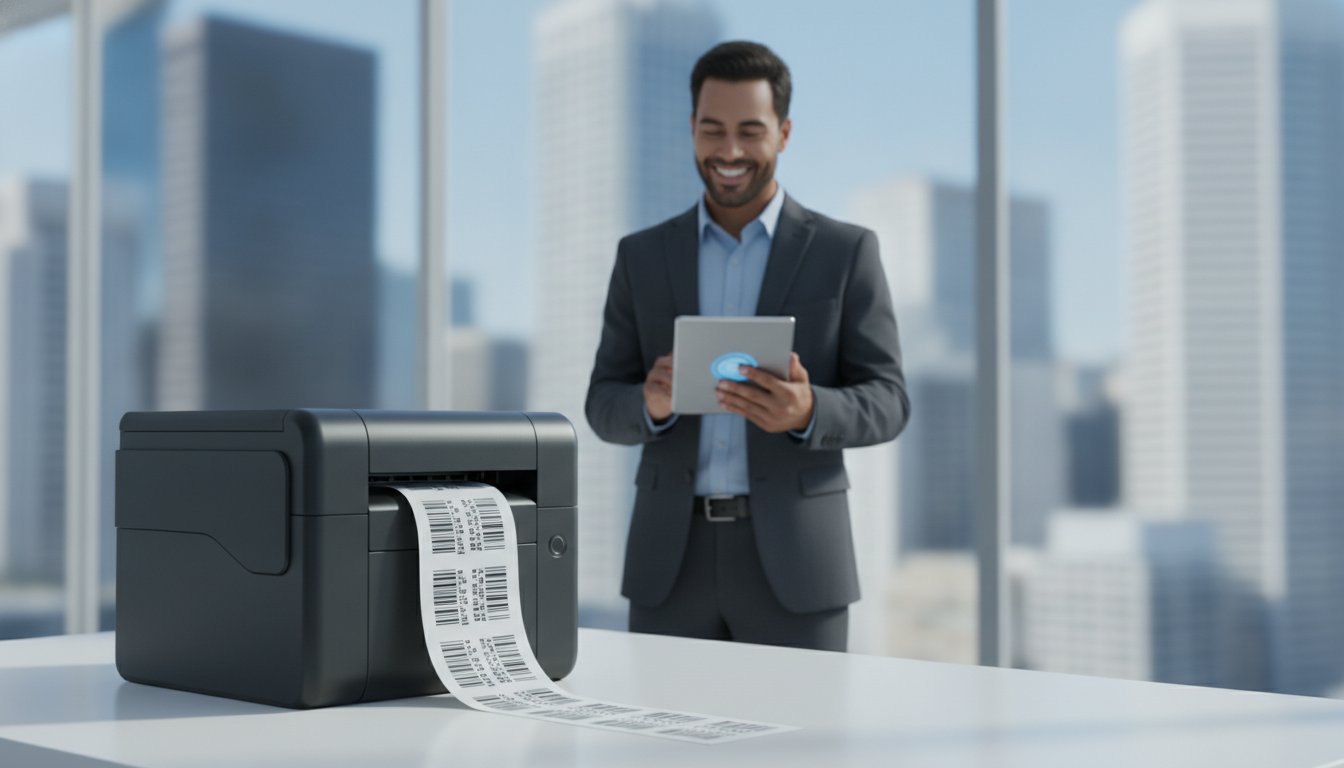
Imagine reaching for your trusted Seiko printer during a Monday morning rush only to realize that your discontinued hardware has finally reached its limit. It's a common headache for many professionals who rely on consistent labeling to keep their business moving. You shouldn't have to worry about whether your next machine will work with your existing setup or if it's time to overhaul your entire process. You need a solution that doesn't just fill the gap but actually makes your daily tasks easier and more efficient.
We're here to help you transition smoothly because the Seiko SLP850 replaces SLP650 printer models with modern features that solve your connectivity and resolution needs. This upgrade is more than just a replacement; it's a significant step forward for your office. You'll discover how the 300 DPI print quality and new Bluetooth capabilities can transform your workspace. We'll also cover the benefits of eco-friendly linerless printing and identify the exact labels you need to keep your operations running without a hitch. By the end of this guide, you'll feel confident that your labeling workflow is faster and more reliable than ever before.
Key Takeaways
- Confirm why the Seiko SLP850 replaces SLP650 printer models as the reliable, modern standard for your professional labeling needs.
- Understand the performance benefits of upgrading to 300 DPI resolution for sharper text and high-precision barcodes.
- Identify the right connectivity for your desk, whether you need standard USB or the freedom of a Bluetooth-enabled setup.
- Learn how to reduce operational waste and save time by utilizing new linerless label technology and specialized die-cut media.
- Get clear guidance on integrating the latest Seiko Smart Label Editor software with your existing business platforms like BarTender.
Seiko SLP850 Replaces SLP650 Printer: The Evolution of Desktop Labeling
The transition is official. The Seiko SLP850 replaces SLP650 printer units as the primary choice for businesses that need reliable, space-saving label production. If your current SLP650 is still chugging along, you might wonder if a change is necessary. However, the evolution of Label printer technology has made this upgrade a strategic move rather than just a hardware swap. This new model bridges the gap between old-school reliability and the modern requirements of retail, healthcare, and office logistics.
Today’s businesses require faster connectivity and higher resolution to handle complex barcodes and detailed tracking information. The SLP850 addresses these needs directly. It offers a streamlined path for those who have relied on the Seiko ecosystem for years. By moving to this successor, you gain access to improved media handling and sharper output without losing the compact design that fits perfectly on a crowded desk or pharmacy counter.
What Happened to the Seiko SLP650?
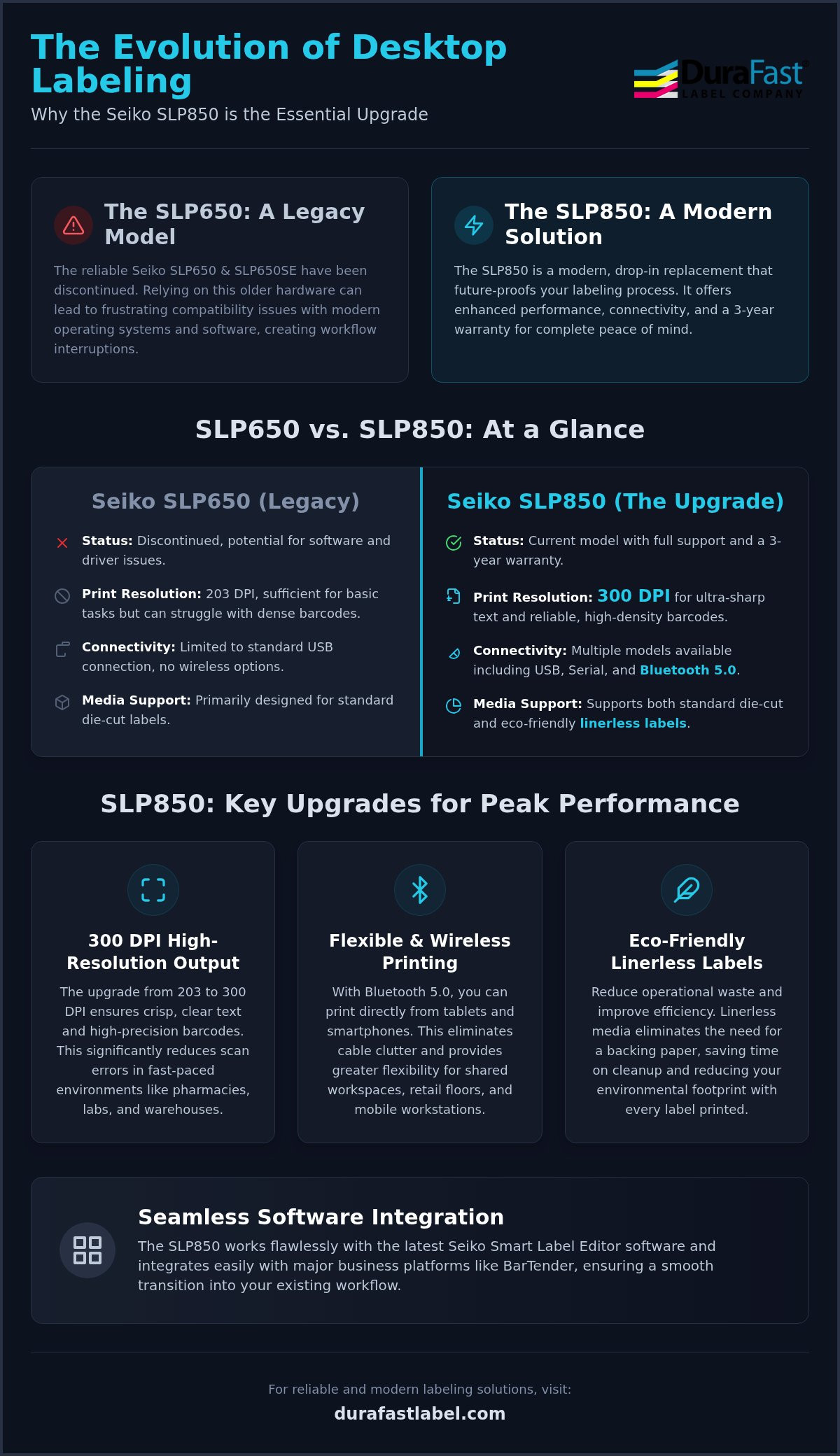
The Seiko SLP650 and SLP650SE models have been discontinued by the manufacturer. While these machines were durable, they were built for a different era of computing. In 2026, relying on legacy hardware often leads to frustrating driver errors and software compatibility issues. Operating systems evolve quickly, and older printers eventually lose the support they need to function correctly with new applications. Choosing the Seiko SLP850 printer ensures your workflow remains uninterrupted by technical glitches or outdated firmware. It’s the safest way to future-proof your office operations, especially since the new model comes with a 3-year warranty for added peace of mind.
The Core Value Proposition of the SLP850 Successor
The SLP850 maintains the convenient 2-inch footprint of its predecessor, making it an easy drop-in replacement for your existing setup. Because the Seiko SLP850 replaces SLP650 printer models directly, you don't have to worry about finding more space on your desk or workstation. It continues to use direct thermal technology, so you don’t have to deal with the mess or cost of ribbons and ink. The most significant technical leap is the move to 300 DPI as the standard resolution. This change provides ultra-sharp clarity for small text and high-density barcodes, which is essential for professional-grade Seiko SLP850 labels. Whether you’re printing patient wristbands or shipping tags, the result is crisp and easy to scan every time. It’s a dependable expert in a small package.
Key Features and Technical Specifications of the SLP850
The Seiko SLP850 replaces SLP650 printer hardware by offering a more robust set of technical specifications designed for the 2026 business environment. While the exterior remains compact to save desk space, the internal components have been completely overhauled to meet higher performance standards. This unit isn't just a simple update; it is a ground-up improvement that targets the most common pain points of desktop labeling, from connectivity hurdles to print clarity issues. You can expect a smoother, more professional experience from the moment you plug it in.
Connectivity and Wireless Printing Capabilities
Modern workflows require flexibility. The Seiko SLP850 with Bluetooth allows you to integrate mobile devices directly into your labeling station. You can print from tablets or smartphones using Bluetooth 4.0 or 5.0, which is a major advantage for shared offices or retail floors where cables are a trip hazard. If you prefer a traditional setup, the unit is also available in USB-only or Serial/USB configurations. This variety ensures that whether you’re using a legacy terminal or a brand-new laptop, the connection is seamless and stable. It eliminates the uncertainty of "will this work with my computer?" by providing the right ports for every situation.
High-Resolution Output for Critical Barcoding
One of the most impactful changes is the shift to a 300 DPI print head. Most legacy models, including the older SLP650, operated at 203 DPI. While that was sufficient for simple shipping tags, it often struggled with high-density 2D barcodes or tiny text on healthcare labels. The SLP850 produces ultra-sharp output that significantly reduces scan errors in fast-paced environments like warehouses or pharmacies. As noted in a Seiko SLP 850 Printer Review, the clarity of the new model makes it much more reliable for professional applications than its predecessor. You no longer have to squint at blurry text or worry about a barcode failing to scan at a critical moment.
Print speed has also seen a welcome boost. The SLP850 maintains consistent throughput even during high-volume batch jobs, ensuring your team isn't waiting around for labels to finish. Seiko has also ruggedized the design to protect the thermal print head. This durability, backed by a 3-year warranty, extends the life of the machine and makes it a dependable partner for years to come. If you're unsure which connectivity option fits your current office infrastructure, you can speak with our experts to find the perfect configuration for your team.
Seiko SLP850 vs. SLP650: A Side-by-Side Comparison
The Seiko SLP850 replaces SLP650 printer hardware by moving beyond the limitations of legacy technology. While the SLP650 was a workhorse for many years, the gap between the two models is significant when looking at the precision of the output. The direct comparison starts with resolution. The older 650 series utilized a 203 DPI print head, which is standard for basic shipping. The SLP850 jumps to 300 DPI. This isn't just a number. It means your barcodes are sharper and your small-font text is legible to even the most basic scanners. You'll notice the difference immediately in the professional look of your tags.
Another major leap is the media sensor technology. The SLP850 features advanced sensors that allow it to handle both traditional die-cut labels and the newer linerless rolls. The SLP650 was strictly limited to die-cut media. This change opens up new ways to reduce waste and increase the number of labels you get per roll. Here is a quick look at the hardware evolution:
- Resolution: 203 DPI (SLP650) vs. 300 DPI (SLP850)
- Media Support: Die-cut only (SLP650) vs. Die-cut and Linerless (SLP850)
- Warranty: Discontinued support (SLP650) vs. 3-Year Warranty (SLP850)
- Energy Usage: Standard power draw (SLP650) vs. High-efficiency standby (SLP850)
Why the Upgrade is Mandatory for 2026 Workflows
Using an SLP650 in a modern office often leads to "driver not found" errors or sudden crashes. The SLP850 is fully optimized for Windows 11, Windows 12, and the latest versions of macOS. It's designed for today's high-speed data environments. Beyond software, the new model is more energy-efficient. It draws less power during standby and printing cycles. This helps lower your overall operational costs over time. It’s a smarter, cleaner way to manage your labeling tasks without the frustration of legacy hardware failures.
Media Compatibility: Can You Use Old Labels?
You don't have to throw away your current inventory. One of the best things about this transition is that most standard Seiko Smart Labels are perfectly compatible with the new unit. If you have a shelf full of address or file folder labels, they'll work just fine. However, you should be aware that the SLP850’s ability to use linerless media is a unique feature that requires specific rolls. To get the best results from the high-resolution print head, we recommend using high-quality Seiko SLP850 labels. These are specifically tested to ensure consistent darkness and clarity. If you're using specialized or very old media rolls, it's a good idea to test a small batch first to confirm the sensor alignment is perfect. This ensures the Seiko SLP850 replaces SLP650 printer units in your office with zero downtime.
Maximizing Efficiency with Linerless and Die-Cut Media
Modern businesses hate waste. The Seiko SLP850 replaces SLP650 printer units by introducing a feature previously reserved for much larger industrial machines: linerless printing. While the older SLP650 relied entirely on traditional die-cut labels with a paper backing, the SLP850 gives you the choice to go green. This flexibility is a game changer for high-volume environments where every second spent changing a roll counts. By removing the silicone-coated liner, Seiko has created a system that is both more productive and significantly better for the environment. You can now print exactly what you need without leaving a trail of trash behind.
One of the biggest advantages of this shift is the increase in label count per roll. Without the thickness of the backing paper, a single roll of linerless media can hold significantly more labels than a standard die-cut roll of the same diameter. This means fewer interruptions during a busy shift. In retail and food service, this efficiency is vital. Whether you are labeling "grab and go" containers or printing on-demand receipts, the SLP850 keeps your workflow moving without constant maintenance. It is a smarter way to handle high-traffic labeling tasks.
Understanding Linerless Label Technology
Linerless labels are essentially a roll of printable material with an adhesive back, wound like a roll of tape. They don't have the backing paper that usually ends up in the landfill. The SLP850 handles these adhesive-on-adhesive rolls without jamming because of its specialized internal rollers. A built-in cutter is the secret to this success. It allows the printer to slice each label to the specific length required for the job. This eliminates the fixed-size limitation of traditional rolls. You get a lower cost-per-label and reduced shipping expenses since you aren't paying to transport waste material. It's a breakthrough for the desktop footprint.
Choosing the Right Labels for Your SLP850
Traditional die-cut labels remain a staple for many professional offices. They are perfect for standard shipping or organizing file folders where a specific shape is required. However, for more dynamic needs, linerless labels offer unmatched versatility. These rolls are designed to withstand varying temperatures and light conditions, ensuring they stay legible from the warehouse floor to the customer’s hands. You should choose your media based on the environment where the label will live. If you aren't sure which roll type will hold up best in your specific facility, contact our team for a professional recommendation to ensure you get the best performance from your new hardware.
Integrating the Seiko SLP850 into Your Business Workflow
Hardware is only half of the equation for a successful labeling station. A smooth transition requires software that works without a struggle. Since the Seiko SLP850 replaces SLP650 printer units, you need a workflow that respects your old work while embracing new tools. Integrating this machine into your North American shipping or logistics line is straightforward. It's designed to be the foundation for an efficient, in-house labeling station that saves you time and money. You can stop worrying about discontinued support and start focusing on your output.
Software Transition: From Legacy to Modern Editor
Don't worry about losing your old designs. The new Seiko Smart Label Editor allows you to import your legacy SLP650 templates with minimal effort. This backward compatibility saves you hours of redesigning labels from scratch. Once your templates are imported, you can leverage modern design features that weren't available on older systems. You can now easily generate high-density QR codes or set up advanced serialization for inventory tracking. If you're working in a modern network environment, the updated drivers ensure that installation is quick and "plug-and-play" on the latest operating systems. For businesses with more complex needs, the SLP850 works beautifully with BarTender Professional Software. This allows for database integration and automated printing that scales as your company grows.
Professional Support and Supply Chain Reliability
Success in labeling depends on the quality of your supplies. Sourcing your Seiko printers from DuraFast Label Company gives you a distinct advantage. We're an authorized distributor with expertise in thermal technology dating back to 2012. We don't just sell boxes; we provide the specialized media required to keep your print head healthy. Using sub-par labels often leads to adhesive buildup and premature hardware failure. By choosing high-quality thermal media, you protect your investment and ensure maximum uptime for your team.
For a deeper look at how to choose the right tech for your facility, read our Professional Guide to Thermal Label Printers. We focus on helping you manage everything in-house, from the initial hardware setup to the final roll of labels. This single-source approach eliminates the complexity of managing multiple vendors. It keeps your business moving forward without the stress of hardware disruption or supply chain gaps. You can trust our team to keep your labeling workflow running at peak efficiency.
Future-Proof Your Labeling Workflow with the Seiko SLP850
Upgrading your desktop hardware shouldn't be a source of stress for your team. Because the Seiko SLP850 replaces SLP650 printer models, you gain a seamless transition to 300 DPI clarity and modern Bluetooth flexibility. You've seen how linerless technology eliminates backing paper waste while the new Smart Label Editor keeps your existing templates working perfectly. This isn't just a replacement; it's a strategic move that ensures your business stays productive through 2026 and beyond. You can now print sharper barcodes and manage your media more efficiently than ever before.
As an Authorized Seiko Partner, DuraFast Label Company is here to simplify your decision. We maintain an extensive inventory of specialized direct thermal labels and provide expert technical guidance specifically for North American businesses. Don't let discontinued hardware or driver issues slow down your daily operations. Order your Seiko SLP850 and compatible labels today from DuraFast Label Company to start building a more efficient labeling station. We're ready to help you make the switch with total confidence and long-term reliability.
Frequently Asked Questions
Is the Seiko SLP850 the direct replacement for the SLP650?
Yes, the Seiko SLP850 replaces SLP650 printer models as the designated successor. Seiko has officially discontinued the 650 series, making the SLP850 the current standard for 2-inch desktop thermal printing. It maintains the same compact footprint while upgrading the resolution to 300 DPI. This ensures that businesses can swap out their aging hardware without needing to reorganize their desks or workstations. It's the most reliable way to future-proof your office.
Can I use my existing Seiko SLP650 labels in the new SLP850?
You can use almost all of your existing die-cut Seiko Smart Labels in the new unit. The SLP850 is designed to be backward compatible with the standard label rolls used by its predecessor. However, the new machine also supports linerless media, which is a specialized roll type the older 650 series couldn't handle. For the best 300 DPI print quality, we recommend using fresh, high-quality thermal rolls from an authorized distributor like DuraFast.
Does the Seiko SLP850 support Bluetooth printing from a smartphone?
Yes, the Seiko SLP850 is available in a specific Bluetooth and USB configuration that supports mobile printing. This model allows you to connect wirelessly to modern tablets and smartphones using Bluetooth 4.0 or 5.0. It's a great solution for shared office spaces or retail environments where running long cables isn't practical. Make sure to select the Bluetooth-enabled model when ordering to ensure you have this wireless capability for your mobile devices.
What is the difference between the SLP850 and the SLP720RT?
The primary difference lies in their specific focus and resolution. The SLP850 is a 300 DPI high-resolution printer designed for sharp text and barcodes on both die-cut and linerless media. The SLP720RT is a specialized linerless printer that focuses on high-speed receipting and simple labeling. While both are excellent machines, the SLP850 is the more versatile option for professional office and healthcare environments that require the highest possible print clarity and detail.
Is the Seiko SLP850 compatible with Windows 11 and macOS?
The Seiko SLP850 is fully compatible with Windows 11, Windows 12, and current versions of macOS. This modern compatibility is one of the main reasons the Seiko SLP850 replaces SLP650 printer units in most offices. Older printers often struggle with driver support on new operating systems, leading to crashes or connectivity errors. The SLP850 uses updated firmware and drivers to provide a stable, "plug-and-play" experience for all modern computing platforms used in North America.
What are linerless labels and can the SLP850 print them?
Linerless labels are adhesive rolls that don't have a paper backing, functioning much like a roll of tape. The SLP850 is specifically designed to print and cut these labels using its integrated cutter and non-stick internal rollers. This technology allows you to print labels of varying lengths while eliminating the waste of silicone-coated liners. It's an eco-friendly choice that also increases the number of labels you get on each individual roll, reducing downtime.
Does the Seiko SLP850 require ink or toner?
No, the SLP850 uses direct thermal technology and doesn't require any ink, toner, or ribbons. The printer uses a heated print head that reacts with the heat-sensitive coating on the labels to create the image. This makes the machine very low-maintenance and cost-effective because you only need to purchase the labels themselves. It's a clean, efficient process that eliminates the mess and expense associated with traditional inkjet or laser printers in a professional setting.
How do I import my old label designs into the new Seiko software?
You can import your old designs using the "Import" function within the new Seiko Smart Label Editor software. The software is built to recognize and convert legacy files from older versions used with the SLP650. Once imported, you can update your designs with new features like QR codes or high-resolution graphics. If you run into any trouble during the transition, our expert technical team is available to help you troubleshoot your setup and design files.