VIPColor VP700 Color Label Printer: A Buyer’s Guide for 2026
1st Oct 2026
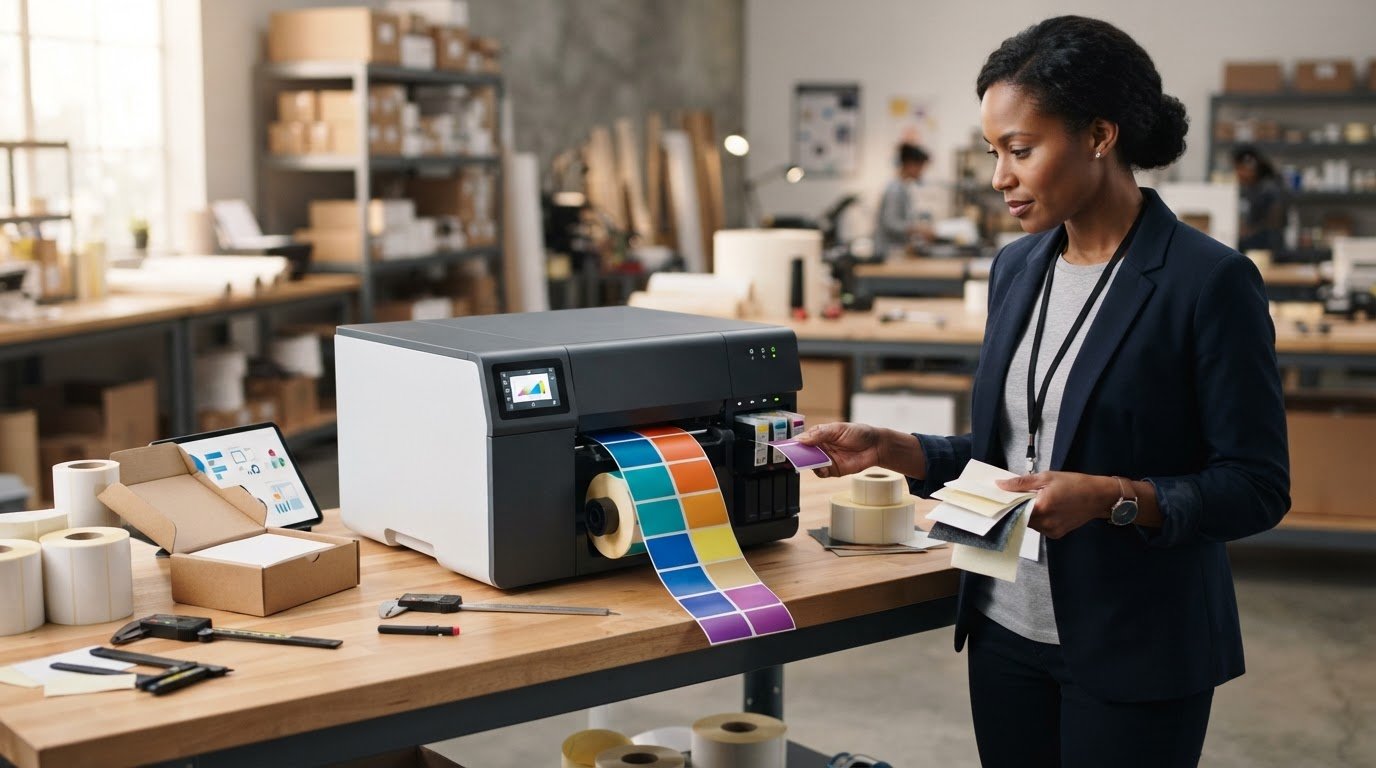
The newer printer isn’t automatically the better fit. VIPColor launched the VP760 on September 15, 2026, but the VIPColor VP700 color label printer may still suit your operation if its verified specifications match your labels and production needs.
That’s the key question: will the VP700 work with your media, print volume, ink requirements, and existing software and workflow? It’s easy to be swayed by broad claims about speed or color quality, but the details that matter most are specific to the model and your setup.
This buyer’s guide will help you assess the VP700 against your production demands, check media and workflow compatibility, and identify the specifications to confirm before purchasing. We’ll also explain why it’s worth comparing the VP700 with the newer VP760, without assuming that either model is right for every business. Use the checklist to prepare focused questions for a supplier, including which supplies and accessories are included and what support your workflow requires.
Key Takeaways
- Assess the VIPColor VP700 color label printer against your actual label demand, materials, and production workflow.
- Use current manufacturer documentation to verify key specifications before comparing models.
- Prepare sample label files, media details, expected output, and software requirements to make supplier discussions more useful.
- Check that your chosen media, software, and compatible supplies form a workable plan before purchasing.
- Pause if essential specifications or compatibility details remain unconfirmed for your application.
What the VIPColor VP700 Color Label Printer Is Designed to Help You Evaluate
The VIPColor VP700 is a color label printer listed by DuraFast Label Company. That description identifies its product category, not whether it will suit a particular job. Before buying, match the printer’s capabilities, as confirmed in current manufacturer documentation, to the labels you produce, the materials you use, and the way orders move through your business.
Digital printing can make it practical to produce labels as needed rather than hold a large supply of one design. That approach may help when designs or quantities change, but it isn’t a model-specific promise of savings, speed, or print quality. For a foundation on the process, see Digital Printing Technology. The printer, label stock, ink, software, and workflow all affect whether in-house production is a fit. For a broader look at the category, review DuraFast’s color label printers.
What should a buyer expect from a color label printer?
An in-house color printer gives a business the option to produce labels when they’re needed, instead of relying only on externally ordered stock. Print-on-demand can be useful when quantities vary or artwork changes, provided the printer and supplies support the intended job. Consider the full setup, not the printer alone: confirm media support, ink requirements, design software, and how approved files will reach production.
Which businesses should assess the VIPColor VP700?
Businesses weighing in-house color production against ordering labels externally can start by documenting how often they print, how frequently designs change, and how consistent output must be across batches. The VIPColor VP700 color label printer is worth evaluating only against those requirements and verified model details. Don’t assume a particular industry or label application is supported without manufacturer confirmation.
A quick fit check
- Potential fit: Your label demand is understood, required media is documented, and confirmed specifications meet the application.
- Not yet a fit: Media compatibility, capacity, software support, or another essential detail remains unverified.
- Before deciding: Check that compatible ink and other required supplies can support your planned workflow.
Use the checklist as a decision aid, not a substitute for testing. Ask a supplier to confirm open questions against current manufacturer documentation, especially if a mismatch could disrupt routine label production.
VIPColor VP700 Specifications to Confirm Before You Compare Printers
Compare documented capabilities, not headline claims. The table below is a verification checklist, not a statement of confirmed VIPColor VP700 specifications. Check each item against current manufacturer documentation and confirm that the details apply to the exact model and configuration you’re considering.
| Specification | Status | What to confirm |
|---|---|---|
| Print method | Verify | Technology used and any application limits. |
| Print resolution | Verify | Published resolution and its relevance to your text, graphics, or barcodes. |
| Print speed | Verify | Rated speed and the settings or conditions used to measure it. |
| Maximum print width | Verify | Maximum printable width, not just the supported media width. |
| Media handling | Verify | Supported media types, dimensions, thicknesses, and roll requirements. |
| Connectivity | Verify | Available interfaces and any setup requirements. |
| Operating-system support | Verify | Supported systems, drivers, and software versions. |
Which VP700 technical specifications affect day-to-day use?
Resolution can affect how fine text, graphics, and barcodes appear, but the number alone doesn’t guarantee readable results. Media, artwork, settings, and the complete print setup matter too. Treat rated speed as a reference, then ask how it changes with print settings and the specific job. Confirm printable width and media dimensions together, and check roll handling and connectivity against your actual production setup.
How do ink and software fit the VP700 workflow?
Confirm the ink system, cartridge requirements, and maintenance guidance before estimating color capability or routine upkeep. DuraFast lists VIPColor ink cartridges as a supply category, but that listing alone doesn’t confirm compatibility with a particular printer configuration. Check design-software and operating-system support as well, then test a representative label file. For category context, browse color label printer options.
Advertised maximums may not reflect the output you’ll get across different media and job settings. If your labels involve workplace chemical information, the printer’s specifications alone don’t establish that a label meets applicable requirements. Review the OSHA Hazard Communication Standard alongside your application needs.
Before comparing the VIPColor VP700 color label printer with alternatives, share your target label size, media details, sample artwork, expected volume, and software environment with a supplier. Ask them to confirm each open specification against current manufacturer documentation and clarify which supplies and accessories are included.
How to Compare the VIPColor VP700 with Your Labeling Workflow
Start with the job, then compare it with confirmed printer details. The table below helps turn general requirements into questions to resolve before purchase. Don’t assume the VIPColor VP700 color label printer supports a particular material, label format, or production rate until current documentation confirms it.
| Buyer requirement | VP700 detail to verify | Question to resolve |
|---|---|---|
| Label material and finish | Supported stock types and finishes | Is the exact material approved for this printer and ink system? |
| Label dimensions and roll setup | Media width, length, thickness, and roll-handling limits | Will the printer accept the label dimensions and roll configuration? |
| Adhesive and application environment | Compatibility guidance for the complete label construction | Will the label perform as required in its intended environment? |
| Artwork and variable content | Print resolution, software support, and file workflow | Can the setup reproduce the design elements the job needs? |
| Production demand | Verified speed and operating conditions | Does realistic output meet typical and peak demand? |
| Printing process | Confirmed print method | Does it fit a color-printing task, or is a thermal workflow more suitable? |
Will the VP700 match your label materials and designs?
Write down the face material, finish, dimensions, adhesive, and conditions the finished label will encounter. Then test representative media with real artwork, including small text, color areas, and barcodes if the design uses them. A sample can reveal practical issues that a specification sheet won’t. Verify any durability or compliance claim for the exact printer, ink, media, and intended application. Don’t transfer a claim from one label construction to another.
How should buyers assess production volume and alternatives?
Estimate typical and peak demand, batch sizes, and how often designs change. Compare those needs with documented throughput under conditions similar to your planned jobs, rather than relying on a maximum speed alone. Color inkjet and thermal printing serve different workflow needs. Don’t treat them as interchangeable or assume the VP700 supports thermal printing. For broader context on inkjet color-label workflows, read this Epson ColorWorks guide.
Alternatives make sense only when their verified media support, output, and operating model fit the same task. To clarify open questions, prepare your label specifications and expected demand before contacting a supplier through DuraFast’s contact page.
A Pre-Purchase Checklist for the VIPColor VP700
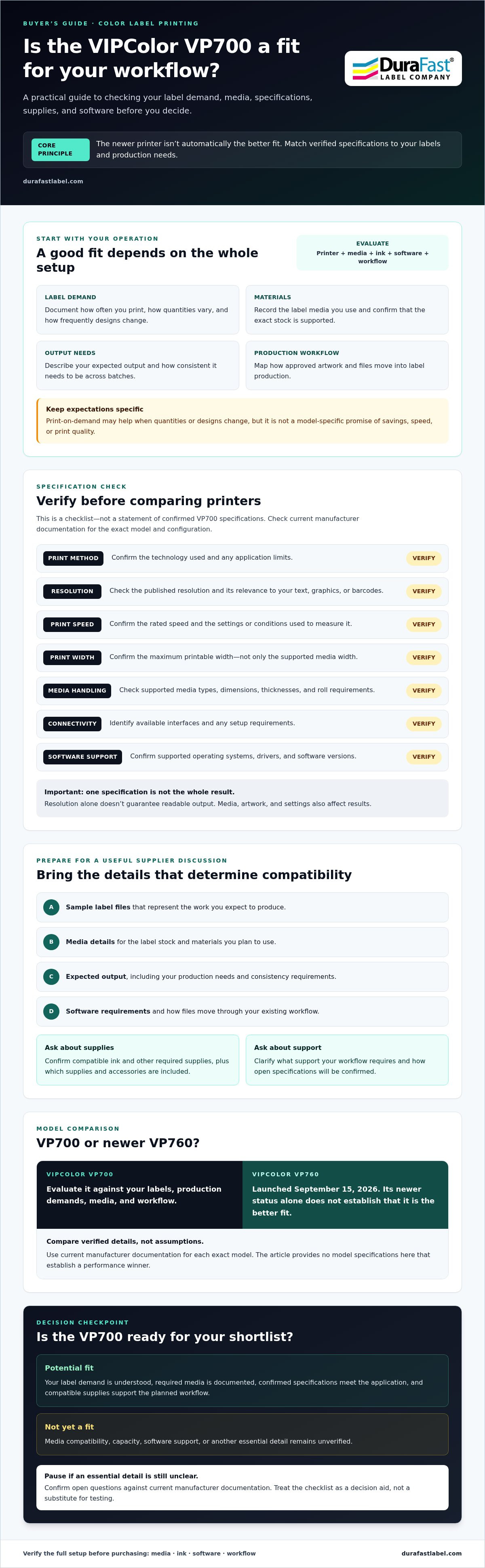
A little preparation makes it easier to assess whether the VIPColor VP700 color label printer fits your operation. Gather the details below before requesting guidance, and keep model claims separate from questions that need manufacturer confirmation or a media test.
- Define the application. Describe what the labels need to do and where they’ll be used. Note any exposure to moisture, heat, abrasion, or other conditions that could affect label performance.
- Document your media. Record label dimensions, material, finish, adhesive, and whether you use rolls or sheets. Include the media supplier or product details if available.
- Estimate demand. Note typical daily or weekly output, peak demand, batch sizes, and how often artwork changes. This helps you compare requirements with verified printer specifications under realistic conditions.
- Confirm model specifications. Request current documentation for supported media and ink configurations, speed, resolution, interfaces, and operating-system support. Don’t rely on assumptions or specifications for a different model.
- Review the workflow. List design software, computer operating systems, existing production equipment, and the steps between an approved label file and a finished print run. Confirm what’s included, available, or separately required.
What information should you gather before requesting guidance?
Prepare a representative label file, media details, expected output, and software requirements. Include actual label dimensions and roll or sheet format, along with the application environment. If artwork varies, share examples that show the changes you expect. These specifics help a supplier understand your questions without treating an untested combination as confirmed compatible.
Which compatibility questions should you ask?
Ask which media and ink configurations are documented for the VP700, and request current manufacturer information for technical specifications and software support. DuraFast can help clarify product and supply questions, including what is currently available and what comes with the printer. Manufacturer documentation should substantiate model specifications; testing representative media and artwork is the practical way to evaluate how your particular setup performs.
Keep a simple record of each answer and mark any unresolved item before making a decision. This makes it easier to spot gaps, such as a required media type that hasn’t been confirmed or software support that still needs checking. For help clarifying VP700 product and supply questions, contact DuraFast about the VP700.
Is the VIPColor VP700 Right for Your Business? Decide and Take the Next Step
The VP700 may be worth shortlisting when its documented capabilities match your label application and day-to-day production needs. The decision should rest on confirmed details, not broad claims that one printer is universally best. Treat the fit as conditional until you’ve checked your media, output requirements, software, and supply plan against current product information.
When might the VIPColor VP700 be worth shortlisting?
Consider it when manufacturer documentation confirms support for your label construction and the printer’s verified capacity aligns with typical and peak demand. You’ll also want a workable design process and a clear plan for obtaining the required ink and media. These checks don’t guarantee a fit, but they give you a sound basis for comparing the VP700 with alternatives.
- Good reason to continue: Your intended media and label dimensions are documented as compatible.
- Good reason to continue: Verified output capability suits your planned run sizes and production schedule.
- Good reason to continue: Your software workflow and required supplies are confirmed for the configuration you’re considering.
- Pause before deciding: A critical specification is missing, media has not been evaluated, or software or supply compatibility remains unclear.
What should you do if a key detail is still unknown?
Write down the exact question rather than filling the gap with an assumption. Ask for current product documentation and confirm it applies to the VP700 configuration under consideration. If media suitability is uncertain, arrange to evaluate representative stock and artwork before committing to a production workflow. A feature listed for a printer doesn’t, by itself, establish that a particular label will perform as needed.
For a useful product discussion, have your label requirements ready: dimensions, material, format, application environment, expected output, sample artwork, and software details. DuraFast lists the VIPColor VP700 and VIPColor ink cartridges among its offerings, and can help clarify product and supply questions. Confirm current availability and what’s included directly before making a purchase decision.
Bottom line: The VIPColor VP700 color label printer is a candidate to evaluate if its verified specifications match your application, capacity needs, and workflow. If an essential detail remains unconfirmed, resolve it first. Discuss your VP700 requirements with DuraFast.
Make Your VP700 Decision With Confidence
The right choice comes down to fit, not broad printer claims. Before selecting the VIPColor VP700 color label printer, confirm its current specifications against your label dimensions, material, expected production volume, and software workflow. Verify ink and media compatibility, too, and test representative labels if a key part of your application remains uncertain.
A clear supply plan matters alongside printer performance. DuraFast lists the VP700 among its printer offerings and VIPColor ink cartridges among its supplies. Confirm current product details, availability, and what’s included before proceeding, and use manufacturer documentation to resolve model-specific questions.
Have your label samples, media information, expected output, and software requirements ready for a focused discussion. Contact DuraFast to discuss your VIPColor VP700 requirements and clarify the product and supply details you still need. With the right checks in place, you can move forward with a decision grounded in your actual workflow.
Frequently Asked Questions
What is the VIPColor VP700 color label printer?
The VIPColor VP700 is a color label printer from VIPColor, listed by DuraFast Label Company among its printer offerings. Whether it suits your operation depends on more than its category: confirm the model’s current specifications, supported media, ink requirements, software compatibility, and verified production capacity. Use current manufacturer documentation to distinguish confirmed VP700 details from general benefits often associated with in-house color label printing.
What types of labels can the VIPColor VP700 print?
Check the manufacturer’s current media specifications before deciding which labels the VP700 can print. Compatibility may depend on material, finish, label dimensions, thickness, adhesive, and roll or sheet format. Don’t assume that a label stock works because it’s marketed for color printing. Compare the documented requirements with your exact media details, and test representative stock and artwork before committing to a production workflow.
How fast does the VIPColor VP700 print color labels?
Confirm the VP700’s current rated speed in manufacturer documentation, including the settings and conditions behind that figure. Print speed can vary with job settings and media, so a published maximum may not reflect the output for your specific labels. Compare realistic production needs by estimating batch sizes and peak demand, then ask how the documented speed applies to the label dimensions and print settings you plan to use.
What ink does the VIPColor VP700 use?
Verify the required ink type and cartridge configuration in current product documentation before ordering supplies. DuraFast lists VIPColor ink cartridges, but that category listing alone doesn’t confirm compatibility with a specific VP700 configuration. Check the cartridge requirements, replacement process, and any relevant maintenance guidance with a supplier or the manufacturer. Confirm the exact supplies needed for the printer you’re considering so your operating plan is based on current details.
Is the VIPColor VP700 compatible with my label design software?
Compatibility depends on the printer’s current drivers, supported operating systems, and the software version you use. Check these details against manufacturer documentation, then confirm that your label files and any variable data features can be handled by the proposed setup. Share your software name and version, computer operating system, and a representative label file with a supplier to help identify questions that need confirmation before purchase.
How do I know whether the VIPColor VP700 fits my production volume?
Compare your typical and peak label demand with verified VP700 output specifications under realistic print conditions. Record how many labels you need per batch, how often you print, and how frequently designs change. Include time for file preparation and routine workflow steps in your assessment. If essential throughput details are unavailable or your media hasn’t been tested, treat the fit as unconfirmed and resolve those questions before deciding.
Where can I confirm current VIPColor VP700 specifications and availability?
Use current manufacturer documentation to verify specifications, and contact DuraFast Label Company to confirm current product details and availability. DuraFast lists the VIPColor VP700 among its printer offerings and VIPColor ink cartridges among its supplies. Ask what’s included and which details apply to the exact configuration under consideration. Provide your media information, expected output, and software requirements to make the discussion specific to your workflow.