Zebra Label Printer Guide: Choosing the Right Industrial Solution in 2026
19th Jun 2026
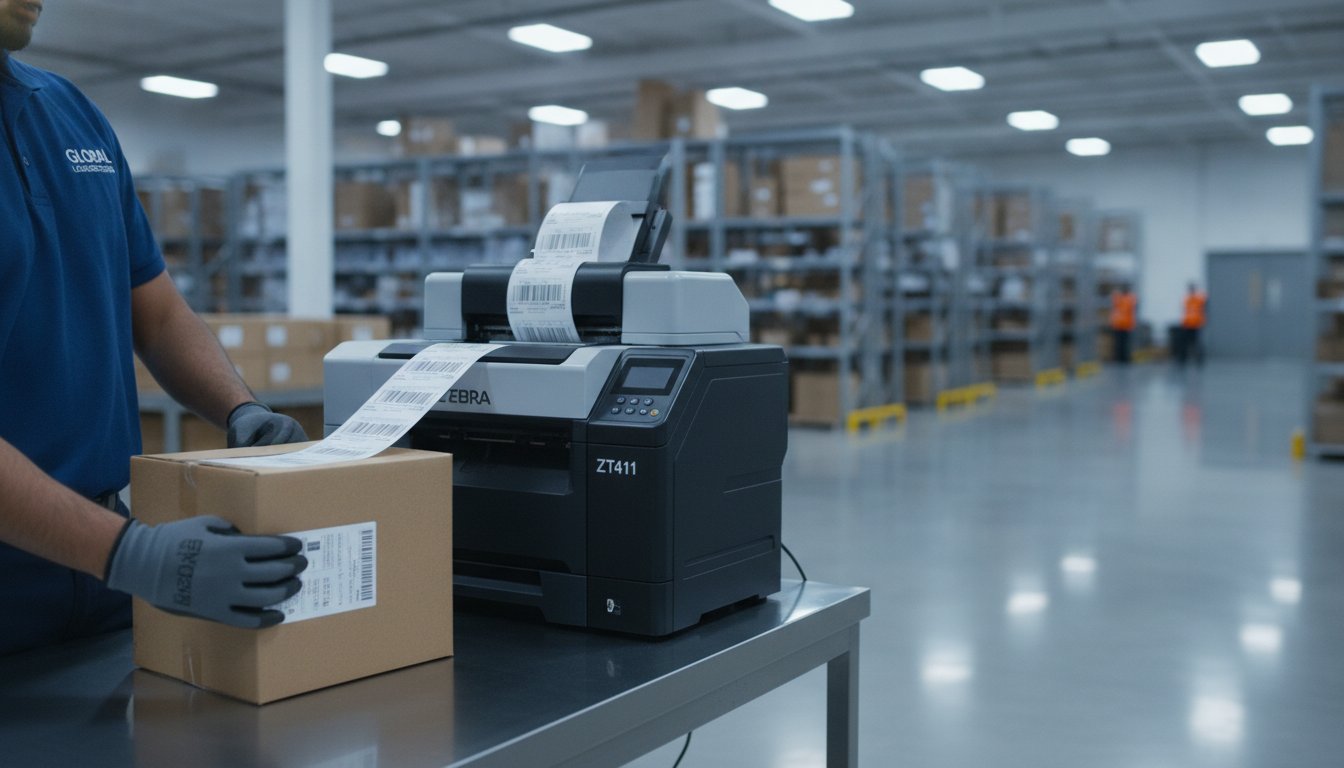
The most expensive part of your zebra label printer isn't the hardware; it's the hidden cost of choosing the wrong ribbon for your printhead. You likely chose Zebra because you need reliability, yet frequent printhead failures or confusion between Direct Thermal and Thermal Transfer needs can quickly turn that investment into a source of stress. It's frustrating when new hardware refuses to sync with your BarTender software or when low-quality media creates constant downtime in your warehouse.
We want to help you build a labeling station that simply works. This guide will show you how to select the ideal Zebra printer for your 2026 requirements, optimize your thermal media to extend hardware life, and streamline your entire industrial workflow. We'll compare current models like the entry-level ZT231 and the high-performance ZT411, ensuring you achieve a lower total cost of ownership and seamless integration with your inventory management systems. From meeting new OSHA GHS labeling deadlines to implementing linerless waste reduction, we've done the heavy lifting so you can focus on your business.
Key Takeaways
- Understand why Zebra's standardized architecture and 24/7 duty cycles make it the benchmark for industrial reliability in demanding environments.
- Identify the ideal zebra label printer for your business by comparing the compact ZD-series desktop models with the heavy-duty ZT-series industrial frames.
- Choose between Direct Thermal and Thermal Transfer technology to ensure your labels meet durability standards while keeping media costs low.
- Learn how matching high-quality ribbons and thermal media can significantly reduce your total cost of ownership and prevent premature printhead failures.
- Explore how integrating BarTender Professional software simplifies label design and automates your existing inventory management workflow.
Why Zebra Label Printers Define Industrial Reliability in 2026
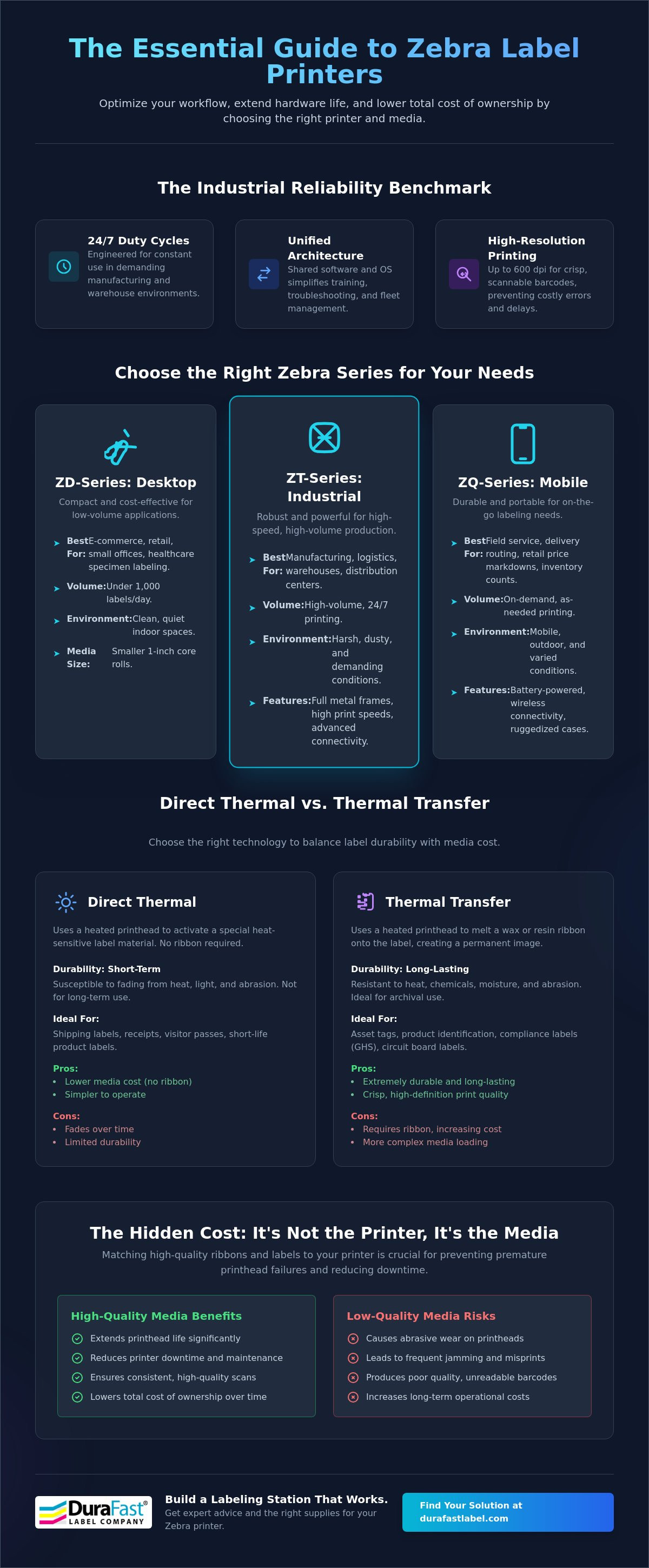
A zebra label printer is a specialized thermal device designed for high-performance barcode and tag production. In 2026, these machines continue to set the pace for industrial reliability because they are engineered specifically for 24/7 duty cycles. This means they can handle the heat and dust of a busy manufacturing floor without missing a beat. While other printers might struggle with constant use, Zebra units are built to stay online and productive through the most demanding shifts.
Standardization is a massive advantage for growing businesses. The Zebra Technologies Corporation provides a unified architecture across their hardware lines. If you know how to operate one model, you can likely manage the entire fleet. This consistency simplifies training and troubleshooting for your staff. Integrating a new zebra label printer into your existing network is a straightforward process thanks to this shared software environment. It also streamlines fleet management for IT departments who need to push updates across multiple locations simultaneously. You can find these robust options in our collection of industrial barcode printers.
Precision is never sacrificed for speed in these systems. High-resolution printheads, reaching up to 600 dpi, ensure that every barcode is crisp and scannable. This level of detail is necessary for high-density labels used in electronics or medical device manufacturing. Poor quality labels lead to scanning errors and shipping delays; Zebra's technology prevents these bottlenecks before they start. By delivering high-contrast images, these printers ensure your labels meet strict industry standards for legibility.
The Evolution of Zebra Thermal Technology
Key Benefits of In-House Zebra Printing
Moving your production in-house offers immediate financial and operational perks. You can eliminate the long lead times and shipping costs tied to third-party label printing services. It's much more efficient to print only the exact number of labels you need on-demand. This approach significantly reduces waste compared to ordering large bulk rolls that might become obsolete. Additionally, you keep total control over your sensitive label data and serialization. This is essential for maintaining compliance in highly regulated industries where data integrity is paramount.
Choosing the Right Zebra Series: Desktop vs. Industrial vs. Mobile
Selecting the right zebra label printer doesn't have to be a guessing game. Your choice mostly hinges on where you'll use the device and how many labels you need to push out each shift. Zebra categorizes its lineup into three primary families: Desktop (ZD-series), Industrial (ZT-series), and Mobile (ZQ-series). Each serves a distinct purpose, from the quiet front office to the heavy-duty loading dock. Evaluate your daily label volume carefully before deciding, as choosing a printer that is too small for your needs can lead to premature wear and higher maintenance costs.
When to Choose a Zebra Desktop Printer
If you're running an e-commerce startup or a small retail shop, a desktop thermal printer is likely your best fit. These compact units are designed for clean environments and typically handle under 1,000 labels per day. They use smaller 1-inch core rolls, making them easy to reload in tight spaces. While they lack the metal frames of their larger siblings, they offer a cost-effective entry point for businesses that don't need to print around the clock.
The Power of Zebra Industrial Printers
For high-speed, high-volume output, you need the muscle of an industrial barcode printer. These machines are built for environments where production exceeds 5,000 labels daily. Their rugged metal frames protect internal components from vibrations and debris. Research regarding the industrial reliability of barcode technology highlights how dependable systems are vital in professional settings. Industrial models support large 3-inch core rolls, which means fewer media changeovers and less downtime for your team. Many also include advanced features like internal rewinders and RFID encoding for automated workflows.
Zebra ZT411: The Professional Standard
The Zebra ZT411 is often called the "workhorse" of the industry for a reason. It balances performance with a user-friendly interface that includes a large color touch display. This screen makes troubleshooting simple, showing clear alerts if a ribbon snaps or a door is left open. It's also highly adaptable. You can start with a basic model and add field-upgradable options for connectivity or media handling as your business grows. This flexibility makes it a favorite for managers who want a "set-it-and-forget-it" solution.
Mobile printers provide a different kind of freedom. The ZQ-series allows your team to generate labels on-the-go during warehouse picking or logistics tasks. These lightweight devices sync with handheld scanners to provide instant labeling at the point of application. If you aren't sure which volume category your business falls into, our team can help you analyze your specific workflow needs to find the perfect match.
Thermal Transfer vs. Direct Thermal: Which Technology Fits Your Workflow?
Choosing the wrong printing technology can lead to unreadable barcodes and wasted media. When you set up your zebra label printer, you must decide between Direct Thermal and Thermal Transfer. The difference isn't just about the ribbon; it's about the chemistry of the label and the longevity of the print. Direct thermal is streamlined and ribbon-free, while thermal transfer provides a permanent image that survives harsh conditions. Each method has a specific ROI depending on your application.
Understanding Direct Thermal Limitations
Direct thermal printing is a popular choice for short-term applications. Because the technology relies on heat-sensitive paper, it's perfect for shipping labels, visitor badges, or deli receipts. However, this sensitivity is also its greatest weakness. Exposure to sunlight, high temperatures, or even friction can cause the label to darken or the text to fade. If your labels need to remain legible for more than six months, standard direct thermal isn't the right fit. You can explore our selection of direct thermal labels for these high-turnover needs.
Another factor to consider is printhead health. Direct thermal labels are often more abrasive than the smooth, lubricated surface of a thermal transfer ribbon. This means your printhead might wear out faster if you're running high volumes of direct thermal media without regular cleaning. It's a trade-off between the convenience of having no ribbon and the cost of more frequent hardware maintenance. Many businesses find that the "cheaper" direct thermal route actually costs more in printhead replacements over a three-year period.
The Advantages of Thermal Transfer Printing
Thermal transfer is the industry standard for durability. This process uses a heated printhead to melt a wax or resin ribbon onto the label surface. The result is a crisp, permanent image that resists chemicals, moisture, and extreme temperatures. It's the only reliable choice for product labeling, outdoor asset tracking, or chemical drum marking. If your workflow involves long-term storage or exposure to the elements, you should invest in thermal transfer printers.
This technology also opens the door to a wider variety of materials. While direct thermal is mostly limited to paper, thermal transfer works beautifully on several synthetic options:
- Polyester for high-heat and chemical resistance
- Polypropylene for moisture and tear protection
- Vinyl for outdoor flexibility and UV resistance
Maximizing Zebra Printer Longevity with Quality Ribbons and Labels
Your zebra label printer is a precision instrument, and its most critical component is the thermal printhead. Many operators don't realize that the thermal ribbon does more than just provide color. It actually acts as a protective barrier between the printhead and the label material. Choosing a high-quality ribbon can significantly extend the life of your hardware; conversely, cheap, unbranded ribbons can cause premature failure through abrasive wear or static discharge. The right media strategy isn't just about the print; it's about protecting your investment.
The type of ribbon you choose depends entirely on your label material and the environment where it will be used.
- Wax ribbons are the most common choice for standard paper labels. They're perfect for shipping applications because they require lower heat settings, which puts less stress on the printhead.
- Resin ribbons provide the highest level of durability. They're essential if you're printing on synthetic materials like polyester or vinyl. These ribbons resist chemicals, moisture, and extreme temperatures.
- Wax-resin blends offer a versatile middle ground. They work beautifully on semi-gloss or coated paper stocks, providing better smudge resistance than pure wax.
Matching Ribbons to Your Zebra Model
High-performance models like the ZT411 and the ZT620 require specific ribbon lengths and configurations to minimize downtime. Using the correct length ensures that your team isn't stopping the line for frequent media changes. Beyond size, quality matters. Professional-grade Zebra ribbons feature a specialized backcoating. This coating acts as a lubricant, reducing the friction that leads to printhead scoring and expensive repairs. It's a simple way to keep your industrial engine running smoothly.
Specialized Media for Zebra Printers
Standard labels aren't always enough for industrial environments. If you're tracking assets in a warehouse or labeling chemical drums, you need synthetic materials that won't peel or fade. We also provide UL-certified labels that are necessary for electronics and heavy industrial equipment. Every roll we provide is tested for compatibility with Zebra industrial engines. This ensures that the adhesive and the facestock work in harmony with your printer's sensors and rollers. This is especially important for maintaining compliance with 2026 OSHA and GHS standards.
If you're dealing with a specific chemical or a unique environment, don't guess which materials will hold up. You can contact our experts for a media compatibility recommendation to ensure your labeling station stays productive and compliant.
Implementing Your Zebra Printing Solution with DuraFast
Setting up a zebra label printer is only the first step toward a more efficient warehouse. To get the most out of your hardware, you need a partner who understands the full labeling ecosystem. DuraFast provides a curated selection of Zebra industrial solutions, including the versatile ZT411 and the entry-level ZT231. We focus on creating a "set-it-and-forget-it" station by providing the right mix of hardware, software, and specialized media. This holistic approach ensures that your labeling process remains a supportive part of your business rather than a source of technical frustration.
Integrating BarTender Professional Software
BarTender Professional Software acts as the brain of your labeling operation. It simplifies the design of complex, compliant barcodes for your Zebra printers. Instead of manually entering data for every batch, you can connect your printer to external databases. This allows for automated data population. When your inventory levels change or a new SKU is added, the software pulls that information directly into the label template. This automation drastically reduces the risk of human error. DuraFast offers BarTender software to ensure your hardware and design workflows are perfectly synced from the moment you plug in your device.
Building a Complete Warehouse Ecosystem
A complete warehouse ecosystem relies on more than just a single machine. Combining Zebra industrial printers with Datalogic barcode scanners creates a powerful tool for inventory accuracy. This setup forms a closed-loop system where the printer generates the tag and the scanner verifies it instantly. The scanner provides immediate feedback, confirming that the printed barcode meets your internal standards. As we noted in our discussion on media, the role of high-performance ribbons is critical here. A smudge-free, high-contrast label ensures that scanners can read data quickly at the loading dock, preventing bottlenecks during peak shipping hours.
Standard off-the-shelf labels don't always meet the needs of specialized industries. We offer customized media solutions that go beyond standard sizes and materials. Whether you need a specific adhesive for cold storage or a unique tag size for heavy machinery, we can tailor a solution for your Zebra engine. Finding the right combination of hardware and supplies shouldn't be a chore. You can browse our complete selection of Zebra Industrial Printers to find your perfect fit today. Our goal is to help you build a reliable station that lowers your total cost of ownership through better media matching and seamless software integration.
Future-Proof Your Industrial Labeling Workflow
Investing in a zebra label printer is a commitment to warehouse efficiency and long-term reliability. By now, you understand that success depends on more than just the hardware. It's about matching your daily volume to the right series and choosing the best thermal technology for your specific environment. Whether you need the rugged frame of a ZT411 or the flexibility of a mobile unit; the right media and software ecosystem make all the difference.
DuraFast is here to simplify that journey. As an authorized Zebra hardware provider, we don't just sell boxes. We offer specialized DuraFast ribbons designed to extend your printhead life and expert North American support for BarTender integration. We've done the heavy lifting of vetting products so you can focus on growing your business with confidence. Our team is ready to help you navigate the 2026 regulatory landscape with ease.
Ready to optimize your labeling workflow? Shop Zebra Industrial Label Printers and Supplies today to find a solution that fits your exact needs. We look forward to helping you build a station that is truly set-it-and-forget-it.
Frequently Asked Questions
How do I know if I need an industrial Zebra printer or a desktop model?
You should choose based on your daily output and the physical environment of your workspace. Desktop models are compact and perfect for office settings where you print fewer than 1,000 labels per day. Industrial units feature rugged metal frames and handle high-speed production of over 5,000 labels daily. If your printer needs to run 24/7 in a dusty warehouse or manufacturing floor, the industrial series is the only reliable choice.
What is the difference between Zebra ZT231 and ZT411 printers?
The ZT231 is an entry-level industrial printer designed for basic high-volume needs, while the ZT411 is a mid-range workhorse with more advanced features. The ZT411 offers a larger color touch display and more field-upgradable options for connectivity and media handling. While both are robust, the ZT411 provides higher print speeds and superior processing power for complex label designs and higher resolutions.
Can I use third-party ribbons and labels in my Zebra printer?
Yes, you can use third-party media, but the quality of the ribbon directly impacts your printhead's lifespan. We recommend specialized DuraFast ribbons because they include a protective backcoating that reduces friction against the printhead. Using low-quality or unbranded supplies can lead to premature hardware failure and inconsistent barcode quality. Always ensure the media specifications match your specific zebra label printer model to maintain performance.
How often should I clean the printhead on my Zebra label printer?
You should clean the printhead every time you replace a roll of labels or a thermal ribbon. This simple maintenance step prevents the buildup of adhesive and dust that causes voids or streaks in your barcodes. If you use direct thermal media, you might need to clean it even more frequently because the paper surface is naturally more abrasive. Regular cleaning is the easiest way to protect your hardware investment.
Why is my Zebra printer skipping labels or showing a media out error?
This issue is usually caused by a sensor that needs calibration or is physically misaligned. Your zebra label printer needs to "see" the gap, notch, or black mark between labels to stop in the correct position. You can typically fix this by running the auto-calibration routine from the printer's settings menu. Ensure your media sensors are clean and positioned correctly for the specific type of label backing you're using.
Do Zebra printers support RFID label encoding?
Yes, several industrial models support RFID encoding, including the ZT411 and ZT600 series. These printers allow you to print and encode RFID tags simultaneously, which is essential for modern asset tracking and retail compliance. You can often add RFID capabilities as a field-upgradable kit if your business needs change later. It's a great way to future-proof your labeling station without buying an entirely new machine.
Which Zebra printer is best for printing 4x6 shipping labels?
The best choice depends on your daily shipping volume. For low-to-mid volume shipping, the ZD421 desktop model is a reliable and space-saving option. If you're a high-volume e-commerce warehouse, the ZT231 or ZT411 industrial printers are better because they hold larger media rolls. These industrial units minimize downtime by requiring fewer roll changes during a busy shift, making them more efficient for constant shipping tasks.
What software is compatible with Zebra thermal printers for label design?
BarTender Professional Software is the gold standard for designing and automating labels on Zebra hardware. It allows you to connect to external databases and generate complex barcodes with ease. Zebra printers also work with other industry-standard software like Loftware and NiceLabel. While most models include basic design tools, professional suites like BarTender offer the advanced automation needed for growing industrial workflows and inventory management.