Zebra ZT510 Printer: 2026 Features and Buying Guide
7th Oct 2026
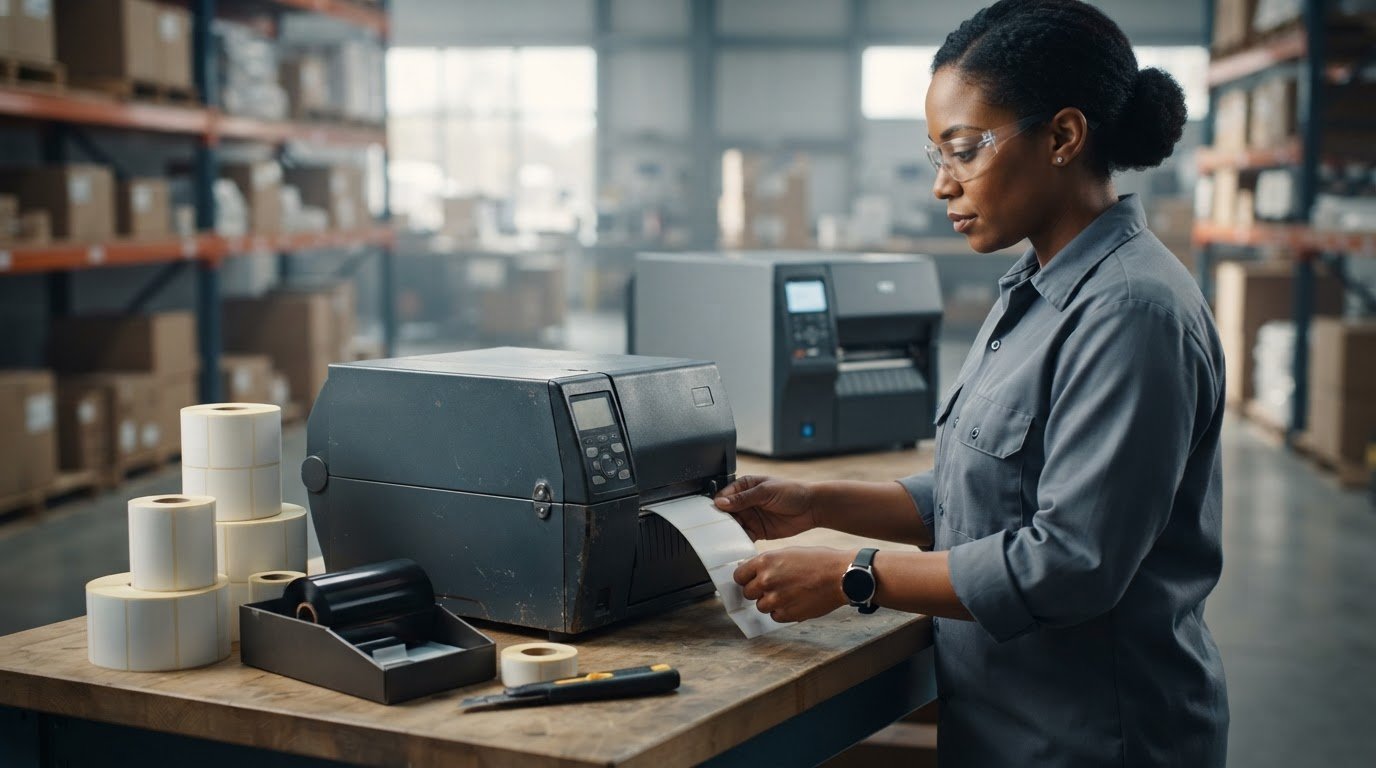
The right industrial printer may be one that’s no longer in production. The Zebra ZT510 printer was discontinued, and the Zebra ZT411 is its direct replacement. Yet a ZT510 may still be available through resellers, so it can remain an option for some workflows. The key is to look beyond the model name and check whether its capabilities, condition, and supplies fit your operation.
If you’re unsure whether it can handle your print volume or environment, or which labels and ribbons will work, those are the right questions to ask before buying. This guide explains where the ZT510 fits and what to verify, without relying on broad sales claims or assuming every configuration is the same.
You’ll learn which specifications matter for your application, how to match thermal transfer media and Zebra ribbons to your setup, and what to consider when comparing the discontinued ZT510 with the ZT411. You’ll also see why firmware, connectivity, and ongoing supply availability belong in the buying decision, not just print speed and resolution.
Key Takeaways
- Assess whether the Zebra ZT510 printer fits your print volume, label dimensions, and operating environment before choosing a configuration.
- Verify resolution, print width, speed, interfaces, and media handling against official documentation for the exact model.
- Choose direct thermal or thermal transfer based on your application, then match label material and ribbon to the conditions labels will face.
- Prepare sample label dimensions, content, expected volume, and host-system requirements to make setup planning more precise.
- Compare the printer’s capabilities and supply needs with your workflow to identify a practical fit, not just a familiar model name.
Zebra ZT510 Printer: Features and Workflows
The Zebra ZT510 is an industrial barcode label printer designed for business labeling workflows. The Zebra ZT510 printer may be considered for recurring label production in settings such as warehouses, manufacturing operations, and logistics facilities. For example, teams may use industrial printers to produce product identification, inventory, or shipping labels as part of their regular processes. These examples describe common use cases, not a guarantee that a specific printer configuration suits every application.
An industrial barcode printer is built for organized, repeatable label production in operational settings where equipment, media, and workflow need to work together. Zebra Technologies makes products for barcode and printing workflows; its background is summarized on the Zebra Technologies Wikipedia page.
How Does the ZT510 Fit an Industrial Labeling Operation?
Consider the rhythm of the work. A facility that prints labels repeatedly across a shift may value a dedicated printer positioned near the people or process that use those labels. In a warehouse, that could mean printing labels near a packing or inventory station. In manufacturing, labels may be produced as part of a product identification workflow. Logistics teams may print labels for packages moving through their operation.
Fit depends on more than the label task. Plan where the printer will sit, how operators will load media and access controls, and what routine cleaning or maintenance the environment requires. Dust, available space, operator access, and the path labels take through the workflow all matter. Don’t assume a duty cycle or environmental rating; verify those requirements against official documentation for the exact configuration.
How Is an Industrial Printer Different From a Desktop Model?
Industrial printers are generally selected for fixed work areas and recurring production needs. They may have a larger physical footprint than desktop thermal printers, so allow for the printer, media access, and operator movement when planning placement. A desktop model may suit a more compact workspace or a different print pattern, but neither category is automatically right for every operation.
Compare the expected volume, label size, environment, and available space with the specifications of the exact model. Confirm configuration details before purchase, since capabilities can vary. Explore industrial barcode printers to see how this printer category fits into a broader equipment search.
The ZT510 has been discontinued by Zebra, with the ZT411 identified as its direct replacement. If you’re evaluating a ZT510, verify current specifications, configuration, and availability rather than relying on a model name or general description alone.
Which Zebra ZT510 Features and Specifications Should You Check?
Before choosing a Zebra ZT510 printer, compare the configuration with the labels you actually produce and the systems that send print jobs. The model name alone doesn’t tell you which resolution, interfaces, or media-handling options a particular unit has. Check the official Zebra documentation for the exact configuration, and use the figures below as reliable benchmarks for your evaluation.
Which ZT510 Specifications Affect Print Results?
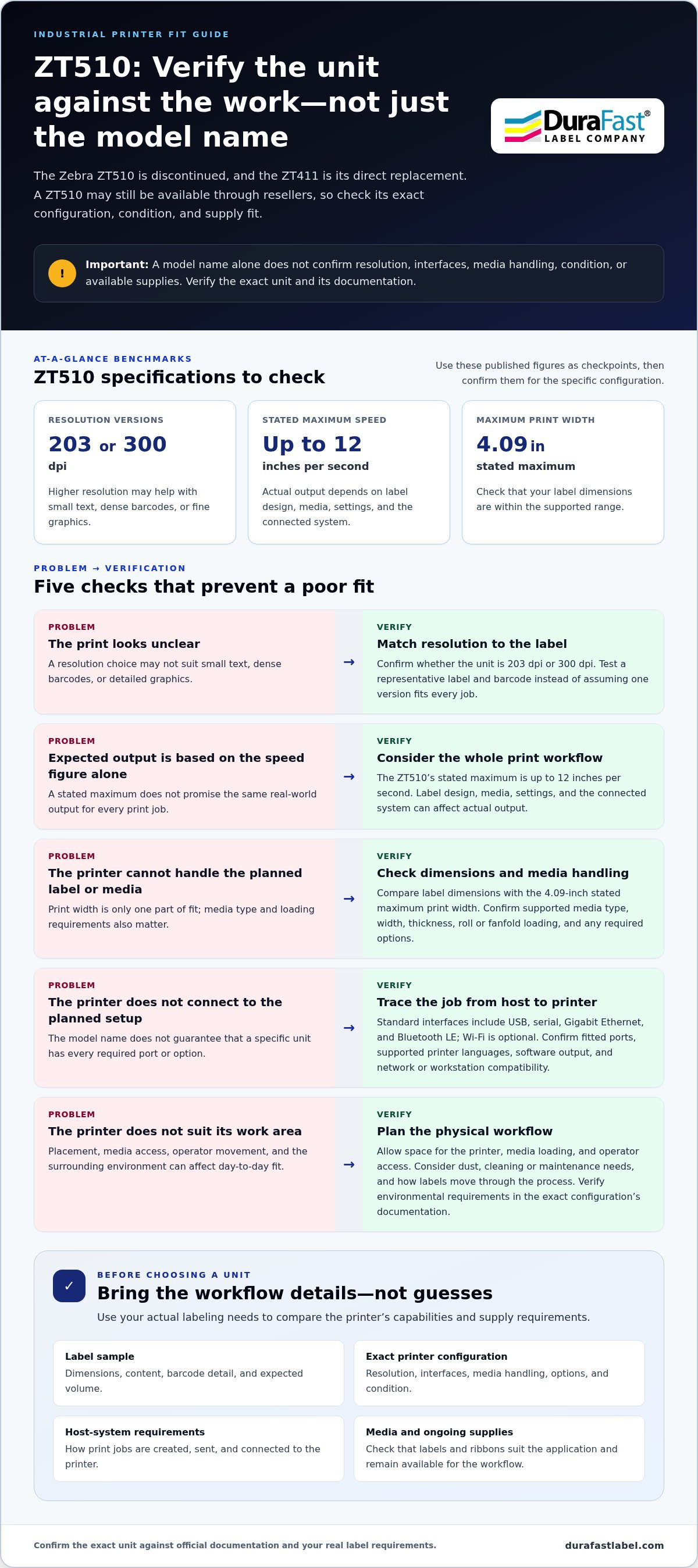
Resolution describes how much detail the printhead can reproduce. The Zebra ZT510 printer is available in both 203 dpi and 300 dpi versions. A higher resolution may help with small text, dense barcodes, or fine graphics, while simpler label layouts may not need the same level of detail. Test a representative label and barcode rather than assuming one resolution suits every job.
Print speed affects how quickly labels can be produced, but the listed maximum is not a promise of real-world output for every format. The ZT510’s stated maximum reaches up to 12 inches per second. Actual workflow output can depend on the label design, media, settings, and the connected system.
Use this checklist to compare a specific unit with your requirements:
- Print width: The stated maximum print width is 4.09 inches. Confirm that your label dimensions fall within the supported range.
- Media handling: Check supported media type, width, thickness, roll or fanfold loading, and any required options against the printer configuration.
- Interfaces: USB, serial, Gigabit Ethernet, and Bluetooth LE are provided as standard, with optional Wi-Fi available. Confirm the exact ports and options fitted to the unit.
Barcode density, graphics, and label size all shape which resolution and width matter most. Printer compatibility also depends on the selected media, not just the device. A manufacturer specification describes the printer; a workflow recommendation explains whether that specification suits your labels and operation.
Which Connectivity and Integration Details Matter?
Check the interface list and supported printer languages in official documentation for the specific configuration before planning integration. Then map how print jobs move from your host system through label-design or barcode software to the printer. Confirm that the software can generate the required label format and that the connection fits your network or workstation setup.
For wider model context, compare industrial options in our comprehensive industrial printer roundup. To discuss the ZT510 alongside thermal transfer labels and Zebra ribbons for your application, share your label and workflow requirements with DuraFast Label Company.
How Do You Match ZT510 Labels and Ribbons to the Job?
Start with the label’s printing method and what it must withstand. In thermal transfer printing, heat transfers ink from a ribbon onto the label face. Direct thermal printing uses heat-sensitive label material and no ribbon. The Zebra ZT510 printer supports both methods, but the correct choice depends on the application and the specific media loaded.
When Should You Use Thermal Transfer Labels and Ribbon?
Choose thermal transfer when your workflow calls for a ribbon-and-label pairing. Consider how long the label needs to remain readable, how often it will be handled, and whether it faces exposure to moisture, sunlight, chemicals, or abrasion. These conditions help narrow material options, but resistance depends on the precise label, ribbon, printer settings, and application. Don’t infer outdoor or chemical durability from a material name alone. Browse thermal transfer labels as you compare media for your job.
Direct thermal labels don’t require ribbon, which can simplify consumable changes. The media’s sensitivity and the conditions it will encounter still matter. Check that the selected printing method suits the label’s expected use and required service life.
How Do You Choose a Zebra-Compatible Ribbon?
Ribbon classes provide a starting point, not a performance guarantee. Wax ribbons are commonly considered for paper label faces; wax-resin blends may be evaluated when a job calls for a different balance of print durability and media compatibility; resin ribbons are commonly considered for compatible synthetic faces. Always match the ribbon to the label face and printhead, then test the complete combination under realistic conditions. Explore Zebra thermal transfer ribbons for relevant consumables.
| Label material | Ribbon class to evaluate | Environment and handling | Durability goal |
|---|---|---|---|
| Paper | Wax, or another compatible class | Routine indoor use and handling | Match to the label’s required readable life |
| Coated paper | Wax or wax-resin | Assess handling and exposure needs | Validate print adhesion and legibility |
| Synthetic material | Wax-resin or resin, as specified for the face stock | Check exposure to moisture, chemicals, sunlight, or abrasion | Test the exact combination for the intended conditions |
Before ordering, compare the printer documentation with the roll’s core size, outer diameter, width, and loading method. Confirm media sensing and orientation requirements too. A label may suit the application yet still be incompatible with the printer’s configuration or loading setup. For help discussing the printer, labels, and ribbons as one workflow, share your application details.
Is the Zebra ZT510 the Right Choice for Your Operation?
The Zebra ZT510 printer may fit a workflow that needs industrial label production, but the model name alone isn’t enough to make the call. Zebra has discontinued the ZT510 and identifies the ZT411 as its direct replacement. A ZT510 may still be offered by resellers, so assess the specific unit, its configuration, and current availability before deciding.
Before selecting an industrial label printer, match your print demand, label dimensions, operating environment, workflow, and supply requirements to the exact configuration.
What Workload and Environment Should Buyers Assess?
Write down both typical and peak label demand. Include when labels are printed, whether jobs arrive in bursts, and how often operators reload media. This helps distinguish essential capacity from convenient extras without assuming a rated duty cycle or guaranteed output.
- Volume: Record routine and peak label requirements, including busy periods.
- Labels: Note label dimensions, material, print content, and required readability.
- Placement: Measure the available space and plan access for operators, media changes, and routine upkeep.
- Environment: Describe exposure to dust, moisture, heat, chemicals, or abrasion, then match those conditions to documented printer and media limits.
- Workflow and supplies: Map how print jobs reach the device and identify the labels and ribbons the operation needs.
An industrial model may be worth considering when printing is a recurring part of a fixed warehouse, manufacturing, or logistics process. That doesn’t automatically make the ZT510 the right fit. Separate must-have requirements, such as media support or a compatible connection, from preferences that can be traded off.
When Should You Compare Other Printer Categories?
If the workflow is smaller or workspace is limited, compare desktop thermal printers as well as industrial models. If your requirements exceed or differ from the ZT510’s documented configuration, compare other industrial barcode printers against the same checklist. A category comparison can help clarify the trade-offs without assuming one class is best for every operation.
Before purchase, verify the exact configuration and its compatibility with your labels, ribbons, host system, and installation conditions. Since the ZT510 is discontinued, check current availability and consider how the specific unit fits your longer-term workflow. To discuss the ZT510 with related industrial printing supplies, share your application requirements.
How to Prepare for a Zebra ZT510 Purchase and Setup
A smooth start depends on how well the printer, supplies, and print workflow fit together. Before ordering a Zebra ZT510 printer, gather details from the people who create labels, load media, and use the finished output. This makes it easier to review the configuration against real operating needs.
What Information Should You Gather Before Ordering?
Use this sequence to turn your requirements into a practical purchase checklist:
- Document the workflow. Record where labels are created, where they’re printed, and how they move through the operation. Note typical and peak output needs, not just an average.
- Describe the labels. Include sample dimensions, material, roll format, core dimensions, and whether the job uses direct thermal or thermal transfer printing. List the content, including barcode types, text, and graphics.
- Verify specifications. Compare the exact printer configuration with current official documentation. Check supported label dimensions and media handling, print resolution and speed, interfaces, and any options the workflow requires.
- Match supplies. Confirm that labels and, for thermal transfer jobs, ribbons suit the printer, loading method, and intended use. Record environmental exposure and label-life needs so the media choice reflects the application.
- Plan integration and review the configuration. Identify the host computer or system, label software, connection type, and any required printer language or workflow settings. Review these details together before committing to a configuration.
What Should You Confirm Before Production Printing?
Before installation, follow the setup instructions and media-loading guidance for the exact configuration. Confirm that the selected consumables, roll dimensions, and connection method are supported. Don’t rely on general model descriptions when a feature or option can vary by configuration.
Then print a representative test label using the intended software, label stock, and ribbon, if required. Check barcode readability with the scanning equipment used in your workflow. Inspect alignment, text and graphic clarity, and whether the label feeds as expected. Resolve any mismatch in settings or supplies before moving to routine production.
Bring your sample label dimensions, content, volume, environment, and host-system needs together for a focused application discussion. Contact DuraFast about the ZT510 and your labeling workflow.
Make Your ZT510 Decision With Confidence
The Zebra ZT510 printer should be evaluated against your actual labeling workflow, not chosen by model name alone. Start with print volume, label dimensions, operating conditions, and the way print jobs reach the device. Then match the exact printer configuration with compatible media and, for thermal transfer printing, the right ribbon. Verify specifications and configuration details against current official documentation before purchase or setup.
The ZT510 has been discontinued by Zebra, so current availability and the condition of a specific unit matter. DuraFast’s industrial printer selection includes the ZT510, with thermal transfer labels and Zebra ribbons available in its product catalog. Bringing your label samples, expected volume, and host-system needs into the discussion can help focus the decision on practical fit.
Discuss your Zebra ZT510 application with DuraFast and explore the printer and related supplies for your workflow. With the right checks in place, you can move toward a setup that fits your labeling needs with greater confidence.
Frequently Asked Questions
What is the Zebra ZT510 printer used for?
The Zebra ZT510 printer is an industrial barcode label printer for recurring business labeling workflows. Depending on its configuration and the application, it may be used for product identification, inventory labels, or shipping labels in warehouse, manufacturing, and logistics settings. It’s designed for operational use, but suitability depends on the print volume, label format, environment, and supplies required. Check the exact unit’s specifications before matching it to a particular job.
Is the Zebra ZT510 a thermal transfer printer?
Yes. The ZT510 supports thermal transfer printing, which uses heat to transfer ink from a ribbon onto label material. The printer also supports direct thermal printing, which uses heat-sensitive media and doesn’t require a ribbon. Choose the method based on the label’s intended use and required readable life. Then verify that the specific printer configuration, media, and settings support your application.
What labels and ribbons work with a Zebra ZT510?
Compatible supplies depend on the printer configuration and the dimensions and format of the media. For thermal transfer printing, pair a supported label material with a ribbon suited to its face stock and intended conditions. For direct thermal printing, use compatible heat-sensitive labels without a ribbon. Confirm the roll width, core size, outer diameter, and loading requirements in the printer documentation before selecting supplies.
How do I know whether the ZT510 is right for my business?
Compare the ZT510’s documented capabilities with your typical and peak print volume, label dimensions, work environment, connection needs, and supply requirements. An industrial printer may suit a recurring, fixed-location workflow, but it isn’t automatically the best fit for every operation. Also account for its discontinued status: Zebra identifies the ZT411 as the direct replacement, while the ZT510 may remain available through resellers.
What should I verify before buying a Zebra ZT510?
Check the exact unit’s configuration and condition, current availability, and official documentation. Verify resolution, print width, speed, interfaces, media handling, supported label dimensions, and compatibility with your host system and software. Match the planned labels and ribbons to the printer’s loading requirements. Since the ZT510 is discontinued, don’t assume every unit has the same options or that model-level descriptions reflect the configuration being offered.
Can the Zebra ZT510 print shipping and barcode labels?
Yes, it can be used for shipping and barcode label workflows when the label format, media, and printer configuration are compatible. Before relying on it for production, confirm that the label dimensions fit the supported media range and that the barcode design prints clearly at the selected resolution. Test a representative label and check it with the scanner used in your workflow. Software and interface compatibility matter too.
Where can I get help choosing supplies for a Zebra ZT510?
DuraFast Label Company offers the ZT510, thermal transfer labels, and Zebra ribbons as part of its product selection. For a useful supplies discussion, prepare your label dimensions, material, printing method, expected volume, environment, and printer configuration. These details help connect media and ribbon choices to the actual application. Discuss your ZT510 application and supplies with DuraFast.