
Troubleshooting Common Color Label Printer Problems
4th Sep 2025
If you’ve ever been stuck with a color label printer not printing when you need it the most, you know how frustrating it can be. Labels are more than just stickers. They represent your brand, share vital product information, and even help your business stay compliant. That’s why understanding label printer troubleshooting is essential for anyone who depends on these machines every day.
In this guide, we’ll explore the most common problems people face with their label printers and show you how to fix color label printer issues quickly. Whether you’re using it for your small business, warehouse, or retail shop, these tips will help you keep your operations running smoothly.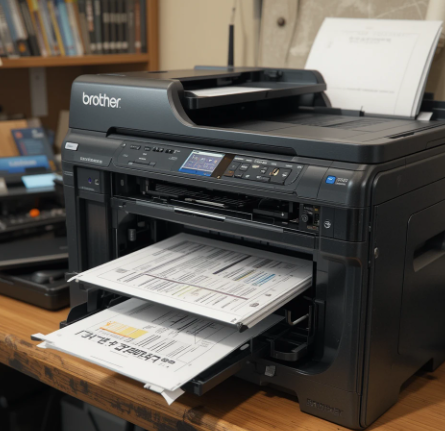
Why Do Label Printers Act Up?
Did you know that the majority of printer problems come from simple issues like clogged printheads, outdated software, or incorrect label rolls? Before you panic, remember that most errors aren’t serious. With a little know-how, you can solve them yourself and avoid unnecessary downtime.
Common Problems and Easy Fixes
1. Labels Are Not Printing at All
One of the most common frustrations is when your color label printer is not printing at all. This usually happens because of connectivity issues, outdated drivers, or incorrect printer settings.
How to fix it:
- Check if the printer is properly connected to your computer via USB or network.
- Make sure the printer drivers are updated to the latest version.
- Double-check your print settings to ensure you’ve selected the correct printer.
- Restart both your printer and your computer to refresh the connection.
2. Poor Print Quality
When labels come out faded, streaky, or blurry, it can hurt the professional look of your product packaging.
Solutions:
- Clean the printhead using the manufacturer’s recommended cleaning tools.
- Check if the ink cartridges are low or dried out.
- Ensure you’re using the correct type of labels designed for your printer inkjet color label printer or laser color label printer model.
- Adjust the print resolution in your settings for sharper results.
3. Labels Misaligned or Skipping
Nothing ruins efficiency like labels printing off-center or skipping entirely.
Fix steps:
- Recalibrate the printer so it correctly detects label size and spacing.
- Ensure the label roll is loaded properly with no slack.
- Look for dirt or debris on the sensors and gently clean them.
4. Connectivity Problems
Sometimes your printer just won’t talk to your computer. This is a common label printer troubleshooting scenario.
Quick fixes:
- Switch the USB cable or try a different port.
- If using Wi-Fi, reconnect the printer to your wireless network.
- Run the built-in diagnostic tool from your printer’s software.
5. Printer Not Recognizing Labels
If your printer keeps saying “no media found,” it could be an issue with the sensors or label compatibility.
Steps to try:
- Check if the labels are loaded correctly and facing the right direction.
- Clean the label sensors to remove dust.
- Use only manufacturer-approved labels for best results.
Tips for Preventing Issues Long-Term
- Regularly clean the printhead and sensors.
- Only use labels and ink designed for your printer model.
- Keep your printer software and drivers up to date.
- Store your labels in a cool, dry place to prevent curling or sticking.
Following these practices will reduce the chance of recurring problems and make it much easier to fix color label printer issues in the future.
Choosing the Right Printer for Your Needs
- Sometimes repeated issues happen because the printer isn’t the best match for your business. For example:A fabric label printer is perfect if you’re creating textile care labels for clothing.
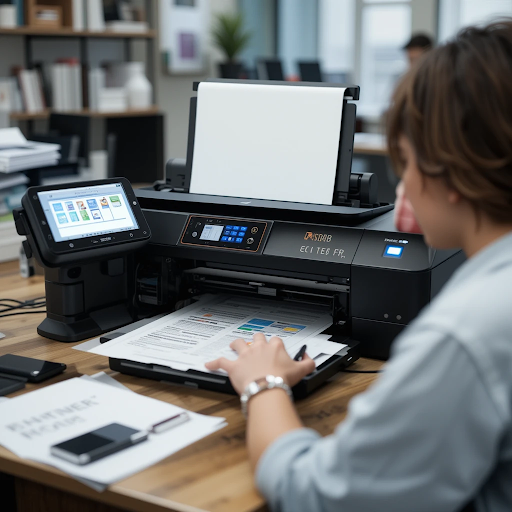
- A care label printer machine is designed to handle specialized tags for apparel or industrial products.
- High-quality color label printers are ideal for businesses that want professional branding on their packaging.
Selecting the right machine ensures you get consistent results while avoiding unnecessary frustration.
Conclusion
Printer issues can be resolved quickly and easily. With the right steps, you can fix alignment problems and improve print quality on your own, keeping your business on track.
If you’re ready to upgrade or need professional guidance on choosing the right machine, DuraFast Label Company has everything you need to stay productive and worry-free. Take control of your labeling today and give your products the professional finish they deserve!
FAQs
- Why is my color label printer not printing at all?
This often happens due to outdated drivers, loose connections, or incorrect settings. Restarting the printer and updating drivers usually solves the issue.
- How do I fix faded or blurry labels?
Clean the printhead, replace low ink cartridges, and make sure you’re using the correct type of labels designed for your printer.
- Why does my printer keep skipping labels?
The printer might need recalibration. Also, check that the label roll is loaded properly and sensors are clean.
- Can I troubleshoot my label printer without professional help?
Yes, most label printer troubleshooting can be done at home with basic cleaning and software updates. If the issue persists, professional servicing might be required.
- How often should I clean my printer?
For heavy use, clean the printhead weekly. For lighter use, monthly cleaning is usually enough.
- What labels work best with color label printersfabric label printers?
Special thermal transfer labels designed for fabrics and textiles will give you the best results.
- How do I know if it’s time to replace my printer?
If problems keep happening even after troubleshooting, or if the printer no longer meets your volume and quality needs, upgrading might be the best solution.
- Is Wi-Fi better than USB for label printers?
Wi-Fi is more convenient for shared use, but USB is often more reliable for single-computer setups.