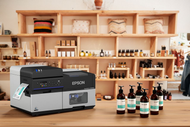
What Should You Check Before Buying Blank Inkjet Labels for a Color Label Printer?
18th Nov 2026
Have you ever watched a carefully designed label smear, curl, or fade soon after it left your printer? Research from the Society for Imaging Science and Technology reports that dye inks on microporous media can show a significant color change, sometimes within weeks. In most cases, the printer is not the real problem. The label stock simply does not match the ink and the machine.
At DuraFast Label Company, we manufacture and supply blank inkjet labels for color printers from Epson, Primera, Afinia, and VIPColor. Our edge is range and flexibility. We stock paper and synthetic rolls in matte, gloss, and chemical-grade finishes, and we can cut custom die-cut sizes so your media fits your machine instead of the other way around.
In this guide, we cover the checks that matter most: material, adhesive, dimensions, roll diameter, core size, ink type, and printer fit.
Start With the Right Label Material
Material decides how a label looks, how long it lasts, and where it can be used. Most inkjet label stocks fall into two families, paper and synthetic, and each one has a clear job to do.
Paper Label Stock
- Lower cost per roll, which suits indoor and short-lived labeling.
- Matte paper delivers crisp text and scannable barcodes with very little glare.
- Gloss paper gives product photos and brand colors a richer, more finished look.
- Less resistant to moisture, scuffing, and repeated handling than synthetic stock.
When shelf appeal is the priority, glossy inkjet labels on a roll bring out deeper color and feed smoothly through most color label printers, as long as the coating is made for your ink.
Synthetic Label Stock
Polypropylene, polyester, chemical, and vinyl stocks resist tearing and handle humidity far better than paper does. A clear polyester roll such as this 3-inch core eyemark label shows how one synthetic stock can be built to run in several printer families.
- Tear resistant and flexible enough for curved bottles and tubes.
- Better performance around condensation, washdowns, and cold storage.
- Higher price per roll, but usually a longer service life.
How to Decide Between Them
Choose paper when labels stay indoors, move quickly, and rarely get wet. Choose synthetic when labels face moisture, abrasion, temperature swings, or long storage times. If you are unsure, test one roll of each against your real conditions before you commit to a full case.
Are Inkjet Labels Waterproof?
Not automatically. Standard paper labels soak up moisture, and dye-based prints can run when they get wet. True water resistance comes from three parts working together: a synthetic or coated face stock, a compatible ink, and an adhesive that holds in damp conditions.
Ink chemistry matters most. When image permanence is required, pigment-based inks are the usual choice, and that is a major reason businesses look for waterproof inkjet labels for Epson ColorWorks printers, which run durable pigment inks built to resist smudging, fading, and smearing.
Check Adhesive Strength for Your Surface and Conditions
A label that prints perfectly but lifts at the corners is still a failed label. Match the adhesive to the surface, the temperature, and the handling the label will see.
- Permanent adhesive: the standard choice for cartons, bottles, and shipping labels.
- Removable adhesive: better for temporary marking and price changes.
- Freezer-grade adhesive: built to stay put on cold or frozen goods.
- Aggressive adhesive: helps on rough cardboard, textured plastic, and other hard-to-stick surfaces.
Always test a few labels on the actual surface before ordering a full case. Cold, curved, oily, or dusty surfaces can change how well an adhesive grips.
Match Label Dimensions to Your Printer
Label size is more than width and height. The printer has a maximum media width, and its sensor needs a gap or black mark in the right place to find each label.
- Measure the area where the label will sit, including curves and edges.
- Confirm the printer's maximum and minimum media width in its spec sheet.
- Check the sensing method the printer uses: gap, black mark, or continuous.
- Decide whether you need perforation, a cutter, or a peel-and-present setup.
Epson ColorWorks C6000 labels, for example, must fit that printer's media path, and gloss labels built for the TM-C7500G are equally suitable for both the C6000A and C6000P.
Confirm Roll Diameter and Core Size
Before any inkjet roll goes into the machine, look at the core, outside diameter, and width of the media. A roll that fits one printer can be too large or too wide for another.
- Core size: the roll core must fit the spindle or external unwinder, for example a 3-inch core.
- Outside diameter: an oversized roll will not fit inside the printer, so confirm the maximum in the manual.
- Roll length: longer rolls mean fewer changeovers, but only if the printer can hold them.
- Winding direction: confirm how the label face should unwind for your model.
Printer-Specific Checks for Epson, Primera, and Afinia
Every printer family has its own media limits, so a label that works in one machine can fail in another. These are the questions we hear most often.
What labels work with the Epson ColorWorks C6000?
Start with stock made for pigment ink and the printer's print path. That includes matte and gloss paper, synthetic polypropylene, and chemical-grade matte stock. Match the finish to the ink set loaded in the machine, then confirm width, core, and roll diameter.
Epson ColorWorks C8000 labels follow the same logic, but always verify roll limits and media width against the printer's own spec sheet before ordering.
Primera and Afinia Models
Primera LX610 compatible labels come in continuous-roll formats such as matte BOPP, so confirm how your workflow senses each label before you buy.
Afinia L502 inkjet labels suit roll-fed workflows, so check whether your printer carries dye or pigment ink before you choose a coating.
Afinia F502 fanfold inkjet labels arrive in cartons that sit behind the workstation, which saves table space and lets you run longer between reloads. If you are shopping for a new printer rather than labels, the Afinia F502 is worth a look.
DuraFast Label Company makes Afinia inkjet labels for the full line of Afinia color label printers, including the L502, L701, L801, and L901. Each roll is matched to the printer’s media path and ink type, so you can print sharp, vibrant labels without worrying about fit, smearing, or feed problems. Whether you need paper or synthetic stock, matte or gloss, DuraFast has blank inkjet labels ready for your Afinia workflow.
VIPColor Inkjet Labels
DuraFast Label Company specializes in VIPColor inkjet blank labels for printers featuring Memjet technology, which combines dye inks with super-fast print speeds. DuraFast makes labels for the VP500, VP550, VP610, VP660, VP700, and VP750 color label printers, all of which use Memjet technology. Produce amazing product labels with DuraFast Labels and VIPColor printers.
Match the Ink Type: Dye or Pigment
Pigment ink inkjet labels use a coating designed to hold larger pigment particles at the surface, which helps resist smudging and fading. Dye inks give vivid color and deep blacks, but they react more strongly to water and light. Choosing a coating for the wrong ink is a frequent cause of smearing.
Never assume a label made for one ink will work with another. Check the product listing for dye, pigment, or both, and match it to the cartridges in your printer.
Special Case: Chemical and Hazard Labels
Labels on hazardous chemicals carry extra requirements. OSHA's quick card lists label elements such as signal words, hazard statements, and pictograms, and an Oklahoma State University fact sheet notes that supplier identification must appear as well. For these jobs, choose matte chemical-grade stock, such as matte GHS BS5609 labels, and confirm it suits your printer's ink.
Your Seven-Point Pre-Order Checklist
- Material: paper for short-lived indoor use, synthetic for moisture and abrasion.
- Adhesive: permanent, removable, freezer, or aggressive, tested on the real surface.
- Dimensions: width, height, and gap or black mark within the printer's limits.
- Roll outside diameter: within the maximum your printer or unwinder allows.
- Core size: matched to the spindle.
- Ink type: dye or pigment, matched to the cartridges installed.
- Printer model: confirmed against the label's compatibility list.
From Guesswork to a Clean First Print: Your Label Buying Plan 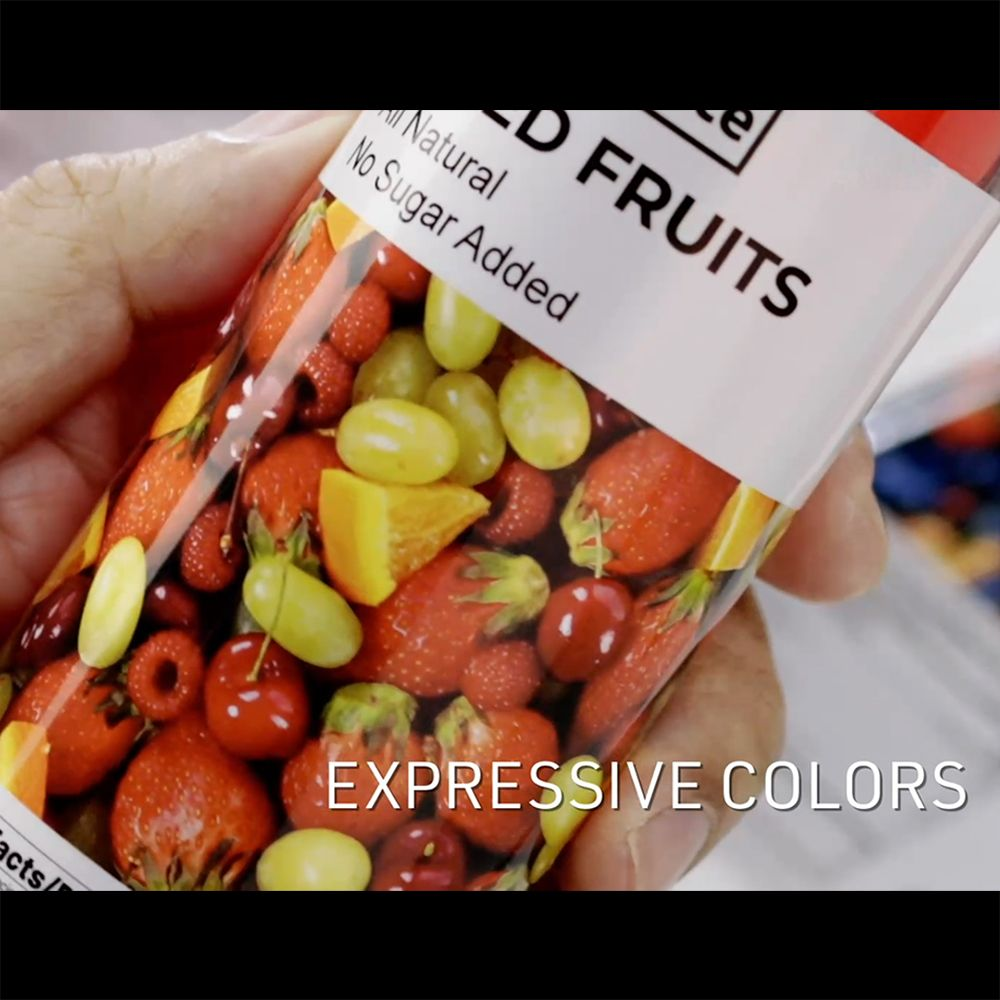
What if every roll you loaded printed cleanly, stuck firmly, and lasted as long as your product does?
At DuraFast Label Company, we make that outcome easier to reach. We supply paper and synthetic inkjet labels in matte, gloss, polypropylene, clear and GHS BS5609 chemical-grade options for Epson, Primera, Afinia, and VIPColor printers, and we can build custom sizes when a standard roll does not fit. Because each roll is matched to a specific ink type and printer family, you spend less time fixing smears and more time shipping product.
Order your inkjet labels from DuraFast Label Company today. Share your printer model, ink type, and surface with us, and we will help you pick a roll that prints sharply, sticks reliably, and holds up where you use it.