Epson C6500 vs. Afinia L502: Professional Labeling Comparison
3rd Jun 2026
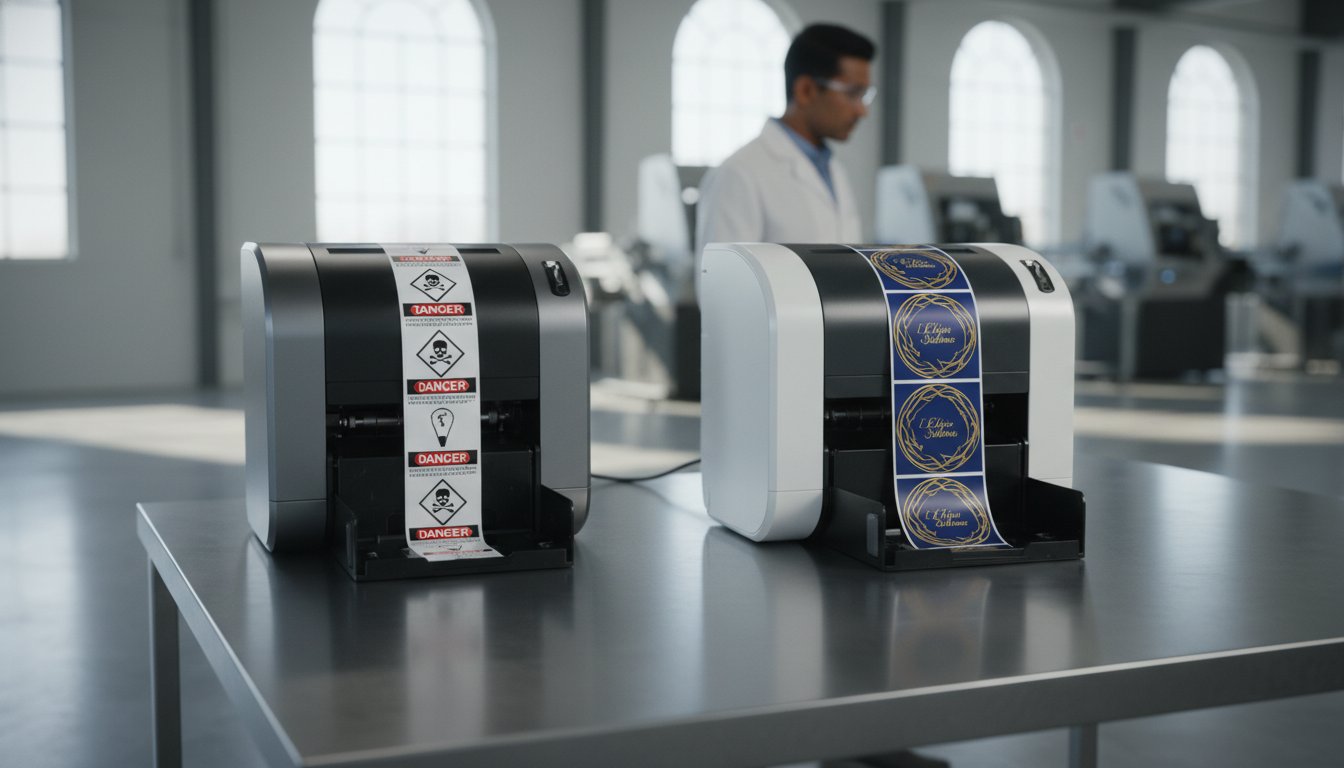
The most expensive label printer on the market might actually be the cheapest one to operate. Many businesses find themselves overpaying for outsourced labels every month while watching obsolete stock pile up in the warehouse. It's frustrating to deal with the confusion of pigment versus dye ink durability when all you want is a reliable, professional result. We know you need to lower your cost-per-label and hit GHS compliance without the technical complexity of traditional manufacturing equipment.
Our goal is to help you compare EPSON c6500 and Afinia L502 color label printer options to see which one fits your specific production volume. You'll learn the critical differences in speed, durability, and ink costs that impact your bottom line. This comparison breaks down technical specs into digestible fragments so you can make an informed decision for your business. We'll examine how the Epson's industrial strength compares to the Afinia's versatile ink system to ensure you get retail-grade quality every time you hit print.
Key Takeaways
- Learn how 8-inch wide printing capabilities help you eliminate pre-printed inventory and reduce warehouse waste.
- Compare EPSON c6500 and Afinia L502 color label printer engines to see how real-world throughput differs from advertised speeds.
- Understand the unique value of the Afinia L502’s dual-ink system for businesses that need to pivot between retail aesthetics and industrial durability.
- Identify why the Epson C6500 is the preferred choice for companies requiring strict GHS compliance and seamless ZPL II software integration.
Why the Epson C6500 and Afinia L502 Lead the Mid-Range Market in 2026
The label printing industry is moving fast. By 2026, the global digital color label printer market is projected to reach USD 3.12 billion, driven by a massive shift from analog to digital methods. Businesses are tired of waiting weeks for custom orders. They want shorter print runs, variable data, and faster turnaround times. To compare EPSON c6500 and Afinia L502 color label printer models effectively, you have to understand why they dominate this mid-range space. Both machines eliminate the need for expensive pre-printed inventory. You print only what you need, exactly when you need it.
These two printers represent different philosophies in hardware design. The Epson C6500 is often seen as the industrial workhorse, built for standardized compliance and rugged environments. The Afinia L502 is the ultimate flexible tool, designed for brands that pivot between retail aesthetics and industrial durability. Both machines utilize advanced inkjet printing technology to achieve high-resolution results that rival professional print shops. This section explores how these printers handle the modern demand for 8-inch wide labels.
The Rise of On-Demand 8-Inch Labeling
The 8-inch print width has become the sweet spot for the chemical and logistics industries. It is the perfect size for GHS-compliant chemical drums and large-format shipping labels. In the current supply chain, "just-in-time" labeling is a necessity, not a luxury. By using Epson C6500 labels or afinia l502 labels, companies can reduce lead times from weeks to minutes. This agility prevents production bottlenecks. It also stops the waste associated with obsolete label stock when regulations or branding change.
Hardware Reliability and Build Quality
Reliability is the cornerstone of any in-house printing operation. The Epson C6500 features a rugged, industrial design meant for medium to high-volume environments. It feels like a piece of factory equipment. In contrast, the Afinia L502 offers a more compact and efficient footprint. It fits easily into smaller workspaces without sacrificing engine power. When you compare EPSON c6500 and Afinia L502 color label printer duty cycles, both are designed to handle consistent daily use. Maintenance for both units is straightforward in the first year; most tasks involve simple cartridge swaps and printhead alignments. The Epson is built for standardized, high-speed output; the Afinia is built for the user who values versatility and ease of use.
Technical Architecture: Print Speed, Resolution, and Engine Reliability
When you look at a spec sheet, the numbers can be deceiving. Most manufacturers highlight "draft mode" speeds that don't reflect the quality you actually need for a retail shelf. To compare EPSON c6500 and Afinia L502 color label printer engines effectively, you have to look at how they balance resolution with throughput. High-speed printing is useless if your barcodes won't scan or your fine text is blurry. Both machines offer professional results, but they use very different internal architectures to get there.
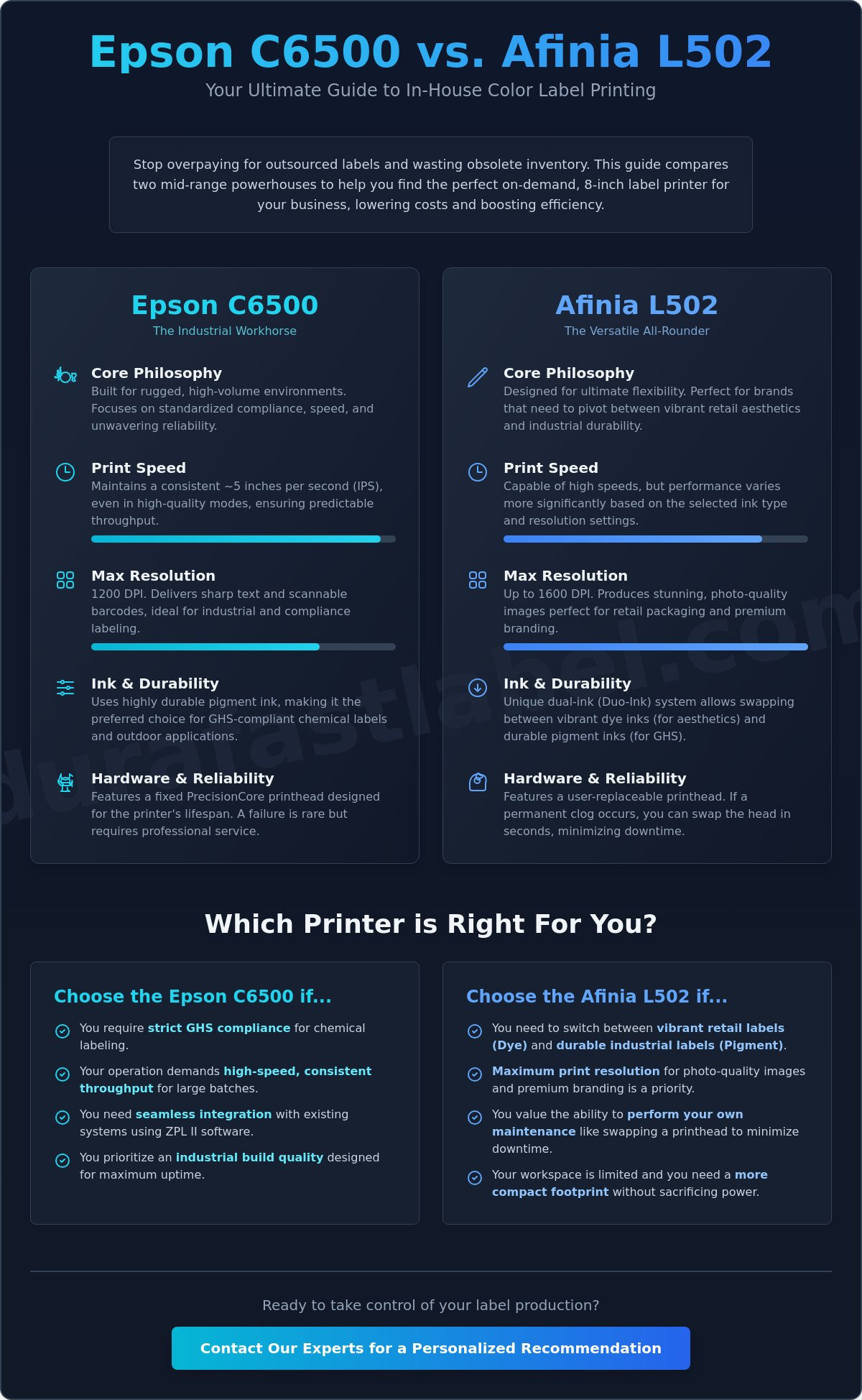
Epson relies on its proprietary PrecisionCore TFP technology. This is a fixed printhead designed to last the life of the machine. It uses heat-free piezo technology to eject ink with extreme precision. Afinia uses what they call Trio-Inking technology. This system utilizes user-replaceable printheads, which offers a different kind of reliability. If you experience a permanent clog on an Afinia, you can swap the head yourself in seconds. With the Epson, the build is more industrial, but a head failure is a more significant event. If you aren't sure which maintenance style fits your team, you can reach out to our experts for a personalized recommendation.
Print Engine Performance
Real-world throughput is where these machines diverge. The Epson C6500 is a speed demon in high-quality modes, often maintaining around 5 inches per second (IPS) even with complex graphics. The Afinia L502 is capable of similar speeds, but its performance varies more significantly based on the resolution setting you choose. In medium-to-high volume environments, consistency is key. You don't want color drift halfway through a 1,000-label run. Epson’s fixed head architecture is specifically engineered to prevent this, ensuring the first label looks exactly like the last.
Resolution for Professional Branding
Resolution is a major talking point in the industry. The Afinia L502 can reach 1600 DPI, while the Epson C6500 tops out at 1200 DPI. While 1600 DPI sounds superior, it often forces a trade-off in speed that many businesses can't afford. For most retail applications, 1200 DPI is the "sweet spot" for crisp, vibrant imagery. More importantly, the droplet size and placement accuracy determine how well a barcode scans. Sharp edges are critical for meeting FDA food labeling requirements, where legibility of ingredients and nutrition facts is a legal necessity. Both printers handle high-density data matrices well, but the Epson’s variable droplet technology gives it a slight edge in fine-text clarity.
Ink Systems and Media Compatibility: Pigment vs. Dye Versatility
Your choice of ink defines how your brand survives in the real world. The Epson C6500 focuses entirely on UltraChrome DL pigment ink. This ink is engineered for extreme durability and chemical resistance. On the other hand, the Afinia L502 offers a unique "Dual Ink" capability. It allows you to switch between dye and pigment ink systems by simply swapping the printhead. This flexibility is a game changer for businesses that produce both high-end retail packaging and rugged industrial labels. To compare EPSON c6500 and Afinia L502 color label printer performance, you must first decide if you need one dedicated specialist or a versatile hybrid.
Most competitors overlook the mechanics of this switch. They assume you're locked into one ink type when you buy the machine. With the Afinia L502, you can use pigment ink for your morning run of industrial shipping labels and then swap to dye ink for an afternoon batch of gourmet food labels. Epson takes a different path by perfecting a single, high-performance pigment formula. This makes the C6500 a more streamlined choice for companies that prioritize standardized, "bulletproof" labels across every department.
The Durability Factor: Chemical and Water Resistance
Chemical and water resistance are critical for many industries. If you're printing GHS-compliant chemical labels, pigment ink is non-negotiable. It's the only technology that meets the rigorous BS5609 standard for marine immersion. We've seen Epson C6500 labels withstand sunlight, moisture, and chemical contact without losing legibility. While pigment is tough, dye ink has its own strengths. It provides a superior visual "pop" that makes indoor retail products stand out on crowded shelves. Dye ink molecules are smaller and soak into the media, resulting in more vibrant colors. However, they lack the UV and moisture resistance of pigment. Always ensure you're using compatible inkjet labels to prevent smearing and ensure maximum adhesion.
Ink Consumption and Cost-Per-Label
Operational costs often come down to ink efficiency. Both printers use individual ink cartridge systems. This design is far more cost-effective than tri-color tanks because you only replace the specific color that runs out. Total ink ROI isn't just about the purchase price; it's about how much ink is consumed during maintenance. Cleaning cycles are necessary to prevent clogs, but they do use ink. Epson’s industrial engine is remarkably efficient with its self-maintenance routines. Afinia’s system is also robust, and the ability to replace the printhead yourself helps manage long-term costs. You can easily source Afinia ink cartridges and Epson inks for all 2026 models to keep your production line moving.
Operational Efficiency: Media Handling and Software Integration
Speed and resolution mean nothing if your printer can't talk to your existing software. To compare EPSON c6500 and Afinia L502 color label printer options effectively, you have to look at the backend integration. A printer that requires a total overhaul of your IT infrastructure isn't efficient; it's a burden. Both of these machines are designed to fit into professional environments, but they handle data and media in very different ways.
Epson designed the C6500 with ZPL II emulation. This is a massive advantage if you're looking to replace old thermal transfer units. It allows the printer to drop into environments previously using Zebra hardware without requiring a rewrite of your entire codebase. If your business relies on an ERP system like SAP or Oracle, the Epson can interpret those existing print commands directly. This makes the transition from black-and-white logistics labels to full-color, branded shipping labels virtually seamless.
Afinia focuses on a different kind of operational efficiency. The L502 excels in high-volume tabletop production. Its support for fanfold media is robust, which is ideal for long, unattended print runs where you don't want to constantly swap out rolls. To truly unlock the potential of either machine, we recommend using BarTender Professional Software. This tool acts as the brain of your operation. It connects your database directly to the print engine, ensuring that variable data like batch numbers and expiration dates are always accurate and automated.
Software Integration and Drivers
Both printers offer native drivers for Windows and Mac, making the initial setup straightforward. For larger operations, the Epson C6500 provides remote management tools. These allow your IT team to monitor ink levels and printer status across a whole fleet from a single workstation. This proactive monitoring prevents unexpected downtime. While the Afinia doesn't have native ZPL support, its driver is highly intuitive for standard graphic design software applications.
Media Flexibility and Roll Sizes
Internal roll capacity is a critical factor for daily productivity. Both machines handle standard 3-inch cores, but the Epson C6500P (Peeler) model offers a specific advantage for automated lines. It peels the label from the liner and presents it for immediate application. If you prefer manual application from a stack, the Afinia's compatibility with Afinia L502 labels in fanfold format is a great fit. If you're ready to upgrade your workflow, contact our support team for a technical consultation.
Final Decision Framework: Matching Your Industry to the Right Hardware
Choosing between these two powerhouses comes down to your specific production style. It is not just about which machine has the higher resolution or faster speed on paper. You have to look at your daily workflow and the environment where the labels will live. To compare EPSON c6500 and Afinia L502 color label printer systems effectively, ask yourself if you need a specialized workhorse or a flexible hybrid. The Epson C6500 is built for speed and standardized compliance. The Afinia L502 is built for brands that value versatility and aesthetic variety.
Volume is the next major factor. The Epson C6500 is the clear choice for high-throughput environments where consistency is the priority. If you print thousands of identical labels every week, you need the industrial engine and fixed printhead reliability of the Epson. The Afinia L502 shines in high-mix, short-run scenarios. It handles frequent changes in design and ink types with ease. As we move through 2026, both manufacturers continue to offer robust support and parts availability. This ensures your investment stays protected as your business grows.
Industry-Specific Recommendations
- Chemical and Industrial: The Epson C6500 is the gold standard here. Its dedicated pigment ink and GHS compliance make it the safest choice for harsh environments.
- Gourmet Food and Beverage: Afinia’s dye-ink option is the winner for retail shelf appeal. It delivers the color vibrancy needed for high-end packaging that pigment ink sometimes lacks.
- Logistics and Warehousing: The Epson C6500P model with its built-in peeler is a massive time-saver. It integrates perfectly with ZPL II legacy systems to replace old thermal printers.
Getting Started with DuraFast
We want to make sure you're confident in your choice. One of the best ways to decide is through custom media testing. You can send us your artwork files, and we will provide sample prints so you can see the quality firsthand. Selecting the right color label printer for your budget involves more than the initial purchase. It's about long-term reliability and a stable supply chain. We provide the ongoing support and inventory of labels and ink you need to keep your production line moving without interruption. Our team is here to simplify the technical details so you can focus on running your business.
Upgrade Your Labeling Workflow Today
The choice between these two leaders defines your production efficiency for years to come. The Epson C6500 stands as a dedicated industrial workhorse. It's perfect for businesses that need rugged GHS compliance and legacy software support. In contrast, the Afinia L502 provides the ultimate tool for brands that pivot between high-gloss retail aesthetics and durable pigment-based labeling. Both printers solve the pain of high outsourcing costs and obsolete inventory stock.
When you compare EPSON c6500 and Afinia L502 color label printer capabilities, you're investing in a future where your supply chain is agile and your quality is retail-grade. We're proud to be an authorized Epson and Afinia partner. We offer specialized DuraFast Matte Chemical Labels along with North American shipping and dedicated technical support to ensure your success. Our team has already done the heavy lifting of vetting these products so you can purchase with confidence.
Browse our full selection of Color Label Printers to find your perfect match. We're ready to help you transform your labeling process into a stress-free, cost-effective operation today.
Frequently Asked Questions
Can I use the same labels for both the Epson C6500 and Afinia L502?
You can use many of the same inkjet-receptive labels for both machines, provided the media is designed for aqueous inkjet technology. However, the Epson C6500 is optimized for matte and synthetic materials to achieve maximum durability. The Afinia L502 works exceptionally well with both gloss and matte finishes depending on whether you use dye or pigment ink. Always check the core size and roll diameter to ensure physical compatibility with each printer's internal spindle.
Does the Afinia L502 support GHS BS5609 compliance?
The Afinia L502 supports GHS BS5609 compliance when you use pigment ink cartridges and certified chemical-resistant media. This certification is essential for labels that must survive harsh maritime environments and long-term chemical exposure. While the Epson C6500 is a dedicated pigment machine, the L502 achieves this standard by utilizing its specific pigment printhead configuration. It is a reliable, versatile choice for industrial chemical labeling and hazardous material identification.
What is the main difference between the Epson C6500A and C6500P models?
The main difference lies in the media handling: the C6500A features an auto-cutter, while the C6500P includes a built-in peeler. The "A" model is ideal for batch printing where you need individual labels cut automatically after printing. The "P" model is designed for "peel-and-present" applications, where the printer removes the label from the liner for immediate manual or automated application. This choice depends entirely on your specific packaging line workflow.
Is it cheaper to print labels on the Epson C6500 compared to the L502?
To compare EPSON c6500 and Afinia L502 color label printer operating costs, you must look at your typical ink coverage and maintenance cycles. The Epson C6500 generally offers a lower cost-per-label for high-volume, continuous runs due to its efficient industrial ink delivery system. The Afinia L502 is highly competitive for short to medium runs where flexibility is valued. Total cost of ownership includes ink, media, and printhead replacements, so the most economical option varies by user.
How often do I need to replace the printhead on an Afinia L502?
Printhead life for the Afinia L502 depends on your total ink throughput and the type of media you use daily. These are user-replaceable components designed to be swapped once print quality begins to degrade or clogs become permanent. Regular cleaning and using high-quality, dust-free media help extend the life of the head. Because it is a consumable part, you don't need a service technician to perform the replacement, which minimizes your production downtime.
Can the Epson C6500 print on gloss labels with pigment ink?
The Epson C6500 can print on gloss labels, but you must use media specifically engineered for pigment-based inkjet technology. While pigment ink is traditionally associated with matte finishes, modern gloss inkjet materials allow the ink to bond effectively for a professional, high-shine look. The result is a durable, smudge-resistant label that maintains a high-end appearance. It is an excellent way to combine industrial durability with the retail shelf appeal your brand requires.
Which printer is easier to integrate with SAP or Oracle ERP systems?
The Epson C6500 is easier to integrate with SAP or Oracle ERP systems because it features native ZPL II emulation. This allows the printer to receive and interpret standard label commands used by many large-scale enterprise resource planning platforms. While the Afinia L502 can print from these systems using standard Windows drivers, the Epson’s ability to mimic legacy thermal printers simplifies the technical setup for IT departments. This native support reduces the need for complex middleware.
Do I need special software to print barcodes on these machines?
You don't need special software to print basic barcodes, but professional design tools like BarTender make the process much more efficient. Most standard graphic design programs can print barcodes if you have the correct fonts or plugins installed. However, dedicated labeling software ensures your barcodes meet GS1 standards and allows you to automate variable data like batch numbers. This is the best way to maintain accuracy across large, complex product catalogs.