Epson C6500 vs. Afinia L502: The 2026 Color Label Printer Comparison
11th Sep 2026
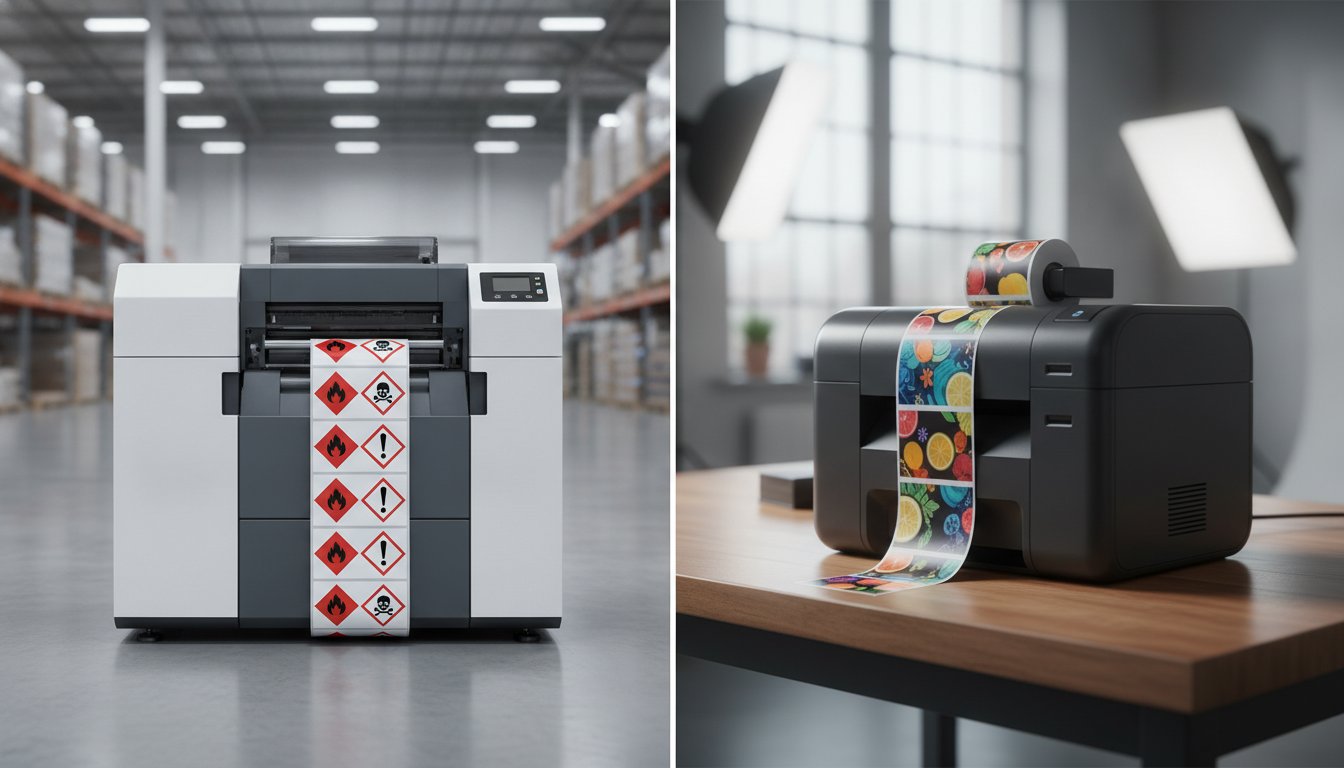
The most expensive label you'll ever print is the one that forces you to stop production because it doesn't meet durability standards. It's frustrating to deal with the high costs of outsourced labels or the confusion of choosing between pigment and dye ink systems. You need a solution that offers professional-grade durability without the headache of a complex setup. We understand that you want to reduce your cost per label while ensuring your new equipment slides perfectly into your existing workflow.
As you compare EPSON c6500 and Afinia L502 color label printer models for your 2026 production goals, the right choice depends on your specific environment. This comparison highlights the technical differences and practical advantages that matter most to your bottom line. You'll discover why the Epson C6500 excels in industrial settings with native ZPL II support; meanwhile, you'll see how the Afinia L502 offers unique flexibility for those who need both vibrant marketing labels and rugged, GHS-compliant stickers. Let's find the printer that turns your labeling process into a seamless competitive advantage.
Key Takeaways
- Learn how to compare EPSON c6500 and Afinia L502 color label printer models to find the perfect fit for your specific production volume and durability needs.
- Understand the advantage of the Afinia L502’s swappable ink technology for businesses that require both vibrant marketing and durable GHS labels.
- See how the Epson C6500’s native ZPL II support simplifies your workflow by replacing older thermal transfer printers without complex software changes.
- Explore how choosing specialized consumables like DuraFast labels can lower your total cost per label and improve overall print durability.
- Evaluate real-world speed and resolution specs to ensure your in-house production remains efficient and professional.
Epson C6500 vs. Afinia L502: Core Specifications at a Glance
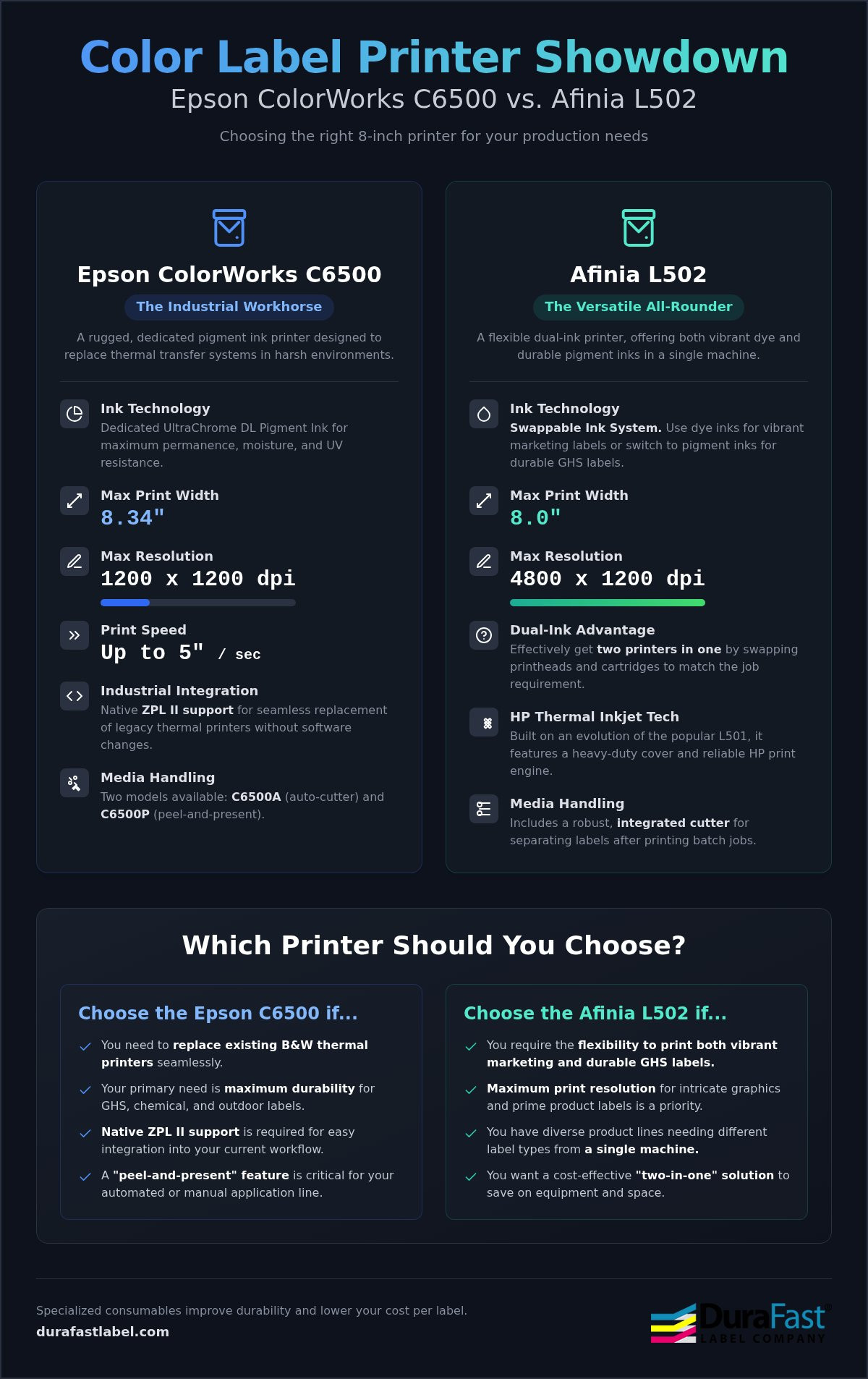
Selecting an 8-inch printer is a significant step for your in-house production. It moves your business away from small desktop units and toward high-volume efficiency. When you compare EPSON c6500 and Afinia L502 color label printer hardware, you're looking at two different philosophies of industrial design. Epson focuses on a "thermal transfer replacement" strategy. Afinia emphasizes versatility through its unique dual-ink capability. Both machines are designed to handle 8-inch wide media, making them ideal for large chemical drums, pallet labels, and oversized retail packaging.
The Epson ColorWorks C6500 series is built for the factory floor. It's a rugged machine that feels like a tank. It's specifically designed to replace black-and-white thermal printers with full-color capabilities without sacrificing reliability. On the other hand, the Afinia L502 is an evolution of the popular L501. It features a heavy-duty industrial cover and relies on HP’s thermal inkjet technology. Its standout feature is the ability to switch between dye and pigment inks, effectively giving you two printers in one footprint.
Key Technical Specifications
While both printers occupy a similar space, their performance metrics differ in ways that impact your daily workflow. Both rely on advanced Inkjet printing technology to deliver crisp text and accurate barcodes, but they prioritize different outcomes. Here is how they stack up on paper:
- Print Width: Epson supports up to 8.34 inches; Afinia reaches up to 8 inches.
- Max Resolution: Epson offers 1200 x 1200 dpi; Afinia provides up to 4800 x 1200 dpi.
- Print Speed: Epson delivers up to 5 inches per second at standard settings.
- Build: Both feature industrial-grade enclosures designed for durability in warehouse environments.
The Afinia L502 offers a higher maximum resolution, which is a major plus if you're printing high-end product labels with intricate graphics. However, the Epson C6500 is often preferred for mission-critical logistics because of its consistent throughput and robust media handling.
The C6500A vs. C6500P Distinction
Epson offers two distinct models within the 6500 series. The C6500A comes with an auto-cutter, which is standard for most batch jobs. The C6500P includes a built-in peeler. This "peel-and-present" feature is a game-changer for automated lines or manual application stations where speed is vital. You don't have to fumble with the liner; the printer does the work for you.
Afinia handles media separation differently. The L502 includes a robust integrated cutter but doesn't offer a dedicated peeler model. If your workflow requires immediate application on a fast-moving line, the Epson C6500P might be your best bet. Regardless of which brand you choose, using high-quality media like Epson C6500 labels or Afinia L502 labels ensures you get the most out of your hardware investment.
Ink Technology: Pigment vs. Dye Versatility
The ink you choose determines where your labels can go and how long they'll last. When you compare EPSON c6500 and Afinia L502 color label printer options, the conversation immediately shifts to ink chemistry. Both machines produce stunning results, but they serve different masters. One is built for ultimate versatility, while the other is a dedicated industrial workhorse. Understanding the academic research on ink properties helps clarify why particle size and binder chemistry matter for your specific application.
Afinia L502 Dual-Ink Advantage
The Afinia L502 stands out because it doesn't force you to choose one technology forever. It uses swappable printheads, allowing you to switch between dye and pigment inks in minutes. This is a massive benefit for businesses with diverse product lines. You can use dye ink for high-gloss, vibrant prime labels that "pop" on retail shelves. When you need to print shipping or warehouse labels, you simply swap the head and cartridges for pigment ink. It's like having two printers in one. Just remember to store your unused printheads properly in the provided airtight containers to prevent drying.
Epson C6500 Industrial Pigment Performance
Epson takes a different route with its UltraChrome DL pigment ink system. This printer is built for permanence. It's designed for harsh environments where labels face moisture, UV exposure, and chemicals. Because it's a dedicated pigment machine, the internal fluidics are optimized for these heavier ink particles. This leads to exceptional reliability in high-volume settings. When paired with DuraFast Matte Chemical Labels, the C6500 easily achieves BS5609 certification. This is a non-negotiable requirement for GHS chemical labeling where saltwater immersion and abrasion resistance are critical.
Long-term costs are another vital factor. The Epson C6500 uses large 80ml cartridges, which generally offer a lower cost per milliliter compared to the smaller color tanks in the Afinia L502. However, the L502’s flexibility might save you money if you'd otherwise need to buy two separate machines. Regardless of your choice, always use genuine Epson inks or Afinia inks. Third-party supplies can clog sensitive nozzles and may void your manufacturer warranty. If you're unsure which ink system fits your workflow, reach out to our specialists for a personalized media compatibility test.
Performance, Speed, and Print Quality
When you compare EPSON c6500 and Afinia L502 color label printer models, you quickly see that speed and resolution are a balancing act. The Epson C6500 is a steady performer, delivering up to 5 inches per second at its standard setting. It maintains this speed with impressive consistency, making it a reliable choice for long production runs. The Afinia L502, powered by HP thermal inkjet technology, offers a staggering maximum resolution of 4800 x 1200 dpi. While this produces photo-quality graphics, it's vital to remember that printing at this highest resolution will significantly reduce your throughput. If you're looking for raw industrial speed, the Epson's PrecisionCore technology often wins the day.
Color accuracy is another area where these machines shine. The Epson C6500 excels at spot color matching, which is essential for corporate branding. The Afinia L502, especially when using dye inks, produces a wider color gamut that makes product labels look vibrant and professional. Both printers are designed to minimize downtime, but they handle maintenance differently. Epson’s automated cleaning cycles are highly efficient, though they do consume a small amount of ink to keep the nozzles clear. Afinia's system is equally robust, ensuring that the first label of the day looks just as good as the last.
Printhead Technology and Longevity
The core of these color label printers lies in their printhead design. Epson uses the PrecisionCore TFP head, which is designed to last the entire life of the printer. It's a permanent component that doesn't require regular replacement, which can simplify your long-term maintenance schedule. Conversely, the Afinia L502 utilizes user-replaceable HP printheads. While this adds a recurring cost to your total cost of ownership, it provides a "fresh start" for your print quality whenever a head is swapped. If a nozzle fails on the Afinia, you can fix it yourself in minutes without a service call.
Throughput in Industrial Workflows
Industrial environments demand more than just fast inches-per-second ratings. Time to first label is a critical metric if you're printing one-off labels or short batches. The Epson C6500 processes complex variable data quickly, reducing the pause between hitting "print" and seeing the output. Both machines handle large media rolls, but you'll want to consider take-up cores to manage high-volume shifts. Using properly wound Epson C6500 labels or Afinia L502 labels prevents jams and ensures the sensors accurately track the gap or black mark for perfect registration every time.
Industrial Integration and Software Compatibility
A printer is only as useful as its ability to talk to your existing systems. When you compare EPSON c6500 and Afinia L502 color label printer models, the software "brain" behind the hardware becomes a major point of differentiation. Integration isn't just about plugging in a USB cable. It's about how the machine interprets commands from your ERP, warehouse management system, or design software. Both brands support Windows and Mac, but their strengths lie in different operational environments.
The Epson C6500 is a standout because of its native ZPL II support. Most industrial warehouses currently rely on industrial barcode printers that speak this specific language. Traditionally, adding color meant a total overhaul of your labeling code. The C6500 changes that. It understands the same commands as your legacy Zebra units. This allows you to add color to your logistics labels without a massive programming project. It’s a seamless way to modernize your workflow while keeping your existing infrastructure intact.
Designing and managing your labels requires a robust platform. Most of our successful in-house production clients use BarTender Professional Software. It provides a familiar interface for creating complex barcodes and graphics that print perfectly on both machines. Additionally, both manufacturers offer remote management tools. These are vital for multi-location fleets, allowing your IT team to monitor ink levels and update firmware from a central office.
Epson C6500 Workflow Features
This machine is built for the rigors of automation. It features an integrated I/O port that allows the printer to communicate directly with label applicators. If you're planning to move toward a fully automated print-and-apply system, the C6500 series is ready for the challenge. To see how these printing solutions integrate into a larger material handling environment, you can find out more about Quintec Conveyors. It also supports direct-to-printer commands, making it a favorite for developers working in Linux or specialized enterprise environments like SAP. It’s designed to be a "set it and forget it" solution for high-volume logistics.
Afinia focuses on making the user experience as accessible as possible. The driver interface is intuitive, which is perfect for retail users or small teams without a dedicated IT department. It handles standard design suites like Adobe Illustrator or specialized label tools without a hitch. One unique requirement for the L502 is managing your dual-ink profiles. Since you can swap between dye and pigment inks, the driver includes clear presets to ensure your colors remain accurate regardless of the ink chemistry currently installed. This flexibility makes it a versatile tool for marketing teams who need to pivot between different product lines quickly.
Ready to see how these units fit into your current setup? Contact us today to request a software compatibility audit for your facility.
Final Verdict: Which Printer Should You Buy?
Deciding between these two machines comes down to your primary operational goal. Do you need an unbreakable industrial workflow, or do you need the flexibility to pivot between high-end marketing and logistics? When you compare EPSON c6500 and Afinia L502 color label printer capabilities, you're looking at two of the most capable 8-inch units on the market. Both will drastically reduce your reliance on third-party print houses. However, they serve different business models and production environments.
The Epson C6500 is the clear choice for those moving away from legacy black-and-white thermal systems. It’s a powerhouse designed for the warehouse floor. Its ability to produce BS5609-compliant labels at 5 inches per second makes it indispensable for chemical and industrial manufacturers. If your labels face heavy handling, moisture, or chemical exposure, the C6500’s dedicated pigment system is your safest bet. It’s built to work hard and integrate seamlessly into automated lines.
The Afinia L502 is the ultimate tool for brands that value aesthetic variety. Its swappable printhead technology allows you to use dye inks for vibrant, high-gloss product labels today and pigment inks for durable shipping labels tomorrow. This versatility is perfect for small-to-mid-sized businesses that want professional results without buying two separate machines. It offers a level of creative freedom that fixed-ink printers simply can't match.
Regardless of the hardware you choose, your output quality depends on the media. Using high-performance DuraFast inkjet labels ensures your barcodes remain scannable and your colors don't bleed. In 2026, the ROI of in-house printing is driven by reducing waste and eliminating the lead times of outsourced orders. By bringing production in-house, you gain total control over your inventory and branding.
Choose the Epson C6500 If...
- You need to replace existing Zebra or other thermal transfer printers using native ZPL II.
- You require GHS compliance and extreme chemical resistance for industrial applications.
- You operate in a high-volume, automated environment where a built-in peeler or applicator port is vital.
Choose the Afinia L502 If...
- You need to print both high-gloss, vibrant marketing labels and durable shipping labels from one device.
- You have a wide variety of product types with different aesthetic needs, from matte to high-gloss finishes.
- You prefer user-replaceable printhead technology to maintain "day-one" print quality without service calls.
Both printers represent a smart investment in your company's independence. By choosing the model that aligns with your primary workflow, you'll ensure a stress-free transition to in-house production and professional-grade results for years to come. For companies that also require forensic-grade screening tools for workplace safety, DrugLab118 offers specialized detection kits that provide rapid and reliable results.
Choosing the right hardware is the first step toward reducing your cost per label. It's about streamlining your workflow. The Epson C6500 stands out as a powerful industrial replacement for thermal transfer units. It offers native ZPL II support and rugged durability. If you need to switch between vibrant marketing designs and durable shipping stickers, the Afinia L502 provides unmatched flexibility. Its swappable ink technology makes it a versatile solution that grows with your brand.
When you compare EPSON c6500 and Afinia L502 color label printer models, remember that success depends on quality consumables. We provide specialized DuraFast Matte Chemical Labels for BS5609 compliance. We also maintain a full stock of genuine Epson and Afinia ink cartridges to keep your lines moving. Our expert North American technical support team is ready to help with your integration today. Take the guesswork out of your purchase and start printing with confidence.
Shop the Epson C6500 and Afinia L502 at DuraFast Label Company to find your perfect match.
Common Questions About the Epson C6500 and Afinia L502
Does the Epson C6500 support ZPL II for industrial integration?
Yes, the Epson C6500 features native ZPL II support, which is a major advantage for industrial environments. This allows the printer to act as a direct color replacement for legacy thermal transfer units. You can keep your existing Zebra-based workflows while adding full-color capabilities. This integration reduces the need for complex software rewrites and ensures that your warehouse management system continues to communicate effectively with your new hardware.
Can I use dye ink in the Epson C6500?
No, the Epson C6500 is designed exclusively for pigment-based inks. It uses Epson UltraChrome DL ink, which is engineered for extreme durability and resistance to water, smudging, and chemicals. This focus on pigment technology ensures that every label meets industrial standards for permanence. If your application requires the specific high-gloss vibrancy of dye ink, you should consider the Afinia L502 or other models that support swappable ink systems.
How long does it take to switch between pigment and dye ink on the Afinia L502?
Switching between pigment and dye ink on the Afinia L502 typically takes less than five minutes. The process involves removing the current ink cartridges and the swappable printhead, then installing the alternative set. This dual-ink flexibility is a core reason why businesses compare EPSON c6500 and Afinia L502 color label printer models. It allows one machine to handle both high-end retail packaging and rugged industrial shipping labels with minimal downtime.
Which printer is better for GHS chemical label compliance?
The Epson C6500 is generally considered superior for GHS chemical label compliance. While both printers can produce compliant labels, the Epson's dedicated pigment system and automated maintenance are optimized for the harsh environments these labels face. When you pair the C6500 with specialized DuraFast Matte Chemical Labels, you achieve BS5609 certification. This ensures your chemical drum labels remain legible even after exposure to saltwater, abrasion, and intense UV light.
Do I need special labels for the Afinia L502 dual-ink system?
Yes, label selection is critical for the Afinia L502 dual-ink system. You must match your media to the ink type currently installed. Dye ink requires specific inkjet-receptive coatings to achieve high-gloss vibrancy, while pigment ink performs best on matte or specialized synthetic materials. Using the wrong media can lead to smudging or poor color accuracy. We offer a full catalog of compatible labels to ensure your L502 produces professional results in both modes.
What is the maximum label width for the Epson C6500 and Afinia L502?
The Epson C6500 supports a maximum print width of 8.34 inches, while the Afinia L502 handles media up to 8 inches wide. These dimensions make both units ideal for large-format applications like chemical pails, pallet labels, and oversized product boxes. When you compare EPSON c6500 and Afinia L502 color label printer specifications, that extra third of an inch on the Epson can be a deciding factor for specific industrial drum labeling requirements.
Are the printheads on the Epson C6500 user-replaceable?
No, the printheads on the Epson C6500 are not intended to be user-replaceable. Epson utilizes PrecisionCore TFP technology, which is engineered to last the entire functional life of the printer. This design reduces the frequency of maintenance interventions and helps maintain consistent print quality over millions of labels. In contrast, the Afinia L502 uses user-replaceable HP thermal inkjet heads, which allows you to quickly restore print quality if a nozzle becomes permanently clogged.
Can I integrate these printers with a label applicator?
Yes, both printers can integrate with label applicators, but the Epson C6500 series is better equipped for this. Specifically, the C6500A and C6500P models feature a built-in I/O port designed for communication with external automated systems. This allows the printer to signal ready or error status to an applicator arm. While the Afinia L502 can be used in semi-automated setups, the Epson's native industrial ports make it the preferred choice for fully automated production lines.