Epson C6500 vs. Afinia L502: Which 8-Inch Color Label Printer Wins in 2026?
6th Sep 2026
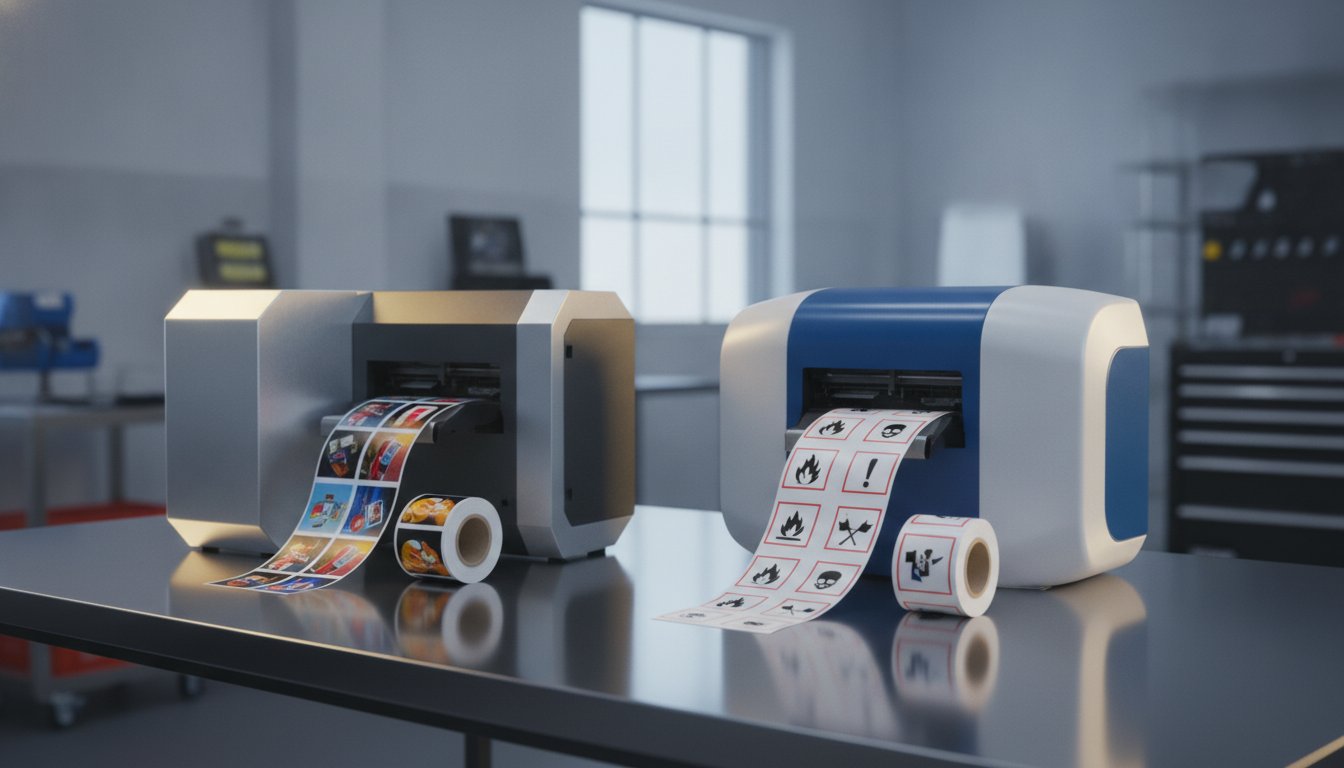
Are you still paying a premium to outsource your labels just to avoid the perceived headache of maintaining industrial hardware? It's a common frustration for many growing businesses. You want to bring production in-house to reduce lead times. But the fear of complex maintenance and ink smudging on chemical or outdoor labels often keeps you stuck with high external invoices. When you compare EPSON c6500 and Afinia L502 models, you're looking for a solution that is both reliable and cost-effective.
We understand that choosing the right equipment is a significant decision. In this guide, we will analyze performance, ink technology, and total cost of ownership to help you find your perfect in-house solution. Whether you need to achieve GHS/BS5609 compliance or simply want to lower your cost per label, we've done the heavy lifting to simplify your choice. We'll examine how Epson's permanent PrecisionCore technology stacks up against the Afinia's unique interchangeable ink system. This 2026 update gives you a clear path to a stress-free labeling workflow.
Key Takeaways
- When you compare EPSON c6500 and Afinia L502, the primary decision factor is choosing between industrial-scale speed and the versatility of interchangeable dye and pigment inks.
- Learn how to bring label production in-house to slash lead times while ensuring your chemical labels meet strict GHS and BS5609 standards.
- Understand the long-term maintenance differences between Epson’s permanent PrecisionCore technology and Afinia’s user-replaceable printhead system.
- Identify which 8-inch printer provides the lowest total cost of ownership based on your specific monthly print volumes and label durability requirements.
- Discover the importance of a complete system approach, combining the right hardware with DuraFast Matte Chemical Labels to maximize printhead life.
The 8-Inch Color Label Printer Showdown: Epson C6500 vs. Afinia L502
Bringing your label production in-house is a major step toward operational independence. In 2026, the ability to pivot your packaging design or update regulatory data instantly is no longer a luxury. It's a requirement for staying competitive. The 8-inch wide desktop color label printer category has become the primary battleground for businesses that need more than a standard shipping label. When you compare EPSON c6500 and Afinia L502 models, you're looking at two of the most capable machines on the market. Both offer the width needed for large format applications, yet they serve very different operational philosophies.
The Epson ColorWorks C6500 is often viewed as the industrial workhorse of the pair. It's built for seamless integration into existing workflows, especially those already using ZPL II emulation. On the other hand, the Afinia L502 is a versatile, rugged hybrid. It's famous for its "Duo Ink" technology, which allows users to switch between dye and pigment inks depending on the job. Choosing between them requires a look at your specific environment and how much flexibility you really need.
Why Width Matters: The 8-Inch Advantage
Size is everything for industrial labeling. Standard 4-inch printers simply can't handle large chemical drums, pallet labels, or oversized shipping containers. Moving to an 8-inch platform allows you to maximize the real estate on your labels for GHS and other regulatory information. This extra width ensures that safety warnings and pictograms remain legible and compliant. It also reduces "printer sprawl" in your warehouse. Instead of maintaining multiple small printers for different tasks, one 8-inch unit can handle everything from small product stickers to large drum labels. Using high-quality Epson C6500 labels or afinia l502 labels ensures your large-format prints stay crisp and professional.
Defining Your Production Volume: Desktop vs. Industrial
How many labels do you print per day? This question is the first step to decide which model fits. Both the C6500 and L502 bridge the gap between entry-level desktop units and massive industrial presses. They're perfect for medium-volume producers who need reliability without the six-figure price tag of a digital press. To keep these machines running at peak performance, the complete system matters. We recommend using specialized DuraFast Matte Chemical Labels. These are designed to protect the printhead from premature wear while ensuring your labels survive harsh conditions. Whether you're a high-volume manufacturer or a growing craft brand, your choice will depend on how you compare EPSON c6500 and Afinia L502 features against your daily output goals.
Print Speed and Technical Performance Compared
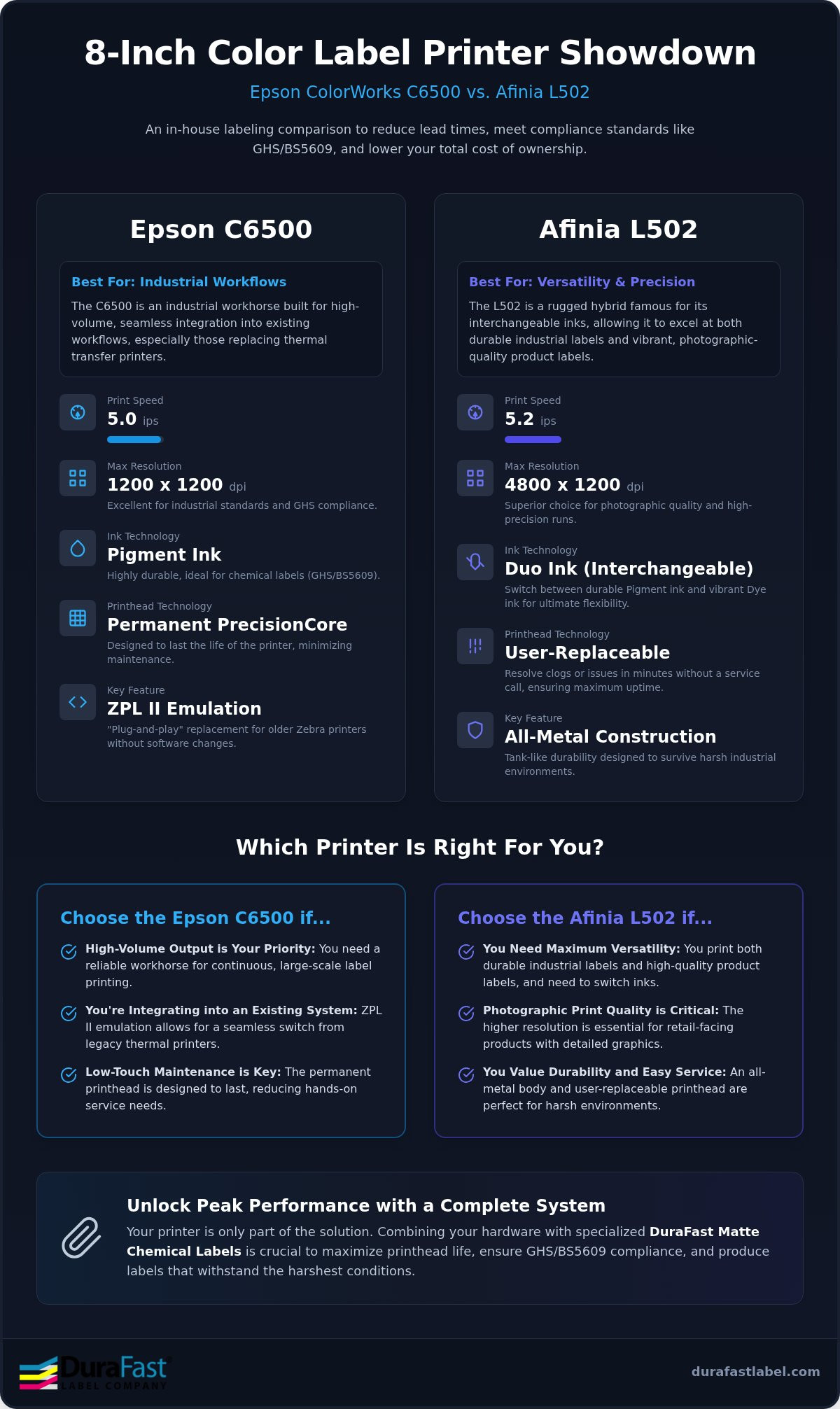
When you look at the spec sheets to compare EPSON c6500 and Afinia L502, the raw numbers tell an interesting story. The Epson C6500 clocks in at 5 inches per second, while the Afinia L502 is slightly faster at 5.2 inches per second. In a real-world warehouse setting, this 0.2-inch difference is barely noticeable. The true performance gap appears when you look at resolution and construction. The Epson offers a solid 1200 x 1200 dpi, which is perfect for industrial standards. The Afinia L502 pushes resolution up to 4800 x 1200 dpi. This makes it a superior choice for brands requiring photographic quality on their product labels.
Epson C6500: Engineered for High-Volume Workflows
The secret to the Epson's reliability is its PrecisionCore TFP printhead. This technology is designed to last the life of the printer. It delivers consistent ink droplets without the need for frequent head replacements. For businesses moving away from thermal transfer, the C6500 offers ZPL II emulation. This allows you to replace older Zebra units without rewriting your entire labeling software. It integrates seamlessly with most ERP and WMS systems, making it a "plug-and-play" industrial solution. You can choose between an auto-cutter model or a peel-and-present configuration to match your assembly line speed.
Afinia L502: Precision and Rugged Reliability
While the Epson is a powerhouse of integration, the Afinia L502 is a tank of durability. It features an all-metal industrial construction that survives harsh environments where plastic-bodied printers might fail. It's particularly effective for smaller, high-precision runs where image quality is the top priority. The user interface is straightforward, reducing the learning curve for new operators. Maintenance is simple; the user-replaceable printhead means you can resolve clogs in minutes without a service call. This ruggedness makes it a favorite for chemical plants and outdoor equipment manufacturers.
Both machines offer distinct advantages depending on whether you value software integration or physical durability. If you're unsure which configuration fits your facility, you can speak with our technical experts for a tailored recommendation. Using high-quality Epson C6500 labels or Afinia L502 labels will ensure that whichever machine you choose, the output remains professional and your hardware stays protected.
Ink Technology: Pigment vs. Dye Versatility
Understanding the chemistry behind your prints is vital to long-term label success. Dye-based inks are known for their vibrant, "popping" colors. They're perfect for high-end retail packaging where shelf appeal is the priority. However, dye ink is water-soluble and can fade quickly under UV light. Pigment-based ink uses tiny solid particles suspended in liquid. These particles bond with the label surface, creating a print that resists water, oils, and harsh chemicals. When you compare EPSON c6500 and Afinia L502, you'll see that both handle pigment ink exceptionally well, but they approach the technology with different philosophies.
The Afinia L502 Advantage: Interchangeable Printheads
The Afinia L502 stands out as a hybrid leader because of its "Duo Ink" technology. You don't have to choose between beauty and brawn. By simply swapping the printhead and ink set, you can switch from dye-based marketing labels to pigment-based industrial tags in minutes. This versatility is a massive win for businesses that produce both consumer goods and industrial supplies. While maintaining two sets of inks and printheads adds to your initial inventory, it eliminates the need to buy two separate printers. It's the ultimate solution for companies that value flexibility above all else. This hybrid approach is particularly useful for:
- Boutique manufacturers who sell both retail products and bulk industrial refills.
- Marketing teams that need to prototype various label finishes before a full production run.
- Facilities with limited floor space that can't accommodate multiple wide-format machines.
- Scientific laboratories that explore Sale of research-grade peptides and laboratory supplies and require both high-quality presentation and durable compliance labels.
Epson C6500: Dedicated Pigment Powerhouse
If your business focuses strictly on durability, the Epson C6500 is your champion. It uses Epson UltraChrome DL pigment ink, which is the industry standard for BS5609 certification. Because it's a dedicated pigment system, there's no risk of cross-contamination or the downtime associated with switching heads. It's built for 24/7 reliability in demanding environments. When you compare EPSON c6500 and Afinia L502 reliability, the Epson's fixed-head design often wins for high-volume pigment users who don't need dye-based versatility.
Achieving GHS compliance is straightforward with this machine. When paired with DuraFast Matte Chemical Labels, the C6500 produces prints that survive saltwater immersion and extreme temperature swings. This combination ensures your safety warnings stay legible and attached, even in the toughest maritime or industrial conditions. It offers superior resistance to:
- Prolonged UV exposure and direct sunlight.
- Common industrial solvents and harsh cleaning agents.
- Mechanical abrasion and scuffing during shipping and handling.
Maintenance, Software, and Total Cost of Ownership
Calculating the true value of your investment goes far beyond the initial purchase. When you compare EPSON c6500 and Afinia L502, you're looking at two very different maintenance philosophies. The Epson C6500 is designed with a permanent PrecisionCore printhead. It's built to last the life of the machine, which eliminates the recurring cost of replacement heads. However, the Afinia L502 uses a user-replaceable printhead. While this is a consumable part, it allows your team to resolve print quality issues instantly without a service call. This difference significantly impacts your long-term total cost of ownership (TCO) depending on your monthly label volume.
Software Integration: BarTender and Beyond
Hardware is only half the battle. To truly maximize your ROI, you need professional-grade design software. Learn more about BarTender software and how it serves as the industry standard for these 8-inch units. BarTender Professional allows you to automate serialization and complex barcode generation. This reduces human error and speeds up your production line. It's particularly useful for GHS compliance, where data accuracy is a legal requirement. Our team provides expert support to ensure your software and hardware work in perfect harmony from day one.
Consumables Strategy: Maximizing ROI
Your choice of media directly affects the health of your equipment. Choosing the right inkjet labels is the best way to prevent premature printhead wear. Low-quality labels can shed dust or have poor adhesive quality, leading to clogs and expensive downtime. We recommend a complete system approach. By stocking high-quality Epson inks or Afinia inks alongside DuraFast-certified media, you protect your hardware and ensure consistent color output. This strategy keeps your cost per label predictable and your operations running smoothly.
Transitioning to in-house printing shouldn't be a stressful experience. We've helped hundreds of businesses move away from outsourced labels to achieve faster lead times and lower costs. If you're ready to see which 8-inch printer fits your specific workflow, contact our labeling experts today for a personalized TCO analysis.
The Final Verdict: Which Printer Should You Buy?
Choosing between these two powerhouses comes down to your primary business objective. When you compare EPSON c6500 and Afinia L502 models, you're weighing the benefits of dedicated industrial integration against specialized ink versatility. Both machines excel at 8-inch wide production, but their engineering reflects different priorities. The Epson is built for speed and software harmony. The Afinia is designed for physical durability and aesthetic flexibility. Your decision should rest on three factors: your daily print volume, your need for varying ink types, and the physical conditions of your facility.
Buy the Epson C6500 if...
This machine is the definitive choice for high-volume, 24/7 industrial production environments. If you're currently replacing older thermal transfer units, the Epson's ZPL II emulation makes the transition seamless. It handles the fastest possible output for 8-inch labels without breaking a sweat. Choose this model if your primary goal is consistent, durable pigment printing for GHS compliance or logistics; for example, businesses utilizing SIA Flexitanks for bulk liquid transport require this level of print durability for their shipping and safety labels. Its permanent printhead technology ensures that your operations stay lean with minimal intervention for years to come. It is the industrial workhorse designed to keep your warehouse moving.
The L502 is the superior option if your brand requires both high-gloss prime labels for retail and durable pigment labels for shipping. Its "Duo Ink" technology provides a level of versatility that the Epson cannot match. This is the right fit if your environment is physically demanding or rugged, thanks to its all-metal industrial construction. It's also ideal for businesses that value the ability to perform instant, on-site maintenance. If you want the flexibility of interchangeable ink sets and the highest possible resolution for photographic quality, the Afinia L502 wins.
Regardless of your choice, the hardware is only one part of the success equation. A complete system approach is the best way to ensure long-term reliability. By combining either printer with specialized Epson C6500 labels or Afinia L502 labels, you protect your investment from premature wear. We're here to help you navigate this transition and find the perfect balance for your production line. When you compare EPSON c6500 and Afinia L502 capabilities with our experts, you gain the peace of mind that comes from a tailored labeling solution.
Take Control of Your Label Production Today
Choosing between these 8-inch powerhouses is about matching your workflow to the right hardware. The Epson C6500 excels in high-volume environments where industrial speed and software integration are paramount. On the other hand, the Afinia L502 offers the unique flexibility of "Duo Ink" technology, making it the perfect hybrid for businesses that need both retail vibrancy and durability. When you compare EPSON c6500 and Afinia L502, it's clear that both machines can significantly reduce your lead times and lower your cost per label.
As an authorized North American distributor, we're here to help you build a complete system. From providing specialized DuraFast Matte Chemical Labels for BS5609 compliance to offering free BarTender software consultations, we ensure your transition is stress-free. Don't let technical complexity hold your business back. We've already done the heavy lifting of vetting these products for your peace of mind.
Contact our labeling experts today to request a custom analysis or media sample. You're just one step away from achieving professional results that grow with your brand.
Frequently Asked Questions
Is the Epson C6500 BS5609 compliant?
Yes, the Epson C6500 achieves BS5609 compliance when used with the correct materials. You must use Epson UltraChrome DL pigment ink and certified media like DuraFast Matte Chemical Labels. This combination ensures your labels survive saltwater immersion and harsh sunlight. It's a critical requirement for chemical manufacturers who need their safety warnings to remain legible in extreme maritime conditions. Using the right consumables is the only way to guarantee this level of durability.
Can I use dye ink in the Epson C6500?
No, you cannot use dye ink in the Epson C6500. This machine is a dedicated pigment-ink printer designed for maximum durability and chemical resistance. If your application requires the vibrant, high-gloss finish typical of dye inks, you should consider the Afinia L502 instead. When you compare EPSON c6500 and Afinia L502 models, the ability to switch ink types is a unique advantage held only by the Afinia hybrid system.
How difficult is it to switch between dye and pigment ink on the Afinia L502?
Switching between dye and pigment ink on the Afinia L502 is a simple process that takes only a few minutes. You just swap the user-replaceable printhead and the corresponding ink cartridges. This "Duo Ink" technology allows you to pivot from printing high-end retail labels to industrial chemical tags on a single machine. It's an ideal solution for businesses that value operational flexibility without the need to purchase multiple wide-format printers.
Do these printers come with label design software?
These printers include basic drivers, but we recommend using BarTender Professional Software for industrial production. This software allows you to automate barcode generation and manage complex serialization effortlessly. As a specialized partner, we offer free BarTender consultations to ensure your design workflow is efficient. Using professional software helps you reduce human error and ensures your GHS labels meet all regulatory requirements for layout and data accuracy across your entire product line.
What is the maximum label width for the C6500 and L502?
The Epson C6500 supports a maximum print width of 8.34 inches, while the Afinia L502 offers a slightly wider capacity at 8.5 inches. Both machines are leaders in the 8-inch wide desktop category. This extra width is essential for printing large format labels for chemical drums or oversized shipping containers. It allows you to maximize label real estate for pictograms and safety information without needing a larger, more expensive digital press.
Which printer has a lower cost per label for high-volume runs?
The Epson C6500 typically offers a lower total cost of ownership for high-volume runs. Its permanent PrecisionCore printhead is designed to last the life of the printer, which eliminates recurring replacement costs. While the Afinia L502 is more versatile, its printhead is a consumable part that requires periodic replacement. When you compare EPSON c6500 and Afinia L502 long-term costs, the Epson's fixed-head design usually provides a better ROI for constant industrial production.
Can I print GHS labels on gloss media?
GHS labels are almost always printed on matte media. While you can technically print on gloss, pigment ink bonds most effectively with matte synthetic materials to achieve BS5609 durability. Gloss media is generally reserved for dye-based marketing labels where shelf appeal is the priority. For true chemical resistance, pairing pigment ink with DuraFast Matte Chemical Labels is the proven way to ensure your labels stay attached and legible in the toughest environments.
Does DuraFast offer technical support for these printers?
Yes, DuraFast Label Company provides comprehensive technical support for both models. As an authorized North American distributor, we offer expert guidance on hardware setup and BarTender software integration. We help you choose the right combination of ink and media to protect your printhead and ensure consistent results. While we don't offer on-site technical repair, our team is dedicated to simplifying your in-house labeling transition through specialized remote support and dependable expertise.