Epson C6500 vs. Afinia L502: Which Label Printer Wins?
2nd Jun 2026
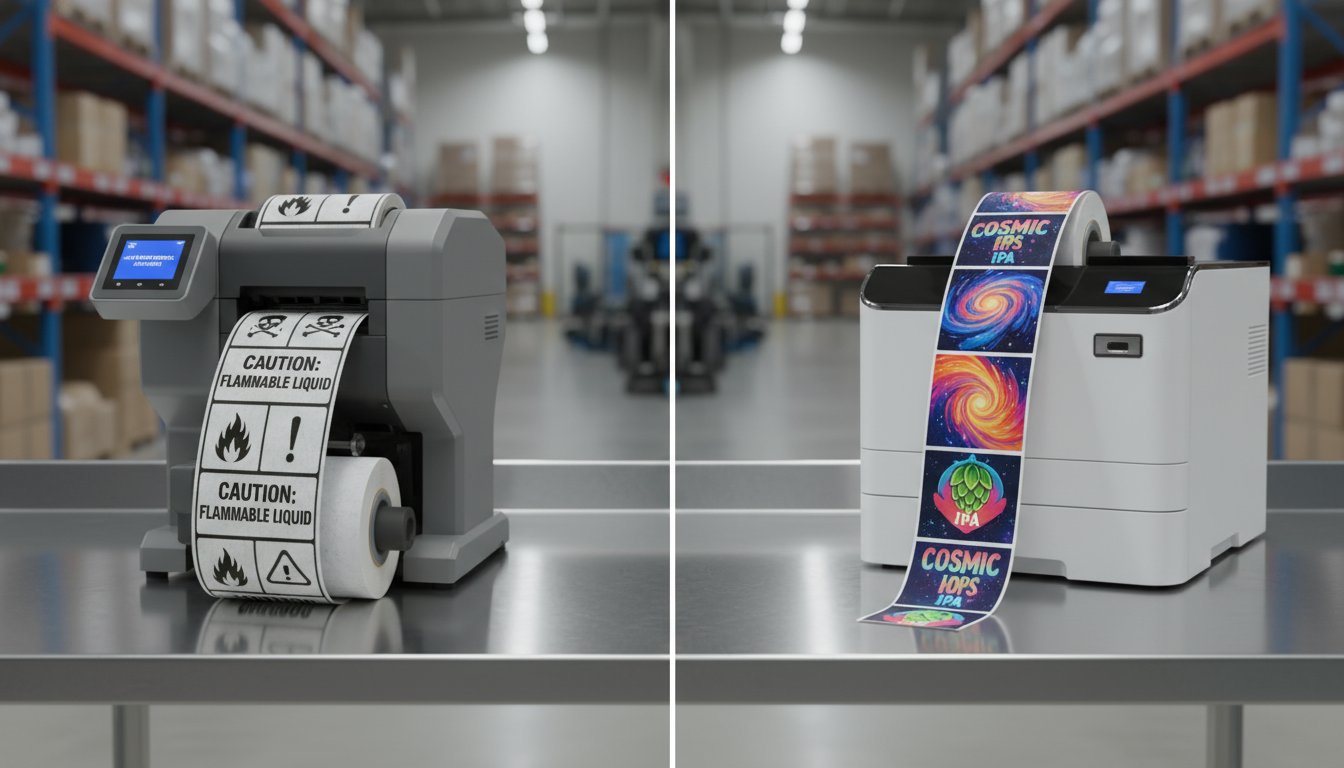
Table of Contents
The 8-Inch Label Printing Showdown: Epson C6500 vs. Afinia L502
Choosing the right 8-inch wide-format inkjet label printer is a critical decision for any business that needs to produce large product, chemical, or shipping labels. These printers represent a significant investment in your production line. Two of the top contenders in this category are the Epson ColorWorks C6500 and the Afinia L502. While both are excellent machines, they are built on different philosophies.
The Epson C6500 comes from a long line of industrial printers, built for unwavering reliability in demanding environments. In contrast, the Afinia L502 brings a unique value proposition to the table: its "Duo Ink" system, which offers unparalleled versatility for businesses with diverse labeling needs.
Key Specifications at a Glance
-
Maximum Print Width: Both printers handle media up to 8 inches wide, making them ideal for large-format applications like pail and drum labels.
-
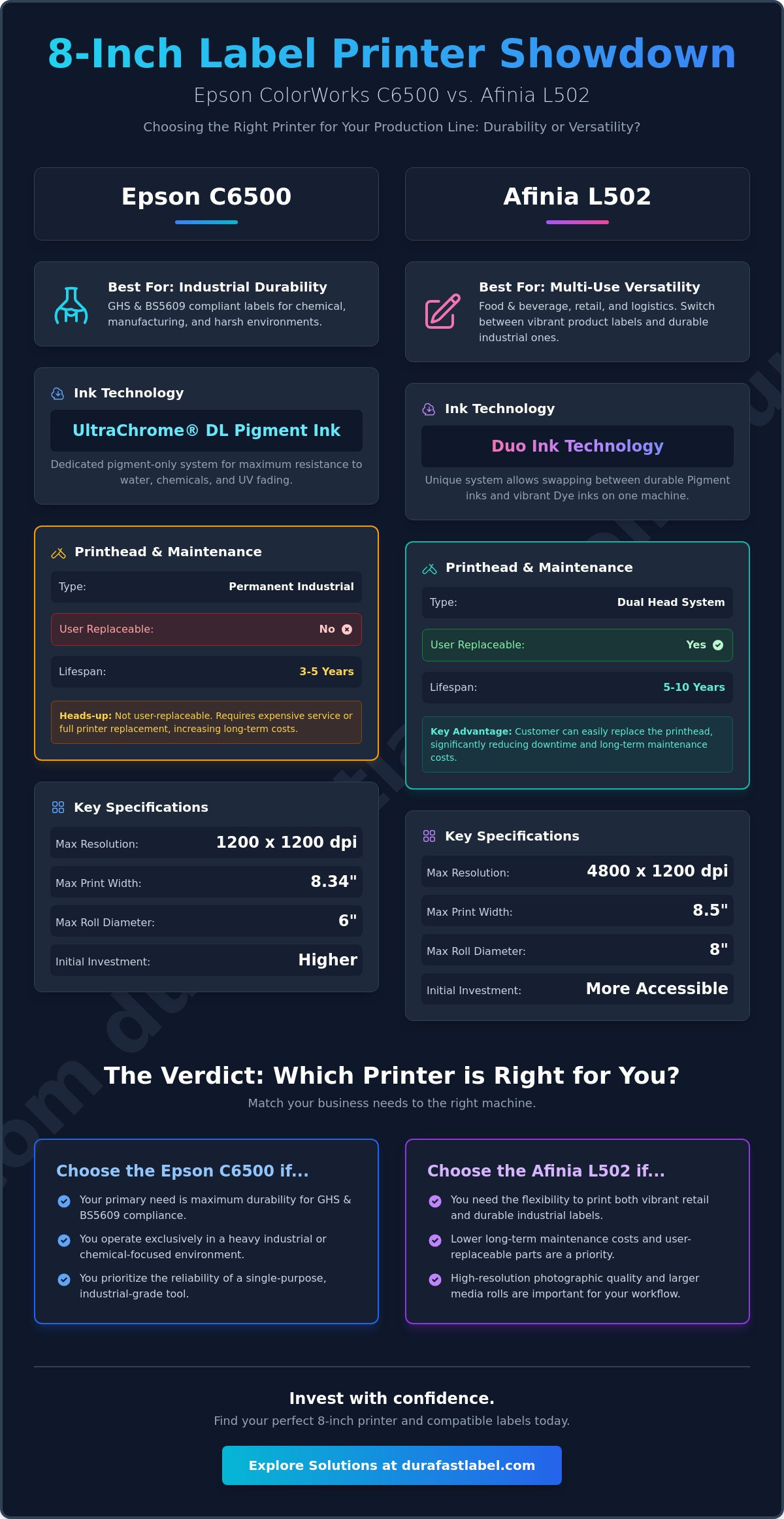
Print Resolution: The Epson C6500 offers a crisp 1200 x 1200 dpi resolution. The Afinia L502 pushes this further, delivering up to 4800 x 1200 dpi, which can be a significant advantage for labels with fine text or intricate graphics.
-
Hardware Cost: While pricing fluctuates, the initial hardware investment for both models is comparable, placing the focus squarely on features, ink technology, and long-term operational costs.
Target Markets for 8-Inch Printers
-
Chemical and Industrial Manufacturing: Businesses in this sector require durable, GHS-compliant labels that can withstand harsh conditions.
-
Food and Beverage: Ideal for secondary packaging, case labels, and large gourmet food product labels that need to stand out on the shelf.
-
Logistics and Warehousing: Perfect for creating large, color-coded pallet labels and shipping notifications on demand.
Ink Technology: Pigment vs. Dye and the "Duo Ink" Advantage
The most significant difference between the Epson C6500 and the Afinia L502 lies in their ink technology. This single factor will likely be the deciding one for your business, as it directly impacts label durability, color vibrancy, and regulatory compliance.
Epson ColorWorks C6500: Built for Durability
The C6500 uses Epson's UltraChrome DL pigment ink exclusively. This is not a limitation but a deliberate design choice for industrial applications. Pigment ink particles sit on top of the label media and are encapsulated in resin, making them highly resistant to water, UV light, scuffing, and chemicals.
-
Unmatched Durability: For outdoor applications or labels that will be exposed to harsh chemicals, pigment ink is non-negotiable.
-
BS5609 Compliance: When paired with the right media, such as BS5609 compliant labels, the C6500 is the go-to solution for GHS chemical drum labeling.
-
Workflow Simplicity: A pigment-only system is a "set it and forget it" solution, ensuring consistent, durable output on every print run without changing inks or settings.
Afinia L502: The Versatility King
The Afinia L502 features a groundbreaking Duo Ink system, allowing you to switch between dye and pigment inks by simply swapping the ink cartridges and the printhead. This gives you two printers in one, adapting to your specific job requirements.
-
Vibrant Prime Labels: Use Afinia L502 dye inks to produce stunning, high-gloss product labels with incredible color "pop" that grabs customer attention on a retail shelf.
-
Durable Industrial Labels: Switch to the pigment ink set to print robust, water-resistant shipping, warehouse, or GHS-compliant labels that need to endure tough conditions.
-
Two-in-One Functionality: This versatility is perfect for businesses that have both retail product lines and industrial shipping needs, saving the cost and space of a second printer.
Production Speed and Mechanical Reliability
Print speed and build quality are crucial in a production environment. Downtime is not an option, so understanding how these printers perform under pressure is key.
Throughput and Speed Comparison
The Epson C6500, with its PrecisionCore printhead, delivers a consistent speed of up to 5 inches per second (ips) at high-quality settings. It's designed for steady, reliable output over long runs. The Afinia L502's speed varies depending on the ink type and quality mode, but it is highly competitive and excels in on-demand environments where the first label out time is critical.
Industrial Build Quality and Footprint
Epson is known for its rugged, industrial build quality. The C6500 features a heavy-duty metal chassis designed to withstand the rigors of a factory floor. The Afinia L502 has a more compact, desktop-friendly design but is still built to industrial-grade standards suitable for warehouse or back-office production. A key mechanical difference is the Epson's optional peel-and-present mechanism, which is a major workflow advantage for apply-on-the-fly operations, whereas the L502 comes standard with a reliable automatic cutter.
A critical long-term consideration is the printhead. The Epson's PrecisionCore printhead is a permanent component designed for a long life but requires an expensive service call for replacement. The Afinia L502 features a user-replaceable printhead, which significantly lowers the total cost of ownership and minimizes potential downtime years into the printer's life.
Operational Costs: Cartridges, Media, and Software
Calculating the true cost of ownership goes beyond the initial hardware price. Ink consumption, media costs, and potential maintenance all play a major role.
Ink Consumption and Total Cost of Ownership
Both printers use individual CMYK ink cartridges, which is more efficient than tri-color cartridges as you only replace the color that runs out. The Epson C6500 uses 80ml cartridges. The Afinia L502 uses larger individual tanks, which can mean fewer swaps during large print jobs. While the cost-per-label for a standard print job is competitive between both models using pigment ink, the L502 gains a significant advantage in long-term total cost of ownership. The ability to replace the printhead yourself eliminates the risk of a multi-thousand-dollar service fee that could be required for the C6500 after its warranty period.
Media Compatibility and Availability
The quality of your labels is only as good as the media you print on. Using materials specifically designed for your printer's ink type is essential for performance and cost-efficiency. Both printers have a wide range of compatible media available.
-
Epson C6500: A vast selection of Epson C6500 labels are available, including matte, high-gloss, and BS5609-certified chemical stocks.
-
Afinia L502: It's crucial to source the correct Afinia L502 labels for each ink type—using a dye-receptive label with pigment ink (or vice-versa) will result in poor quality and wasted supplies.
Both printers are fully compatible with industry-leading software like BarTender Professional, allowing for seamless integration into existing inventory and production workflows.
The Verdict: Which 8-Inch Printer Wins for Your Business?
There is no single "winner" in this comparison. The best printer is the one that aligns with your specific business needs, workflow, and long-term goals.
Choose the Epson C6500 If...
-
You require a dedicated, "set it and forget it" pigment-only printer for maximum workflow simplicity and GHS compliance.
-
Your operations demand 24/7 industrial reliability and a heavy-duty metal chassis.
-
You need advanced features like ZPL II emulation to integrate directly into existing Zebra thermal printer workflows.
Choose the Afinia L502 If...
-
You need the versatility to print both vibrant, high-gloss retail labels and durable, pigment-based shipping or GHS labels.
-
You want the highest possible resolution (4800 dpi) for intricate graphics or very small text.
-
You are focused on a lower total cost of ownership, valuing the user-replaceable printhead for long-term savings and minimal downtime.
Next Steps with DuraFast
The best way to make a final decision is to see the results for yourself. Our team of experts is here to help you navigate the options and find the perfect fit for your production needs.
-
Request a printed sample kit to compare the output from both models directly.
-
Consult with our specialists on the long-term ROI of an in-house color label printer.
-
Explore our full inventory of 8-inch printers and supplies to equip your business for success.
Frequently Asked Questions (FAQ)
Is the Epson C6500 better than the Afinia L502 for GHS labels?
The answer to this question is no. Both the C6500 and Afinia L502 produce the same quality of GHS labels. However since the Afinia L502 can print up to 4800 dpi, it will print better quality in regards to graphics and small text.
Can I use dye ink in the Epson C6500?
No, the Epson C6500 and its PrecisionCore printhead are designed exclusively for use with Epson's UltraChrome DL pigment inks to ensure maximum durability and reliability.
How often do I need to replace the printhead on the Afinia L502?
The Afinia L502 printhead is a consumable part, but it is designed for a long life, typically lasting for many thousands of labels. The exact lifespan depends on usage, ink type, and maintenance. Because it's user-replaceable, you can keep a spare on hand to eliminate downtime.
Which printer has a lower total cost of ownership?
The Afinia L502 will have a lower ownership cost since you can change its printhead as needed. The Epson C6500 after three years will require Epson service to replace printheads and it will be in the thousands of dollars.
Is BarTender software compatible with both the C6500 and L502?
Yes, both the Epson C6500 and Afinia L502 are fully compatible with BarTender Label Design Software , allowing for easy integration into professional labeling workflows.
What is the maximum roll diameter for the Epson C6500?
The Epson C6500 can handle label rolls with a maximum outside diameter of 8 inches, which is ideal for high-volume, continuous printing operations.