Barcode Scanner Scan Technology: Comparing 1D, 2D, and Mobile Solutions in 2026
18th Jun 2026
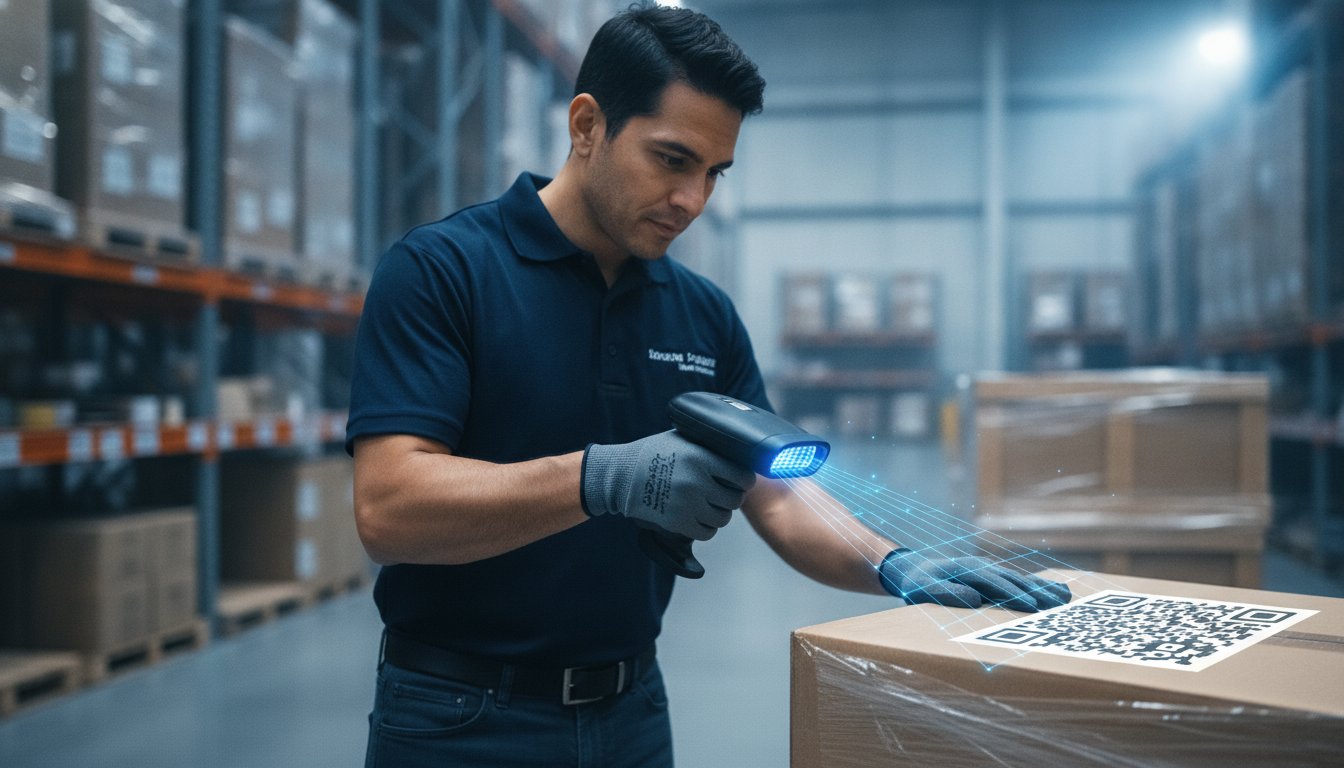
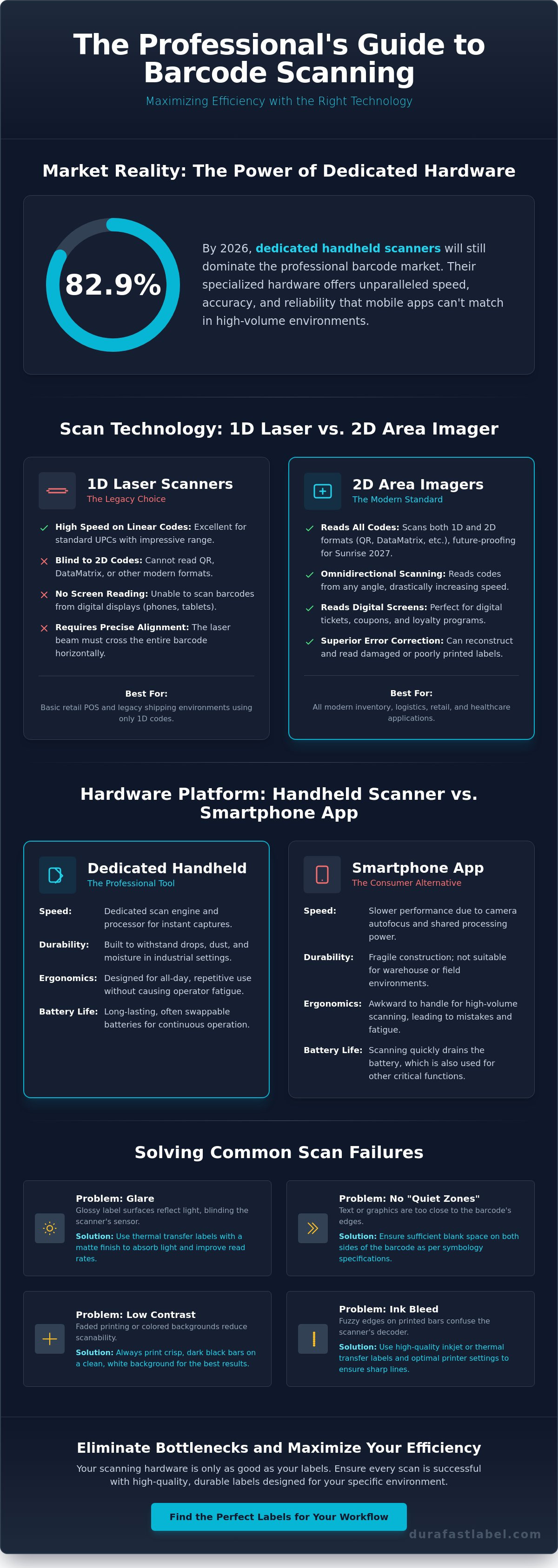
Did you know that 82.9% of the barcode market in 2026 is still dominated by dedicated handheld devices, even as mobile apps gain ground? It's a clear sign that specialized hardware leads the way for professional accuracy and speed. We know how frustrating it is when a barcode scanner scan fails because of a damaged label or a compatibility issue between older 1D and newer 2D formats. You need equipment that keeps the line moving, not something that creates a bottleneck in your warehouse or retail floor.
Choosing the right technology doesn't have to be a headache. Whether you're adapting to the new 12-digit FDA drug code formats or preparing for the Sunrise 2027 retail transition, the right scanner makes all the difference. This article explores the technical trade-offs between 1D lasers, 2D area imagers, and mobile solutions to ensure your data entry remains error-free. We'll compare speed, durability, and software integration so you can find the perfect match for your business workflow. By the end, you'll know exactly which scanning method will maximize your efficiency and scale with your future operations.
Key Takeaways
- Master the technical shift from 1D lasers to 2D area imagers to ensure your hardware handles modern DataMatrix and QR formats.
- Compare the high-speed performance of dedicated handheld engines against smartphone cameras to choose the right tool for your volume.
- Identify the environmental root causes behind failed scans, such as glare or low contrast, to eliminate warehouse bottlenecks.
- Learn how to optimize your barcode scanner scan results by aligning label design best practices with your inventory software.
- Discover why ergonomic hardware remains the professional choice for preventing fatigue during intensive inventory processing.
Understanding the Barcode Scanner Scan Process
Every time you pull the trigger, a complex sequence of events happens in milliseconds. A barcode scanner scan isn't just a flash of light; it's a sophisticated data capture cycle. It begins with illumination and ends with a string of text appearing on your screen. This process relies on three critical components: the light source, the sensor, and the internal decoder. Think of it as a high-speed conversation between light and logic that transforms a physical label into digital information.
The sensor acts as the bridge between the physical and digital worlds. Whether your device uses a CCD or a CMOS chip, it measures the light reflected back from the label. Dark bars on the barcode absorb the light, while the white spaces reflect it. This creates a specific waveform that the internal decoder interprets. For those interested in the physics behind these devices, exploring Barcode reader technology reveals how these sensors have evolved from simple light-sensing pens to the high-resolution cameras we use in 2026.
The Anatomy of a Professional Scanner
Professional hardware is built for speed and reliability. The light source, typically LEDs or lasers, provides the necessary brightness to create sharp contrast. The lens assembly then focuses this light, ensuring the sensor gets a clear image even if the label is small or slightly out of focus. Finally, the internal processor handles the heavy lifting. It uses advanced algorithms to reconstruct data from damaged labels and transmits it to your system instantly. This dedicated processing power is why devices like Datalogic barcode scanners outperform general-purpose mobile devices in high-volume environments.
How Contrast and Symbology Affect Scan Speed
A successful barcode scanner scan depends heavily on the quality of your labels. High contrast is the gold standard; black bars on a crisp white background provide the cleanest signal for the sensor. You also need to respect the "quiet zones." These are the blank spaces on either side of the barcode that tell the scanner where the data begins and ends. Without these zones, the decoder can't distinguish the barcode from other text or graphics on the package.
Surface finish plays a huge role in your daily efficiency. While gloss might look attractive, it often creates glare that "blinds" the scanner's sensor. Using thermal transfer labels with a matte finish can significantly improve read rates. If you're using inkjet labels, it's vital to ensure your printer settings prevent ink bleed. Even a tiny amount of "fuzziness" on the edge of a bar can confuse a high-speed decoder, leading to frustrating delays and manual data entry.
1D Laser vs. 2D Area Imagers: Which Scan Technology Wins?
While laser scanners were the industry standard for decades, area imagers have quickly taken the lead. Choosing between them depends on your specific environment and the labels you print. A laser-based barcode scanner scan is incredibly fast for linear codes, but it lacks the flexibility required for modern digital workflows. Understanding the physical hardware differences helps you decide if you should stick with tradition or upgrade to something more versatile.
Laser Scanning: Precision for 1D Codes
Laser scanners use a reciprocating mirror to sweep a beam of light across a barcode. They're excellent for standard UPC codes and offer impressive range, sometimes reading labels from several feet away. However, they have significant limitations. They're "blind" to 2D codes like QR or DataMatrix. Since lasers rely on reflection from a physical surface, they also can't read barcodes from a smartphone or tablet screen. This makes them less ideal for modern loyalty programs or digital ticketing. They're best suited for retail point-of-sale and standard shipping environments where 1D labels are the only requirement.
2D Area Imaging: The Modern Standard
2D area imagers work like a high-speed digital camera. Instead of a single beam, they take a tiny photograph of the code. An internal processor then "looks" at the image to decode the data. This technology enables omnidirectional scanning. You don't have to align the scanner perfectly with the bars. You can scan from any angle, which significantly speeds up high-volume tasks. Area imagers also handle damaged or poorly printed labels much better than lasers. An imager's software can often reconstruct missing data during the barcode scanner scan cycle, whereas a laser beam might fail if a single bar is smudged.
Data density is the biggest differentiator for 2026. 1D barcodes are typically limited to about 20 to 25 characters. In contrast, 2D codes can hold thousands of characters. This allows you to include batch numbers, expiration dates, and even web links on a single small label. This capacity is vital for meeting the Sunrise 2027 retail mandate, which requires all point-of-sale systems to be 2D-capable by the end of 2027. Most businesses are migrating to 2D hardware now to avoid being left behind. If you're unsure which technology fits your current label inventory, it's helpful to speak with a labeling expert to audit your workflow.
Handheld Hardware vs. Mobile Apps: Professional Realities
Many teams wonder if they can simply use their existing smartphones for inventory management. While mobile apps have improved, they often struggle in high-stakes environments. A dedicated barcode scanner scan happens instantly because the hardware is built for one specific job. Smartphones rely on general-purpose cameras that must find focus, adjust for ambient light, and then process the image through software. This delay might seem small, but it becomes a major bottleneck when your team processes hundreds of items per hour.
Ergonomics and durability are where the gap truly widens. Industrial devices, such as Datalogic barcode scanners, feature pistol grips and physical trigger buttons to reduce repetitive strain. They often carry high IP ratings, meaning they're protected against dust and water ingress. If you drop a smartphone on a concrete warehouse floor, it's likely finished. A ruggedized scanner is built to survive those repeated drops and keep working. Battery life is another critical factor. Dedicated hardware is designed for full 8 to 12 hour shifts. A smartphone running a camera and a high-brightness screen will likely die long before the shift ends.
When Mobile Apps Make Sense
Mobile apps are perfect for low-volume, non-critical tasks. If you're doing occasional price checks or a small office audit, a phone is a cost-effective choice. It allows you to utilize hardware your employees already carry without a large upfront investment. However, these apps often struggle with high-density barcodes or low-light conditions. They're an excellent secondary tool for non-critical scans, but they rarely replace a primary workstation device in a professional setting.
While professional imaging technology is standard for inventory, it also plays a key role in the event industry. For instance, 360 Photo Booth Rental Los Angeles uses specialized high-speed cameras and software to create immersive 360-degree video experiences for corporate and private events.
The ROI of Dedicated Handheld Scanners
The return on investment for dedicated hardware comes from pure throughput. Saving just one or two seconds per barcode scanner scan can save your team dozens of labor hours every month. These devices also offer seamless software integration. They typically act as a "keyboard wedge," sending data directly into your ERP or inventory software without the need to switch between different apps. They remain reliable on glossy inkjet labels or curved surfaces where a smartphone camera might fail to lock on. When you prioritize speed and error-free entry, specialized hardware is the clear winner.
Common Scanning Challenges and How to Solve Them
A failed scan stops your workflow cold. We call it the "No Scan" nightmare. It's frustrating for operators and expensive for the business. When a barcode scanner scan fails, your team has to stop, troubleshoot, and likely enter data manually. Most of these "no-read" errors stem from environmental factors or poor print quality rather than hardware failure. Identifying the root cause is the first step toward a seamless, high-speed workflow.
Print Quality and Scan Reliability
Print quality is the silent partner of scan reliability. If the edges of your bars are fuzzy or the ink has bled, the decoder can't find a clean pattern. High-resolution printers like the Epson ColorWorks C6000A prevent these issues by delivering sharp, crisp lines every time. It's also vital to match your materials. Using the right inkjet labels ensures the ink sets quickly without spreading. For industrial environments where labels face abrasion, thermal transfer ribbons are essential. They create a resin-based bond that resists smudging and chemicals, keeping your codes readable in the toughest conditions.
Physical Obstacles to a Perfect Scan
Physical geometry often gets in the way of a perfect barcode scanner scan. Barcodes on small vials or rounded tubes present a specific challenge because the curvature distorts the bars. Modern 2D imagers handle this best by capturing a full "picture" and flattening it digitally. Distance is another common hurdle. If your team scans from a forklift to a high rack, you need extended-range hardware. Standard scanners often fail beyond a few feet, leading to wasted time. Consider these physical factors when choosing your gear:
- Curvature: Use 2D imagers for small, rounded items to compensate for distortion.
- Distance: Select extended-range engines for warehouse racking and high-shelf inventory.
- Motion Tolerance: Choose global shutter sensors for items moving quickly on conveyor belts to prevent motion blur.
Don't overlook your environment. Glare from overhead warehouse lights can reflect off glossy labels, "blinding" the scanner's sensor. Switching to a matte label finish or adjusting the scan angle usually solves this. In low-light areas, scanners with powerful built-in LED illumination are necessary to provide the contrast the sensor needs. If you're struggling with persistent read errors and can't find the cause, contact our technical team for a professional hardware and label audit.
Optimizing Your Workflow: From Label Design to Scan
Efficiency starts long before a label reaches the warehouse floor. A high-quality barcode scanner scan is the final step in a well-planned ecosystem where software, printers, and media work in perfect harmony. If your label layout is cluttered or ignores industry standards, even the most advanced imager will struggle to capture data. You must map your scan data directly to your inventory fields to ensure a seamless bridge between the physical item and your digital records. This integration reduces the friction between receiving a shipment and updating your stock levels.
Choosing a complete ecosystem involves more than just buying a device. It's about selecting hardware, software, and media that are tested to work together. When these components are aligned, you avoid the common pitfalls of mismatched technology, such as scanners that can't read high-density labels or ink that smudges before it's processed. By treating your labeling process as a single, unified system, you transform a functional business necessity into a stress-free competitive advantage.
Designing with BarTender Professional
BarTender Professional software serves as the brain of your labeling operation. It ensures your symbology remains compliant with global standards like GS1 or GHS right at the design stage. By using data-driven barcodes, you can pull information directly from your existing database. This eliminates manual entry errors and automates the creation of serial numbers for precise item tracking. When your software handles the technical details of barcode generation, your workflow stays fast and predictable. It's the simplest way to ensure your labels are always ready for a successful scan.
Selecting Your Industrial Hardware
Capturing data reliably also depends on the quality of the print. High-volume operations need industrial barcode printers that maintain sharp edge definition during long production runs. These machines are engineered for precision; they ensure every barcode is perfectly formed for your hardware to interpret. A crisp, high-contrast label is the best defense against the "no-scan" errors that slow down your team.
Finally, you must match your Datalogic scanners to the specific realities of your environment. Consider the lighting in your facility and the physical distance between your staff and the inventory. Before you roll out a new system, use this final checklist to ensure your barcode scanner scan stays efficient:
- Symbology Support: Does your scanner support the specific 1D or 2D codes you've designed?
- Print Resolution: Is your printer delivering the DPI needed for small or high-density barcodes?
- Media Compatibility: Does your label material (matte, gloss, or synthetic) work with your scanner's illumination system?
By choosing a vetted ecosystem of hardware and software, you move away from high-pressure troubleshooting toward long-term operational peace of mind. Every piece of equipment should value your time and simplify your decision-making process.
Future-Proof Your Scanning Workflow Today
Success in 2026 requires a barcode scanner scan that is both fast and reliable. As we've explored, the transition to 2D area imagers is no longer optional if you want to meet upcoming retail mandates and handle high-density data. While mobile apps offer a budget-friendly entry point, they can't match the rugged durability or the ergonomic comfort of industrial hardware for full-shift operations. A truly efficient system combines specialized labels, high-resolution printing, and professional-grade decoding software to ensure your data entry remains error-free.
We're here to help you navigate these technical choices with ease. As an authorized distributor of Datalogic and Zebra hardware, we provide the expert support you need for seamless BarTender Professional integration. Whether you require specialized labels for harsh industrial environments or high-volume thermal printers, our team has the vetted selection to simplify your decision-making process. Browse our selection of Datalogic Barcode Scanners and Industrial Printers to find the right fit for your business. Let's work together to eliminate warehouse bottlenecks and bring total reliability to your operations. You're ready to take the next step toward a more efficient workflow.
Frequently Asked Questions
Can a 1D scanner read a QR code?
No, a 1D laser scanner cannot read a QR code. These traditional devices use a single beam of light to measure the width of linear bars in a row. Since QR codes are two-dimensional patterns, they require an area imager to capture the entire square. If your business is moving toward QR codes for data density, you'll need to upgrade to 2D hardware.
Why is my barcode scanner not scanning certain labels?
Most scanning failures happen because of low contrast, physical damage, or technical incompatibility. If the label is smudged, torn, or printed on a glossy surface that creates glare, the sensor can't distinguish the bars from the background. Additionally, a 1D scanner won't work on 2D codes. Ensuring your barcode scanner scan is successful often requires switching to matte labels or high-resolution printers that prevent fuzzy edges.
What is the difference between a CCD and a Laser scanner?
Laser scanners use a moving beam to read barcodes from a distance, while CCD (Charge-Coupled Device) scanners act like a tiny digital camera. CCD scanners are often more durable because they have no moving parts, but they typically require you to be much closer to the label. Lasers are better for warehouse racking, while CCD technology is common in budget-friendly retail environments where close-range scanning is the norm.
How far away can a barcode scanner scan a label?
Scan distance depends entirely on the scanner's engine and the size of the barcode. Standard range scanners usually work from a few inches up to three feet away. However, specialized extended-range industrial models can read large labels from 50 to 70 feet away. Keep in mind that high-density, small barcodes generally require the scanner to be much closer to the target for an accurate read.
Do I need special software to use a handheld barcode scanner?
Most professional handheld scanners don't require special software for basic data entry. They utilize a "keyboard wedge" interface, which means your computer treats the scanner as a standard keyboard. When you pull the trigger, the data appears wherever your cursor is blinking. However, you'll need design software like BarTender Professional if you want to generate, manage, and print your own custom barcodes for inventory tracking.
Can I scan barcodes from a computer or phone screen?
You can only scan barcodes from a screen if you use an area imager. Traditional laser scanners rely on light reflection from a physical surface, which doesn't work on backlit LCD or LED displays. If your workflow involves digital loyalty cards, mobile boarding passes, or digital coupons, you must use 2D imaging technology to capture those codes successfully from a mobile device or monitor.
How do I clean my barcode scanner lens for better performance?
Clean your scanner lens using a clean, dry microfiber cloth to remove dust and fingerprints. For stubborn smudges, you can use a small amount of mild glass cleaner or isopropyl alcohol applied to the cloth first. Never spray liquid directly onto the scanner glass. Keeping the lens clear ensures your barcode scanner scan remains fast and accurate, which prevents frustrating delays and manual data entry during busy shifts.
What is a 2D area imager and why is it better than a laser?
A 2D area imager is a camera-based scanner that captures a full image of the barcode and decodes it using advanced software. It's superior to a laser because it offers omnidirectional scanning; you don't have to line up the beam perfectly with the bars. It also handles damaged or poorly printed labels more effectively and is compatible with every type of barcode, making it the most future-proof choice for 2026.