Desktop Color Label Printer: The 2026 Guide to In-House Production
3rd Jul 2026
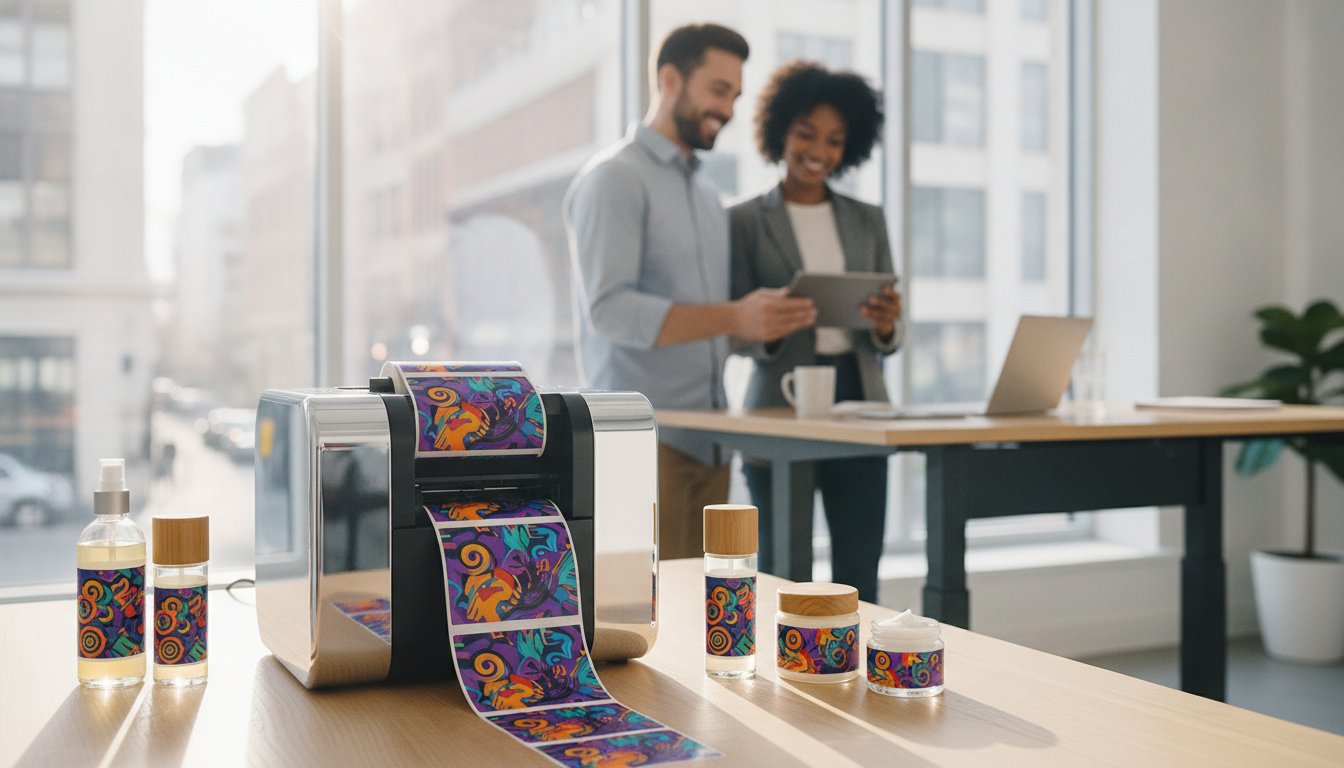
Nearly 68% of brands now require variable data printing to keep up with shifting market demands, yet many businesses still rely on expensive third-party vendors for their packaging. You've likely dealt with the headache of inventory waste when pre-printed labels become obsolete overnight due to a minor regulation change. It's frustrating to watch your profits disappear into a recycling bin just because a single ingredient list updated or a barcode needed a tweak.
Bringing production in-house with a desktop color label printer eliminates these delays and puts you back in charge of your brand's visual identity. We understand that technical terms like dye versus pigment ink can feel overwhelming when you simply want a clear, professional result. This 2026 guide simplifies the selection process. We'll show you how to choose a reliable system that slashes your costs, reduces waste, and ensures your products always look their best on the shelf. We've vetted the latest technology so you can make a confident decision for your business.
Key Takeaways
- Learn how to eliminate minimum order quantities and slash third-party costs by switching to on-demand, in-house production.
- Understand the differences between aqueous inkjet and high-speed Memjet technologies to ensure your product branding remains vibrant and professional.
- Determine if the footprint and duty cycle of a desktop color label printer align with your daily volume and office space constraints.
- Discover how to select the ideal media, including matte and synthetic options, to match your specific product environment and durability needs.
- Get expert advice on organizing your workspace and choosing the right design software to streamline your entire labeling workflow.
What is a Desktop Color Label Printer and Why Switch in 2026?
A desktop color label printer is a compact, high-resolution system that uses inkjet or laser technology to produce professional labels directly at your facility. It's a far cry from the bulky industrial presses of the past. Modern units fit easily on a standard desk or shipping table. In 2026, the global market for these inkjet systems is projected to reach $196 million, reflecting a massive shift toward localized production. Businesses are moving away from massive print runs because the market demands flexibility. These machines represent the latest chapter in the history of printing technology, offering small businesses the same quality once reserved for major corporations.
The Problem with Traditional Label Outsourcing
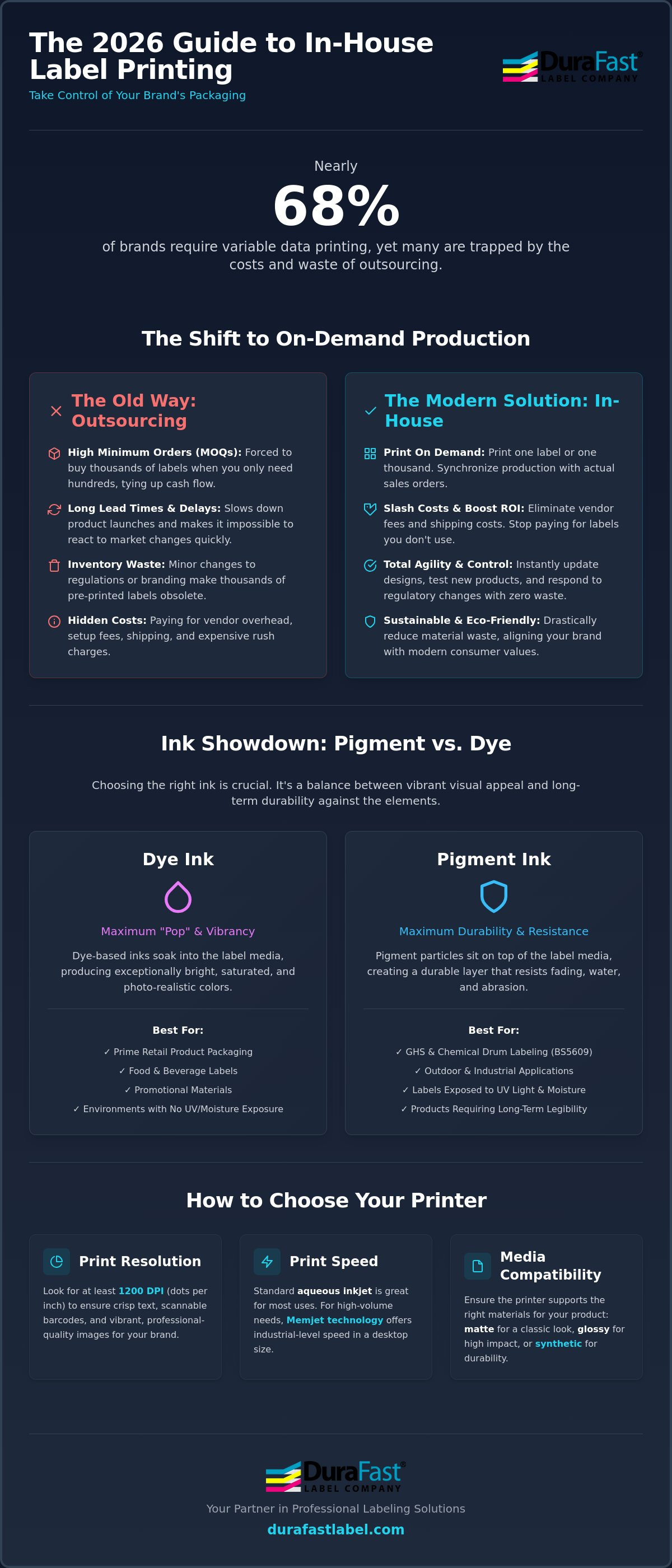
Outsourcing often forces you into high Minimum Order Quantities (MOQs). You might only need 200 labels for a seasonal candle, but the vendor requires a purchase of 5,000 to give you a decent price. This ties up your cash flow in inventory that might sit on a shelf for months. Lead times and shipping delays also slow down your ability to get products to market. If a regulation changes or you update your logo, those thousands of pre-printed labels become instant trash. On-demand printing allows you to synchronize your label production with your actual order volume, ending the cycle of throwing away obsolete stock.
The ROI of In-House Label Production
Switching to an in-house model provides a clear financial advantage over a 12-month period. You'll stop paying for the vendor's overhead, setup fees, and shipping costs. You gain the freedom to print exactly what you need, whether that's one label for a prototype or 1,000 for a busy weekend. This agility is essential for rapid prototyping and testing new product variations without financial risk. By learning how to print your own product labels, you gain total control over your schedule and your branding.
Investing in your own desktop color label printer also helps you avoid the hidden rush fees often charged by external printers when you need a fast turnaround. Beyond the direct savings, there are environmental benefits to consider. Printing on demand significantly reduces material waste since you're no longer discarding thousands of outdated labels. It's a more sustainable approach that aligns with modern consumer expectations for eco-friendly business practices. You'll use less energy, less paper, and fewer shipping resources every single month.
Inkjet vs. Laser: Choosing the Right Printing Technology
Selecting the right desktop color label printer depends entirely on where your products will end up. Aqueous inkjet technology is the current industry standard for vibrant, high-resolution branding. It produces the rich, photographic-quality colors that make products stand out on a crowded retail shelf. If your business requires extreme speed for high-volume batches, Memjet technology has changed the game. It offers industrial-level throughput while maintaining a compact desktop footprint. While inkjet dominates the market, toner-based laser systems remain a specialized choice for specific outdoor applications or environments requiring extreme heat resistance.
Print resolution is a critical factor for both aesthetics and functionality. High-resolution models, like the Epson ColorWorks CW-C4000, deliver up to 1200 dpi. This ensures that even the smallest legal text and complex barcodes remain crisp and scannable. An academic analysis of printing technologies from Clemson University highlights how digital inkjet systems have become the preferred choice for businesses needing this high-fidelity output without the massive setup costs of traditional presses. It's all about getting professional results without the industrial price tag.
Pigment Ink vs. Dye Ink: The Durability Debate
Dye ink is the go-to for maximum color "pop" and saturation. It's perfect for prime retail packaging where visual appeal is the primary goal. Pigment ink is built for endurance. It offers superior resistance to UV fading, moisture, and heavy handling. If your labels must meet BS5609 compliance for maritime shipping or chemical safety, you'll need a specific combination of pigment ink and certified synthetic media. This ensures the label stays attached and legible even after immersion in salt water or exposure to harsh chemicals.
Matching Technology to Industry Needs
Your industry dictates which hardware will serve you best. Food and beverage producers typically favor high-resolution inkjet to create appetizing, photographic visuals for their packaging. In contrast, chemical and industrial manufacturers prioritize pigment-based systems to ensure GHS compliance and long-term durability. You can explore a wide variety of inkjet labels to find the exact material that complements your chosen ink type. If you're having trouble deciding which technology fits your specific environment, consult with our team for a personalized media compatibility check.
Desktop Color Label Printer vs. Industrial Models
Choosing between a desktop color label printer and an industrial press isn't just about speed. It's about finding the right tool for your specific workflow. Desktop models are designed for agility. They feature a compact footprint that fits perfectly in retail back-offices, small warehouses, or laboratories where space is at a premium. Unlike their industrial counterparts, these units don't require a dedicated floor space or heavy-duty benches. They're built to be accessible, allowing any team member to load media and start a print job with minimal training.
Duty cycle is the most significant differentiator. A desktop unit is typically rated for short-to-medium production runs. If you're printing a few hundred to a few thousand labels a day, a desktop system is your most efficient choice. Industrial models are engineered for 24/7 operation and can handle tens of thousands of labels without breaking a sweat. Media capacity also varies. Desktops usually hold smaller internal rolls to keep the machine size down. If you need to run larger batches, many desktop users add an external unwinder to accommodate larger "industrial-sized" label rolls, effectively bridging the gap between the two categories.
When to Stay Desktop
Stick with a desktop system if your daily volume stays under 5,000 labels. These machines are ideal for businesses with high SKU counts but lower individual quantities per SKU. They excel in environments where you need to switch label sizes or materials frequently throughout the day. The Epson ColorWorks C6000A is a perfect example of a desktop-to-industrial bridge. It offers the durability and speed of an industrial machine while maintaining the user-friendly interface and size of a desktop unit.
When to Move to Industrial
You should consider moving to an industrial model if your production never stops. High-volume manufacturing environments require the rugged internal components found in larger presses. Another factor is label width. While most desktop models are limited to a 4-inch or 6-inch width, industrial units can easily handle 8-inch wide labels for large chemical drums or shipping pallets. If your business has outgrown the capacity of a standard workstation, check out our industrial label printer roundup to find a solution built for heavy-duty output.
Key Criteria for Evaluating Your Desktop Printer
Choosing a desktop color label printer requires looking past the initial purchase price. You need to evaluate how the machine performs under the pressure of a real production day. Manufacturers often highlight "inches per second" (IPS) as the primary speed metric, but you should focus on real-world throughput. Throughput accounts for the time the printer takes to process a file and start the first label. A high IPS rating doesn't help if the machine pauses frequently to "think" between labels. You also need to consider label width. Most standard desktop units cap out at 4 inches. If your packaging requires larger graphics or wrap-around designs, you'll need to look for specialized wider models that can handle 6-inch or 8-inch media.
Understanding Total Cost of Ownership
A cheaper printer often leads to higher long-term ink costs. Entry-level models frequently use tri-color tanks where all colors are housed in a single unit. If you run out of yellow, you're forced to discard the entire tank, even if there's plenty of cyan and magenta left. Professional systems use individual ink cartridges for each color, ensuring you only replace what you actually use. It's a much more sustainable and cost-effective approach for high-volume production. Utilizing ink cost calculators helps predict monthly operational expenses by providing an accurate estimate of ink usage based on your specific label designs.
Connectivity is another critical factor for a modern workflow. While a simple USB connection works for a single workstation, Ethernet is essential if you want to share the printer across your local network. Many businesses now require wireless capabilities to print directly from tablets or mobile devices on the warehouse floor. You don't want your production line to stall because of limited physical connections or a lack of network flexibility.
Software and Integration
Your hardware's performance is tied to the software you use to design and manage your files. Ensure your chosen model is compatible with industry-standard tools like BarTender Professional. This software allows you to manage complex data, such as serialized barcodes and nutrition facts, with ease. Driver installation should be seamless across both Windows and Mac environments to avoid technical bottlenecks. To maintain the best results, always use high-quality consumables like Epson inks that are designed to work with your specific printhead technology. If you're ready to see how these specs translate to your specific business needs, contact our team for a personalized cost-per-label analysis today.
Implementing Your In-House Labeling Solution
Successfully installing a desktop color label printer is about more than just finding a clear spot on a desk. You need a dedicated workspace that prioritizes efficiency and environmental stability. Inkjet technology is sensitive to extreme temperatures and high humidity, which can affect how ink dries on the surface of your labels. Set up your station in a climate-controlled area with enough room for a computer, the printer, and a clean surface for handling finished rolls. Keeping your supplies organized ensures that your production line never misses a beat during a busy shift.
Training your team is the next vital step for long-term success. Most modern systems are designed for simplicity, but basic maintenance is still required to keep them in peak condition. Teach your staff how to perform routine printhead cleanings and how to swap out media rolls without damaging the internal sensors. A well-trained team reduces the risk of accidental downtime and ensures that every label meets your brand's quality standards. DuraFast Label Company supports this transition by providing the specialized supplies and technical guidance you need to keep your equipment running smoothly year after year.
The Importance of Matched Media
Choosing the right material is just as important as choosing the hardware. Using the wrong label stock can lead to smudging, poor color reproduction, or even physical damage to your printheads. Glossy synthetic materials offer a premium look and high durability for refrigerated goods, while matte paper is often preferred for an artisan feel. Always test samples on your specific machine before committing to large media orders. This prevents wasted ink and ensures the adhesive is compatible with your product packaging. If you're still weighing your options, check out our guide on the best color label printers for small business to see which models pair best with specific media types.
Ongoing Support and Supplies
Consistency is the backbone of any successful in-house operation. You'll need a steady supply of ink and labels to avoid unexpected production pauses. We recommend keeping at least one full set of backup cartridges on hand at all times so you aren't left waiting for a shipment. Beyond hardware and media, professional label design software like BarTender Professional is essential for maintaining GHS and barcode compliance. These tools allow you to automate your data and ensure that every label is accurate and legally compliant. Taking control of your production is a rewarding move that saves money and empowers your brand. Explore our full range of desktop color label printers to find the perfect fit for your 2026 production goals.
Take Control of Your Label Production in 2026
Moving your labeling in-house is a strategic shift that pays dividends through reduced waste and total branding control. You've learned how to weigh critical factors like technology types and total cost of ownership. Whether you're aiming for GHS compliance with our specialized DuraFast Matte Chemical Labels or seeking vibrant retail packaging, the right system is within reach. We've simplified the process so you can focus on growing your business instead of managing inventory.
As an authorized dealer for industry leaders like Epson, Afinia, and Primera, we've done the heavy lifting of vetting the best hardware for your needs. We don't just sell machines; we provide the expert technical support you need for a seamless setup. If you're ready to find the perfect desktop color label printer for your specific production goals, we're here to help you every step of the way.
Contact our team today to discuss your labeling needs and start your journey toward production independence. Your brand deserves the quality and flexibility that only on-demand printing can provide.
Frequently Asked Questions
How much does a desktop color label printer cost to run?
Running costs are primarily determined by your label's ink coverage and the type of material you select. Individual ink cartridges are more economical than tri-color tanks because you only replace the specific color that runs out. Using high-resolution settings on a desktop color label printer will consume more ink than draft modes. You should also factor in the cost of printheads and maintenance boxes over the life of the machine to get an accurate total.
Can I print waterproof labels with a desktop inkjet printer?
You can print waterproof labels using a desktop inkjet system if you use pigment-based ink paired with synthetic media like polypropylene or polyester. This combination is essential for products exposed to moisture, oils, or chemicals. For extreme conditions, look for BS5609-certified materials. These ensure your labels remain legible and attached even after exposure to salt water. Dye-based inks are generally not suitable for waterproof applications as they tend to smudge when wet.
Do desktop color label printers require a lot of maintenance?
Modern desktop printers require very little manual maintenance. Most units perform automated cleaning cycles to prevent the printhead from clogging. Your primary tasks will involve swapping out empty ink cartridges and loading new label rolls. It's helpful to occasionally wipe the media path to remove dust or adhesive buildup. Staying consistent with these simple steps ensures your desktop color label printer remains reliable for years of daily production.
What is the difference between a label maker and a desktop color label printer?
A label maker is typically a handheld device used for simple text or basic barcodes on narrow plastic tapes. In contrast, a desktop color printer is a high-resolution system designed for full-color product branding and prime packaging. These printers handle a wide variety of materials, including glossy paper and matte synthetics. They offer the professional quality needed for retail shelves, whereas label makers are best suited for office organization or simple asset tagging.
Is it cheaper to print labels in-house or buy them?
Printing in-house is often significantly cheaper for short-to-medium production runs. You eliminate the high setup fees and shipping costs associated with third-party vendors. Buying pre-printed labels often requires meeting high minimum order quantities, which leads to expensive inventory waste if your designs change. By producing on-demand, you only pay for the labels you actually use. This flexibility allows you to pivot your branding quickly without financial penalties.
Can I use any label roll in my desktop color printer?
You cannot use just any label roll in your printer. Each machine has specific requirements for core size, outer diameter, and sensor markings, such as black marks or die-cut gaps. More importantly, the label's top coating must match your ink technology. Inkjet-specific media has a special receptive layer that allows ink to dry instantly. Using a standard thermal or laser label in an inkjet printer will result in smearing and poor print quality.
How fast can a desktop color label printer produce 1,000 labels?
Production time for 1,000 labels depends on the specific printer technology and the size of your labels. A high-speed Memjet system can finish a batch of 1,000 four-inch labels in under ten minutes. Standard inkjet models might take thirty minutes to an hour depending on the resolution settings. Always consider the total throughput, which includes the time spent processing files and the machine's actual print speed in inches per second.
Does a desktop color label printer work with Mac and Windows?
Most modern desktop color printers are compatible with both Mac and Windows operating systems. Manufacturers provide specific drivers to ensure the hardware communicates correctly with your design software. While Windows remains the industry standard for specialized tools like BarTender, many creative professionals successfully print high-quality labels directly from Adobe Illustrator on a Mac. Always verify that your chosen model includes the necessary drivers for your current office setup before making a purchase.