Epson C6500 vs. NeuraLabel Callisto: Which Printer is Best?
22nd Jun 2026
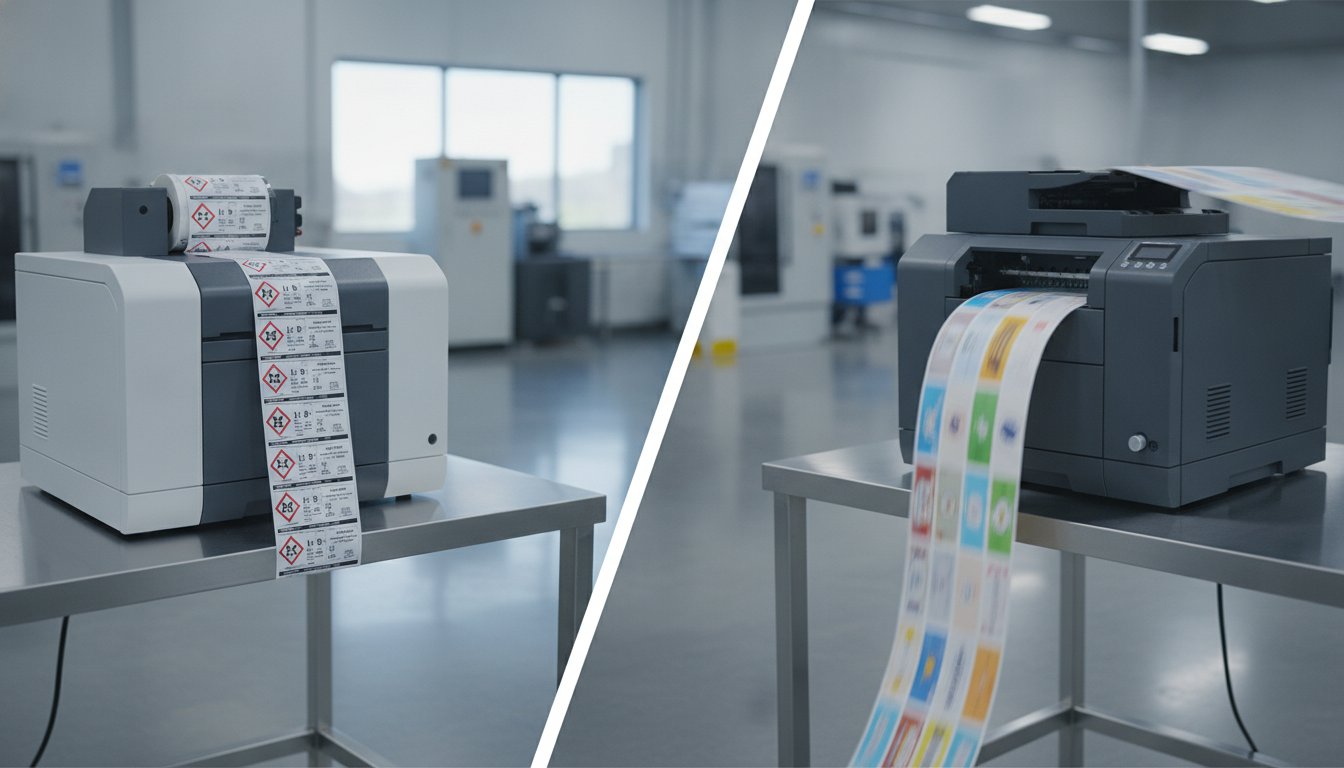
Battle of the Pigment Inkjet Heavyweights: Epson vs. NeuraLabel
In the demanding world of industrial label printing for 2026, North American manufacturers are increasingly turning to in-house solutions to gain control, cut costs, and improve compliance. At the heart of this shift is aqueous pigment inkjet technology, the undisputed champion for creating durable, UV-resistant, and water-resistant color labels. Two printers consistently dominate this conversation for mid-to-high volume needs: the Epson ColorWorks C6500 and the NeuraLabel Callisto.
Choosing between them isn't just about comparing specs on a datasheet; it's about understanding two fundamentally different approaches to production. The NeuraLabel Callisto is built for one thing: raw, unrelenting speed. The Epson C6500, by contrast, is engineered for versatility and operational reliability. This article breaks down the real-world performance differences in speed, durability, media handling, and total cost of ownership to help you decide which heavyweight deserves a place on your production floor.
Understanding Aqueous Pigment Ink Technology
Before diving into the hardware, it's crucial to understand why pigment ink is the standard for industrial applications. Unlike dye-based inks, which dissolve in water and can fade quickly, pigment inks consist of microscopic solid particles suspended in a liquid carrier. When printed, these particles sit on top of the label media, creating a bond that is highly resistant to water, chemicals, smudging, and UV light. This inherent durability is why both the C6500 and the Callisto are ideal for creating GHS-compliant chemical labels, where legibility can be a matter of safety and regulatory compliance.
- Durability: Pigment particles offer superior resistance to environmental factors compared to dye-based alternatives.
- Compliance: This ink technology is a prerequisite for achieving BS5609 certification, the maritime standard for labels that must survive long-term saltwater immersion.
- Versatility: It adheres well to a wide range of media, from matte paper to glossy synthetics like polypropylene and polyester.
High-Level Specifications Comparison
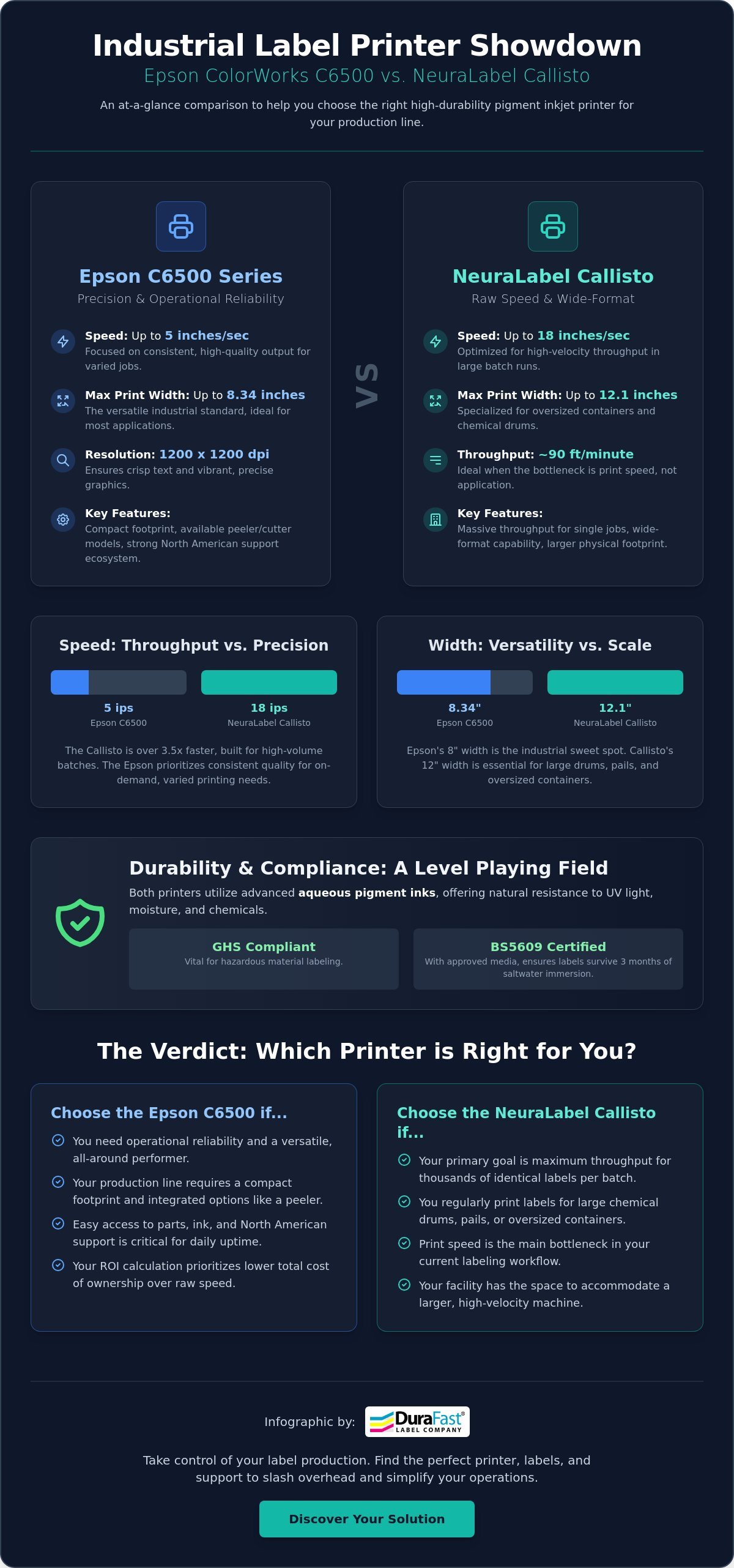
At first glance, the most obvious difference is size. The Epson C6500 series is an 8-inch printer, while the NeuraLabel Callisto boasts a 12-inch print width. This immediately separates their primary use cases. However, the most significant technical difference lies in their printhead technology, which dictates their speed and performance profile.
- Epson C6500A/P: This 8-inch printer uses a scanning PrecisionCore printhead that moves back and forth across the label. It is available in two configurations: the C6500A with a built-in auto-cutter and the C6500P with a peeler for "print-and-apply" workflows.
- NeuraLabel Callisto: This 12-inch printer features a stationary, page-wide printhead. The label media moves rapidly beneath the fixed head, enabling significantly faster print speeds.
- Footprint: Both are desktop industrial units, but the Callisto's wider path and robust construction require more table space and consideration for roll handling.
Performance and Throughput: Raw Speed vs. Operational Reality
The single most debated topic between these two printers is speed. While marketing materials often quote maximum speeds in "draft mode," real-world throughput depends heavily on print resolution, label size, and the underlying technology. This is where the difference between the Callisto's page-wide head and the C6500's scanning head becomes starkly apparent.
The NeuraLabel Callisto is, without question, the faster machine for high-volume runs. It can achieve speeds up to 90 feet per minute (18 inches per second) at a crisp 2400 x 1200 dpi resolution. For a business printing thousands of large chemical drum labels, this speed translates directly into time and money saved.
The Epson C6500 operates at a more measured pace. Its maximum speed of 5 inches per second is only achievable at a low-quality draft resolution. For a high-quality 1200 x 1200 dpi chemical label, the C6500's scanning head will produce that label at a speed closer to 0.2 inches per second. While dramatically slower, this methodical approach is designed for precision and is often more than sufficient for businesses with "high-mix, low-volume" needs, where the printer produces many different label designs in smaller batches throughout the day.
Throughput Reality: The Full Production Cycle
Top print speed is only one part of the throughput equation. For businesses that frequently switch between label sizes and designs, other factors can be more important.
- First-Label-Out Time: The Epson C6500 often has a faster "time to first label." For a short run of just 10 or 20 labels, the time saved by the Callisto's top speed may be negligible once the entire job processing is factored in.
- Job Queue Management: The C6500, especially the C6500A model with its auto-cutter, excels at handling a diverse queue of jobs without operator intervention. It can print, cut, and stack batches of different labels seamlessly.
- Finishing Bottlenecks: In many workflows, the bottleneck isn't the printer but the finishing process—the rewinding, die-cutting, or application of the labels. A printer that produces labels faster than your team can apply them simply creates a different kind of backlog.
Printhead Technology and Longevity
The printhead is the heart of any inkjet printer, and it represents a significant factor in the machine's long-term cost of ownership.
- Epson PrecisionCore Head: The C6500's scanning printhead is a permanent component designed to last the life of the printer. This is a massive advantage, eliminating a costly and recurring replacement part from your maintenance budget. Epson's technology is a global standard, known for its exceptional reliability and longevity.
- NeuraLabel Page-Wide Head: The Callisto's page-wide printhead is a consumable component. While it delivers incredible speed, it has a finite lifespan and will need to be replaced periodically. This replacement involves downtime and a significant expense that must be factored into the total cost of ownership (TCO).
- Maintenance Cycles: Both printers perform automated cleaning cycles to keep their nozzles clear. The C6500 is known for its efficient maintenance routines, while any page-wide system can sometimes consume more ink during heavier cleaning cycles to maintain the health of its thousands of nozzles.
Durability Standards: GHS Compliance and BS5609 Testing
When your labels are affixed to chemical drums, industrial equipment, or products shipped overseas, durability is non-negotiable. Both the C6500 and the Callisto use high-quality pigment inks capable of meeting strict GHS (Globally Harmonized System) and BS5609 standards, but achieving compliance always depends on the critical pairing of printer, ink, and certified label media.
Simply owning a "GHS-ready" printer does not make your labels compliant. You must use a specific combination of materials that has passed rigorous third-party testing for abrasion, chemical resistance, and saltwater immersion. The higher 2400 x 1200 dpi resolution of the Callisto can produce slightly sharper text and graphics, which is an advantage for very small print on a GHS label. However, the 1200 x 1200 dpi of the Epson C6500 easily exceeds all GHS requirements for legibility and barcode scannability.
Achieving BS5609 Section 3 Certification
BS5609 Section 3 is the gold standard for durability, testing the print's permanence after being submerged in saltwater for 90 days. This certification is essential for labels used in marine and chemical transport.
- Epson C6500: To achieve certified results, you must pair the C6500 with a tested and approved label stock. For example, using the C6500 with DuraFast Matte Chemical Labels creates a fully certified BS5609-compliant label.
- NeuraLabel Callisto: The Callisto likewise performs exceptionally on certified synthetic media like chemical-grade polypropylene and polyester. It is critical to source media that has been specifically tested and certified with the Callisto's ink set to ensure compliance.
Industrial Environment Performance
Beyond maritime standards, industrial labels must withstand friction, moisture, and temperature swings. The pigment inks in both printers are formulated for exactly these challenges.
- Abrasion Resistance: A key concern is whether barcodes and warning pictograms will remain scannable after a pallet has been shrink-wrapped and shipped across the country. On proper synthetic media, both printers produce highly durable, scuff-resistant images.
- Moisture and Humidity: From refrigerated warehouses to outdoor storage yards, labels must not peel, bleed, or disintegrate. The combination of pigment ink and a waterproof synthetic label material ensures the integrity of the print in these environments.
Media Versatility: Width, Roll Size, and Software Integration
A printer's value is also measured by how well it fits into your existing workflow, from the labels it can handle to the software it communicates with. Here, the choice between the Epson and NeuraLabel depends heavily on your specific product and IT infrastructure.
The Callisto’s 12-inch width is its standout feature, making it a clear choice for applications that require extra-large labels, such as wrapping large pails, drums, or pallets. However, the vast majority of industrial labels—over 95%—fall within the 8-inch width capacity of the Epson C6500. For most businesses, the C6500's "sweet spot" width is more than adequate.
Both models can be equipped with external unwinders and rewinders for roll-to-roll production, allowing them to integrate into larger, more automated finishing systems. For companies looking for a complete production solution, exploring the best industrial color label printers can provide additional context.
Label Design and Workflow Automation
Modern label production relies on powerful software to manage variable data, serialization, and database connectivity. Both printers integrate seamlessly with industry-standard label design software like BarTender Professional and NiceLabel.
- ERP Integration: Deploying a printer within a large organization often requires integration with ERP systems like SAP or Oracle. The Epson C6500, backed by Epson's global support network, often has a slight edge here with more readily available drivers and a proven track record in enterprise environments.
- Legacy System Replacement: The Epson C6500 has a killer feature for businesses upgrading from old thermal transfer printers: native ZPL II emulation. This allows the C6500 to be a drop-in replacement for a Zebra printer, understanding the same print commands without needing middleware or complex IT intervention. This simplifies the transition to full-color labels immensely, a topic we explore further in our guide to thermal transfer labels.
Media Handling and Waste Reduction
Efficient media handling saves time and reduces costs. The Epson C6500 series offers two distinct models tailored to specific workflows.
- Epson C6500A (Auto-Cutter): The integrated heavy-duty auto-cutter is perfect for print-and-stack applications. It can precisely cut each label or an entire strip after a batch is printed, creating finished labels ready for manual application.
- Epson C6500P (Peeler): The peeler model is designed for production lines. It prints a single label and presents it with the backing liner already removed, ready for immediate application by an operator or an automated applicator. This "print-and-apply" function significantly speeds up manual labeling tasks.
The Verdict: Which Printer Should You Buy in 2026?
After comparing these two excellent printers, the choice comes down to your primary business need: Are you running a high-speed, high-volume production line, or do you require a flexible, reliable workhorse for varied, on-demand jobs?
The NeuraLabel Callisto is a production-line specialist. Its page-wide printhead delivers phenomenal speed that is unmatched by any scanning-head printer. It wins on pure throughput and its ability to print on extra-wide 12-inch media.
The Epson C6500 is the versatile all-rounder. While it cannot compete on top-end speed, it offers unparalleled reliability with its permanent printhead, lower long-term running costs, and seamless integration features like ZPL II emulation. Its robust build, backed by Epson's global support network, provides peace of mind for businesses that cannot afford downtime.
Choose the NeuraLabel Callisto If...
- Your primary requirement is maximum print speed (up to 90 fpm) for high-volume, continuous runs.
- You consistently need to print labels wider than 8 inches for large drums, totes, or pallets.
- You have a budget that accommodates periodic printhead replacement as a planned operational expense.
Choose the Epson C6500 If...
- Long-term reliability and a low total cost of ownership are your top priorities.
- Your labeling needs are for "high-mix, low-volume" batches where job flexibility is key.
- All of your labels are 8 inches wide or less, which covers the majority of industrial applications.
- You need to easily replace legacy Zebra thermal transfer printers using existing ZPL II print jobs.
Ultimately, the best printer is the one that fits your workflow. By understanding the fundamental differences in their technology and design philosophy, you can make an informed decision that will boost your in-house labeling capabilities for years to come. Explore our full range of color label printers to find the perfect match for your business.