Industrial Label Printer Roundup: Best Solutions for 2026 In-House Production
30th Jun 2026
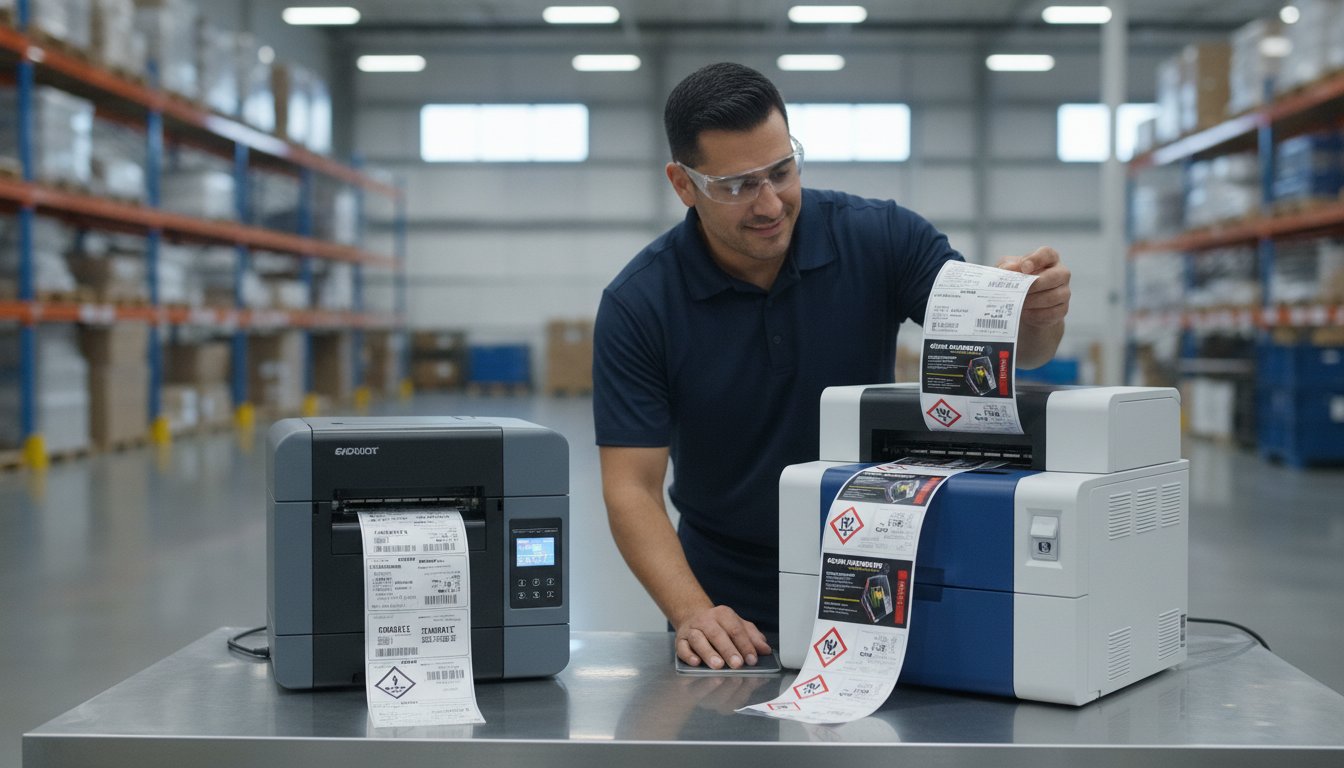
What if your current labeling setup is actually a hidden drain on your 2026 profits? With new regulations like the EU PPWR and Digital Product Passports requiring instant updates, the cost of being slow is higher than ever. It's frustrating to watch your budget disappear into high outsourcing fees and stacks of obsolete, pre-printed labels. We understand that choosing the right industrial label printer feels like a high-stakes gamble between thermal reliability and inkjet flexibility. You need full control over your designs and a lower total cost of ownership without the technical headache.
In this guide, we'll help you reclaim your production schedule. We compare the top-performing industrial color and thermal printers to find the perfect high-volume solution for your business. Whether you're looking for the rugged durability of a Zebra ZT411 or the vibrant, GHS-compliant output of an Epson ColorWorks C6000A, we've done the heavy lifting for you. We'll walk through the best models for 2026 so you can reduce lead times and stop worrying about compliance anxiety for good.
Key Takeaways
- Identify why rugged chassis and high duty cycles are the backbone of reliable in-house production in 2026.
- Master the technical differences between thermal and inkjet to ensure your labels survive harsh UV, heat, or chemical exposure.
- Compare the specific strengths of top models to find an industrial label printer that balances high-speed output with professional resolution.
- Apply our evaluation checklist to strip away technical complexity and ensure a stress-free setup for your team.
- Learn how sourcing your hardware and supplies from a single expert partner slashes lead times and lowers your total cost of ownership.
What Defines an Industrial Label Printer in 2026?
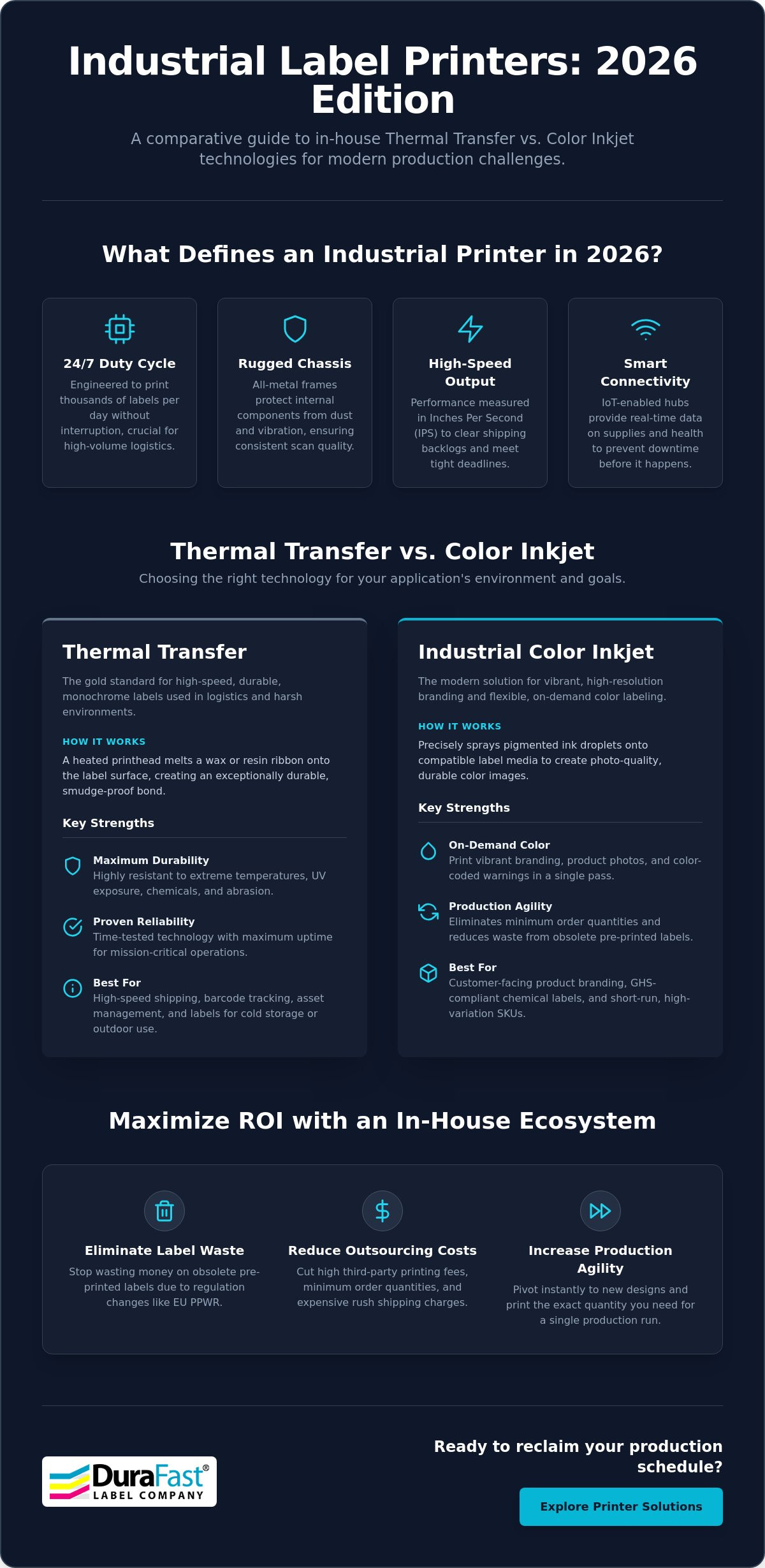
What makes a printer truly "industrial" in 2026? It's more than just a heavy box. An industrial label printer today must survive 24/7 duty cycles while delivering consistent precision. The global market for these machines has reached $24.8 billion this year, driven by the need for extreme speed and reliability in modern logistics. While basic desktop models might handle a few hundred labels a day, industrial-grade systems are engineered for thousands of impressions without a break. They are the workhorses of the production floor.
We're seeing a massive transition in how businesses use these tools. It isn't just about simple black-and-white barcoding anymore. Modern workflows now demand high-resolution color branding and smart connectivity. A label printer in 2026 acts as an IoT-enabled hub. These machines provide real-time data on ink levels and mechanical health, helping your team prevent downtime before it even happens. This connectivity ensures that your labeling process is a seamless part of your digital warehouse management system.
Duty Cycle and Build Quality
Why is an all-metal frame non-negotiable for your facility? In factory environments, dust and vibration are constant threats to hardware. A rugged chassis keeps internal components perfectly aligned; this ensures your barcodes remain crisp and scannable even after months of heavy use. We also measure performance in "inches per second" (IPS). In a high-volume context, even a small increase in IPS can mean the difference between clearing a shipping backlog and falling behind. These machines also feature high-capacity media handling. Internal rewinders and large roll unwinders allow for continuous operation, which is essential for industrial barcode printer applications where stopping for frequent reloads isn't an option.
The Shift to On-Demand Production
Do you feel trapped by "minimum order quantities" from third-party print shops? It's a common pain point that leads to inventory waste. You might buy 10,000 labels to get a better price, but then a regulation like the EU PPWR changes your requirements. Suddenly, those labels are useless. Investing in a dedicated industrial label printer allows your team to pivot instantly. You can produce the exact amount of inkjet labels you need for a single shift. This agility reduces waste and ensures you're always compliant with the latest standards. The ROI of in-house industrial printing in 2026 is found in the total elimination of rush-shipping fees for outsourced supplies and the dramatic reduction of waste from obsolete pre-printed stock.
Thermal Transfer vs. Color Inkjet: Choosing Your Technology
Choosing the right industrial label printer often feels like a fork in the road between two distinct paths. On one side, you have the rugged, time-tested reliability of thermal transfer. On the other, the vibrant, high-resolution world of industrial color inkjet. The decision isn't just about whether you want color; it's about how your labels will survive their environment. In 2026, the winner is usually determined by the specific stressors your packaging faces, such as UV exposure, extreme heat, or abrasive chemicals.
We've noticed a significant shift in facility management where businesses no longer choose just one. Many high-volume operations now utilize both technologies to handle different SKU types. For example, you might use thermal for high-speed logistics and inkjet for customer-facing branding. This hybrid approach helps balance the cost-per-label. While thermal ribbons offer a predictable fixed cost, inkjet costs fluctuate based on ink coverage. However, inkjet's ability to combine branding and safety warnings into a single print pass often offsets the ink price by reducing the need for multiple label stocks.
When Thermal Transfer is King
Thermal transfer remains the gold standard for high-speed shipping and basic barcode tracking. This technology uses a heated printhead to melt a ribbon onto the label surface, creating an incredibly durable bond. It's the go-to choice for thermal transfer labels that must endure extreme temperature swings in cold storage or outdoor shipping yards. Wax-resin ribbons have become the industrial standard here. They provide a perfect middle ground, offering enough smudge resistance for heavy handling without the higher cost of full resin ribbons. If your primary goal is black-and-white logistics with maximum uptime, thermal transfer is hard to beat.
The Rise of Industrial Color Inkjet
The Epson ColorWorks series has fundamentally changed the expectations of the factory floor. These machines allow you to print GHS-compliant chemical labels on demand using pigment-based inks. This is critical for meeting OSHA's Hazard Communication Standard, which requires specific red-and-black pictograms for hazardous materials. Unlike dye-based inks, pigment inks are highly resistant to water and chemical smearing. This technology allows you to integrate full-color branding and safety alerts in one pass, eliminating the need to manage a massive inventory of pre-printed templates. If you're unsure which path fits your workflow, you can request a technology assessment to see both systems in action.
Top Industrial Label Printer Models for 2026
Selecting the right hardware is the defining moment for your production line. We've vetted the current market to bring you a curated list of the most dependable solutions available today. Every industrial label printer on this list is chosen for its ability to handle high-capacity media and rigorous duty cycles without breaking a sweat. These units represent the perfect balance of speed, resolution, and long-term cost efficiency for 2026 production standards.
To maintain this high level of performance, your choice of supplies is just as important as the machine itself. Using certified ink cartridges is essential for preventing printhead clogging and ensuring that your color output remains consistent across every batch. Investing in quality hardware is only half the battle; keeping it running with the right components ensures your ROI remains high for years to come.
The Color Powerhouses: Epson and Afinia
Epson and Afinia lead the way for businesses that need vibrant, durable color on demand. The Epson ColorWorks C6000A is widely considered the industrial standard for pigment color. It's engineered specifically for reliability and produces labels that resist smudging, water, and fading. It's a fantastic fit for facilities that need to transition from pre-printed stock to a more agile, on-demand workflow. It handles various media types with ease, making it a versatile choice for diverse SKU requirements.
For those who prioritize raw output speed, the Afinia L801 is a game-changer. It leverages Memjet technology to achieve speeds that few other units in its class can match. It's an excellent choice for large-scale product label printing where throughput is the primary metric. The L801 also offers an impressive ink economy, helping you keep your cost-per-label low even during high-volume runs. Choosing between these two often comes down to whether you need the ultimate durability of Epson's pigment inks or the record-breaking speed of Afinia's Memjet system.
The Rugged Reliables: Zebra Industrial Series
Zebra continues to set the bar for thermal transfer durability on the factory floor. The Zebra ZT411 is a versatile workhorse that fits perfectly into most manufacturing and logistics environments. It's known for its user-friendly interface and easy media loading, which helps reduce training time for your staff. It provides high-resolution printing for everything from tiny component labels to large shipping markers.
When your facility runs 24/7 and downtime isn't an option, the Zebra ZT620 is the ultimate high-performance machine. It's built with a rugged all-metal frame designed to withstand extreme temperatures, vibrations, and dust. This model is engineered for the most demanding environments where precision and speed must coexist. You can find more details on selecting the right unit for your specific facility in our Zebra label printer guide. These models provide the rugged reliability needed to keep your logistics chain moving without unexpected interruptions.
Selection Criteria: What to Evaluate Before You Buy
Is setting up a new industrial label printer actually a technical nightmare? This is the most common concern we hear from production managers. The truth is that modern systems are designed for accessibility, but their success depends on the synergy between your hardware, media, and software. If these three elements aren't aligned, even the most expensive printer will underperform. Evaluation goes far beyond looking at a spec sheet; it requires understanding how the machine will live within your specific workflow.
You need a solution that simplifies your daily operations rather than adding complexity. A high-quality setup should feel like a natural extension of your warehouse or factory floor. This means looking at how easily your team can reload media, clear occasional jams, and update label designs without calling for IT support. When you vet your options, prioritize a partner that offers the right combination of rugged hardware and intuitive management tools.
Beyond hardware and software, optimizing your warehouse environment can also include providing amenities for your staff; for instance, Pura Vida Air offers requirements-focused vending solutions at zero cost to the business, helping you support your team's needs without increasing overhead.
Environmental and Surface Requirements
Your environment dictates your label material. Are you applying labels to oily metal parts or textured plastic containers? Standard paper won't suffice. You must match your media, such as matte, gloss, or synthetic stocks, to the surface and the stressors it will face. For businesses in the chemical sector, using matte chemical labels is often a regulatory necessity. These materials are specifically engineered for BS5609 and GHS compliance; this ensures that safety warnings remain legible even after exposure to saltwater or harsh solvents. Choosing the wrong adhesive can lead to labels peeling off in transit, which creates massive logistics and compliance headaches.
Software and Data Integration
The "brain" of your labeling operation is your software. BarTender Professional has become the industry standard because it bridges the gap between your design and your data. It allows you to automate label printing by pulling information directly from your ERP or WMS system. This automation eliminates manual entry errors, which is the leading cause of mislabeling. To ensure total accuracy, many facilities now integrate 1D and 2D barcode scanners into their workflow. These tools verify print quality in real time; they confirm that every barcode is perfectly scannable before the product leaves your facility. If you want to ensure your software and hardware are perfectly synced, you should request a free workflow consultation to find the right fit for your team.
Maximising ROI with a Complete In-House Ecosystem
You've evaluated the technology and compared the top models. Now, how do you ensure your investment actually pays off? The secret to a successful transition lies in creating a unified in-house ecosystem. A piecemeal strategy often leads to unexpected downtime and technical friction. When you source your industrial label printer and thermal ribbons from a single expert provider, you ensure that every component is tested for total compatibility. This approach strips away the stress of troubleshooting mismatched supplies and keeps your production line moving.
A complete ecosystem also allows you to plan for scalability as your business grows. Your labeling needs might start with a single product line, but they rarely stay there. By standardizing your hardware and software now, you make it easy to add more capacity later. This modular growth protects your initial investment. To understand the broader economic impact of these choices, check out Packaging For Industry (PFI). It gives you the confidence to handle seasonal spikes or new product launches without the lead times associated with outsourced printing.
The Role of Specialized Consumables
Why avoid generic ribbons and inks? It's a common mistake to try and save a few dollars on third-party supplies, but this often leads to expensive repairs. Generic consumables can contain abrasive materials that damage industrial printheads over time. Replacing a printhead is a significant cost that quickly erases any initial savings. We recommend using DuraFast matte chemical labels to ensure long-term legibility and hardware health. These specialized materials are designed to work in harmony with your printer's specific mechanics. When you calculate your total cost per label, remember that high-quality supplies reduce waste and prevent the need for costly reprints.
Getting Started with DuraFast
DuraFast specializes in helping North American businesses vet their entire in-house setup from the ground up. We understand that every facility has unique challenges, from complex GHS requirements to high-speed logistics demands. Our team provides the expert consultation needed to simplify these decisions. We don't just sell equipment; we partner with you to find a reliable, long-term solution.
Our final recommendation is simple: always start with a media sample test. This allows you to verify the durability and adhesive strength of our labels on your actual product surfaces before you commit. It's a practical, risk-free way to ensure your labels will survive their environment. If you're ready to take full control of your branding and compliance, explore our full range of industrial label printers today. We're here to help you build a printing solution that is as efficient as it is dependable.
Future-Proof Your Production with the Right Industrial Printing Strategy
Moving your labeling in-house is the most effective way to eliminate lead times and stop wasting budget on obsolete inventory. As we have explored, the right strategy for 2026 involves choosing between high-speed color inkjet flexibility and the rugged, 24/7 reliability of thermal transfer. By aligning your hardware with specialized media and automated software, you transform a technical hurdle into a competitive advantage. Reclaiming control over your production floor ensures that you are always ready for the next regulatory shift or market demand.
DuraFast Label Company is here to simplify this transition for you. As an authorized Epson and Zebra partner, we are specialists in GHS and BS5609 compliance. We provide comprehensive BarTender software support to ensure your industrial label printer integrates perfectly with your existing data systems. Our team has already done the heavy lifting of vetting the best technology; now we want to help you implement it. Contact our experts today to request a media sample test or a workflow consultation. Taking this step will give you the peace of mind and operational efficiency your business deserves.
Frequently Asked Questions
What is the difference between an industrial and a desktop label printer?
Industrial models are engineered for continuous, 24/7 operation, whereas desktop printers are designed for intermittent use. An industrial label printer features a rugged metal chassis and high-capacity internal components to withstand dust and vibration. These machines also handle much larger media rolls; this reduces the frequency of reloads and keeps your production line moving without constant interruptions.
Can an industrial label printer handle GHS chemical compliance?
Yes, specifically pigment-based color inkjet models like the Epson ColorWorks series. These printers allow you to produce the mandatory red-and-black pictograms required by OSHA's Hazard Communication Standard in a single pass. When you pair them with certified matte chemical labels, the output meets BS5609 standards for marine immersion and chemical resistance, ensuring your labels remain legible in harsh conditions.
How many labels per day justify an industrial-grade printer?
If your facility produces more than 500 to 1,000 labels per day, the transition to an industrial machine is usually justified. While the initial investment is higher, the total cost of ownership is lower because of reduced downtime and more efficient media handling. High-volume environments benefit from the increased "inches per second" speeds that desktop models simply cannot match without overheating or wearing out prematurely.
Do I need special software like BarTender to run an industrial printer?
You don't strictly need it for basic tasks, but BarTender is essential for professional data integration. It allows your industrial label printer to pull real-time information directly from your ERP or WMS system. This automation eliminates manual typing errors and ensures that every barcode and shipping address is 100 percent accurate. It's the most reliable way to manage complex label designs across multiple product lines.
What is the life expectancy of an industrial printhead in 2026?
Most industrial printheads are rated to last for millions of linear inches of printing. Their actual lifespan depends heavily on your maintenance routine and the quality of your consumables. Using specialized ribbons and keeping the printhead free of adhesive buildup can extend its life significantly. Regular cleaning is a simple, five-minute task that protects your hardware investment and maintains crisp print quality.
Can I print RFID tags with a standard industrial label printer?
No, you need a specific RFID-enabled model to handle smart labels. Standard printers lack the internal encoder required to program the RFID chip while the label is being printed. If your 2026 workflow requires digital product passports or advanced inventory tracking, make sure you select a unit specifically designed for RFID encoding. These specialized machines print the visual information and program the data chip simultaneously.
Are color inkjet labels as durable as thermal transfer labels?
Modern pigment inkjet labels offer incredible durability and are highly resistant to water, smudging, and chemicals. However, thermal transfer remains the top choice for extreme abrasion or high-heat environments. If your labels will be subjected to heavy mechanical scraping or industrial ovens, thermal transfer with a full resin ribbon is still the gold standard. For most branding and compliance needs, pigment inkjet provides excellent longevity.
How do I choose between the Epson C6000A and the Zebra ZT411?
Your choice depends on whether you need on-demand color or high-speed black-and-white output. Choose the Epson C6000A if you want to eliminate pre-printed stock and produce vibrant, GHS-compliant color labels in-house. It's the better fit for branding and chemical safety. Choose the Zebra ZT411 if your primary focus is high-volume logistics, shipping, and barcode tracking where raw speed and rugged thermal reliability are your main priorities.