RFID Label Printing Solutions: The 2026 Guide to In-House Encoding
2nd Jun 2026
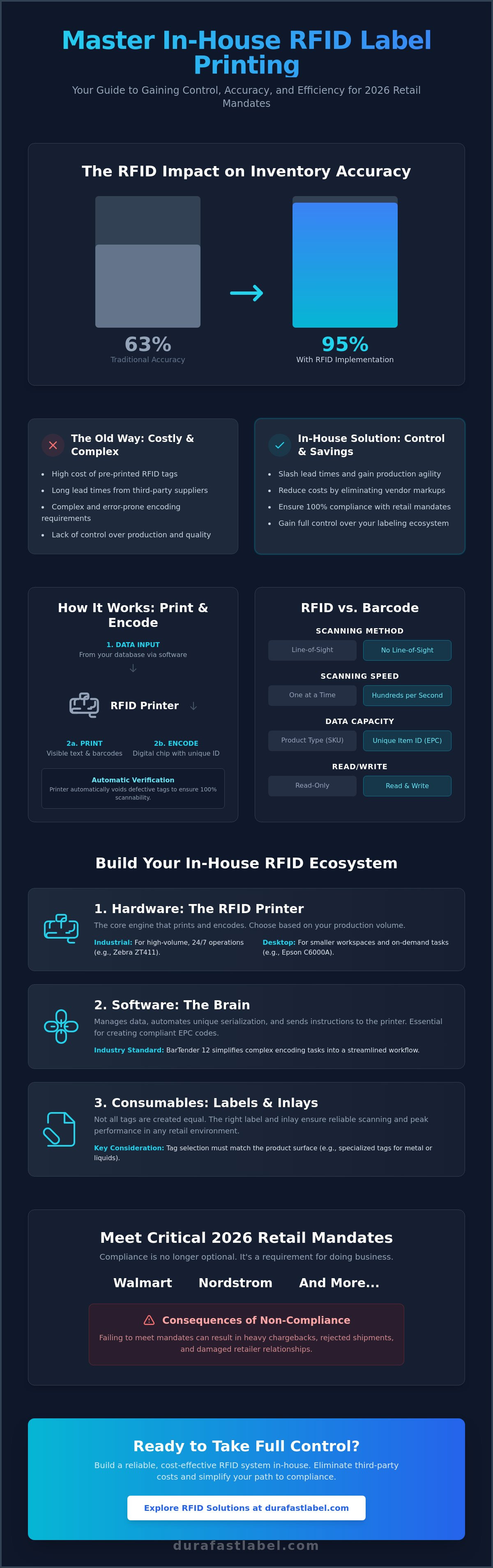
Did you know that retailers using RFID have boosted inventory accuracy from 63% to 95%? It's no wonder that mandates from giants like Walmart and Nordstrom are now the standard for doing business in 2026. If you're currently struggling with the high cost of pre-printed tags or the technical headache of complex encoding requirements, you aren't alone. Many suppliers feel overwhelmed by the shift toward item-level tagging. Implementing your own RFID label printing solutions doesn't have to be a source of stress.
You can gain full control over your production and slash lead times by moving your encoding in-house. This guide will show you exactly how to master the essentials of on-site printing. We'll walk through selecting the right hardware, such as the Zebra ZT411 or Epson ColorWorks C6000A, and setting up the latest BarTender 12 software. From meeting retail mandates to choosing the perfect ribbons and labels, you'll learn how to build a reliable ecosystem that simplifies compliance and saves money.
Key Takeaways
- Navigate 2026 retail mandates from Walmart and Nordstrom with confidence to ensure your shipments are always compliant.
- Identify the best RFID label printing solutions for your workspace, from agile desktop models to heavy-duty industrial printers like the Zebra ZT411.
- Streamline your workflow by using BarTender 12 software to automate unique serialization and simplify the digital encoding process.
- Choose the right RFID labels and inlays for your products to ensure reliable scanning and peak performance in any retail environment.
- Take back control of your label production to reduce lead times and eliminate the high costs of ordering pre-printed tags.
Table of Contents
What are RFID Label Printing Solutions?
Think of RFID label printing solutions as a high-speed bridge between your physical inventory and your digital database. Unlike traditional printers that only mark the surface of a label, these systems perform two tasks at once. They print human-readable text and barcodes while simultaneously encoding a digital chip hidden inside the label. This dual-action process ensures that every item you ship is visible to both a human eye and a radio-frequency scanner.
Standard barcodes have served the industry well for decades, but they have limits. They require a direct line-of-sight to work. If a barcode is turned away from the scanner, it won't read. RFID changes that dynamic entirely. You can scan an entire pallet of goods in seconds without opening a single box. The data capacity is also much higher. While a barcode might only identify a product type, an RFID tag holds a unique serial number for every individual item. This level of detail is why retailers reported a jump in inventory accuracy to 95% after implementing the technology.
2026 has become the tipping point for mid-sized businesses to bring these solutions in-house. The global RFID printer market has reached a value of $1.24 billion, and the technology is more accessible than ever. High costs for pre-printed tags and the pressure of strict retail mandates make DIY encoding the most logical path forward. It's no longer just for the biggest players in the market. It's a standard tool for any business that values agility and precision.
The Mechanics of Print and Encode
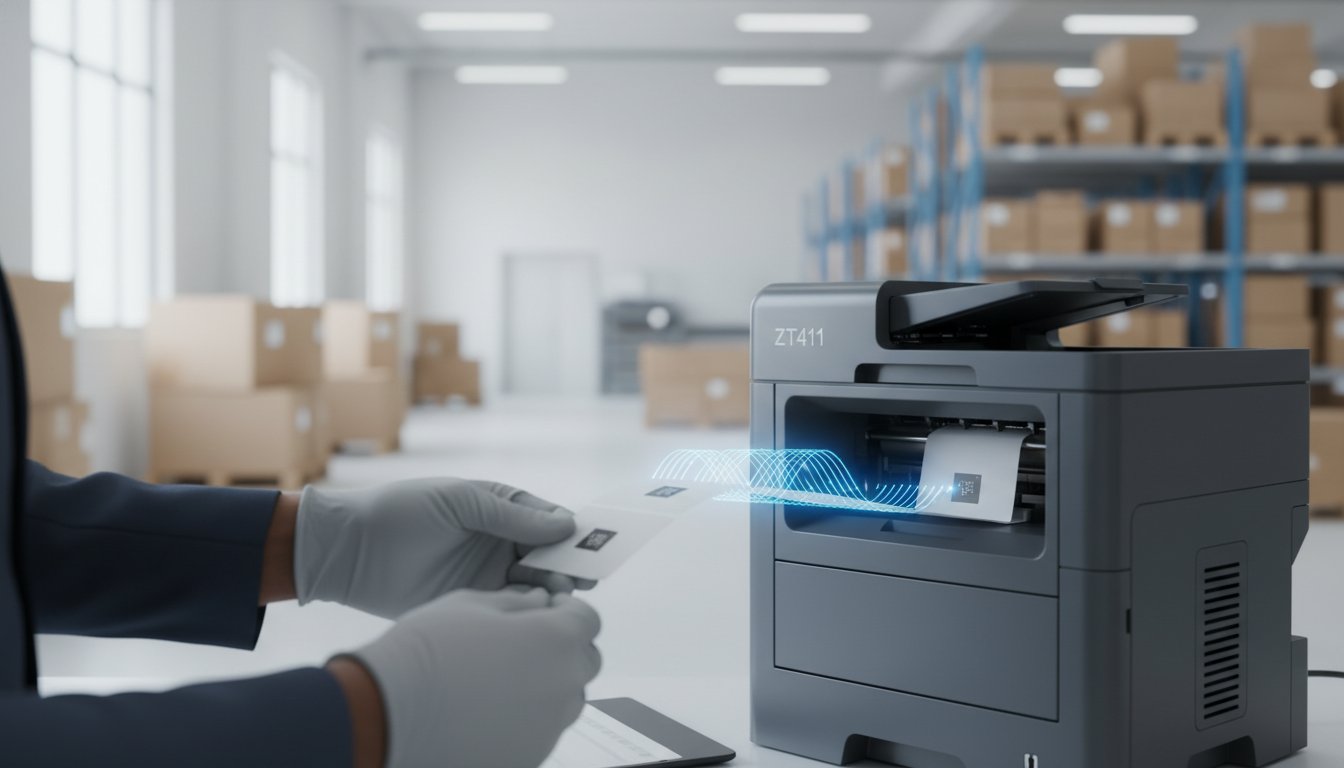
The process is surprisingly straightforward. Inside the printer, an encoding module beams radio waves to the tiny antenna, or inlay, embedded in your thermal transfer labels. This "write-head" programs the chip with specific data, such as an EPC (Electronic Product Code). At the same time, the thermal printhead applies your visual graphics. Modern systems include a verification step that is vital for compliance. If the printer detects a "dead" or defective tag, it will automatically void the label. This prevents faulty tags from ever reaching your customers.
Key Components of an In-House Setup
Building an effective station requires three core elements. First, you need an RFID-enabled printer. These come in various sizes, and choosing between Industrial vs. Desktop RFID Printers depends on your daily output. An industrial model like the Zebra ZT411 is built for high-volume environments, while desktop units fit smaller workspaces.
Second, you must use specialized RFID labels. The inlay type must match your reader technology and the surface of the product. For example, tagging metal or liquid requires different labels than tagging apparel. Finally, you need encoding software. The latest BarTender 12 software acts as the brain of the operation, translating your product database into the radio signals the printer understands. When these three pieces work together, you have a complete system that turns complex mandates into a simple, daily routine.
Meeting Retail and Logistics Compliance Mandates
Retailers are no longer just suggesting RFID adoption. They are demanding it. By January 2026, Nordstrom finalized its requirement that all shipped products meet updated RFID specifications. This follows the massive expansion Walmart completed in August 2025. That mandate now includes hard goods like toys, stationery, and home décor. If you want your products on these shelves, implementing reliable RFID label printing solutions is a requirement for survival.
Compliance isn't just about sticking a tag on a box. It's about data accuracy. Major retailers use EPC Gen 2 standards to gain 95% inventory accuracy. This transparency allows them to track every item from the distribution center to the sales floor. For suppliers, this means your encoding must be perfect. Failing to meet retail and logistics compliance mandates results in more than just a headache. You face heavy chargebacks and rejected shipments that can eat your margins quickly.
The stakes are even higher in healthcare and pharmaceuticals. The FDA requires strict tracking to ensure patient safety and prevent counterfeit drugs from entering the supply chain. In-house encoding allows you to maintain a secure, serialized record of every unit. This level of control is difficult to achieve when relying on third-party printing services. By managing the process yourself, you ensure that every tag is verified before it leaves your facility.
The Walmart RFID Standards
Walmart has specific rules for different categories. Electronics, home goods, and sporting goods each have unique inlay requirements. You can't just pick any tag. It must be ARC certified by Auburn University’s RFID Laboratory to ensure it performs in a retail environment. Your in-house setup must also follow strict tag placement and encoding verification protocols. If you're unsure which inlay fits your specific product category, it's a good idea to speak with a compliance expert to avoid costly errors.
Global Standards and EPC Gen 2
Interoperability is the goal of global shipping. This is why the industry relies on GS1 standards and EPC Gen 2 technology. Often called "Rain RFID," this standard ensures that a tag encoded in your warehouse can be read by scanners in any shipping hub worldwide. Using standardized RFID labels ensures your data remains readable across different hardware ecosystems. This consistency prevents logistics bottlenecks and keeps your supply chain moving without friction. Modern software like BarTender 12 makes it easy to generate these unique electronic product codes automatically, keeping you in sync with global partners.
Selecting Hardware: Industrial vs. Desktop RFID Printers
Choosing the right hardware is the foundation of successful RFID label printing solutions. In 2026, RFID-enabled models account for nearly 29% of all new industrial printer shipments. This growth means you have more choices, but it also makes the selection process more critical. Your decision should start with an honest assessment of your daily print volume. If you're only tagging a few dozen office assets, a desktop model is perfect. If you're shipping thousands of units to fulfill a retail mandate, you need industrial power.
Accuracy is everything. RFID printers must handle "small tag pitch," which is the physical distance between inlays on a roll. High-quality hardware uses precise sensors to ensure the "write-head" hits exactly the right chip every time. Connectivity is just as vital. You need to integrate these printers into your warehouse Wi-Fi or Ethernet to keep your data moving. While configuring your network, following the NIST guidelines on RFID security will help you protect your serialized information from potential vulnerabilities.
High-Volume Powerhouses: Industrial RFID Printers
Explore industrial barcode printers if you need to sustain high-speed operations. The Zebra ZT411 is a true workhorse for RFID tasks. It features an all-metal frame designed to withstand dust, heat, and vibration. These units also excel at encoding on-metal tags. This is a specific requirement if you're tagging IT assets or metal containers that would normally block standard radio waves. They provide the durability needed for the harshest warehouse environments.
Compact Efficiency: Desktop RFID Solutions
If space is limited, desktop thermal printers provide a compact solution. These are perfect for jewelry stores, boutique retail, or tracking internal office equipment. They offer a smaller footprint without sacrificing the encoding precision required by retailers. Many modern desktop units feature simplified calibration routines. This allows non-technical staff to swap media rolls and resume printing quickly. It ensures that technical complexity never slows down your daily business workflow.
The Software Brain: BarTender Professional and RFID
Software is the heart of the system. Without it, your industrial printer is just a high-end paperweight. Effective RFID label printing solutions rely on the software to translate complex data into the radio waves that program your tags. It manages the "handshake" between your database and the physical inlay. BarTender 12, released on March 4, 2026, represents a major shift in how businesses handle this process. This latest version introduces a hybrid cloud architecture for label management. It allows you to manage your encoding from anywhere while maintaining local control over your hardware. This flexibility is essential for businesses scaling their operations across multiple distribution centers.
If you're still using BarTender 2019, 2016, or 10.1, time is running out. These versions reach their end-of-life on December 31, 2026. After that date, you won't be able to add printers, upgrade your edition, or receive technical support. This deadline is particularly critical for suppliers meeting retail mandates. Losing support in the middle of a high-volume shipping season could lead to compliance failures and rejected shipments. Upgrading to the professional version ensures you have the tools needed for modern serialization and cloud integration.
Encoding Logic and Serialization
You can't manually type every serial number for a thousand-unit shipment. BarTender Professiona l automates this through auto-incrementing EPC numbers. You simply set the starting value and the software does the rest. It also handles tag locking, which is a vital security feature. Locking prevents your data from being accidentally overwritten or tampered with once the product leaves your facility. You can also create hybrid labels in a single pass. This allows you to combine human-readable text, QR codes for customer interaction, and RFID inlays for backend inventory tracking. It's an efficient way to pack maximum utility into every square inch of your thermal transfer labels.
Integrating with Existing Databases
Manual data entry is the enemy of efficiency. Connecting your software directly to your ERP or Excel database eliminates human error and speeds up production. Professional RFID label printing solutions map your existing inventory data to the correct fields in the RFID chip automatically. This ensures that the physical tag always matches your digital record. It reduces the risk of duplicate serial numbers, which can cause major issues in retail inventory systems. Choosing between cloud-based and local software depends on your specific workflow. Cloud solutions offer better scalability and centralized control for teams in different locations. Local installations provide the lowest latency for high-speed, high-volume printing. If you need help migrating your database to a new RFID workflow, contact our software experts for a seamless transition.
Consumables and specialized RFID Labels
Selecting the right hardware and software is only half the battle. Your RFID label printing solutions are only as effective as the consumables you feed into the machine. The inlay, the face sheet, the adhesive, and the ribbon must all work together to ensure your data is readable throughout the entire supply chain. With the smart label market estimated at $18.6 billion in 2026, the variety of specialized materials has never been greater. You must match the physical properties of your label to the specific environment it will inhabit.
Size and antenna shape are the first factors to consider. These elements directly impact the read-range of your tags. A larger antenna generally provides a longer read distance, but it must fit within your label dimensions. You also need to decide between thermal transfer and direct thermal technology. Direct thermal is suitable for short-term shipping labels that don't face extreme conditions. However, for long-term inventory or retail compliance, thermal transfer is the industry standard. It provides the durability needed to survive the friction of transport and the heat of warehouse storage. Browse RFID labels to find the right match for your specialized retail or industrial needs.
Matching Labels to the Environment
Standard RFID tags often fail when applied directly to metal surfaces. Metal reflects radio waves, which interferes with the scanner's ability to communicate with the chip. Specialized on-metal tags solve this by adding a thin buffer or spacer between the inlay and the surface. Adhesive choice is equally critical. Corrugated cardboard requires a high-tack adhesive, while smooth plastic containers might need a different formulation to prevent peeling. Additionally, the EU Packaging and Packaging Waste Regulation (PPWR) now impacts label design in 2026. This means you should prioritize recyclable materials and sustainable adhesives to stay compliant with global waste reduction standards.
The Role of Thermal Ribbons in RFID
High-quality thermal transfer ribbons are essential for scan longevity. If the visual barcode or text fades, the tag loses its backup identification method. Choosing the right ribbon depends on your label material. Wax/resin ribbons offer a great balance for most retail and apparel applications. If your tags face extreme heat, moisture, or chemicals, a full resin ribbon is necessary to prevent smudging. Using premium ribbons also reduces friction on the printhead. This prevents premature wear during high-volume encoding runs, keeping your maintenance costs low and your production line moving efficiently.
Future-Proof Your Supply Chain with In-House RFID
Mastering your own encoding process is the most effective way to eliminate the delays and costs of third-party tagging. By combining industrial hardware with the latest software and specialized consumables, you ensure that every item leaving your facility is fully compliant and visible. Implementing the right RFID label printing solutions isn't just about meeting a mandate; it's about building a more efficient and transparent business for the long term. You now have the roadmap to select the right printer, automate your serialization, and choose the correct materials for any environment.
As an Authorized North American Distributor, DuraFast Label Company is here to simplify your transition. We keep specialized Walmart-compliant RFID labels in stock and provide expert support for BarTender Professional integration to ensure your data mapping is flawless. Don't let technical complexity or upcoming software deadlines like the BarTender 2019 end-of-life slow your momentum. Our team has done the heavy lifting of vetting the best products so you can focus on growing your business.
Find Your Complete RFID Printing Solution at DuraFast Label Company.
Taking control of your production is a smart move that pays for itself through increased agility and precision. You have the tools and the knowledge to succeed, and we're ready to help you put them to work today.
Frequently Asked Questions
What is the difference between an RFID printer and a standard thermal printer?
An RFID printer includes an integrated encoding module that standard thermal printers lack. While both use heat to create a visual image, the RFID model beams data to the chip hidden inside the label. This allows you to create RFID label printing solutions that are both human-readable and digitally scannable. It's the difference between just marking a surface and programming a smart device in a single pass.
Do I need special software to print RFID labels in-house?
You do need software that specifically supports RFID encoding, such as BarTender Professional. Standard design programs don't have the logic to communicate with the encoder inside your printer. This specialized software manages the data mapping and serialization required for retail compliance. It ensures your database information translates correctly into the radio signals needed to program the inlay. Using the right software is the only way to automate high-volume encoding runs.
Can I use an RFID printer for standard barcode labels too?
Yes, you can use your RFID printer for standard barcode labels without any issues. These machines are fully backwards compatible with regular thermal media. When you aren't encoding a chip, the printer functions exactly like a high-quality thermal transfer or direct thermal unit. This versatility makes them a smart investment for businesses that need to handle both traditional shipping labels and modern smart tags on a single device.
What is the "Walmart RFID mandate" and how do I comply?
The Walmart mandate is a requirement for suppliers to use ARC-certified tags on nearly all products shipped to their stores. As of August 1, 2025, this expanded to include hard goods like sporting equipment and toys. To comply, you must use specific inlays and follow strict encoding protocols. Bringing your RFID label printing solutions in-house allows you to verify every tag yourself, ensuring you avoid the chargebacks associated with non-compliant shipments.
How much does it cost to start printing RFID labels in-house?
The cost of an in-house setup depends on your specific production volume and durability needs. You'll need to budget for three main components: an RFID-enabled printer, encoding software, and specialized labels. Industrial models are built for heavy high-volume use, while desktop units are a more accessible entry point for smaller operations. Because every business has different requirements, it's best to check current options for hardware and software that fit your scale.
What are the main types of RFID inlays available for labels?
The most common types for retail and logistics are UHF (Ultra High Frequency) EPC Gen 2 inlays. These offer the long read-range required for warehouse scanning. You'll also find specialized "on-metal" tags that include a buffer to prevent interference from metallic surfaces. Other options include small-form-factor jewelry tags and ruggedized tags for industrial assets. The shape and size of the antenna determine how well the tag performs in specific environments.
Can I encode RFID tags using a direct thermal printer?
You can encode labels using direct thermal technology if your printer is equipped with an RFID encoder. This method is often used for short-term applications like event wristbands or temporary shipping labels. However, most industrial RFID workflows prefer thermal transfer printing. Thermal transfer provides a more durable finish that resists heat and friction, ensuring the visual information remains as readable as the digital data throughout the entire supply chain.
How do I verify that my RFID tags are encoded correctly?
Modern RFID printers feature an "over-the-air" verification step that checks each tag during the encoding process. If a chip is defective or fails to program, the printer will automatically void the label and stop the print run. You can also use handheld barcode scanners from brands like Datalogic or Zebra to perform manual audit checks. This double-verification process ensures that every label you apply to a product is fully functional before it leaves your facility.