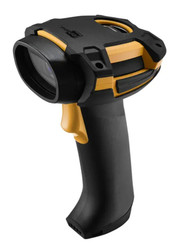
Find Your Perfect Hand Held Bar Code Reader Today
23rd Nov 2025
Choosing the Right Hand Held Bar Code Reader for You
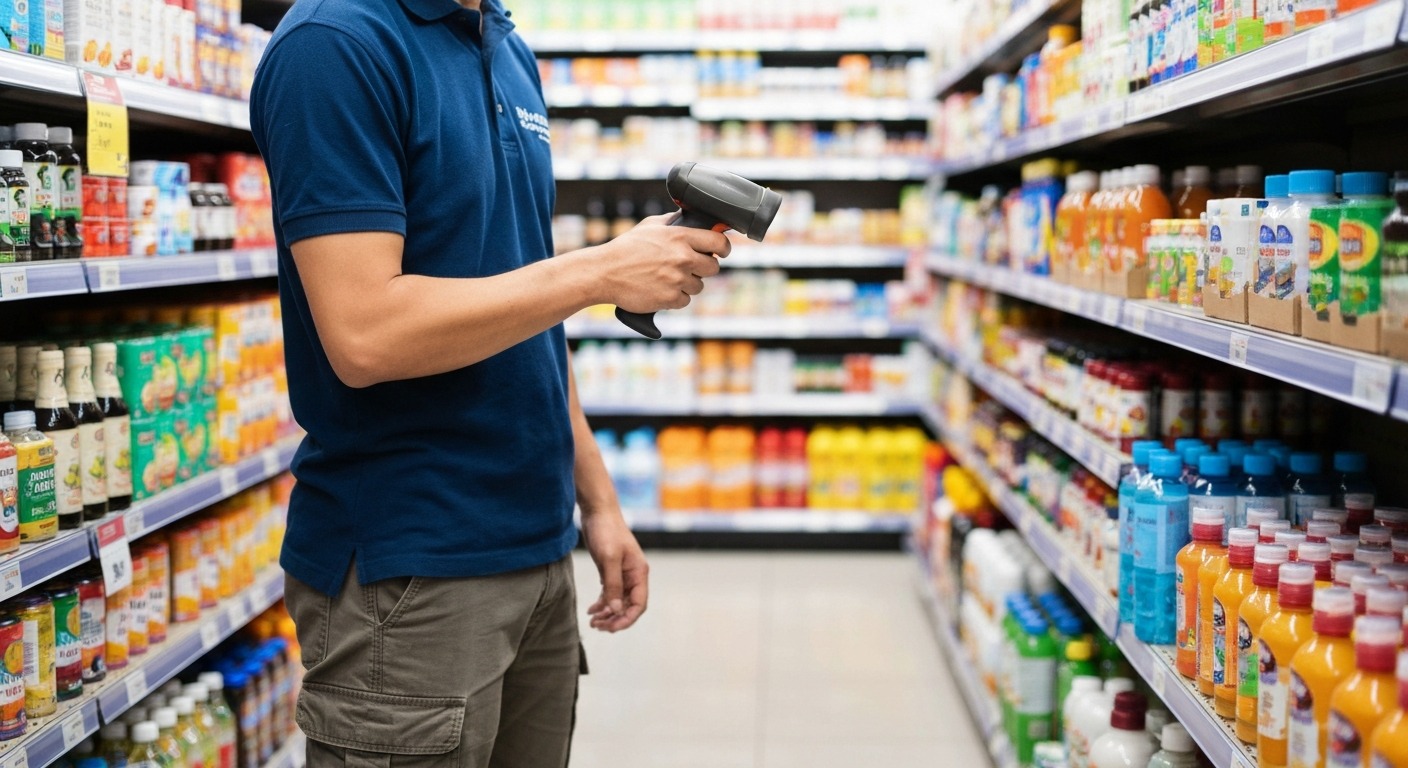
Key Highlights
-
A handheld scanner helps you do fast and easy barcode scanning. It can also be good for inventory management.
-
There are some different types of barcode scanners. A few of them are CCD, linear imagers, laser scanners, and 2D imagers.
-
The main thing about 1D vs 2D barcodes is the amount of data they hold and how they are set up.
-
Laser scanners are good when you want speed and reach. 2D imagers are also good because they read all types of barcodes, so you get more use out of them.
-
You need to pick the scanner that is right for you. Think about your work environment, the types of barcodes you use, and what you need to get done.
Introduction
Are you trying to make your business run better? A handheld scanner can help you do more and make fewer mistakes. There are many choices out there, and it can be hard to pick the right one. In this guide, you will read about the types of handheld readers and learn about the different types of barcodes. You will find out which one works best for you. A bar code is used in stores at checkout and in warehouses for many things. We are here to help you with every part of it.
Understanding Handheld Barcode Scanners and Their Uses
Handheld scanners are small tools you can carry. People use them for quick and easy barcode scanning. These are not like fixed scanners that stay in one spot. You can move to any place with handheld models. This helps a lot for inventory management and keeping track of items in the supply chain.
These tools can be used in many ways. They help keep inventory accuracy, no matter if you are checking a universal product code at a store or reading a shipping label in a warehouse. Let’s look at what these devices are and how they can be used in different industries.
What Is a Handheld Barcode Scanner?
A handheld scanner, which people also call a code reader, is an electronic device you can carry in your hand. It reads the information in a bar code. When you use the scanner, it shines some light on the bar code. It then uses a sensor to pick up the reflected light. After this, the scanner turns the shapes and lines into data. A computer or a POS system will read and use this data.
These scanners are made in different form factors. You will find pistol-grip styles and smaller ones that fit in your pocket. The technology inside is not the same in all of them. Some use a basic light and sensor. The more advanced models, like 2D imagers, use technology much like digital cameras. They capture the whole code with a complete picture.
The main benefit of using a handheld scanner is that you can take it anywhere. A fixed scanner has to stay in one place, like on a conveyor belt or a checkout counter. A handheld device is easy to move. You can take it to do things like check inventory on shelves or scan big items that do not fit easily. This makes it good for people who need to move around while they work.
Key Applications Across Industries in the United States
Handheld barcode scanners are now key tools for people in the U.S. in many different industries. They give more flexibility and help things get done faster. In the supply chain, barcode scanners are a big help for following the path of each product. People scan shipping labels at each step, starting from the manufacturer and going right to the end customer. This way, everything stays visible, and it helps to lower mistakes.
For a business that cares about warehouse management, these devices help keep track of inventory levels. Workers use them to scan things when items come in, get put away, or get picked for orders. This can make work go faster and helps everyone be more exact. In retail stores, these are used at checkout, to count inventory, and to check prices.
Here are a few common use cases:
-
Retail stores: People use these at the checkout, to count items, and to keep track of what is on the shelves.
-
Warehouse management: These tools are a must for order fulfillment, getting goods in, and knowing your inventory levels.
-
Healthcare: They help follow patient info, medicines, and lab samples. This makes care safer and more correct.
-
Manufacturing: You can watch work as it goes, handle parts, and keep the quality good.
Types of Handheld Barcode Readers Explained
When you shop for barcode scanners, you will see several types of barcode scanners to pick from. The main ones are CCD, linear imager, laser, and 2D imager. Each one works in its own way and fits different jobs. For example, laser scanners use a sharp beam of light. That helps them read quick and right from far away.
A 2D imager works like a camera. It can read complex barcodes from any direction. If you know the difference between a CCD scanner and a scanner that uses laser technology, you can choose what is best for your business.
CCD Contact Handheld Barcode Scanners
CCD scanners are a good choice for reading simple barcodes. They cost less and last a long time. A CCD scanner works in a special way. It has hundreds of tiny light sensors. These sensors read the parallel lines of a 1D barcode without using a laser. Because this tool does not have moving parts, it is more tough and will not break easily. Even if you drop it, the scanner should keep working.
A contact scanner is made to scan barcodes when it's very close, or even touching them. You will see this kind in places like retail stores, where people use the scanner to read items at checkout. It works well for scanning at short distances.
CCD scanners are a good pick for small businesses that want an easy way to start with inventory management. They are simple to use and are not likely to make mistakes with clear, well-printed barcodes. This makes them a low error rate tool for your business. They also do not cost a lot, so they are good for point-of-sale work.
Linear Image Handheld Barcode Scanners
Linear image scanners are better than CCD scanners. They can be used in more ways. These scanners use advanced image sensors to read linear barcodes. You can think of the scanner as a camera. It takes a quick digital photo of the barcode. Then it decodes the barcode.
This technology lets them read barcodes even when they are not printed well, are faded, or even shown on digital screens like smartphones. If you have to scan barcodes with low print quality, a linear imager will work better and is a more reliable way than a basic CCD or laser scanner.
These scanners work well for many things. You can use them for retail, in logistics, and anywhere you need to read damaged barcodes. They are also good for scanning serial numbers off screens. They read from a longer distance and work at more angles. That makes them popular and easy to use for different jobs.
Laser Handheld Barcode Scanners
The laser barcode scanner is the one you see a lot in shops and warehouses. This scanner uses laser technology. A single beam of light scans over the barcode to read it. A sensor looks at the reflected light from the black and white lines. That is how it figures out the details on the barcode.
One of the main features of a laser scanner is that it can read barcodes from much farther away than CCD or linear image scanners. The scanner also works very fast. These things make it good to use where there are a lot of items to scan and where getting work done quickly is important.
If you want good inventory accuracy and need to scan things fast, a laser barcode scanner is a great option. This tool will help you scan shelves in the warehouse and keep track of packages in the logistics area. You can also use it to make the checkout process move faster in a busy store.
2D Imager Handheld Barcode Scanners
2D imager scanners are now the top choice for handheld scanners. They are better than other scanners because they read more types of barcodes. A 2D imager can read both regular linear barcodes and all kinds of 2D barcodes, like QR codes and Data Matrix codes. The main reason for this is they use a camera to get a picture of the whole code.
They don't read one line at a time. They read the whole pattern of dots, squares, or even hexagons inside the 2D code. This helps them get a large amount of information in a very small area. The code can hold thousands of letters or numbers. You can scan these codes from any direction, so you get fast and easy scanning.
Yes, handheld barcode readers can scan both 1D and 2D barcodes if you pick a 2D imager. This lets you get one device for any barcode type, so your business will be ready for the future. A 2D imager is a good all-in-one choice when you work with handheld barcode readers.
Scanning Technology Overview: 1D vs 2D Barcodes
Understanding the different types of barcodes is important. You should know about the scanners too. There are two main types. One is the 1D barcode and the other is the 2D barcode. The big difference between them is the amount of data they can hold. Also, the data is set up in a different way for each type.
A 1D barcode holds a small bit of data across one line. A 2D barcode keeps much more data and uses both up and down lines. The way each barcode handles data capacity can change the type of scanner you need. It also decides what jobs you can do with it. Let’s see how they are not the same.
Differences Between 1D and 2D Barcodes
The main difference you will see between a 1D barcode and a 2D barcode is how they look. A 1D code, or linear barcode, looks like the normal black lines and spaces you find on things in a store. A 2D barcode, like QR codes or Data Matrix codes, has small squares, dots, or other shapes set out in a grid pattern.
This difference in structure is important because it changes how much information can fit in the code. Linear barcodes only hold a small amount of data. Most of the time, you get up to 85 characters in these codes. But 2D barcodes can keep much more. They can store thousands of characters of binary data. This means you can put text, website links, and even images in them.
Here’s a quick summary of the key differences:
-
Data Capacity: A 1D barcode can only keep a small amount of data. A 2D barcode can hold a lot more information in a small space.
-
Structure: A 1D code has lines that go across, while a 2D code has a grid with shapes.
-
Readability: A 2D barcode can be read from any side. It often has error correction, so it is good at working even if it gets damaged.
Which Handheld Barcode Reader Is Best for Each Barcode Type?
The best handheld reader for you will depend on the barcode type you need to scan. If you work in a retail store and use mostly linear barcodes, like the Universal Product Code that is found on most items, a laser barcode scanner or a simple linear imager will do the job. These barcode scanners work well for linear barcodes, so they are fast and save you money at the same time.
However, if your business has to scan 2D barcodes, for example, for mobile coupons, patient wristbands, or keeping track of detailed part information, you will need a 2D image scanner. These scanners use technology much like digital cameras to read and understand the hard patterns in 2D codes.
So, what is the difference between a 1D and a 2D handheld barcode reader for your retail store? A 1D reader scans only the regular line barcodes. A 2D reader can read both 1D barcodes and 2D codes like QR codes. In most stores today, shops use QR codes for deals and ads. A 2D handheld barcode scanner is the better pick because it works for both, so it is more useful now and in the future.
Use Cases for 1D vs 2D in Retail, Healthcare, Warehouse, and More
The use cases for 1D and 2D barcodes can be very different in each industry. In retail stores, you will see 1D barcodes used most of the time at the point of sale. They are easy to make and cost little. These codes help workers find and read product details fast. This makes it simple to keep track of prices and stock.
Industries like healthcare and warehouse management use 2D barcodes a lot. In healthcare, you will find a 2D code on a patient’s wristband. This code can keep all of their medical history. It helps the staff do a better job and can lower the chance of mistakes. In warehouse management, people put a 2D code on each pallet. One scan can show lot numbers, expiration dates, and who the supplier is. This makes things faster and easier for everyone at work.
Here are a few examples of where each type shines:
-
1D Barcodes: These are good to use for product identification in retail stores. Many people also use them to keep track of library books.
-
2D Barcodes: You will see these with mobile payments and tickets. In healthcare, they help with tracking pharmaceuticals. Warehouses use them for handling complex inventory.
-
2D Barcodes: It is normal to see these on employee ID cards. QR codes are used with marketing campaigns as well.
Comparing Handheld Barcode Scanner Technologies
Now that you know about the different types of barcode scanners, let's look at how the scanner technologies compare. The technical differences between the main types of barcode scanners—laser scanners, CCD, and imagers—affect how they work, last, and how much they cost. For example, laser scanners are fast. Imagers, which use digital cameras, are more flexible.
Knowing how each technology works helps you figure out which one is right for your needs and your budget. We will look at how they work, what they are good for, and what they might not do as well.
How CCD, Linear Imager, Laser, and 2D Imagers Work
There are some important technical differences between each scanner technology. A CCD scanner works by using a row of light sensors. These sensors read light that bounces off the barcode. A CCD scanner has no moving parts. This helps to make it very tough. But, you need to hold it close to the barcode for it to read well.
Laser scanners use a red laser beam that moves from side to side over the barcode. A sensor picks up the changes in the reflected light. This way, laser scanners can read barcodes from a longer distance. They are also very fast.
A linear image scanner works almost like a CCD scanner. It takes a one-dimensional picture of the barcode. This scanner can read barcodes that are damaged or are shown on screens.
A 2D imager works a lot like the digital cameras you use on your phone.
-
It gets a complete photo of the barcode. This goes for both 1D and 2D barcodes.
-
It uses strong decoding methods to read the picture and pull out the info.
-
With this way, you can scan the code from any angle. It means you don't need to point the scanner exactly at the barcode.
Benefits and Limitations of Each Technology
Each scanning technology has its own good and bad points. The main features of CCD scanners are that they cost less and last a long time, since there are no moving parts. But there is one big problem. Their scanning range is very short. They also do not work well with wide or badly printed barcodes.
Laser scanners are often used because they are fast and can scan from far away. But sometimes, they have trouble picking up barcodes if the print quality is low or if the barcodes are shown on digital screens. Laser scanners have moving parts like a mirror inside. This makes them more likely to break if you drop them.
2D imagers are the most versatile and capable.
-
Benefits: They read any barcode, including 1D and 2D codes. You can scan from any angle with them. These scanners work well, even if a code is damaged or on a screen. They have a low error rate. You can use them in many different places.
-
Limitations: The main downside is that they cost more to buy than 1D-only scanners.
-
If you think about your future needs, getting a 2D imager is often the best choice.
Example Models and Average Price Points
The price of barcode scanners changes a lot depending on the type and what each one can do. If you have a small business and you need to save money, a corded CCD scanner is the cheapest choice you can find. When you go for laser models or 2D imagers, the cost will go up, but you also get more features with them.
A basic laser scanner costs more than a CCD scanner. But, the laser scanner can read faster and has better range. A 2D imager can read every kind of barcode. It usually costs more than a 1D-only laser scanner. But, this gives you more ways to use it. A wireless barcode scanner also costs more. But, it lets you move around more while you work.
Here are some example models and what they cost to help you get an idea of the price:
|
Scanner Type |
Example Model |
Price (USD) |
|---|---|---|
|
CCD Contact Scanner |
$81.00 |
|
|
Linear Image Scanner |
$126.50 |
|
|
2D Imager Scanner |
$195.42 |
|
|
Laser Scanner |
$311.52 |
Handheld Barcode Scanner Features to Consider
Besides the main features of the scanner, there are also other important things you need to keep in mind. You should look at the scanning distance, speed, and how tough the scanner is. These all help the device work better in your own work environment. For example, a warehouse often needs a strong and solid scanner, but a small retail shop may not need one that tough.
If you need to move around, you will need a wireless barcode scanner. A good battery life is important. Make sure it works well with your systems. Let's look at these key features.
Scanning Distance and Range
The scanning distance, also called the range, is important when you pick a handheld scanner. It depends on what you do at your desk or job. A handheld scanner can read things nearby, like only a few inches away. Some can work if the item is more than 50 feet away. This happens because the scanner uses different types of scanning technology.
For point-of-sale use, the best choice is often a short-range scanner like a CCD or a linear imager. These are usually enough for that job. In warehouse management, you may have to scan barcodes that are high up on shelves. In that case, you need a long-range laser scanner or an extended-range 2D imager. These types work well because they read barcodes from far away. This helps save time and also makes it safer for people who work there.
The type and size of the barcode can change how far away you can scan it. A bigger barcode can often be read from a longer distance. A 2D code with a large amount of information may need you to move closer to get a good scan. Always look at the specs to be sure the scanner will work the way you need.
Speed and Efficiency
In a fast-paced place, scanning speed helps improve operational efficiency. A slow scanner can slow things down at the checkout or in the warehouse. A fast scanner keeps everything moving. The speed of a scanner is counted in scans per second. Some scanners are very quick and can read barcodes almost right away.
A fast scanner does not just save time. It can also lower the error rate. When people scan items fast and there is no need to scan them again, it can make things more correct. This is important when workers need to get barcode information in real time. This can be during order fulfillment or when doing inventory cycle counts.
Key things that help make work quick and smooth include:
-
Omnidirectional Scanning: 2D imagers read codes from any angle. You do not have to line up the scanner each time.
-
Decoding Algorithm: Good scanners use fast processors. These can read barcodes right away.
-
Motion Tolerance: A top scanner gets barcodes even if things are moving. The item or the scanner does not need to stop.
Durability and Rugged Capabilities
The strength of your barcode scanner needs to fit your work environment. A scanner that is used in an office or shop does not need as much protection. A scanner that is used on a building site or in a busy warehouse will face more bumps and drops. If you work in tough places, you need to get a rugged scanner.
Rugged scanners are made to work in tough places. They come with strong cases that let them keep working even after several drops on concrete. The scanners are also sealed so dust and water can't get inside. You can see how well a device is protected by checking its IP rating. This kind of tough build is important for people in jobs like logistics and manufacturing.
Built-in error correction helps you read barcodes even when they are damaged. A strong scanner can stop the device from getting damaged in the first place. If you use a durable scanner for a tough manufacturing process or outside, it can lower downtime. This also brings down the total cost to own the scanner over time.
Wireless vs Wired Handheld Barcode Scanners
Yes, there are many handheld barcode readers that are wireless. The choice between a wired barcode scanner and a wireless barcode scanner depends on if you need to move around. A wired scanner plugs into a computer or POS system with a USB cable. It is easy to use, works well, and does not need any charging for its battery.
A wireless scanner uses Bluetooth to send data. It gives you greater flexibility because you can move around with it and you are not tied to one spot by a cable. The scanner is good for counting inventory in large stores or keeping track of stock in a warehouse. There are also some wireless models with data storage. With these, you can scan items when you are out of range and upload the data to the system when you get back.
Here's how to choose:
-
Wired Scanners:
-
Pros: They cost less. You do not have to take care of any batteries.
-
Cons: You cannot move the device as much.
-
-
Wireless Scanners:
-
Pros: You can move with it anywhere. It helps you work better if you need to walk around.
-
Cons: It costs more than a wired one. You need to keep an eye on the battery and make sure it works.
-
Compatibility With Mobile Devices and POS Systems
Yes, you can use many handheld barcode readers with mobile devices such as smartphones or tablets. This lets people do barcode scanning while being on the move. It helps businesses in retail stores with things like checking inventory quickly, helping customers faster, and doing field service jobs. Having handheld barcode readers that work well with mobile devices is a good idea if you want fast and easy barcode scanning wherever you are.
Most wireless scanners use Bluetooth to connect. They work well with both iOS and Android. These scanners act like a keyboard, so when you scan something, the data shows up where your cursor is. It can be in a spreadsheet, a notes app, or even in an inventory management application. This helps you to add the scanner to your mobile workflow without any trouble.
For fixed setups, it is important that your POS systems work well with your tools. Most wired scanners come with a USB plug that can be used with almost any current POS hardware and software. This helps process payments the way you want, like mobile payments that use qr codes.
Specialized Types of Handheld and Portable Barcode Scanners
Besides the usual handheld barcode scanners, there are some other form factors made for special needs. For example, there are small pocket barcode scanners that you can carry with you. There are also hands-free POS scanners that stay on a counter. If you need something tough, the rugged barcode scanner works well in tough work places like factories.
Each type is made to do well in a specific job. For example, some help make checkout lines faster. Others are used to make order fulfillment in a warehouse go smoothly. Let's look at these different styles and what makes them good for certain tasks.
Pocket Barcode Scanners and Their Advantages
Pocket barcode scanners are small and light. You can put one in your pocket easily. These barcode scanners are great for people who move a lot during the day. A pocket-size scanner will not feel heavy or get in the way while you work. They give you the most freedom to move around and get things done.
These special form factors are a big hit with small businesses. People like field service technicians use them a lot. You get to use them for light-duty inventory work. Most of the time, these devices link up by Bluetooth to a phone or tablet. This can turn your phone or tablet into a good tool for data collecting. Even though these devices are small, they give strong performance and have good battery life.
Here are some of their key advantages:
-
Portability: Their small size and light weight make it easy to carry them all day.
-
Convenience: These pair fast with mobile devices, so you can scan things when you are out.
-
Affordability: These often cost less than big industrial scanners.
Handheld POS Scanners for Checkout Speed
When you are at the point of sale, checkout speed matters a lot. Handheld POS scanners help make things fast and easy. In retail stores, cashiers use these scanners to read the barcodes on the items they sell. The scanners work well for all kinds of things, even big or odd-shaped products that can't fit on the counter.
These scanners are made for fast and repeated scanning. They are light in weight and feel good in your hand. The scan engines in them are made strong, so they read barcodes in no time, even if you do not get them lined up just right. This cuts down on how long people have to wait and makes the shopping time better for everyone.
While many people know these scanners from checking out at the store, they also help with other jobs. Staff use them to check prices and to handle order fulfillment when people buy online and pick up in-store (BOPIS). They are fast and work well, so they are a key part of how stores run now.
Rugged Handheld Barcode Scanners for Industrial Use
For industrial use, the common barcode scanner is not enough. A rugged barcode scanner is needed for these jobs. The scanner is made strong, like a tank, which helps it last in tough places such as manufacturing plants, warehouses, and logistics work outside. The main thing that makes these scanners stand out the most is how durable they are.
A rugged scanner is made to handle bumps, drops, heat, cold, dust, and water. You need this in a tough work environment because things can often go wrong. If the scanner breaks, it stops your work and you lose time. That is why choosing a tougher scanner makes sense. It helps you save money by avoiding problems in places like factories or warehouses.
These scanners are very tough. They are high-performance too. The scan engines in these can read barcodes even if they are under plastic wrap. They can read damaged codes on machinery. You can scan detailed lot numbers from a distance with these. This helps your work keep going well, no matter what the conditions are.
Top Barcode Scanner Brands in the US Market
When you decide to buy, you will see that a few top brands are strong in the market for barcode scanners. Brands such as Zebra, Honeywell, and Datalogic are big names. They have many types of devices for every kind of job. There are some other good brands too, like CipherLAB, Godex, and SATO.
Each manufacturer is good at different things. Some are great at making tough devices for warehouses. Some work on new scanning tools for healthcare. To get the best fit for your business, look at what each brand has. This way, you can find what works best for you.
Overview of CipherLAB, Datalogic, Godex, Honeywell, SATO, Zebra
The market for barcode scanners has several trusted top brands. These brands are known for good quality and new ideas. You can find a wide range of barcode scanners from them. Every scanner works best for different industries like retail or tough, heavy work places. These brands have products that fit your needs, whether you use them every day or for special jobs.
Zebra and Honeywell are big names in the scanner industry. They both have many scanners known to work well and last a long time. Datalogic is also a big company in the field. It focuses on solutions for stores, factories, and healthcare. CipherLAB offers good scanners with the latest features. These scanners are priced well for the value you get. SATO and Godex are known for how well they can be used with printing and labeling systems.
Here’s a quick look at what some of these brands are known for:
-
Zebra: The leading brand when it comes to strong and tough scanners that work well for businesses.
-
Honeywell: A brand with many scanners that use new technology and feel good when you use them.
-
Datalogic: A top choice in stores and factories, with special scanners made for different jobs.
-
CipherLAB: A good option if you want great performance without a big price tag, perfect for small and medium businesses.
Leading Industry-Specific Handheld Barcode Reader Solutions
Many makers make handheld scanners just for certain industries. These scanners help solve tough problems in places like healthcare, retail, and logistics. A handheld scanner might have things like plastic that can be cleaned well for hospitals, or a fast scan engine for busy checkout lines. These features help in making work easy and quick for people in these jobs.
Finding the right solution for your industry can help increase productivity. It can also make sure you follow all rules. If you work in supply chain management or you look after patient safety, you can find a scanner that is made just for you. These special scanners are built to meet the needs of every workplace.
Healthcare Handheld Barcode Scanners
In healthcare, being accurate is very important. Handheld barcode scanners made for healthcare help lower the error rate and keep patients safe. People use these barcode scanners for many things. They help check a patient’s ID by the bedside. You can also use them to track medicines and lab samples.
A big part of a medical-grade handheld scanner is how it is built. The outside of these scanners is made from strong plastics that be cleaned with tough chemicals. Hospitals use these chemicals to stop the spread of germs. This means you can use the scanner safely where everything needs to stay clean.
By scanning barcodes on medications, healthcare professionals can quickly check the drug, the dose, and the patient. They make sure everything matches the electronic medical record. This helps them track expiration dates with ease. No expired medicine will be given to anyone. This way is simple, but it really helps keep patients safe.
Presentation and Countertop Scanners
Presentation scanners, sometimes called countertop scanners, are used at the retail point of sale. You do not have to hold them like handheld scanners. Instead, you just move the barcode of an item in front of the scanner. It will read the code without you having to pick it up. This makes scanning at the point of sale faster. It also makes the work feel better and easier for people.
These scanners work with a wide-angle lens. They have many laser lines or a large imaging area. The barcode can be read from many angles. This helps cashiers. They do not need to line up the barcode exactly. This makes checkout faster for everyone.
Many new presentation scanners use 2D imagers. These scanners read any barcode type, including qr codes shown on phones. People can use qr codes for coupons or mobile payments. The scanners read codes with high data capacity, so they work well in busy retail or service places.
Wearable and Ring Barcode Scanners
For jobs where both hands need to be free, wearable scanners make work easier. These barcode scanners, like ring barcode scanners you wear on your finger, and ones that fit on a glove, help you move faster. You get greater flexibility and can do more work, especially in busy places like warehouses and distribution centers.
Workers can pick, pack, and sort items without needing to put down and pick up a scanner. With a ring scanner, they just use their thumb to press a button and scan. This makes the work flow smooth and easy. It helps a lot when doing order fulfillment because every second is important.
Data usually moves through Bluetooth with no wires. It goes to a mobile computer or a tablet. You will get updates in real time with this setup. People do not need to use their hands, so it makes them work up to 30% faster. It also helps with worker safety and movement, since they can hold packages better.
Setting Up, Maintaining, and Accessorizing Your Handheld Barcode Reader
After you decide which scanner to get, you will need to set it up and take care of it. You must also pick some good accessories the scanner needs. Most new scanners are easy to set up. You usually just have to plug them in and they are ready to use. But it is important to look after your scanner so it lasts and works well for a long time.
Regular cleaning of the scanner window is important to keep it working well. There are also many accessories out there that can help you use it better. We will talk about some good steps to start and how to keep your scanner working at its best.
Initial Setup and Configuration Tips
Setting up a new handheld barcode reader is usually easy for most people. If you have a wired USB scanner, you just need to plug the cable into your computer or POS system. The computer will see the barcode reader as a keyboard. You can start scanning right away into any text box that is open.
For more advanced settings, like adding a prefix or suffix to what the scanner reads, you will need to use the manual that comes with the scanner. You usually do this by scanning some special barcodes that put the scanner in a programming mode. Then, you can set up what you want. This is good for when you need to use the scanner with inventory management or warehouse management software.
Wireless scanners need you to do one more thing before you start. You have to connect the scanner to your computer or phone using Bluetooth. Usually, you do this by scanning a special barcode to set up the pairing. Then, you pick the scanner from the Bluetooth menu on your device. Once it is connected, the wireless scanner will work the same way as a wired one.
Cleaning and Maintenance Best Practices
Proper cleaning and regular maintenance are important so your barcode scanner can work well and last longer. A dirty or smudged scanner window is one main reason for a high error rate. This is because the scanner cannot see the barcode clearly if there is dust or smudges on the window.
To clean the scanner window, get a soft cloth that does not leave lint. Make sure the cloth is only a little wet with a cleaning liquid, like isopropyl alcohol. Do not spray cleaner right on the scanner. Wipe the window gently to get rid of dust, fingerprints, or dirt. You can clean the body of the scanner the same way, but check what the maker suggests for your scanner. Some healthcare scanners need certain cleaners, so read their advice before you use anything.
Cleaning your barcode scanner often can help it work better. It also makes sure your barcode scanner durability stays strong. When the device is clean from dirt, you protect the parts that read the codes inside it. If you use the right cleaning supplies, and you stick to a simple routine, your scanner will stay in good shape.
Common Accessories for Enhanced Performance
The right accessories can help your barcode scanner work better. They make it easier to use and help you do your job. These add-ons also protect your scanner and keep it in good shape. With these, you know your scanner will be ready whenever you need it.
For handheld scanners, one thing many people like to buy is a stand or a holder. A stand lets you use the scanner without having to hold it in your hand all the time. A lot of wireless scanners use the stand as a place to charge the device too. If you move around a lot for your work, you may want to use a lanyard or a belt holster. These items help you carry the scanner in a safe way.
Here are some of the most common accessories:
-
Stands and Cradles: These help you use and charge the scanner without holding it.
-
Extra Batteries and Chargers: These are needed for wireless scanners. They help you keep working and not run out of power. They also help get the most out of your battery life.
-
Protective Boots: These are rubber cases. They give more safety if you drop non-rugged scanners.
Cost Comparison Table for Handheld Barcode Scanners
The price of barcode scanners can be under $100 or go over $1,000. The main features of these scanners and the technology used will affect the price. Scanners that can read 2D codes, scan from far away, or are made to last longer are usually more expensive.
Here is a simple table that shows how much different types of scanners usually cost. It can help you see which fits your budget. You will also be able to check which features work best for your business.
|
Scanner Type |
Technology |
Price Range (USD) |
Best For |
|---|---|---|---|
|
CCD Contact Scanner |
Light Sensor Array |
$80 - $150 |
Low-volume retail, close-range scanning |
|
Linear Image Scanner |
Image Sensor |
$120 - $250 |
General retail, reading from screens |
|
Laser Scanner |
Laser Beam |
$150 - $400+ |
Warehousing, high-speed, long-range |
|
2D Imager Scanner |
Camera-based |
$180 - $600+ |
All barcode types, mobile coupons, healthcare |
Side-by-Side Features, Technology, and Price Table
Choosing the right scanner be about picking good features, right technology, and a price you can afford. A simple 1D scanner is low in cost, but it will not read QR codes. You see QR codes a lot now in marketing and in logistics. A 2D imager is more in price. That kind of scanner gives you the choice to read any barcode type that you may get.
This table gives you a clear, easy-to-see way to look at both scanner types. Use it to check the main things about each one side by side. Then you can choose which scanner works best for what you need.
The best choice is one that fits what you need right now. It should also give you the chance to grow later.
|
Scanner Type |
Technology |
Distance |
Speed |
Durability |
Best For |
Price (USD) |
|---|---|---|---|---|---|---|
|
CCD Contact Scanner |
Light Sensor Array |
Very Close |
Moderate |
High |
Retail checkouts, close scanning |
$80.47 |
|
Linear Image Scanner |
Camera-like Sensor |
Short to Medium |
Fast |
High |
General scanning, damaged codes |
$126.50 |
|
Laser Scanner |
Laser Beam |
Long |
Very Fast |
Medium |
Warehousing, high-volume retail |
$311.52 |
|
2D Imager Scanner |
Full Image Capture |
Short to Long |
Fast |
High |
1D & 2D codes, healthcare, QR codes |
$195.42 |
Conclusion
To sum up, picking the right handheld barcode scanner can help make your work faster and more correct. Knowing how CCD, Linear Image, Laser, and 2D Imagers work can guide you to a good choice. Each one is good in its own way because of how far it scans or how strong and quick it is. You should also think about how it fits with your old systems and how much you want to spend. If you do not know which scanner is best for you, feel free to ask for help. You can get a free talk today to find the handheld barcode scanner that is right for you!
Frequently Asked Questions
Can handheld barcode readers scan both 1D and 2D barcodes?
Yes, you can read both types but not with every scanner. A 2D imager handheld barcode scanner works for both a 1D barcode and a 2D barcode, like QR codes and data matrix codes. A standard laser or CCD scanner be able to read only 1D barcodes. If you want to read both, you need a 2D imager.
What is the typical range of a handheld barcode scanner?
The usual scanning distance of a handheld barcode scanner depends on the technology used. A CCD scanner works only a few inches away. A standard-range imager can read barcodes from up to two feet away. Long-range laser scanners can read barcodes from over 50 feet away.
How do I choose between a wired and wireless hand held barcode reader?
Choose a wired scanner if you work at a checkout counter or do tasks that don’t need you to move around. A wired scanner costs less and you don’t need to think about battery life. A wireless barcode scanner is better if you move a lot, such as doing inventory in a big work environment. Think about how much you need to move before you make your choice.