How Does Half Cut Round Tubing Works in MAX Letatwin?
29th Jan 2026
Key Highlights
-
MAX Letatwin uses half-cut technology for faster, cleaner wire labeling.
-
The printer makes precise, shallow cuts for easy tube separation.
-
Half-cut tubing keeps labels organized and eliminates manual cutting.
-
The process ensures durable, heat-resistant, and professional-grade labels.
-
Compatible with PVC and heat-shrink tubing for versatile applications.
-
Ideal for electricians and engineers needing accuracy and efficiency.
-
Genuine MAX Letatwin printers and accessories are available at Durafast.
If you’ve ever struggled with messy wire labels or spent too much time cutting tubes by hand, you know how frustrating wire marking can get. Every second counts when precision and speed matter on the job.
That’s where the MAX Letatwin printer makes a difference.
The half-cut round tubing feature makes a controlled partial cut for quick separation, producing accurate and consistent wire labels while reducing processing time and manual handling.
In this guide, you’ll learn how the half cut round tubing works in MAX Letatwin, what makes it unique, and how it helps professionals achieve accurate and reliable wire labeling with minimal effort.
What Is Half Cut Round Tubing in Wire Marking?
If you’ve ever labeled a bunch of wires, you know how time-consuming it can be to cut and separate each tube one by one. That’s where half cut round tubing comes in. It’s a simple but clever upgrade that makes the whole process faster and a lot cleaner.
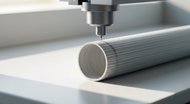
Instead of cutting each piece of tubing completely, the printer makes a light, precise cut along the surface. The tubing stays attached in one long strip until you’re ready to snap off each label. It’s neat, easy to handle, and keeps your workspace organized.
With half-cut round tubing, you don’t have to worry about rough edges or mismatched cuts. You just print, separate, and slide the label onto your wire. No scissors, no mess, no wasted time. It’s one of those small innovations that make a huge difference in everyday wire marking.
Why MAX Letatwin Uses Half Cut Round Tubing Technology?
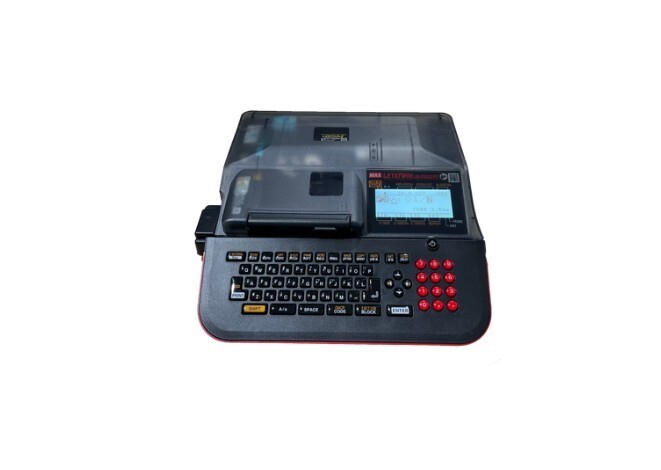
MAX Letatwin introduced the half-cut round tubing feature to improve labeling efficiency and precision in high-volume wiring applications.
The system enables continuous tube printing at speeds up to 25 mm per second, with a cut accuracy of ±0.5 mm, allowing professionals to label large wire batches consistently without manual trimming.
When you’re labeling cables one by one, small inefficiencies quickly add up. Cutting each tube manually takes time and often leads to uneven edges or wasted material.
The half-cut system solves that problem by letting the printer make a shallow, precise cut on the tubing while printing. The labels stay connected in one strip, so you can handle and apply them without any mess or extra steps.
This design keeps the process smooth, consistent, and stress-free. You print once, separate only what you need, and get perfectly finished labels every time. That’s exactly why MAX Letatwin uses this technology: it simplifies labeling without compromising accuracy or quality.
How Half Cut Round Tubing Works in MAX Letatwin Printers: Step-By-Step

The MAX Letatwin printer is designed to make wire labeling effortless, precise, and efficient. Its half cut round tubing function combines printing and cutting in one smooth process. Here’s how it works step by step.
Step 1: Start with the Right Wire
Before anything else, check the type and diameter of the wire you want to label. This step is important because the tubing must fit snugly over the wire without being too tight or loose. A perfect fit ensures that the label stays in place and looks clean after installation.
Step 2: Choose the Perfect Tubing Size
Select the tubing size that matches your wire diameter. The MAX Letatwin tube printing process supports different tubing sizes, allowing you to print on small or large tubes depending on your project. Using the correct tube size helps the printed text stay centered and prevents stretching or distortion when applied.
Step 3: Load and Align the Tubing
Insert the tubing roll into the printer and feed it through the tube guide. Make sure the tubing is straight and properly aligned before closing the cover. The MAX Letatwin automatically adjusts the feeding position to ensure even printing. This is also where the MAX Letatwin tube cutter mechanism prepares to perform its precise half cut after each label is printed.
Step 4: Print and Perform the Half Cut
Once label data is set, initiate printing. The printer transfers text or codes directly onto the tubing and simultaneously makes a controlled partial cut. This half-cut process keeps the printed tube connected for easy handling and organized output.
Step 5: Snap and Slide onto the Wire
After printing, take the tubing and gently snap each section apart along the half cut line. Each segment separates cleanly without tearing or leaving rough edges. Then slide the tube onto your wire. The MAX Letatwin round tube labeling system ensures each label fits neatly around the wire, maintaining a professional, uniform appearance.
Step 6: Inspect and Finalize
Confirm that each tube is correctly positioned and legible. The printed labels are resistant to heat and moisture, ensuring long-term durability in industrial environments.
By following these steps, the MAX Letatwin printer gives you reliable, factory-grade results with minimal effort. Each label is perfectly printed, cleanly separated, and ready to apply, saving you time while keeping your work neat and professional.
Why MAX Letatwin Half Cut Tubing Stands Out?
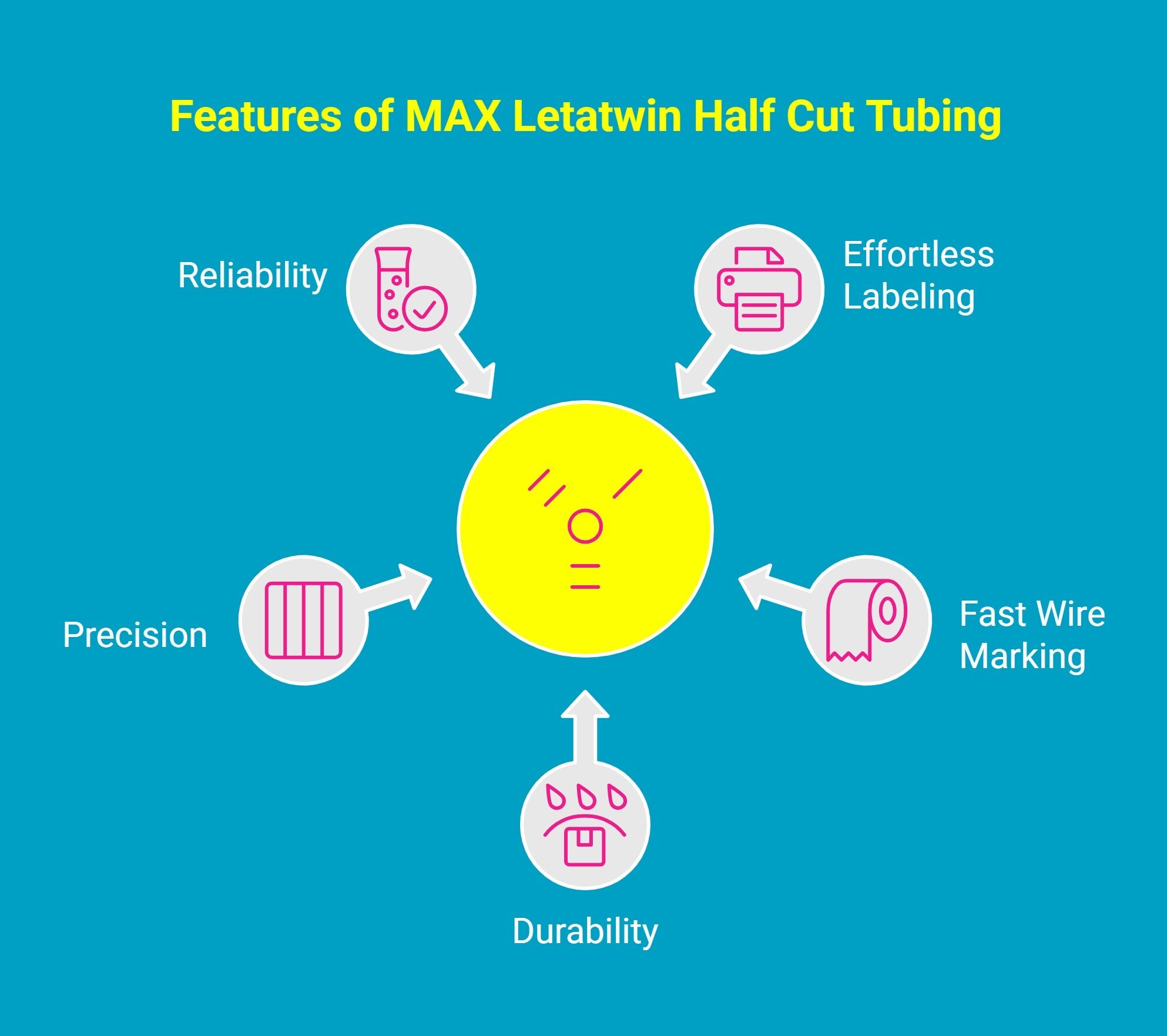
The MAX Letatwin half-cut round tubing system is more than just a labeling feature. It’s a smarter way to simplify your workflow and make every label look clean, precise, and professional. Here’s what makes it truly stand out.
1. Automated Labeling Without Additional Tools
Forget about scissors, blades, or heat guns. The MAX Letatwin printer prints and half-cuts the tubing automatically, giving you ready-to-use labels straight from the machine. It’s simple, fast, and saves you from the hassle of manual cutting.
2. Efficient Continuous Printing and Easy Separation
The half cut design allows you to print multiple labels in one continuous strip and separate them easily when needed. This speeds up your workflow and keeps your workspace neat, even during large wiring projects.
3. Durable Tubing for Industrial Environments
MAX Letatwin tubing isn’t just precise, it’s tough. The material is heat resistant, moisture proof, and durable enough to handle demanding environments. Whether you’re in a factory, workshop, or field site, your labels stay intact and readable for the long run.
4. Consistent Print and Cut Accuracy
Each label is evenly cut, perfectly aligned, and crystal clear. The printer’s advanced cutting and printing system ensures your wire labeling looks professional every time, creating a tidy and uniform finish across all cables.
5. Reliable Performance for Professional Applications
Electricians, engineers, and technicians trust MAX Letatwin for a reason. It’s built for heavy-duty, everyday use, helping professionals manage complex wiring systems with accuracy and consistency. You get reliable results without slowing down your workflow.
With this combination of convenience, precision, and durability, MAX Letatwin’s half-cut tubing feature takes wire labeling to a professional standard that few tools can match.
Why Professionals Choose Durafast for MAX Letatwin Solutions?
Finding genuine MAX Letatwin printers and tubing can be frustrating, especially when you need consistent performance and durable results. Many suppliers offer similar products, but few deliver the reliability and expertise professionals truly need. That’s why so many electricians and engineers turn to Durafast Label Company.
Durafast is an authorized supplier of MAX Letatwin printers, half-cut tubing, and accessories, providing authentic products that guarantee precision and quality every time. Whether you’re printing labels for control panels or large wiring systems, Durafast ensures your equipment and supplies perform flawlessly.
With fast delivery, expert guidance, and dependable customer support, Durafast helps you keep every project running smoothly from setup to final labeling.
Have questions or need help choosing the right MAX Letatwin printer or tubing? Contact the Durafast team today!
Final Thoughts
Every technician knows that the difference between good work and great work often lies in precision and consistency. The MAX Letatwin half-cut round tubing system was built with that exact mindset to take a small but crucial task and perfect it.
It’s not just about labeling wires; it’s about creating a smoother, smarter, and more dependable workflow. When every label is clean, every fit is exact, and every project looks as professional as it performs, you start to see how innovation can simplify even the most repetitive parts of the job.
That is the real power of MAX Letatwin, turning precision engineering into everyday reliability, one perfectly cut label at a time.
Frequently Asked Questions
Which MAX Letatwin models support the half-cut round tubing feature?
The half cut feature for round tubing is available in models like the MAX Letatwin LM-550A2BH and LM-550A2. You can manage your label data easily using the Letatwin PC Editor software compatible with Excel formats.
How does the half cut function work for round tubing in the MAX Letatwin machine?
The printer’s precision blade partially cuts the PVC tubing after printing, keeping markers connected in sequence. This automated design makes labeling faster and cleaner while maintaining easy peel-off convenience for panel or wiring projects.
Can I adjust the depth of the half-cut on round tubing with the MAX Letatwin?
The MAX Letatwin’s half cut depth is factory calibrated for consistent results on compatible consumables like PVC tubes and heat shrink materials. It provides a precise, easy-to-separate cut without manual adjustments.
Are there any common issues when using the half-cut round tubing feature on MAX Letatwin, and how can I solve them?
If cutting issues occur, check your ink ribbon, tubing alignment, and ensure the half cut mode is activated. Always verify that compatible tape cassette and materials are installed correctly for accurate printing and cutting.
What are the main benefits of using half-cut round tubing on the MAX Letatwin compared to fully cutting?
The main benefit of the half cut feature is efficiency. It keeps your durable labels organized on a single strip, which is much faster than handling individual pieces, especially for complex control panels. This high speed, efficient method prevents labels from getting lost or mixed up, saving you time and frustration.
How do I print on tubes using a MAX Letatwin printer?
Load the tape cassette or tubing, insert the ink ribbon, and connect your printer via USB to the Letatwin software. Enter your text, select the cutting mode, and print. The machine automatically half-cuts and prepares labels in seconds.
What are the steps for setting up the MAX Letatwin LM-550A2BH for tube printing?
Install the ribbon, load the tubing, and adjust feeding alignment. For detailed guidance, you can download the official setup PDF from the MAX website, which includes step-by-step setup instructions.
Which materials are compatible with the MAX Letatwin tube printing process?
MAX Letatwin printers work with PVC tubing, heat shrink tubes, and other approved consumables. These materials ensure durability, flexibility, and long-lasting clarity for electrical, industrial, and control panel applications.
Can you explain the thermal transfer process used by MAX Letatwin printers for tube marking?
Thermal transfer printing uses heat to bond ink from a ribbon onto the tube surface. This creates permanent, smudge-resistant markings that remain readable even in harsh environments or high-temperature conditions.
What are the maintenance requirements for the MAX Letatwin LM-550A2BH printer?
Regularly clean the print head with a soft, lint-free cloth and isopropyl alcohol. Keep the feeding rollers dust-free, replace worn ribbons, and store the printer in a dry, cool environment for consistent print quality.
Are there any recommended settings for printing small or large font sizes on tubes with the MAX Letatwin?
Yes. For smaller tubes, use compact fonts to maintain readability. For larger tubes, increase character size and spacing. The Letatwin’s built-in adjustment settings make it easy to optimize print clarity for any tube size.
How does the MAX Letatwin LM-550A2BH compare to other tube printing devices?
The LM-550A2BH offers faster print speeds, automatic half-cutting, and advanced text formatting compared to most tube printers. It’s designed for high-volume, professional use, combining speed, precision, and reliability in one device.