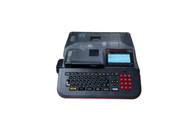
How to Perform an Ink Ribbon Refill in Your MAX Letatwin Printer?
30th Jan 2026
Key Highlights
-
Faded prints usually mean your ribbon needs an ink ribbon refill.
-
Proper refills ensure sharp, long-lasting, and professional-quality labels.
-
Gather essentials like a new ribbon cartridge ink refill and a clean workspace.
-
Follow five steps: power off, remove, insert, tighten, and test.
-
Clean the print head and store ribbons properly to maintain quality.
-
Always use genuine MAX Letatwin consumables for best performance.
-
For authentic MAX refills and expert support, choose DuraFast.
Nothing is more frustrating than your MAX Letatwin printer suddenly producing faded or incomplete prints right when you need perfect labels. Most of the time, the culprit is a depleted ribbon, and a quick ink ribbon refill is all it takes to get things back on track.
Many users, however, put off refilling because they assume it is complicated or risky. The truth is that once you know the right steps, the process is simple, clean, and saves you both time and money.
In this guide, you will learn how to refill ink ribbons in your MAX Letatwin printer correctly, keep print quality sharp, and prevent common ribbon issues. This way, your printer stays reliable every time you hit print.
Why Proper Ink Ribbon Refills Matter for Your MAX Letatwin Printer?
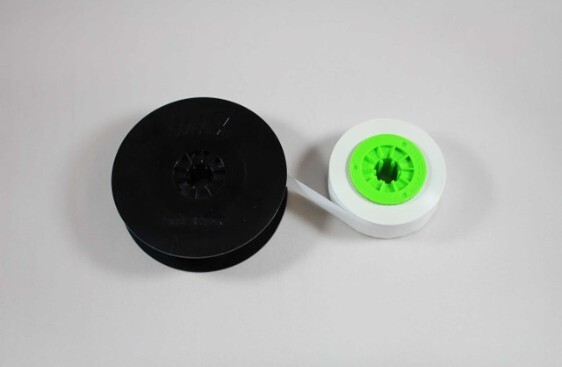
Your MAX Letatwin printer requires a consistent ink transfer to produce clear and durable labels. If the ribbon is low or incorrectly refilled, you may observe fading, uneven text, or smudged prints, which can compromise label quality.
Proper refilling ensures every label comes out clean and easy to read, whether you are marking cables, panels, or industrial components. A well-maintained ribbon system also reduces wear on your printer’s print head, extending its lifespan and saving on repair costs.
Think of a printer ribbon refill as more than just maintenance. It is a small but essential step that keeps your printer running efficiently and your projects looking professional every single time.
What Do You Need Before Starting an Ink Ribbon Refill?
Before you begin, make sure you have everything ready to complete the process smoothly. Refilling your ribbon is quick and easy when you are properly prepared. Here is what you will need:
-
Genuine or compatible refill roll: Use a refill specifically designed for MAX Letatwin printers to ensure proper fit and consistent print quality.
-
Soft cloth or cleaning swab: Gently clean the print head before inserting the new ribbon to maintain sharp and even output.
-
Printer manual: Keep your model’s manual accessible for reference to ribbon installation steps or troubleshooting procedures.
Once you have everything on hand, you are ready to move on to the actual refill process. It only takes a few minutes to complete, but doing it carefully ensures reliable performance and clean prints every time.
Step-by-Step Guide to Refilling the Ink Ribbon in a MAX Letatwin Printer

Refilling your MAX Letatwin printer’s ribbon doesn’t have to be intimidating. With a little care and the right technique, you can complete the process quickly and safely. Follow these clear steps to achieve smooth, professional printing results every time.
Step 1: Power Down and Get Ready
Before you begin, switch off your Letatwin printer and unplug it. This prevents accidental movement while you handle internal parts. Open the ribbon cover gently and check that the inside is clean and free from dust or bits of old ribbon. A quick wipe with a soft, dry cloth helps maintain your printer’s longevity and ensures a clean start.
Step 2: Remove the Old Ribbon Cassette
Carefully lift out the used ribbon cassette from its compartment. If it still contains a bit of usable ribbon, you can rewind and reuse it later. Avoid touching the ribbon surface directly, as oils from your hands can affect print quality. Dispose of the completely used ribbon responsibly.
Step 3: Load the New Ink Ribbon Refill
Take your new printer ink ribbon refill and position it inside the printer’s ribbon cassette slot. Make sure the supply and take-up spools are aligned with the arrows or guides shown inside the printer. Feed the ribbon gently over the print head, ensuring it lies flat and tight across the path. Correct alignment here is key to smooth, streak-free printing.
Step 4: Tighten and Remove Ribbon Slack
Use the spool knob to advance the ribbon slightly and remove any slack. The ribbon should feel snug, not loose. This step prevents tangling and helps the ink distribute evenly during printing. If you notice wrinkles or slack, rewind and adjust until the ribbon sits straight, especially if it's your first time performing this task.
Step 5: Close, Power On, and Test Your Print
Once the ribbon is properly in place, close the printer cover securely and plug the printer back in. Turn it on and run a quick test print. If the text appears light or uneven, open the cover and check for any twists or slack in the ribbon. When everything looks sharp and clear, your refill is complete and ready for use.
A correct ribbon cartridge ink refill not only restores your printer’s performance but also ensures consistent, professional-quality labeling. Taking a few extra minutes to refill carefully helps extend your printer’s lifespan and keeps every project looking precise.
How Can You Maintain Print Quality and Save Ink on Your MAX Letatwin Printer?
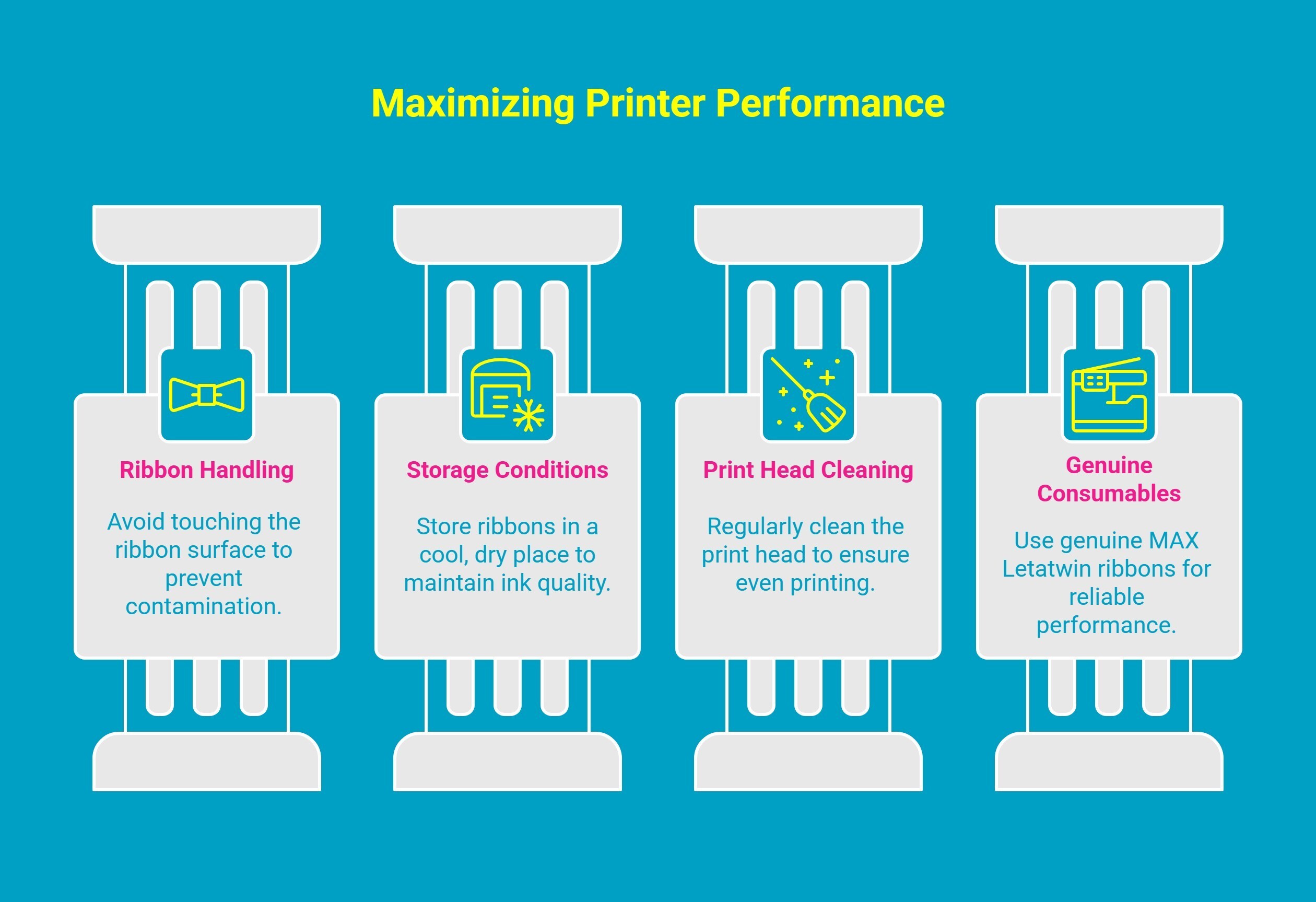
A well-refilled ribbon is just one part of keeping your MAX Letatwin printer performing at its best. To consistently achieve crisp, smudge-free labels and get the most value from every ink ribbon refill, proper care and maintenance are essential.
Here are a few practical ways to extend the life of your ribbons, save on ink, and keep your printer in top shape.
1. Avoid Touching the Ribbon Surface
Your printer’s ribbon is coated with a delicate layer of ink that transfers onto each label. When you touch it directly, the oils or dirt from your fingers can easily contaminate the surface, resulting in streaks, patchy prints, or even ribbon tears. Always handle the ribbon by the spool or edges, especially when loading or adjusting it. A small amount of care here can go a long way in preserving both print quality and ribbon longevity.
2. Store Unused Ribbons in a Cool, Dry Place
Environmental conditions can significantly affect your ribbon’s performance. Exposure to humidity can cause the ink layer to soften or stick, while excessive heat may cause it to dry out and crack. Store unused ribbons in their original packaging, away from sunlight or moisture. A temperature-controlled environment, ideally between 10°C and 25°C, helps maintain their ink consistency and flexibility for future use.
3. Clean the Print Head Regularly
Even the best printer ribbon refill will not produce quality output if the print head is dirty. Dust, residue, or dried ink can block parts of the thermal head, leading to uneven printing. After every few rolls, gently clean the print head using a lint-free cloth or a swab dipped in isopropyl alcohol. Always wait for it to dry before reinstalling the ribbon. This routine care prevents streaks and extends your printer’s lifespan.
4. Choose Genuine MAX Letatwin Consumables
It might be tempting to cut costs with generic refills, but non-genuine ribbons often have inconsistent ink coatings or poor tension control. This can lead to faded prints, ribbon jams, or even damage to the print mechanism.
Using genuine MAX Letatwin ribbons and ribbon cartridge ink refill kits ensures precise ink distribution, reliable feed movement, and superior print durability, especially important for industrial or professional labeling tasks.
To see exactly how it’s done, you can also watch this quick tutorial that walks you through the entire refill process step-by-step , from removing the old cassette to testing the new ribbon.
Why Choose DuraFast for Your MAX Letatwin Supplies?
If your labels are fading too quickly or your printer keeps jamming, chances are the problem lies with low-quality refills, not your printer. Cheap alternatives might seem like a good deal, but they often lead to wasted time, unclear prints, and frequent replacements.
That’s where DuraFast makes the difference. As an authorized MAX distributor, DuraFast provides genuine printer ribbon refills and label cartridges built for accuracy, durability, and seamless compatibility with every Letatwin model.
With DuraFast, you get consistent print quality, long-lasting ribbons, and peace of mind knowing you’re using 100 percent authentic MAX consumables. Plus, their expert team is always ready to help you find the right supplies to match your printing needs.
If you want crisp labels, smoother operation, and zero printing headaches, DuraFast is the partner you can trust to keep your MAX Letatwin printer performing at its best.
Ready to order or need expert advice? Contact DuraFast today!
Final Words
A well-maintained printer is not just about better prints; it is about peace of mind. When your MAX Letatwin runs smoothly, your focus stays where it matters most: finishing projects on time and with precision.
Every refill is a chance to take control of your tools instead of letting small issues slow you down. It is the difference between reacting to problems and staying ahead of them.
Mastering something as simple as a ribbon refill means you are not just maintaining a printer, you are building reliability into your workflow. And that is what true professionals do.
Frequently Asked Questions
How do I know when my printer ribbon needs a refill instead of a replacement?
If prints look faded but the ribbon fabric is still smooth and intact, it only needs a refill. Replace it completely if the ribbon appears. If it’s just out of black ink and the material is in good shape, a refill is the perfect solution.
Where can I buy compatible printer ribbon refill rolls online?
You can buy compatible printer ribbon refills from online stores like Amazon or office supply retailers that sell genuine and compatible MAX Letatwin accessories. Always confirm the ribbon matches your specific printer model.
What are the risks or downsides of refilling printer ink ribbons compared to buying new ones?
The primary risks include messy spills if you’re not careful, potential damage to the ribbon if handled roughly, and inconsistent print quality if you use the wrong type of ink (like inkjet or stamp pad ink) or apply too much ink.
Can I reuse or rewind a partially used MAX Letatwin ribbon cassette?
No, it is not recommended to rewind and reuse a partially used ribbon. The ink is transferred permanently during printing, and rewinding it will not restore the used sections. Reusing a ribbon is similar to trying to salvage old typewriter ribbons; once it's used, it's time for a refill or replacement.
What’s the best way to prevent ribbon slack or jams inside the cassette?
The best way to prevent slack is to use the tightening knob or manually turn the spools on the cassette before reinstalling it. Gently rotate the knob until the ribbon is taut and smooth. This ensures the ribbon feeds correctly through the printer, much like ensuring the smooth operation of WD tools.
Which kind of ink should I use to re-ink printer ribbons?
Use ink specifically designed for your printer's ribbon type. For MAX Letatwin ribbons, use compatible ink designed for thermal transfer ribbons to ensure consistent print quality and avoid damaging the ribbon or print head.
Is there a difference between ink for thermal transfer ribbons and regular ribbon refills?
Yes, thermal transfer ribbons require specific ink that adheres to the material using heat. Regular ribbons may use different ink formulations. Always choose ink suited for the ribbon type to avoid print quality issues.
How long does a refilled ink ribbon typically last compared to a new one?
A refilled ink ribbon generally lasts the same amount of time as a new one, depending on usage and the quality of the ink used. However, a well-refilled ribbon can sometimes offer slightly less durability if overfilled or improperly handled.
Are there compatible ink ribbon refills for popular calculator brands?
Yes, compatible ink ribbon refills are available for popular calculator brands like Casio, Sharp, and Canon. These refills are often designed to fit a variety of printing calculators, providing a cost-effective alternative to brand-specific ribbons.