Labeling Technology Explained: Comparing Inkjet, Thermal, and Laser Printing
19th Jan 2026
Choosing a labeling technology isn’t a design preference; it’s a decision that affects cost per label, scan accuracy, maintenance workload, and how easily your operation scales. Inkjet, thermal, and laser printing all solve different problems, and confusion usually starts when businesses expect one technology to do everything equally well.
This guide breaks down how each printing method actually works, where it performs best, and how it fits into modern labeling workflows.
Inkjet Label Printing: Flexibility and Visual Detail
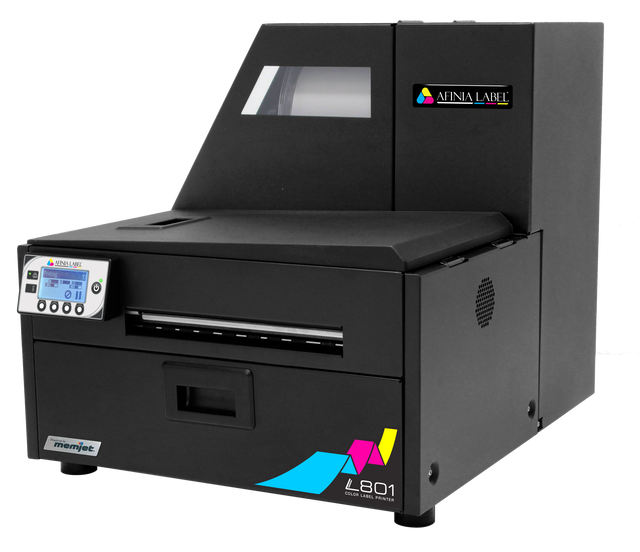
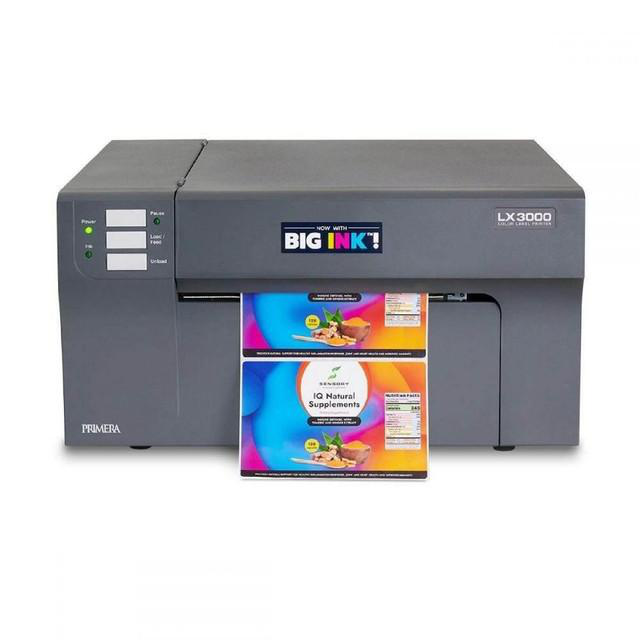
Inkjet printers create images by spraying microscopic droplets of liquid ink onto label material. This technology dominates home and office printing, but industrial inkjet has carved out a strong role in product labeling, especially where color matters.
Where Inkjet Excels
Inkjet is widely used for:
- Full-color product labels
- Short to medium print runs
- Branding-focused packaging (food, cosmetics, supplements)
Studies note that high-resolution inkjet printing enables on-demand customization without the setup costs associated with traditional printing methods, making it attractive for brands with frequent design changes or limited SKUs.
This is why many businesses choose to purchase color label printers when visual appeal and speed outweigh extreme durability.
Costs and Maintenance
Inkjet printers often have lower upfront costs than industrial thermal systems, but ongoing expenses matter:
- Ink cartridges require frequent replacement
- Ink costs per milliliter are relatively high
- Printheads may clog if printers sit idle
Ink accounts for the majority of total operating cost over time, especially in higher-volume environments. That’s why organizations printing at scale often factor in recurring expenses like buying ink cartridges when evaluating the total cost of ownership.
Limitations to Consider
Inkjet labels may:
- Smudge when exposed to moisture unless coated
- Fade faster under UV exposure
- Require specialty media for durability
Inkjet works best indoors, on packaging that doesn’t face harsh handling or long shelf life requirements.
Thermal Printing: Reliability and Industrial Durability
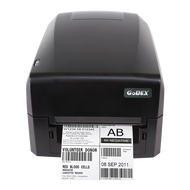
Thermal printing uses heat rather than liquid ink, making it a cornerstone of logistics, warehousing, healthcare, and retail.
There are two main types: direct thermal and thermal transfer.
Why Thermal Is So Widely Used
Research highlights that thermal printing’s dominance in barcode applications is due to its consistent contrast, minimal maintenance, and high scan reliability.
That’s why thermal label printers remain standard across:
- Shipping and fulfillment centers
- Asset tracking systems
- Compliance and regulatory labeling
Thermal printers produce crisp barcodes that scan reliably, even at high speeds.
Thermal Transfer vs. Direct Thermal
- Direct Thermal: Uses heat-sensitive paper; no ribbon required
- Lower consumable costs
- Shorter label lifespan
- Thermal Transfer: Uses a ribbon to transfer ink onto labels
- Longer durability
- Resistant to heat, moisture, and abrasion
For businesses needing longevity, it makes sense to buy thermal transfer printers. Additionally, resin-based thermal transfer ribbons can withstand chemicals, UV exposure, and outdoor conditions for years.
Consumables and Maintenance
Thermal printers require:
- Printhead care
- Label media
- Ribbons (for transfer printing)
Sourcing quality supplies directly impacts print clarity and printhead life. Compared to inkjet, thermal systems generally have:
- Lower maintenance downtime
- Predictable consumable usage
- Longer hardware lifespan
This explains the popularity of thermal label printers in high-volume environments.
Laser Printing: Office Efficiency and Sheet Labels
Laser printers use toner and heat to fuse images onto paper. While not purpose-built for industrial labeling, they remain useful in specific scenarios.
Best Use Cases for Laser Label Printing
Laser printing is most commonly used for:
- Office and administrative labeling
- Short-run compliance labels
- Documentation and internal tracking
Laser printing offers high text sharpness and speed for batch printing, though it’s less adaptable to non-paper substrates.
Cost Considerations
Laser printers:
- Have moderate upfront costs
- Use toner cartridges with relatively long life
- Are cost-effective for low-to-moderate volumes
However, toner adhesion can fail on synthetic label stocks, making laser less suitable for shipping or outdoor use.
Durability Limitations
Laser labels may:
- Crack or peel on flexible packaging
- Fail under moisture or friction
- Warp under heat during application
This is why laser printing rarely replaces thermal systems in logistics or manufacturing environments.
Scalability and Growth Planning
Labeling needs rarely stay static.
Inkjet Scalability
Inkjet scales well for:
- New product launches
- Short-run SKUs
- Seasonal designs
However, high volumes can strain ink budgets and maintenance schedules.
Thermal Scalability
Thermal printing scales best for:
- Warehousing growth
- eCommerce fulfillment
- Multi-location operations
Industrial thermal printers integrate seamlessly with automation, ERP systems, and barcode workflows, especially when paired with label design software for printers.
Laser Scalability
Laser printing scales poorly beyond office use. As volumes increase, sheet handling and toner costs become bottlenecks.
Role of Scanners, POS, and Supporting Hardware
Printing labels is only half the system.
Barcode Scanners
Whether you buy barcode scanners for warehouses or choose them for retail, scanners validate label quality in real time. Poor print contrast directly increases scan failure rates, which research links to fulfillment errors and customer dissatisfaction.
POS and Receipt Printing
Retail environments often combine labeling with transaction systems. POS receipt printers and thermal POS receipt printers use the same thermal principles, ensuring speed, reliability, and low maintenance at checkout counters.
Choosing the Right Technology for Your Operation
There’s no universal winner.
- Choose inkjet for branding, color, and flexibility
- Choose thermal for durability, speed, and barcode accuracy
- Choose a laser printer for office-based, low-volume needs
Many businesses run hybrid setups: high-quality color label printers for product packaging, paired with high-quality thermal label printers for shipping and compliance.

Labeling technology decisions are most effective when guided by real usage conditions rather than assumptions. Inkjet, thermal, and laser printing each deliver value within clearly defined boundaries. Understanding those boundaries helps businesses avoid overinvesting in features they do not need.
DuraFast Label Company can help you create a labeling setup that boosts efficiency across inventory, compliance, packaging, and design workflows.
With a robust catalog of label printers and supplies, we help businesses of all sizes take control of their printing needs. We offer an extensive range of direct thermal and thermal transfer labels compatible with leading printers like Zebra, SATO, and Toshiba, as well as custom thermal transfer labels tailored to specific sizes, materials, and applications.
For color printing needs, our high-quality color label printers support systems that produce full‑color, high‑resolution product labels using advanced ink technologies. With barcode scanners and labeling hardware supported as well, your in‑house system becomes a cohesive, professional environment rather than a patchwork of tools.
Build, scale, and maintain your high‑performance labeling operation with confidence; contact us today.